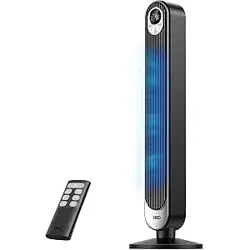
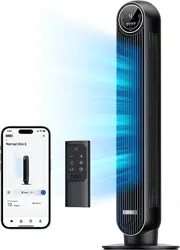
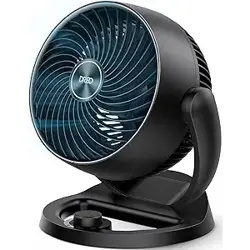
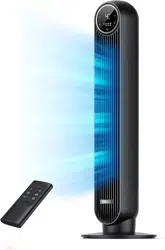
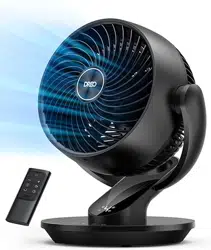
Dreo DR-HPF013 Fan for Bedroom, Upgraded, 90ft Airflow, 20dB Quiet Fan, 90° Oscillating Standing Fan

Product's Documents

Below are documents related to this product, you can read online or download:
DR-HPF013 photo

Overview

The DREO Fan for Bedroom (Model DR-HPF013) is a pedestal-style air circulator fan designed for indoor use in rooms such as bedrooms, living rooms, home offices, and kitchens. It features a DC motor, adjustable height, oscillation, and multiple speed settings for personalized air circulation.

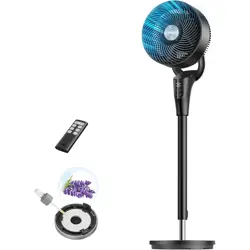
DREO pedestal fan in black, standing on a floor.

Features and Specifications

Physical Specifications

  • Brand: DREO
  • Model: DR-HPF013 (TurboPoly Fan 306)
  • Color Options: Black, Grey, White
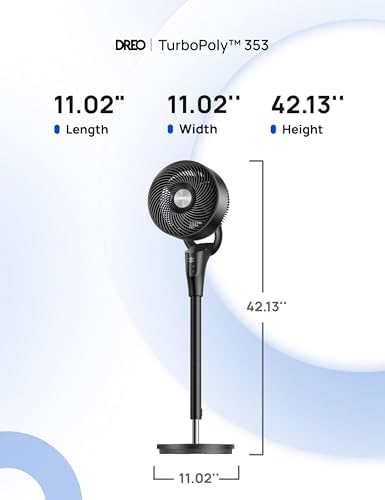
  • Product Dimensions: 11.02"D x 11.02"W x 42.13"H
  • Adjustable Height Range: 38 to 42 inches
  • Blade Diameter: 7 inches
  • Number of Blades: 3
  • Weight: 5.2 kg (11.5 lbs)
  • Material: Plastic

Performance Specifications

  • Power Source: Corded Electric (120V)
  • Motor Type: DC Motor
  • Wattage: 36W
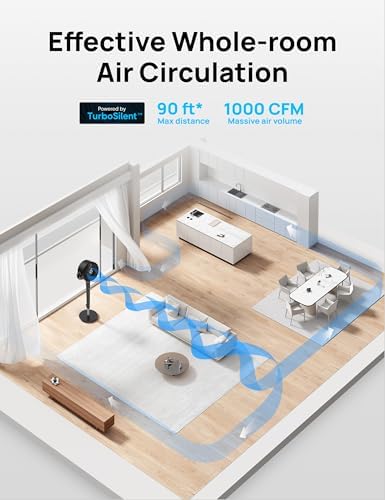
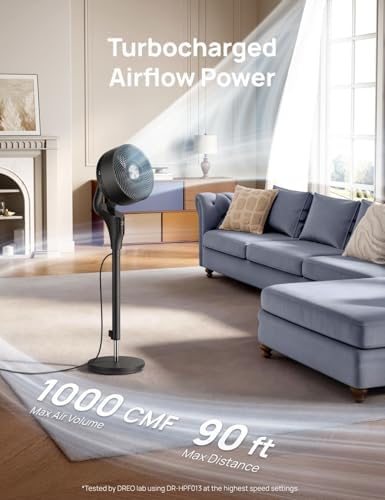
  • Airflow Capacity: 1000 Cubic Feet Per Minute (CFM)
  • Maximum Airflow Distance: Up to 90 ft
  • Noise Level: As low as 20 dB
  • Number of Speed Settings: 8+
  • Operational Modes: 3 (Normal, Auto, Sleep)
  • Horizontal Oscillation: 90°
  • Vertical Tilt (Manual): 105°
  • Timer: Up to 8 hours
  • Control Methods: Remote control and built-in touch panel.
  • Special Features: Adjustable height, adjustable tilt, oscillating, quiet operation, remote controlled, timer, detachable for cleaning, built-in aroma pad slot.
Close-up of the fan's control panel on top of the motor housing. Image showing the fan head tilted upwards.

Use Guide

Parts Identification

  • Base: Provides stability.
  • Height Adjustment Tube: Allows the fan to be raised or lowered.
  • Motor Housing: Contains the DC motor and top control panel.
  • Fan Head: Houses the blades and front/rear grills. Can be tilted manually.
  • Control Panel (Top): Includes touch buttons for power, speed, mode, oscillation, and timer.
  • Remote Control: Offers full control of fan functions from a distance.

Initial Setup and Installation

  1. Remove all components from the packaging.
  2. Assemble the fan by inserting the height adjustment tube into the base and securing it. Attach the motor housing and fan head as per the included quick-start guide.
  3. Place the fan on a stable, level floor surface.
  4. Plug the power cord into a standard 120V electrical outlet.

Basic Operation

Using the Top Control Panel

  • Power: Press to turn the fan on or off.
  • Speed: Press to cycle through the available speed settings (1-8).
  • Mode: Press to switch between Normal, Auto, and Sleep modes.
    • Normal: Fan runs at the manually selected speed.
    • Auto: Fan speed automatically adjusts based on ambient room temperature (increases one speed level for every 3°F rise).
    • Sleep: Fan speed gradually decreases over time for quieter nighttime operation.
  • Oscillation: Press to turn the 90° horizontal oscillation on or off.
  • Timer: Press to set a shut-off timer in increments, up to 8 hours.
Diagram or image indicating the 90-degree oscillation range of the fan.

Using the Remote Control

The remote control duplicates all functions of the top control panel (Power, Speed, Mode, Oscillation, Timer). It also includes a Mute button to disable the control beep sounds.

Point the remote at the fan's control panel. Ensure the batteries (included) are properly installed.

Adjusting Fan Direction

  • Vertical Tilt: Manually adjust the fan head up or down to a 105° range to direct airflow vertically.
  • Height Adjustment: Loosen the locking mechanism on the pole, adjust the height between 38 and 42 inches, and re-tighten.

Cleaning and Maintenance

  1. Unplug the fan from the electrical outlet before cleaning.
  2. The fan features a detachable design for cleaning:
    • Remove the front grill (typically by twisting counter-clockwise).
    • Carefully remove the fan blade.
    • Remove the rear grill.
  3. Wipe all plastic surfaces, grills, and the blade with a soft, damp cloth. Do not immerse the motor housing in water.
  4. Allow all parts to dry completely before reassembling.
  5. Aroma Pad: The fan has a built-in slot for an optional aroma pad. Add a few drops of fragrance oil to the pad and insert it into the designated slot to disperse scent with the airflow.
Exploded view or image showing the fan blade and grills detached for cleaning.

Troubleshooting

Problem Possible Cause Solution
Fan does not turn on. Not plugged in. Power outlet issue. Ensure the power cord is securely plugged into a working outlet.
Remote control does not work. Remote batteries are dead or incorrectly installed. Obstruction between remote and fan. Replace the remote batteries. Ensure you are pointing the remote at the fan's control panel with a clear line of sight.
Fan is noisy or vibrating. Fan blade or grills are loose or dirty. Fan is on an uneven surface. Ensure all parts are securely fastened after cleaning. Place the fan on a flat, stable floor.
Oscillation not working. Oscillation function is turned off. Press the Oscillation button on the control panel or remote to activate it.
Airflow seems weak. Fan speed is set too low. Air intake is obstructed. Increase the fan speed. Ensure the rear grill is not blocked by walls or furniture.

Safety Information

  • This is an indoor use only product. Do not use outdoors or in wet conditions.
  • Always plug the fan directly into a wall outlet. Do not use an extension cord.
  • Do not operate the fan if the power cord or plug is damaged.
  • To prevent fire or electric shock, do not insert fingers or objects into the grills while the fan is operating.
  • Unplug the fan when not in use for extended periods and before cleaning.
  • Keep the fan away from heat sources and open flames.
  • This appliance is not intended for use by persons (including children) with reduced physical, sensory or mental capabilities, unless they have been given supervision or instruction concerning use of the appliance by a person responsible for their safety.

Compliance

This product complies with applicable U.S. safety and performance standards.

Reference file: Dreo DR-HPF013 Fan for Bedroom, Upgraded, 90ft Airflow, 20dB Quiet Fan, 90° Oscillating Standing Fan

Specifications

Dreo DR-HPF013 Questions and Answers