产品名称|Product name
材质印刷与
技术要求
DR-HHM017AS_美规UG 1:1 20260803
Winty
Alyssa
单页尺寸:160*130 mm
Manrope
图纸设计禁止修改,尺寸刀模图为准
尺寸|Size
比例|scale
设计师
|
Designer
审核|Audit
日期|Date
设计版本号
Rev_V0_EN
字体|Fonts
审核
1、 备注信息图层为非印刷区域,展示印刷物料基础信息。
2、 刀板线、备注工艺、尺寸层展示印刷工艺部分。
3、 画面信息层展示印刷展示图片与文字。
图层使用规范:
*电子文档为Adobe Illustrator制作
文件格式:model规格类目日期.AI (为可编辑原始文档)
文件格式:model规格类目日期.pdf (为文件转曲不可编辑文档)
材质要求:157g铜版纸 双面覆哑膜
印刷要求:双面彩色印刷
折叠方式:上下风琴折页
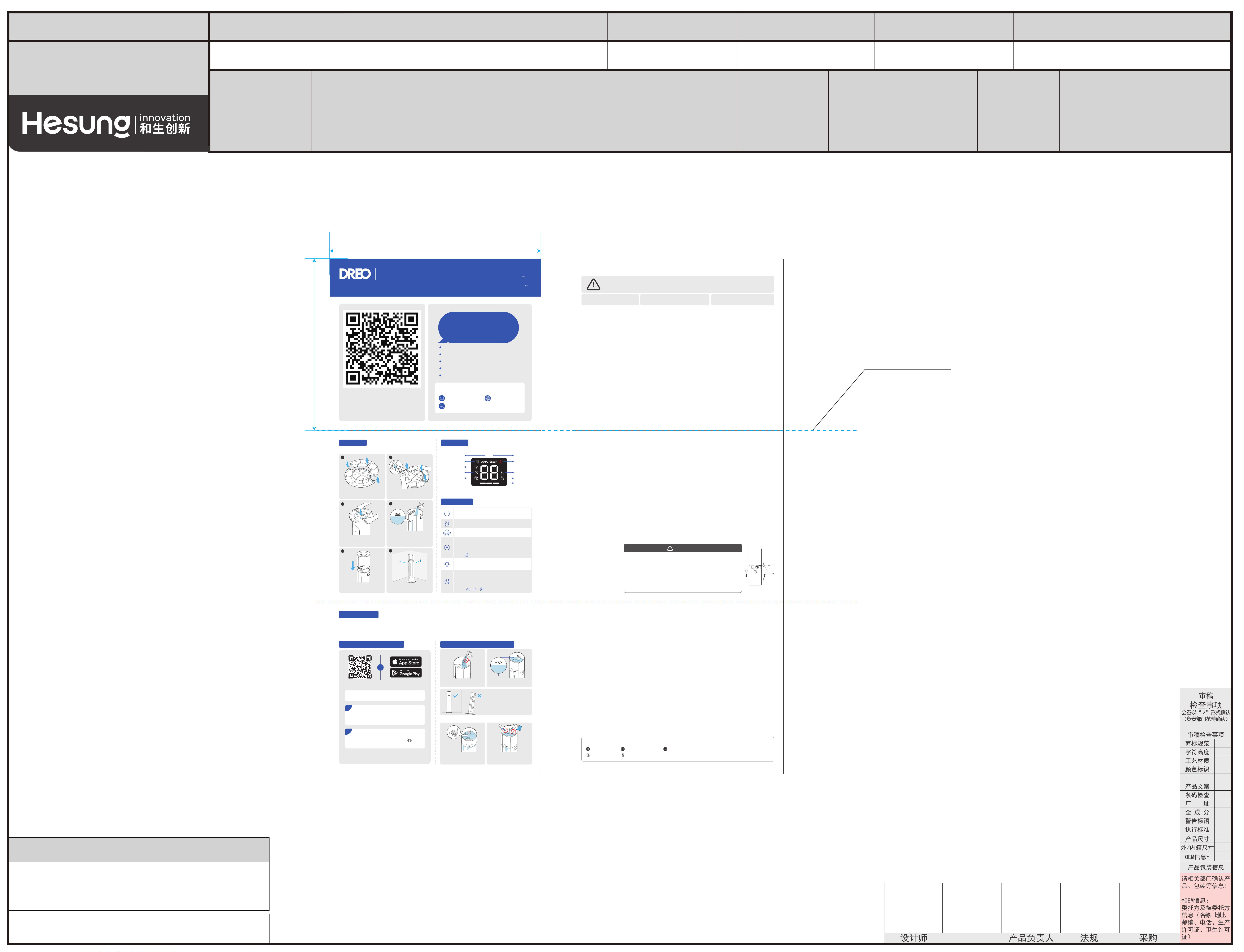
Before Use
130MM
折页压痕线
160MM
User Guide
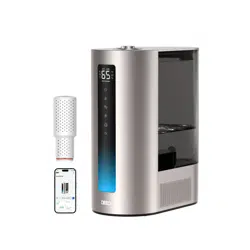
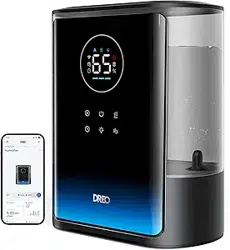
Smart Humidifier
747S
Troubleshooting
1. The appliance will shut down in the event of low water.
2. In Auto Mode, the appliance will stop adding moisture when it reaches the room humidity target.
3. If the mist produces an unpleasant smell, change water regularly to avoid dirty water accumulation.
4. If the appliance is not misting, check if there is scale aached to the surface of the atomizer. If necessary, scan the QR code on
the first page for detailed cleaning and installation instructions.
Is Your New Appliance Leaking?
Connecting to the DREO App
Contact Customer Service If...
IMPORTANT SAFETY INSTRUCTIONS
General Safety
Operation Safety
1. Children should be supervised to ensure that they do not play with the appliance. Cleaning and maintenance shall not be performed by
children without supervision.
2. This appliance is not intended for use by persons (including children) with reduced physical, sensory or mental capabilities, or lack of
experience and knowledge, unless they have been given supervision or instruction concerning use of the appliance by a person responsible
for their safety.
3. Use the appliance as described in the user manual only. Any other use not recommended in the user manual may cause fire, electrical shock, or
personal injury.
4. This is not a toy. This is an electrical appliance and must be operated and maintained by an adult. In addition to the water to be vaporised, only
any additional liquids advised by the manufacturer for cleaning or fragrance shall be used.
1. Always place this appliance on a firm, flat and level surface to avoid dropping or tilting.
2. Always place this appliance 12 inches (30 cm) away from the wall or wooden furniture.
3. DO NOT move this appliance while it is on.
4. DO NOT aempt to repair any parts on this appliance. The inside of this appliance contains no user serviceable parts. All servicing should be
performed by qualified personnel only.
5. NEVER leave water in the reservoir when the appliance is not in use.
6. DO NOT permit the area around the humidifier to become damp or wet. If dampness occurs, turn the output of the humidifier down. If the
humidifier output volume cannot be turned down, use the humidifier intermiently. Do not allow absorbent materials, such as carpeting,
curtains, drapes, or tablecloths, to become damp.
7. DO NOT immerse in water or any other liquids.
8. DO NOT use the appliance until the base is installed.
9. DO NOT insert your fingers, pencil and any other objects into the grilles or openings while in operation.
10.
Warning: Micro-organisms that may be present in the water or in the environment where the appliance is used or stored, can grow in
the water reservoir and be blown in the air causing very serious health risks when the water is not renewed and the tank is not cleaned
properly every 3 days.
11. Be aware that high humidity levels may encourage the growth of biological organisms in the environment.
12. Unplug the appliance during filling and cleaning. Empty and clean the humidifier before storage. Clean the humidifier before next use.
13. Empty the tank and refill every third day. Before refilling, clean it with fresh tap water or cleaning agents. Remove any scale, deposits, or film
that has formed on the sides of the tank or on interior surfaces, and wipe all surfaces dry.
14. The product shall be filled with clean water to prevent the water pump from being blocked.
1. Make sure that the voltage of your electricity supply is the same as that indicated on the appliance.
2. Always unplug before cleaning or leaving the appliance unused for a long period of time. Keep your hands dry when plugging/unplugging.
3. Do not operate the appliance with a damaged cord or plug. Discard the appliance or return to an authorized service facility for examination and/or
repair.
If your product fails because of an original defect in material and/or workmanship during the warranty period, DREO will repair or replace (in DREO’s sole discretion) your product.
To obtain warranty service on your product, contact us at support@dreo.com or at (888) 290-1688 (available from Monday-Friday, 9:00 AM-5:00 PM PST/PDT) for further instructions.
This device complies with Part 15 of the FCC Rules. Operation is subject to the following two conditions: (1) this device may not cause harmful
interference, and (2) this device must accept any interference received, including interference that may cause undesired operation.
Any changes or modifications not expressly approved by the party responsible for compliance could void the user’s authority to operate the equipment.
NOTE: This equipment has been tested and found to comply with the limits for a Class B digital device, pursuant to Part 15 of the FCC Rules. These limits
are designed to provide reasonable protection against harmful interference in a residential installation. This equipment generates, uses and can radiate
radio frequency energy and, if not installed and used in accordance with the instructions, may cause harmful interference to radio communications.
However, there is no guarantee that interference will not occur in a particular installation.
If this equipment does cause harmful interference to radio or television reception, which can be determined by turning the equipment o and on, the
user is encouraged to try to correct the interference by one or more of the following measures:
- Reorient or relocate the receiving antenna.
- Increase the separation between the equipment and receiver.
- Connect the equipment into an outlet on a circuit dierent from that to which the receiver is connected.
- Consult the dealer or an experienced radio/TV technician for help.
This equipment complies with FCC radiation exposure limits set forth for an uncontrolled environment. This equipment should be installed and operated
with a minimum distance of 20cm between the radiator & your body. This transmier must not be co-located or operating in conjunction with any other
antenna or transmier.
IN THE EVENT OF AN ORIGINAL DEFECT IN MATERIAL AND/OR WORKMANSHIP, TO THE EXTENT PERMITTED BY LAW, THE REMEDIES SET FORTH IMMEDIATELY ABOVE ARE YOUR SOLE AND
EXCLUSIVE REMEDIES.
FOR HOUSEHOLD USE ONLY
READ AND SAVE THESE INSTRUCTIONS
Electricity Safety
1. Always turn o and UNPLUG the appliance before any cleaning or maintenance.
2. Do not clean the main body under running water.
3. Do not let water splash into the air outlets.
4. Do not use any chemical agent when cleaning the appliance.
5. Store in a cool, dry place and cover it to protect it from dust.
6. Empty and clean the appliance before storage. Clean the appliance before next use.
7. Do not overfill the appliance due to the potential risk of electric shock.
Cleaning Instructions
21
3
4
5
6
• Turn Auto Mode on.
• Touch to increase target humidity by 5% (30-90% range).
• When the target humidity is reached, the appliance
remains in operation and continues monitoring ambient
humidity.
• Press to exit.
DREO CUSTOMER CARE
12-MONTH LIMITED WARRANTY
What is Covered
DREO warrants to you that your product will be free from original defects in materials and workmanship for a period of twelve (12) months from the date of your purchase, when you use
your product for intended purposes in accordance with this User Manual.
Please retain your proof of purchase. If you do not retain your proof of purchase, your warranty will start two (2) months from the date of manufacture printed on your product label.
What is Not Covered
This limited warranty only applies to the original purchaser of your product and is non-transferable. This warranty is only valid if your product is used in the country in which you originally
purchased it. In addition, this warranty will not apply, and DREO will not be liable for any costs, damages, or repairs, in connection with any of the following:
Any service and customer support that DREO provides to you under this limited warranty will not extend the duration of this limited warranty.
• Accidents or use of your product with inappropriate force;
• Damage or destruction caused by wrong voltage or unstable electric current;
• Normal wear and tear;
• Careless operation or handling, misuse, abuse, neglect, and/or failure to maintain or use your product in accordance with this User Manual;
• Any partially or completely altered, modified and/or dismantled products;
• Reduction in baery discharge time due to baery age or use (as applicable);
• Products with altered or removed serial numbers;
• Clearing any blockages from the product;
• Purchases from retailers and distributors not authorized by DREO to sell this product;
• Defects caused by or resulting from damages from shipping or handling by any third party not authorized by DREO to ship or handle your product; or
• Defects caused by or resulting from repairs, service, improper maintenance, or alteration to your product or any of its components by anyone other than a repair
person authorized by DREO.
Warranty Limitations and Exclusions
ANY IMPLIED WARRANTIES RELATING TO YOUR PRODUCT, INCLUDING BUT NOT LIMITED TO THE WARRANTY OF MERCHANTABILITY AND THE WARRANTY OF FITNESS FOR A PARTICULAR
PURPOSE, ARE LIMITED TO THE DURATION OF THE LIMITED WARRANTY SET FORTH ABOVE AND ARE OTHERWISE DISCLAIMED.
THIS LIMITED WARRANTY SHALL BE THE SOLE REMEDY OF THE PURCHASER OR USER OF THE PRODUCT, AND DREO SHALL NOT BE LIABLE FOR AN ALLEGEDLY DEFECTIVE OR DAMAGED
PRODUCT EXCEPT TO REPAIR OR REPLACE IT IN ACCORDANCE WITH THIS LIMITED WARRANTY. DREO WILL NOT BE LIABLE FOR SPECIAL, INCIDENTAL, INDIRECT, CONTINGENT, OR
CONSEQUENTIAL DAMAGES OR LOSSES OF ANY NATURE THAT YOU MAY INCUR IN CONNECTION WITH YOUR PURCHASE OR USE OF YOUR PRODUCT.
Some jurisdictions do not allow limitations on how long an implied warranty lasts or the exclusion or limitation of incidental or consequential damages, so the above limitations or exclusions may
not apply to you. This limited warranty gives you specific legal rights, and you also may have other rights which vary from jurisdiction to jurisdiction.
Limited Remedies
FCC Statement
Make sure the water is not added
into the fan.
Make sure the water does not
pass the MAX line.
Make sure the appliance is placed
on a flat surface.
www.dreo.com
*To learn more, read the full user manual on
1
Tap + Add Device and select Smart
Humidifier 747S.
Tip: Enable Bluetooth on your mobile device and
plug in the appliance.
2
You're now ready to control the appliance on
your app.
Tip: To restart connection seings, hold again
for 5 seconds.
Scan the QR code to
download the DREO app.
Look for "Smart Humidifier 747S" when connecting
your new appliance.
Search "DREO" on
Google Play or the App Store.
OR
The water valve is not flat or
the water inlet tank leaks
water when refilling.
Your appliance has leakage due
to prolonged use of essential oils
or liquid medication.
Scan to read the
full user manual
• Power on/o.
• Long press for 5 seconds to restore WiFi and factory
seings.
• Turn Sleep Mode on.
• Humidify at the lowest mist level.
• Beep sounds, ambient, display and water level window
lights will be turned o.
• Touch any buon to wake up the display (auto-o in 5s).
• Touch / / to exit.
• Set a timer (0-12h).
• Long press for 5 seconds to enter WiFi seings.
• Switch between Low/Medium/High mist level.
• Turn ambient, display, and water level window lights
on/o.
• Long press to adjust brightness.
Model No.: DR-HHM017AS
Rated Power: 24V 24W
Input: 100-240V ~ 50Hz/60Hz, 0.8A
Output: 24V 1A
Click
Faster response.
Excellent customer support.
Hassle-free returns.
Professional product guidance.
Exceptional after-sales experience.
Only DREO experts
give all the support
you need
Reach out to us, it’s easy!
Mon - Fri, 9:00 am-5:00 pm PST/PDT
(888) 290-1688
www.dreo.com
READ ALL CAUTIONARY MARKINGS ON THE APPLIANCE AND
SAFETY INSTRUCTIONS IN THE USER MANUAL BEFORE USE.
DO NOT touch or hold the plug or
power cord with wet hands.
DO NOT block or cover the
nozzle while in operation.
DO NOT let children or pets
play with this appliance.
Rev_EN_1.0
Baery Replacement
1. Remove the baery cover
in the direction indicated by
the arrow.
2. Replace with two new AAA
1.5V baeries. Make sure
that the positive (+) and
negative (-) terminals are
positioned correctly.
3. Push the baery cover back
into place.
WARNING
- Replace with new baeries of the same type when replacement is required.
- Remove the baeries when the remote control is unused for long period of time.
- Do not aempt to dismantle the baeries.
- Do not dispose the baeries in fire, baeries may explode or leak.
- Chemical burn hazard. Keep baeries away from children.
- Do not mix old and new baeries and Do not mix alkaline, standard (carbon-zinc) or
rechargeable (ni-cad, ni-mh, etc.) baeries.
- Always purchase the correct size and grade of baery most suitable for the intended use.
- Replace all baeries of a set at the same time.
- Clean the baery contacts and also those of the device prior to baery installation.
- Remove used baeries promptly.
- Non-rechargeable baeries are not to be recharged.
1
3
2
Humidity%
Low Water
Hour
Sleep ModeAuto Mode
Cartridge Change
Mist Level
Timer
WiFi
Schedule
Match the rectangular cutout with
the rectangular support on the base.
Press down on the edge to snap
the two base halves together.
When using your appliance for the first time, remove the wraps
and follow the steps below.
Aach the base to the humidifier
boom. Press the base firmly until
you hear a click.
Fill the water tank with
room-temperature water.
Note: You can also add water directly to
the base chamber.
DO NOT fill past the MAX line.
Place the humidifier base on the
water tank.
Place the appliance on a flat,
level surface.
30cm/
12 inch
LED Display
Control Panel
Reach out to us, it's easy!
(Mon - Fri, 9:00 am-5:00 pm PST/PDT)
(888) 290-1688
www.dreo.com
DREO PTE. LTD.
1 COLEMAN STREET, #05-05, THE ADELPHI, SINGAPORE 179803
CHOKING HAZARD - Small parts, Not for children under 3 years.
4. Do not run cord under carpeting. Do not cover cord with throw rugs, runners, or similar coverings. Do not route cord under furniture or
appliances. Arrange cord away from traic areas and where it will not be tripped over.
5.
WARNING: To reduce the risk of fire or electric shock, do not use the appliance with any solid-state speed control device.
6.
WARNING: If the supply cord is damaged, it must be replaced by the manufacturer, its service agent or similarly qualified persons in
order to avoid a hazard.
7. The appliance is only to be used with the power adapter provided with the appliance. Turn o the appliance before plugging it into the electrical
socket.
The remote control
has no RF circuit.