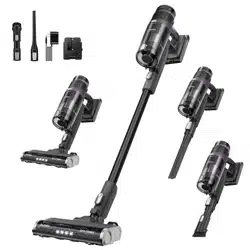
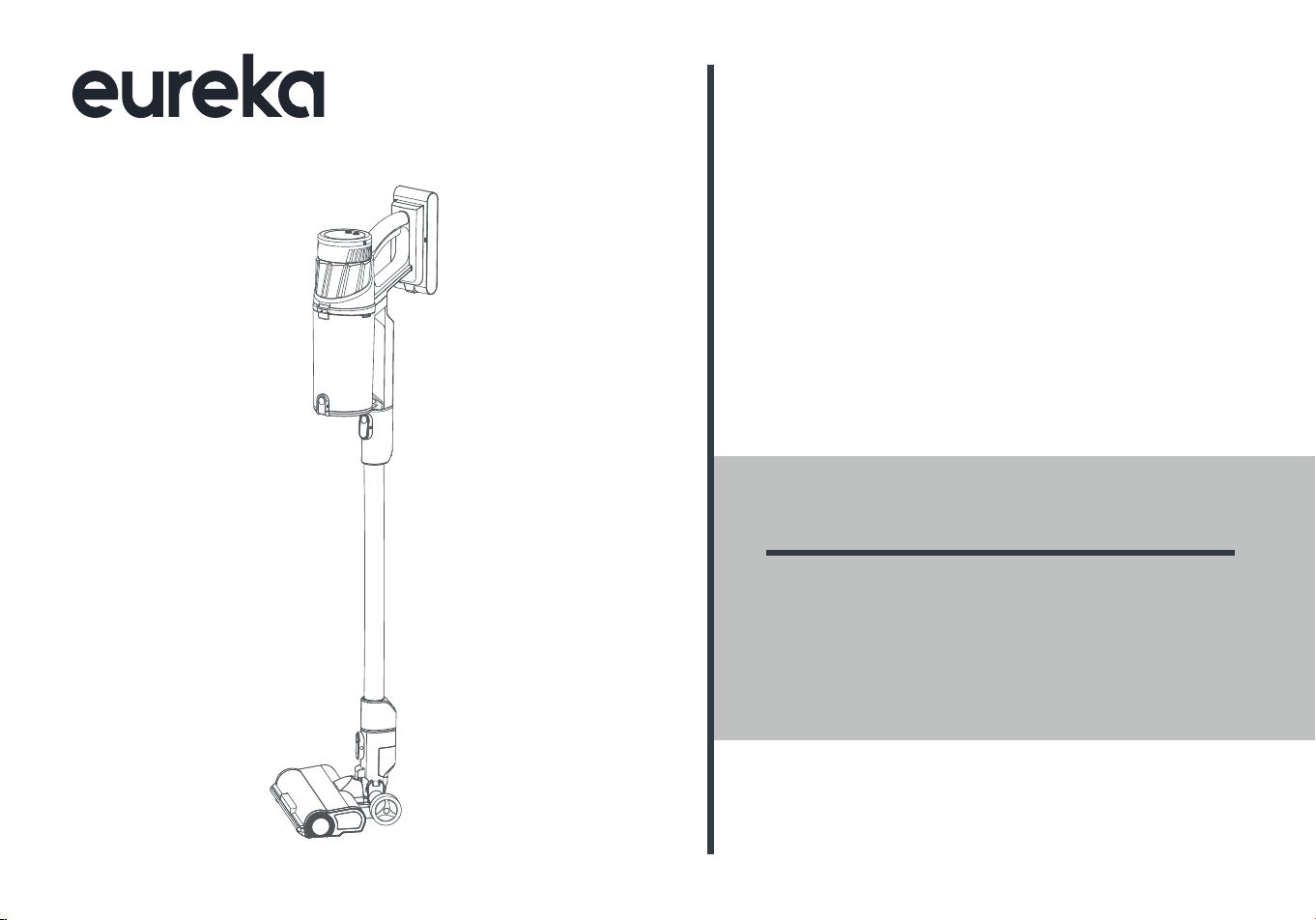
NEC440
VACUUM CLEANER
USER MANUAL
Please read the manual before use.
Series
®


CONTENTS
02
02
03
06
07
10
13
15
16
18
20
English
SAFETY INSTRUCTIONS
PRODUCT OVERVIEW
OPERATION INSTRUCTIONS
CLEANING AND MAINTENANCE
TROUBLE SHOOTING
SPECIFICATIONS
THE EUREKA LIMITED WARRANTY
HOW TO ORDER REPLACEMENT PARTS
Canadian French
03
SAFETY INSTRUCTIONS
• Use indoors only.
• Brush may start unexpectedly, disconnect battery pack before cleaning or servicing.
• Do not allow to be used as a toy. Close attention is necessary when used by or near children.
• Use only as described in this manual. Use only manufacturer's recommended attachments.
• If appliance is not working as it should, has been dropped, damaged, left outdoors, or dropped into water, return it to a
service center.
• Do not run appliance over cord.
• Do not handle plug or appliance with wet hands.
• Do not put any object into openings. Do not use with any opening blocked; keep free of dust, lint, hair, and anything
that may reduce air flow.
• Keep hair, loose clothing, fingers, and all parts of body away from openings and moving parts.
• Use extra care when cleaning on stairs.
• Do not use to pick up flammable or combustible liquids, such as gasoline, or use in areas where they may be present.
• Do not pick up anything that is burning or smoking, such as cigarettes, matches, or hot ashes.
• Do not use without dust bag and/or filters in place.
carrying the appliance. Carrying the appliance with your finger on the switch or energizing appliance that have the
switch on invites accidents.
• Disconnect the battery pack from the appliance before making any adjustments, changing accessories, or storing
appliance. Such preventive safety measures reduce the risk of starting the appliance accidentally.
• Recharge only with the charger specified by the manufacturer. A charger that is suitable for one type of battery pack
may create a risk of fire when used with another battery pack.
IMPORTANT SAFEGUARDS
WARNING
READ ALL INSTRUCTIONS BEFORE USING (THIS APPLIANCE)
When using an electrical appliance, basic precautions should always be followed, including the following:
To reduce the risk of fire, electric shock, or injury:

04
SAFETY INSTRUCTIONS
Charger type: MC2805A
Battery pack type: BP25925D
Ambient temperature range for charging, use and storage: 5°C - 40°C
• Use appliances only with specifically designated battery packs. Use of any other battery packs may create a risk of
injury and fire.
• When battery pack is not in use, keep it away from other metal objects, like paper clips, coins, keys, nails, screws or
other small metal objects, that can make a connection from one terminal to another. Shorting the battery terminals
together may cause burns or a fire.
• Under abusive conditions, liquid may be ejected from the battery; avoid contact.
If contact accidentally occurs, flush with water. If liquid contacts eyes, additionally seek medical help. Liquid ejected
from the battery may cause irritation or burns.
• Do not use a battery pack or appliance that is damaged or modified. Damaged or modified batteries may exhibit
unpredictable behavior resulting in fire, explosion or risk of injury.
• Do not expose a battery pack or appliance to fire or excessive temperature. Exposure to fire or temperature above
130°C may cause explosion.
• Follow all charging instructions and do not charge the battery pack or appliance outside of the temperature range
specified in the instructions. Charging improperly or at temperatures outside of the specified range may damage the
battery and increase the risk of fire.
• Have servicing performed by a qualified repair person using only identical replacement parts. This will ensure that the
safety of the product is maintained.
• Do not modify or attempt to repair the appliance or the battery pack (as applicable) except as indicated in the instruc
• Do not use outdoors or on wet surfaces.
-
tions for use and care.
Charging system specification:
SAVE THESE INSTRUCTIONS
For Household Use Only

05
SAFETY INSTRUCTIONS
Tips
• Longer charging time may be needed in the following circumstances.
- When charging in a place where the indoor temperature exceeds 30°C;
- When charging immediately after stopping running.
• Please charge the vacuum cleaner after using no matter how long it is used.
• When not charging, it is recommended to unplug the power plug in time.
• If the vacuum cleaner is not in use for a long time (more than 2 months), please unplug the power plug, but in order to
ensure the battery life, please fully charge it every 2 months.
• During charging, the machine may heat up, which is a normal phenomenon. Please rest assured to use it.
06
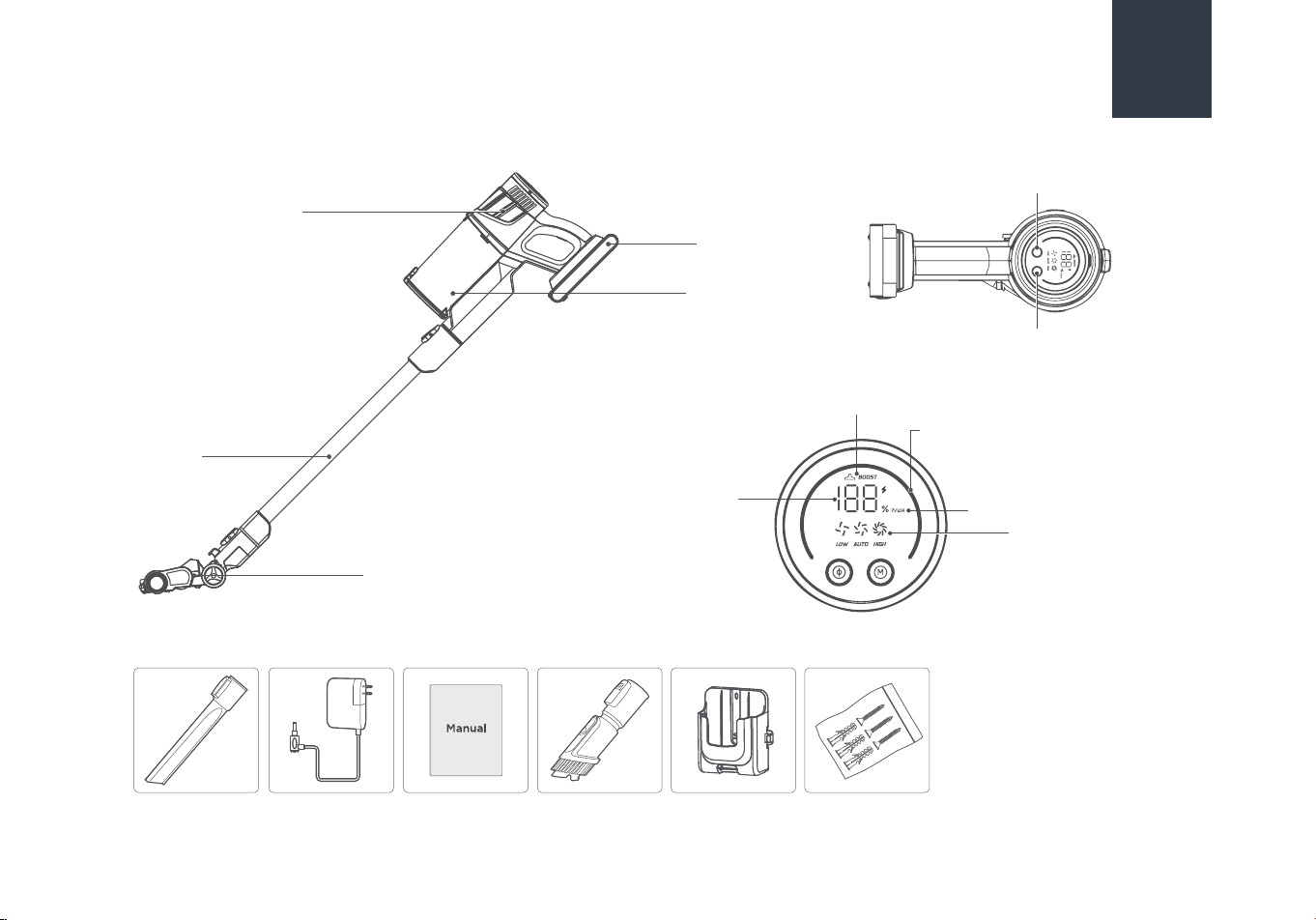
Hand vacuum
Wand
Motorized floor nozzle
Battery pack
Dust cup
Crevice tool Charger User manual Upholstery tool Wall mount Screws
PRODUCT OVERVIEW
Mode button
Power button
Mode indicator
Battery level
indicator
Dust sensor indicator
BOOST mode indicator
Maintenance indicator
07
OPERATION INSTRUCTIONS
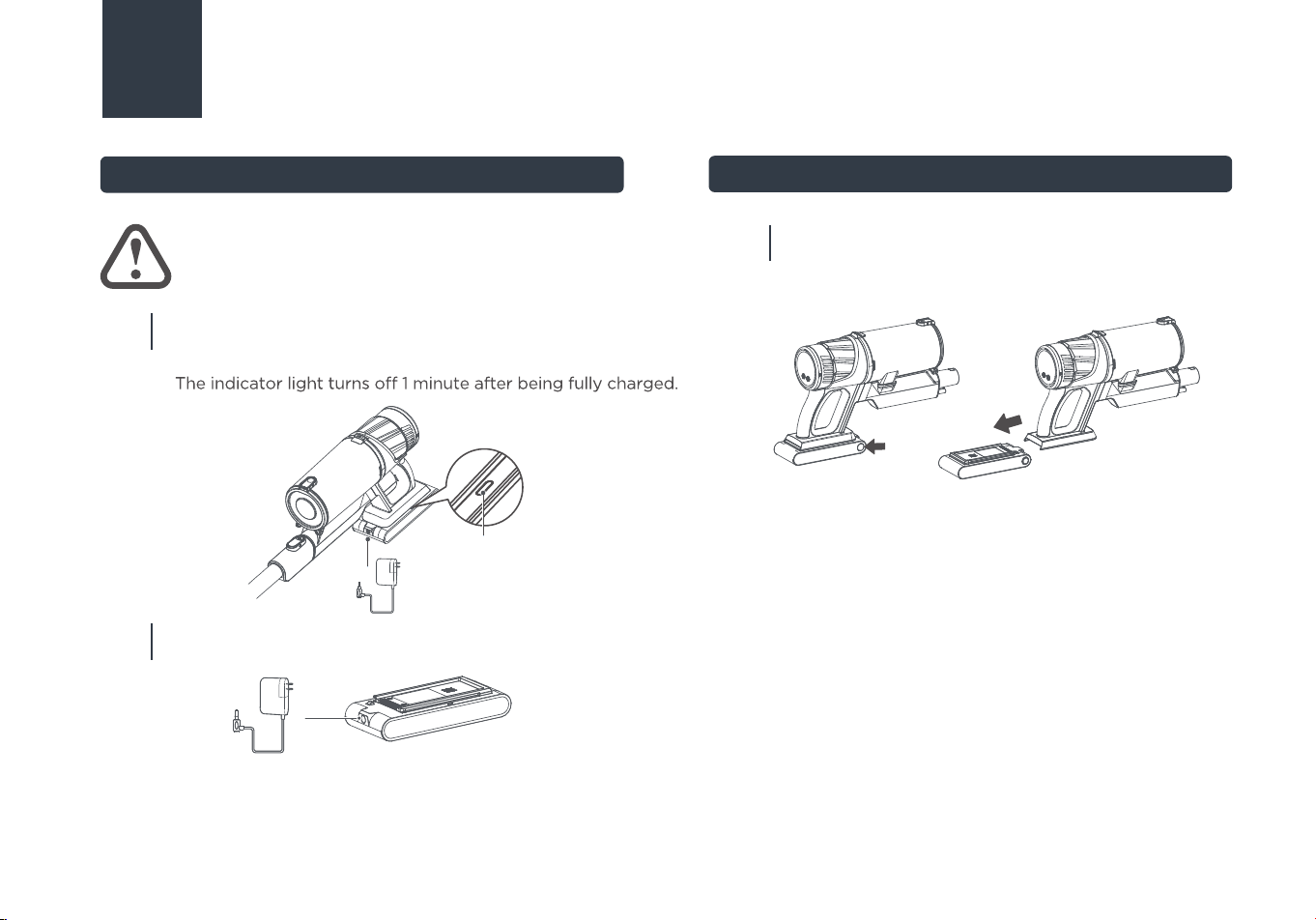
Put the body on horizontal surface. Plug charger into
power outlet and then into charging port on battery pack.
When charing, charge indicator will flash continuously.
Battery Charging
How to Remove Battery
ATTENTION
Fully charge the battery before first use.
01
The battery pack can be charged separately.
02
Charging time:
It takes approximately 4 - 6 hours to fully charge.
Runtime:
High Mode: 15mins
Auto mode: Varies by usage
Low Mode: 60 mins
Press and hold the release button on the battery and
pull the battery out toward the back of the hand
vacuum.
03
Charge indicator light
08
OPERATION INSTRUCTIONS
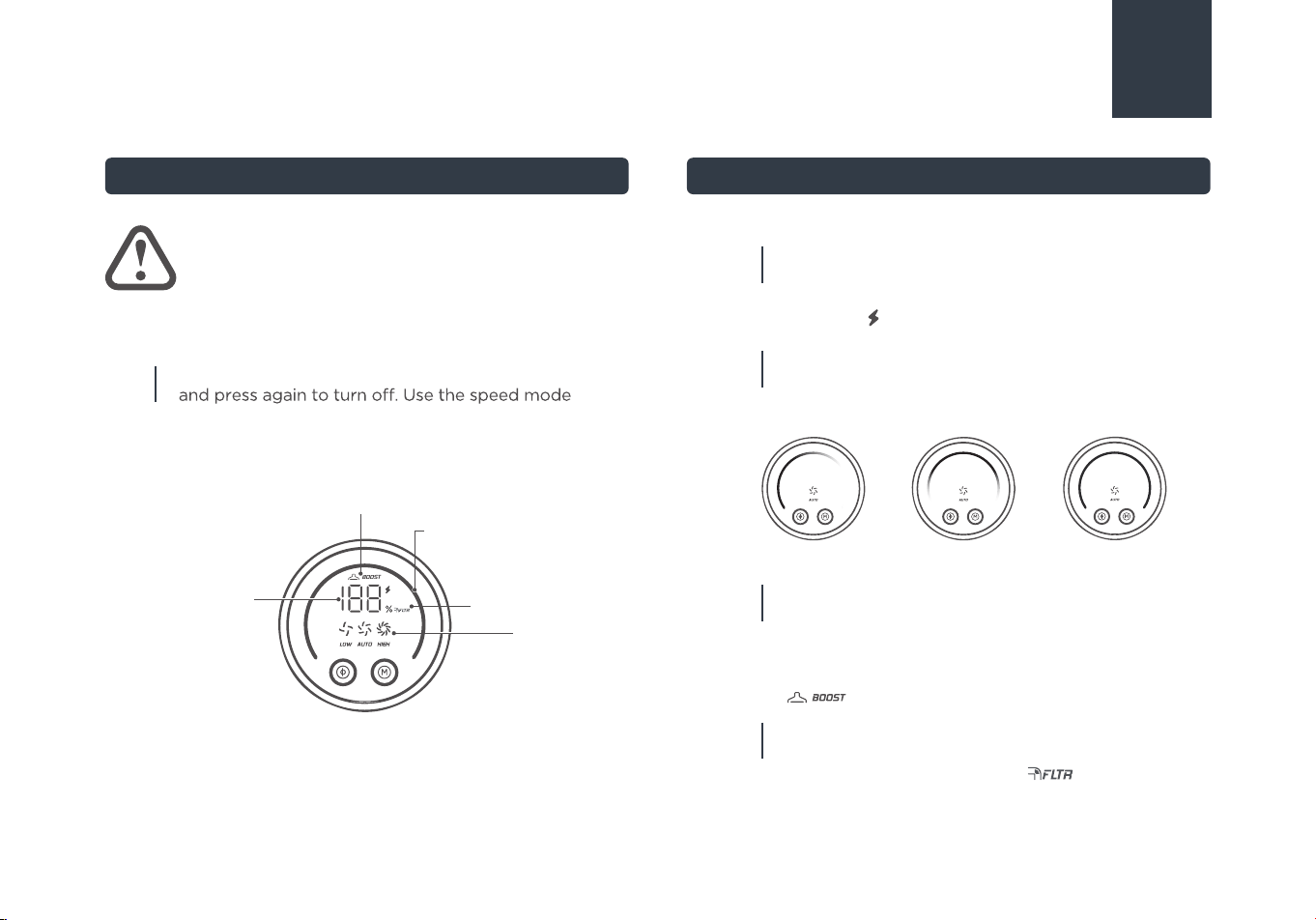
Press the power button on the handle to turn on,
button to switch between low, medium, and high
speed modes.
01
Battery level indicator:
The screen can display the vacuum cleaner's
real-time battery level. When the machine is
charging, icon will light up.
01
Mode indicator:
The screen can display the current power mode.
When the machine is in Auto Mode, the dust sensor
indicator will be activated.
02
Control Mode Screen Display and Indicators
ATTENTION
To avoid the air duct being blocked, please clean the
big particle waste manually. (such as paper, cloth
and others).
Mode indicator
Battery level
indicator
Dust sensor indicator
BOOST mode indicator
Maintenance indicator
BOOST mode indicator:
When in Auto Mode, if the floor nozzle encounters
increased resistance on surfaces such as carpets, or
senses a high level of dust, the Boost Mode will
activate to enhance cleaning performance, and the
icon will light up.
03
Low Dust Medium Dust High Dust
Maintenance indicator:
When a blockage occurs in the vacuum cleaner,
the maintenance indicator will light up.
Please check for blockage and clean or replace
the filter.
04
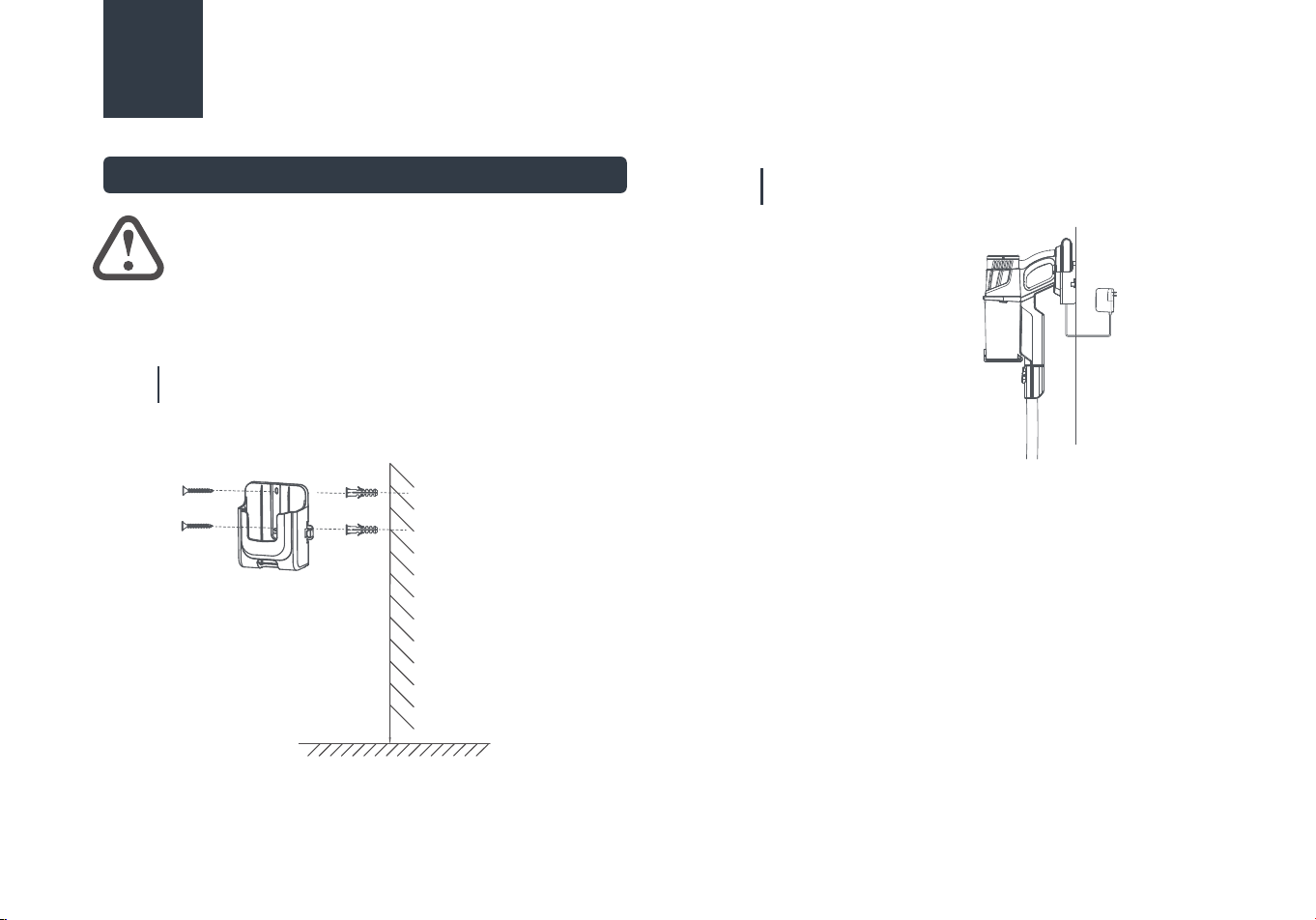
Installation and Use of Wall Mount
09
Before fixing the wall mount to the wall, please make
sure the wall is solid and flat.
01
At least 1090mm above the floor
OPERATION INSTRUCTIONS
ATTENTION
Use the included mounting hardware to fix the wall mount
to a solid, flat wall to avoid falling.(At least 43in/1090mm
above the ground to give the vacuum enough space.)
02
Hang the vacuum cleaner on the wall mount and connect
the power supply to start charging.
10
CLEANING AND MAINTENANCE
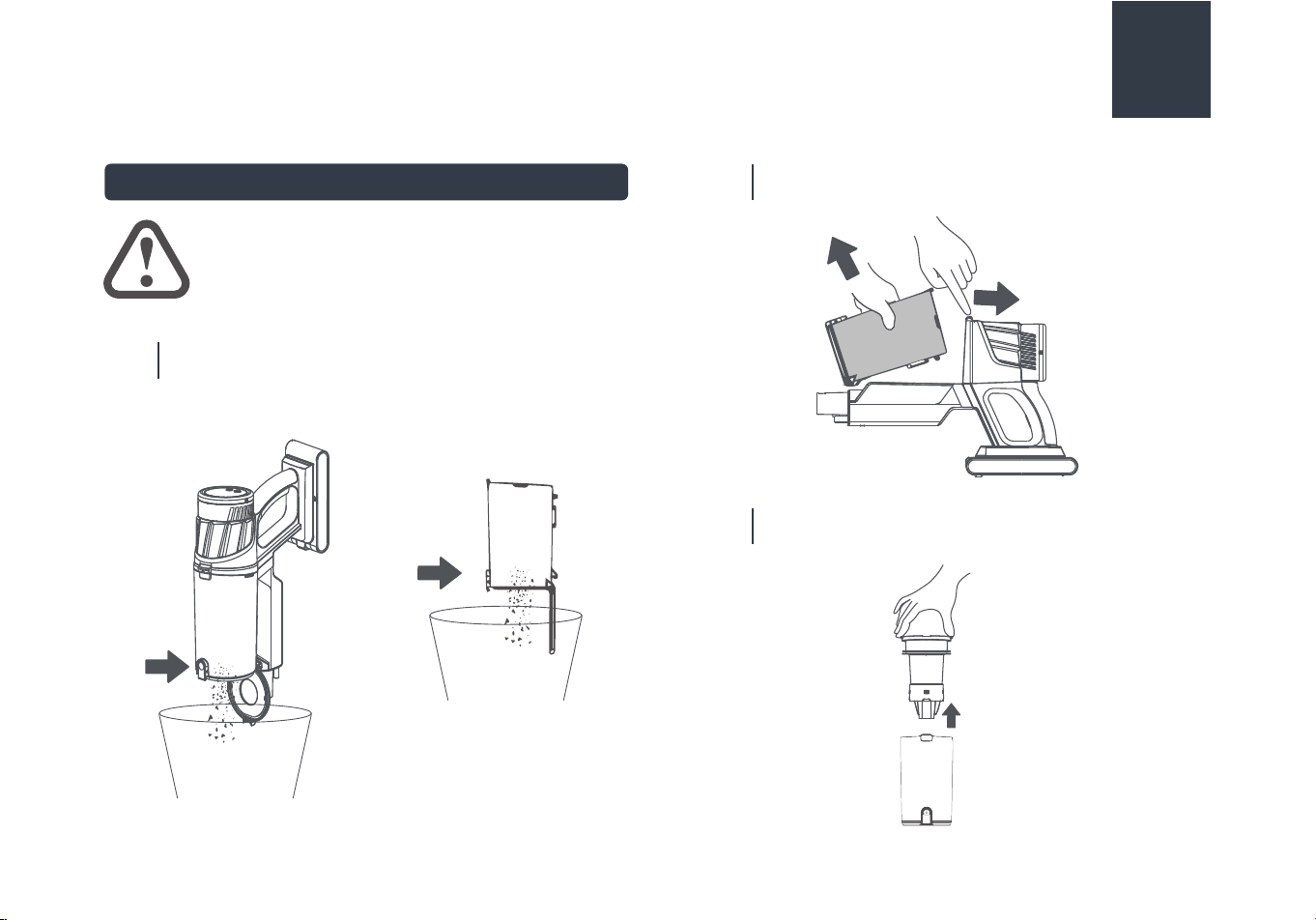
How to Clean Your Dust Cup
Press the button at the bottom of the dust cup to empty
debris.
01
ATTENTION
To maintain the vacuum cleaner's suction
power, please clean the dust cup regularly.
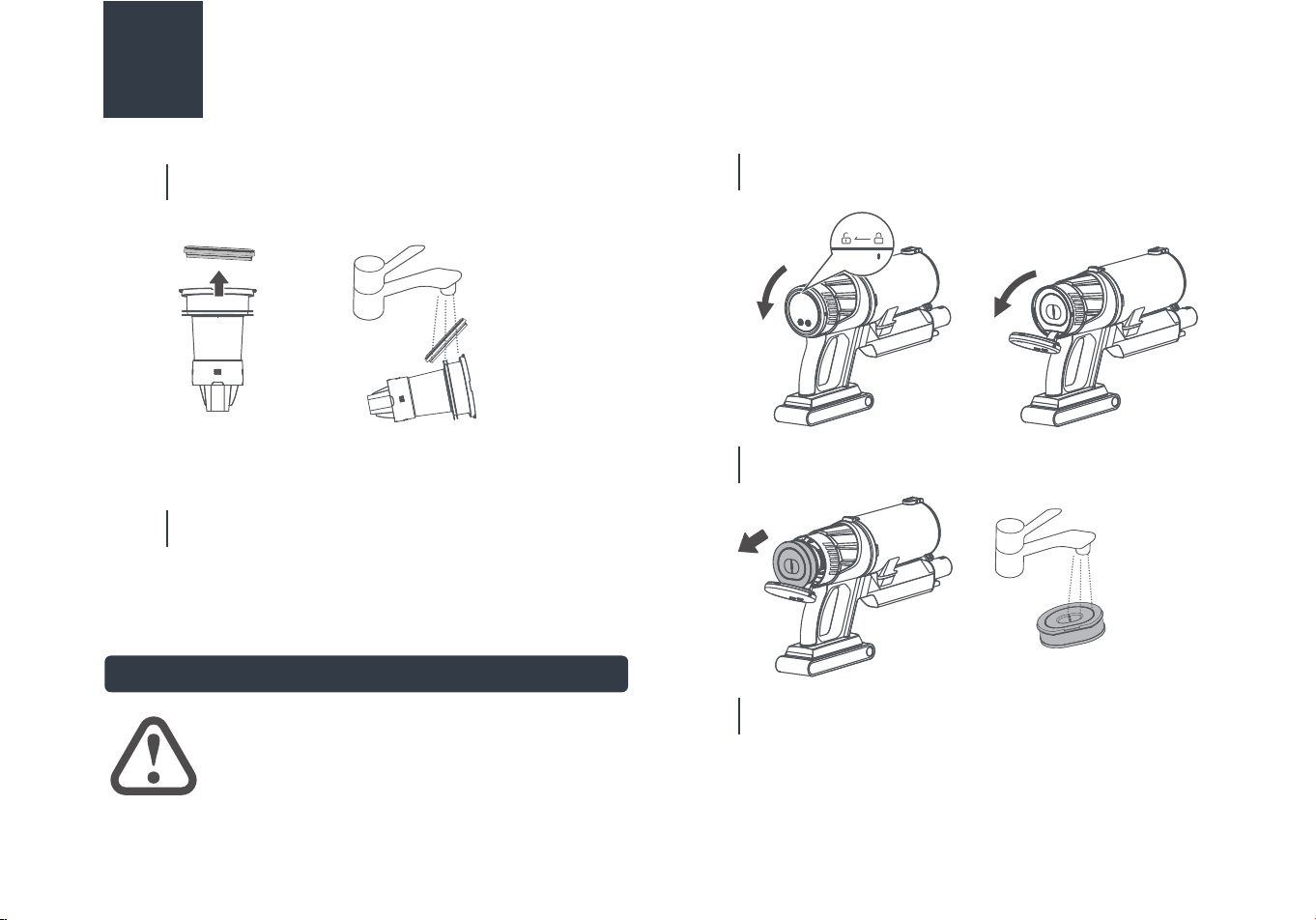
Press the release button to remove the dust cup.
02
Remove the cyclone from the dust cup.
03
Press
Press
push
How to Clean Post-motor Filter
ATTENTION
To maintain the vacuum cleaner's suction
power, please clean the post-motor filter
regularly.
Disassemble the cyclone and clean with watter. All
parts of the cyclone can be hand washed.
04
Rotate the outlet cover 15 degrees counterclockwise to
unlock it and pull down the outlet cover.
01
Remove the post-motor filter and clean it by hand with
cold water.
02
Install the post-motor filter back once it has full dried and
lock the outlet cover once installed.
03
05
11
CLEANING AND MAINTENANCE
Re-assemble the parts once they have fully dried.
How to Maintain Floor Nozzle
01
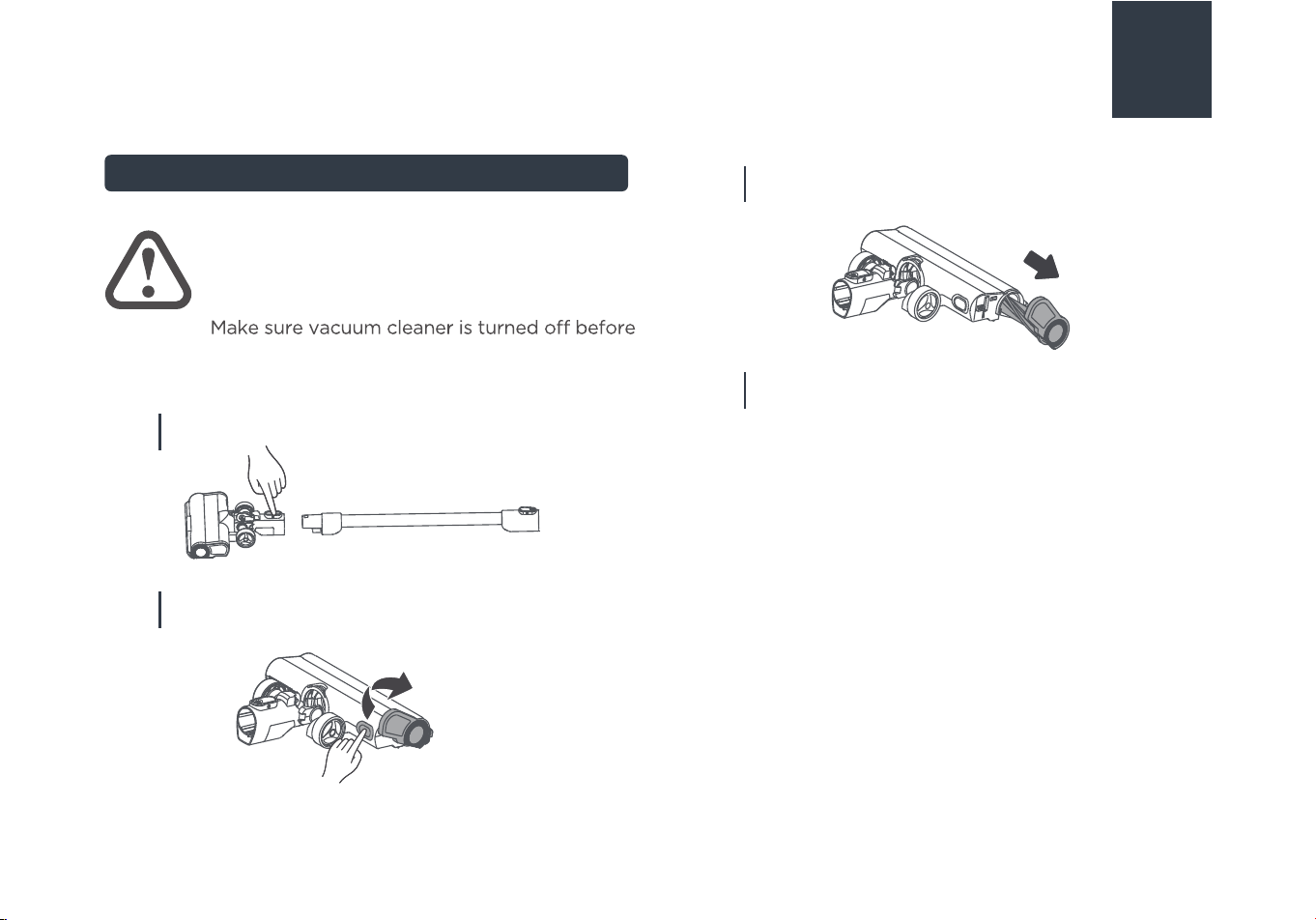
WARNING
To avoid unnecessary service calls,
periodically check floor nozzle for debris.
maintenance. The floor nozzle should not be
cleaned with water.
12
CLEANING AND MAINTENANCE
Press the button to remove the floor nozzle.
03
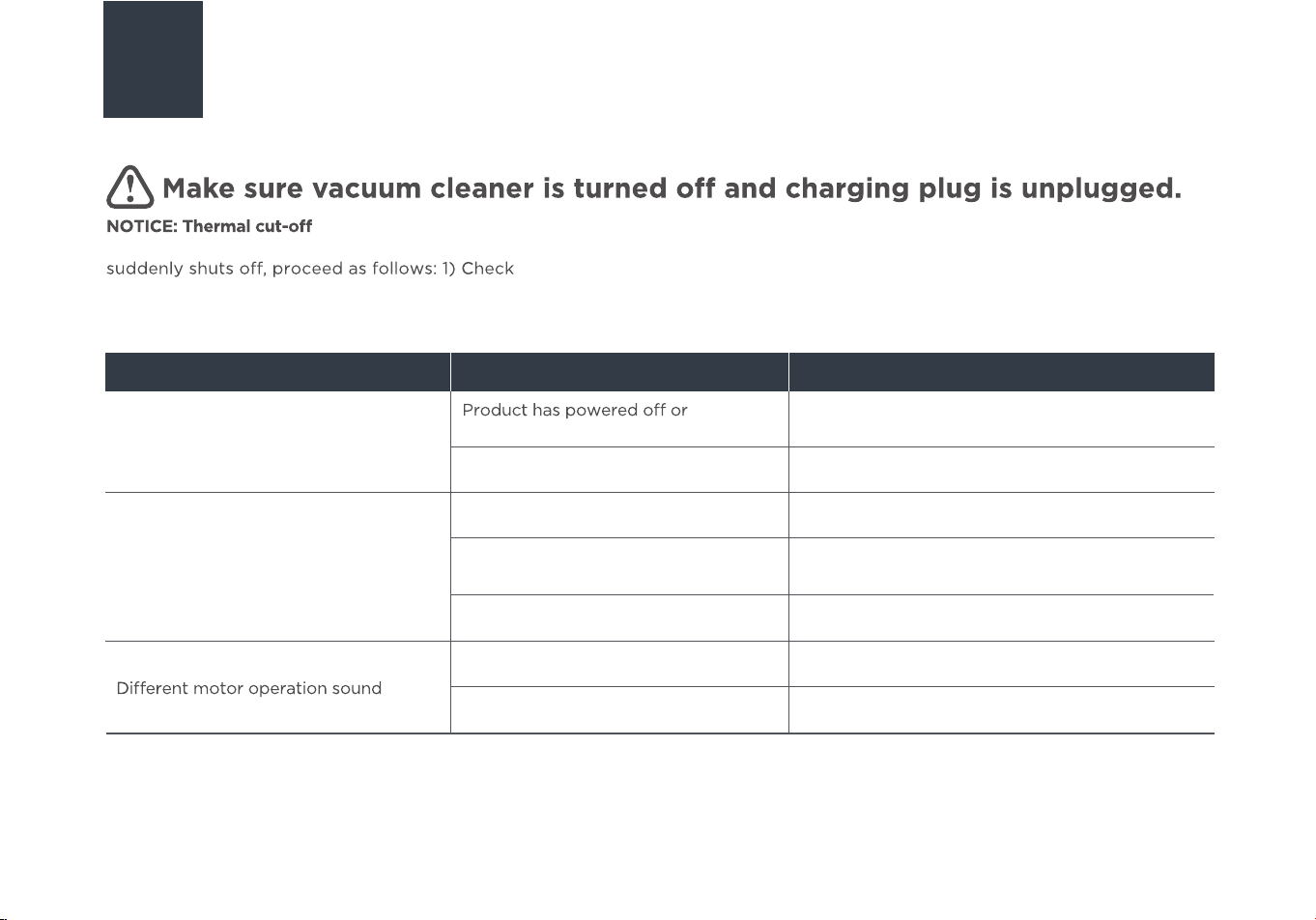
Pull out the assembly and chean it, use scissors to cut
heavy threads or strings if needed.
04
Reinstall the floor nozzle according to the disassembly
steps.
02
Press the release button of the floor nozzle, and rotate
the side cover.
13
TROUBLE SHOOTING
Problem Possible cause Solution
Motor will not start
Not enough suction power
battery is low
Please charge the product before use
Dust cup & filter assembly is dusty/full
Empty dust cup and clean or change filters
Product suction port is blocked
Cleaning product suction mouth
There is a blockage in the wand Carefully clean and check for blockage
Brushroll has hair or other objects
wrapped around it
Clean the brushroll
There is a blockage in the wand Carefully clean and check for blockage
Filter assembly is blocked
Thoroughly clean the filters
This vacuum cleaner has a special thermostat that protects the vacuum cleaner in case of motor overheating. lf the vacuum
the vacuum for a possible source of overheating such as a full dust cup, blocked
wand or clogged filters. lf these conditions are found, fix them and wait at least 30 minutes before attempting to use the vacuum.
2) After the 30 minute period, press the power button, if the vacuum still does not work, call the Eureka Customer Service
HELPLINE at 1-800-282-2886(US) 1-888-365-2230 (CA).
14
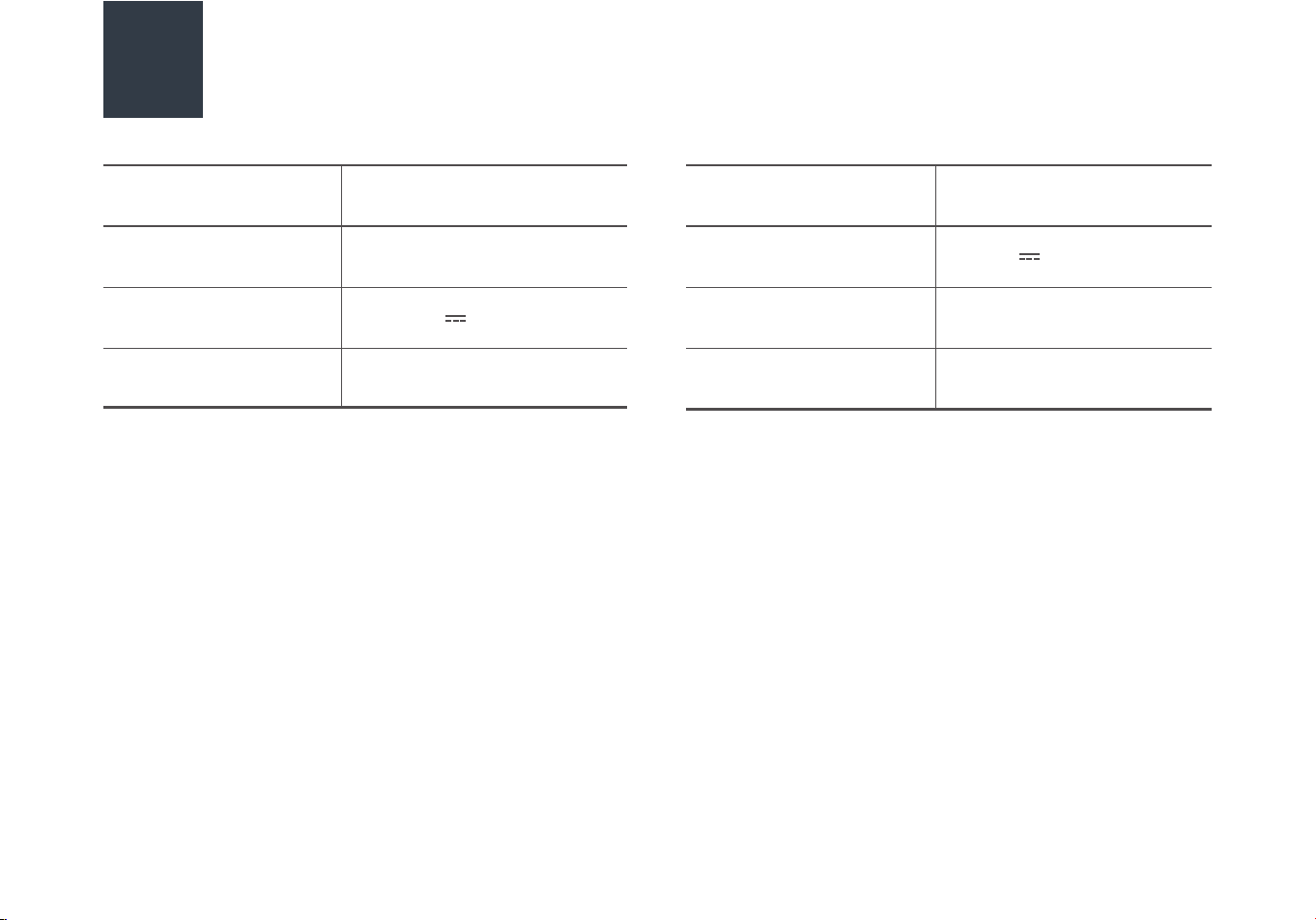
Possible cause Solution
Product can not be charged
Charger not properly connected Please check connections
Mains supply is not switched on
Check the mains supply is switched on
Situation still remains Contact the service center
Problem
TROUBLE SHOOTING
15
oblem
SPECIFICATIONS
Product Model
Charging output
C
Power
harging time
Runtime
Voltage
Product Size
NEC440 Series
4-6 h
Charging rated input
100-240V~ 50/60Hz
25-29V 500mA
15/
Varies by usage/60 mins
350W
25.9V
1260*255*257mm

16
THE EUREKA LIMITED WARRANTY
Midea America Corp. & Midea America (Canada) Corp.("Eureka"), subject to the terms and conditions herein, warrants this vacuum cleaner
and Battery Module to be free from defects in material and workmanship for a term of two years for the vacuum/one year for the Battery
Module from the date of delivery when used in accordance with the Eureka operating and maintenance instructions and under normal
household usage. This warranty is granted only to the original purchaser and members of immediate household, and is applicable only to
original purchases from Eureka authorized resellers. The date of delivery establishes the warranty period, should service be required.
Eureka will, at its option, repair or replace a defective vacuum/Battery Module or vacuum part that is covered by this warranty. Repairs
may be performed using new or refurbished parts that meet or exceed Eureka specifications for new parts. lf Eureka elects to replace it,
the replacement may be a reconditioned unit. Depending on availability of products, Eureka reserves the right to provide you with a
replacement product that is the same or similar, or substitute equivalent of the original product. As a matter of warranty policy, Eureka
will not refund the consumer's purchase price.
What Eureka will do:
To obtain warranty service you must contact the Eureka Service Team, toll free, at 1-800-282-2886 (US) 1-888-365-2230 (CA) or email
customerservice@eureka.com (US) CanadaSupport@eureka.com (CA), to discuss the warranty claim and procedures to be followed.
All warranty claims must include submission of proof- of-purchase documentation. For additional information, you may also visit
visit www.eureka.com (US) www.eureka.com/ca (CA).
Obtaining warranty service:
•
Normal wear and tear of the vacuum and vacuum parts that require replacement under normal use such as disposable dust bags,
filters, drivebelts, light bulbs, brush-roll, bristles, impellers and cleaning.
• Damages or malfunctions resulting from: improper or unreasonable use or maintenance, abuse, negligence, failure to follow
instructions contained in any written materials that accompany the product, deterioration by reason of excess moisture, corrosive
atmosphere, lightning, power surges, connections to improper voltage supply, unauthorized alteration, or other external causes such
as extremes in temperature or humidity, modifications, scratches or discoloration, accidents, misuse, or acts of God. This warranty
also does not cover damage resulting from repair or attempted repair by anyone other than Eureka or an authorized Eureka
Warranty Station. This warranty is not applicable to any product that has been altered or on which the serial number has been
defaced, modified or removed. Altering, erasing, or forging any proof-
of-purchase documents voids any applicable product warranty.
This warranty does not cover:

17
THE EUREKA LIMITED WARRANTY
You will be responsible for any initial shipping and insurance charges if the defective product(s) must be shipped for warranty service or
warranty evaluation; however, Eureka or a Eureka Authorized Warranty Station will pay the return shipping charges if repairs are
covered by the warranty. When returning parts for repair, you must include the model, type and serial number located on the rating
plate. If any product submitted for warranty service is found to be ineligible, an estimate of repair cost will be furnished and the repair
performed only if requested by the owner and upon receipt of payment or acceptable arrangements for payment.
What Eureka will do:
Any warranty that may be implied in connection with your purchase or use of the vacuum, including any warranty of Merchantability or
any warranty of Fitness For A Particular Purpose is limited to the duration of this limited warranty. Some states do not allow limitations
on how long an implied warranty lasts, so the above limitations may not apply to you. Your relief for the breach of this warranty is
limited to the relief expressly provided above. In no event shall the manufacturer be liable for any consequential or incidental damages
you may incur in connection with your purchase or use of the vacuum. Some states do not allow the exclusion or limitation of incidental
or consequential damages, so the above limitation or exclusion may not apply to you. This warranty gives you specific legal rights. You
may also have other rights, which may vary by state.
Further limitations and exclusions:
DISCARDING THE
VACUUM AND BATTERY PACK
!
Li-ion
Before you discard this vacuum, dispose of battery in an environmentally safe manner. Do not discard battery with your
regular household trash.
To preserve natural resources, please recycle or dispose of expired battery pack properly. This product contains a
lithium-ion battery. It must be disposed of properly. Local laws may prohibit disposal of lithium-ion batteries in ordinary
trash. Consult your local waste authority for information regarding available recycling and/or disposal options.
Important battery disposal information.
To find a disposal location nearest you, call 1-800-822-8837.
18
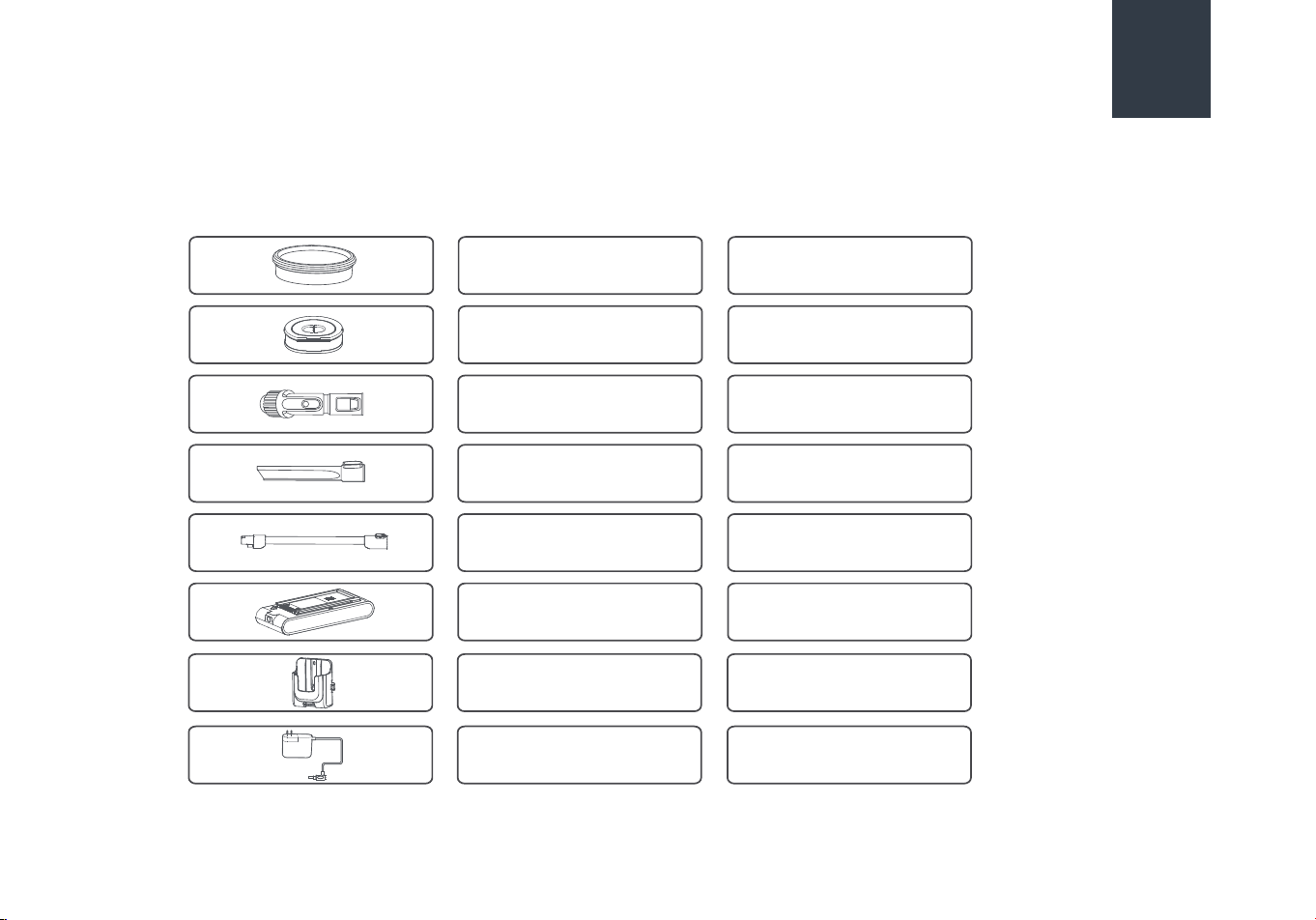
HOW TO ORDER REPLACEMENT PARTS
Dust cup filter
Post-motor filter
Upholstery brush
12175000073682
12475000009429
12175000104778
12175000104097
Crevice tool
12175000074505
12975000017481
17475000026900
17475000026984
Wand
Battery pack
Wall mount
Order genuine Eureka accessories and replacement parts Visit www.eureka.com (US) www.eureka.com/ca (CA)
or call 1-800-282-2886 (US) 1-888-365-2230 (CA).
Charger


®
