PAGE: 1 / 9
220104
PAGE: 2 / 9
X 16
C
D
E
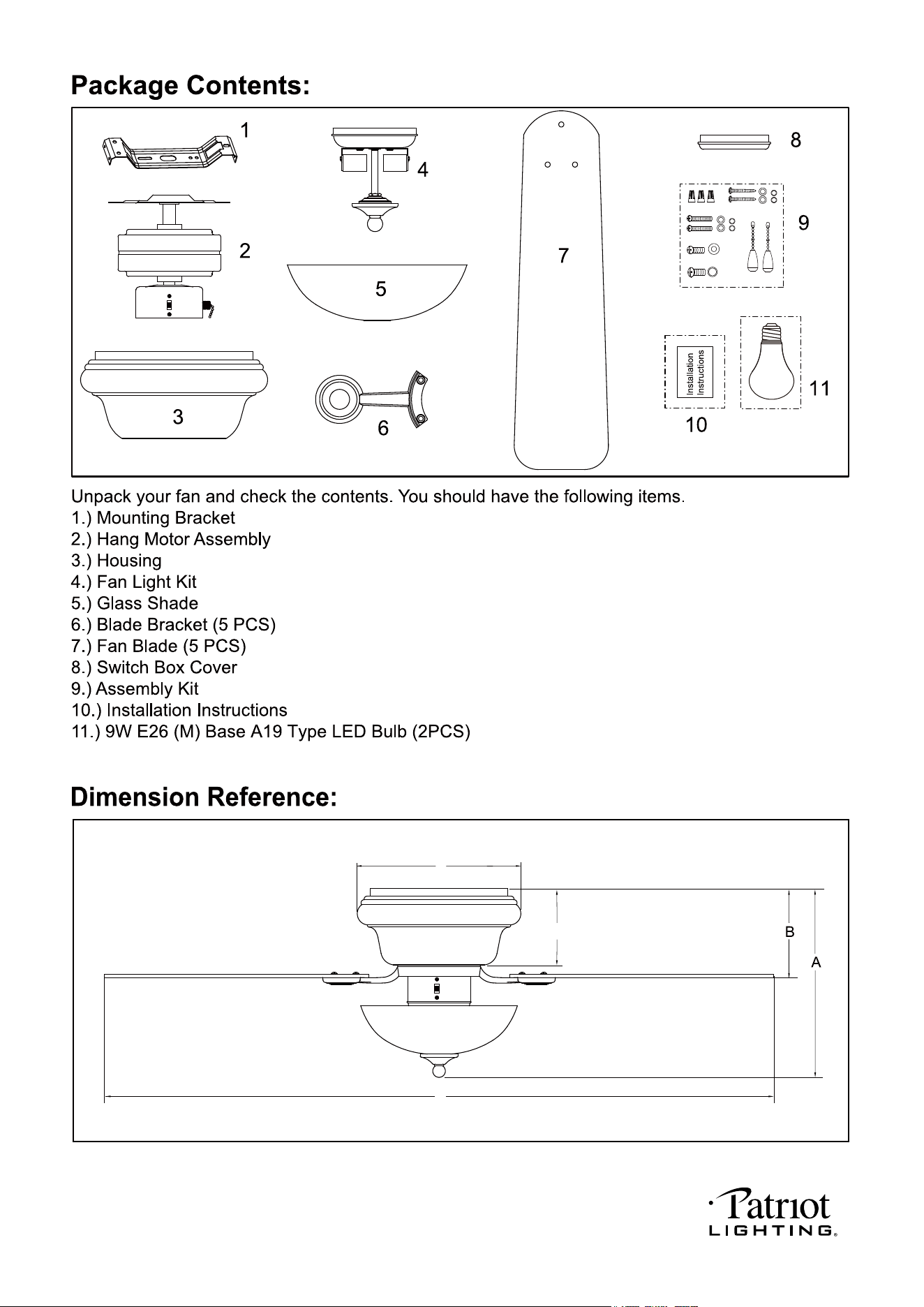
A. 12-1/2" B. 5" C. 42" D. 10-1/4" E. 4-3/4"
220104
PAGE: 3 / 9
220104
PAGE: 4 / 9
220104
PAGE: 5 / 9
Lock
Washer
Lock
Screw
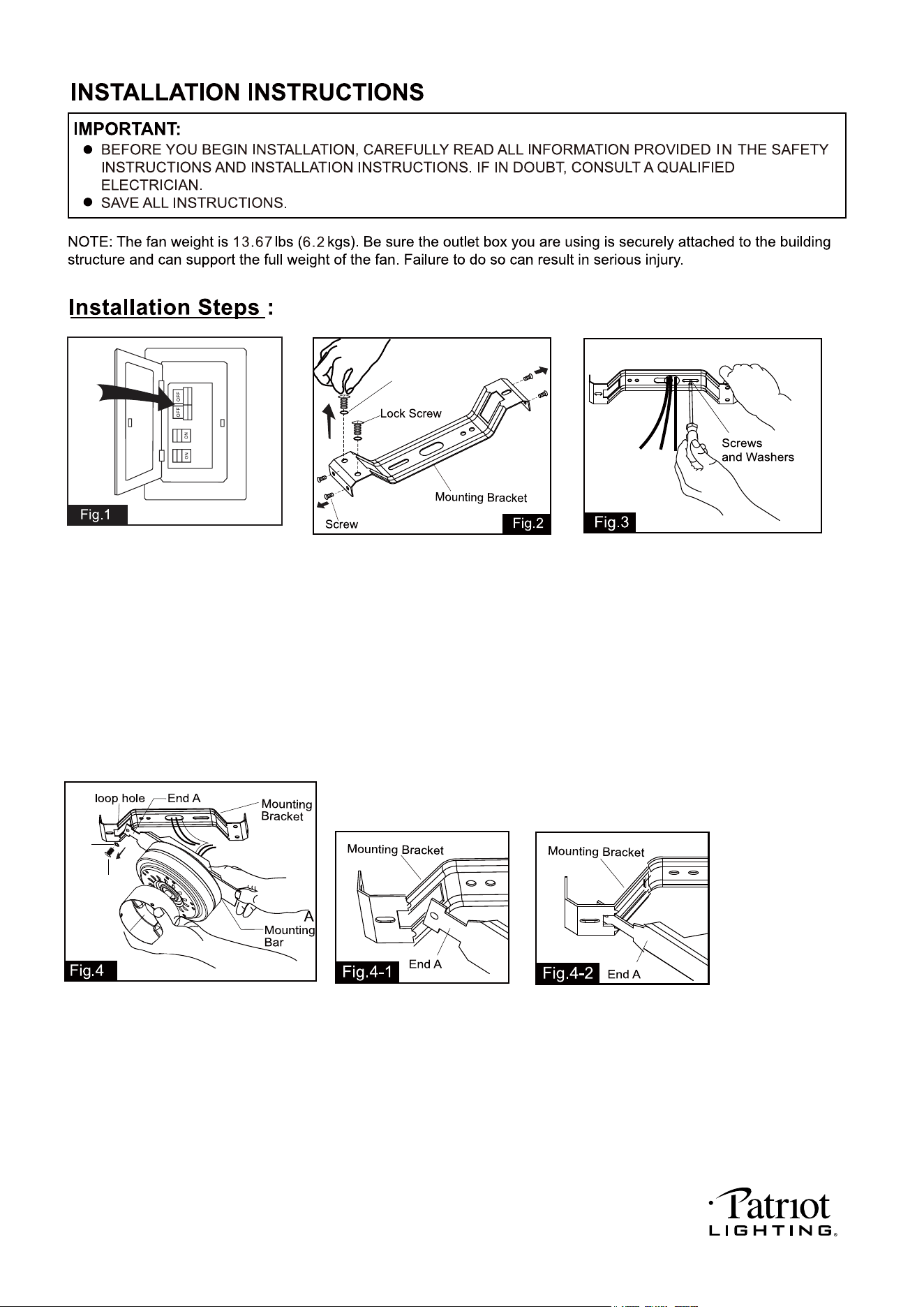
Unscrew the lock screws, lock
washers and screws from
mounting bracket. Please save
lock screws and lock washers
for Fig.7 step use and screws for
Fig.8 step use.
Tighten the mounting bracket to the
outlet box with two mounting screws
and washers. (To reduce the risk of
fire, electric shock, or personal injury,
mount to an outlet box marked
"Acceptable for fan support" and
use mounting screws provided with
the outlet box.) Pull the electrical
wires from the outlet box through
the center hole of the mounting
bracket for motor wiring installation.
Remove Lock screw and Lock
washer from mounting bar and
save these for Fig.7 step use.
Attach hang motor assembly onto
mounting bracket. Insert the end of
mounting bar through the loop hole
of the mounting bracket for hands-free wiring. (See Fig.4-1 and Fig.4-2)
Before install
Lock Washer
Turn OFF the electric circuit at
the main fuse or circuit breaker
box.
After install
220104
PAGE: 6 / 9
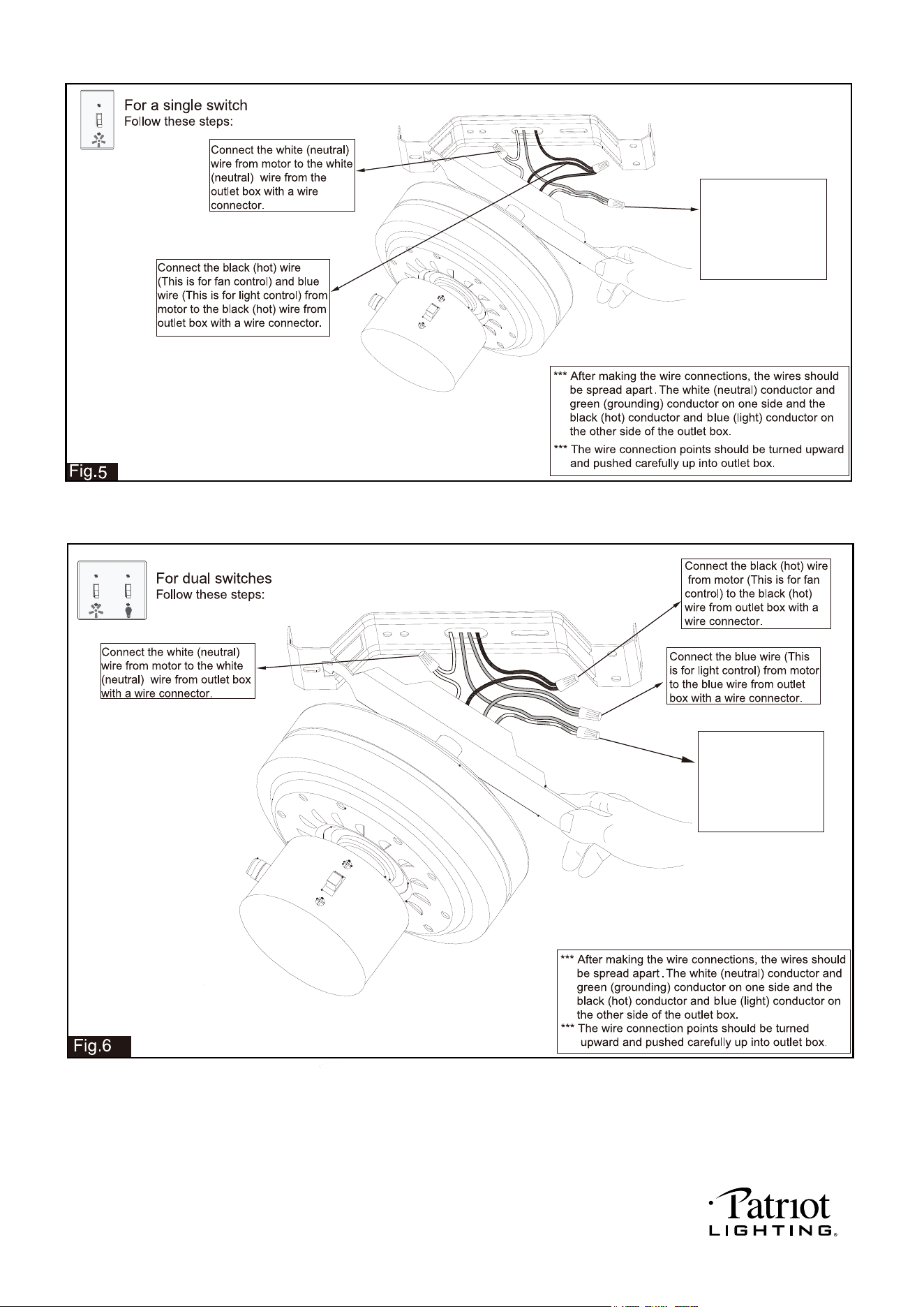
Connect the two ground
wires (Green or bare
copper) using a wire
connector. One ground
wire will come from
outlet box and one from
the mounting bar.
Connect the two ground
wires (Green or bare
copper) using a wire
connector. One ground
wire will come from
outlet box and one from
the mounting bar.
220104
PAGE: 7 / 9
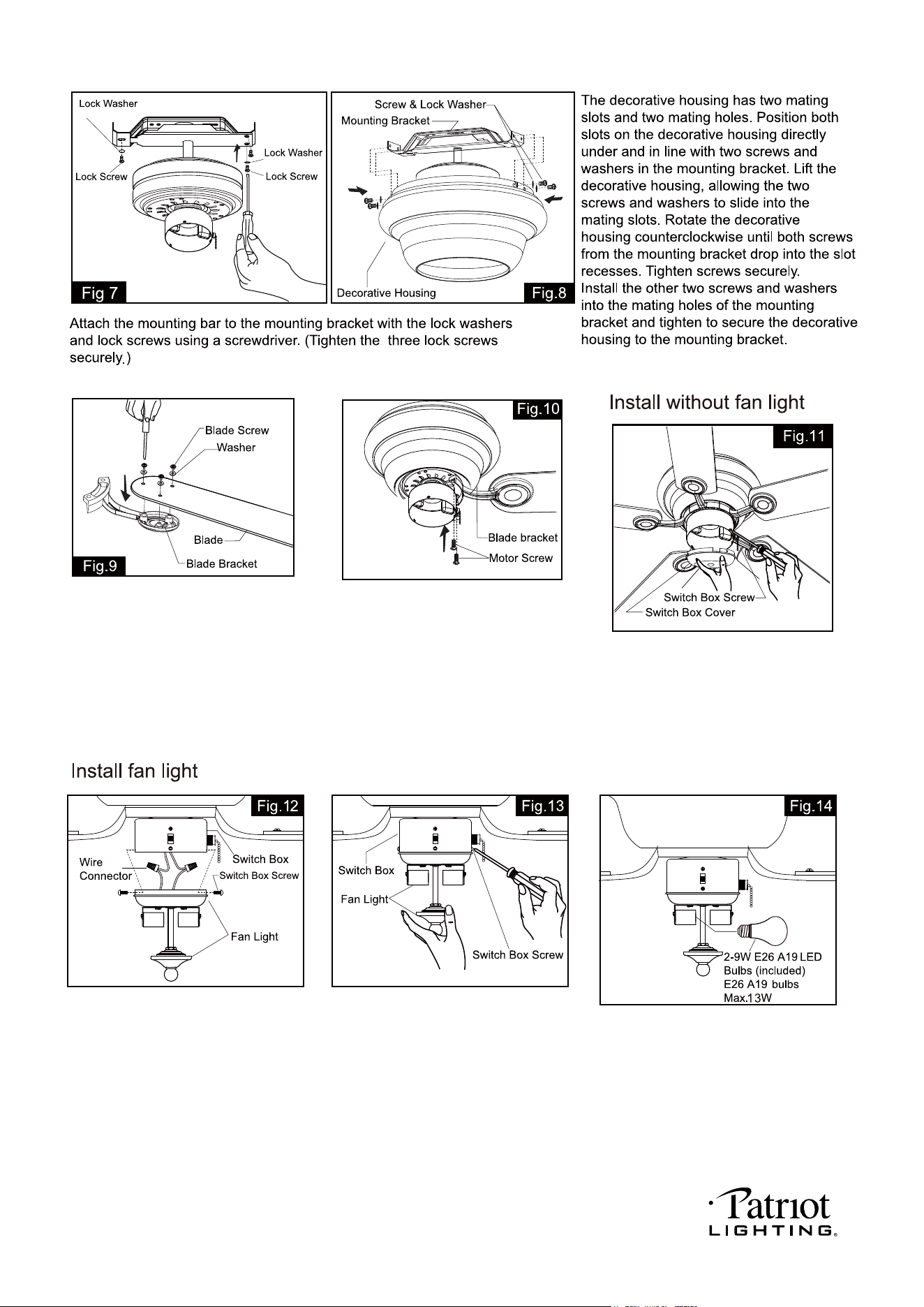
Remove screws and washers from motor
first and then secure the blade brackets to
the motor with motor screws and washers.
Connect wires:
--- The blue wire from the switch box to
the black wire from fan light.
--- The white wire from the switch box
to the white wire from fan light.
Carefully put the wires into the switch box.
Install the fan light onto the switch box with
the switch box screws found attached to the
fan light.
Install bulbs (included). See relamping label
at socket area or packaging for maximum
wattage allowed.
Mount each blade bracket to fan blade
using three blade screws and washers.
Make sure the wires of the fan light in
the switch box are capped with wire
connectors. Secure the switch box
cover with the switch box screws.
Note: To install the fan light, skip this
step and proceed to Fig.12.
from Fig.2
from Fig.2
from Fig.4
from Fig.4
220104
PAGE: 8 / 9
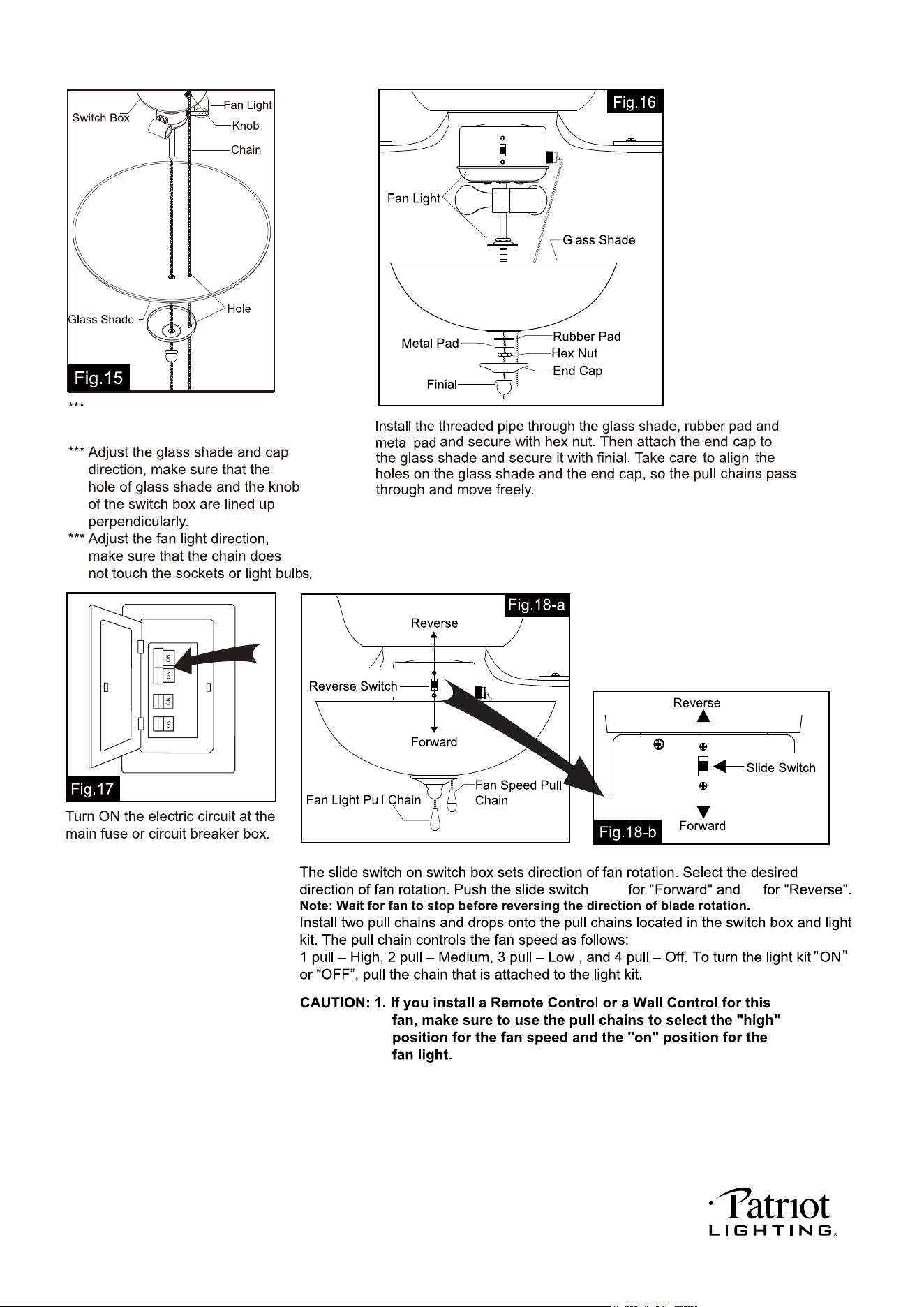
2. Compatible Wall Switches: Menards SKU# 363-2615 / 363-5815.
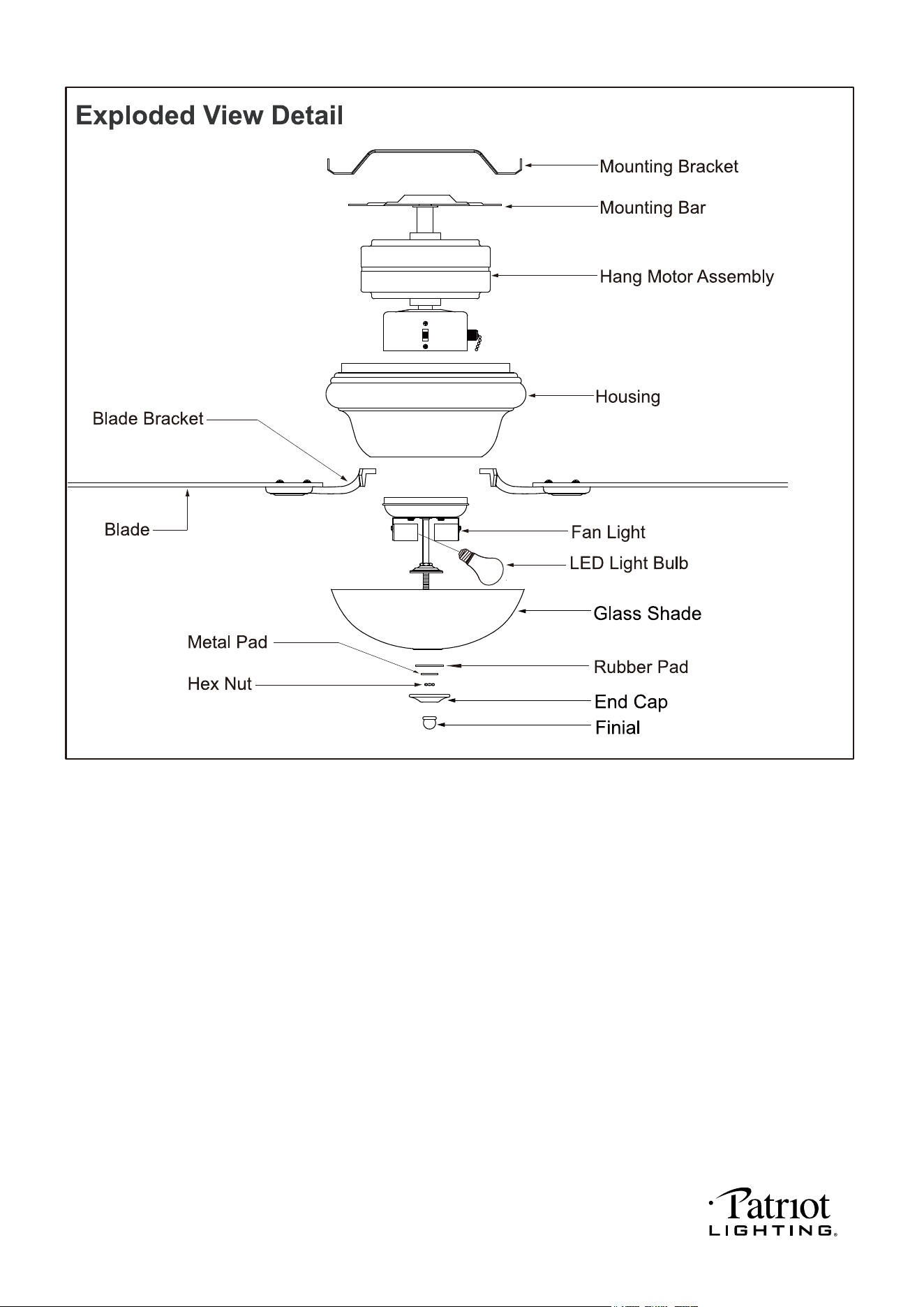
Remove the finial, end cap, hex
nut, metal pad and rubber pad
from fan light kit first.
down
up
220104
PAGE: 9 / 9
CAUTION: Make sure main power is turned off.
box.
box
box.
box.
CAUTION: Make sure main power is turned off before entering switch box.
CAUTION: Make sure main circuit is turned off before entering switch box.
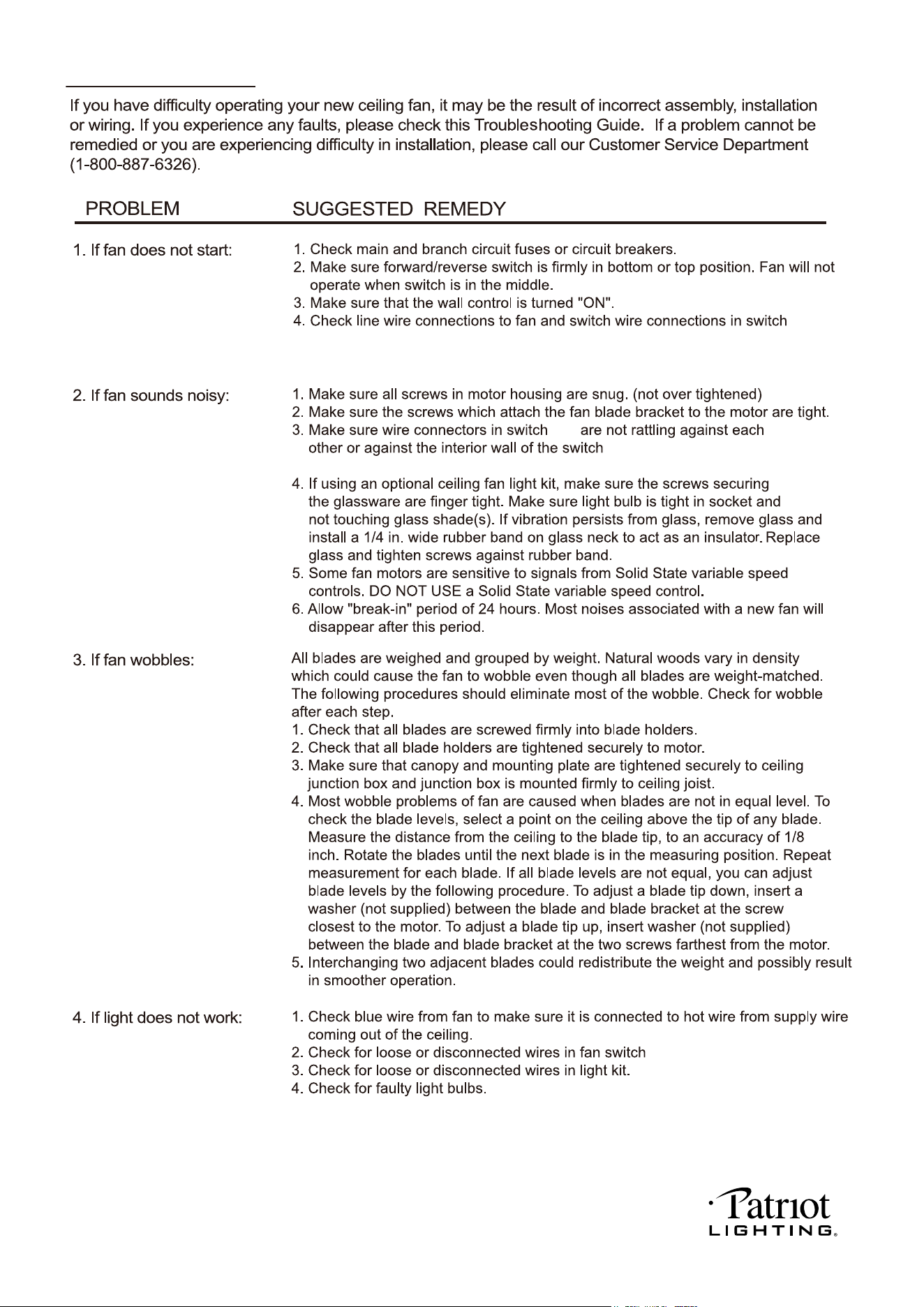
Troubleshooting Guide
220104
