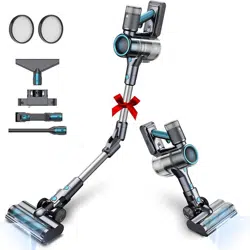
Check the floor head and solve the blockage problem.
E2
Host overcurrent
1. If water get in the machine, place the machine in a dry and ventilated place, wait for the machine to dry before use. 2. If the main motor blocked, check the main motor. 3. For other reasons, please contact us.
E3
Host wiring is abnormal
Please contact Oraimo service.
E4
Overheats during use
1. Recommended to use it in a room temperature environment. 2. Place the machine in a room temperature environment, and turn on after 4 hours. 3. If error again, please contact Oraimo service.
E5
Brush head short circuit
1. If water get in the machine, place the machine in a dry and ventilated place, wait for the machine to dry before use. 2. For other reasons, please contact Oraimo service.
E6
Air duct blocked
1. Clean the air duct, including brush head, aluminum tube, dust container, etc.
2. If error again, please contact Oraimo service.
1E0
Overvoltage while charging
1. Check if you are using a non-original adapter. 2. If error again, please contact Oraimo service.
1E1
Overcurrent while charging
1.Check if you are using a non-original adapter. 2. If error again, please contact Oraimo service.
1E2
Overheat while charging
1. Recommended to charge it in a room temperature environment. 2.Place the machine in a room temperature environment, and charge it after 4 hours. 3. If error again, please contact Oraimo service.
1E3
Always not full-charging
1. Check if you are using a non-original adapter. 2. If error again, please contact Oraimo service.
Short battery life
Switch to small gear; check whether the power is sufficient; confirm that the time from full power to power shortage is abnormally short, and you need to contact customer service.
Low suction
1. Switch to high gear to use
2. Check whether the battery is low, use it after charging
3. Check whether it is blocked by garbage:
a. Unclog the floor brush pipe & floor brush. b. Remove the extension pipe and use only the machine head to turn on the machine, if OK, the extension pipe is blocked, and the extension pipe needs to be unclogged. c. Remove the filter assembly Turn on the machine, if OK, the filter element is blocked or the dust shield is blocked, and the filter needs to be cleaned; if NG, the inside of the machine head is abnormal, contact customer service. d. Video confirm the startup sound, suction, slap the ground brush, and the inside of the telescopic tube , the status of the dust shield
4. Contact Oraimo customer service
Is there an alternative straight pipe
Explain the principle of the design and provide straight pipes.
Sudden drop in power, abnormal discharge
Fully charge again to confirm the working time of the battery in each mode; in case of abnormality, replace the battery.
How often to clean the filter
According to the frequency of use, it is recommended to clean the filter every 1~3 months, and replace the filter every six months.
Slow charging
Check the charging cable, charging head, charging socket, and then see if the status of the indicator light is normal when charging
Check whether it is blocked by garbage: a. Remove the floor brush to see if it can absorb garbage normally, if OK, the floor brush is blocked, need to clear the floor brush pipe & floor brush. b. For the extension pipe, only use the machine head to start it. If OK, the extension pipe is blocked, and the extension pipe needs to be cleared. c. Remove the filter assembly and start the machine. If OK, the filter element is blocked or the dust shield is blocked. If it is NG, the inside of the machine head is abnormal, please contact customer service.
This is caused by overheating of the battery of the device. The self-protection system is activated. You can continue to charge the battery as it will cool down naturally after about 15 minutes. The battery continues to charge when it reaches a rechargeable temperature. The error code will disappear.