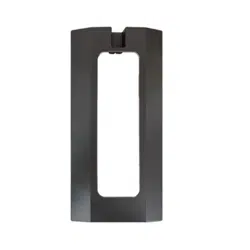
This manual is intended for the users of the DA-FM2100 mounting bracket. It
includes the instructions for mounting the DA-FM2100.
• This bracket is intended to be used with DC-I6212WRX model. Ask
your retailer for details on a specic model and do not use it with other
models of cameras.
• This installation should be performed by a qualied service personnel
in conformance to all local codes.
• You may need to reinforce the wall. If the wall is not strong enough to
support the product, the product may fall.
• Do not use this product for other purposes.
Mounting
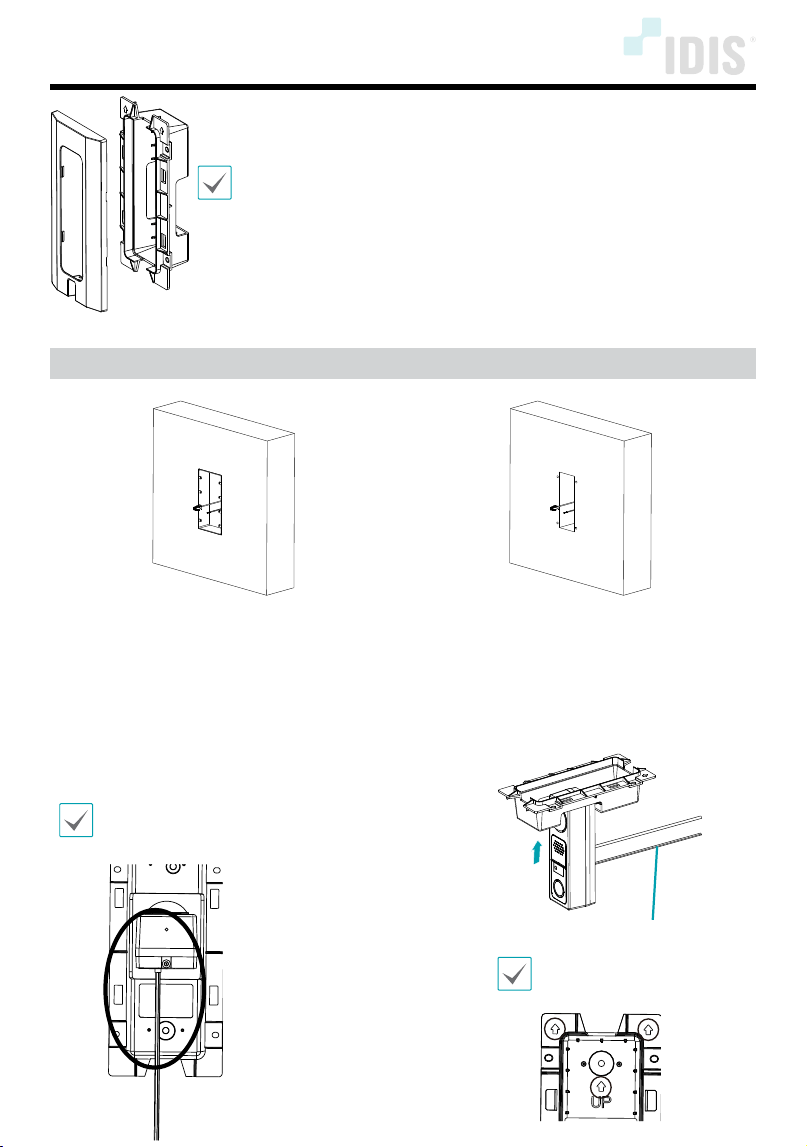
• When installing in a 4-gang electrical box (not
provided)
• When installing on a regular wall (ensuring a
depth of at least 40mm and a size of at least
178.8mm x 65.8mm for the main body insertion
part), use a ush mount to create an insertion
space.
• When installing on a regular wall, use the 4
provided screws and anchors with DC-I6212WRX.
1
Attach the cable connection and installation plate to
the Intercom (DC-I6212WRX) main body.
When inserting the intercom body with cable connection
completed into the back hole of the ush mount, insert it
vertically as shown in the picture below.
Cable
Install with attention to the
UP direction, as shown in the
picture below.
DA-FM2100 INSTALLATION MANUAL
IDIS Co., Ltd.
For more information, please visit www.idisglobal.com
Ver.1.0
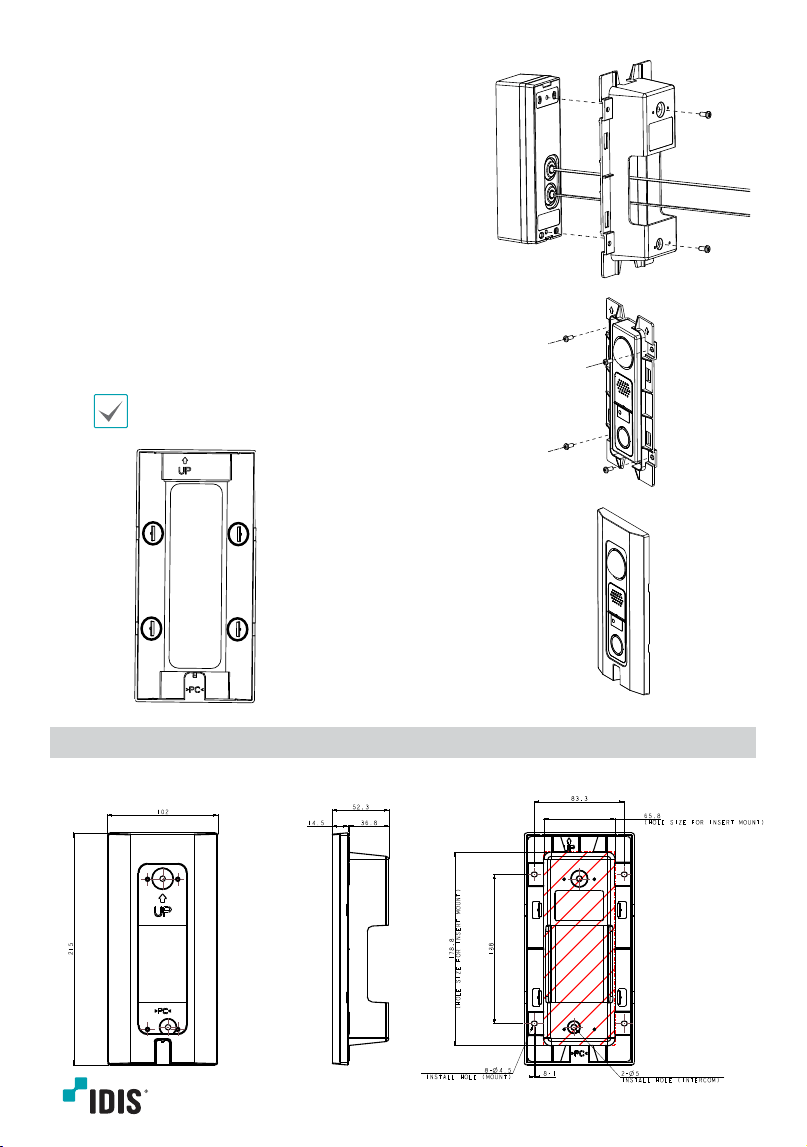
2
Fasten the 2 provided screws on the back.
3
Secure the intercom body and ush mount with 4
screws (not provided). Fasten 4 screws that match the
screw hole dimensions (Ø4.5).
4
Finish securing the ush cover over the installation.
Fasten while pushing down on the 4 hooks. When
fastening the hook, make sure to do it with attention
to the UP direction.
Dimensions
Unit: mm
