DA-WM2050 INSTALLATION MANUAL
This manual is intended for users of the DA-WM2050 wall
mounting bracket. It includes instructions for mounting the
DA-WM2050 wall mounting bracket to a wall.
• This bracket is intended to be used with a
specic model of camera. Do not use it with
other models of cameras except for those
approved by the dealer or distributor.
• This installation should be performed
by a qualied service personnel in conformance
to all local codes.
• You may need to reinforce the wall. If the wall
is not strong enough to support the camera,
the camera may fall.
• Do not use this product for other purposes.
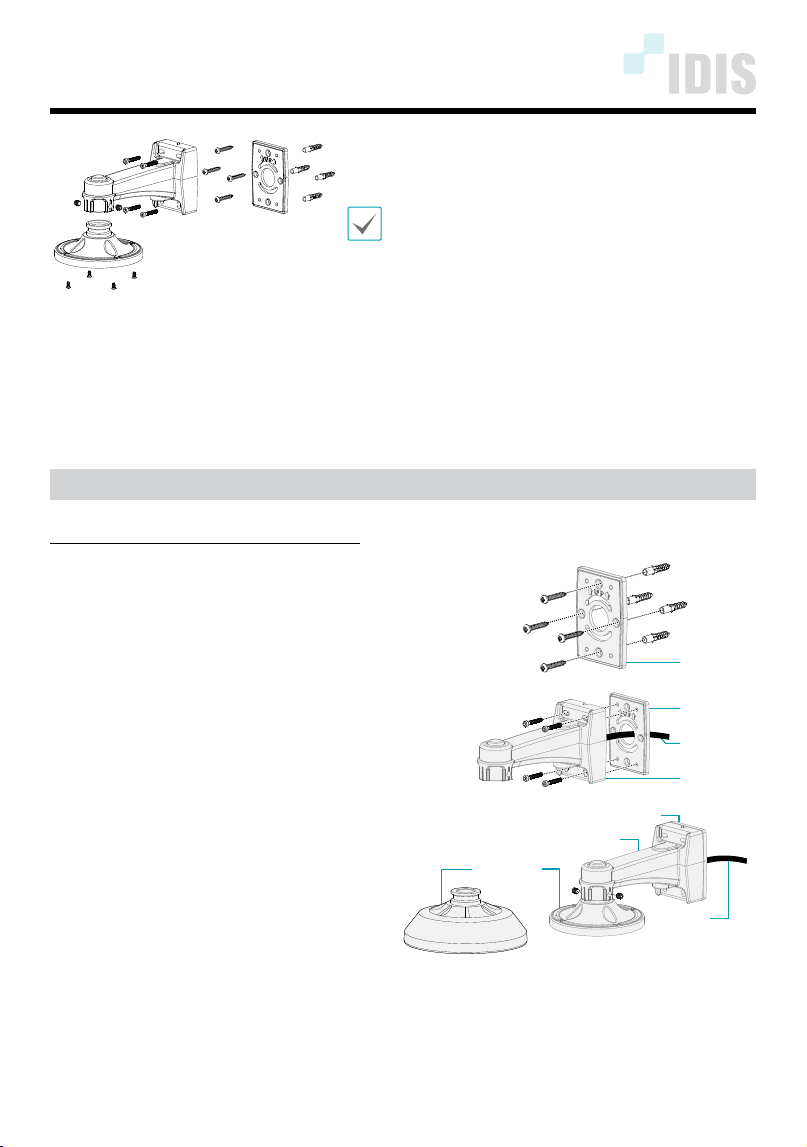
Mounting
Mount the bracket to the wall as follows:
1
Mount bracket 1 to the wall by using
the provided anchors and screws.
Bracket 1
2
Insert cables from external devices,
network and power adapter through
the hole in bracket 1 and the rear of
bracket 2.
3
Screw bracket 2 to bracket 1.
Cable
Bracket 2
Bracket 1
4
Assemble bracke 3
, which is purchased
separately,
into bracket 2 and x it by
using the screws.
or
Bracket 1
Bracket 2
Bracket 3
Cable
IDIS Co., Ltd.
For more information, please visit www.idisglobal.com
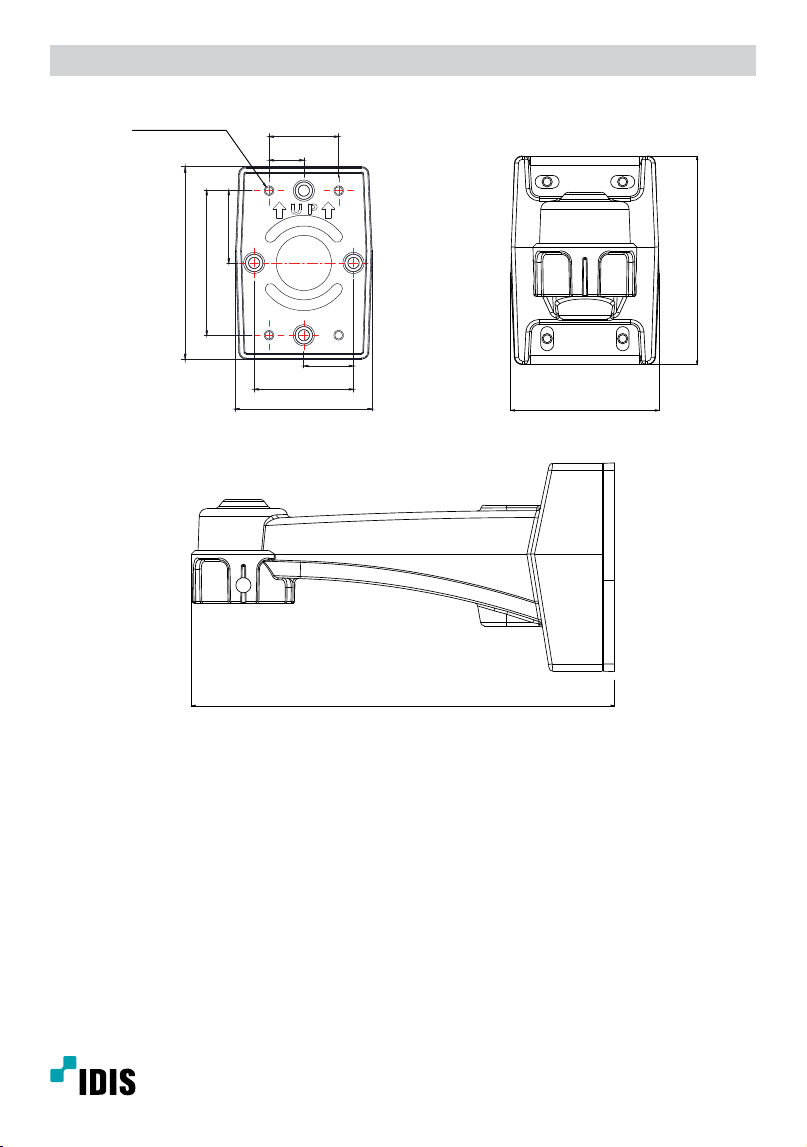
Dimensions
Unit: mm (inch)
28.5 (1.12)
57 (2.24)
41.5 (1.63)
83 (3.27)
78.5 (3.09)
110.5 (4.35)
4-TAP M5, TRUE
40 (1.57)
20 (0.79)
78.5 (3.09)
110.5 (4.35)
224 (8.82)
Ver.1.0