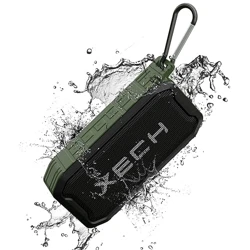
Say hello to the toughest kid on the block, the
XECH Nuke II Speaker. Built to take more than
just a beating or three, the IP68 certified,
powerful Bluetooth Speaker is built with
materials that make it ultra-durable & rugged.
The best part? The toughness does not
compromise on premium sound quality. Built
with high-fidelity bass drivers, the XECH Nuke II
produces the meanest sound. It comes equipped
with XECH MULTI CONNECT that allows you to
connect any 2 XECH speakers together to fill up
any room or even the outdoors. It also has a
built-in FM Receiver, USB Reader, AUX Port & up
to 6 hours of playback on a single charge.
Don’t just listen to music, get Nuke’d!
Version: 5.2
Output Power: 5W Speaker + 5W Sub-Woofer
Transmission Distance: 10m
Charging Time: 2 hrs
Playing Time: Approx. 4-6 hrs
Standby Time: 100 Hrs
Product Size: 155 X 85 X 45 mm
SPECIFICATIONS
DESCRIPTION
XECH Multi Connect is a unique feature that
allows any 2 XECH speakers to connect with each
other.
How does XECH MULTI CONNECT work?
XECH MULTI CONNECT uses a special type of
wireless protocol which allows two speakers from
the same parent to connect with each other, no
matter what model or type they are. This allows
the User to double the audio output for a truly
immersive audio experience.
How do you connect 2 XECH speakers together?
First, you need to check if the speaker supports
the XECH MULTI CONNECT feature.
It would be mentioned underneath the speaker.
If it supports, you just have to turn both the
speakers on simultaneously and believe it or not,
that’s it!
One of the speakers becomes the master
speaker.
All you have to do now is pair the master speaker
to your smartphone via Bluetooth.
XECH MULTI CONNECT
XECH warrants that the product will be free from
any manufacturing defects & takes responsibility in
case the device fails to function for a period of one
year from the date of the original invoice.
The warranty period validity is also subject to the
following conditions:
• The customer has to register the warranty for the
product on https://xech.com/pages/warranty
within 15 days from the date of purchase.
• The product is not given to some external repair
personnel.
• It is only valid in the Indian Subcontinent.
• If the device is not immersed in water. It also does
not cover natural wear & tear or rough usage.
• If the instruction manual is not followed & the
device is not used in an improper manner.
• If the device is not used for its stated functionality.
• If the device is not used by children below 3 years
or someone incapable or using the device.
• The customer can claim warranty by visiting our
website www.xech.com or contacting our
customer support team by writing to us at
support@xech.com.
WARRANTY
WARRANTY
Purchasing Date:
Invoice No:
Dealer Information:
This product should not be put / thrown away with regular
trash at the end of its useful life. It must be disposed at a central
point for recycling of electric and electronic domestic appliances.
This symbol on the appliance, instruction manual and packaging
is meant to warn you. The materials used in this appliance can be
recycled.
SCAN QR CODE
Scan the alongside QR code to
register for warranty. If you face
any issues in registering the
warranty, please get in touch with
our customer support team by
writing to us at
support@xech.com and we will
gladly assist you.
User Manual
DESIGNED FOR EXTREME
NUKE II
PRODUCT HIGHLIGHTS
Wireless
Handsfree
TF Card
USB Disk Playback
AUX Connection
Radio
5W Speaker
5W Sub Woofer
10W Power
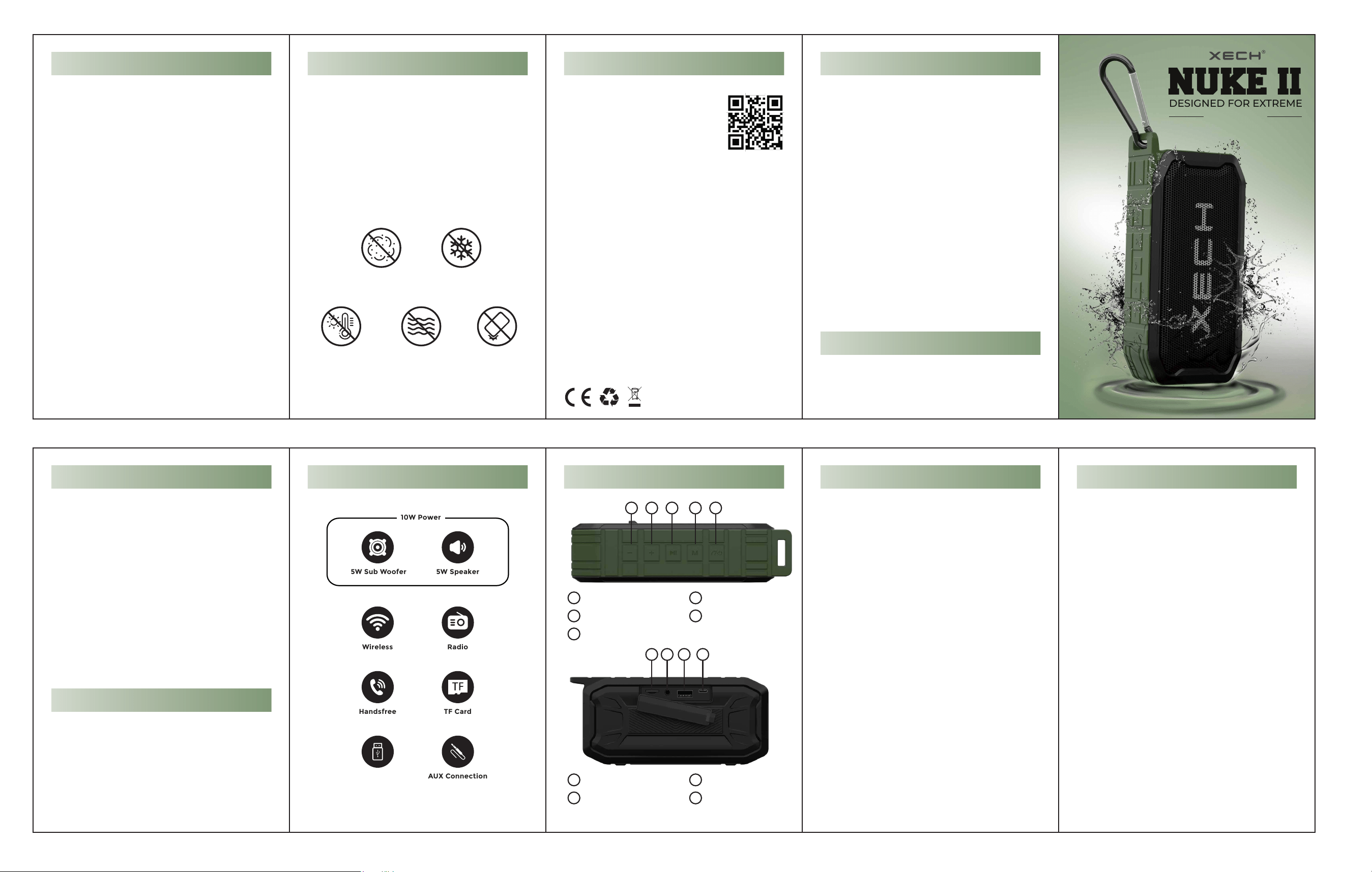
Top
1. Long press key 1 (-) for volume down, short
press for previous song.
2. Long press key 2 (+) for volume up, short press
for next song.
3. Play and pause key.
4. Function switching between BT/MP3 mode &
FM mode.
5. On incoming call, short press to answer the
call and long press to reject the call.
Back
1. TF card slot, you can directly insert TF card to
play music.
2. Audio interface, you can connect to a
computer or mobile phone for playback.
3. U disk jack you can directly plug in the U disk
to play music.
4. Charging interface, Use USB charging cable
to charge power.
OPERATING INSTRUCTIONS
Connect a Bluetooth Device
1. Long press the power button to automatically
enter the pairing state (The indicator light
flashes blue).
2: Open the Bluetooth device of the mobile
phone, click Search for Bluetooth device, until
you search for the Bluetooth name,
“Xech-Nuke II” click Connect, and on pairing
success the blue light is always on,
Connect Phone/Computer
1. Press and hold the phone to turn off the
Bluetooth function of all mobile phones, plug
In the AUX audio cable directly, and play the
music after hearing the voice prompt.
HOW TO PAIR?PRODUCT GUIDE
1
Volume -/ Previous song
Volume +/ Next song
Play/Pause
1
2
3
Functions Switching
Switch On / Off / Call
4
5
TF Card Slot
Audio Jack
6
7
Pendrive Slot
Charging Slot
8
9
2 3 4 5
6 7 8 9
Nuke II is designed to be everything proof up to
IP68. Trust us; we've put the Nuke II through
hundreds of quality tests at XECH HQ.
Some tests involved accidentally spilling coffee or
swimming in the pool with the Nuke II. Although
we wouldn't advise this at home.
No matter the weather, if the music is playing
through Nuke II, it's going to be thumping.
LOUD SOUND. COME RAIN OR SHINE
Dust Resistant
Cold Resistant
Heat Resistant
Water Resistant
Shock Resistant
