4xech.com
Targets key areas around the eyes
DESCRIPTION
SPECIAL MASSAGE SCRIPT
3
We believe in Technocracy & that the world can
become a happier & better place with the power
of technology & design! Most brands are focusing
on profit; we focus on technological happiness to
change the world.
OUR VISION
1 xech.comxech.comxech.com 2
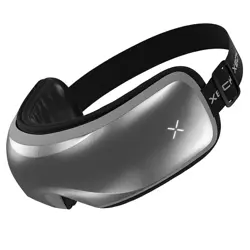
Introducing XECH iSoothe eye massager, a
premium massaging system that uses a
combination of pressure, vibration, warm
compression & music to gently massage
around the eyes to make you feel completely
relaxed. XECH eye massager comes with 5
different massage modes that you can select
from depending on your requirement to
experience different levels of relaxation. Its
foldable, lightweight design compliments the
futuristic chrome finish thanks to the
premium materials, allowing a real soft touch
& feel around the eyes. The elastic headband
is designed so that it fits a wide variety of
head sizes. Rejuvenate your eyes with the
XECH iSoothe eye massager & say goodbye to
tired eyes!
Our Shiatsu massage experts have curated a
special massage script which targets key
pressure points around the eyes. This helps
improve blood circulation and helps
you relax.
FEATURES
6 8
HOW TO USE XECH ISOOTHE
xech.com
Important Note:
For best performance, please charge for atleast
an hour before using.
Clean the eye patch with a dry cloth and adjust
the belt according to your size.
Please charge the device at least once a week to
maintain a healthy battery life.
7
OPERATION GUIDE
1. Long press the Power Button to turn the
device on. As a default, all functions are set to
be on including music.
PRODUCT FUNCTION
Power Button
Long Press to turn the device On/Off. Short
press to change the mode.
Play Button
Music Mode – Change to Next Song.
Symbols
Will be on indicating that the Vibration
function is on.
Will be on indicating that the Air Pressure
function is on.
Will be on indicating that the Heating
function
is on.
Will be on indicating that the Music
function is on.
Will be on indicating that the Bluetooth
is connected.
2022
2023
XECH
was founded
Focused on
equipping
India’s healthcare
system
Launched
exclusive range of
consumer
electronics
2018
2019
2020
2020
2021
2021
Sold 20,000+ units
of eye massagers
across India"
Launch on
leading E-commerce
platforms
Launched
India’s 1st
stethoscope
sterilizer
1st brand under
Amazon’s Emerging
Brand Days
Introduced new range
of portable home
& kitchen appliances
ABOUT XECH
XECH (/‘zek’/) is an Indian brand
headquartered in Mumbai.
Founded in 2018, XECH’s R&D Innovation
Centre specialises in creating cutting-edge
electronics and new age appliances.
This allows XECH to truly be a
multi-category brand.
For choosing our product
You!
Thank
PRODUCT GUIDEHOW ISOOTHE HELPS
5xech.com
1
2
3
4
5
9
6
10
7
8
6
8
10
Switch to
Change Mode
Bluetooth
Function Indicator
Vibration
Function Indicator
Warm Compression
Function
Adjustable
Belt
2
4
ON / OFF
Switch
Music Function
Indicator
Battery
Indicator
Air Pressure
Function Indicator
USB C
Charging Port
5
7
9
1
3
- Vibration
- Air Pressure
- In-built Music
- Pleasant Warmth
- Adjustable Modes
- Wireless Music
- Foldable
- Rechargeable
2. You can switch between modes by short
pressing the power button.
3. Below are the different modes and what
functions each mode has.
4. Long press the Power Button to turn the
device off
5. Bluetooth Connectivity. To connect your
smartphone with XECH iSoothe
TM
Eye Massager
via bluetooth, please Long Press Play to start the
in-built music and then press play again for 1
second to turn on Bluetooth. You can search for
the ‘XECH iSoothe” and pair.
6. To toggle between music tracks, simply short
press the Play Button.
7. To turn off the music, Long Press the Play Button
Automatic Mode
Fresh Mode
Smart Mode
Sleep Mode
Lenses Mode
Air Pressure, Vibration,
Heat, Music
Air Pressure, Vibration, Music
Air Pressure, Heat, Music
Air Pressure, Music
Heat, Music
xech.com xech.com10 11 xech.com 12 xech.com 13
WARRANTY
XECH warrants that the product will be free from
any manufacturing defects & takes responsibility
in case the device fails to function for a period of
one year from the date of the original invoice.
The warranty period validity is also subject to the
following conditions:
• The customer has to register the warranty for
theproducton https://xech.com/pages/warranty
within 15 days from the date of purchase.
• The product is not given to some external repair
personnel.
• It is only valid in the Indian Subcontinent.
• If the device is not immersed in water. It also
does not cover natural wear & tear or rough
usage.
• If the instruction manual is not followed & the
device is not used in an improper manner.
• If the device is not used for its stated
functionality.
• If the device is not used by children below 3
years or someone incapable or using the device.
• The customer can claim warranty by visiting our
website www.xech.com or contacting our
customer support team.
14 15xech.com xech.com
SCAN QR CODE
Scan the alongside QR code
to register for warranty. If you
face any issues in registering
the warranty, please get in
touch with our customer
support team by writing to
us at support@xech.com
and we will gladly assist you.
Purchasing Date:
Invoice No:
Dealer Information:
This product should not be put / thrown away
with regular trash at the end of its useful life. It must be
disposed at a central point for recycling of electric and
electronic domestic appliances. This symbol on the
appliance, instruction manual and packaging is meant
to warn you. The materials used in this appliance can be
recycled.
WARRANTY
EYE MASSAGER
TM
iSoothe
USER
MANUAL
SOLUTION
- Bluetooth Connectivity. To connect your
smartphone with XECH iSoothe Eye Massager
via bluetooth, please Long Press Play to start the
in-built music and then press play again for 1
second to turn on Bluetooth.
You can find "XECH iSoothe" on your
smartphone & pair
- Check if your smartphone's bluetooth is turned
on
- Each of the 5 modes has different functions.
Please find below the table which defines what
functionalities each of the modes has.
PROBLEM
Unable to pair the eye massager with your
smartphone.
PROBABLE CAUSE
- Bluetooth not turned on
SOLUTION
- Bluetooth Connectivity. To connect your
smartphone with XECH iSoothe Eye Massager
via bluetooth, please Long Press Play to start the
in-built music and then press play again for 1
second to turn on Bluetooth.
You can find "XECH iSoothe" on your smartphone
& pair
- Check if your smartphone's bluetooth is
turned on
PROBLEM
Unable to play music from the smartphone
PROBABLE CAUSE
- Eye massager is not paired with your
smartphone
- Incorrect mode selected
PROBLEM
No Air Pressure / Heat / Vibration / Music
PROBABLE CAUSE
- Incorrect mode selected
SOLUTION
- Each of the 5 modes has different functions.
Please find below the table which defines what
functionalities each of the modes has.
xech.com 9
TROUBLESHOOTING
PROBLEM
Eye Massager doesnt turn on
PROBABLE CAUSE
- Power button incorrectly pressed
- Product not charged enough
SOLUTION
- Long press the Power button
- Charge the eye massager
PROBLEM
Eye Massager is not getting charged
PROBABLE CAUSE
- Power source not turned on
- Charger & cable used to charge the eye
massager is higher than 5V
SOLUTION
- Plug the device & turn on the power source
- Use a 5V adapter and the cable provided with
the massager
CLEANING & MAINTENANCE
Turn off the device before cleaning. Do not rinse
the device.
Keep away from all corrosive cleaners and
harsh detergents.
Charge the eye massager using the provided
charging cable.
Avoid contact with sharp objects.
Remove contact lenses, glasses, false eyelashes,
etc. before using.
Do not attempt to disassemble or repair the
device. Otherwise, it may cause damage and void
the manufacturer’s warranty.
If the eye massager is not used in 2 months, it is
advised to charge the device for at least 2 hours
before using it.
CUSTOMER SUPPORT
For assistance, please feel free to reach out to our
customer support team.
Email - [email protected]
Whatsapp - +91 88288 44466
xech.in
xechofficial
xechtechnologies
Xech Technologies
xechofficial
Automatic Mode
Fresh Mode
Smart Mode
Sleep Mode
Lenses Mode
Air Pressure, Vibration,
Heat, Music
Air Pressure, Vibration, Music
Air Pressure, Heat, Music
Air Pressure, Music
Heat, Music
Automatic Mode
Fresh Mode
Smart Mode
Sleep Mode
Lenses Mode
Air Pressure, Vibration,
Heat, Music
Air Pressure, Vibration, Music
Air Pressure, Heat, Music
Air Pressure, Music
Heat, Music