How to use the TWS mode?
For this mode, you will need 2 XECH Arc speakers.
Turn both speakers on at the same time. This will
allow both speakers to connect with each other
simultaneously. Open the Bluetooth settings in
your smartphone & perform a search for available
devices & select ‘XECH Arc’ from the list.
How to use XECH MULTICONNECT?
XECH Arc comes with Multiconnect. This allows
you to connect Arc with any other XECH speaker
model which supports multiconnect.
For this, you will need a XECH speaker which
supports Multiconnect. To check if your XECH
Speaker supports Multiconnect, look for the
ICON located on your speaker.
Turn both speakers on at the same time. This will
allow both speakers to connect with each other
simultaneously. Open the Bluetooth settings in
your smartphone & perform a search for available
devices & select the XECH Speaker that shows up
from the list.
XECH warrants that the product will be free from
any manufacturing defects & takes responsibility in
case the device fails to function for a period of one
year from the date of the original invoice.
The warranty period validity is also subject to the
following conditions:
• The customer has to register the warranty for
the product on https://xech.com/pages/warranty
within 15 days from the date of purchase.
• The product is not given to some external repair
personnel.
• It is only valid in the Indian Subcontinent.
• If the device is not immersed in water. It also
does not cover natural wear & tear or rough
usage.
• If the instruction manual is not followed & the
device is not used in an improper manner.
• If the device is not used for its stated
functionality.
• If the device is not used by children below 3 years
or someone incapable or using the device.
• The customer can claim warranty by visiting our
website www.xech.com or contacting our
customer support team.
WARRANTY
Purchasing Date:
Invoice No:
Dealer Information:
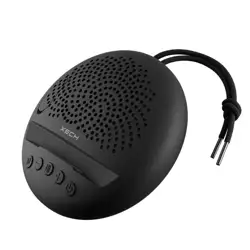
Introducing XECH ARC, a versatile 5W wireless
speaker that comes with a neat dock for your
smartphone. The phone stand design provides
an ideal angle to watch your favourite content
hands-free. Arc’s flat circular design, combined
with a high-fidelity audio driver provides
360-degree HD sound to take your audio-visual
experience to the next level! Arc is equipped with
a high-performance microphone that is
designed for crystal-clear conference calls,
making business meetings a breeze. Arc comes
with XECH MULTICONNECT & TWS functions
allowing you to experience surround sound by
connecting these 2 speakers together. It even
has a secret flap which can house a set of pens
making it perfect for work & play! Whether you're
working from home or in the office, the XECH Arc
is an essential tool for seamless conference calls,
meetings & fun!
- Bluetooth: 5.2v
- Voltage: 5V
- Output Power: 5W
- Product Dimensions: 12cm x 12cm x 4.5cm
- Impedance: 4ohm
- Driver Size: 40mm
- Play Time: 4-6H
SPECIFICATIONS
DESCRIPTION
How to disconnect TWS mode?
How to disconnect XECH MULTICONNECT?
Long press the button to disconnect the 2
speakers from each other.
Not sure which smartphone is connected to the
Arc speaker?
Simply press the button located on the speaker
panel and it will automatically be disconnected
from the mystery smartphone. You can now pair
your smartphone with Arc.
If you have any queries, please feel free to reach
out to our customer support team.
We will gladly assist you.
Email - [email protected]
Whatsapp - +91 88288 44466
WARRANTY
This product should not be put / thrown away
with regular trash at the end of its useful life. It must be
disposed at a central point for recycling of electric and
electronic domestic appliances. This symbol on the
appliance, instruction manual and packaging is meant
to warn you. The materials used in this appliance can be
recycled.
SCAN QR CODE
Scan the alongside QR code to
register for warranty. If you face
any issues in registering the
warranty, please get in touch with
our customer support team by
writing to us at
support@xech.com and we will
gladly assist you.
User Manual
More than just a speaker!
ARC
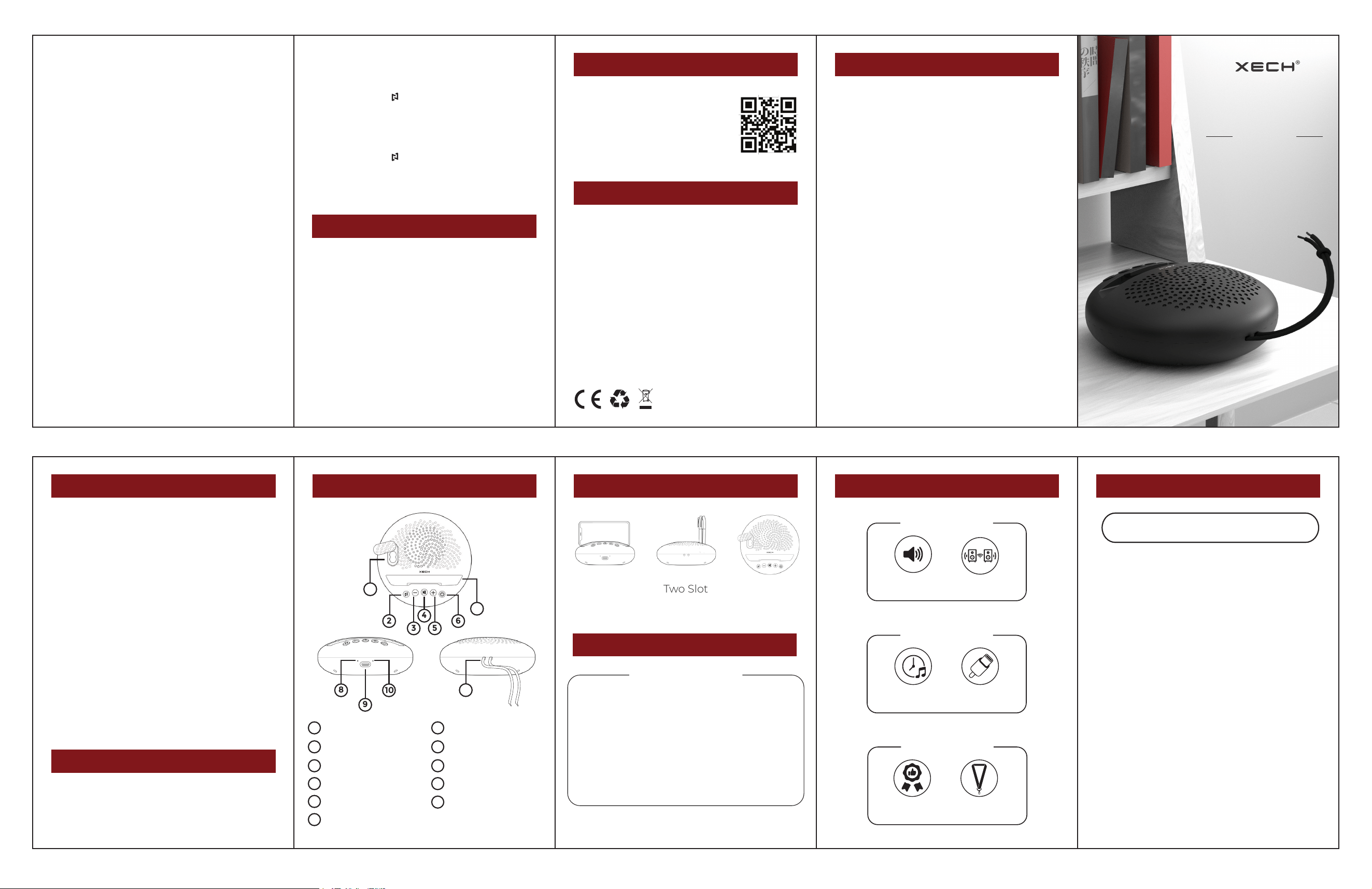
Pen Holder
Volume -/ Previous song
Volume +/ Next song
Phone Dock
Type C Charging Port
Lanyard
6
8
10
Functions Switch
Play/Pause
Switch On / Off / Call
Microphone
Charging Indicator
2
4
5
7
9
11
1
3
2
3
4
5
6
PRODUCT GUIDE
8
11
1
10
7
9
xech.com
xech.com
7 8 9
1
xech.com xech.com
xech.com
How to turn the speaker on?
Long press the power button to turn the speaker
on.
How to pair ARC to your smartphone?
Turn the speaker on.
Open the Bluetooth settings in your smartphone
& perform a search for available devices & select
‘XECH Arc’ from the list.
Your device will be successfully connected in a
few seconds.
How to increase or decrease the volume?
The volume can be adjusted from the speaker
panel as well as your smartphone.
Once Arc is paired, you can adjust the volume by
pressing the ‘volume +/-‘ button on the speaker
panel or adjusting the volume from your
smartphone.
ENSURE THAT ARC IS CHARGED FOR 2-3
HOURS BEFORE USING IT.
OPERATING INSTRUCTIONS
2 5
6
PRODUCT HIGHLIGHTS
4-6 H
Play Time
USB C
Charging
Powerful Battery
Stellar Built-Quality
Heavy-Duty
Lanyard
Premium
Finish
5W
Speaker
TWS
Pairing
High Fidelity Audio
3xech.com xech.com
xech.com
WARRANTY
CUSTOMER SUPPORT
XECH MULTICONNECT
PRODUCT FEATURES
Phone
Holder
Two Slot
Pen Holder
Portable
Speaker
4xech.com
XECH MULTICONNECT
The ARC is equipped with XECH Multiconnect,
meaning it can connect with other XECH speakers
like Tellivibe Max or Nuke II. Simply connect the 2
speakers together and place them in two corners of
the room and enjoy surround sound experience!
360
O
Immersive Sound
Crisp & deep bass
Stellar Audio
For offices & homes
Light Weight Design
Your music, anywhere!
Integrated Controls
Music at your fingertips!