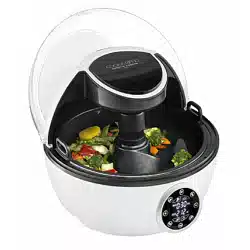
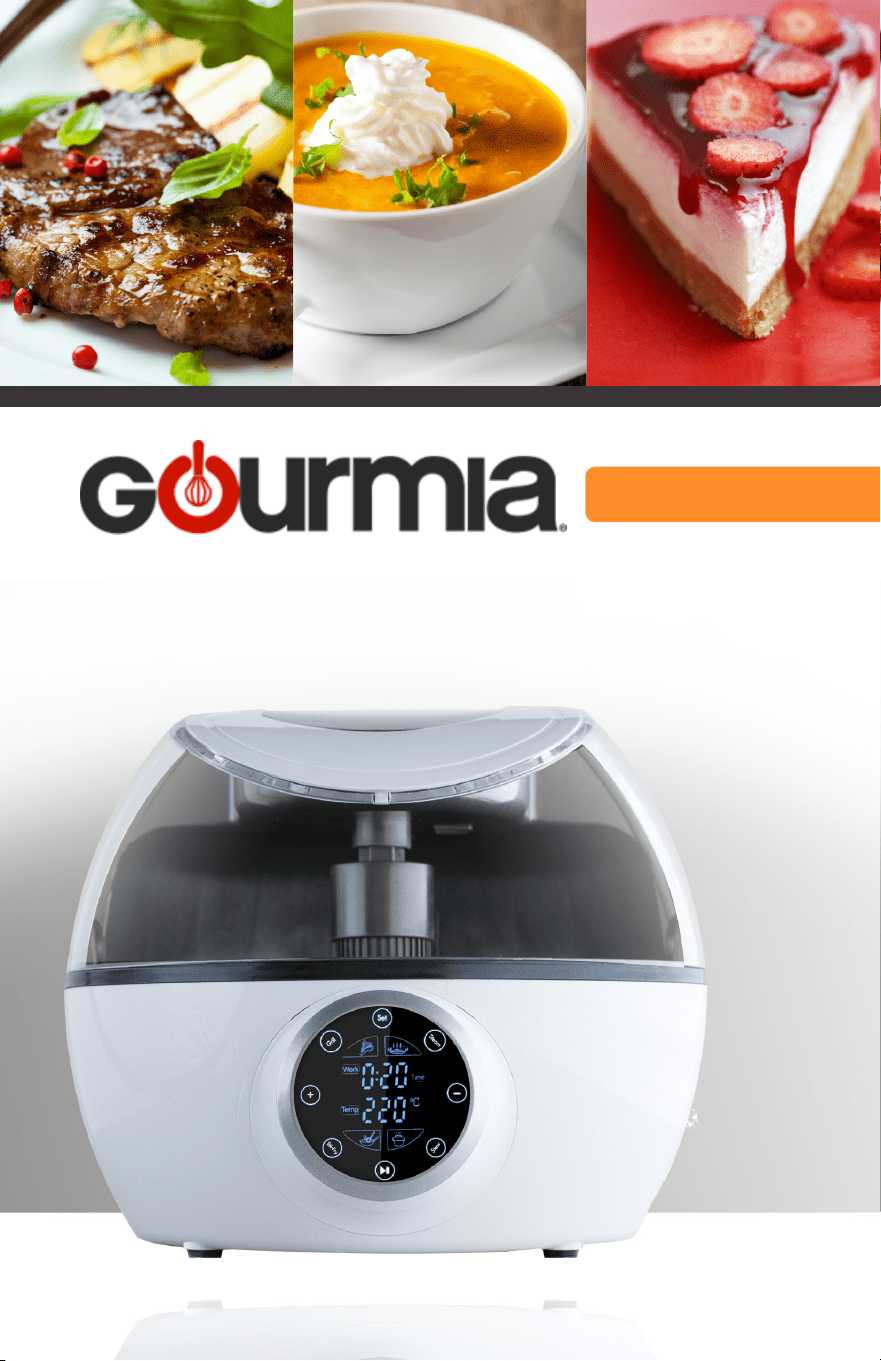
COOK-A-RIFFIC ROBOTIC COOKER
with AUTO-STIR SPATULA
MODEL# GCR1700

© 2016 Gourmia
www.Gourmia.com
The Steelstone Group
Brooklyn, NY
All rights reserved. No portion of this manual may be reproduced by any means whatsoever
without written permission from The Steelstone Group, except for the inclusion of quotations in a
media review.
Although every precaution has been taken in the preparation of this manual, The Steelstone
Group assumes no responsibility for errors or omissions. Nor is any liability assumed for damages
resulting from the use of the information contained herein. Although every eort has been made
to ensure that the information contained in this manual is complete and accurate, The Steelstone
Group is not engaged in rendering professional advice or services to the individual consumer;
further, The Steelstone Group shall not be held responsible for any loss or damage allegedly
arising from any information or suggestion in this manual.
ISBN: 978-1-929862-XX-X
10 9 8 7 6 5 4 3 2
1
Printed in China
Welcome to Delicious Meals from Gourmia!
With the purchase of the Cook-a-Ric Robotic Cooker with Auto-Stir Spatula, you
are embarking on a satisfying and savory adventure. Consider all the dishes you can
prepare using the features of this truly hands-free Robotic Cooker: Grill, Sauté, Roast,
Bake, Stir-fry, Pan Fry, Steam, Stew, Slow Cook and Sauces. We are sure you and your
family will love all the delicious entrées, snacks, vegetables, soups, desserts and more
that come from inside this new, easy and innovative Robotic Cooker.
The following pages of this manual give you full and complete instructions for all
the functions and features of your Cook-a-Ric Robotic Cooker. Inside these pages,
you’ll nd cooking guides, information on Cooking Methods and Auto Modes, and
complete step-by-step instructions for operating, assembly, cleaning and maintenance
of your Cook-a-Ric Robotic Cooker. Please read all safety instructions and complete
directions carefully for safe usage at all times.
Thank you for your purchase! We hope you will enjoy all the innovative products
brought to you by our family at Gourmia.
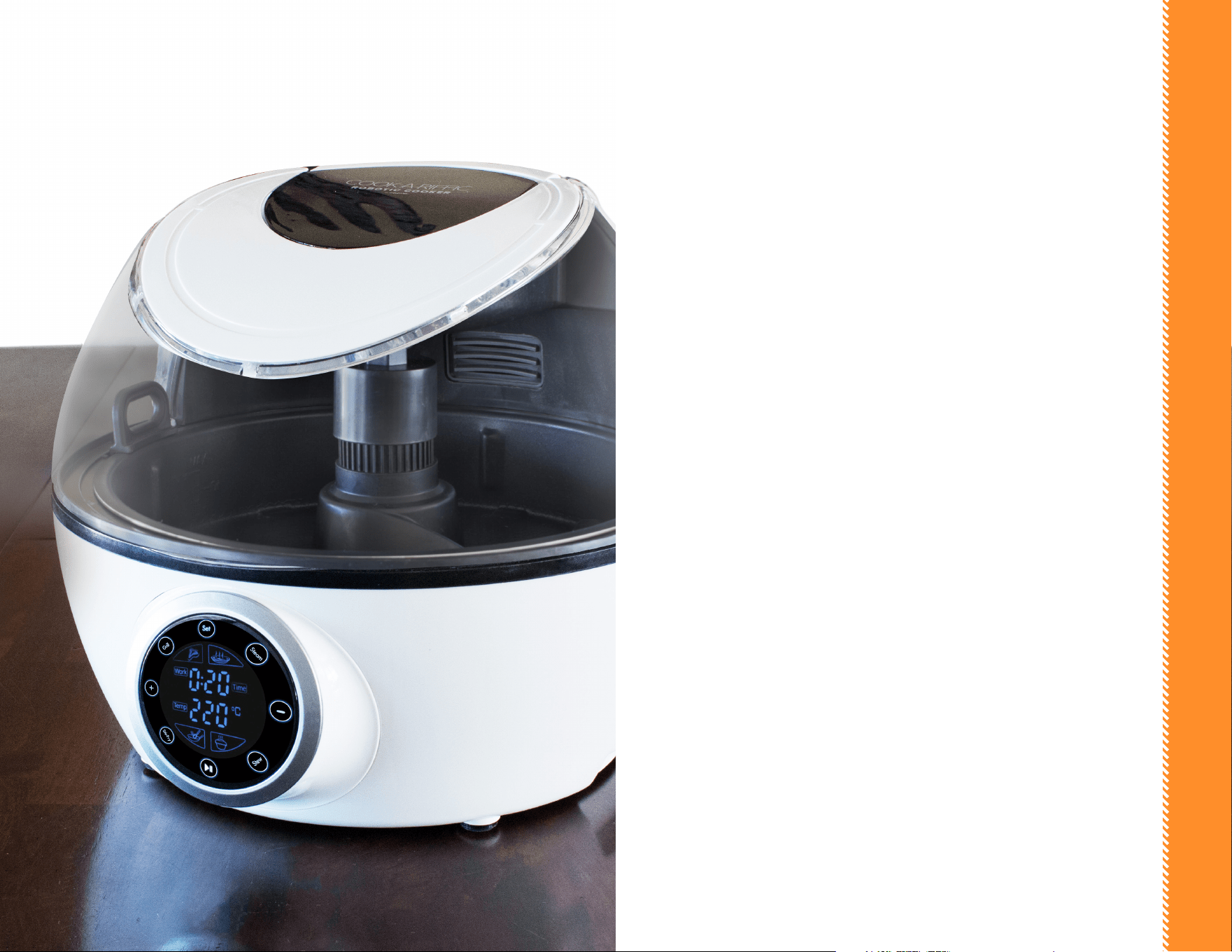
TABLE OF CONTENTS
SAFETY FIRST p. 6
FEATURES & FUNCTIONS p. 9
Removable Cooking Pot p. 9
Robotic Cooker Base p. 9
Locking Pot Slot p. 9
Auto Circulator Control p. 9
Precise Heating Element p. 9
Micro Switch p. 9
EasyLift Cooker Base Handles p. 9
EasyVue Lid p. 10
Auto-Stir Spatula p. 10
PRE-PROGRAMMED CONTROL PANEL p. 13
Cook with Auto Temp & Time p. 13
Auto Temp & Time Chart. p. 13
Cook with Manual Temp & Time p. 14
Manual Temp & Time Chart p. 14
Adding Preset (Delay Start) p. 15
BEFORE FIRST USE & MAINTENANCE p. 17
STEP-BY-STEP COOKING p. 19
Stir-Fry p. 20
Sauté p. 20
Pan-Fry p. 21
Sauces p. 21
Stew p. 22
Slow Cook p. 22
Soup p. 23
Steam p. 23
Grill p. 24
Bake p. 24
GOURMIA IN YOUR KITCHEN! p. 26
WARRANTY & SERVICE p. 29
Troubleshooting p. 29
Warranty & Service p. 30
SAFETY FIRST
SAFETY FIRST
76
IMPORTANT SAFEGUARDS
When operating this electric appliance, basic safety instructions should
always be followed. Refer to the following for these instructions.
1. READ ALL SAFETY & USAGE INSTRUCTIONS BEFORE USING ROBOTIC
COOKER.
2. EXERCISE EXTREME CAUTION: Do not allow liquids of any kind to touch
the interior of Robotic Cooker base. Use extreme caution when moving
Removable Cooking Pot onto or o of the Cooking Base to ensure that liquids
DO NOT spill into the base. Spills may cause electrical shock, severe injury or
death.
3. AVOID ELECTRICAL SHOCK. DO NOT immerse cord, plugs or the Robotic
Cooker base in water or other liquid.
4. DO NOT touch the hot surface of the Robotic Cooker Base or Removable
Cooking Pot. Use pot holders or mitts when handling the Cooking Pot, Base,
Auto-stir Spatulas or Lid.
5. Do not exceed MAX ll line in the Removable Cooking Pot when adding
liquids. Damage to Robotic Cooker may occur.
6. UNPLUG Robotic Cooker from outlet when not in use or before cleaning. DO
NOT add or remove parts or accessories while HOT. Do not let cord hang over
edge of table or counter or touch hot surfaces, including the Robotic Cooker.
7. Children should never use Robotic Cooker; close supervision is required when
appliance is used near children.
8. Never touch, cover or obstruct the EasyVue Lid during or after operation.
Serious burns or scalding may occur. Keep children away from the EasyVue Lid.
9. Operate the Robotic Cooker on a level surface well away from any hot gas or
electrical burner, heat source, combustible spray cans or pressurized items.
10. Do not operate the Robotic Cooker outdoors.
11. Never operate the Robotic Cooker with a damaged cord or plug or one that has
malfunctioned or been damaged in any way. Immediately contact Customer
Service for analysis.
12. DO NOT add unauthorized accessory attachments. Such use may result in
electric shock, injury or re.
FOR HOUSEHOLD USE ONLY
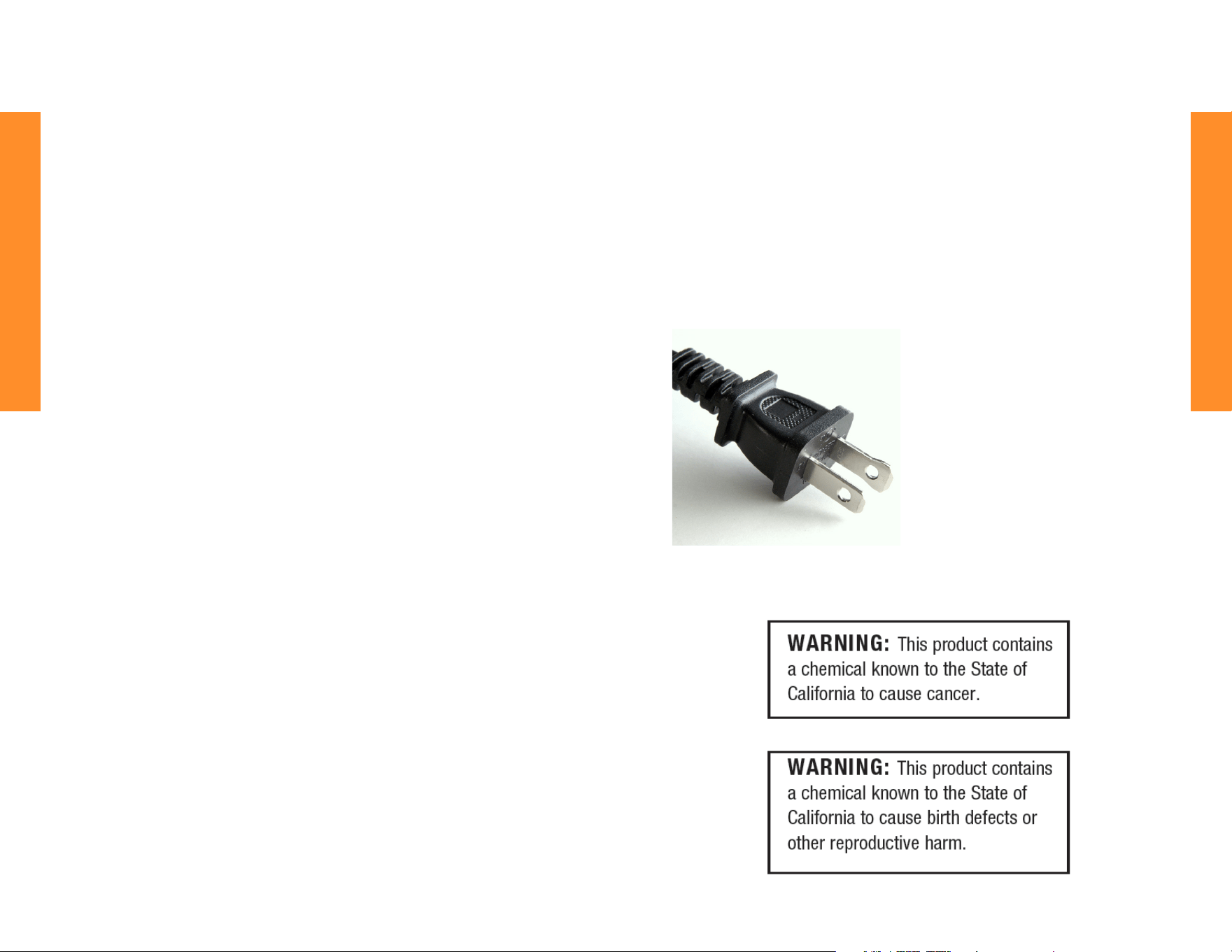
Electrical Polarized Plug: This Robotic
Cooker has a polarized plug (one blade is
wider than the other). To reduce the risk
of electrical shock, the plug is intended to
be used by inserting it into the electrical
outlet only one way. If the plug does not t
securely into the outlet, turn the plug and
re-insert. Do not modify this plug. If the
plug does not t the outlet securely, call a
qualied electrician for assistance. DO NOT
use this plug with extension cords of any
kind.
13. Use only factory cord supplied; NEVER add extension cords. When done using,
switch control to OFF then pull plug from outlet.
14. DO NOT operate the Robotic Cooker when empty.
15. Do not use the Robotic Cooker for any use other than intended. Do not use
Removable Cooking Pot on a stovetop or other heat source.
SAVE THESE INSTRUCTIONS
FEATURES & FUNCTIONS
9
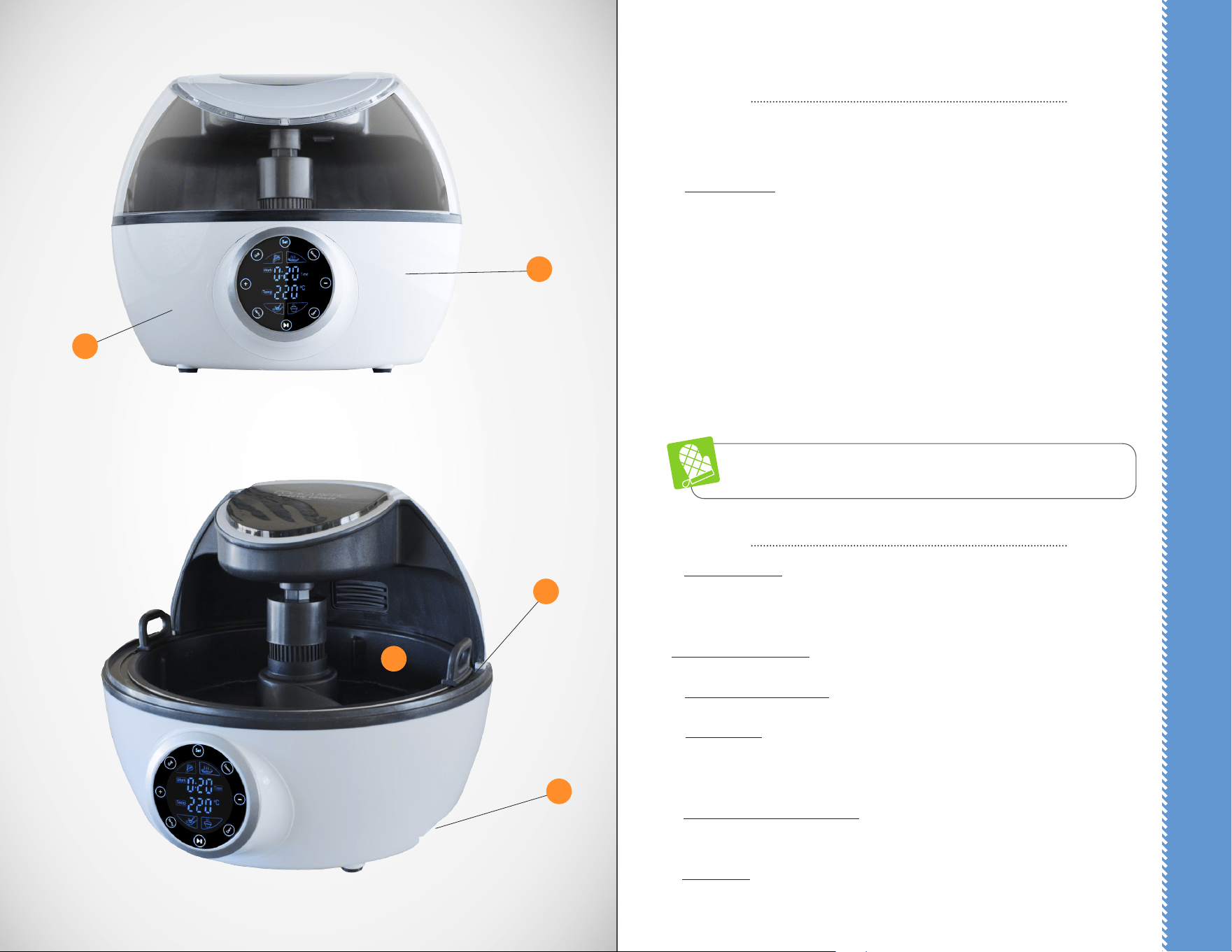
REMOVABLE COOKING POT
The Removable Cooking Pot has a nonstick interior and must ALWAYS be used when
cooking in the Robotic Cooker.
A. The Cooking Pot must be inserted correctly into the Locking Pot Slot or the cooker
will not operate.
The Cooking Pot has a MAX ll line for liquids; do not overll past the line. When using
oil for cooking, limit oil to no more than MAX ll line (1-inch deep) for safety purposes.
If liquids need to be added to food prior to cooking, FIRST place Removable Cooking
Pot in Cooker, then slowly add liquid to the pot. Do not ll past the MAX ll line. Do
not allow liquid to spill into the heating element area or in housing base, as electric
shock can occur (see p. 6). If liquids need to be added to food DURING cooking, use
pot holders to open the Lid. Slowly add liquid to the pot. Do not allow liquid to spill
into the heating element area or in housing base, as electric shock can occur (see p. 7).
ALWAYS USE POT HOLDERS OR OVEN MITTS WHEN HANDLING OR
REMOVING HOT FOODS OR LIQUIDS IN THE REMOVABLE COOKING POT.
THE ROBOTIC COOKER BASE
B. Locking Pot Slot: The Robotic Cooker Base has a locking pot slot. Properly t the
Removable Robotic Cooker Pot into that slot for proper usage. The appliance will not
work if the Pot is not inserted correctly into the slot.
Auto Circulator Control: The heat circulator for even temperature distribution.
C. Precise Heating Element: The thermostatically controlled heat source.
D. Micro Switch: Located inside the Cooking Base wall, the switch will automatically
shut the unit OFF if the Robotic Cooker Pot is missing or not seated properly within the
slot.
E. EasyLift Cooker Base Handles: Located on the bottom of the unit, these handles
assist in lifting the base. Use pot holders or mitts when unit is hot.
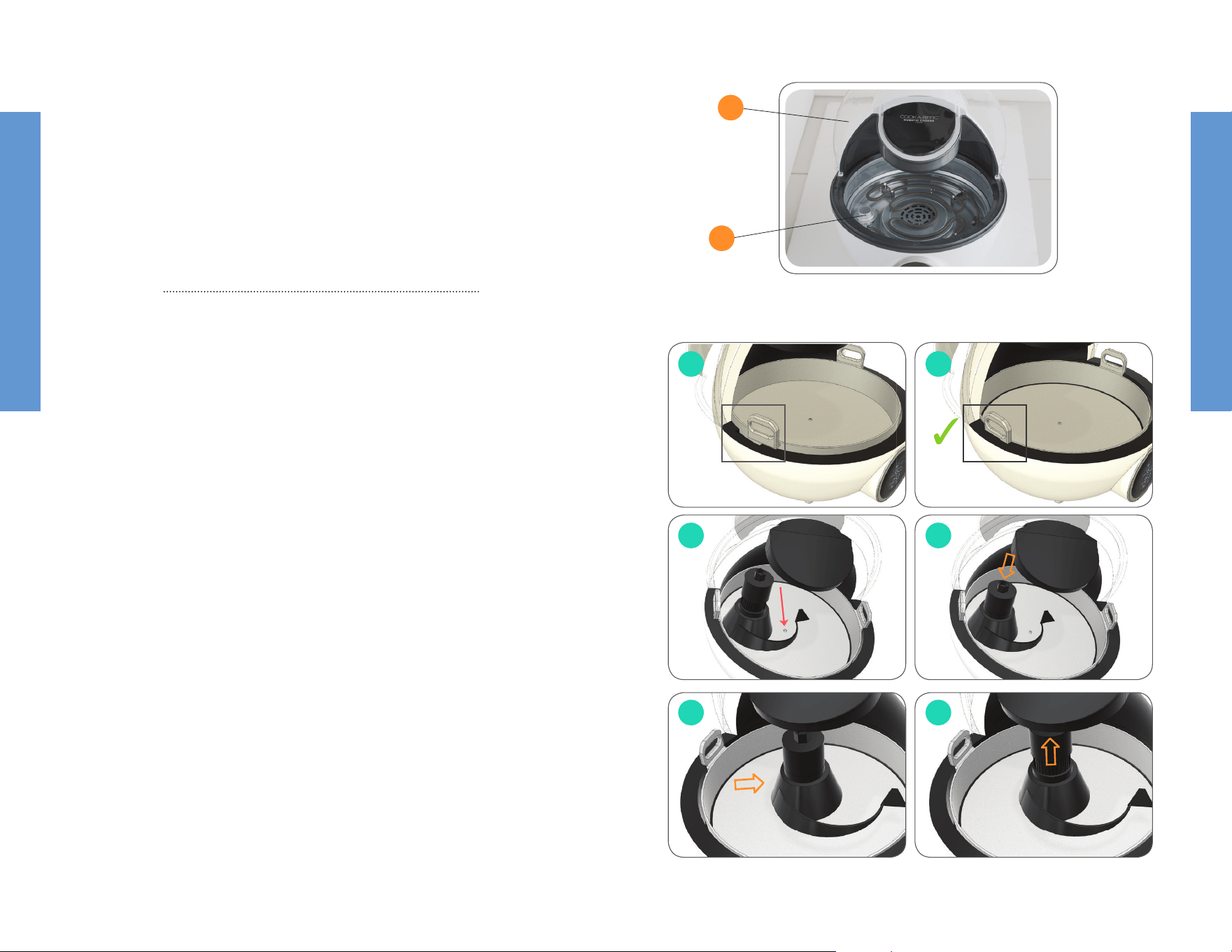
F. EasyVue Lid: (see reference F) The lid sits securely on top of the Robotic Cooker Base
and fully covers the Removable Cooking Pot. Use caution when moving the lid up or
A
E
D
C
B
8
FEATURES & FUNCTIONS
FEATURES & FUNCTIONS
1110
down and always use pot holders if the unit is hot. Always close the EasyVue Lid when
cooking. Before heating the Cooker, securely close the lid and set the Control Panel to
the cooking method you choose. Do not cook with the Lid open.
CAUTION: Use caution when opening the lid while food is cooking. Serious burns or
scalding can occur from hot air or steam. When steaming, hot water will escape when
the lid is opened. Use pot holders or mitts while opening and closing the lid. Opening
the lid while cooking will increase cooking times.
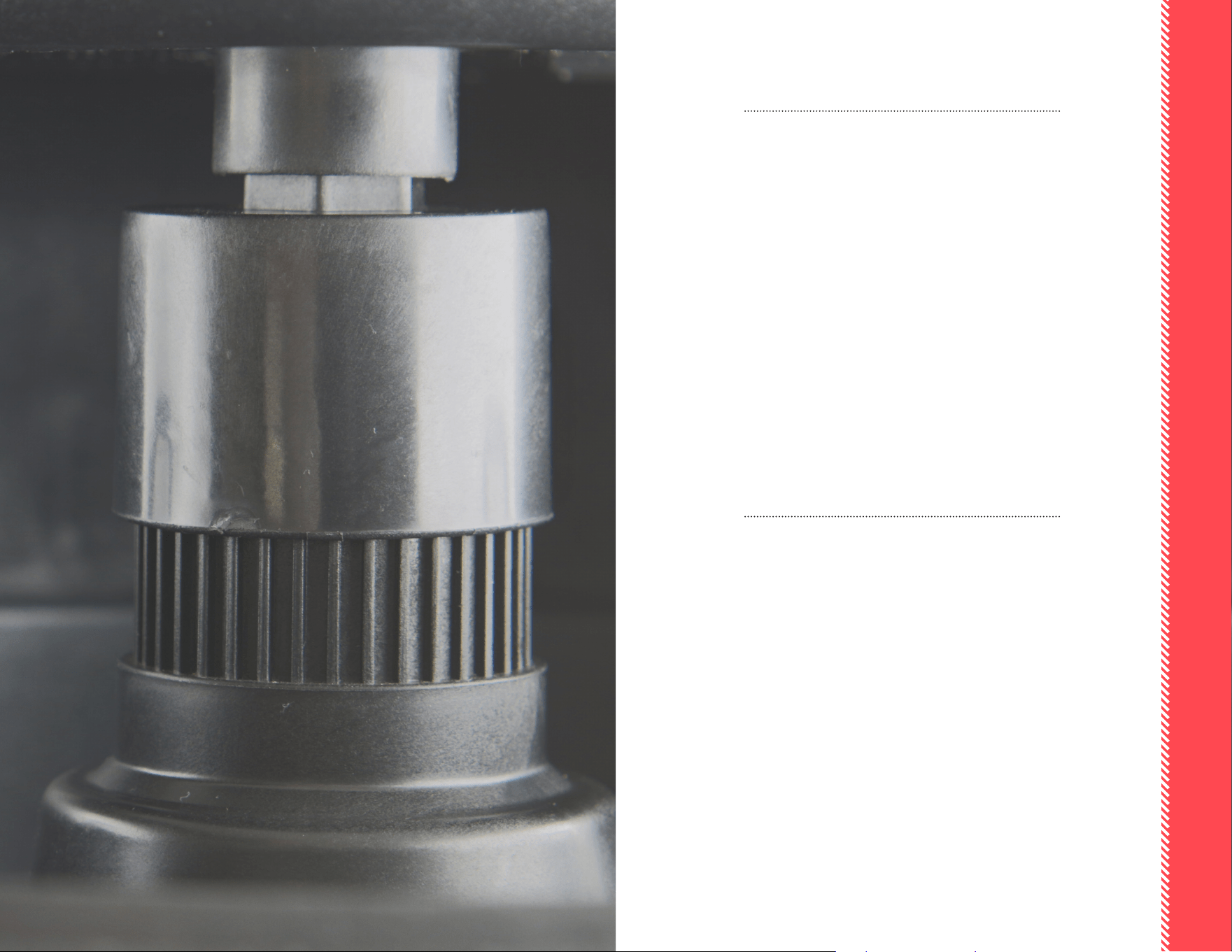
AUTO-STIR SPATULA
The exclusive Auto-Stir Spatula slowly mixes foods as they cook, allowing a completely
hands-free process. The Spatula is connected for cooking in the Stir-Fry and Stew
modes ONLY and can be used to sauté foods, make sauces, or create a continuous ow
of movement for any food that needs constant attention.
To assemble the Auto-Stir Spatula, follow these steps:
D
g.1
g.3
g.5
g.2
g.4
g.6
1. The Spatula is connected to the
Stirring Rod, which sits in the small
Divot of the Removable Cooking
Pot and can be inserted or removed
as desired. Note that the Stirring
Rod is spring-loaded and can ex
up or down as needed.
2. To insert the Auto-Stir Spatula,
place the Removable Cooking Pot
in the Cooker base. Lightly turn the
pot until it slips into the Locking
Pot Slot (g 1 & 2). Place the Auto-
Stir Spatula in the Removable
Cooking Pot (g 3). Note the Divot
in the center of the Pot.
Press down lightly to compress the
spring (g 4). Move the Spatula until
it is straight and centered on top of
the Divot (g 5). Release the spring.
When the Spatula is correctly in
place, it will t in the Divot on the
bottom and pop up to t securely
in the top (g 6). NOTE: You may
need to slightly turn the Spatula
clockwise until you feel and hear it
pop into place
3. The Stir-Fry or Stew modes can be
used with the Auto-Stir Spatula.
Add or subtract temperatures and
times as needed (see p. 14).
4. Do not interfere with the
function of the Spatula by forcing
movement, using other spatulas,
ladles, spoons, etc.
5. To remove the Auto-Stir Spatula,
wait until the Cooker cools down
slightly. Using a pot holder, press
down lightly on the top of the
Stirring Rod until it dislodges from
the top. Pull the Rod toward you
and remove the accessory. (Note:
Removal of Auto-Stir Spatula is the
reverse of the above assembly)
6. Cool completely on a protected
surface, then wash and dry. (see
p.17).
F
X
13
PRE-PROGRAMMED CONTROL PANEL
13
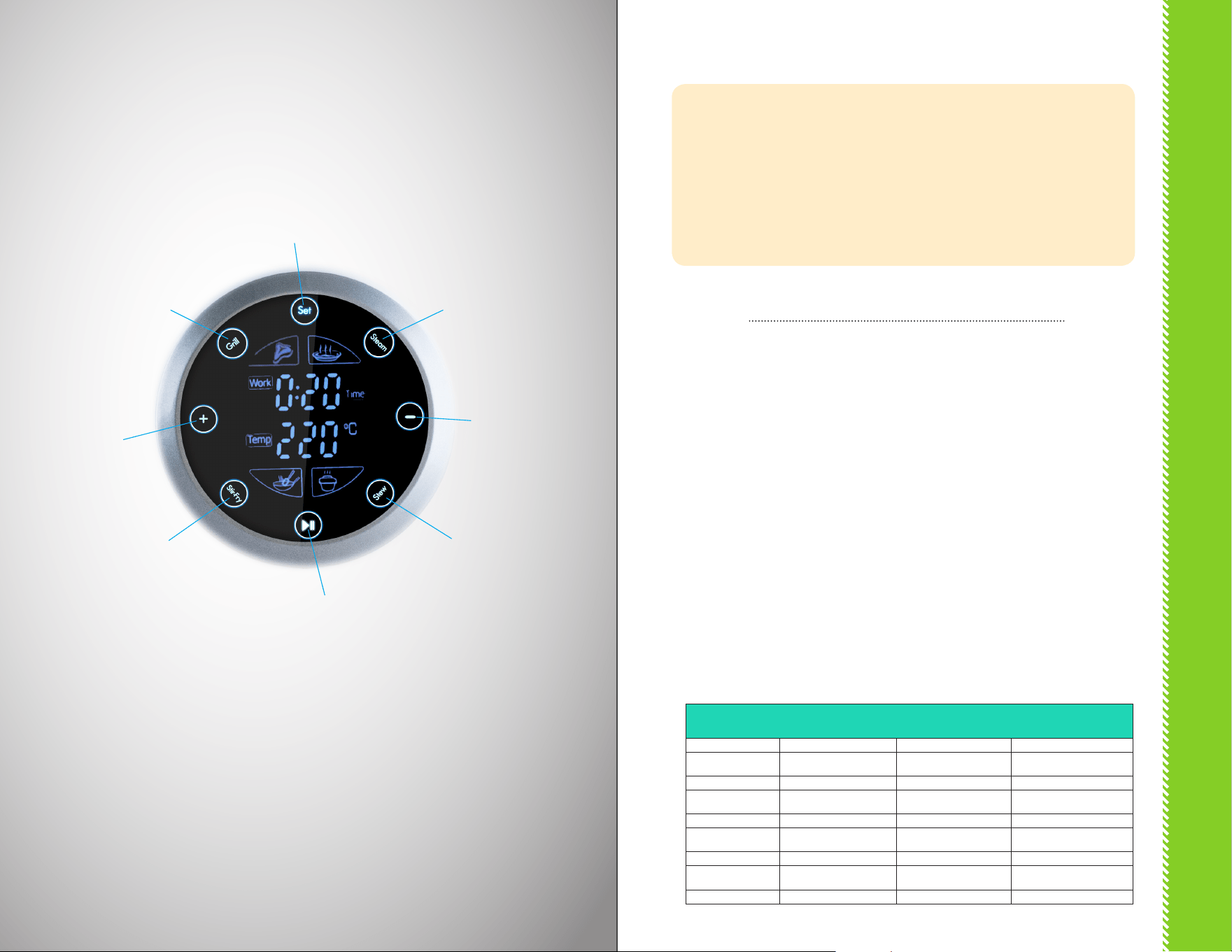
THE PRE-PROGRAMMED CONTROL PANEL houses the electronic platform
for 10 Cooking Methods, including Auto Modes. There are 2 (two) cooking
process options, plus the options to Preset (Delay Start) cooking times or
change times and temperatures while cooking:
I. COOK WITH AUTO TEMP & TIME
II. COOK WITH MANUAL TEMP & TIME
III. ADDING PRESET (DELAY START)
Before use, plug in polarized plug as
directed (see p. 7).
1. Select and press desired Cooking
Mode icon on Control Panel (add
Auto-Stir Spatula, if using, see p. 10)
2. Control Panel will display Auto Work
(Cook) time + Auto Temp times.
(Note: to add Preset/Delay Start to
cooking process, see Part III)
3. Press Start/Pause icon on Control
Panel to start cooking process.
4. Control Panel will display time
countdown in hours/minutes
throughout cooking process.
5. Cooker will BEEP 10 (ten) times
to indicate cooking process is
complete.
NOTE: To reset cooking process to Auto,
press Start/Pause icon and cooking mode
settings will return to Auto settings.
NOTE: To change Auto Modes while
cooking, Press the Start/Pause icon.
Cooking mode settings will return to
Auto settings. Reset mode as desired.
Note that the high heat settings, Stir-
Fry and Grill, must cool down before
changing to Stew or Steam modes. Allow
unit to cool, and then restart process in
desired mode.
AUTO TEMP & TIME CHART
Auto Mode Cooking Time Cooking Temp Auto-stir Spatula
Steam 30 min 212°F no
Grill 20 min 428°F no
Stew 1 hour 194°F yes
Stir-fry 30 min 428°F yes
I. COOK WITH AUTO TEMP & TIME
Set Icon
GRILL
Mode
STEAM
Mode
STEW
Mode
STIR-FRY
Mode
Start/Pause
icon
Increase/
+ Icon
Decrease/
— icon

PRE-PPROGRAMMED CONTROL PANEL
PRE-PPROGRAMMED CONTROL PANEL
1514
MANUAL TEMP & TIME – MINIMUMS/MAXIMUMS
Auto Mode Flexible Times Flexible Temps
Steam 1 min – 1 hour 194° - 212°F
Grill 1 min – 1 hour 212° - 428°F
Stew 1 min – 8 hours 122° - 194°F
Stir-fry 1 min – 1 hour 122° - 428°F
The Cook-a-Ric Robotic Cooker oers
a Preset (Delay Start) feature for your
convenience. To cook adding a Preset
(Delay Start) time on the Control Panel,
follow these instructions.
Please note the following for your safety:
• Do not use Preset (Delay Start) for
uncooked beef, poultry, pork or any
other meat, including sh and shell-
sh. Do not allow these foods to sit
at room temperature in the Cooker.
Cook it immediately to prevent the
unwanted growth of potentially
dangerous bacteria.
• Do not use Preset (Delay Start) for
dairy foods such as milk, cream and
yogurt and other foods such as eggs
or cheese. Cook these foods imme-
diately to prevent the unwanted
growth of potentially dangerous
bacteria.
1. Press Set icon until Preset (Delay
Start) time display ashes.
2. Press + icon or — icon to set
Preset time.
3. When Preset (Delay Start) time
display stops ashing, delay time
countdown begins. DO NOT
PRESS Start/Pause icon.
4. Control Panel will alternately
display Work (Cook) time and
Preset (Delay Start) time.
5. When Preset (Delay Start) time is
done, Work (Cook) time begins
automatically. Preset (Delay Start)
time will no longer be displayed
on Control Panel.
6. Cooker will BEEP 10 (ten)
times when cooking process is
complete.
NOTE: To change Preset (Delay Start)
time after countdown has begun, press
Start/Pause icon and follow steps above
to restart countdown process with new
Preset (Delay Start) time.
Before use, plug in polarized plug as
directed (see p. 7).
1. Select and press desired Cooking
Mode icon on Control Panel. (add
Auto-Stir Spatula, if using, see p. 10)
2. Control Panel will display Auto Work
(Cook) time + Auto Temp times.
3. To change Temperature:
o Press Set icon until Temp
display ashes.
o Press + icon to increase
temperature.
o Press — icon to decrease
temperature.
4. To change Work (Cook) Time:
o Press Set icon until Work
(Cook) Time display ashes.
o Press + icon to increase Work
(Cook) time.
o Press — icon to decrease Work
(Cook) time. When Control
Panel display stops ashing,
new Work (Cook) time is set.
(Note: to add Preset/Delay Start to
cooking process, see Part III)
5. When desired Temperature and
Time settings are set, Press Start/
Pause icon to begin cooking
process.
6. Cooker will BEEP 10 (ten) times
to indicate cooking process is
complete.
NOTE: To change Cooking Temp and/
or Time DURING cooking process, press
Start/Pause icon and follow Steps 2-4
above to change settings.
NOTE: To change Auto Modes while
cooking, Press the Start/Pause icon.
Cooking mode settings will return to
Auto settings. Reset mode as desired.
Note that the high heat settings, Stir-
Fry and Grill, must cool down before
changing to Stew or Steam modes. Allow
unit to cool, and then restart process in
desired mode
II. COOK WITH MANUAL TEMP & TIME
III. ADDING PRESET (DELAY START)
1716
BEFORE FIRST USE
1. Place the Robotic Cooker on a level, at surface that is clean and dry.
2. Ensure that the Robotic Cooker is several inches away from obstructions,
such as walls, cabinets, doors, and other appliances. Allow enough room
above the Cooker so the lid can be fully opened.
3. Wash the Removable Cooker Pot in warm, sudsy water. Dry thoroughly.
4. Use a soft damp cloth to clean the exterior of the Cooker Base and
EasyVue Lid. Dry with a paper towel or soft cloth.
5. Read safety instructions.
6. Insert the Removable Cooking Pot into the Cooker Base to connect the Pot
to the Locking Pot Slot in the Base. (see p. 9)
7. Enjoy!
MAINTENANCE
ALWAYS allow the Robotic Cooker to cool completely before cleaning.
Unplug the Robotic Cooker before cleaning.
After each use, clean and dry the Robotic Cooker. Use a damp cloth to clean the
Cooker Base and EasyVue Lid. DO NOT immerse the Base in water. Use non-
abrasive soap only.
After each use, the Removable Cooking Pot may be placed in the dishwasher or
washed by hand with the other parts.
After each use, the Auto-Stir Spatula may be placed in the dishwasher or
washed by hand with the other parts.
BEFORE USE & MAINTENANCE
17
1918
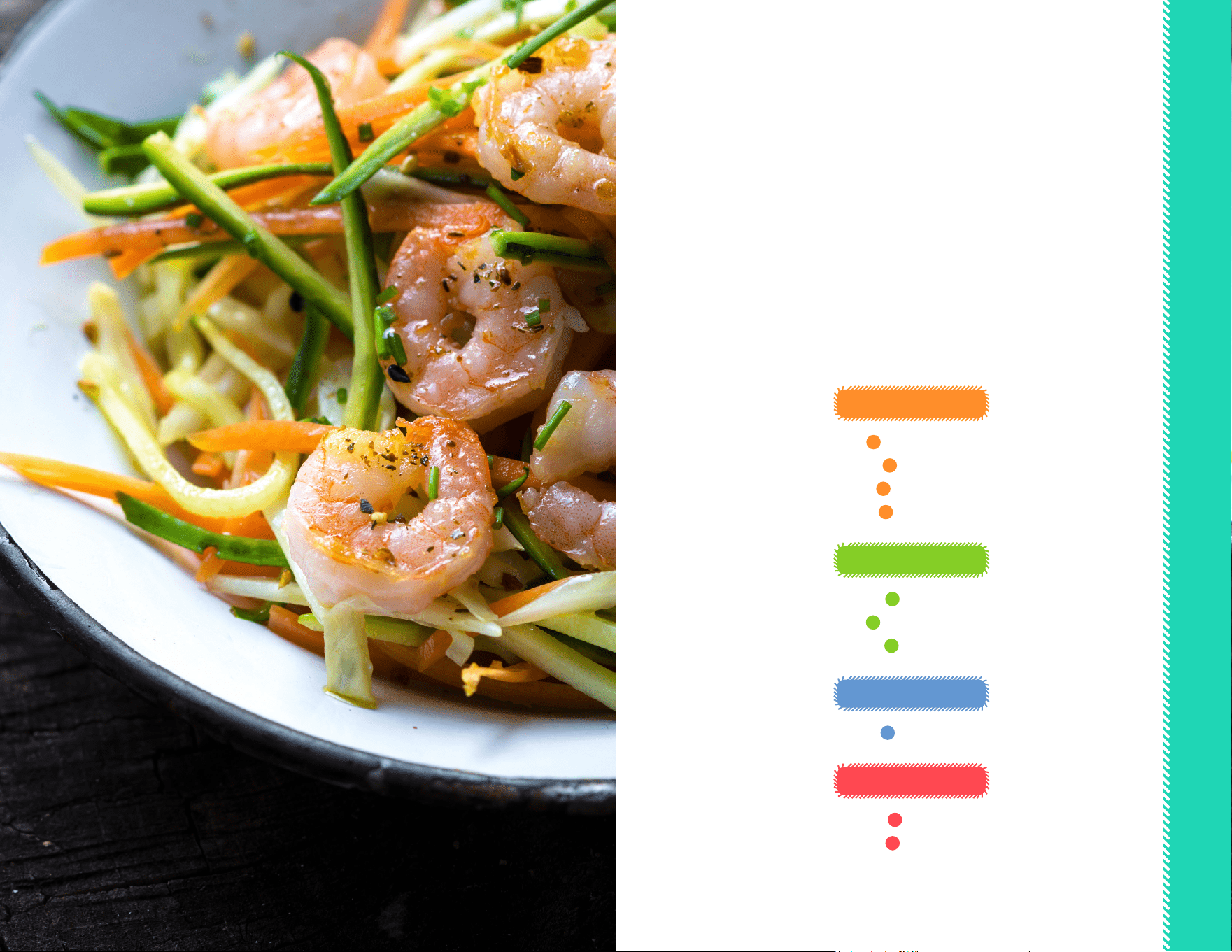
The 4 (four) Auto Modes in your Cook-a-rifc Robotic Cooker
are only the starting place to create delicious and amazing dishes! With various
times and temperatures already preset by the factory, you can either use the Auto
Modes in a simple 1-2-3 Step process, or you can start with Auto Mode and add or
subtract Times and Temperatures to include several additional cooking methods
from there.
The following 10 cooking methods can all be utilized in the Cooker and we
encourage you to try new dishes along with your family favorites, as well.
The sky is the limit with your Cook-a-ric Robotic Cooker!
STIR-FRY MODE
1
Stir-Frying
2
Sauté
3
Pan-Fry
4
Sauces
STEW MODE
5
Stew
6
Slow-Cook
7
Soup
STEAM MODE
8
Steam
GRILL MODE
9
Grill
10
Bake
STEP-BY-STEP COOKING
19

STEP-BY-STEP COOKING
STEP-BY-STEP COOKING
2120
1
Stir-Frying
Use Auto Stir-Fry Mode with Auto-Stir Spatula (see p. 10)
STIR-FRY MODE
Stir-frying is an ancient Asian form of
cooking that includes high heat and little
oil. Foods, such as vegetables and meat
are cut into uniform pieces and are stirred
continuously as they cook to perfection.
The results oer tender cuts of meat
and crisp-tender vegetables, a delicious
combination.
Your Robotic Cooker oers the unique
Auto-Stir Spatula to accomplish the
movement of food especially needed for
this cooking method. It is truly a hands-
free operation. The following hints and
tips will help make stir-frying an easy and
delicious process:
Cut vegetables into thin slices or small
cubes. If sizes are uneven, food will not
be cooked and ready at the same time.
Cut beef, poultry, pork, lamb and seafood
into thin, evenly-sized slices. The meat
should cook very quickly for best results.
If needed, partially freeze cuts of meat
before slicing to assist in even cuts.
Choose a sauce or make your own to
complement the foods you are frying.
Use about ½ to ¾ cup sauce for a typical
stir-fry of meat and vegetables to feed
four people.
2
Sauté
Use Auto Stir-Fry Mode with Auto-Stir Spatula (see p. 10)
The sauté method of cooking is one
where foods are cooked quickly with
continual stirring. The Auto-Stir Spatula
perfectly ts this method for all your
sauté dishes. The following hints and tips
will help make your sautés wonderfully
avorful and cooked deliciously well:
Pour 1-2 tablespoons oil into the
Removable Cooking Pot before
adding foods. Add uniformly chopped
onions, garlic, celery, carrots and other
ingredients as desired.
Select tender cuts of meat and cut or slice
them uniformly for best results.
3
Pan-Fry
Use Auto Stir-Fry Mode to start;
Select Manual temps and times as directed (see p. 14).
Do not use the Stir-Fry Spatula. The
following are hints and tips to help you
achieve frying success:
Use only a small amount of oil when pan-
frying. The MAX ll line in the Removable
Cooking Pot is a depth of 1-inch. Do not
overll past the line or oil burns could
occur.
When frying foods such as chicken, heat
the Removable Cooking Pot with the
oil added for a few minutes at 375°F to
properly prepare the oil for the food.
Carefully use tongs to add the food to be
fried, avoiding splatters by gently placing
the food into the Removable Cooking
Pot. Avoid oil spills and splatters that
could drip into the heating element or
Cooker Base.
Always close the EasyVue Lid when pan-
frying, as this will help cook foods faster.
When the Robotic Cooker BEEPs and
food is cooked, use a meat thermometer
to test poultry or other cuts of meat to
determine if it is safe for consumption. If
needed, continue frying before serving.
Always allow foods to drain on paper
towels after frying. Line a large platter
with several layers of paper towels and
drain. Serve foods while warm.
4
Sauces
Use the Auto Stir-Fry Mode with Auto-Stir Spatula (see p. 10)
Many sauces, such as creamy cheese or
butter-based, can be a time-consuming
process of stirring and stirring over
very low heat. Sauces can be delicate in
structure and break down, so hand-
stirring is often required. With the Auto-
Stir Spatula feature, your Robotic Cooker
now takes over eortlessly! Here are
some helpful hints and tips for making
sauces in your Cooker:
Depending on the sauce you are making,
you may want to use the Manual mode
to decrease the temperature and time
needed. Refer to your recipe for best
results.
Many sauces start with a roux, or mixture
of butter and our melted and cooked
together. Use the Stir-Fry Mode with the
Auto-Stir Spatula to create the roux and
then add liquids such as cream, milk,
broth or wine as your recipe directs.
Use lower temperatures to make tomato-
based pasta sauces or other sauces that
sit and simmer for a long period of time.
This will help reduce splatters and oer a
more fresh avor prole overall.
Stir-Fry Mode
Default
Add sauces or small amounts of broth
as needed, carefully following safety
instructions if opening the lid while
cooking.
Depending on foods to be sautéed,
you can choose Manual temperatures
and times to ensure foods are not
undercooked or overcooked.
Use the Grill Mode to brown or sear
meats at high temperatures (see p. 24).

STEP-BY-STEP COOKING
STEP-BY-STEP COOKING
2322
5
Stew
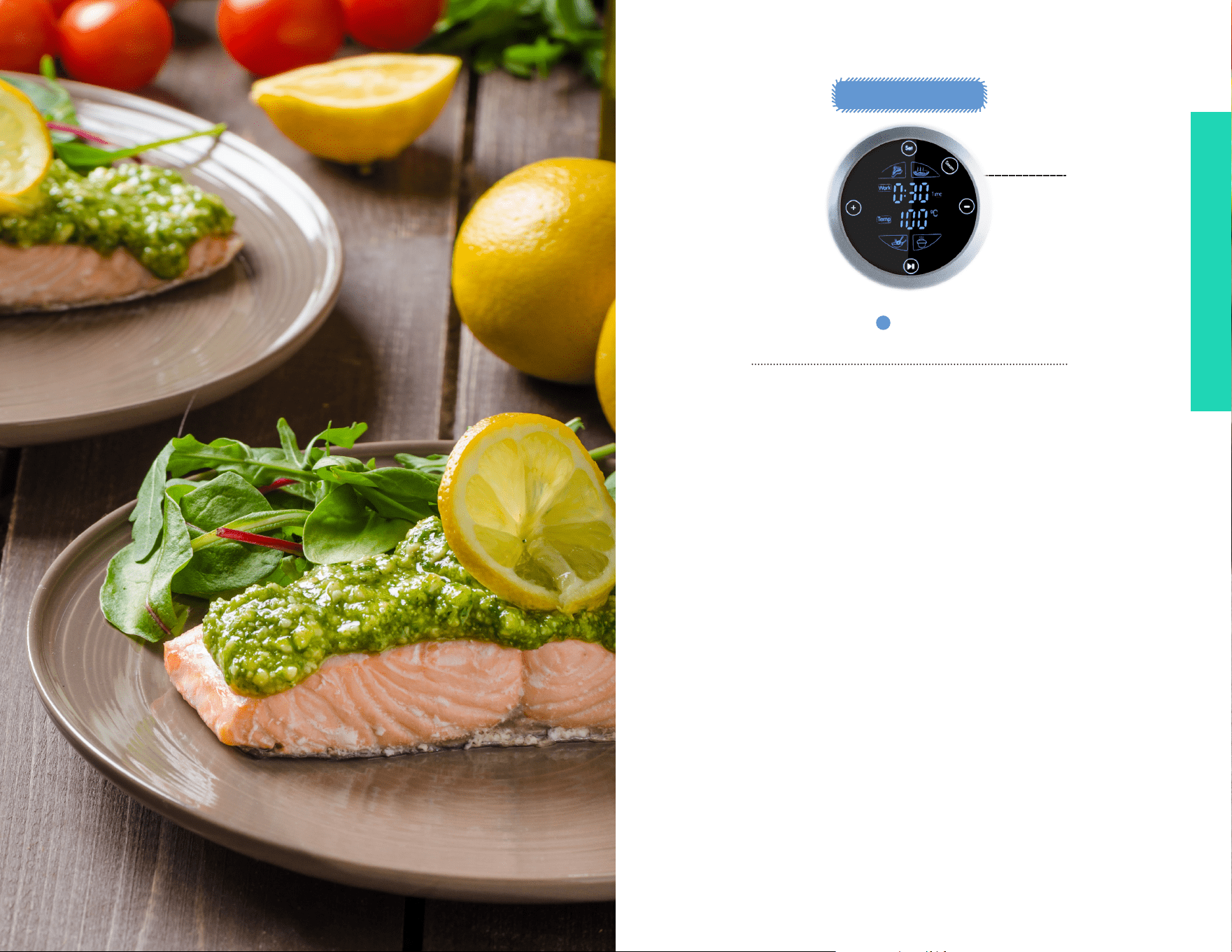
Use the Auto Stew Mode
STEW MODE
Stew practically cooks itself inside your
Robotic Cooker! Use the Auto Stew Mode
to set the time and temperature and walk
away until it’s done. Here are some handy
tips for usage:
Use cuts of meat such as chuck roast
and chuck steak that will become tender
within the cooking time. Meat should be
no more than 2-inches thick and cut into
1-inch cubes.
Add frozen, thawed mixed vegetables for
a quick addition to stew. Spread around
the meat pieces.
Try easy classic recipes such as Coq au
Vin, a superbly simple dish of stewed
chicken thighs with mushrooms and a
wine sauce. Your Auto Stew Mode will
cook everything perfectly. Serve over rice
or pasta for an incredible one-dish dinner.
6
Slow-Cook
Use Auto Stew Mode;
Select Manual temperatures and times as directed (see p. 14).
Slow cooked meals are the favorite of
every busy cook. Although many people
already have favorite recipes, some easy
hints and tips follow:
Slow cooked foods don’t need much
liquid, but there should be about ½ cup
in the Removable Cooking Pot to start.
Foods will cook over a long period of
time and excess moisture will self-create
liquid, however check occasionally
during the cooking period to ensure the
contents of the Pot do not become dry.
If so, carefully open the EasyVue Lid and
add a small amount of liquid.
Fill the Removable Cooking Pot at least
halfway with food for best slow-cooking
results.
Cut all ingredients into uniform sizes for
best results.
7
Soup
Use Auto Stew Mode;
Select Manual temperatures and times as directed (see p. 14).
Make satisfying, hearty soups with ease
with your Robotic Cooker. With a capacity
to hold 8 cups, the Removable Cooking
Pot is a quick and delicious way to
make soup for the entire family without
tending the stovetop constantly. Here are
a few tips for creating delectable soups:
Start delicious soups with a combination
of the vegetables and meat your family
loves. Cut all ingredients into a uniform
size so all ingredients will cook at the
same rate.
Soups don’t typically require more than
1-2 hours to simmer. You may want
to simmer meat in broth rst and add
vegetables about 30 minutes before
serving so that they remain crisp-tender.
Add pasta or rice in the last 45 minutes of
cooking and ensure the liquid-to-pasta
proportions are correct. The pasta or
rice will absorb liquid and swell while
cooking.
Remove any large herbs or bay leaves
used in simmering before serving.
Use cuts of meat with a high fat content
to help break down the connective tissue
of meat and make it tender. Select pot
roasts, chuck steak or roast, cross-rib
roasts or meaty chops or ribs.
Seafood and shellsh should not be
added to a slow-cooked dish until the
last 1-1½ hours of cooking. Refer to your
recipe for directions.
Do not place frozen, unthawed meat or
seafood into the Removable Cooking Pot
for slow-cooking.
Carefully check the Preset (Delay
Start) instructions for important safety
information regarding cooking meats
(see p. 15). It is dangerous to allow meat
or seafood to sit at room temperature
for even short amounts of time without
heating. Refer to www.foodsafety.gov for
full details regarding food safety.
Stew Mode
Default
STEP-BY-STEP COOKING
STEP-BY-STEP COOKING
2524
8
Steam
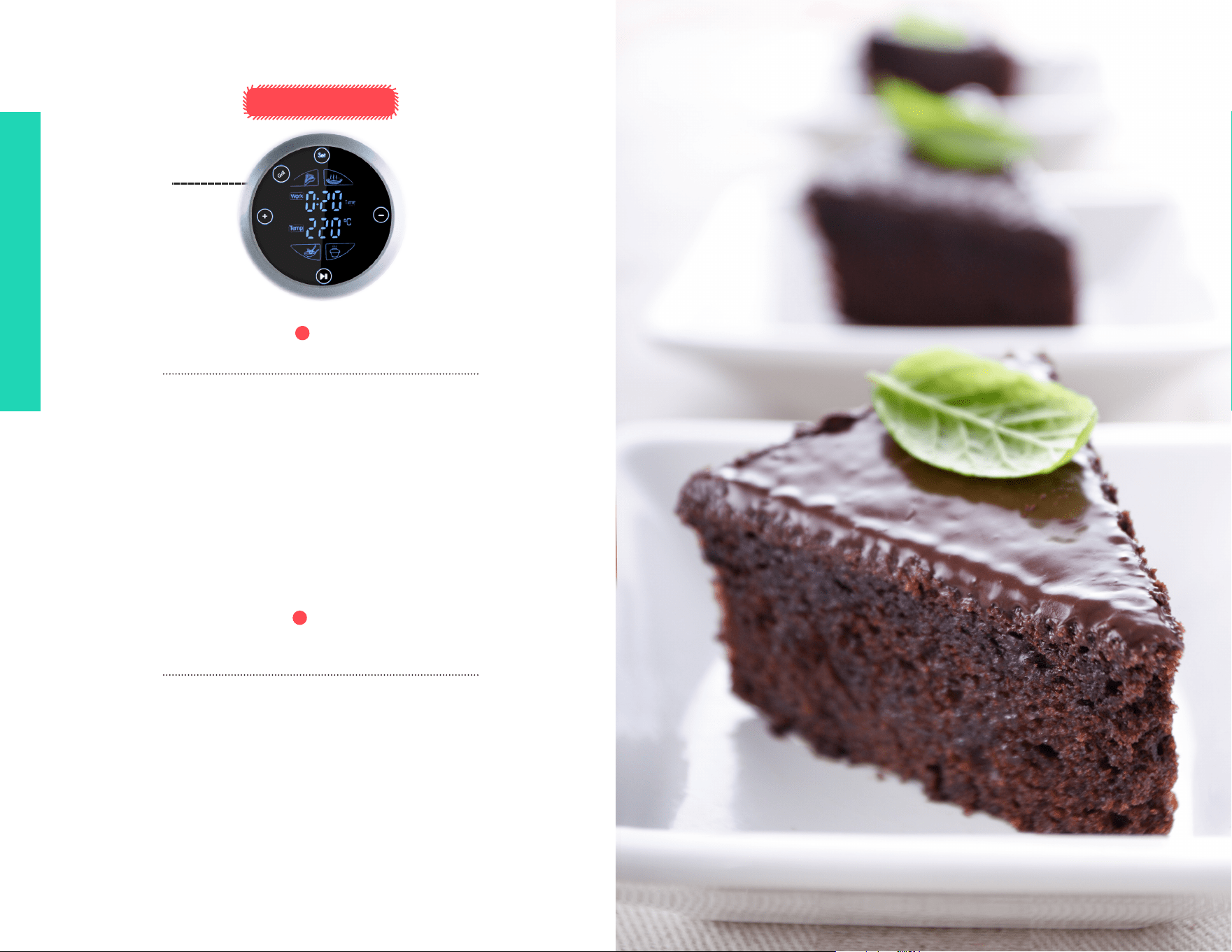
Use Auto Steam Mode (see p. 13).
Steaming is a very healthful and
nutritionally sound cooking method. It
helps retain many vitamins and minerals
that can be lost through other methods.
Steaming oers very tender results and,
as such, is perfectly suited to seafood,
vegetables and other foods that break
down quickly with moist heat. The
following hints and tips will help you
create quick and easy steamed success
with your Robotic Cooker:
ALWAYS use a steamer rack inside the
Removable Cooking Pot. Racks can
be found in most stores or via online
ordering. DO NOT steam without the
Removable Cooking Pot as electrical
shock can occur if the heating element is
exposed to moisture or liquid.
Place the steamer rack inside the
Removable Cooking Pot, then place food
directly on the rack or inside a heatproof
plate or dish on top of the rack. Make
sure the lid can close completely before
starting the Auto Steam process.
Place at least 1-inch water in the
Removable Cooking Pot to allow the
Cooker to steam eciently. If steaming
for more than 20 minutes, ll the water to
the MAX ll line.
If the Removable Cooking Pot becomes
completely dry, the Cooker will
automatically shut o. Allow to cool, then
re-start the process.
STEAM MODE
Steam Mode
Default
27
STEP-BY-STEP COOKING
26
9
Grill
Use Auto Grill Mode (see p. 13).
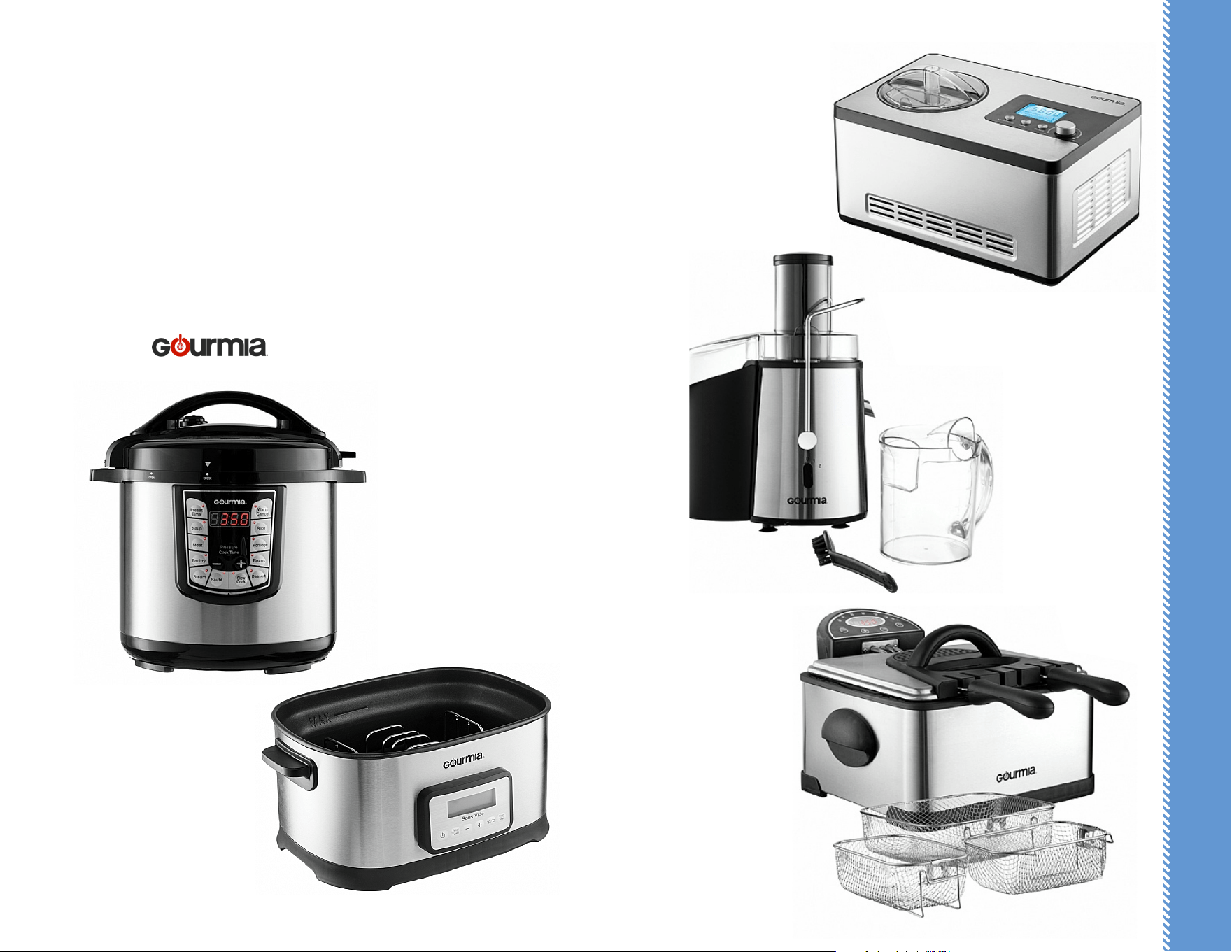
10
Bake
Use Auto Grill Mode;
Select Manual temperatures and times as directed (see p. 14).
Grilling is quick and simple when using
the Robotic Cooker. The temperature
can be increased as high as 428°F, which
means your meat will be seared and
grilled to a delicate char on the exterior
with a tender and avorful interior.
Follow these tips for easy grilling in the
Robotic Cooker:
Select tender cuts of meat that grill
without drying out, such as ribeye steak,
let cuts, thick chops, London broil, top
sirloin, etc. Remove excess fat, if needed,
before grilling.
Save the seasonings! Do not put
seasonings onto meat prior to grilling,
as they can dry the meat and remove
moisture. Save your seasonings until the
last minute of grilling for best results.
For a restaurant-quality nal touch, place
a pat of butter on grilled meats just
before serving.
With the versatile nature of the Robotic
Cooker, you can easily and eortless bake
in your Cooker as well as grill, steam or
slow cook! Here are some handy hints for
using your Robotic Cooking for baking:
Set the temperatures and times
manually to bake as typically done in
a conventional oven. Use ONLY the
Removable Cooking Pot when baking.
Baked foods will cook faster than normal;
watch carefully to avoid burning.
The heating element is close to the
bottom of the Removable Cooking Pot.
If baking a heavy-density food, such as
cheesecake, use lower temperatures to
ensure the bottom does not burn before
the top of the baked food is cooked.
Lightly coat the Removable Cooking
Pot with cooking spray before adding
ingredients. Do not place other baking
pans inside the Pot. Do not stack pans on
top of the Removable Cooking Pot.
GRILL MODE
27
Grill Mode
Default
2928
Gourmia Stainless Steel
Deep Fryer with
3 Frying Baskets
GDF500
Gourmia Wide Mouth Fruit
and Vegetable Juice Extractor
GJ750
Gourmia 2.2 Quart Automatic
Ice Cream, Gelato, Sorbet
& Frozen Yogurt Maker
GSI400
GOURMIA IN YOUR KITCHEN!
Did you know? Although Gourmia is the new kid on the block, we’ve
already established ourselves as one of the leading manufacturers of creative and
innovative kitchen products.
Check out these new kitchen appliances and check our website often for new
product release information @ www.gourmia.com
Gourmia 8 Quart Smart Pot
Electric Pressure Cooker
GCP800
Gourmia 9 Quart Sous Vide
Water Oven Cooker
GSV550
Why not Add these Best-selling
Appliances to your Kitchen!
GOURMIA IN YOUR KITCHEN!
WARRANTY & SERVICES
3130
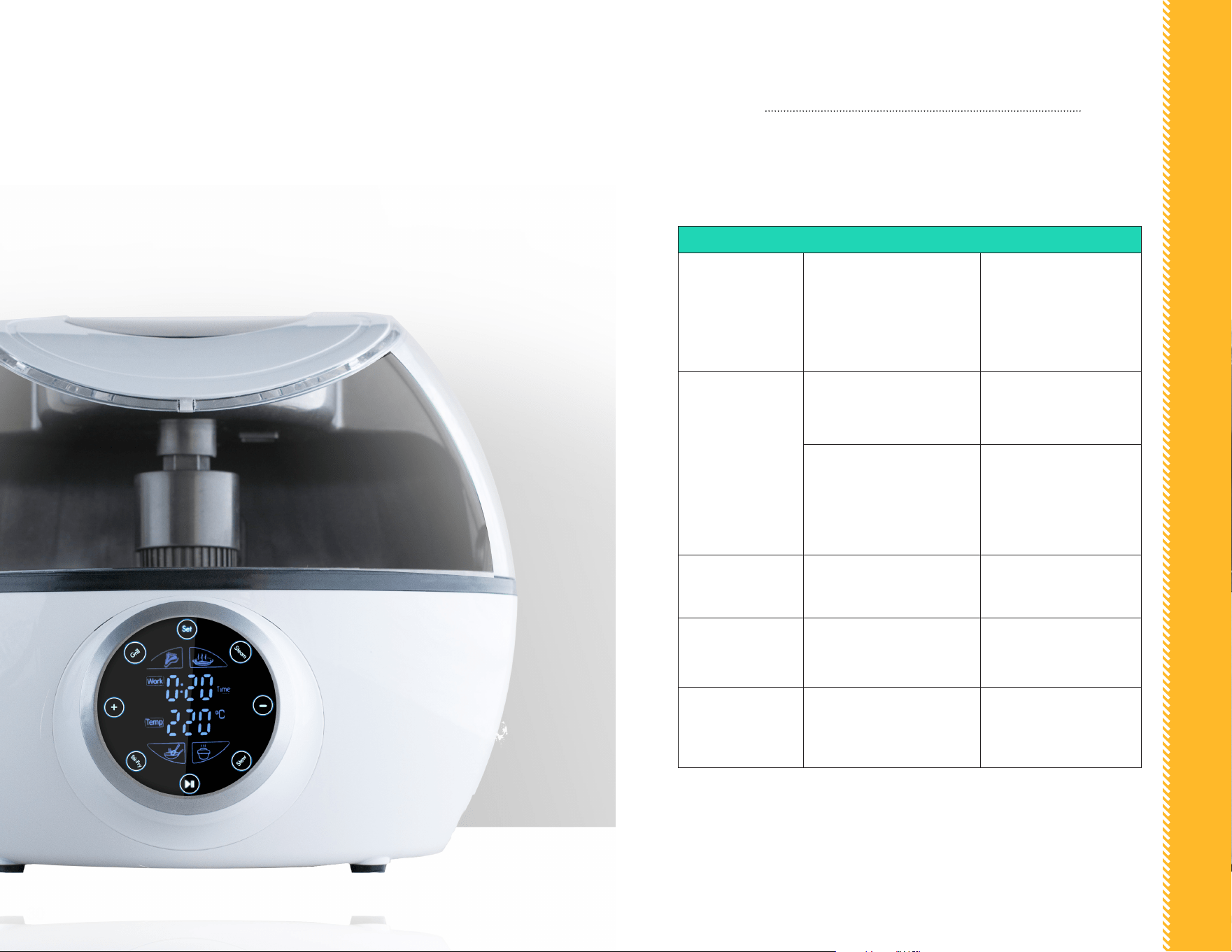
PROBLEM POSSIBLE CAUSE SOLUTION
The control panel
fails to illuminate
No Power
Make sure the appliance is
plugged in.
Check that your socket is
switched on or try another
socket.
The control panel
fails to illuminate
The pan is not correctly
located within the appliance
Ensure the pan is located
in the correct position
Just nished the Grill/Stir-fry
function in temperature over
212°F and want to change
into Steam/Stew function
right away
Stop the appliance to cool
it before restarting.
The code E1 is
shown in the LED
display
The thermal sensor
disconnected or failed
Contact customer service
for assistance
The code E2 is
shown in the LED
display
The thermal sensor
experienced a short circuit
Contact customer service
for assistance
The code E3 is
shown in the LED
display
The appliance overheated.
Unplug the appliance and
let it cool down before
resuming.
TROUBLESHOOTING
In the unlikely event that you experience a problem with your device, please take
a couple of minutes to check these possible causes prior to contacting customer
support:
WARRANTY & SERVICE

WARRANTY & SERVICES
32
WARRANTY & SERVICE
This Limited Warranty is for one full year from the date of purchase. It is
applicable to the original purchaser only and is not transferable to a third party
user. Repair or replacement of defective parts is solely at the seller’s discretion.
In the event that repair isn’t possible, the seller will replace the product/part. If
product repair/replacement won’t suce, the seller has the option of refunding
the cash value of the product or component returned.
Product defects not covered under the Warranty provisions include normal wear
and damage incurred from use or accidental negligence, misuse of instruction
specications or repair by unauthorized parties. The manufacturing company
is not liable for any incidental or consequential damages incurred by such
circumstances.
For Customer Service or Questions, Please call: 888-552-0033
www.gourmia.com

www.gourmia.com
