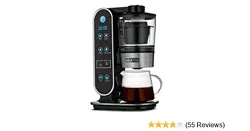
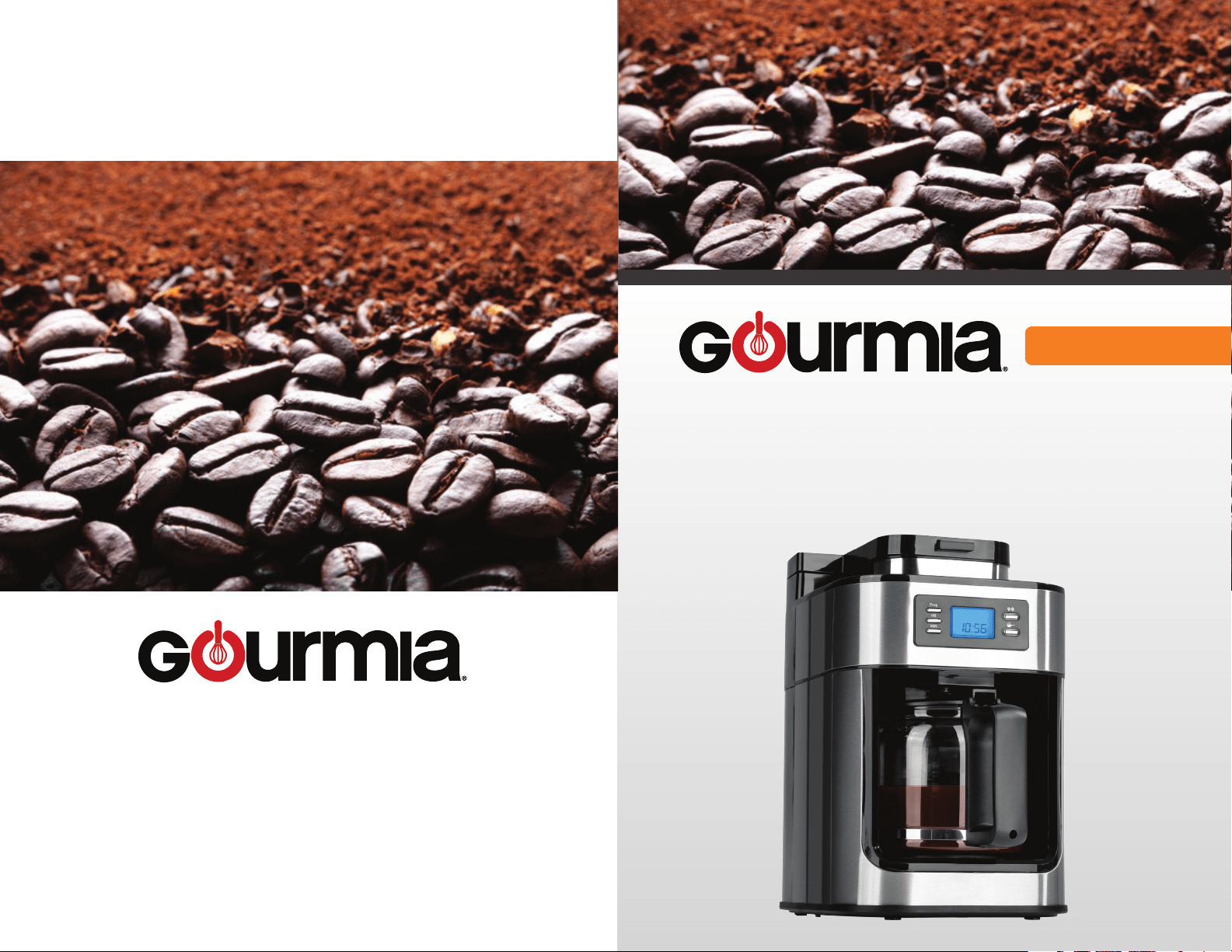
PHOTO OF PRODUCT
MODEL# GCM4500
COFFEE MAKER
WITH GRINDER
www.gourmia.com
© 2016 Gourmia
www.Gourmia.com
The Steelstone Group
Brooklyn, NY
All rights reserved. No portion of this manual may be reproduced by any means whatsoever
without written permission from The Steelstone Group, except for the inclusion of quotations in a
media review.
Although every precaution has been taken in the preparation of this manual, The Steelstone
Group assumes no responsibility for errors or omissions. Nor is any liability assumed for damages
resulting from the use of the information contained herein. Although every eort has been made
to ensure that the information contained in this manual is complete and accurate, The Steelstone
Group is not engaged in rendering professional advice or services to the individual consumer;
further, The Steelstone Group shall not be held responsible for any loss or damage allegedly
arising from any information or suggestion in this manual.
10 9 8 7 6 5 4 3 2 1
Printed in China
Welcome to Delicious and Aromatic world of
Coffee Makers from Gourmia!
With the purchase of your Coee Maker, you’ll be able to make all your favorite
coeehouse beverages right in your own kitchen! Your new coee maker makes
coee and grinds your coee beans for fresh homemade coee anytime.
The following pages of this manual oer full and complete instructions for all the
functions and features of your Coee Maker. Inside these pages, you’ll nd information
on and instructions for assembly, operating, cleaning and maintenance of your Coee
Maker. Please read all safety instructions and complete directions carefully for safe
usage at all times.
Thank you for your purchase! We hope you will enjoy all the innovative products
brought to you by our family at Gourmia.
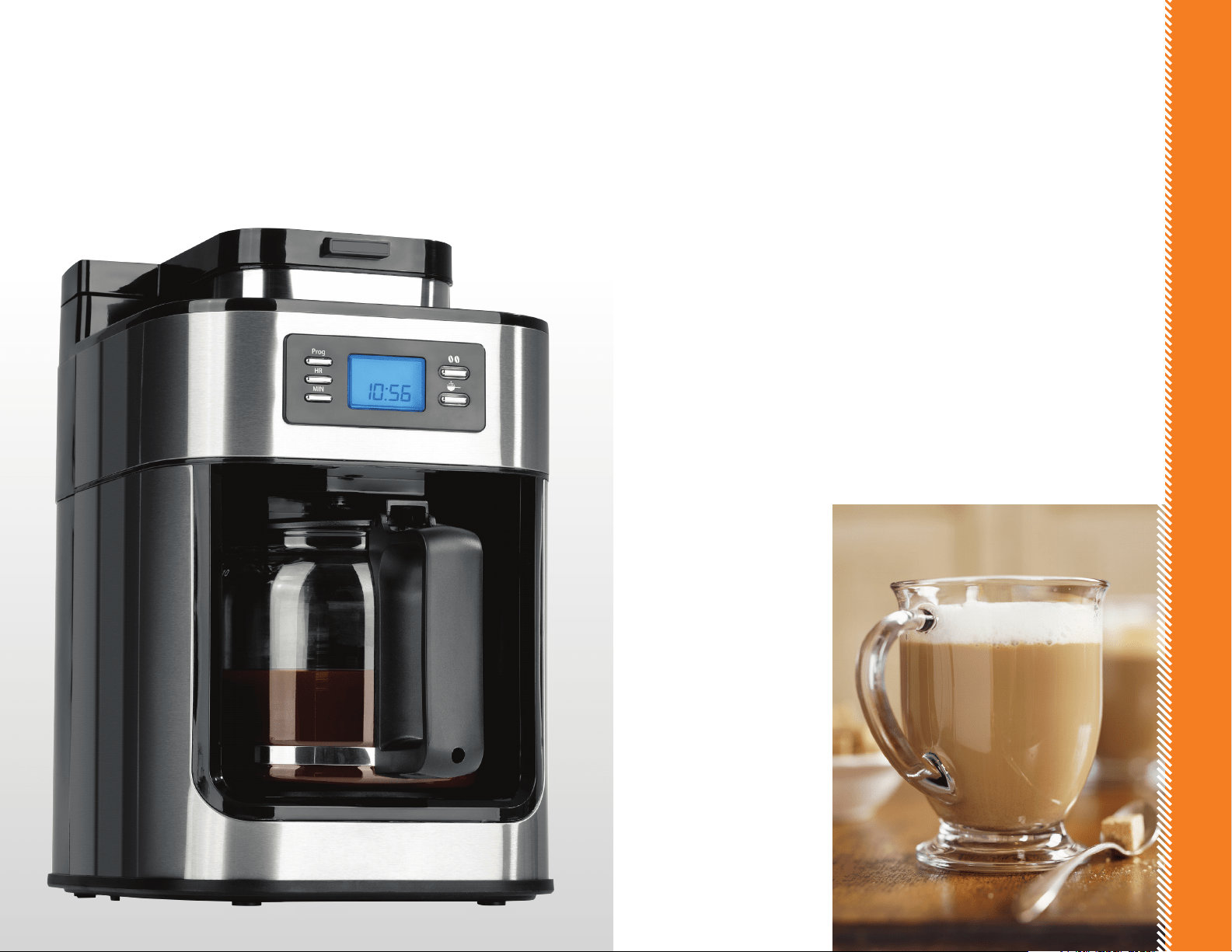
TABLE OF CONTENTS
SAFETY FIRST p. 6
FEATURES & FUNCTIONS p. 8
WARRANTY & SERVICE
p. 10
CLEANING & MAINTENANCE
p. 12
NOTES
p. 15
SAFETY FIRST
SAFETY FIRST
IMPORTANT SAFEGUARDS
When operating this electric appliance, basic safety instructions should always
be followed. Refer to the following for these instructions
1. READ ALL SAFETY & USAGE INSTRUCTIONS BEFORE USING.
2. Do not use appliance on wet or hot surfaces, or near a heat source.
3. To protect against electric shock, do not immerse any part of appliance,
power cord or plug in water or other liquid. Unplug from outlet when not in
use and before cleaning.
4. To disconnect, unplug power cord from electrical outlet. Do not disconnect
by pulling on cord.
5. Do not operate appliance with a damaged power cord or plug. Do not
operate appliance if it malfunctions or is in any way damaged. For details,
contact Customer Service.
6. Use appliance only for its intended use.
7. Closely supervise children when using any electrical appliance. Do not allow
appliance to be used as a toy.
8. The appliance has a polarized plug (one blade is wider than the other). To
9. Caution: A short power cord is provided to reduce risks from entanglement
or tripping over a longer cord. An extension cord may be used when
marked electrical rating is no less than electrical rating of this appliance. All
cords should not drape over counter or tabletop where cords can be tripped
over or pulled on unintentionally, especially by children.
10. Do not place on or near a hot gas or electric burner, or heated oven.
Extreme caution must be used when moving products containing hot
liquids.
11. Only use fresh (potable) and cold (moderate) water. Do not use water
contained in bathtubs, wash basins or other recipients.
12. Never touch the hot parts of the appliance (be careful, also the warming
plate is a hot part!), only touch the plastic parts and pot by the handle.
14. Never use the appliance if the pot shows any signs of cracks. Only use the
pot with this appliance.
15. Handle with care as the glass is very fragile.
6 7
FOR HOUSEHOLD USE ONLY
WARNING:
This product contains
a chemical known to the State of
California to cause cancer.
WARNING:
This product contains
a chemical known to the State of
California to cause birth defects or
other reproductive harm.
-
SAVE THESE INSTRUCTIONS
FEATURES AND FUNCTIONS
8 9
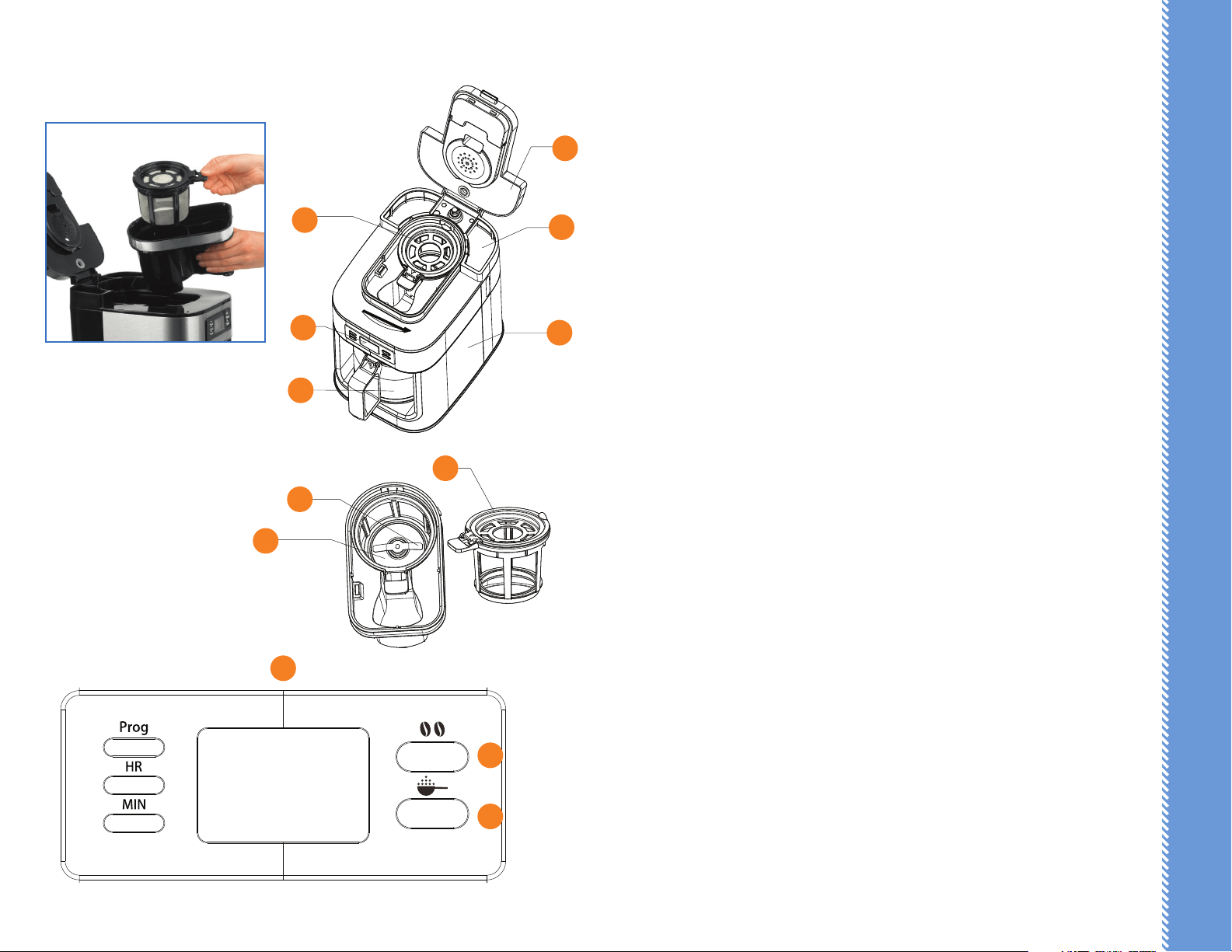
A. Lid
B. Funnel Arm
C. Water Tank
D. LCD Display
E. Carafe
F. Main Body
G. Blades
H. Coee Bean Container
I. Filter
J. Control Panel
K. Grinding Button
L. Brew Button
How to brew coee with coee beans:
1. Plug into outlet, open the lid and ll with water between the “MIN” and
“MAX” level.
Note: Do not ll above the “MAX” level.
2. Pour coee beans into the coee bean container, then close the lid.
Note: The max capacity of the container is about 2.1 oz. Do not overll with
coee beans above the “MAX” level.
3. Press the grinding button once to grind beans. After grinding, the
coeemaker will brew automatically.
4. After brewing, the machine will keep the coee warm for about 30 minutes.
How to set up the time to automatically brew coee with coee beans:
1. Plug into outlet, open the lid and ll with water between the “MIN” and
“MAX” level.
2. Pour coee beans into the coee bean container, then close the lid.
3. Press the grinding button twice, the button indicator light will start
ashing.
4. Press “Prog” button one time, the LED displays “CLOCK” at the top right
corner with the current time. You can set the current by pressing the “HR”
and ‘MIN” button.
5. After setting current time, press the “Prog” button again, the LED displays
“TIMER” at the top left corner. Press “HR” and “MIN” button to set the
automatic timer.
6. After setting the timer, press “Prog” button. The grinding button will ash.
When the automatic timer activates, the grinding and brewing process will
begin automatically.
D
C
F
G
H
I
J
K
L
B
E
A

How to brew coee with ground coee:
1. Plug into outlet, open the lid and ll with water between the “MIN” and
“MAX” level.
Note: Do not overll with ground coee.
2. Pour ground coee into the coee bean container, then close the lid.
Note: The max capacity of the container is about 2.1 oz. Do not overll with
coee above the “MAX” level.
3. Press the coee button once, the indicator light will turn on. The coeemaker
will brew automatically.
4. After brewing, the machine will keep the coee warm for about 30 minutes.
How to set up the time to automatically brew coee with ground coee:
1. Plug into outlet, open the lid and ll with water between the “MIN” and
“MAX” level.
2. Pour ground coee into the coee bean container, then close the lid.
3. Press the coee button twice, the indicator light will start ashing.
4. Press “Prog” button one time, the LED displays “CLOCK” at the top right
corner with the current time. You can set the current by pressing the “HR”
and ‘MIN” button.
5. After setting current time, press the “Prog” button again, the LED
displays “TIMER” at the top left corner. Press “HR” and “MIN” button to
set the automatic timer.
6. After setting the timer, press “Prog” button. The coee button will ash.
When the automatic timer activates, the brewing process will begin
automatically.
Warning: Do not open the lid when the coeemaker is brewing. If you open
the lid, the coeemaker will automatically stop.
10
CLEANING AND MAINTENANCE
11
Remove the plug from the power before cleaning. Take out the silicone
ring. Never immerse the coeemaker or power base into water.
1. THE POT: Clean immediately after each use. Flush and clean the inner
walls with warm soapy water and a non-abrasive cloth. Then wipe dry
with a soft cloth.
2. THE LID: Separate the lid and the silicon ring. Wash with warm soapy
water.
3. THE BODY: Clean with a soft cloth. Never use sharp cleaning agents, hard
nylon brush or metal brush to avoid scratches on the stainless steel
surface! Never clean with metal objects and never use abrasives.
7. Use sponge or non metal soft brush to clean the inside and outside of the
coeemaker, then wipe dry with a soft cloth.
8. When cleaning the coeemaker, never immerse it in water. There are
electronic components in the body that will be damaged.
9. NOT dishwasher safe.
CLEANING THE COFFEEMAKER
FEATURES AND FUNCTIONS
WARRANTY AND SERVICE
WARRANTY & SERVICE
This Limited Warranty is for one full year from the date of purchase. It is
applicable to the original purchaser only and is not transferable to a third party
user. Repair or replacement of defective parts is solely at the seller’s discretion.
In the event that repair isn’t possible, the seller will replace the product/part. If
the cash value of the product or component returned.
Product defects not covered under the Warranty provisions include normal wear
and damage incurred from use or accidental negligence, misuse of instruction
is not liable for any incidental or consequential damages incurred by such
circumstances.
For Customer Service or Questions, Please call: 888-552-0033
www.gourmia.com
DISPOSAL OF THE DEVICE
PROTECTION OF THE ENVIRONMENT
At the end of the life of your product, it should go to a specially adapted
waste-recycling center.
ENVIRONMENT PROTECTION FIRST
1. The symbol on the product or on its packaging indicates that this
product may not be treated as household waste. Instead it should be handed
over to the applicable. Collection point for the recycling of electrical and
electronic equipment.
2. By ensuring this product is disposed of correctly, you will help prevent
potential negative consequences for the environment and human health, which
could otherwise be caused by inappropriate waste handling of this product .For
more detailed information about the recycling of this product, Please contact
your local council oce or your household waste disposal service.
12 13

NOTES
NOTES
1514