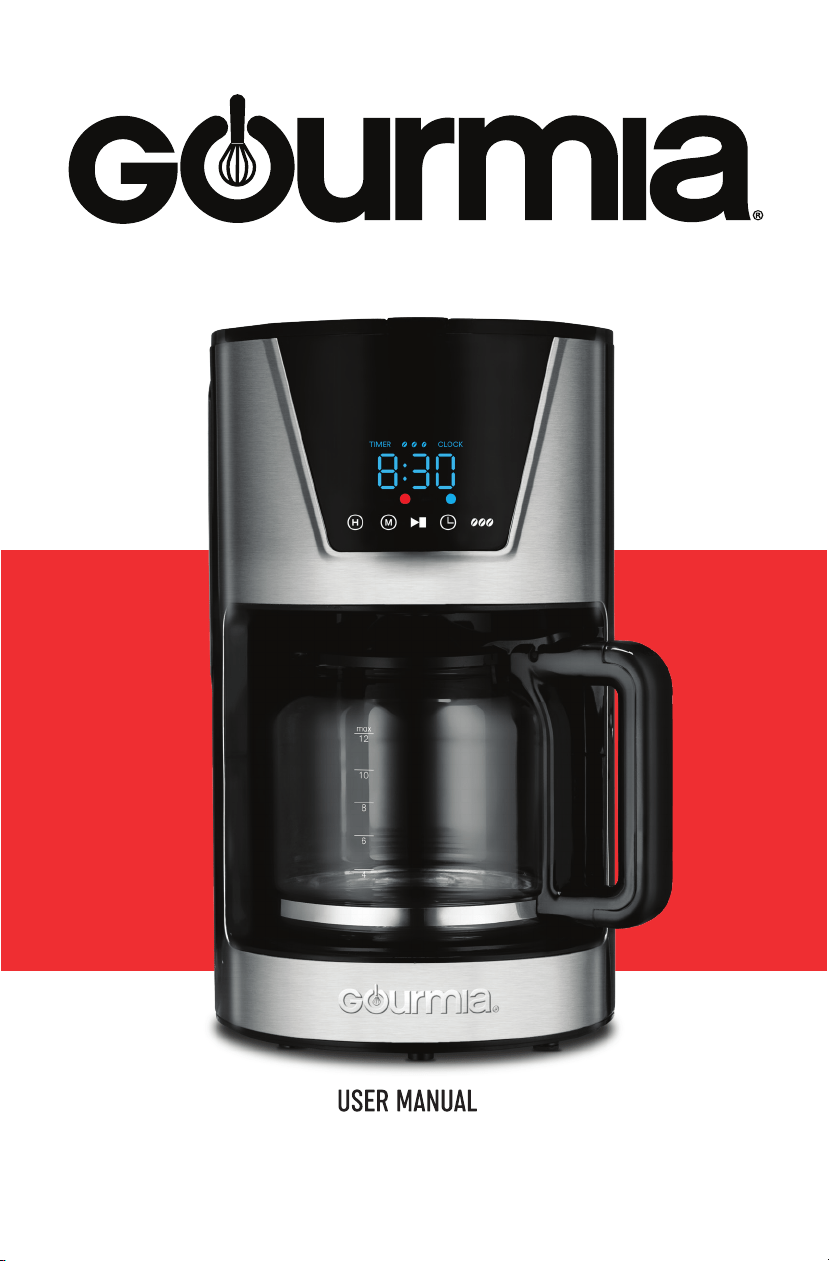
PROGRAMMABLE COFFEE MAKER
GCM2865

2
Model: GCM2865
© 2019 Gourmia
www.gourmia.com
The Steelstone Group
Brooklyn, NY
All rights reserved. No portion of this manual may be reproduced by any
means whatsoever without written permission from The Steelstone Group,
except for the inclusion of quotations in a media review.
Although every precaution has been taken in the preparation of this manual,
The Steelstone Group assumes no responsibility for errors or omissions. Nor
is any liability assumed for damages resulting from the use of the information
contained herein. Although every eort has been made to ensure that the in-
formation contained in this manual is complete and accurate, The Steelstone
Group is not engaged in rendering professional advice or services to the indi-
vidual consumer; further, The Steelstone Group shall not be held responsible
for any loss or damage allegedly arising from any information or suggestion
in this manual.
Read this manual thoroughly
before using and save it for
future reference
FOR CUSTOMER SERVICE
QUESTIONS OR COMMENTS
VISIT WWW.GOURMIA.COM
OR CALL 888.552.0033

3
Congratulations on the purchase of your
Programmable Coee Maker from Gourmia!
Here at Gourmia, we’re all about helping cooks make easy, healthy, and delicious
meals an everyday possibility. We know how fast-paced life is and that sometimes
a home cooked meal doesn’t make the top of the priority list, no matter how bad
you want it. Our dependable, easy-to-use units are here to help you change that.
We’re giving you the tools to eat better and healthier without spending hours in
the kitchen prepping and cooking.
We want you to get the most out of your unit, which is why our team is available to
help with any questions you may have. Whether you have a question with setup
or need some guidance on which preset to use, we’re happy to walk you through
it. Welcome to the ease of cooking with Gourmia.
This manual provides instructions for all of the unit’s functions and features along
with directions for assembling, operating, cleaning, and maintaining the appliance.
Please read all safety instructions and directions for safe usage at all times. Keep
this manual for future use.
Thank you for choosing Gourmia!
We love hearing from you! Share your thoughts, recipes, and photos with us.
@gourmia

4
FOR CUSTOMER SERVICE VISIT WWW.GOURMIA.COM OR CALL 888.552.0033
1. Read all instructions.
2. Do not use the appliance on
wet or hot surfaces, or near a
heat source.
3. To protect against fire,
electrical shock or injury, do
not immerse the unit, power
cord or plug in water or any
other liquid.
4. Unplug the appliance from
the outlet when not in use or
before cleaning.
5. To disconnect the appliance,
unplug the power cord from
the electrical outlet. Do not
disconnect by pulling on the
cord.
6. Do not operate the appliance
with a damaged power cord
or plug. Do not operate the
appliance if it malfunctions
or is damaged in any way.
Return the appliance to an
authorized service center for
examination and repair.
7. Do not use the appliance for
other than intended use.
8. Close supervision is
necessary when appliance
is being used by or near
children.
9. Do not let the cord hang
over the edge of a counter or
table.
10. Do not place the appliance
on or near a hot burner or
heated oven.
11. Extreme caution must be
used when moving items
containing hot liquids.
12. Only use fresh and cold water
to fill the water reservoir.
13. Do not touch the surfaces
of the appliance, including
the warming plate, as they
become very hot. Use the
handle when holding the
carafe.
14. This appliance can be used
by children 8 years and
above and persons with
reduced physical, sensory
or mental capabilities- if
they have been given
instructions concerning the
use of the appliance- and
understand the hazards
involved. Cleaning and user
maintenance shall not be
made by children without
supervision.
15. Hot steam is emitted from
the coee filter when the
appliance is in use; do not
stand over or touch the
steam.
16. Never leave the carafe empty
on the warming plate - the
carafe is liable to crack.
17. Do not use the appliance
if the carafe appears to be
cracked.
18. Only use accessories or
attachments that were
provided by the manufacturer
for this appliance.
19. Handle with care as the glass
is very fragile.
IMPORTANT SAFEGUARDS
When using electric appliances, basic safety precautions should always
be followed:
IMPORTANT SAFEGUARDS
5
FOR CUSTOMER SERVICE VISIT WWW.GOURMIA.COM OR CALL 888.552.0033
IMPORTANT SAFEGUARDS
Power:
120V 60HZ 900W
• A short power-supply cord is provided to reduce risk of becoming
entangled in or tripping over a longer cord.
• Extension cords may be used if care is exercised in their use.
• If an extension cord is used:
a. The marked electrical rating of the extension cord should be at least
equal to the electrical rating of the appliance; and
b. The longer cord should be arranged so that it will not drape over
the countertop or tabletop where it can be pulled on by children or
tripped over.
SAVE THESE INSTRUCTIONS
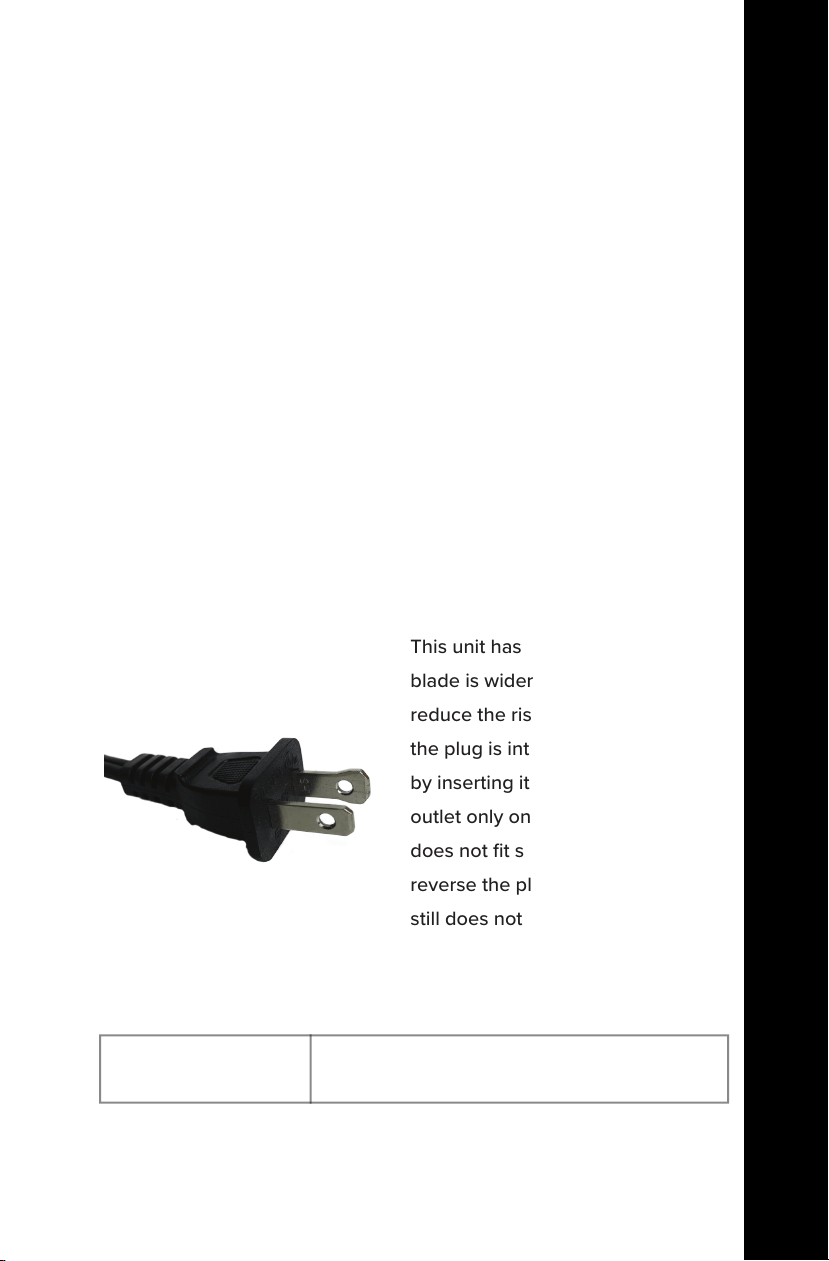
ELECTRICAL POLARIZED PLUG
This unit has a polarized plug (one
blade is wider than the other). To
reduce the risk of electric shock,
the plug is intended to be used
by inserting it into the electrical
outlet only one way. If the plug
does not fit securely into the outlet,
reverse the plug and re-insert. If it
still does not fit, contact a qualified
electrician for assistance. Do not
modify the plug in any way.
CORD SAFETY
20. Do not operate the coee
maker without water in it.
21. Do not place an empty coee
pot on the hot plate when the
coee maker is running.
22. FOR HOUSEHOLD USE ONLY

6
FOR CUSTOMER SERVICE VISIT WWW.GOURMIA.COM OR CALL 888.552.0033

7
FOR CUSTOMER SERVICE VISIT WWW.GOURMIA.COM OR CALL 888.552.0033
TABLE OF CONTENTS
TABLE OF CONTENTS
Know Your Coee Maker................................8
Using Your Coee Maker...............................10
Programmable Start Function.......................12
Troubleshooting................................................12
Cleaning & Maintenance................................13
Warranty & Service...........................................15
8
FOR CUSTOMER SERVICE VISIT WWW.GOURMIA.COM OR CALL 888.552.0033
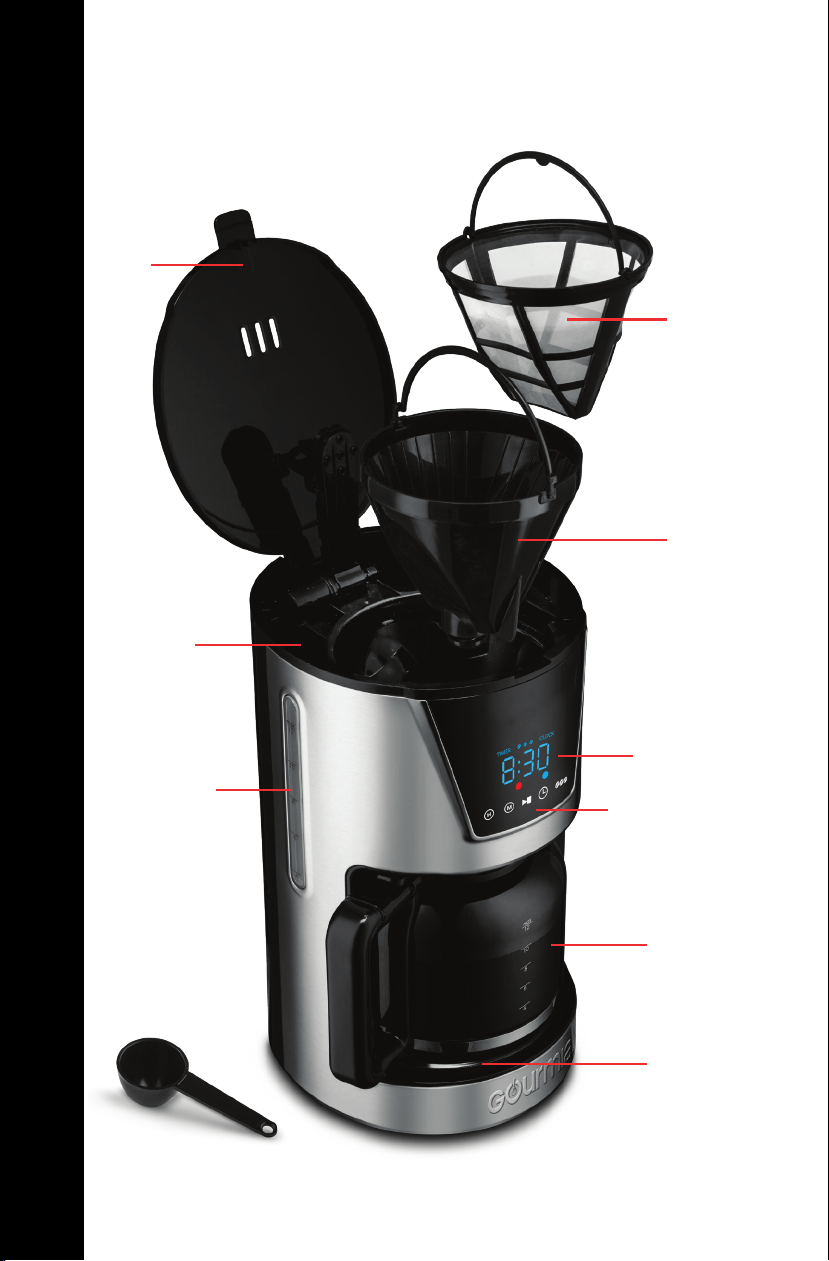
KNOW YOUR COFFEE MAKER
Funnel
Carafe
Water Gauge
Warming
Plate
KNOW YOUR COFFEE MAKER
Display
Ground
Coee
Filter
Water
Reservoir
Control Panel
Lid
Scoop
9
FOR CUSTOMER SERVICE VISIT WWW.GOURMIA.COM OR CALL 888.552.0033
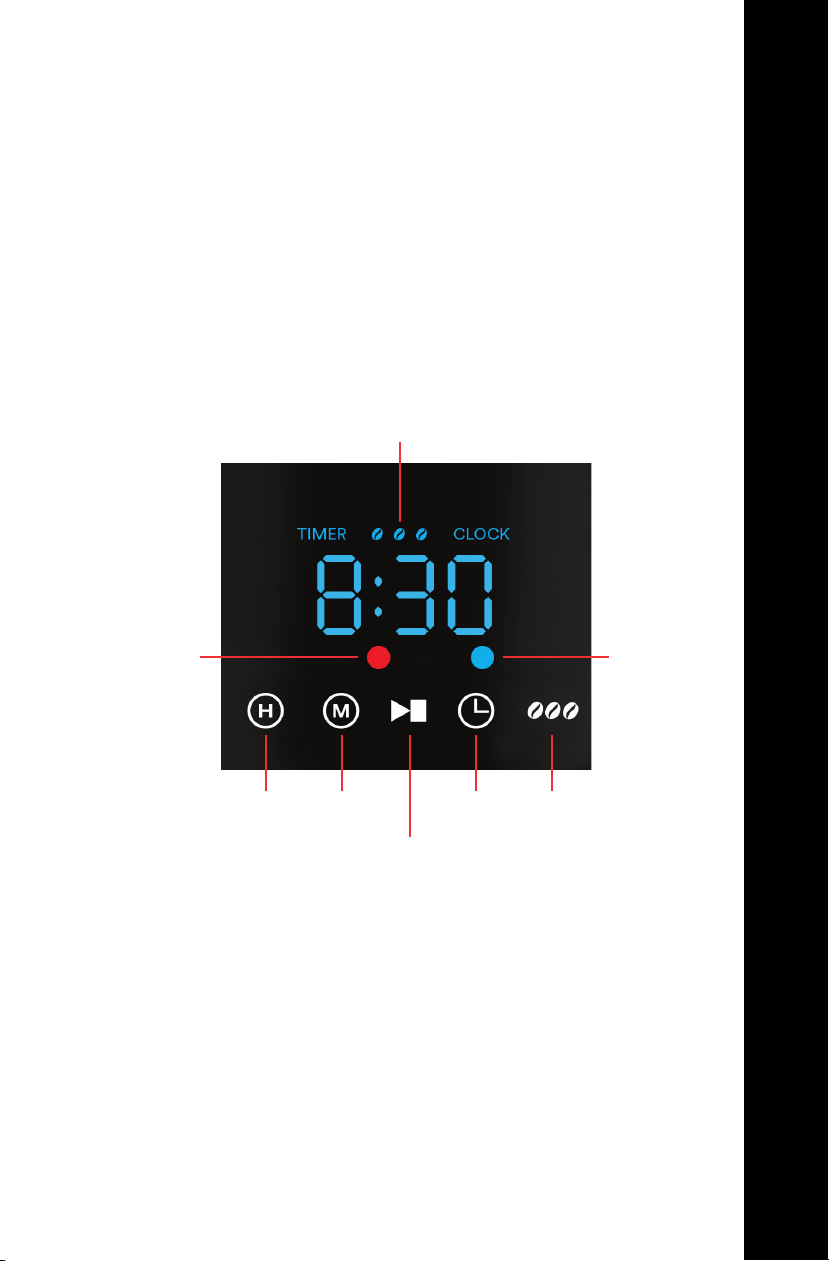
KNOW YOUR COFFEE MAKER
KNOW YOUR COFFEE MAKER
Brewing
Indicator
Hour
Icon
Brew Strength Indicator
Programmed
Start
Indicator
DISPLAY AND CONTROL PANEL
Minute
Icon
Start / Stop
Icon
Program
Icon
Brew Strength Icon

10
FOR CUSTOMER SERVICE VISIT WWW.GOURMIA.COM OR CALL 888.552.0033
BREWING COFFEE
1. Lift the Lid to open.
2. Use the Carafe to fill the Water Reservoir.
BEFORE USING FOR THE FIRST TIME
• Remove all packaging materials and clean the Funnel, Ground
Coee Filter and Carafe with non-abrasive soap. Thoroughly dry
and replace parts. Wipe exterior with damp cloth.
• Fill the Water Reservoir with water to MAX level and run a brew
cycle without coee grounds; then discard water.
USING YOUR COFFEE MAKER
USING YOUR COFFEE MAKER
Note:
The minimum amount of water is 2 cups.
The maximum amount of water is 12 cups.
Do not fill the Water Reservoir above the 12 indicator line.
3. Pour ground coee into the Filter. Do not overfill.
IMPORTANT NOTE FOR GROUND COFFEE:
Avoid using finely ground coee as it may block the filter. Only use
medium to coarse ground coee.
SETTING THE CLOCK
1. Tap the Program Icon once.
2. Set the hour by tapping the Hour Icon until your desired hour is
displayed.
3. Set the minute by tapping the Minute Icon until your desired
minute is displayed.

11
FOR CUSTOMER SERVICE VISIT WWW.GOURMIA.COM OR CALL 888.552.0033
USING YOUR COFFEE MAKER
7. Once brewing has completed, the unit will keep the coee warm
for 2 hours and then automatically turn o.
Tap the Start / Stop Icon to turn o the unit at anytime.
4. Close the Lid. Place the Carafe on the Warming Plate.
5. Tap the Brew Strength Icon until your desired brew strength
is displayed. (Light, Medium, or Bold)
6. Tap the Start / Stop Icon to begin brewing. While brewing the
Brewing Indicator will illuminate red.
Note: During brewing, you can remove the Carafe for serving, and
the machine will temporarily stop dispensing. Do not remove for
more than a minute or the machine will overflow.
Note:
• Do not open the Lid while brewing is in process!
• The Carafe must be on the Warming Plate to begin brewing.
WARNING:
Do not touch the Warming Plate after brewing, it will be very hot!
Only hold the Carafe by the handle, the glass is very hot!
USING YOUR COFFEE MAKER

12
FOR CUSTOMER SERVICE VISIT WWW.GOURMIA.COM OR CALL 888.552.0033
TROUBLESHOOTING
Problem
Coee is leaking
while brewing
Solution
Ensure the Carafe is placed in the center of
the Warming Plate.
USING THE PROGRAMMABLE START FUNCTION
This coee maker is equipped with a delay start function that
allows you to program the start of coee brewing up to 24 hours in
advance.
•
Tap the Program Icon twice. The last programmed brew time will
display.
• Tap the Hour and Minute Icons to select your desired brew start
time.
•
Tap the Program Icon again. The Programmed Start Indicator will
illuminate blue.
• To cancel, tap the Program Icon again. The Programmed Start
Indicator will return to unlit status.
Coee brews slowly
or coee overflows
from the Funnel
The grounds may be too fine.
Only use medium to coarse ground coee.
The Coee Filter may require cleaning.
See Cleaning & Maintenance. (p. 13)
Coee does not
brew
Ensure there is at least 2 cups of water in the
Water Reservoir. If it is empty, turn the unit
o, add water, let it rest 30 seconds, and then
resume brewing.
USING YOUR COFFEE MAKER

13
FOR CUSTOMER SERVICE VISIT WWW.GOURMIA.COM OR CALL 888.552.0033
CLEANING & MAINTENANCE
CLEANING & MAINTENANCE
WARNING:
• Always remove the plug from the outlet and allow the appliance to
cool before cleaning.
• Do not immerse the coee maker or base into water or any other
liquid.
Clean all removable parts after each use.
The Ground Coee Filter, Funnel and Scoop are dishwasher safe.
GROUND COFFEE FILTER
Clean with warm soapy water and use a soft cloth to dry.
CARAFE AND FUNNEL
Clean with warm soapy water and a non-abrasive sponge.
INTERIOR
Use a sponge or non-metal brush to clean the inside of the coee
maker. Then wipe it dry with a soft cloth.
WARMING PLATE AND EXTERIOR
Use a damp cloth to clean the Warming Plate and exterior of the coee
maker. Then wipe it dry with a soft cloth.
Do not use harsh cleaning agents or metal brushes, in order to avoid
scratching the stainless steel surface

14
FOR CUSTOMER SERVICE VISIT WWW.GOURMIA.COM OR CALL 888.552.0033
CLEANING & MAINTENANCE
DESCALING THE COFFEE MAKER
After using your coee maker for a while, limescale will begin to build
up inside the machine. It is important to descale your appliance every
2-3 months. If the machine is used daily, the descaling process should
be done monthly.
• Plug the appliance into a wall outlet.
• Mix equal parts vinegar and water and pour it into the coee maker.
• Press the Start / Stop button to start the brewing process.
• When the brewing process is complete, fill up the coee maker with
water and begin brewing again. This washes out any remaining
vinegar.
• If an odor of vinegar persists, run another cycle with water.
• Use a soft sponge and baking soda to remove stains from the Carafe.
If the stains remain, mix 1 cup water, 1 cup vinegar and ¼ cup of baking
soda and allow it to sit in the Carafe overnight.
STORAGE
• Unplug the appliance and let it cool down.
• Make sure all parts are clean and dry.
• Store in a clean and dry place.
ENVIRONMENT
Do not throw away the appliance with the normal household waste
at the end of its life, but hand it in at an ocial collection point for
recycling. By doing this, you help to preserve the environment.
GUARANTEE AND SERVICE
If you need service or information or if you have a problem, please
contact customer service or visit our website.

15
FOR CUSTOMER SERVICE VISIT WWW.GOURMIA.COM OR CALL 888.552.0033
WARRANTY & SERVICE
This Limited Warranty is for one full year from the date
of purchase. It is applicable to the original purchaser
only and is not transferable to a third party user. Repair
or replacement of defective parts is solely at the seller’s
discretion. In the event that repair isn’t possible, the
seller will replace the product/part. If product repair/
replacement won’t suce, the seller has the option of
refunding the cash value of the product or component
returned.
Product defects not covered under the Warranty
provisions include normal wear and damage incurred
from use or accidental negligence, misuse of instruction
specications or repair by unauthorized parties.
The manufacturing company is not liable for any
incidental or consequential damages incurred by such
circumstances.
Only valid within the United States.
WARRANTY & SERVICE

FOR CUSTOMER SERVICE
QUESTIONS OR COMMENTS
VISIT WWW.GOURMIA.COM
EMAIL [email protected]
OR CALL 888.552.0033