

1
CONTENTS
1.0 CAUTION .................................................................................... 3
2.0 BATTERY WARNING .................................................................4
3.0 SD CARD WARNING ................................................................. 4
4.0 PRODUCT INFORMATION .......................................................5
5.0 INTRODUCTION ........................................................................5
6.0 PACKAGING CONTENT ............................................................6
7.0 PRODUCT OVERVIEW .............................................................7
8.0 KEYS AND FUNCTIONS ...........................................................8
9.0 GETTING STARTED ...................................................................8
9.1 Inserting A Micro SD Card ................................................ 8
9.2 Removing A Micro SD Card............................................... 9
9.3 Formating SD Card ............................................................ 9
9.4 Setting up Date / Time .................................................... 10
9.5 Installing The DSH-1052 .................................................. 10
9.6 Installing The Rear Camera ............................................. 11
9.6.1 Installation Guide ................................................. 11
9.6.2 Rear Camera Wiring Diagram ........................... 12
9.6.3 Rear Camera Features ........................................12
10.0 CONNECTING TO POWER .................................................... 13
11.0 LED INDICATOR ...................................................................... 14
12.0 REAL TIME ROAD ALERTS .................................................... 14
12.1 Speed Camera Alert ..........................................................15

2
12.2 Blackspot Alert ...................................................................15
12.3 School Zone Alert ............................................................... 15
12.4 Railway Crossing Alert ...................................................... 15
12.5 Check speed Alert .............................................................. 15
13.0 INTERFACE .............................................................................. 16
13.1 Video Mode ..........................................................................16
13.2 Play Back Menu ..................................................................18
14.0 MENU SETTINGS .................................................................... 19
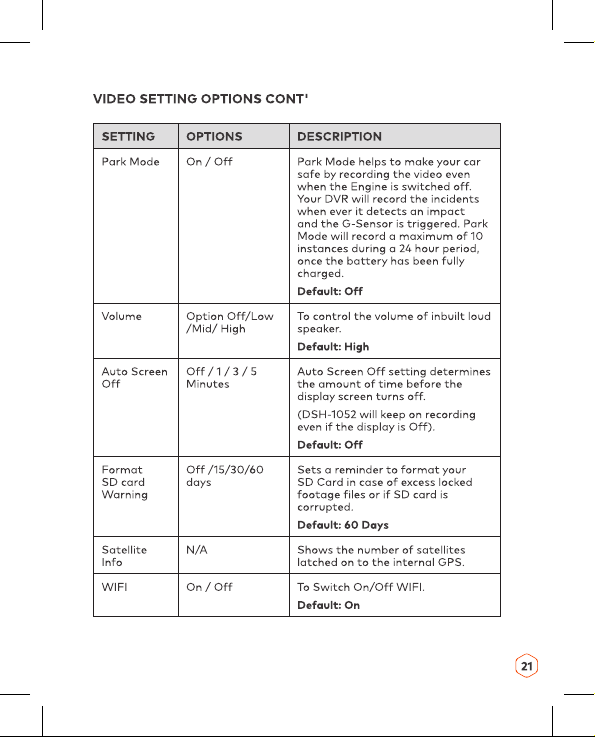
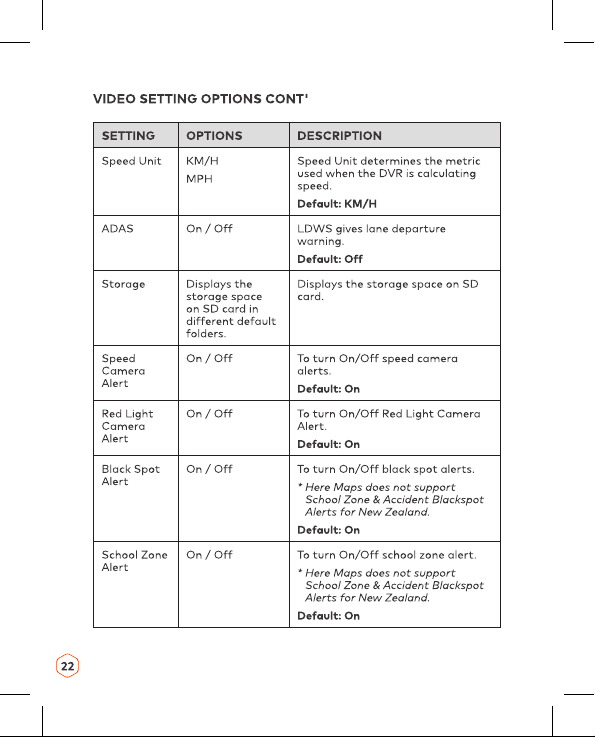
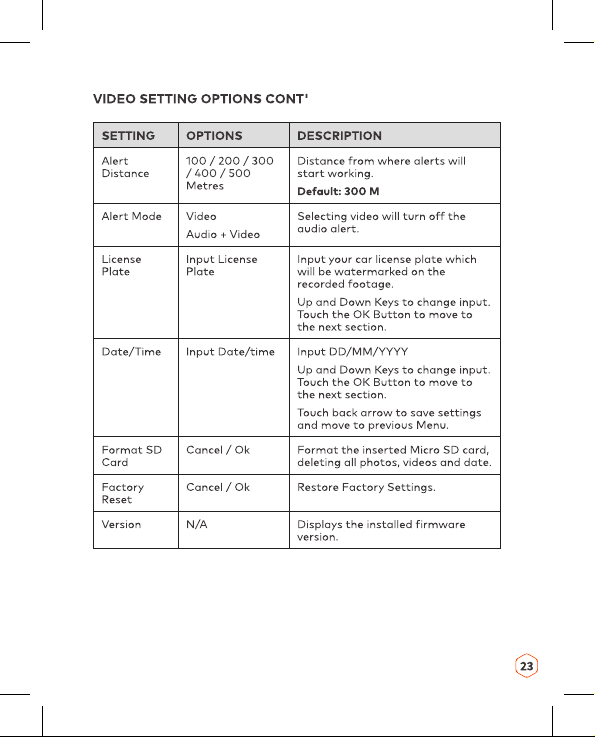
14.1 Video Setting Options......................................................20
14.2 General Setting Options ................................................. 22
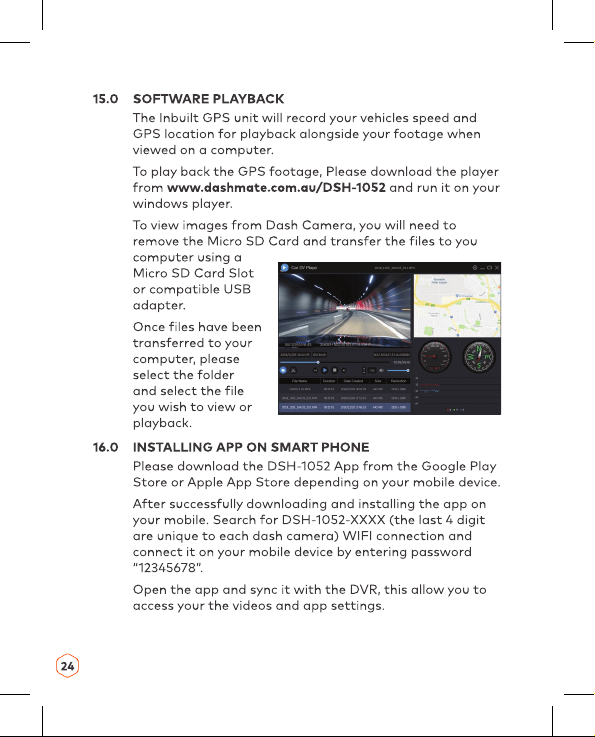
15.0 SOFTWARE PLAYBACK .........................................................25
16.0 INSTALLING APP ON SMART PHONE .................................25
17.0 WARRANTY TERMS & CONDITIONS ...................................26
18.0 NOTES ......................................................................................27

3
1.0 CAUTION
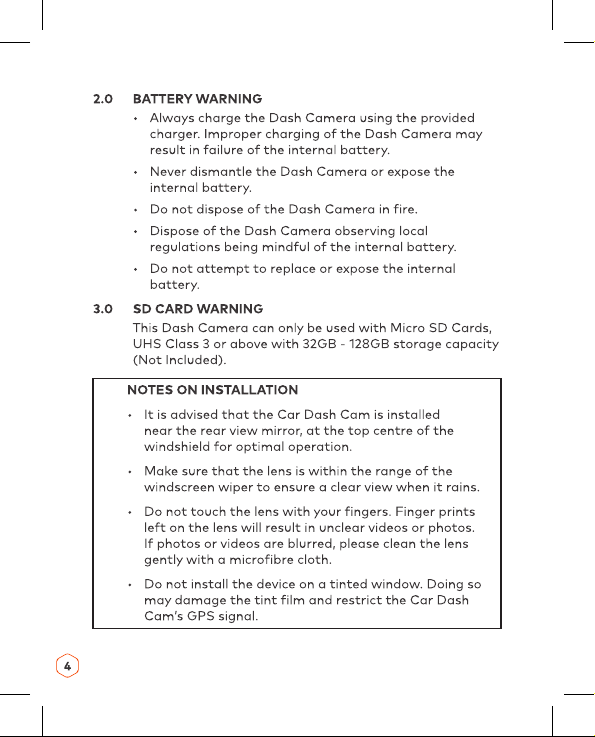
• Ensure you are using your Dash Camera within your
countries’ road laws. Please make sure you are familiar
with your local road legislation before use.
• Please set time and date before you use this device to
record.
• The notiications given by the Dash Camera are
suggestions only, please drive to the actual conditions.
• The system is to be used only for non-commercial use,
within the limits permitted by the relevant laws
• The results of GPS positioning are only for reference.
The Car Dash Cam will lose GPS positioning abilities
when signal is blocked (e.g. driving through tunnels,
enclosed car parks).
• GPS positioning accuracy may vary depending on
weather and surroundings such as dense cities, tunnels,
or forests. GPS satellite signals cannot pass through
most solid materials. Tinted windows may also affect
the GPS signal.
• The values displayed in this system, such as speed,
position, and the distance warning, may be affected by
the surrounding environment.
• Avoid using the Dash Camera in the vicinity of any
devices that emit radio interference (eg. Microwave
Ovens).
• It is considered normal operation for the Dash Camera
to get warm during use.

6
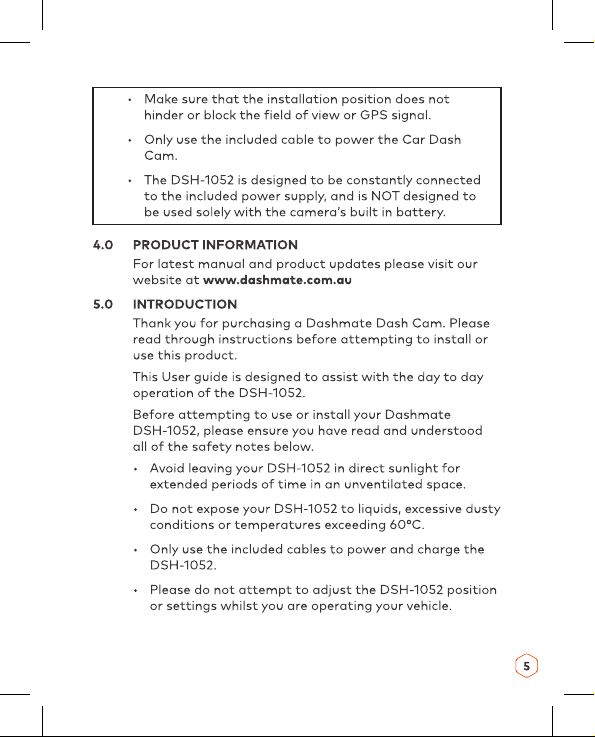
• Please clean the windshield thoroughly removing all
dust and dirt particles before ixing the adhesive
mount.
• Since the mount sticks onto the windshield using a 3M
adhesive, please ensure that the position of the camera
is best located to capture the maximum viewing area.
• We suggest you to power-on the dash camera and test
the playback image on screen irst prior to removing
the 3M tape for installation.
• Only remove the 3M tape when you are satisied with
the dash camera placement and image position are
delivering the best possible image and view of the road
ahead.
• Ensure you are using your DSH-1052 within your
countries’ road laws. Please make sure you are familiar
with your local road legislation before use.
6.0 PACKAGING CONTENT
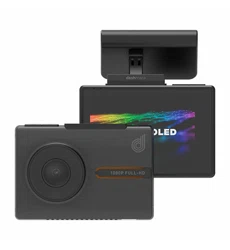
1 x DSH-1052 Dash Camera
1 x FHD Rear Camera
1 x Magnetic Mount
2 x Electrostatic Film
2 x 3M Adhesive Sticker
1 x 12/24v Power Cable
1 x User Manual

7
7.0 PRODUCT OVERVIEW
1. Rear Cam Input Port
2. WIFI ON/OFF
3. Power On/Off and
Screen Standby
4. Reset
5. Mini USB Power &
Port to connect PC
6. Micro SD Card Slot
7. Protective Cover for
SD Card
8. Recording Indicator
LED
9. Charging Indicator LED
10. Mini USB Power
(secondary power)
11. 3M Mount with Inbuilt
GPS
12. Microphone
13. Gesture Sensing Switch
14. OLED Touch Screen
Display
15. Front Camera Lens
16. Speaker
31 2
13
14
7
10 11
15 16
8
5
4
9
6
12

17
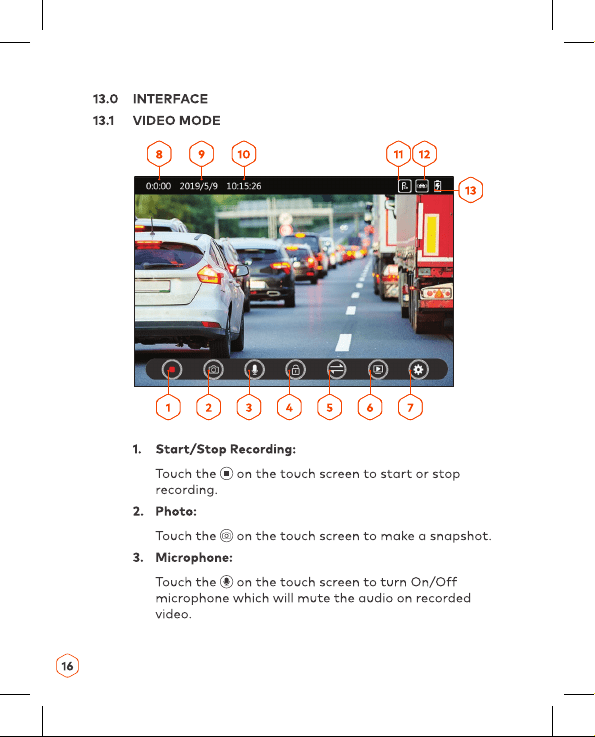
4. Lock:
Touch the on the touch screen to lock the current
recording. Locked ile will not be overwritten during
loop recording.
5. Screen:
Touch the on the touch screen to change the display
mode from single to PIP.
6. Playback:
Touch the on the touch screen to go to Playback
Menu.
7. Settings:
Touch the on the touch screen to go to Setting
Menu.
8. Time of recorded video
9. Date
10. Time
11. Park Mode
12. G Sensor
13. Battery Charging indicator

25
17.0 WARRANTY TERMS & CONDITIONS
Our goods come with guarantees that cannot be excluded
under the Australian & New Zealand Consumer Law.
You are entitled to a replacement or refund for a major
failure and for compensation for any other reasonably
foreseeable loss or damage. You are also entitled to have
the goods repaired or replaced if the goods fail to be of
acceptable quality and the failure does not amount to a
major failure.
This warranty is provided in addition to your rights under
the Australian & New Zealand Consumer Law.
Directed Electronics warrants that this product is free
from defects in material and workmanship for a period
of 12 months from the date of purchase or for the period
stated on the packaging. This warranty is only valid
where you have used the product in accordance with any
recommendations or instructions provided by Directed
Electronics.
This warranty excludes defects resulting from alterations
of the product, accident, misuse, abuse or neglect
In order to claim the warranty, you must return the
product to the retailer from which it was purchased or if
that retailer is part of a National network, a store within
that chain, along with satisfactory proof of purchase. The
retailer will then return the goods to Directed Electronics.
Directed Electronics will repair, replace or refurbish the
product at its discretion. The retailer will contact you when
the product is ready for collection. All costs involved in
claiming this warranty, including the cost of the retailer
sending the product to Directed Electronics, will be borne
by you.
Email: [email protected]

26
18.0 NOTES
27
28

29