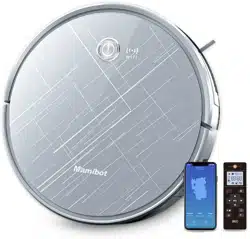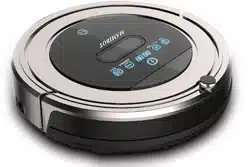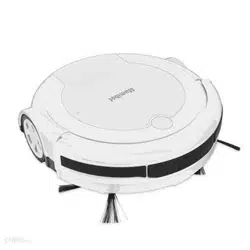
Floor mopping Robot
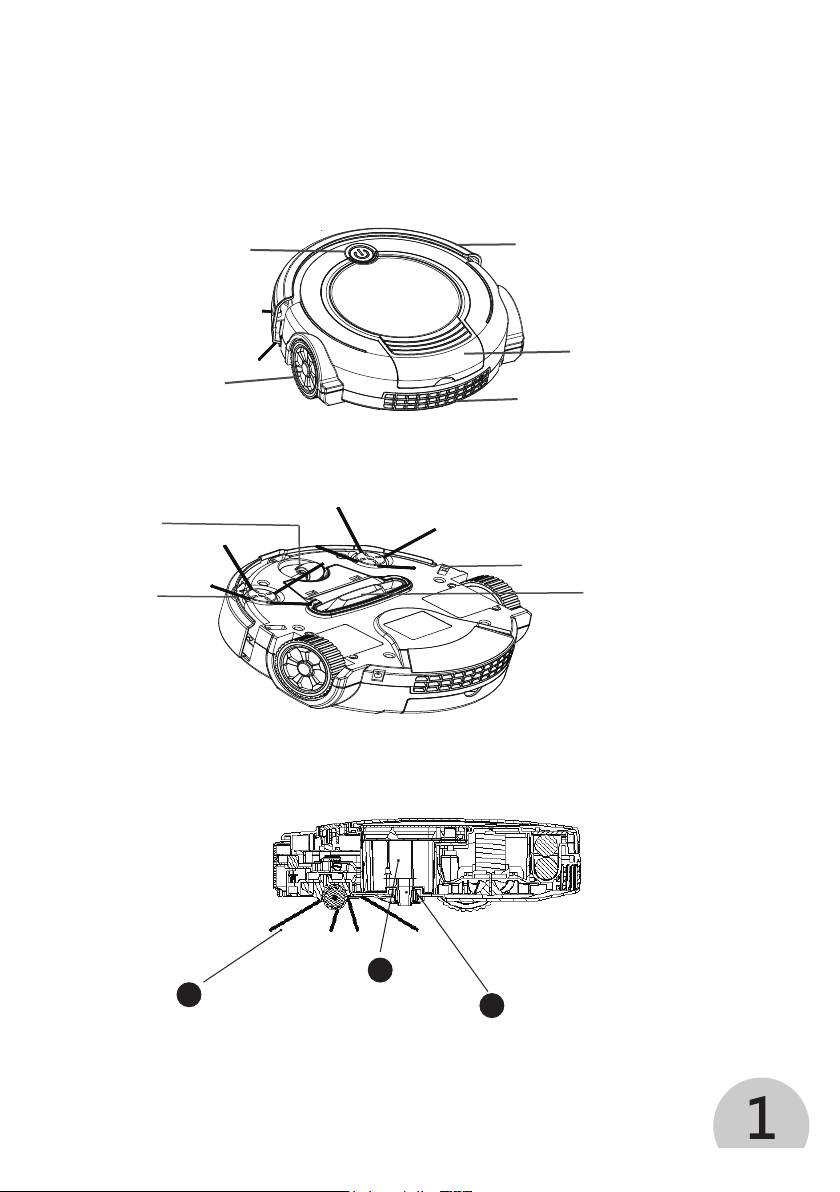
To Know Your ProVac Plus
1.
2.
3.
Top View
Bottom View
Cleaning System
3
Powerful vacuum picks up the
remaining particles, dirt and hair, etc
1
Side brush collects
debris
2
Filter
retains debris
in dust box
Switch
Bumper
Drive wheel
Dust box cover (Battery
box under this cover)
Exhaust Hole
Suction Port
Anti-falling Sensor
Direction
Wheel
Side Brush
Floor mopping Robot
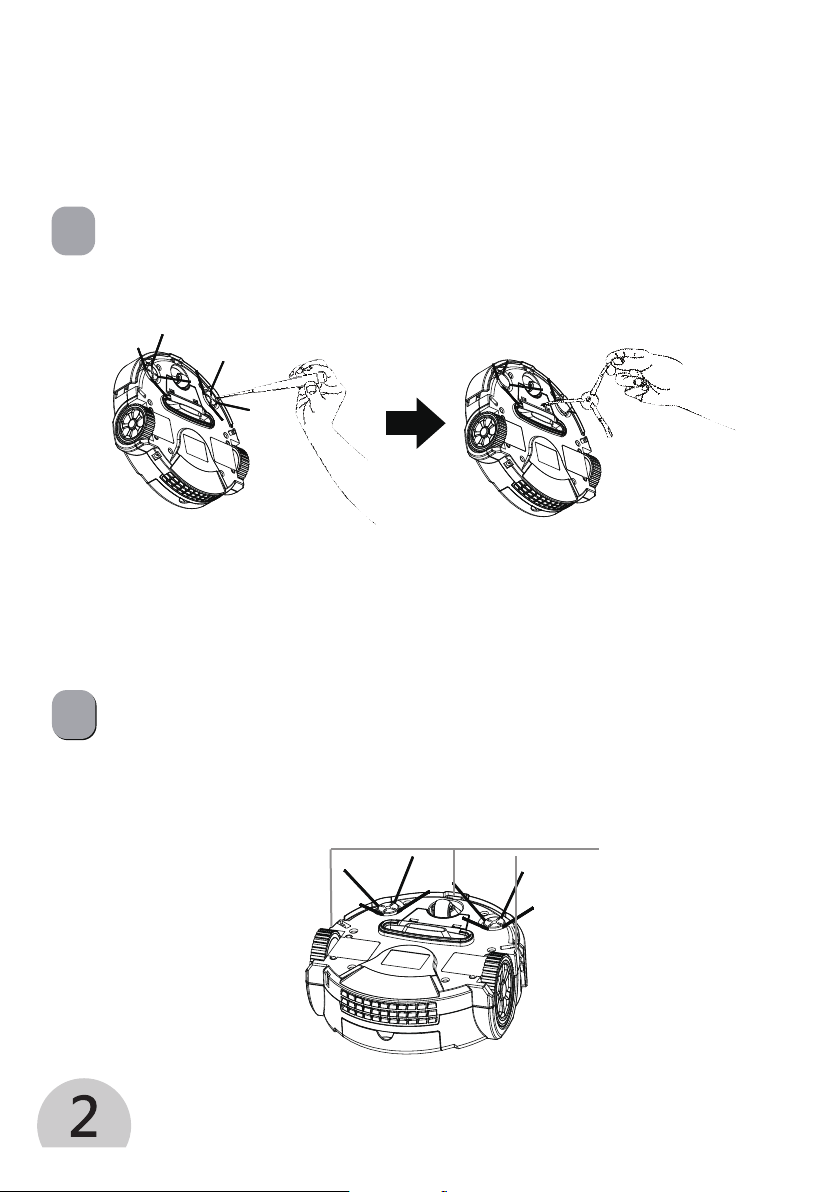
To Maintain Your ProVac Plus
Clean or replace the side brush
2
Clean Anti-falling sensors
Remove side brush screw Take off side brush
Wipe three anti-falling sensors with a clean,dry cloth.
Sensors
The side brushes can sometimes be deformed during transportation or when the
product is used under particular conditions. If this happens, it is possible to return to
the original shape by putting bristles in hot water.
1
Floor mopping Robot
3
3
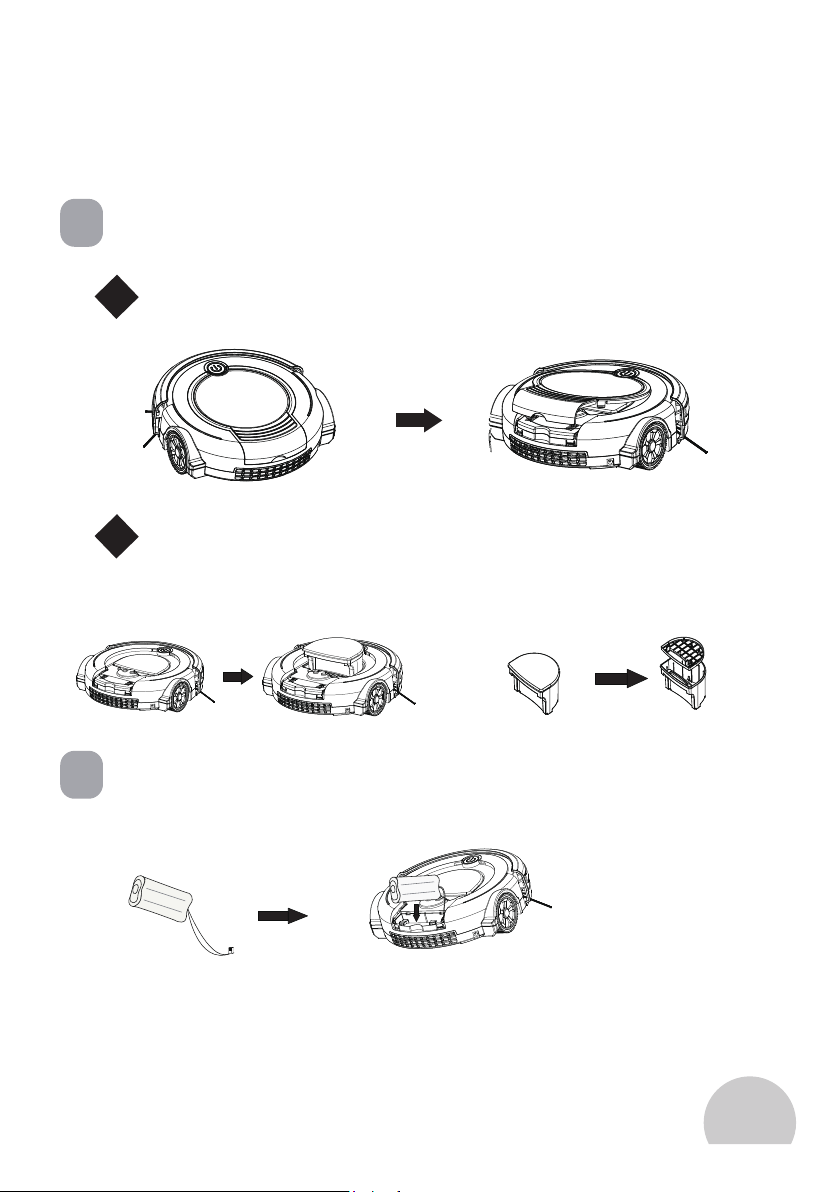
Clean the Dust Bin and Filter
4
Remove or Install Battery
1
2
Remove and empty the dust bin after each use
Clean the dust bin
A.
Push out the cover and clean filter
B.
Clean or replace filter
To Maintain Your ProVac Plus
To Use Your ProVac Plus
Floor mopping Robot
4
Cleans Multiple Floors
Frequent Asked Questions
Anti-Tangle System
The ProVac Plus works on wood, carpet, tile, vinyl, and linoleum, and adjusts automatically
to different floor types.
The ProVac Plus automatically senses stairs and other cliffs. It might stall when
confronting rounded edges and might slide over particularly slippery surfaces.
The ProVac Plus won’t get stuck on cords, carpet fringe or tassels. When it detects that it had
picked up a cord or tassel, it will automatically stop its main brushes or side brush and try
to escape. It may make a clicking noise when anti-tangle is activated.
1. Big room cleaning: Press twich (2 times) the Switch On/Off button to start, it cleans 60
minutes and stops automatially;
2. Small room cleaning: Press Once (1 time) the Switch On/Off button to start, it cleans 30
minutes and stop automatically.
Q: Why does the Side Brush occasionally spin backwards?
A: When caught on items such as carpet tassels or wires, the Side Brush may spin slowly or
briefly spin backwards to free itself. This may also occur on thick or high-pile carpets. If this
behavior should occur on hard floor surfaces or when on tassels or wires are presented, the
Side Brush should be cleaned. Using a small screwdriver, to move the screw from the center
of the Side Brush first, then remove the Side Brush and clean any hair or debris wrapped
around the shaft thoroughly. Re-install the Side Brush properly after cleaning it.
Q:Why does ProVac Plus accasionally make a squeaky sound?
A: When its brushes encounter items such as carpet tassels or wires, the brushes will briefly
reverse direction to get free. This action causes a squeaky sound that can be heard
approximately once per second until the brushes are free from obstruction. If your ProVac
Plus makes such a sound when no tassels or wires are presented, the main brush/side brush
should be cleaned.
Q: Why doesn’t ProVac Plus slow down as it approaches certain obstacles?
A: The ProVac Plus uses its light Touch Bumper technology to identify walls and other
obstacles, allowing it to slow down and gently touch the obstacles with its bumper before
changing direction. It may be less effective at sensing and slowing down from extremly dark
or black surfaces, or for objects that are less than two inches wide.

Floor mopping Robot
5
Important Safety Instructions
► This appliance should only be used for domestic cleaning, as described in this user guide.
► Always switch off and remove the charger from the socket before cleaning the appliance
or any maintenance task.
► This Appliance can be used by children aged from 16 years and above and persons with
reduced physical, sensory or mental capabilities or lack of experience and knowledge if they
have been given supervision or instruction concerning use of the appliance in a safe way and
understand the hazards involved. Children shall not play with the appliance.
► If the power cord is damaged, stop using the appliance immediately. To avoid a safety
hazard, an authorized service engineer must replace the power cord.
If the area to be cleaned containers a balcony, a physical barrier should be used to prevent
access to the balcony and ensure safe operation.
► Small children and pets must be supervised while the cleaner is cleaning.
► Use only the original charger supplied with the appliance. Check that your supply voltage is
the same as that stated on the charger.
► Leaks from battery cells can occure under extreme usage or temperature conditions. If the
liquid gets on skin, wash quickly with water. If the liquid gets into eyes, flush them immediately
with clean water for a minimium 10 minutes. See medical attention.
► It is normal for the charger to become warm to the touch when charging.
Don’t pick up hard or sharp objects, matches, hot ashes, cigarette ends or other similar items.
► Don’t spray with or pick up flammable liquids, cleaning fluids, aerosols or their vapours.
► Don’t continue to user your appliance or charger if it appears faulty.
► To ensure the continued safe and efficient operation of this appliance we recommend that
any servicing or repairs are only carried out by an authourised service engineers.
► Don’t replace the robot batteries with non-rechargeable batteries.
► End of life battery removal. If the appliance is to be disposed, the batteries must firstly be
removed. It must be disconnected from the supply mains when removing the battery.
Specifications:
Model No.: ProVac Plus Cleaning Modes: 3 modes (edge, spiral, random)
Battery: 7.4V 2600mAh Lithium Charging time: 3-4 hours
Working time: 80-100min Dimension:25*24.5*7.6cm
Adapter: AC100-240V 50/60Hz Dust box: 0.28l
Noise Level: <60dB Cleaning surface: multiple (wooden, marble, ceramic, etc)
Quality
Factories have been independently assessed by authorized Party for quality and production
management.
The Environment
The symbol on this appliance indicates that this appliance may not be treated as household
waste. Instead it must be handed over to the applicable collection point for the recycling of electrical
and electronic equipment. Disposal must be carried out in accordance with local environmental
regulations for waste disposal. For more detailed information about treatment, recovery and recycling
of this appliance, please contact your local city office, your household and waste disposal service or
the shop where you purchased the appliance.
This appliance complies with the European Directives 2014/30/EU, 2014/35/EU, and
2014/53/EU.
Your Guarantee
The guarantee conditions for this appliance are as defined by our representative in the country in
which it is sold. Details regarding these conditions can be obtained from the dealer from whom the
appliance was purchased. The bill of sale or receipt must be produced when making any claim under
the terms of this guarantee. Subject to change without notice.
Mamibot Manufacturing USA Inc.
Orange St. #600, Wilmington, New Castle, 19899, Delaware, US
[email protected] www.mamibot.com
6
Problems
The robot cleaner doesn’t work
Cleaning power is weak
The robot cleaner is very noisy while
leaning
The robot cleaner stops working/cleans
intermittently
The robot cleaner fails to detect stairs
The robot cleaner is trapped
Causes and Solutions
★ Check that the robot cleaner is switched on.
★ Check the dust container, filter and motor are clean
or not.
★ Check if the robot cleaner needs to be charged.
Turn power off and:
★ Empty dust container.
★ Check and clean the filter and motor.
★ Check and clean the floor brushes.
★ Check and clean the sensors.
★ Check and clean the drive wheels..
★ Clean the dust container and filter.
★ Check the brushes and drive wheels for dirt and
debris.
★ Check the cleaning mode setting.
★ No Power, charge the robot and use it again.
★ Check and clean the sensors.
★ The robot cleaner will attempt to free itself but in
some cases assist the robot cleaner manually.