HR200
USER MANUAL
SUNNYFIT HEART
RATE MONITOR
1. PRODUCT INTRODUCTION
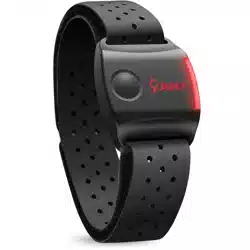
Thank you for choosing the SunnyFit Heart Rate
Monitor. Our product was developed to transmit
real-time heart rate data through Bluetooth or
ANT+ to fitness apps or your device, to help you
manage your exercise intensity scientifically.
Please keep this
user manual for future
reference.
NOTE: This product is for recreational use
only and is not intended to replace any
medical device.
2. PRODUCT ACCESSORIES
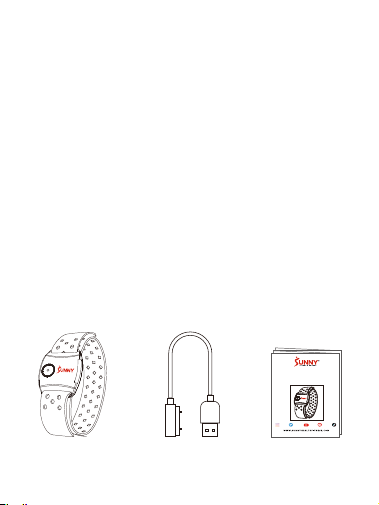
1
SunnyFit Heart
Rate Monitor
Charging Cable
User Manual
HR200
USER MANUAL
SUNNYFIT HEART
RATE MONITOR
2
3. PRODUCT SPECIFICATIONS
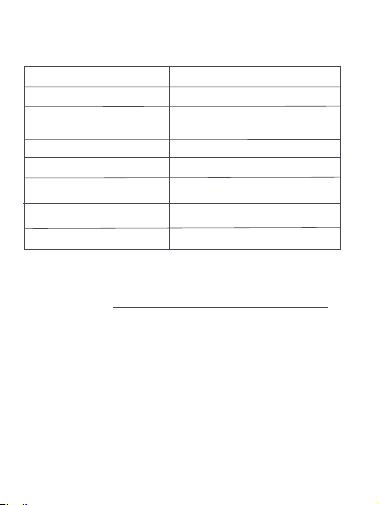
Product Size: 1.8*1.4*0.6INCHES
Net Weight: 0.09lbs
Battery type:
Battery Life: Continuous use for 16Hrs
Color: Black
Connectivity:
Water Rating: IPX7
Working temperature:
-14~122°F
For assistance with parts or troubleshooting, please
contact us at [email protected] or
1-877-90SUNNY (877-907-8669).
ANT+/ Bluetooth
90mAh Rechargeable
lithium battery
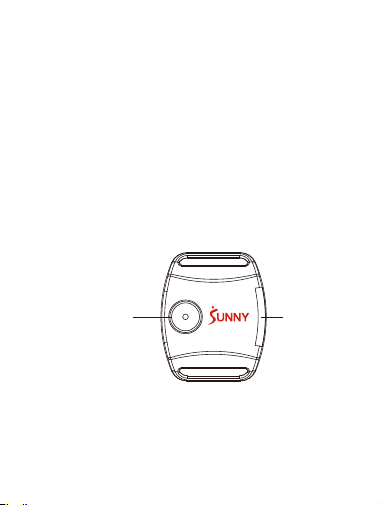
4. FUNCTION AND OPERATION
4.1 Turn-on: Press the start-up button, the LED
light will flash blue quickly until the heart
rate is found.
4.2 Turn-off: Hold the start-up button for 2
seconds, the LED will flash red light
and vibrates, then enters the shutdown
state.
Start-up Button
LED
3

5. HEART RATE INDICATOR
*Max Heart Rate (MHR) = 180 (default)
Below 60% MHR:
Soft green light will flash once every 5 seconds
without Bluetooth connection. When Bluetooth
is connected, it will flash once every 3.4 seconds
like a
breathing
light.
61%~70% MHR:
Dark green light will flash once every 5 seconds
without Bluetooth connection. When Bluetooth
is connected, it will flash once every 2.4 seconds
like a
breathing
light.
71%~80% MHR:
Yellow light will flash once every 5 seconds
without Bluetooth connection. When Bluetooth
is connected, it will flash once every 2.4 seconds
like a
breathing
light.
4
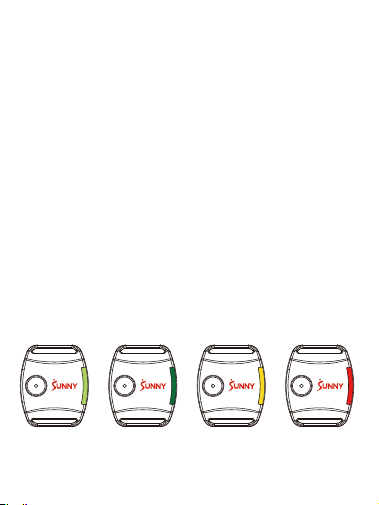
Soft Green
Dark Green Yellow
Red
MHR<60% MHR61%~70%
MHR71%~80%
MHR81% ~ 99%
MHR >100%
81% ~ 99% MHR:
Red light will flash once every 5 seconds without
Bluetooth
connection. When
Bluetooth
is
connected, it will flash once every 1.4 seconds
like a breathing light.
Exceed 100% MHR:
Red light will flash once every 5 seconds without
Bluetooth
connection. When
Bluetooth
is
connected, it will flash once every 1.4 seconds
like a breathing light and the sensor will vibrate
3 times continuously.
5
6
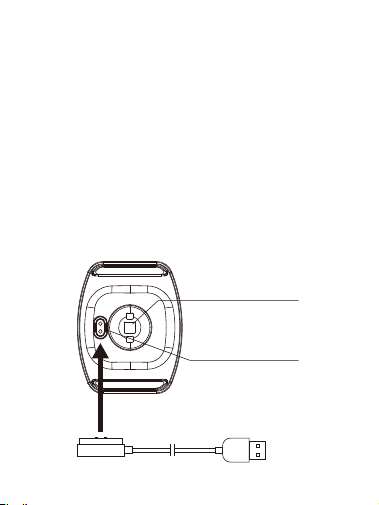
6.1 Low Power Alert: LED will flash red
and green alternately and vibrates once.
6.2 How To Charge : Put the Charging Cable
on the Charging Terminals, then connect
the USB to a power source.
6.3 Charging: LED will flash green when
charging and will stay green when fully
charged.
6. POWER
Charging Cable
Heart Rate Sensor
Charging Terminals
7
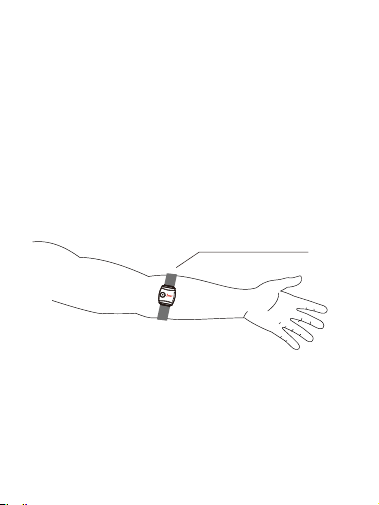
7. WEARING
Wear the armband on the upper portion of
the forearm. The monitor should be on the
inside or top of the forearm. It should be
worn snug enough not to move on your arm,
but NOT so tight that it restricts arm
circulation.
Wearing position
5. HEART RATE INDICATOR
*Max Heart Rate (MHR) = 180 (default)
Below 60% MHR:
Soft green light will flash once every 5 seconds
without Bluetooth connection. When Bluetooth
is connected, it will flash once every 3.4 seconds
like a
breathing
light.
61%~70% MHR:
Dark green light will flash once every 5 seconds
without Bluetooth connection. When Bluetooth
is connected, it will flash once every 2.4 seconds
like a
breathing
light.
71%~80% MHR:
Yellow light will flash once every 5 seconds
without Bluetooth connection. When Bluetooth
is connected, it will flash once every 2.4 seconds
like a
breathing
light.
8
8. APP CONNECTION INSTRUCTIONS
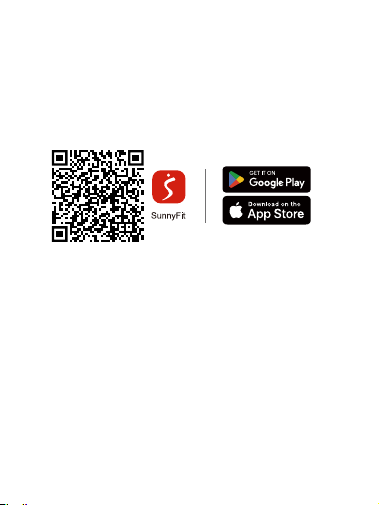
8.1 Scan the QR code below to download the
SunnyFit app.
8.2 You can also download the SunnyFit app
from the App Store or Google Play Store.
If you are unable to replicate these steps or have
any other issues with the SunnyFit app, please
contact SunnyFit support at suppor[email protected]
or use the in-app “Contact Us” form to request
support (“Me” tab -> “Contact Us”).
8.3 The monitor is compatible with other popular
fitness apps, such as, Wahoo/Polar Beat/
Strava/Zwift/Peloton.
9
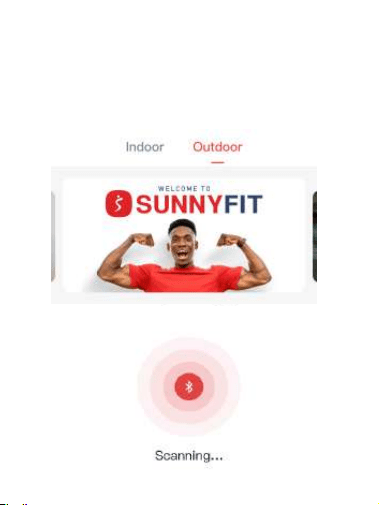
8.4 Press the start-up button to turn on HR200.
8.5 To connect, go to the “Workout” tab and
choose "Indoor" or "Outdoor" at the top, then
tap on the “Search” button on the bottom
right of the screen.
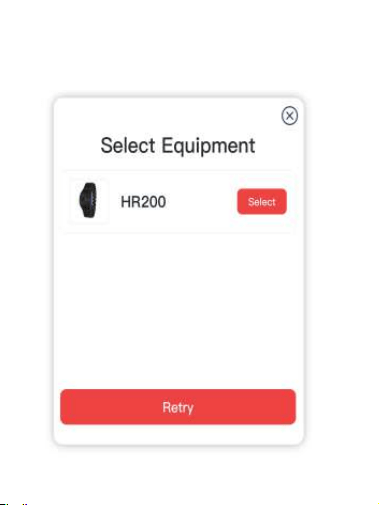
8.6 You should see the SunnyFit Heart Rate
Monitor (HR200) appear, press "Select".
10
11
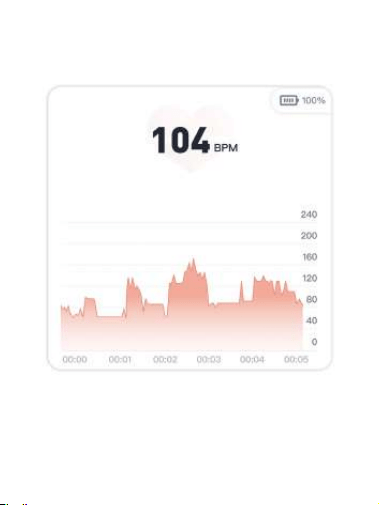
8.7 You can now check your heart rate data.
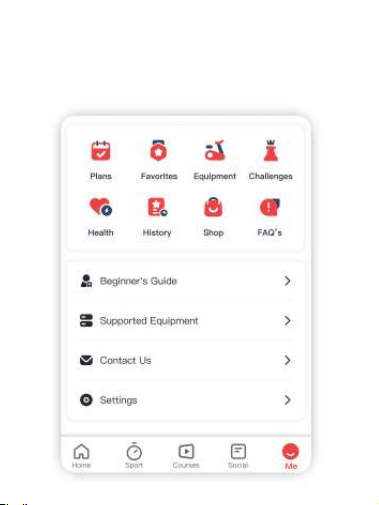
8.8 When the interface “Heart Rate Data” is close.
you can enter the “Equipment” panel from
the “Me” tab to review it again.
12
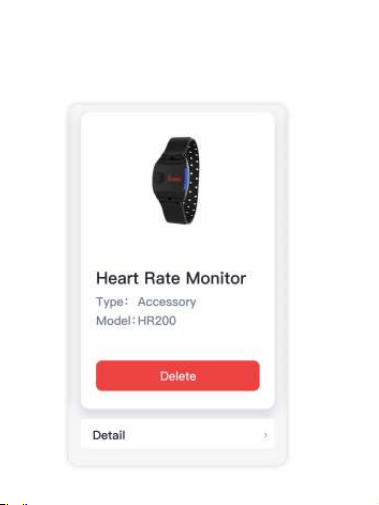
8.9 Click on “Detail” to review the heart rate
data.
13

8.10 Once the connection between the Heart
Rate Monitor and Sunnyfit app is established,
your heart rate will be displayed where
available depending on the module and type
of workout session you select.
9. DISCLAIMER
9.1
The information in this manual is for
reference only.The product may be
subject to change based on manufacturer's
research and development without notice.
9.2 We shall not make any statement or warranty
about this manual or the product.
9.3
We shall not bear any legal responsibility
for any
direct or indirect, accidental or
special damages, losses and expenses
arising from or in connection with this
manual or the contained
product.
14

15
Caution: The user is cautioned that changes or
modifications not expressly approved by the party
responsible for compliance could void the user's
authority to operate the equipment.
This device complies with Part 15 of the FCC
Rules and Industry Canada licence-exempt RSS
standard(s). Operation is subject to the following
two conditions: (1) this device may not cause
harmful interference, and (2) this device must
accept any interference received, including
interference that may cause undesired operation.
Le présent appareil est conforme aux CNR
d’ Industrie Canada applicables aux appareils
radio exempts de licence. L’ exploitation est
autorisée aux deux conditions suivantes :
(1) l’ appareil ne doit pas produire de brouillage, et
(2) l’ utilisateur de l’ appareil doit accepter tout
brouillage radioélectrique subi, même si le
brouillage est susceptible d’ en compromettre le
fonctionnement.

Note: This equipment has been tested and
found to comply with the limits for a Class B
digital device, pursuant to Part 15 of the FCC
Rules. These limits are designed to provide
reasonable protection against harmful
interference in a residential installation. This
equipment generates, uses and can radiate radio
frequency energy and, if not installed and used in
accordance with the instructions, may cause
harmful interference to radio communications.
However, there is no guarantee that interference
will not occur in a particular installation.
16

If this equipment does cause harmful
interference to radio or television reception,
which can be determined by turning the
equipment off and on, the user is encouraged to
try to correct the interference by one or more of
the following measures:
-- Reorient or relocate the receiving antenna.
-- Increase the separation between the equipment
and receiver.
-- Connect the equipment into an outlet on a
circuit different from that to which the receiver is
connected.
-- Consult the dealer or an experienced radio/TV
technician for help.
17

8.10 Once the connection between the Heart
Rate Monitor and Sunnyfit app is established,
your heart rate will be displayed where
available depending on the module and type
of workout session you select.
9. DISCLAIMER
9.1
The information in this manual is for
reference only.The product may be
subject to change based on manufacturer's
research and development without notice.
9.2 We shall not make any statement or warranty
about this manual or the product.
9.3
We shall not bear any legal responsibility
for any
direct or indirect, accidental or
special damages, losses and expenses
arising from or in connection with this
manual or the contained
product.
FCC& IC : Radiation Exposure Statement
This equipment complies with FCC and Canada
radiation exposure limits set forth for an
uncontrolled environment.
This transmitter must not be co-located or
operating in conjunction with any other antenna
or transmitter.
Déclaration d’ IC sur l’ exposition aux
radiations:
Cet équipement est conforme aux limites
d’ exposition aux radiations définies par le
Canada pour des environnements non contrôlés.
Cet émetteur ne doit pas être installé au même
endroit ni utilisé avec une autre antenne ou un
autre émetteur.
18
Download
today!
FREE workout courses!
CONNECT
