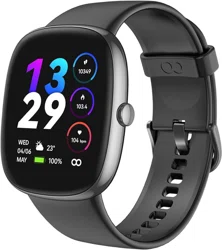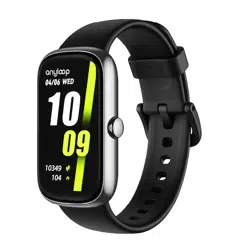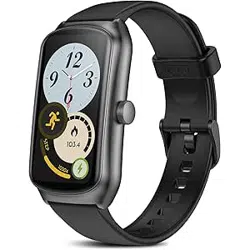

5V 0.2A
reason, please don’t wear the watch in high-temperature
environments such as sauna room and hot water bath.
4. You could use the watch in exercise, in hand washing, or in
rain.
5. Keep the watch d, away from damp. Do not long expose
the watch to direct sunlight. Both over-temperature and
under-temperature may result in the watch’s breakdown.
6. Please don’t wear the watch in MRI examination or in other
highly magnetic environments. Otherwise, the watch may be
damaged.
QUICK START GUIDE
Scan this QR code, or open https://any-loop.com/
pages/help-and-manual, to obtain more functions
and usage.
Please follow the graphical presentation to take o or t the
watch band.
Attaching and removing the band
1. Inse the needle of watch band to the hole
2. Toggle the lifting lever of watch band and push it into the
slot for xing
3. Pull the watch band gently after nishing assembly to
ensure it will not drop
4. Toggle the lifting lever of watch band to take down the
watch band
When you are tting or renewing the watch band, please take
care not to hu your ngernail.
Notes:
EN
01
1.
For rst use, please charge up the watch to activate it.
2.If the watch cannot be powered on, please charge it up,
and then have another t.
Notes:
1. During pairing, please conrm your phone’s Bluetooth is
on, and ensure the watch is being connected to your phone.
2.
If the watch cannot be searched during device adding, or if
the watch cannot be connected at use, please reset/reboot it,
and then have another t.
Notes:
Notes:
When the watch is o, press and hold this button to power on
the watch.
When the watch is on, press and hold this button to power o
the watch.
Press this button to switch the display inteace from any other
page to watch face.
Power button
Under Watch face, slide to the right to open the watch
application menu
When the display inteace is watch face, slide it up to view
the notication panel.
When the display inteace is watch face, slide it down to open
the control center.
UI touch
About the Watch
EN
03
EN
02
1. Please scan the QR code on the right side using your
phone; then download anyloop and install it. Alternatively,
How to Pair the Watch
search anyloop from Google Play or App
Store; then download the latest version
of anyloop and install it.
2. Ensure your phone’s Bluetooth is on.
3. Open anyloop. Log on or register your
account as the app instructs (or enter
the visitor mode).
How to Wear the Watch
Main Functions
EN
05
EN
04
1. Wear the watch properly, neither too tight nor too loose, to
allow your skin to breathe. In that way, you could feel
comfoable, and the sensor could operate normally.
2. For accurate measurement, please keep your arm level and
still, and keep your skin comfoable by leaving a room for a
nger between watch and skin.
3. You could tighten the watch band during exercise and
loosen it after exercise.
4. The tattoo, mark, and hair on your wrist where the watch is
worn may aect the hea rate sensor. For this reason, please
wear the watch on a wrist that will not disturb its function.
Hea rate
Sleep
1. Click “Workout” on the watch’s menu.
2. Slide up or down the inteace to select the desired
exercise.
3. The watch will begin to record your exercise data
automatically in 3 seconds. Slide up or down the inteace to
view hea rate, distance, time, etc. Slide right the inteace to
go back to or nish exercise.
4. You could turn on Bluetooth, synchronize the information
on exercise with the app, and view fuher data of exercise
from the plate Exercise on Homepage.
5. In workout mode, your hea rate will be measured on a
real-time basis.
Workout
1. Click “SpO2” on the watch’s menu.
2. The watch will begin to measure your SpO2 automatically.
3. Wait about 10 seconds, and then you could view the
measured SpO2. You could turn on Bluetooth, synchronize
the information on SpO2 with the app, and view fuher data
of SpO2.
1. Click “Hea rate” on the watch’s menu.
2. The watch will begin to measure your hea rate
automatically.
3. Wait about 10 seconds, and then you could view the
measured hea rate.
4. Slide up or down the inteace to view other information
on hea rate. You could turn on Bluetooth, synchronize the
information on hea rate with the app, and view fuher data
of hea rate. view fuher data of SpO2.
SpO2
1. When the watch is connected to your phone via Bluetooth,
the watch could receive messages from your phone’s
notication center.
2. At present, the watch does not suppo reply to messages.
Message Notication
EN
07
EN
06
1. Press and hold watch face to enter “Edit” inteace. Slide
left or right the inteace, and then select the desired dial.
2. Turn on Bluetooth. Ensure the watch is connected to your
phone. You could open anyloop and select more dials from
Dials Shop.
3. Alternatively, you could upload a picture to generate a
user-dened dial.
Watch face
If you have any questions or doubts, please contact our
customer suppo team at suppo@anyloop.com. We wish
you would love your new sma watch.
1. Wire the charging cable to the power adapter or your
computer’s USB inteace.
2. Make the charging po tight aligned with the charging
contacts on the watch’s back.
3. During charging, you could view the charging status on the
screen.
4. When the watch is fully charged, please disconnect it from
the wireless charger.
How to charge up the watch
Basic Parameters
1. This product, not a medical apparatus, shall not substitute
for professional medical diagnosis. Its design or intention is
not for diagnosing diseases and other symptoms or for curing,
relieving, treating, or preventing any symptom or disease.
Before making any decision on your health, please seek advice
from your medical seice provider.
2. Do not t to replace the batte yourself. Do not drop,
incinerate, puncture or crush the batte as this may cause the
batte to catch re or explode.
3. Keep away this product from over-temperature and
under-temperature conditions. Otherwise, it may catch re or
explode.
4. anyloop has internal and external ceication agencies do
harmful material testing for the watch, covering all materials in
contact with skin, dermatologic toxicity, and wearing. Some
people may show skin allergies to vinyl leather, ber, etc., and
they will show symptoms such as ethema and inammation
1. Avoid using liquid soap, hand sanitizer, body wash, washing
liquid, and other cleansers to clean the watch. Residual liquid
soap, detergent, hand sanitizer, or cleanser remaining on the
watch may induce irritation to your skin or might bring down
the watch’s waterproof peormance.
2. Please don’t wear the watch in underwater spos like
snorkeling, diving, or scuba diving; in aquatic spos like water
skiing or suing; and in swimming in such environment of
high hydraulic pressure as river. In those environments,
hydraulic pressure will va suddenly, causing change to the
watch’s waterproof peormance.
3. The watch’s waterproof peormance may be impaired
because of acute change to air/water temperature. For this
Repair & Maintenance
Customer Seice
Matters Needing Attention
can radiate radio frequency energy and, if not installed and
used in accordance with the instructions, may cause harmful
inteerence to radio communications. However, there is no
guarantee that inteerence will not occur in a paicular
installation. If this equipment does cause harmful inteerence
to radio or television reception, which can be determined by
turning the equipment o and on, the user is encouraged to
t to correct the inteerence by one or more of the following
measures:
- Reorient or relocate the receiving antenna.
- Increase the separation between the equipment and
receiver.
-Connect the equipment into an outlet on a circuit dierent
from that to which the receiver is connected.
-Consult the dealer or an experienced radio/TV technician for
help.
NOTE 2: Any changes or modications to this unit not
expressly approved by the pay responsible for compliance
could void the user's authority to operate the equipment.
The device has been evaluated to meet general RF exposure
requirement. The device can be used in poable exposure
condition without restriction.
The device has been evaluated to meet general RF exposure
requirement.
The device can be used in poable exposure condition
without restriction.
L'appareil a été évalué pour répondre aux exigences générales
en matière d'exposition aux RF.
L'appareil peut être utilisé dans des conditions d'exposition
poables sans restriction
FCC & IC Statement
This device complies with Pa 15 of the FCC Rules. Operation
is subject to the following two conditions:
(1) This device may not cause harmful inteerence, and (2)
this device must accept any inteerence received, including
inteerence that may cause undesired operation.
NOTE 1: This equipment has been tested and found to comply
with the limits for a Class B digital device, pursuant to pa 15
of the FCC Rules. These limits are designed to provide
reasonable protection against harmful inteerence in a
residential installation. This equipment generates, uses and
1. Turn on Bluetooth. Ensure the watch is connected to your
phone.
2. Open anyloop.
3. Click “More Settings” on Device page.
4. Find the app plate, and turn on “Weather”.
5. Open the watch’s menu. Click “Weather” to view the
information on local weather.
Weather
﹍
EN
09
EN
08
4. Click “Add a device”, and select the device to pair. Give the
app related permission as the tooltip prompts.
5. Click the watch’s Bluetooth name to make pairing.
6. Click “Accept” on the watch to conrm pairing. Once pairing
succeeds, the watch will go to watch face automatically.
after long contact with this product. If you have such
symptoms, please stop using the product right away, and seek
advice from your doctor.
5. Please don’t use an unauthorized/incompatible power
charger or data cable. Otherwise, there may be a result that
the watch is damaged, catches re, explodes, or leads to other
dangers.
6. Radio waves from this product probably aect availability of
implantable/personal medical apparatuses such as cardiac
pacemaker and hearing aid.
7. Please don’t dispose this product and its accessories as
general household garbage. Please ensure you dispose or
recycle this product and its accessories by local laws and
regulations.
3.
Once pairing achieves success, please protect the app
backstage from being accidentally closed by the system as
the app guides. Otherwise, there may be a result that the
watch is disconnected from your phone, aecting the watch
to operate as normal.
4.
For better user experience, please use the latest version of
app.
5.
The operating system should be above Android 5.0 or IOS
9.0.
1. Please use the charging cable in the package.
2.
Before charging, please ensure the charging po is d,
clean, free of foreign matter such as sweat, liquid, dust, and
so on.
3.
If the product is long laid aside, it’s advisable to power o
the product before you put it aside. That product on the
shelf shall be fully charged once six months to prevent its
batte from being excessively discharged or even being
damaged.
4.If the watch cannot be charged, please contact
Suppo@any-loop.com.
Notes:
EN
11
EN
10
1. Once the watch band is well t, please full it appropriately
to check whether it’s secure or not.
2.
If you want to buy a watch band, please go to the anyloop
store.
3.
If the watch band appears to have breakage, please
contact Suppo@any-loop.com for renewal.
1. Sleep with the watch on, and it will begin to measure your
sleep automatically.
2. When you wake up, click “Sleep” on the watch’s menu, and
then you could view the information on sleep for the
previous night.
3. You could turn on Bluetooth, synchronize the information
on sleep with the app, and view fuher data of sleep.
Scan this QR code, or open https://any-loop.com/, to
obtain more functions and usage.
Obtain more functions and usage
EN
12
This device contains licence-exempt transmitter(s)/receiver(s)
that comply with Innovation, Science and Economic
Development Canada's licence-exempt RSS(s). Operation is
subject to the following two conditions:
This device may not cause inteerence.
This device must accept any inteerence, including
inteerence that may cause undesired operation of the
device.
L'émetteur/récepteur exempt de licence contenu dans le
présent appareil est conforme aux CNR d'Innovation, Sciences
et Développement économique Canada applicables aux
appareils radio exempts de licence. L'exploitation est autorisée
aux deux conditions suivantes :
L'appareil ne doit pas produire de brouillage;
L'appareil doit accepter tout brouillage radioélectrique subi,
même si le brouillage est susceptible d'en compromettre le
fonctionnement.
Product Model
Product Name
Batte
Input
Water Resistance Rating
ALB2
Sma Watch
250mAh
IP68
Maximum Operating Temperature 45℃(113℉)
anyloop Band 2
(1) Inse the needle of watch band to the hole
(Buckle side)
(Point side)
Manufactured by: Shenzhen Yuanhuan Technology Co., Ltd.
Address: 1307, East Block, Building 6, Tianan Yungu Industrial
Park, Phase II, Gangtou Community, Bantian Street, Longgang
District, Shenzhen, Guangdong Province, China
Made in China
Due to the limitation of product size, the product ceication
information is printed on the outerpackage, please see as
below:
FCC ID: 2BBVM-ALB2
IC:31734-ALB2
To view the regulato information for your product, choose
Settings > System > System Info.
217-241414
ALB2UM2V2
Power
button
Charging
contacts
Hea
rate sensor