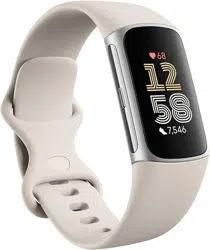
Overview
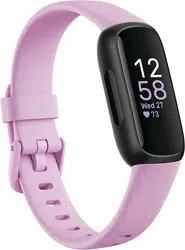
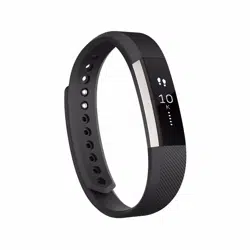
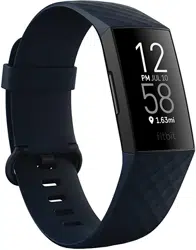
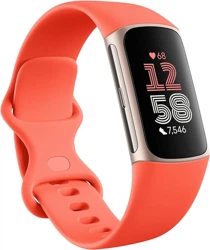
The Fitbit Inspire 3 is a health and fitness tracker designed to monitor daily activity, manage stress, track sleep, and measure heart rate continuously. It features a color touchscreen, is water-resistant, and connects to your smartphone for notifications and detailed data analysis via the Fitbit app.

Features & Specifications
Physical Specifications
- Dimensions: 0.71 x 0.43 x 1.54 inches
- Weight: 3.8 ounces
- Screen: 0.76-inch color touchscreen
- Resolution: 124 x 206 pixels
- Shape: Rectangular
- Water Resistance: Up to 50 meters
- Battery Life: Up to 10 days (varies with use)
- Battery Type: 1 Lithium Ion battery (included)
Connectivity & Compatibility
- Connectivity Technology: Bluetooth
- Wireless Standard: Bluetooth
- GPS: Connected GPS (uses your smartphone's GPS)
- Compatible Operating Systems: Apple iOS 15 or higher, Android OS 9 or higher
- Memory: 1 GB storage capacity
Health & Fitness Tracking Features
- 24/7 Heart Rate Monitoring: Continuous tracking of your heart rate.
- Active Zone Minutes: Tracks time spent in target heart rate zones during activity.
- Daily Readiness Score: Assesses your readiness for exercise based on activity, sleep, and heart rate variability. (Requires Fitbit Premium)
- 20+ Exercise Modes: Track specific workouts like running, biking, and yoga.
- Automatic Exercise Tracking: Automatically recognizes and records select exercises.
- All-Day Activity Tracking: Counts steps, distance, and calories burned.
- Reminders to Move: Alerts you to move if you've been inactive.
Wellness & Sleep Features
- Stress Management Score: Provides a daily score based on heart rate, sleep, and activity data.
- Mindfulness Sessions: Guided audio sessions for relaxation.
- Relax Breathing Sessions: Timed breathing exercises.
- Automatic Sleep Tracking: Monitors sleep stages (light, deep, REM).
- Sleep Score & Sleep Profile: Provides a detailed score and monthly sleep profile analysis. (Sleep Profile requires Fitbit Premium)
- Smart Wake Alarm: Vibrating alarm that aims to wake you during a light sleep stage.
- Sleep Mode: Silences notifications and dims the screen.
- SpO2 Monitoring: Estimates blood oxygen levels during sleep. (Not available in all markets; not for medical diagnosis.)
- Menstrual Health Tracking: Log and track menstrual cycle data.
Notifications & Smart Features
- Call, Text & App Notifications: Displays alerts from your paired smartphone when it is nearby.
- Customizable Clock Faces: Personalize the display on the touchscreen.
Safety & Health Alerts
- Irregular Heart Rhythm Notifications: Can notify you of signs of atrial fibrillation (Afib). Available in select countries only; not for users under 22.
- High & Low Heart Rate Notifications: Alerts you if your heart rate goes above or below your set thresholds.
Note on Fitbit Premium: The device includes a 6-month trial of Fitbit Premium for new or returning users. Features like Daily Readiness Score and Sleep Profile require an active Premium membership. The trial must be activated within 60 days of device activation.
Use Guide
Getting Started
- Charge the Device: Use the included charger to fully charge your Inspire 3 before first use.
- Install the Fitbit App: Download the Fitbit app from the Apple App Store or Google Play Store on your compatible smartphone.
- Create a Fitbit Account: Open the app and follow the on-screen instructions to create an account or log in.
- Pair Your Device: In the app, tap on your profile picture, then "Set up a device." Follow the prompts to pair your Inspire 3 via Bluetooth.
- Adjust the Band: The package includes both Small (S) and Large (L) bands. Attach the band that fits your wrist comfortably.

Wearing the Device
For accurate heart rate and activity tracking:
- Wear the tracker on your wrist, about a finger's width above your wrist bone.
- It should be snug but comfortable, not too tight. Ensure the sensor on the back is in contact with your skin.
- You can wear it all day and night, including during swimming and showering (water resistant to 50m).
Navigating the Touchscreen
The color touchscreen is your main interface:
- Tap: To select items, open notifications, or start/stop exercises.
- Swipe: Swipe up, down, left, or right to scroll through stats, notifications, and menus.
- Clock Faces: Press and hold on the clock face to change to a different design.
Tracking an Exercise
- On the tracker, swipe to find the Exercise tile.
- Tap to open, then swipe to find your exercise type (e.g., Run, Walk, Weights).
- Tap the exercise to select it. You may see a countdown.
- To start, tap the screen or wait for the countdown. Your tracker will record your heart rate and Active Zone Minutes.
- To pause, tap the screen. To finish, swipe and tap "Finish."

Viewing Your Stats
Swipe through the tiles on your device to see:
- Steps, distance, and calories burned.
- Heart rate and Active Zone Minutes.
- Current weather.
- Notifications.
- For more detailed analysis (Sleep Score, Stress Management Score, trends), open the Fitbit app on your phone.
Managing Notifications
To receive call, text, and app alerts:
- Ensure Bluetooth is enabled on your phone and the tracker is connected via the Fitbit app.
- In the Fitbit app, go to your device settings and then to Notifications.
- Select which apps you want to receive notifications from.
Using Sleep Mode & Smart Wake
- Sleep Mode: Manually enable it from the settings on your tracker or schedule it in the Fitbit app. It will silence calls and notifications and dim the screen.
- Smart Wake Alarm: Set an alarm in the Fitbit app and enable the "Smart Wake" option. The tracker will attempt to vibrate within a 30-minute window before your set time when you are in a light sleep stage.

Charging the Device
- Attach the charging cable to the pins on the back of the tracker.
- Plug the other end into a USB port or adapter.
- A battery icon will appear on the screen. A full charge takes approximately 1-2 hours.
Product Information
| Item Model Number | 611597 |
|---|---|
| ASIN | B0B5FCYMFD |
| Manufacturer | Fitbit Inc |
| Date First Available | September 23, 2022 |
| What's in the Box | Inspire 3 Tracker, Band (S & L sizes included) |
Warranty & Support
Product Warranty: For warranty information about this product, please visit the Amazon Warranty & Support page.
For technical support and more information, use the Help section within the Fitbit app or visit the official Fitbit website.