Overview
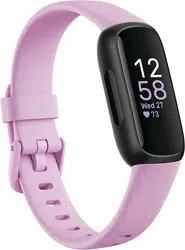
The Fitbit Inspire 3 is a health and fitness tracker designed to be worn continuously. It automatically tracks your activity, sleep, and heart rate, providing insights into your daily readiness, stress management, and sleep quality. The device features a color touchscreen, is water-resistant, and connects to your smartphone for notifications and detailed data analysis via the Fitbit app.

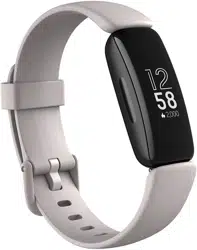
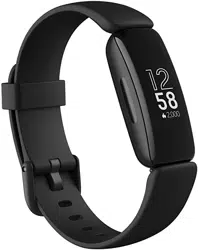
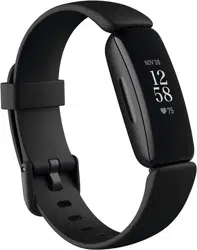
The package includes the tracker and a band. S and L band sizes are included to fit most wrists.
Key Features

Activity & Fitness Tracking
- Daily Readiness Score: Assesses if your body is ready for a workout or needs recovery. (Requires Fitbit Premium).
- Active Zone Minutes: Tracks time spent in heart rate zones that benefit your fitness.
- All-Day Activity: Automatically counts steps, distance, and calories burned.
- 24/7 Heart Rate: Continuously monitors your heart rate throughout the day and night.
- Exercise Modes: Over 20 exercise modes for tracking specific workouts.
- Automatic Exercise Tracking: Recognizes and records activities like walks, runs, and swims.
- Move Reminders: Gentle nudges to get up and move if you've been inactive.
Health & Wellness Monitoring

- Daily Stress Management Score: Provides a daily assessment of your stress levels based on heart rate, sleep, and activity data.
- Mindfulness & Relaxation: Access to guided mindfulness sessions and relax breathing sessions on the device.
- Irregular Heart Rhythm Notifications: Alerts you if an irregular heart rhythm suggestive of atrial fibrillation (AFib) is detected. (Available in select countries only. Not for users under 22).
- Blood Oxygen (SpO2): Monitors blood oxygen saturation levels during sleep. (Not available in all markets. Not for medical diagnosis).
- Menstrual Health Tracking: Log and track menstrual cycle information.
- Heart Rate Notifications: Alerts for high or low resting heart rate.
Sleep Tracking

- Automatic Sleep Tracking: Detects and records your sleep stages (light, deep, REM) each night.
- Sleep Profile: Provides a monthly analysis of your sleep patterns with animal archetypes. (Requires Fitbit Premium).
- Daily Sleep Score: Gives a detailed score each morning to understand your sleep quality.
- Smart Wake Alarm: A vibrating alarm that aims to wake you during a light sleep stage.
- Sleep Mode: Silences notifications and dims the screen to avoid sleep disturbances.
Connectivity & Design

- Smartphone Notifications: Receive calls, texts, and app notifications on your tracker when your phone is nearby.
- Color Touchscreen: 0.76-inch LCD display with customizable clock faces.
- Water Resistant: Rated to 50 meters, suitable for swimming and showering.
- Battery Life: Up to 10 days on a single charge (varies with use).
- Lightweight Design: Designed for comfortable, all-day and all-night wear.
- GPS: Uses connected GPS via your smartphone to map outdoor workouts.

Specifications
| Display | 0.76-inch color LCD touchscreen |
|---|---|
| Battery | Rechargeable Lithium-ion (up to 10 days) |
| Water Resistance | Up to 50 meters |
| Connectivity | Bluetooth |
| GPS | Connected GPS (via smartphone) |
| Sensors | Optical heart rate monitor, SpO2, 3-axis accelerometer |
| Memory | 1 GB |
| Compatibility | Android and iOS smartphones |
| Operating Temperature | 0° to 40°C |
| Dimensions | 0.71" x 0.43" x 1.54" |
| Weight | 3.8 ounces (including band) |
| In the Box | Tracker, Band (S & L sizes included) |
Setup Guide
Initial Setup
- Charge the Tracker: Connect the charging cable to the tracker and a USB power source.
- Install the Fitbit App: Download the Fitbit app from the Google Play Store or Apple App Store on your compatible smartphone.
- Create a Fitbit Account: Open the app and follow the prompts to create an account or log in.
- Pair Your Device: In the app, tap the account icon, then "Set up a Device." Select "Inspire 3" and follow the on-screen instructions to pair via Bluetooth.
- Attach the Band: Choose the band size (S or L) that fits your wrist comfortably and attach it to the tracker.
- Wear It: Wear the tracker on your wrist, preferably a finger's width above your wrist bone for optimal heart rate reading.
Using the Tracker
- Navigating the Screen: Swipe up, down, left, and right on the touchscreen to scroll through stats, notifications, and features.
- Tapping: Tap the screen to select items, open apps, or view details.
- Side Button: Press the button on the left side of the tracker to wake the screen, go back, or access quick settings.
- Viewing Stats: Your daily stats (steps, heart rate, Active Zone Minutes) are visible on the clock face and in detailed tiles.
- Starting an Exercise: Swipe to the Exercise app, tap it, select your workout type, and tap the play icon to start tracking.
Daily Use & Maintenance

Charging
- Use the provided charging cable. Align the pins on the cable with the port on the back of the tracker.
- A full charge takes approximately 1-2 hours. The battery icon on the screen indicates charge level.
- For best performance, charge the tracker when the battery is low, approximately every 10 days.
Cleaning & Care
- Clean the tracker and band with a soft, lint-free cloth slightly dampened with fresh water. Dry thoroughly.
- Do not use soap, hand sanitizer, cleaning wipes, or compressed air.
- Remove the tracker before applying sunscreen, insect repellent, or lotion.
- Remove the tracker before charging, showering, swimming, or entering a sauna/hot tub to prevent soap or mineral buildup.
Syncing Data
- Data syncs automatically to the Fitbit app when the tracker is within range of your phone and Bluetooth is enabled.
- You can also manually sync by opening the Fitbit app and pulling down on the dashboard.
- All detailed historical data, trends, and scores are viewed within the Fitbit app on your smartphone.
Fitbit Premium Trial
The device includes a 6-month Fitbit Premium membership trial for new and returning Premium users. You must activate the trial within 60 days of activating your device. Premium provides personalized insights, advanced analytics, wellness reports, and guided programs.
Troubleshooting
- Tracker won't turn on: Ensure it is charged. Connect to the charger for at least 30 minutes.
- Not syncing: Ensure Bluetooth is enabled on your phone, the Fitbit app is open, and the tracker is within 30 feet. Restart both your phone and tracker.
- Inaccurate heart rate reading: Ensure the band is snug but comfortable and positioned higher on your wrist. Keep the sensor clean and dry.
- Screen is unresponsive: Restart the tracker by pressing and holding the side button for 10 seconds until you see the Fitbit logo.
- Battery drains quickly: Reduce screen brightness, turn off All-Day Sync in the app settings, or restart the tracker.
- Notifications not appearing: Check that notifications are enabled for the Fitbit app and specific apps in your phone's settings and within the Fitbit app's Notifications settings.
Warranty & Support
For warranty information about this product, please refer to the official warranty document: Fitbit Inspire 3 Warranty [PDF].
For further support, including setup help, troubleshooting, and FAQs, visit the Fitbit Help website via the Fitbit app or the Fitbit community online.