READY,
SET, PRO
USER MANUAL
HELLO THERE.
Joel and I are athletes who suffered from
severe ACL injuries a few months apart.
We purchased multiple pieces of exercise
equipment for our in-home rehab but were
left disappointed and frustrated by all that
fitness gear that made big promises but
gave no support, no well-thought-out plan
to follow, and no results. And that’s how
Lifepro came about, and why the SoarFX
active recovery collection was created—we’ve
set out to change all of that. It’s why every
piece of equipment bearing our name not only
undergoes rigorous scrutiny to make sure it
delivers on power and efficacy, but comes with
built-in support from our ‘guiding angels’
and a built-in lifetime warranty so that
you’re never left hanging.
Welcome to Lifepro.
We’re in this together now.
A & Joel
Physical therapists, chiropractors, and athletic trainers are turning to
percussive therapy to help athletes recover from injury and improve
performance. The SonicPro Vibrating Massage Gun is your new fitness
go-to: use the SonicPro post-workout to speed up your workout recovery or
pre-workout to enhance your performance.
The SonicPro’s vibration technology penetrates deeply into your muscles
and fascia—treating areas that human hands have difficulty reaching. High-
frequency vibrations allow the SonicPro to massage deeply without causing
pain. The high-frequency pulses loosen tight muscles, increase blood flow to
the area, and reduce inflammation.
The SonicPro is extremely portable and the high capacity lithium-ion battery
provides 3-4 hours of use-time per charge at higher speeds and 5-6 hours of
use-time at lower speeds. Fifteen massage speeds allow you to choose the
right intensity for all your massage needs.
Redefine your workouts and experience the
transformative power of the Lifepro SonicPro:
Increase workout effectiveness: reduce muscle soreness and speed
up recovery; prevent injury; improve muscle flexibility
and performance.
Recover from injury: decrease pain and inflammation; break down
scar tissue; loosen stiff joints.
Find pain relief: loosen knots, trigger points, and tightness in your
muscles and fascia; boost circulation; manage chronic pain caused by
tendinitis, bursitis, carpel tunnel, and more.
Boost immune system: improve sleep; reduce stress; increase
serotonin and decrease cortisol.
Check out the exercises in this manual for ways to get started using your
SonicPro. Next, be sure to visit our website sonicpro.lifeprofitness.com to
access to our FREE library of workout videos which demonstrate how to
easily incorporate the SonicPro into your fitness routine.
Massage guns
have become an
indispensable part of
sports performance
training, used by
everyone from
professional athletes
to weightlifters and
endurance athletes.
4 SonicPro User Manual Lifepro SoarFX Collection 5
FIRST STEPS
WHAT’S IN THE BOX
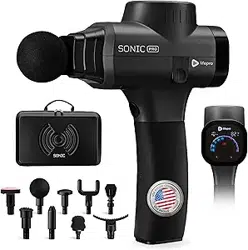
• Lifepro SonicPro Vibrating Massage Gun
• AC Charging Adapter
• 8 Interchangeable Massage Attachments
• Carrying Case
UNPACKING YOUR SONICPRO
1. Read carefully through this user manual before using the SonicPro.
2. Go to sonicpro.lifeprofitness.com and register your product within
14 days of purchase to activate your lifetime warranty.
3. Complete the steps in the EASY-START SETUP GUIDE on page 9 to
assemble and charge your SonicPro.
CUSTOMER SUPPORT
If you have any questions about setting up your SonicPro, we’re
here to help. Call or email us and an experienced customer support
representative will be happy to assist you: (732) 456-6063 or
support@lifeprofitness.com.
SoarFX Collection 7
ACTIVE RECOVERY
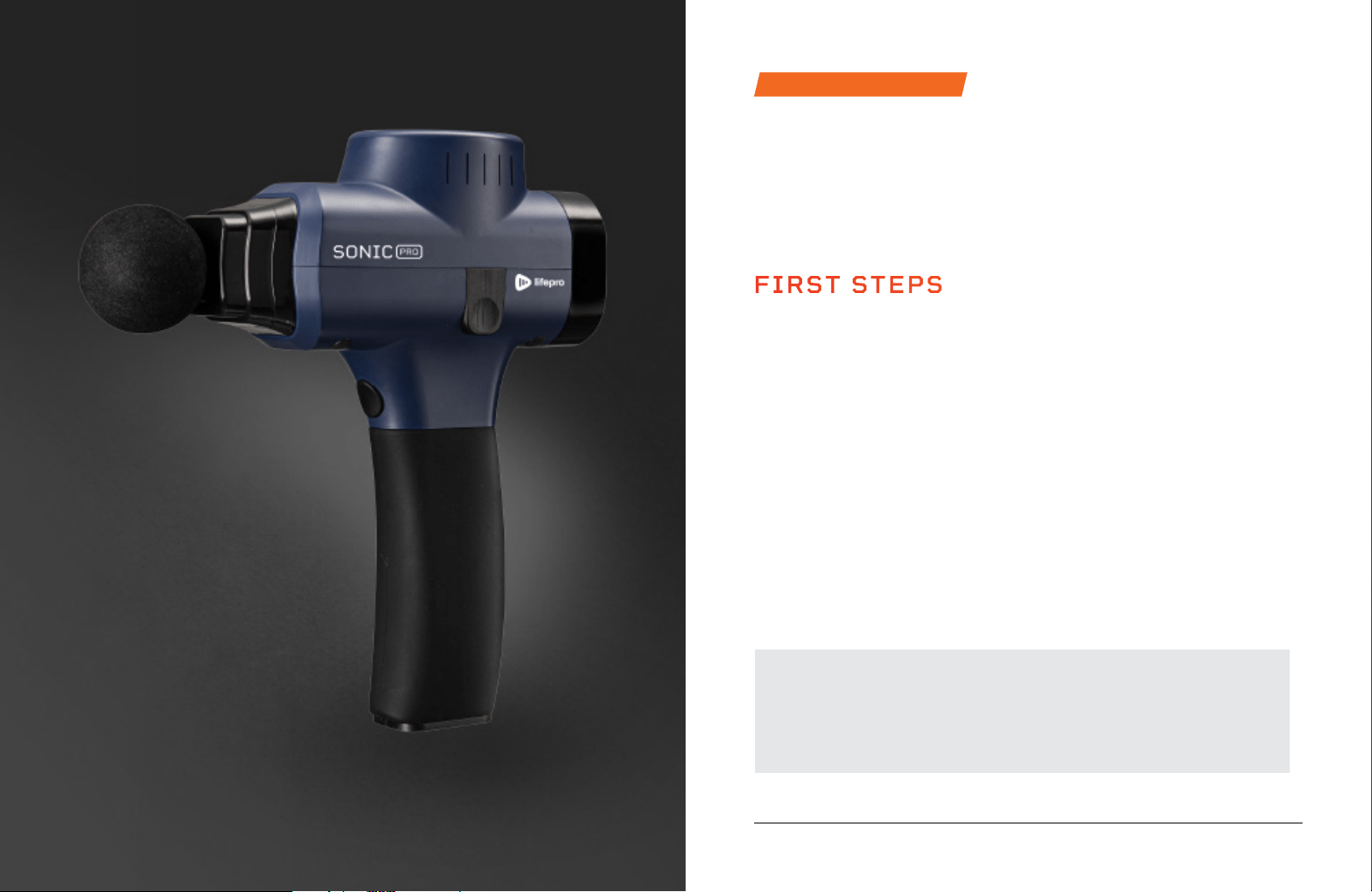
SONICPRO
PERCUSSION MASSAGE GUN
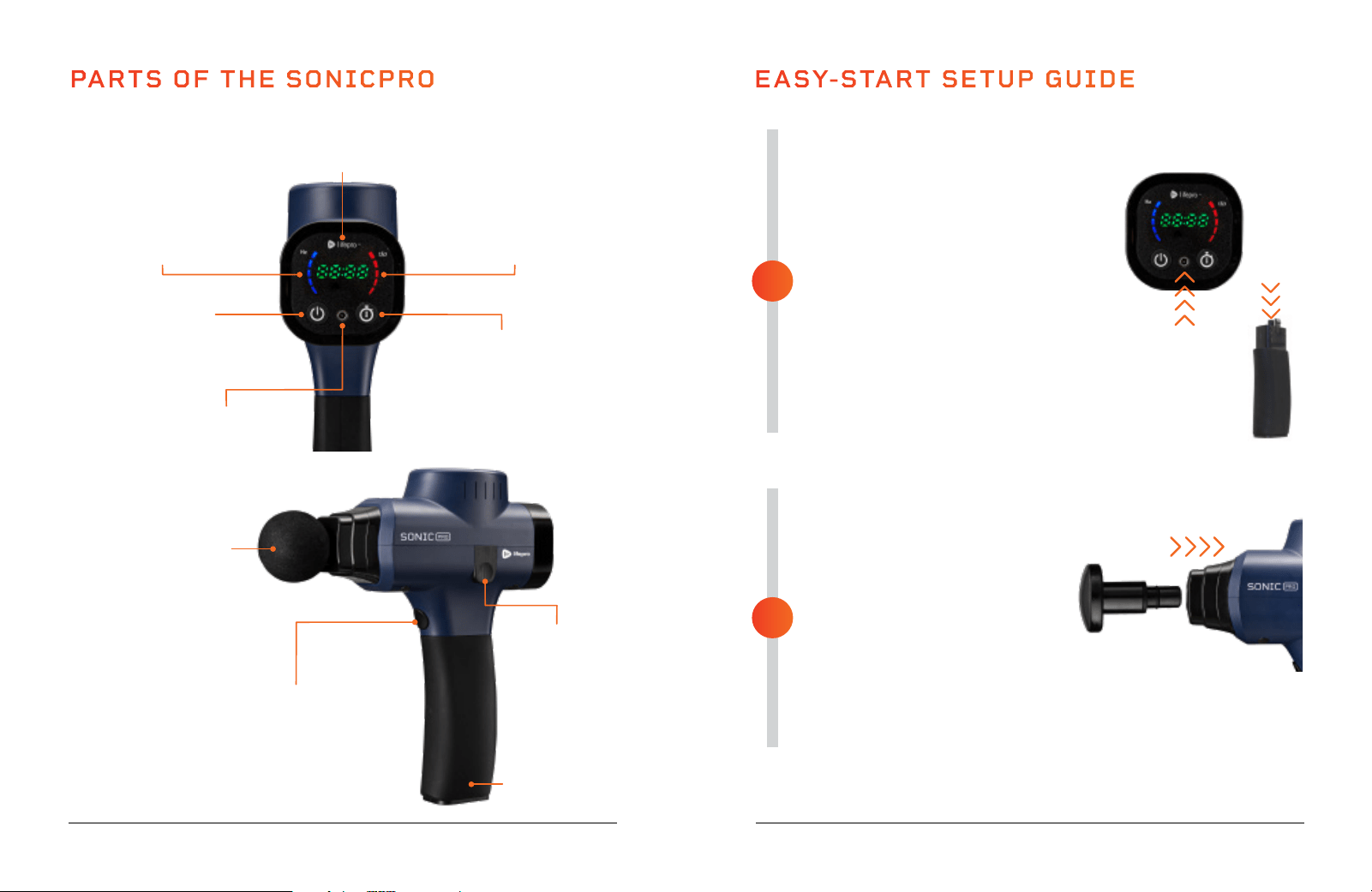
PARTS OF THE SONICPRO
Massage
Attachment
(1 of 8)
Battery/Handle
Power Button
Press to power ON
the SonicPro
Charging Port for
AC Charging Adapter
Speed Button
Press to toggle through the
speed levels (1-15). Press and
hold to rapidly toggle through
the speed levels.
Battery Release
Button
SoarFX Collection 9 8 SonicPro User Manual Lifepro
FULLY CHARGE THE BATTERY
• Ensure the SonicPro is OFF before
charging.
• Charge the battery fully (for up to
2 hours) before using your SonicPro
for the first time.
• There are two charging options:
Plug the adapter into the
charging port on the faceplate.
You may also charge the battery
separately. Plug the adapter into
the charging port at the top of
the battery.
• Plug the adapter into a wall outlet.
INSERT A MASSAGE ATTACHMENT
• Make sure the SonicPro is fully
charged and powered OFF.
• Select the desired massage
attachment.
• Insert the stem of the massage
attachment into the nozzle of
the SonicPro.
• Press the massage attachment
in firmly to secure it.
• See ATTACHMENT & SPEED
OPTIONS on page 12.
EASY-START SETUP GUIDE
2
1
Time Button
Press to set massage time (1-20)
in one-minute increments. Press
and hold to rapidly adjust time.
Battery Indicator LEDs
The 5 LEDs show the current
battery level. When fully
charged, all 5 LEDs will be lit.
Time/Speed Indicator
Shows countdown of the massage
time. Shows speed when selected.
Speed Indicator LEDs
The 5 LEDs show the current
speed selected (1-15). Each
LED = 3 speed levels.
1.
2.
OPERATING INSTRUCTIONS
Please read the operating instructions before using the SonicPro.
Keep this manual for reference.
CHARGING THE BATTERY
• Fully charge your SonicPro for up to 2 hours before using it for the first time.
• When the battery is fully charged, all 5 Battery Indicator LEDs will be lit.
• The five Battery Indicator LEDs show the current battery level:
• 5 LEDs lit = 80-100%
• 4 LEDs lit = 60-80%
• 3 LEDs lit = 40-60%
• For best results, charge the battery before it goes below 20%.
• Average run-time is 3-4 hours per charge at higher speeds and 5-6 hours per
charge at lower speed levels.
USING YOUR SONICPRO
1. Press the Power button on the faceplate to power on the SonicPro. The
Battery Indicator LEDs will show the current battery level.
2. Press the Time button (optional), to set a specific massage duration, 1-20
minutes, adjusted in one-minute increments. Press and hold the Time button
to rapidly adjust time. If you choose not to set a time duration, the default
time of 10 minutes will be set.
3. Press the Speed button on the front of the handle to begin vibration at speed
level 1. The Speed Indicator LEDs will show the current speed, 1-15. To
adjust the speed:
a. Press the Speed button to toggle through the speed levels, one level
at a time.
b. Press and hold the Speed button to rapidly toggle through the speed
levels.
4. At the desired speed, float the head of the massage attachment along a
muscle group. Apply pressure as needed.
5. Press the Power button on the faceplate to power off the unit.
6. Always power off the unit after each use. The unit will auto shutdown after
the set massage time has expired, or after the default working time of 10
minutes if no specific massage time was set. To continue to use, press the
Power button to power on the unit.
10 SonicPro User Manual Lifepro
REMOVING AND REPLACING
A MASSAGE ATTACHMENT
1. Press the Power button on the faceplate to power on the SonicPro.
2. Grab the inserted attachment and firmly pull out to remove it.
3. Insert the stem of a new attachment into the nozzle of the unit.
4. Press the attachment in firmly to secure it.
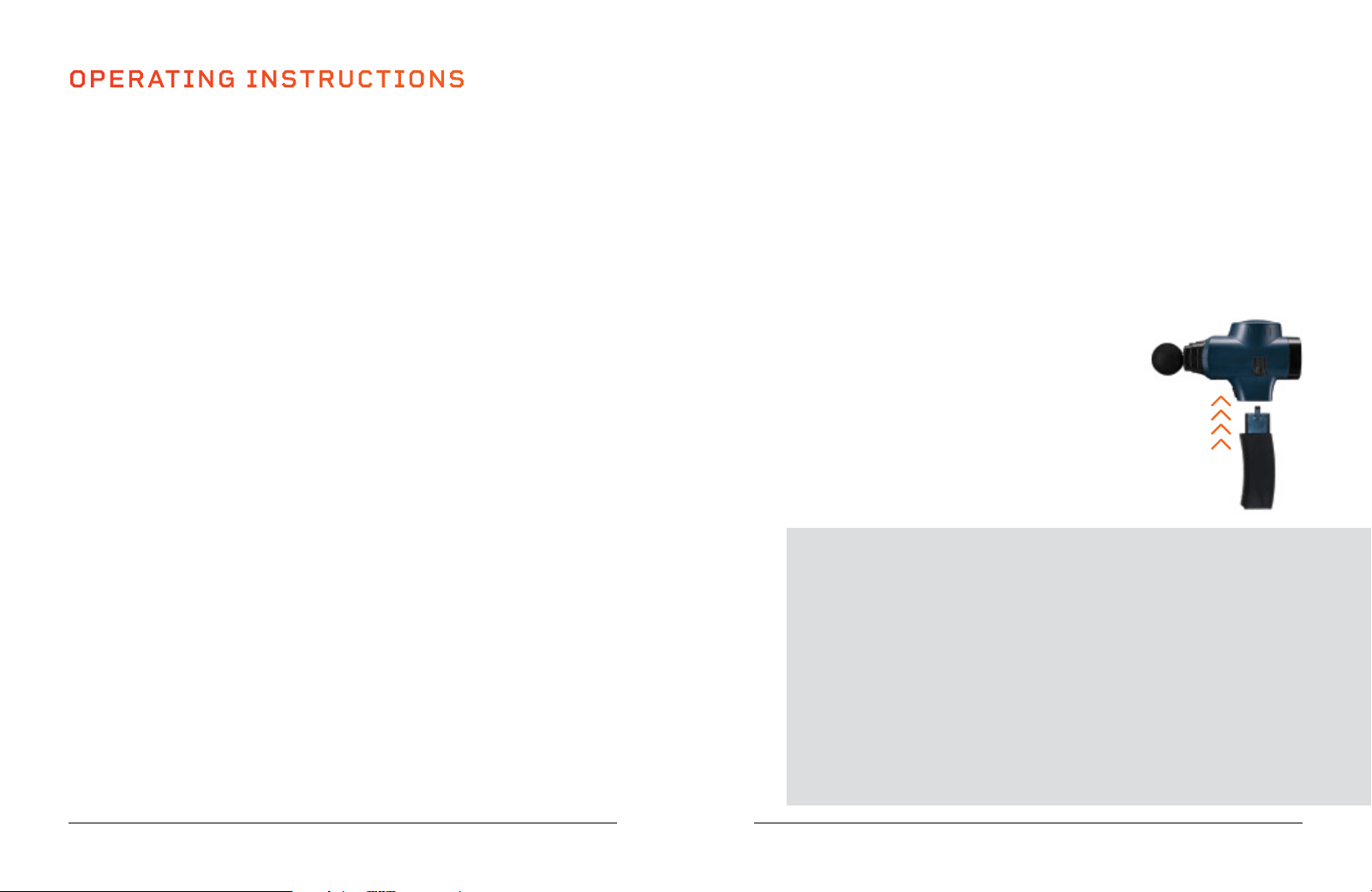
REMOVING THE BATTERY
1. Press the Battery Release button on the side of the Sonic.
2. Firmly pull down on the base of the battery with your
other hand to remove it.
RE-INSTALLING THE BATTERY
1. Insert the battery/handle firmly into the base.
2. Make sure the handle curves toward the front of the unit.
SoarFX Collection 11
TIPS FOR USING YOUR SONICPRO
• Move your SonicPro over the desired muscle groups, about
60 seconds per region.
• The slower you move the massage head over your muscles, the
better. Move approximately one inch per second.
• Avoid keeping the massage head in one area for more than two
minutes.
• Prolonged application can traumatize tissues.
• Apply pressure as needed; however, there should never be a need to
press very hard. The vibration pulses do all the hard work.
• Use the SonicPro for 15-minute sessions, up to three times per day.
• 2 LEDs lit = 20-40%
• 1 LED lit = 0-20%
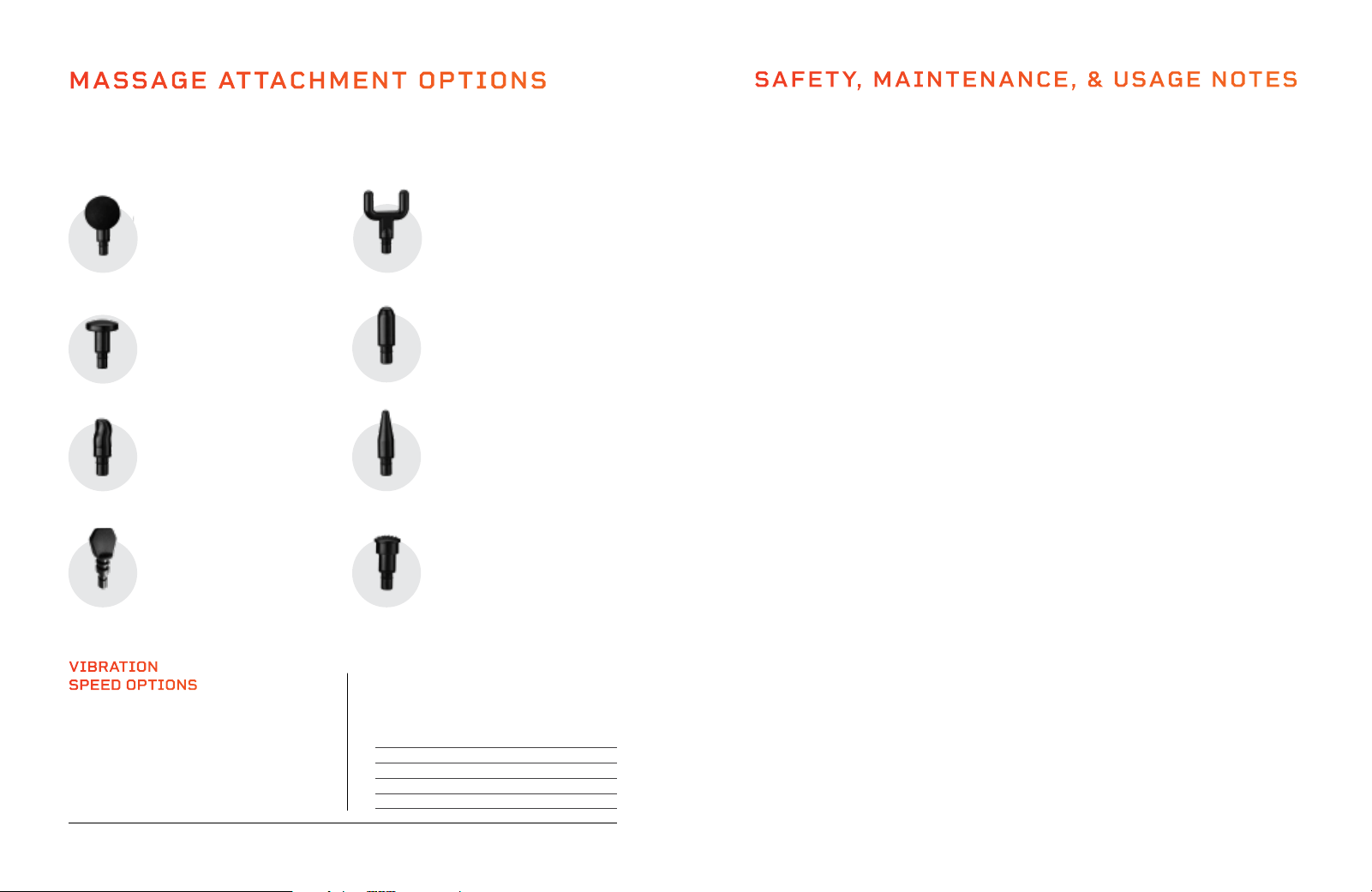
MASSAGE ATTACHMENT OPTIONS
Eight interchangeable massage attachments are included with your SonicPro.
The massage attachments allow you to target different areas of your body and
specific massage therapy needs.
SAFETY, MAINTENANCE, & USAGE NOTES
IMPORTANT SAFETY INSTRUCTIONS
When using an electrical appliance, basic precautions should always be followed, including
the following:
• WARNING: For the purposes of recharging the battery, only use the detachable charging unit
provided with this appliance.
• Consult your doctor before using this product. Do not use if injured.
• Keep away from liquids and heat sources. Keep ventilation ports free from dust and debris.
• Never use the SonicPro while it is charging. Unplug the unit after charging and prior to using,
cleaning, or installing massage attachments.
• Never leave the SonicPro unattended while it is running. Unplug unit after charging or prior to use.
• Do not remove screws or attempt to disassemble.
• Close supervision is necessary when unit is used by, on, or near children, invalids, or disabled persons.
• Use this appliance only for its intended use as described in this manual. Do not use attachments
not recommended by the manufacturer.
• Never operate this appliance if it has a damaged plug, if it is not working properly, or if it has been
dropped into water. Return the appliance to a service center for examination and repair.
• Never drop or insert any object into any opening.
• Do not use outdoors.
• Do not operate where aerosol (spray) products are being used or where oxygen is being
administered.
• Do not operate the unit continuously for more than one hour. Allow the device to rest for 30
minutes before re-using.
• CAUTION: Risk of Fire and Burns. Do Not Open, Crush, Heat Above 140° F or Incinerate. Follow
Manufacturer’s Instructions.
IMPORTANT USAGE NOTES
• Use the SonicPro only on soft tissues. Do not use the unit on your head or other bony regions. Do
not use on neck, eyes, heart, genitals, or other sensitive areas.
• Check the areas you are treating frequently and stop immediately at the first sign of pain or
discomfort.
• Bruising can occur regardless of the vibration speed level selected.
• Use only on dry, clean clothing or skin. We recommend using the SonicPro over clothing
(e.g. form-fitting athletic wear, leggings, etc.).
• Keep hair, fingers, and other body parts away from the stem of the massage attachment as
pinching may occur. Do not use near loose clothing or jewelry.
MAINTENANCE, CLEANING, AND STORAGE
• Turn off the device or unplug the charging cable and allow it to cool before cleaning or storing.
• Use a slightly damp cloth or soft towel to wipe any dirt or moisture from unit. Do not use
solvents or other chemicals.
• Remove the battery for storage. Store the battery fully charged.
• Store the SonicPro and battery in the included carrying case. Store in a cool, dry place .
• If storing long-term, charge the battery every 6 months; holding a charge prevents damage to
the battery.
SAVE THESE INSTRUCTIONS
12 SonicPro User Manual Lifepro
BULLET
Designed specifically to target
problem areas and release muscle
knots.
SPINAL
Loosen up tough back tissue and
improve flexibility with the spinal
massage head.
ROUND
Improve recovery and reduce
muscle soreness post-workout
with gentle oblique impact.
LARGE FLAT
For muscles and areas that need
a little more help.
Simulates
a deep tissue massage.
FINGER TIP
Made to mimic the human
finger, the fingertip is best
suited for deep pressure and
trigger points.
SHOVEL
For back muscles and areas
surrounding the spinal column
that need a little more help.
TEXTURED
For large muscle areas that need
extra attention. Textured surface
helps to loosen tight muscles.
POINTER
Designed to reach small knots
and trouble areas.
VIBRATION
SPEED OPTIONS
Fifteen different massage speeds allow
you to choose the right intensity for a
particular muscle group or trigger point.
Each speed range offers a different
vibration frequency (Hz) and percussions
per minute (RPM). See chart for details.
Speed Frequency RPM
1 - 3: 20 Hz 1,200 RPM
4 - 6: 30 Hz 1,800 RPM
7 - 9: 35 Hz 2,100 RPM
10 - 12: 45 Hz 2,700 RPM
13 - 15: 50 Hz 3,000 RPM
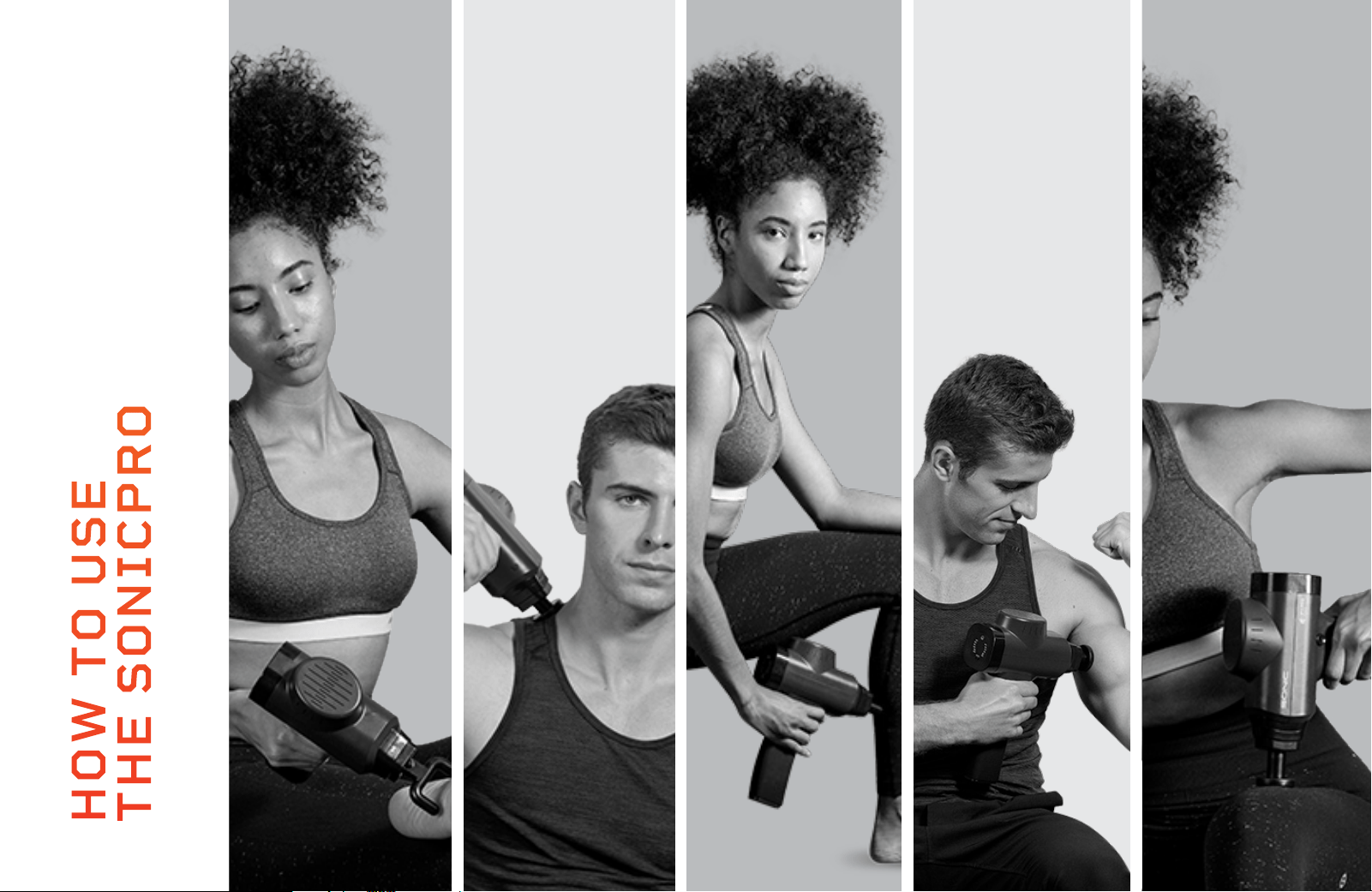
NECK
FEET
HOW TO USE
THE SONICPRO
QUADS
BICEPS
CALVES
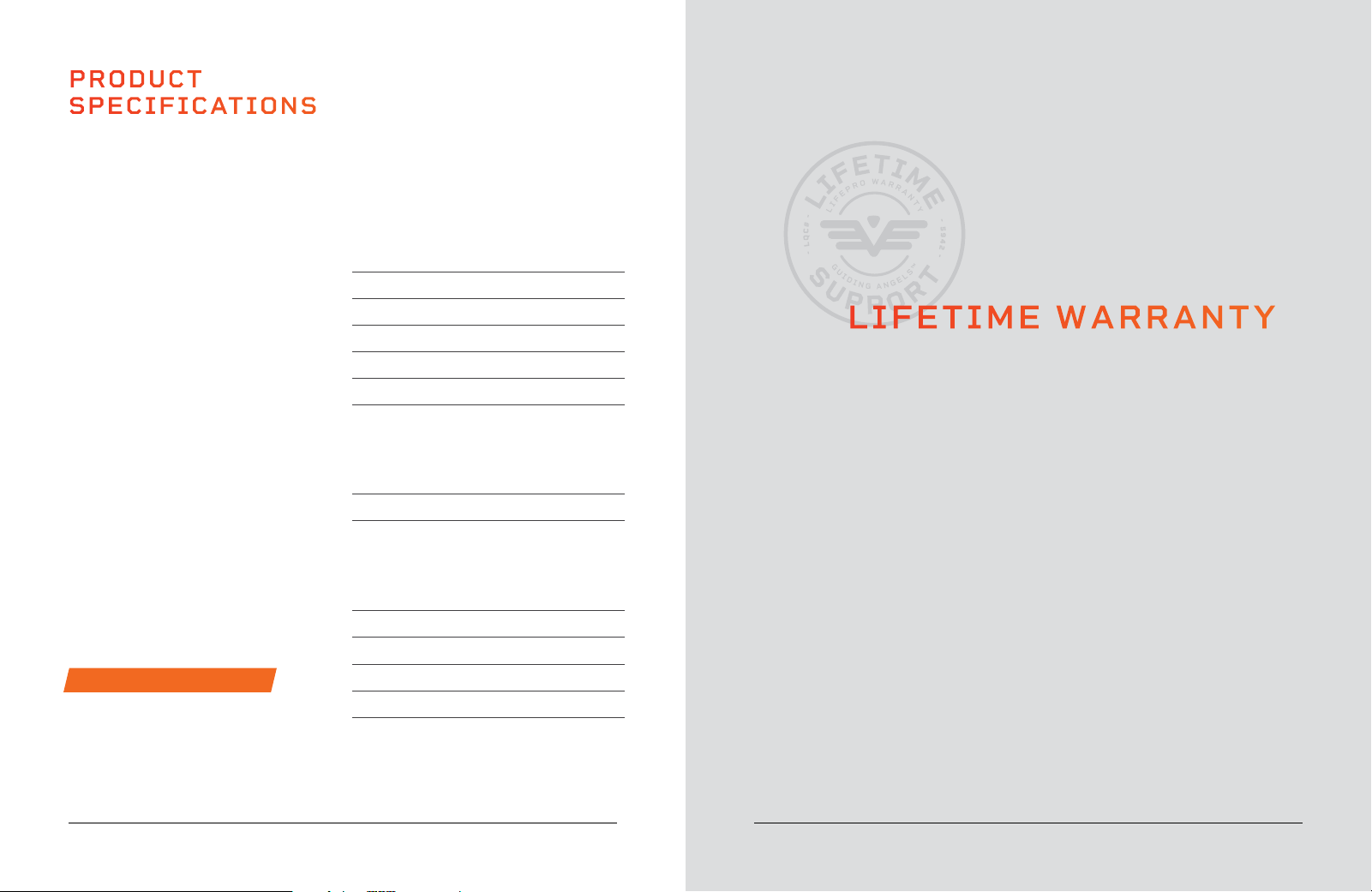
PRODUCT
SPECIFICATIONS
MADE IN CHINA
UNIT SPECS
No-load Speed: 1,200 - 3,000 RPM
Power: 90 W max
Weight: 2.5 lbs
Dimensions: 9.7” W x 7.1” L x 2.5” H
Decibel Rating: 50-70 dB
Speed Levels: 1-15 (20-50 Hz)
AC CHARGER
Rated Input:
AC 100-240 V ~50/60 Hz
Rated Output: 16.8 V DC-1A
BATTERY
Rated Voltage: 16.8 V DC --1A
Type: Lithium-ion
Capacity: 2600 mAh
Working Hours: 3-6 (varies by speed)
Charging Time: 120 minutes
ACTIVE RECOVERY
SONICPRO
PERCUSSION MASSAGE GUN
16 SonicPro User Manual Lifepro SoarFX Collection 17
LIFETIME WARRANTY
Lifepro creates quality, durable exercise
products and we stand by that quality with
a lifetime warranty on all of our products.
If your SonicPro ever breaks (and we
doubt it will), we’ll send you replacement
parts and show you how to repair it. If
your SonicPro cannot be repaired, we’ll
replace it—free of charge. Register your
SonicPro at sonicpro.lifeprofitness.com
to activate your warranty within 14 days
of purchase.
SoarFX Collection 17
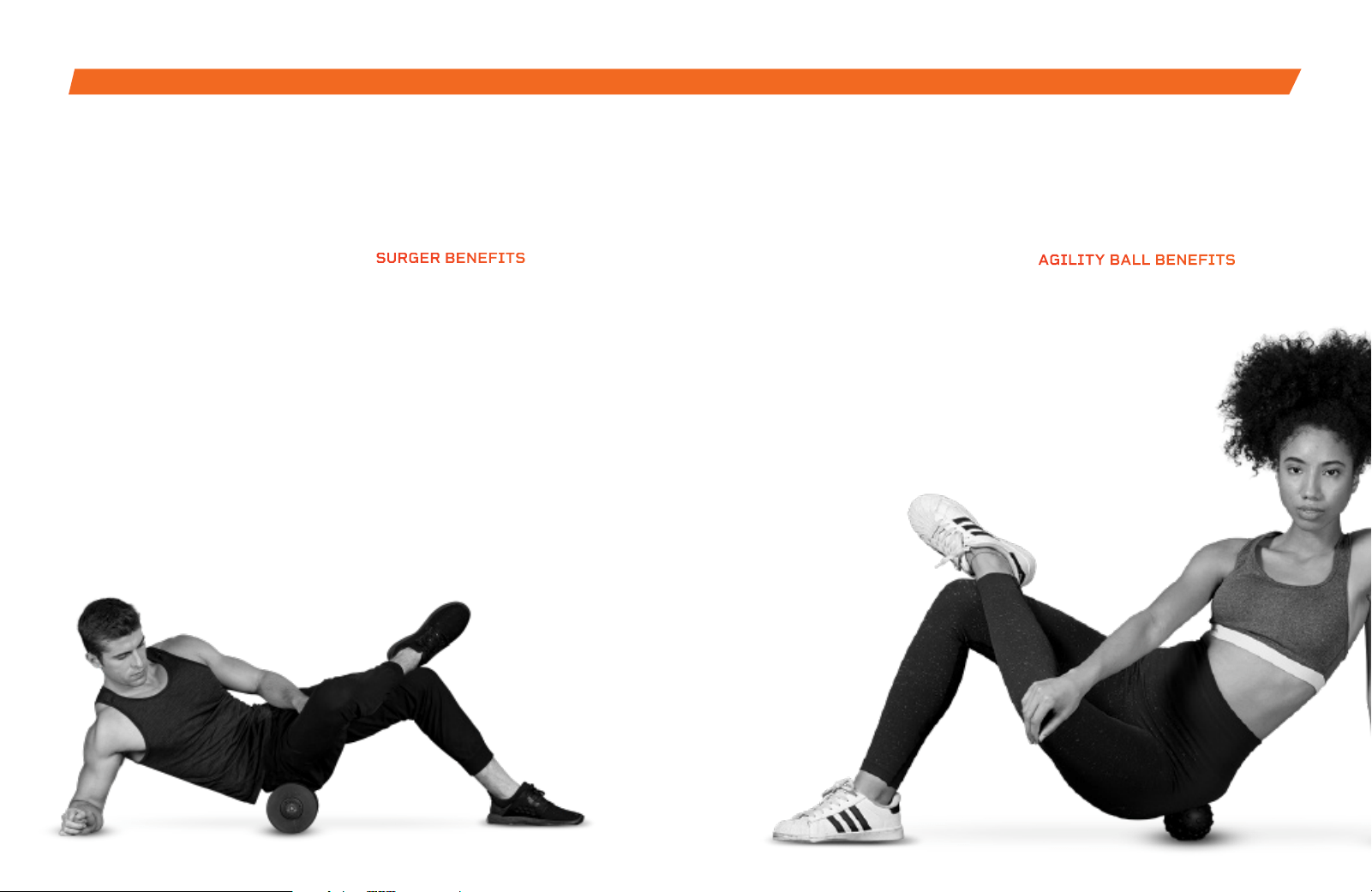
Enjoy all of the benefits of foam
rolling and vibration technology
together with the Surger Vibrating
Foam Roller. Use the Surger before
or after your workout as part of
your warm-up or recovery routine
to gain more flexibility and to help
prevent soreness and injuries.
Deep compression of muscle
fibers and tissues (self-myofascial
release) combined with the
Surger’s vibration technology
breaks up muscle knots and relaxes
tight muscles and fascia. Choose
from four vibration speed levels
to apply the perfect amount of
intensity every time.
SURGER
VIBRATING FOAM ROLLER
SURGER BENEFITS
• Increase workout
effectiveness
• Reduce soreness
• Speed up recovery
• Prevent injury
• Boost circulation
• Improve muscle flexibility
and performance
• Decrease pain and
inflammation
• Loosen knots, trigger points,
and tightness in your muscles
and fascia.
OUR PRODUCTS
The Agility Vibrating Massage
Ball is designed to target small
muscle groups. The Agility Ball is
small enough to fit in the palm of
your hand and gives you a wide
range of massage motions: circular,
up-and-down, and side-to-side.
The Agility Ball’s silicone exterior
is durable and easy-to-grip, but
soft enough to use on sensitive
areas like your neck, hands,
and feet.
AGILITY
VIBRATING MASSAGE BALL
AGILITY BALL BENEFITS
• Increase circulation
• Improve muscle flexibility
and performance
• Relax tight muscles
and fascia
• Reduce muscle
pain and
inflammation
• Boost blood flow

Access Lifepro TV, our library of free
personal training videos on the web at
sonicpro.lifeprofitness.com to learn how to
get the most out of your Lifepro® SonicPro
and achieve the results you want.
GROW
SOME
WINGS
Lifeprousa Lifeprousa support@lifeprofitness.com
