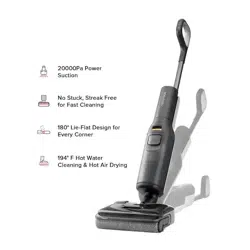

Read this user manual with diagrams carefully before using this product and
store it properly for future reference.
Roborock F25
Wet and Dry Vacuum Cleaner User Manual

0202
English 02
Français 10
Deutsch 18
Italiano 26
Español 34
Nederlands 42
Polski 50
Norsk 58
Svenska 65
Português 72
Contents
03 Safety Information
04 Product Introduction
04 Product Installation
04 Instructions for Use
06 Routine Maintenance
07 Basic Parameters
08 Common Issues
09 EU Declaration of Conformity
09 WEEE Information
09 Warranty Information

03
Usage Restrictions
•
Do not use this product outdoors or in any
commercial or industrial environments. It is
intended for home use only.
•
Do not store the product anywhere in a car to
avoid high or low temperatures affecting its
battery life.
•
The battery pack of this cleaner cannot be used
for charging or discharging in environments
with high humidity, or temperatures above 40°C
(104°F) or below 4°C (39°F).
•
Use the maintenance brush carefully to avoid
injury. Keep out of reach of children.
•
Children should be supervised to ensure that they
do not play with the appliance.
•
This appliance is not intended for use by persons
(including children) with reduced physical, sensory
or mental capabilities, or lack of experience
and knowledge, unless they have been given
supervision or instruction concerning use of the
appliance by a person responsible for their safety
(CB).
•
This appliance can be used by children aged from
8 years and above and persons with reduced
physical, sensory or mental capabilities or lack
of experience and knowledge if they have been
given supervision or instruction concerning use
of the appliance in a safe way and understand the
hazards involved. Children shall not play with the
appliance. Cleaning and user maintenance shall
not be made by children without supervision (EU).
•
Keep hair, loose clothing, fingers, and all parts of
the body away from openings and moving parts.
•
Keep limbs and pets away from the rotating
brush heads to avoid injury.
•
Do not touch the power cord, nor operate the
product with wet hands to prevent injuries.
Safety Information
•
Do not vacuum any burning or smoking
substances (such as non-extinguished cigarette
butts).
•
Do not vacuum any hard or pointy objects (such
as building materials, glass, and nails).
•
This product is only to be used in areas below
3,000 meters above sea level.
•
When self-cleaning and drying, the
temperature of accessible surfaces of the
charging dock, roller and vacuum cleaner will be
high. Please do not touch the surfaces which are
prone to getting hot during use. Only touch after
the surfaces have cooled down.
•
Do not vacuum cords or other cables to avoid
danger.
•
Only use the product in accordance with the User
Manual. Any loss or damage caused by improper
use will be borne by the user.
•
Do not charge non-rechargeable batteries.
•
This product contains batteries that are only
replaceable by skilled persons.
•
For the purposes of recharging the battery, only
use the detachable docking station roborock
MDS16HRR provided with this product.
•
Do not use any third-party batteries, power cords
or docks.
•
To reduce the risk of injury from moving parts,
keep the power off before servicing.
•
Do not disassemble, repair or modify the battery,
power cord or the dock.
•
Do not charge the vacuum or install the dock
near heat sources or in humid areas (such as
radiators or bathrooms).
•
Do not wipe the power cord or the dock with a
wet cloth, nor touch them with wet hands.
Battery and Charging
WARNING
•
If the power cord is damaged or broken,
immediately stop use and contact the after-sales
service.
•
If the product is not going to be used for an
extended period of time, fully charge it, unplug its
power supply, and place it in a cool and dry place.
•
Make sure that you recharge it once every three
months to avoid battery overdischarge.
•
Do not discard waste batteries. Leave them with a
professional recycling organization.
Transportation
Note
•
It is recommended to transport the product in its
original packaging.
•
Rinse the filter at least once a month with tap
water. For details please refer to the Routine
Maintenance section.

0404
Product Introduction
A
A1
Vacuum Cleaner
•
Press: Start/Pause
•
Press and hold for 2 seconds while
on standby: Power off
•
Press: Switch to AUTO / MAX / ECO /
Sponge mode
•
Press and hold for 2 seconds while
on standby: Turn on/off voice
messages / Adjust volume
•
Press and hold for 2 seconds while
charging: Switch to Quiet Drying /
Fast Drying mode
•
Press while charging: Start/Pause
self-cleaning
•
Press and hold for 2 seconds while
charging: Start/Stop drying
—Power
—Switch Mode
—Self-Clean
A1-1—Speaker
A1-2—Handle
A1-3—Handle Release Hole
A1-4—Roller Release Tab
A1-5—Wheels
A1-6—LED Display
A1-7—Dirty Tank Release
A1-8—Dirty Tank Handle
A1-9—Dirty Tank
A1-10—Clean Tank Refill Port
A2
Charging Dock
A5
Maintenance Brush
A4
Filter
A3
Power Cord
The maintenance brush can be placed in the
groove at the back of the charging dock.
Note:
A2-1—Drying Tray
A2-2—Drying Air Outlets
A2-3—Charging Contacts
A6-1—Sponge Mode
A6-2—ECO Mode
A6-3—Drying Indicator
A6-4—Battery Level
A6-5—AUTO Mode
A6-6—MAX Mode
A6-7—Light Stripe & Error Indicator
A6
LED Display
B2-1—Place the charging dock upside down,
connect the power cord to the socket
of the charging dock, and loop the cord
inside the cord storage slot as required.
B2-2—Place the charging dock on a flat,
hard floor and plug it in.
B2-3—The maintenance brush can be
placed in the groove at the back of
the charging dock.
B1-1—Connect the handle to the main body
until it clicks into place. The buttons
on the handle should face forward.
Do not place the charging dock in humid
locations or near any heat sources, such as bathrooms,
kitchens, and radiators.
Note:
The power cord can exit from either the right or
left cord storage slot opening.
Note:
To stop self-cleaning or drying, press the
button while charging.
Note:
Product Installation
B
B1
Fitting the Handle
B2
Positioning the Charging
Dock
B1-2—To detach the handle, hold it firmly
and pull it out while inserting a hard
object into the handle release hole
on the back of the main body to
press the release button.
A1-11—Clean Tank Release
A1-12—Clean Tank
A1-13—Roller
Instructions for Use
C
Press and hold the and buttons for 3
seconds to start language selection, then
press the
button to change language.
To confirm your selection, stay upon your
preferred language for 10 seconds or press
the
button.
Language Selection

05
C1-1—Grip the clean tank handle, press the
release button, and gently pull the
clean tank upwards at a slight angle.
C1
Filling the Clean Tank
C1-2—Open the cap of the clean tank refill
port, add tap water, and then close
the cap.
Notes:
•
To avoid deforming the clean tank, only use cold water.
•
To prevent corrosion or damage, do not use
any disinfectant and only use cleaning solutions
recommended by Roborock.
•
To improve cleaning performance, we recommend
that you add 1/4 bottle cap of the recommended
cleaning solution to the filled clean tank.
C1-3—Place the clean tank back to the
cleaner head. Push it down gently
until it clicks into place.
Pull the handle to unlock the vacuum
cleaner, and press the
button to start it.
Always lay the vacuum cleaner flat with the
buttons on the handle facing up.
Note:
C3
Starting the Vacuum Cleaner
C4
Lay-Flat Cleaning
Press the button to switch between AUTO,
MAX, ECO, and Sponge modes. The screen
will display the icon of the current mode.
C5
Mode Switching
C2
Locking and Unlocking
The vacuum cleaner can be laid flat to
1. Press the
button during cleaning to
pause the vacuum cleaner. It is now on
standby.
Standby and Power off
C2-1—Locked
C2-2—Unlocked
Lightly step on the cleaner head and hold the
handle. Push it to lock the vacuum cleaner,
and pull it to unlock the vacuum cleaner.
C6-1—
Light stripe in red: Error
When the dirty tank is full or the clean tank
is empty during use, the vacuum cleaner
will provide audio and visual alerts. In this
case, fill the clean tank or empty the dirty
tank prior to resuming cleaning.
C7-3—Reinstall the tank cover. Tilt the dirty
tank, insert its bottom back in the
vacuum cleaner, and then push it
gently until it clicks into place.
1. Lock the vacuum cleaner while it is on
standby and place it on the charging
dock. Charging starts when you hear
the "Charging started. Please start self-
cleaning." voice massage.
2. Press the
button to start/pause smart
self-cleaning.
C6
Water Level Alerts
C8
Charging and Self-Cleaning
C7
Emptying the Dirty Tank
C7-1—Hold the dirty tank handle, press the
release button, and pull out the dirty
tank.
C7-2—Gently pull out the tank cover, and
empty the dirty tank.
3. After self-cleaning and drying are completed,
follow the voice message and empty the dirty
tank timely to prevent odors.
2. Lock the vacuum cleaner while on standby
so that it can stand upright on the floor.
3. If the vacuum cleaner is left idle for 5 minutes
while on standby, it will automatically turn off.
To manually turn the vacuum cleaner off,
press and hold the
button for 2 seconds
while it is on standby.
Notes:
•
Make sure that the clean tank and dirty tank are
in place for optimum self-cleaning and drying
performance.
•
The product is equipped with a built-in high-
performance lithium-ion rechargeable battery pack.
To maintain battery performance, keep the product
charged during normal use.
•
Always place the vacuum cleaner back on the charging
dock after use to avoid leaving water stains on the floor.
clean under furniture. To lay it flat on the
floor, lower the handle while using the
machine. The available capacity of the dirty
tank decreases during lay-flat cleaning.
Therefore, it is recommended to empty the
dirty tank before cleaning under furniture.

0606
When self-cleaning is completed, drying will
start automatically. During charging, press
and hold the
button for 2 seconds to
switch the drying mode. Press and hold the
button for 2 seconds to start/stop drying.
•
Drying will automatically start after self-cleaning
completes. Do not often start drying manually.
•
Self-cleaning and drying are available only when the
vacuum cleaner is being charged and with a high
battery level. Different drying modes require different
power levels. When the vacuum cleaner is set to
Fast Drying mode but the battery level is low, it will
automatically switch to Quiet Drying mode.
•
Stay away from the drying air outlets during drying.
Notes:
C9
Drying
Part
Maintenance
Frequency
Replacement
Frequency
Roller 2-4 weeks 6-12 months
Filter 1 month 6-12 months
Cleaner head
and dirty water
pathway
As needed N/A
Dirty tank As needed N/A
Charging dock As needed N/A
To maintain optimal performance of the
vacuum cleaner, refer to the following table
for routine maintenance.
Routine Maintenance
D
Part
Maintenance
Frequency
Replacement
Frequency
Charging
contacts
As needed N/A
Clean tank 2-4 weeks N/A
D1-1—Uninstall the dirty tank, pull out the
tank cover, and remove the filter on
the tank cover. Use the provided
If this product is left unused for a prolonged
period of time, fully charge it, unplug it,
and store it in a cool and dry place. Do not
place it in humid locations or direct sunlight.
Charge it at least once every 3 months to
avoid battery overdischarge.
Product Maintenance
D1
Dirty Tank and Filter
Wipe and clean the vacuum cleaner with a
soft, dry cloth. Before cleaning, remove the
vacuum cleaner from the charging dock and
power it off.
Vacuum Cleaner
•
The frequency of replacement may vary with the
actual situation. If abnormal wear occurs, replace the
parts immediately.
•
The filter and roller fibers have been treated with silver
ion antimicrobial agent to resist bacterial odors.
•
The vacuum cleaner must be powered off or stopped
running, and the charging dock unplugged before you
clean or maintain them.
Notes:
Notes:
•
Allow at least 24 hours for the filter to dry thoroughly
before reinstalling it.
•
Do not touch the filter surface with hands, brushes, or
sharp objects to avoid damaging it.
D1-2—Dry all the parts thoroughly before
reinstalling them back in place.
D2-1—Grip the clean tank handle, press the
release button, and gently pull the
clean tank upwards at a slight angle
to uninstall the tank.
D2-3—Grab the roller release tab and pull
the roller out along the cleaner head.
Use the provided maintenance brush
to remove the dirt on the roller, then
rinse it with clean water.
D2-4—When you need to replace the roller,
pull the roller cap out of the roller by
grabbing the whole cap. Then, install
the roller cap to a new roller.
D2
Clean Tank and Roller
D2-2—Rinse the tank bottom with clean water.
Notes:
•
Use the maintenance brush carefully to avoid injury.
•
When you detach the roller cap, do not pull it by its
handle.
•
To prevent potential damage, keep the roller cap
attached while cleaning the roller.
D2-5—Reinstall the roller and clean tank.
maintenance brush to clean the
debris on the filter. If the filter is very
dirty, rinse it with cold water and
shake off the remaining water.

07
1. Power off the vacuum cleaner and place
it in a stable position, then remove the
dirty tank, clean tank, and roller.
2. Clean the roller slot and dirty water
pathway with the provided maintenance
brush.
3. Reinstall the dirty tank, clean tank, and
roller.
Unplug the charging dock and use a
soft, dry cloth to clean its surface and the
charging contacts.
Do not rinse the charging dock directly with water.Note:
Do not rinse the cleaner head directly with water.Note:
D3
Cleaner Head and Dirty
Water Pathway
D4
Charging Dock
Model WD5M1A
Rated Voltage/
Current
21.6 VDC 9.26 A
Battery
21.6 V/4000 mAh (TYP)
Lithium-ion battery
Vacuum Cleaner
Basic Parameters
Dock Charger
Model MDS16HRR
Rated Input
Voltage
220-240 VAC
Rated
Frequency
50-60 Hz
Rated Input
(Charging)
0.35 A
Rated Input
(Drying)
3 A
Rated Output 30 VDC 1 A
Charging
Battery
21.6 V/4000 mAh (TYP)
Lithium-ion battery

0808
Issue Solution
There are obvious water stains on the
floor, the cleaner head leaks water, or
water cannot be vacuumed from the floor.
•
Remove the roller and dirty tank, check the dirty tank pathway and the suction port inside
the roller slot for any clogging, and check if the filter is clogged or wet. Confirm that the
dirty tank and filter are properly installed, then try again.
The LED display does not light up and the
vacuum cleaner cannot start.
•
Low battery level. Charge it before use.
Unpleasant smell during use.
•
Clean the roller, dirty tank, and filter.
Cleaning creates a lot of foam.
•
Do not add any disinfectant to the clean tank or spray it on the floor. Only use cleaning
solutions recommended by Roborock in the clean tank.
•
Do not over-add the recommended cleaning solution.
The vacuum cleaner does not charge
when docked.
•
Clean the charging contacts on the charging dock and vacuum cleaner.
The LED display is on, but the vacuum
cleaner does not respond on button
pressing.
•
Press and hold the
button for 10 seconds to force a power-off, then restart the
machine.
Is power always being drawn when the
vacuum cleaner is on the dock?
•
The vacuum cleaner will consume power while it is docked to maintain battery
performance, but the power consumption is extremely low.
Common Issues

09
We Shenzhen Roborock Innovation Technology Co., Ltd. hereby declare that this equipment is in compliance with the applicable Directives
and European Norms, and amendments. The full text of the EU declaration of conformity is available at the following internet address:
https://global.roborock.com/pages/compliance
EU Declaration of Conformity
WEEE Information
Correct Disposal of this product. This marking indicates that this product should not be disposed with other
household wastes throughout the EU. To prevent possible harm to the environment or human health from
uncontrolled waste disposal, recycle it responsibly to promote the sustainable reuse of material resources. To
return your used device, please use the return and collection systems or contact the retailer where the product was
purchased. They can take this product for environmentally safe recycling.
Warranty Information
The warranty period depends on the laws of the country in which the product is sold, and the warranty is the responsibility of the seller.
The warranty only covers defects in material or workmanship.
The repairs under warranty may only be carried out by an authorized service centre. When making a claim under the warranty, the original bill
of purchase (with purchase date) must be submitted.
The warranty will not apply in cases of:
•
Normal wear and tear.
•
Incorrect use, e.g. overloading of the appliance, use of non-approved accessories, use of force.
•
Damage caused by external influences.
•
Damage caused by non-observance of the user manual, e.g. connection to an unsuitable mains supply or non-compliance with the
installation instructions.
•
Partially or completely dismantled appliances.
