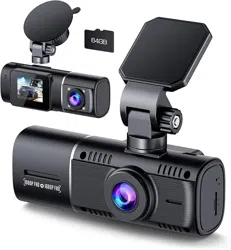
LAMTTO C310 Dual Dash Camera 1080P Front and Inside IR Night Vision Parking Monitor 64GB SD Card Included

Product's Documents

Below are documents related to this product, you can read online or download:
C310 photo

User Guide

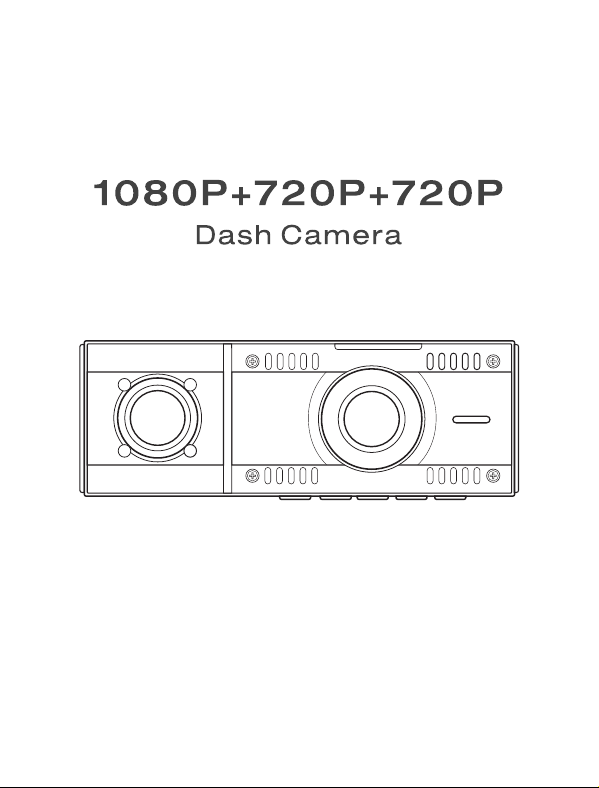
This is the main product document for model C310.

The file format is pdf, 25 pages, you can download this manual here .

background
background
background
background
background
background
background
background
background
background
background
background
background
background
background
background
background
background
background
background
background
background
background
background
background

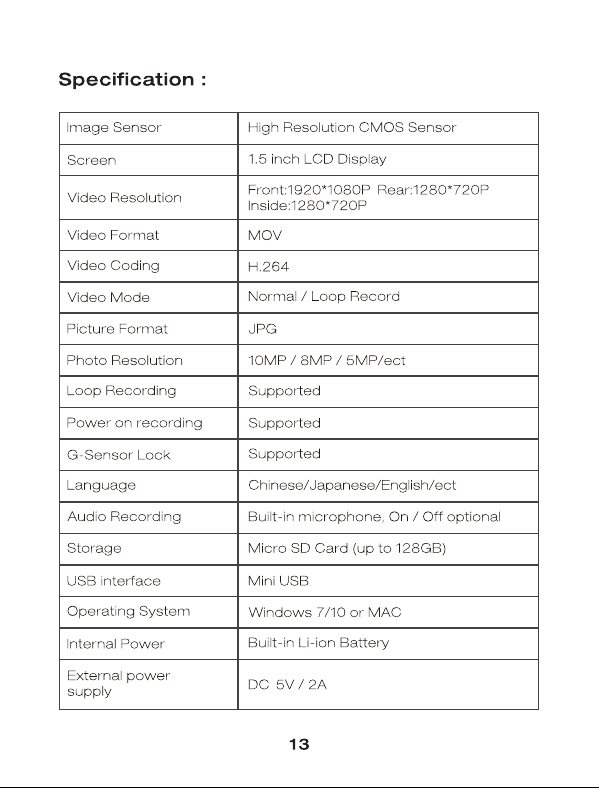
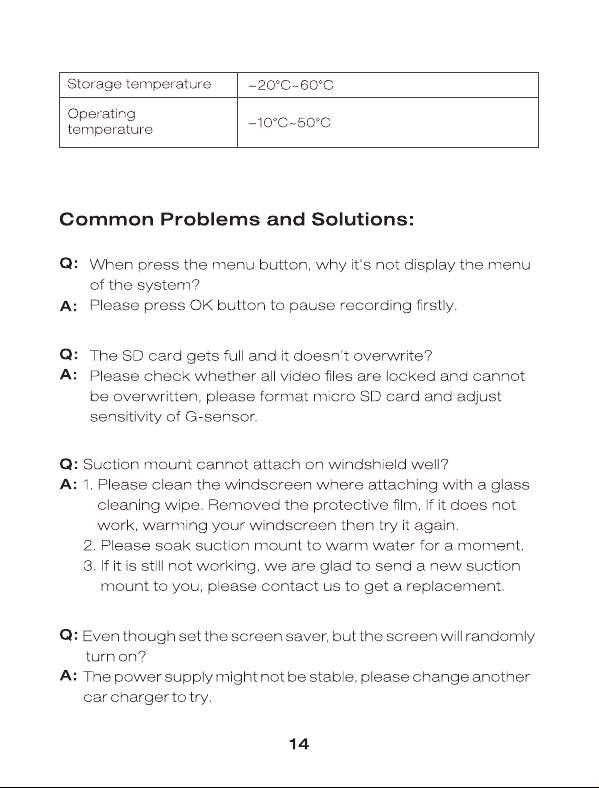
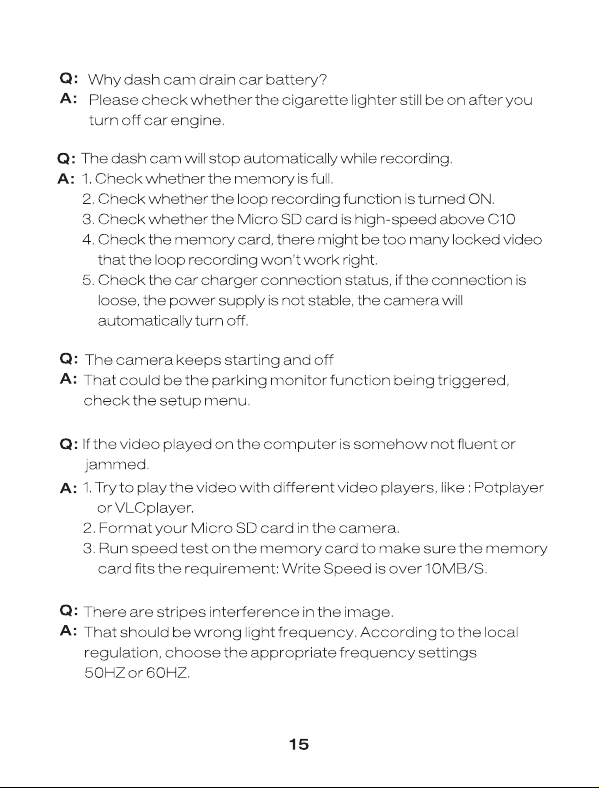
Specifications

Indexed Terms: Monitor, Night Vision, Dash Cam

LAMTTO C310 Questions and Answers


#1 Why does this dash cam keep shutting off always plugged in?

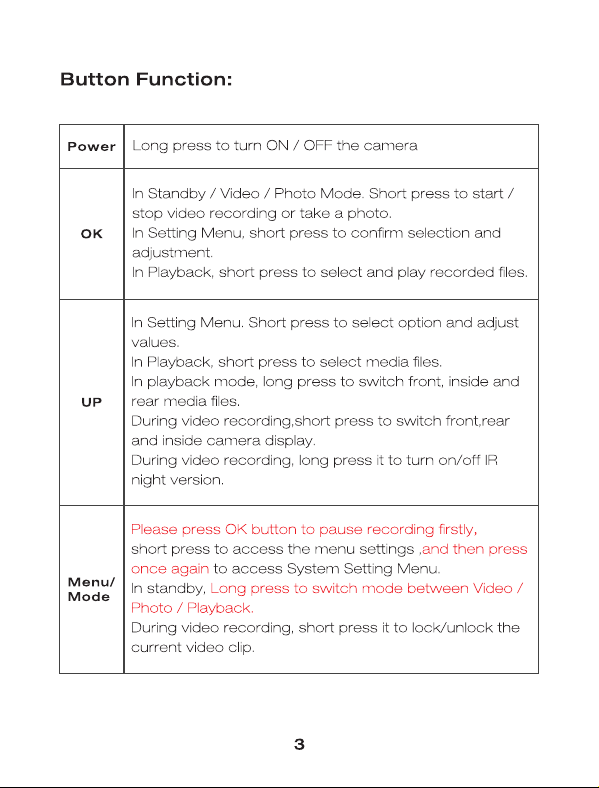
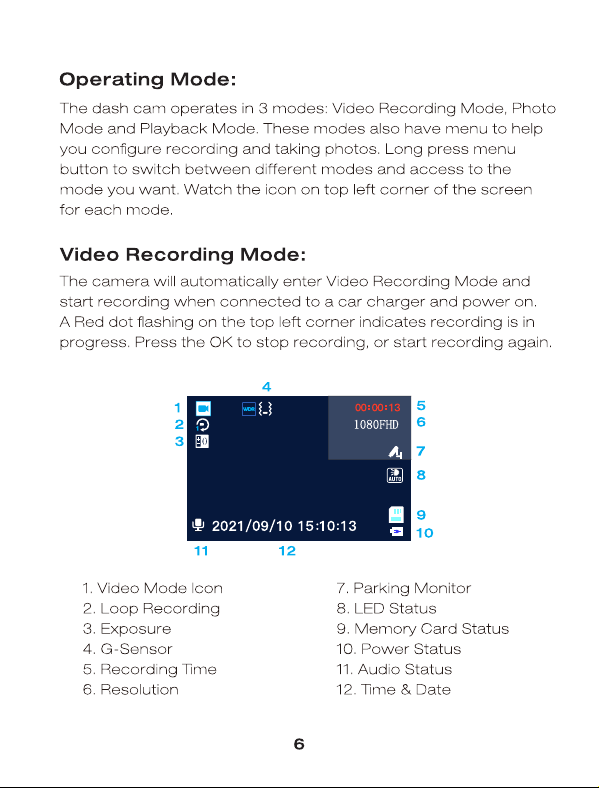
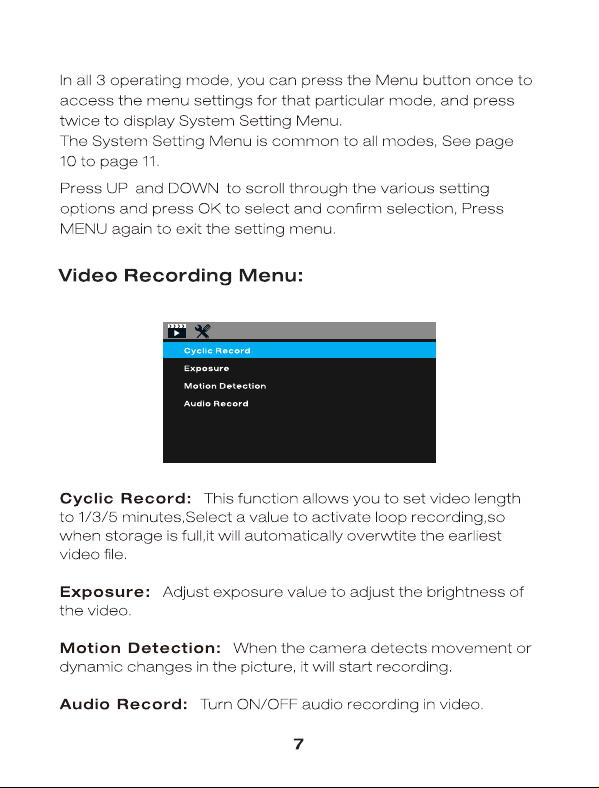
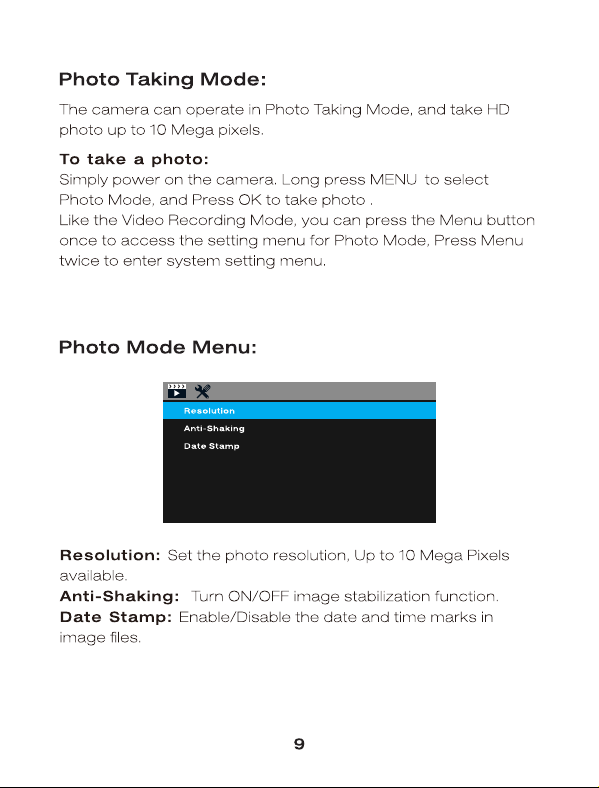
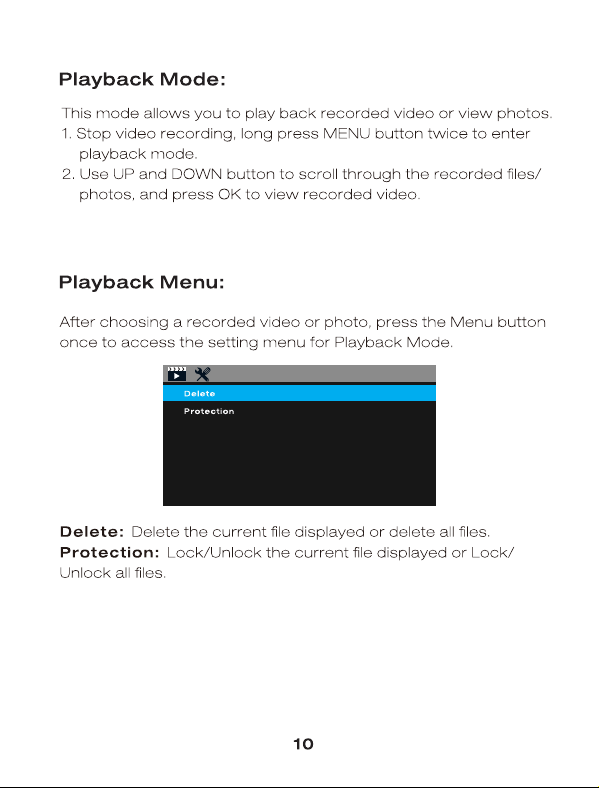
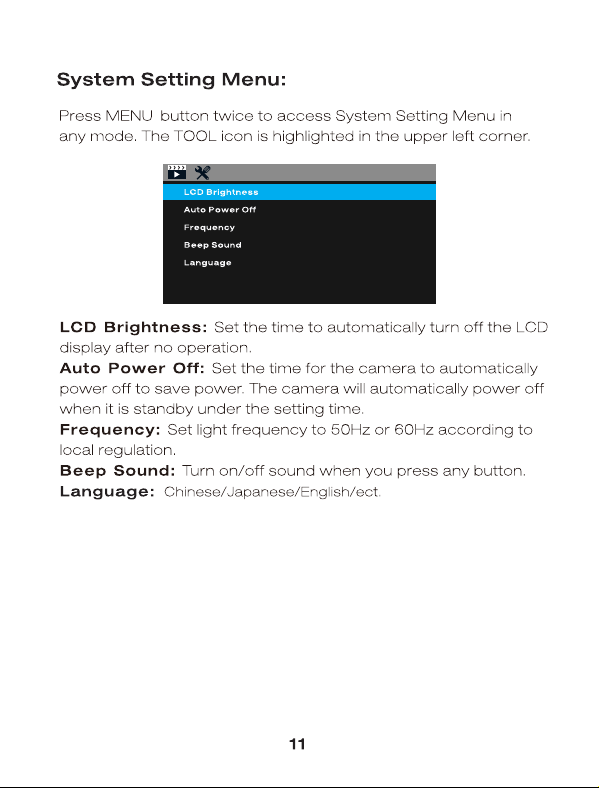
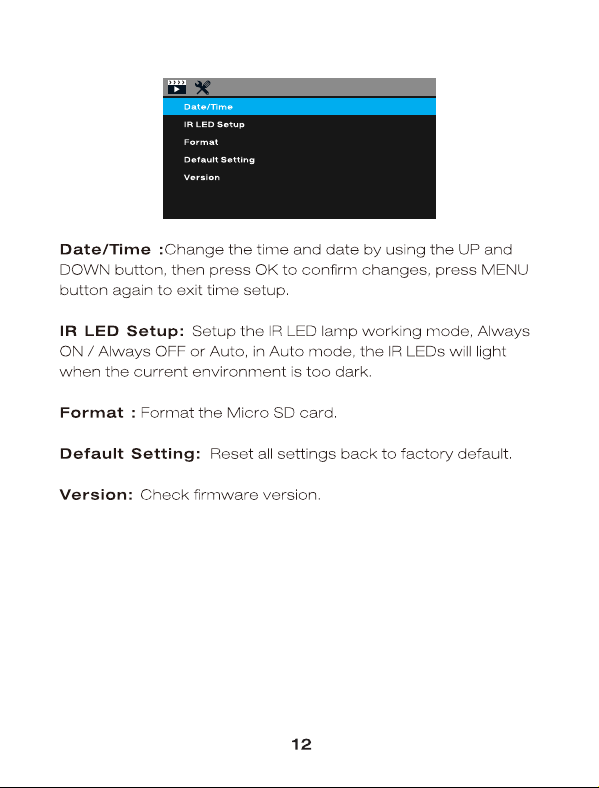
The dual dash cam can record video with the screen turned off while you use the screensaver feature, it won't distract the driver and protect privacy. If you want the dash cam records video with screen turn on, just turn off the screensaver feature.

#2 How to install the suction cup mount to keep it won‘t fall off the windshield?

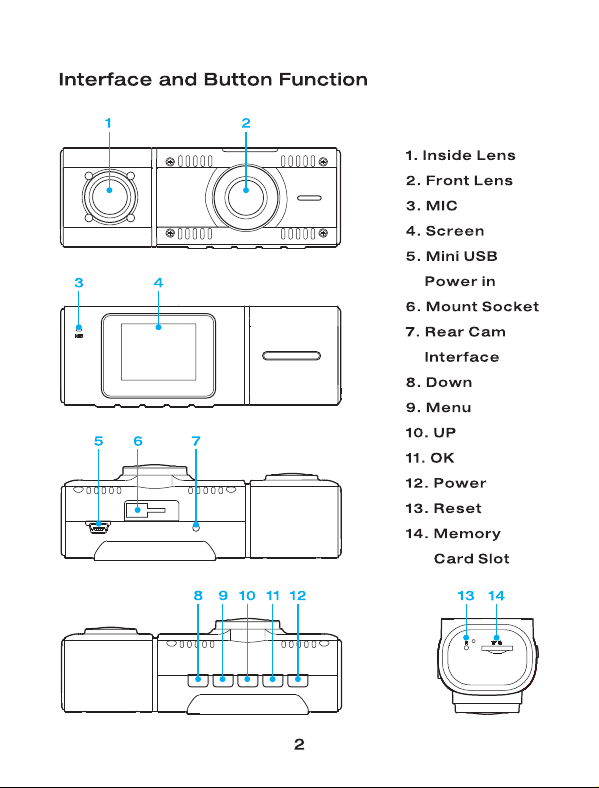
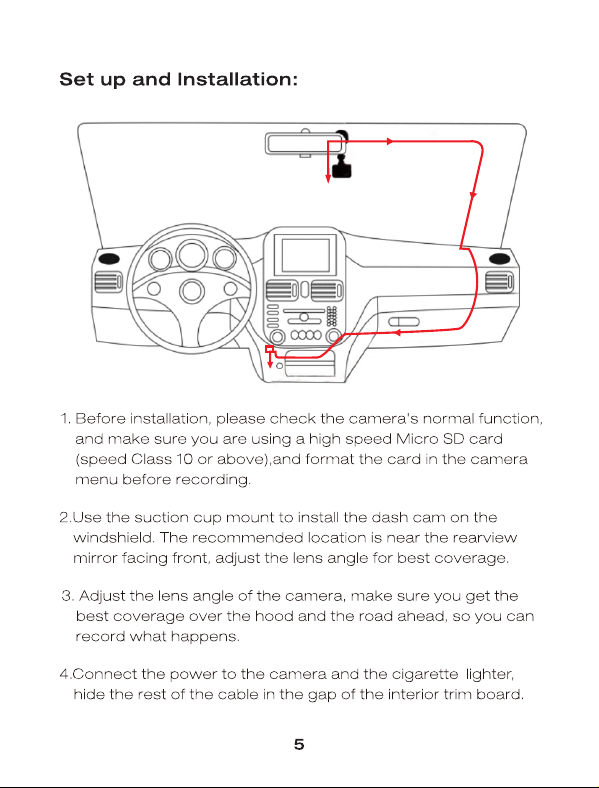
Fristly, put the mount into the slot of the dash cam, and push it to the right to fix it. Then clean and dry the windshield, remove the protector film of the suction cup. Next attach it to the windshield and twist the bracket to lock it.
#3 Does the dash cam need to always plug in when it is recording?

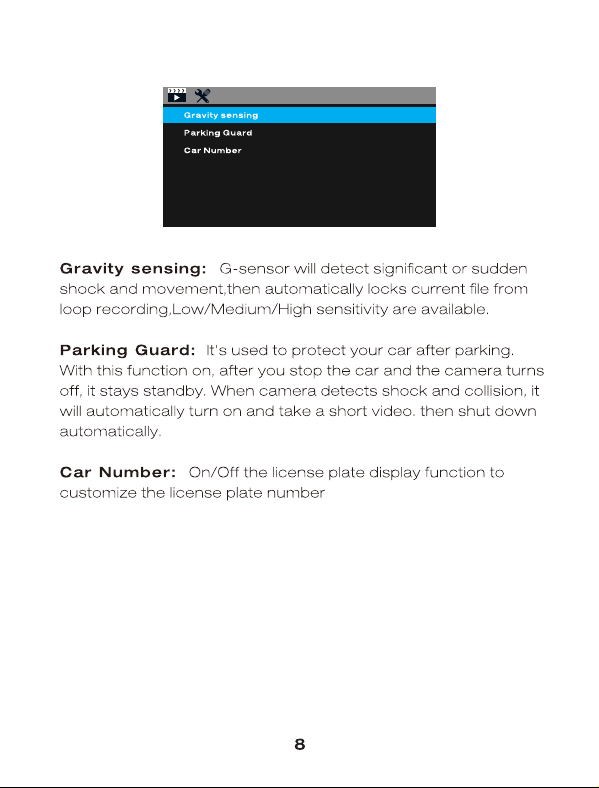
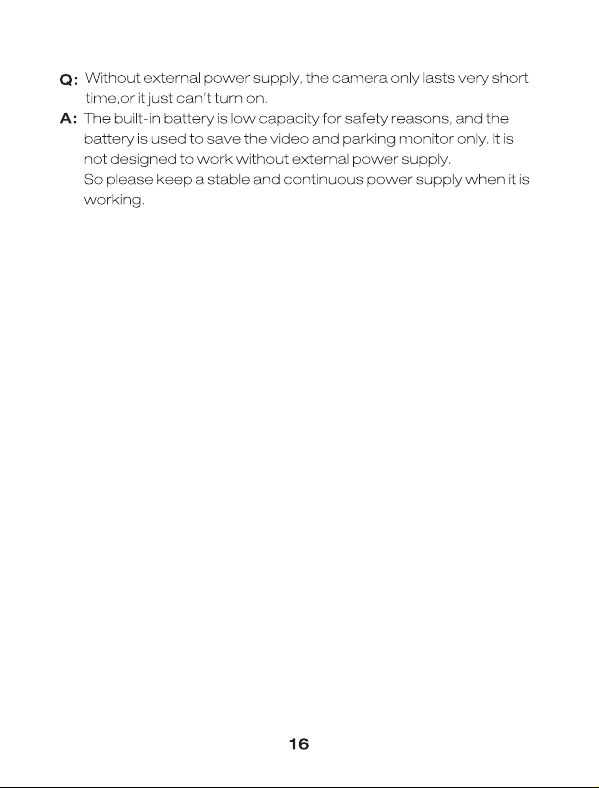
Yes, the small built in battery is used to save setting and time, and parking monitor. It won't last too long, so when the car camera is recording it needs to be continuously connected to the power supply.

#4 What kind SD card does this dual dash camera need?

This uber dash cam can use high quality U3 above 32~128GB Micro SD card. There is a 64GB U3 Micro SD card in the package, please kindly format the SD card when first use.

#5 How does one the videos to view?

There is a mini USB in the package, use it connect the dash cam to computer, then you can view and the video. Or you can remove the SD card from the dash cam and use a SD card read to replay and download the video to your computer.