@�台⑥黑 Xδ
• Never use aggre回ive d田@咱en国such as rubbing
ale曲。I or other chemic副solutions cause th画@
could damage the casing or ev胃口mpair the
funct,oning of the pu.
• Do not connect in so川es
+Do nαt c。ver the pu when in use
+N。voltage町、ly when unplugged
N。恤
’
The image shown in the manual也indi回live 。nly.
lithe阳is inc。nsstent bet.描町、t阳阳age and the actual
m。duct, the aual product shall gover响
·口。 not p惚ce this pduct near heating devic圃
,
such
as microwave ovens
,
。rdi。阳.
• Pro恒ct the product m田t用me tempe用.tu用s,
di阳d sunlight
,
国rong Joi臼high humidity, mol副u,
flmable ga国s,v阻and solven恒
·口。 not dis回国mble,m。d时y
,
町阳p 副r归ur de•回国
问自由@田khelp f阳 the authoriz回p『国sionals for
devl四ma』nctlon.
·口。 not use the device when忧is n。 l。nger wo血ing
pp町ly or visibly damag回
• Do not sto阳the device for eended peods in poor
ambient condltl。ns
Warnings and Precautions
-
• Ke叩it 。of the r回ch of child四and pets.
·口。 not use this pduct in humid environments or
outdoo阳
How to Pair w1酌the Ou『
A
pp
1 Op回the APP and c陪e your ace。unt
2. Turn on the plug and p it close to theuter when
pai川n日,
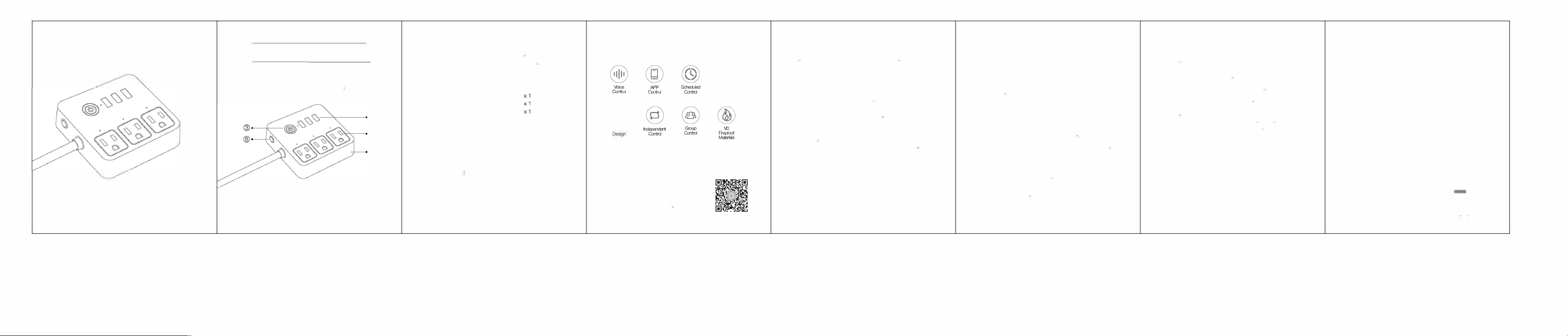
3.Pr回d hc.d the ON/OFF button for 5 sec。nds
ar回陌lease tt when the plug s恤 blinking t t。
。nterthe net。rkpairing mode
You c add a devi In o ways
Op恼。n 1. Tap
"
矿。nthe upp町同ght corner and田lect
'Auto Sc自,·.
Op回on 2 Tap
"
矿on the up阳r ght corner to select
'Add Manually', and then 回|剧
'
Pwar Strip阳i Fi)飞
Follow the App inst阳ctions to complete the 。perati。n.
⑨四酶
⑨
How to Download the Gosund
A
pp
Opti。”’:“ch for咆回und' in
the Apple APP St。睛。r G。ogle Play.
Opti
。n量, Scan the QR de t。
enter the d。wnload pe
⑥…叩
⑨阳叩
⑨品
⑨一叩
Main Features
⑩
m叩
⑧
Ne: ON/OFF button can also be used as a。ry et
buon-
simply
press and hold the buon Only do this if
归u want to erase the sock'scuent 画”1ngs
111
xxx
Pa「ts Included
Sma p。werStp
U回旷Manual
Binding Voice Assiants Guide
S
p
ecification
Input: 110-240V-, 10A M缸
Outp: 10A
AC Fquency: 50/BOHz
Wi-FI F陪quency 2.4GHz
Mw<'mum Power Output: 120口W/120V
④
②
①
(2� �回讯问)
Since the device only suppos 2.4G Wi·Fi
.
�
onnection,
please回SU陪th国怕e
mobile phone ar回the device a陪conned
to 2.4G WI-Fl slmultenusly
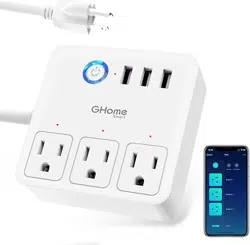
P『oduct OVe阳W
①VO Flame Resls阳ntMat-lal
②豁出副Panel
④USB P。由
Smart Power Stri
p
Manual
4.C到6V1.0
Made恫China
③。N/OFF Bu饥。n
⑤AirCirc,』it-Br回ke「
