
Technical Support and E-Warranty Certificate www.vevor.com/support
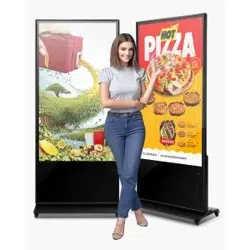
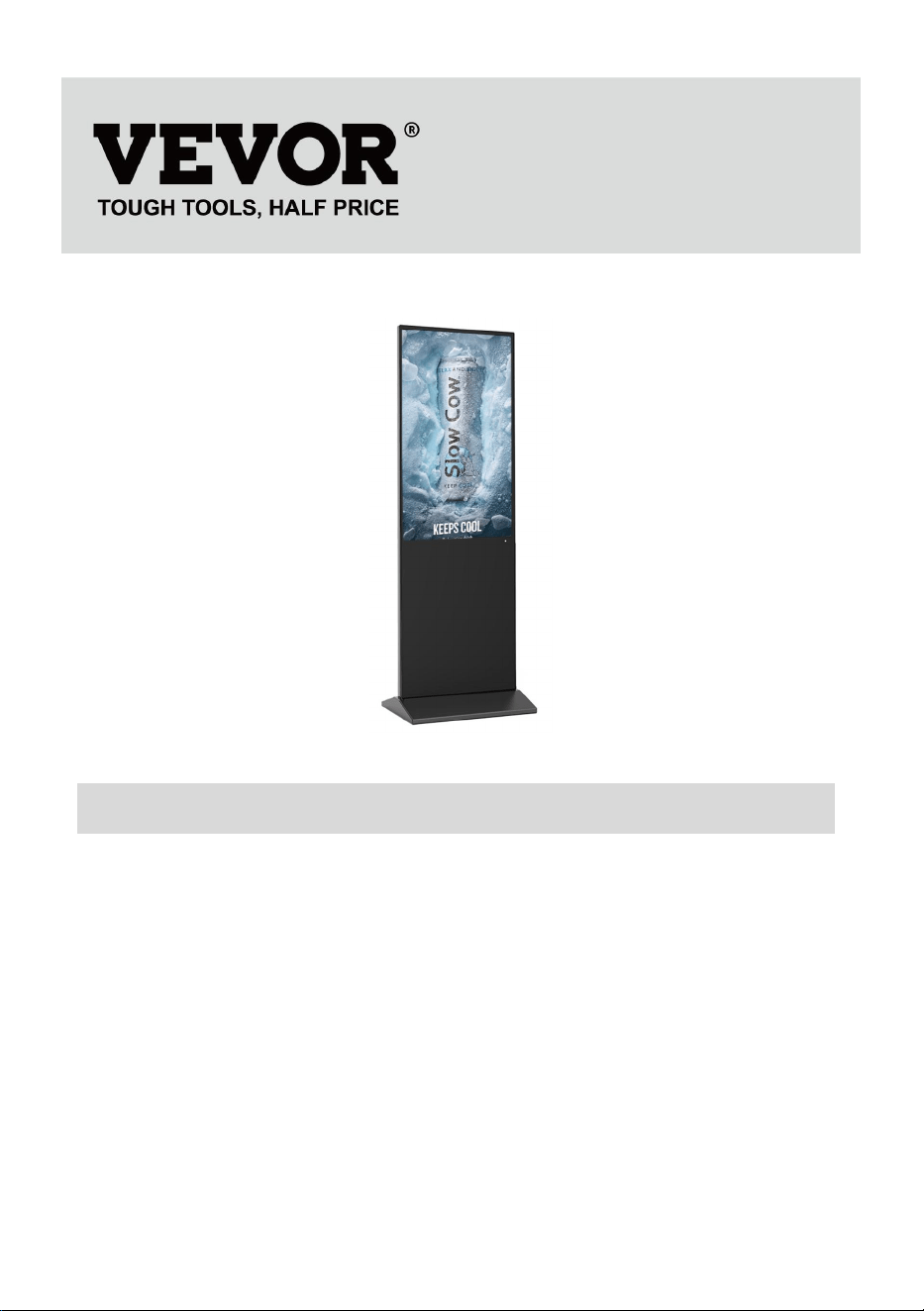
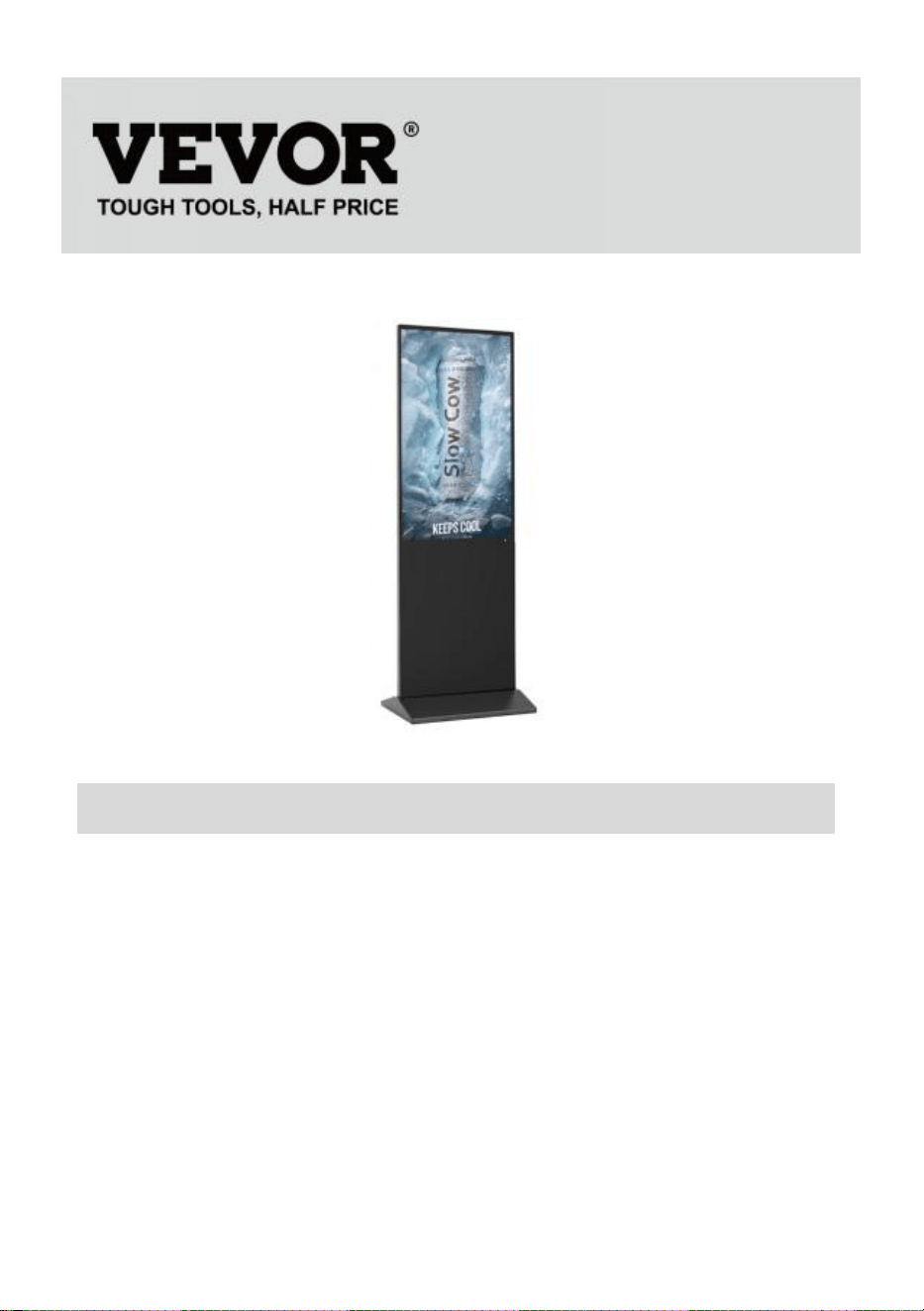
Digital Kiosk
USER'S GUIDE
MODEL:DC-A55ZN-A,DC-A65ZN-A
We continue to be committed to provide you tools with competitive price.
"Save Half", "Half Price" or any other similar expressions used by us only represents an
estimate of savings you might benefit from buying certain tools with us compared to the major
top brands and does not necessarily mean to cover all categories of tools offered by us. You
are kindly reminded to verify carefully when you are placing an order with us if you are
actually saving half in comparison with the top major brands.
- 1 -
MODEL:DC-A55ZN-A,DC-A65ZN-A
NEED HELP? CONTACT US!
Have product questions? Need technical support? Please feel free to
contact us:
Technical Support and E-Warranty Certificate
www.vevor.com/support
This is the original instruction, please read all manual instructions
carefully before operating. VEVOR reserves a clear interpretation of our
user manual. The appearance of the product shall be subject to the
product you received. Please forgive us that we won't inform you again if
there are any technology or software updates on our product.
Digital Kiosk
- 2 -
Warning-To reduce the risk of injury, user must read
instructions manual carefully.
FCC Information
CAUTION: Changes or modifications not expressly approved by the
party responsible for compliance could void the user's authority to
operate the equipment!
This device complies with Part 15 of the FCC Rules. Operation is
subject to the following two conditions:
1) This product may cause harmful interference.
2)This product must accept any interference received, including
interference that may cause undesired operation.
WARNING: Changes or modifications to this product not expressly
approved by the party.responsible for compliance could void the
user's authority to operate the product.
Note: This product has been tested and found to comply with the
limits for a Class B digital device pursuant to Part 15 of the FCC
Rules, These limits are designed to provide reasonable protection
against harmful interference in a residential installation.
This product generates, uses and can radiate radio frequency
energy, and if not installed and used in accordance with the
instructions, may cause harmful interference to radio
communications. However, there is no guarantee that interference
will not occur in a particular installation. If this product does cause
harmful interference to radio or television reception,which can be
determined by turning the product off and on, the user is encouraged
to try to correct the interference by one or more of the following
measures.
· Reorient or relocate the receiving antenna.
· Increase the distance between the product and receiver.
· Connect the product to an outlet on a circuit different from that to
which the receiver is connected.
- 3 -
· Consult the dealer or an experienced radio/TV technician for
assistance.
CORRECT DISPOSAL
This product is subject to the provision of European Directive
2012/19/EC. The symbol showing a wheelie bin crossed through
indicates that the product requires separate refuse collection in the
European Union. This applies to the product and all accessories
marked with this symbol. Products marked as such may not be
discarded with normal domestic waste, but must be taken to a
collection point for recycling electrical and electronic devices
IMPORTANT SAFEGUARDS
WARNING: Read all safety warnings, instructions, illustrations and
specifications provided with this thermal receipt printer. Failure to follow
all instructions listed below may result in electric shock, fire and/or
serious injury.
1. Do not use this product in areas where it may be exposed to water or other
liquids.
2.Unplug this product from the wall outlet before cleaning. Do not use liquid or
aerosol cleaners. Use a damp cloth for cleaning.
3.To reduce the risk of electric shock, do not disassemble this product. Take it to
qualified service personnel when service or repair work is required. Opening or
removing covers -like the rear cover plate- may expose you to dangerous voltages
or other risks. Incorrect re-assembly can cause electric shock when the appliance
is subsequently used.
4.If the supply cord is damaged, it must be replaced by a special cord or assembly
available from the manufacturer or its service agent. Only use the cable provided
with the unit. The use of other cables may result in electric shock, fire or cause
serious damage to the unit.

- 4 -
5.Do not operate the unit in areas with high temperature or high humidity since it
may prevent it from working correctly.
6.When unplugging the power plug, do not pull it by the cord but rather grip the
plug to pull it out. Not following these instructions may result in electric shock, fire
or damage to the unit.
7.Do not use the unit if the power cord is damaged or if the plug socket contact is
loose. Not following these instructions may result in electric shock, fire or other
hazards.
8.Do not place heavy objects over the cord and do not bend it excessively since it
could get damaged. Not following these instructions may result in electric shock,
fire or other hazards.
9.When not using the unit for a long period of time, remove the power plug from
the wall outlet.
10. This equipment is not suitable for use in locations where children are likely to
be present.
SAVE THESE INSTRUCTIONS
INSTRUCTIONS
● The upgraded screen playback design perfectly solves the problem of
playing pictures and videos at the same time and realizes the intelligent
split-screen function, which makes your ads more attractive.
● Using Android 11 OS with powerful speakers, supports U disk
plug-and-play.
●The digital kiosk is widely used in commercial centers, airports, hospitals,
restaurants and all kinds of stores.
- 5 -
Easy to publish your advertisement by USB disk
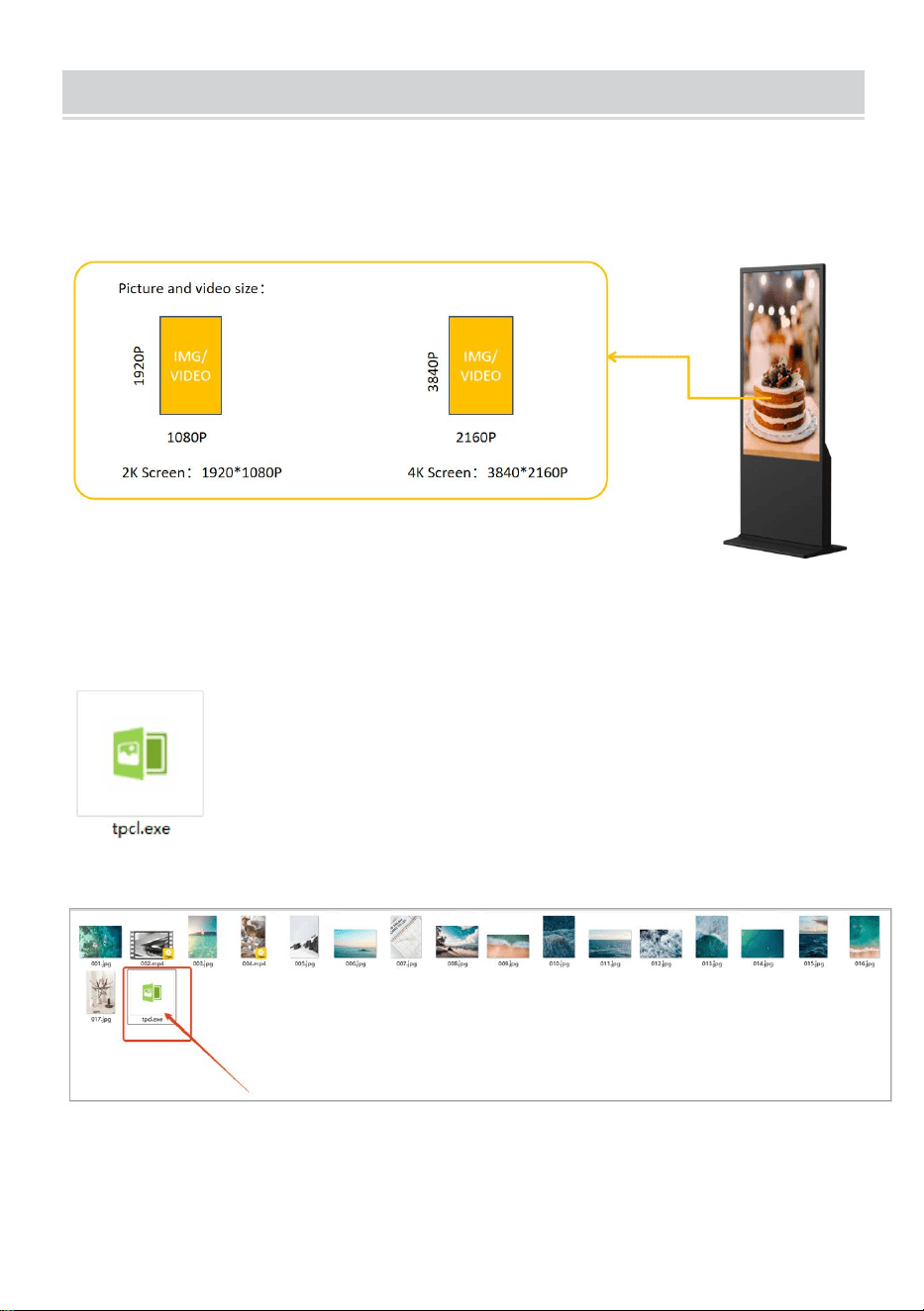
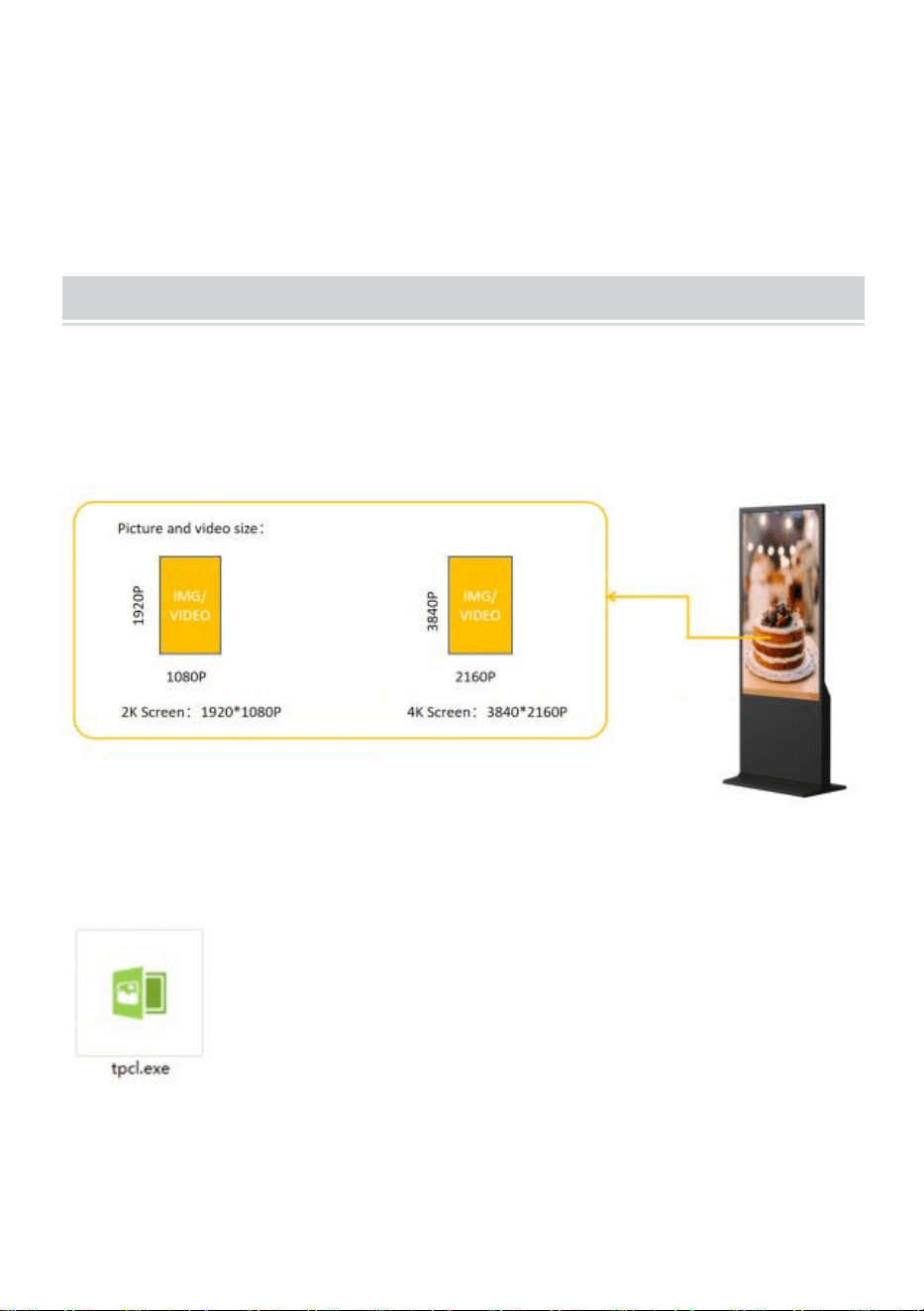
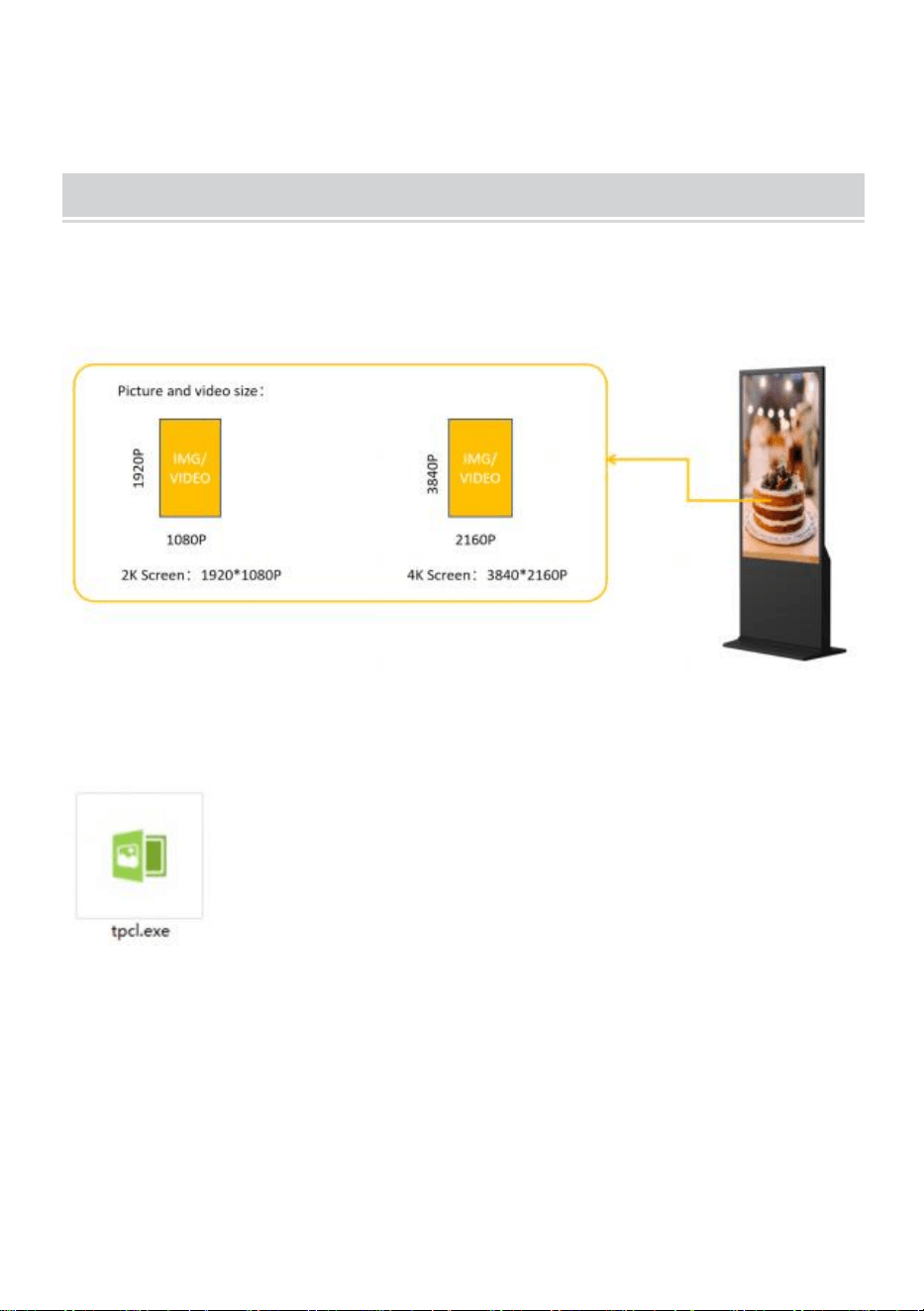
●Prepare the pictures and videos which you want to display. (make sure
the pictures and videos is suitable for screen that can get perfect visual
experience).
●
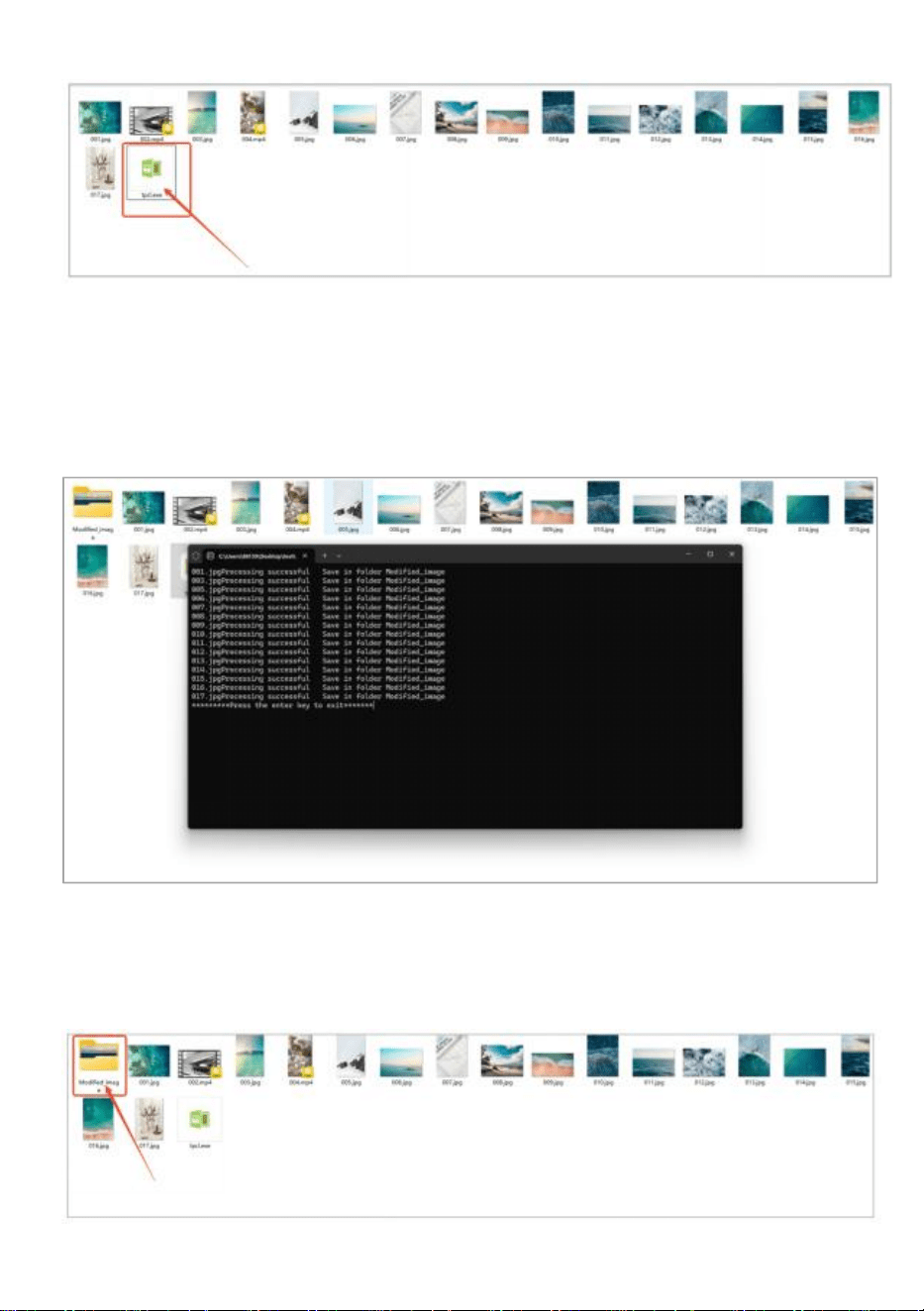
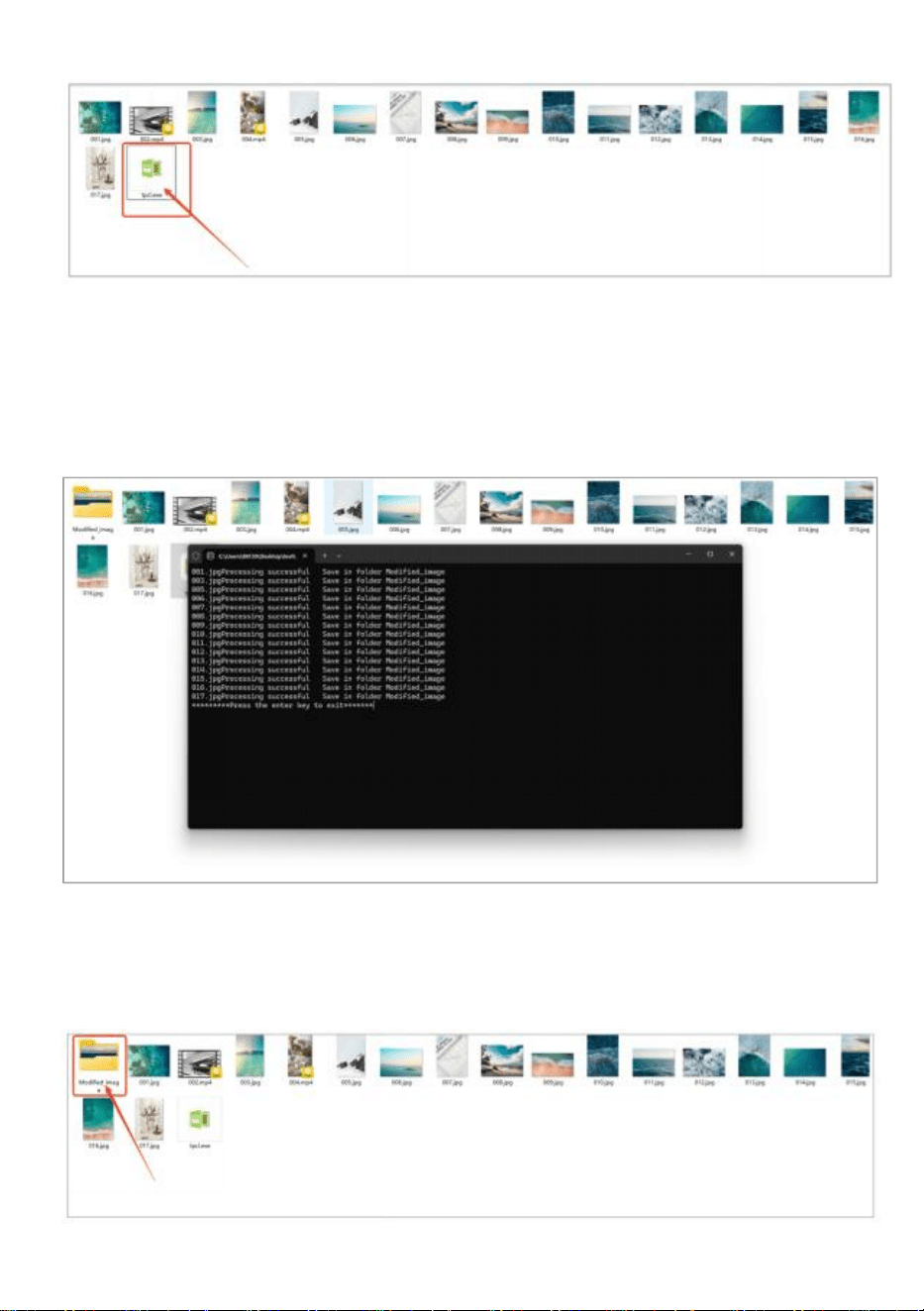
Copy the software " tpcl.exe " to the document which your picture is
already prepared.
"tpcl.exe" can be found in the USB disk which in the
accessory bag.
NOTE: " tpcl.exe " is a picture dealing software that
can make sure your picture can be identify by digital
kiosk.
●Run the “tpcl.exe” and the picture will be deal automatically.
- 6 -
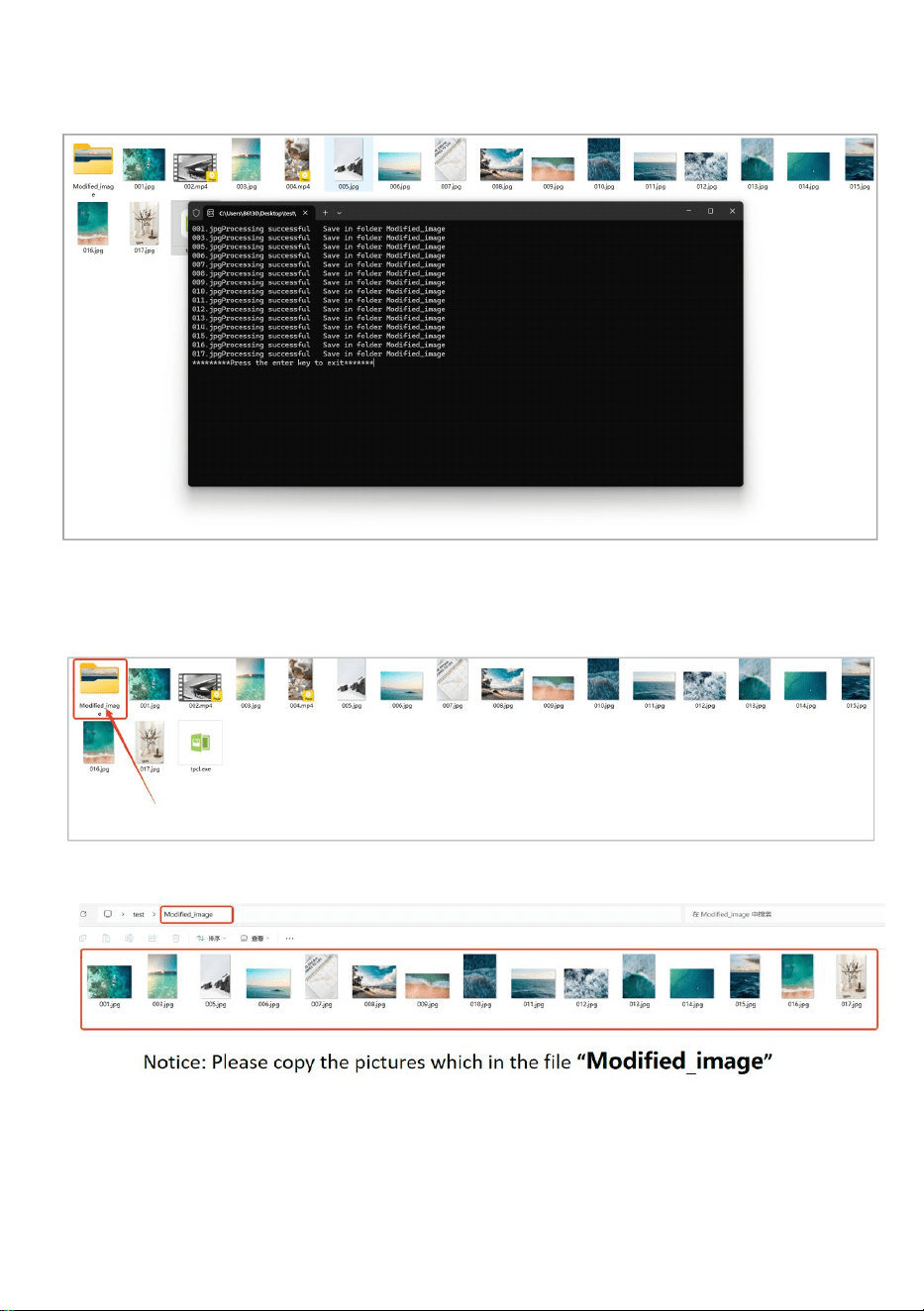
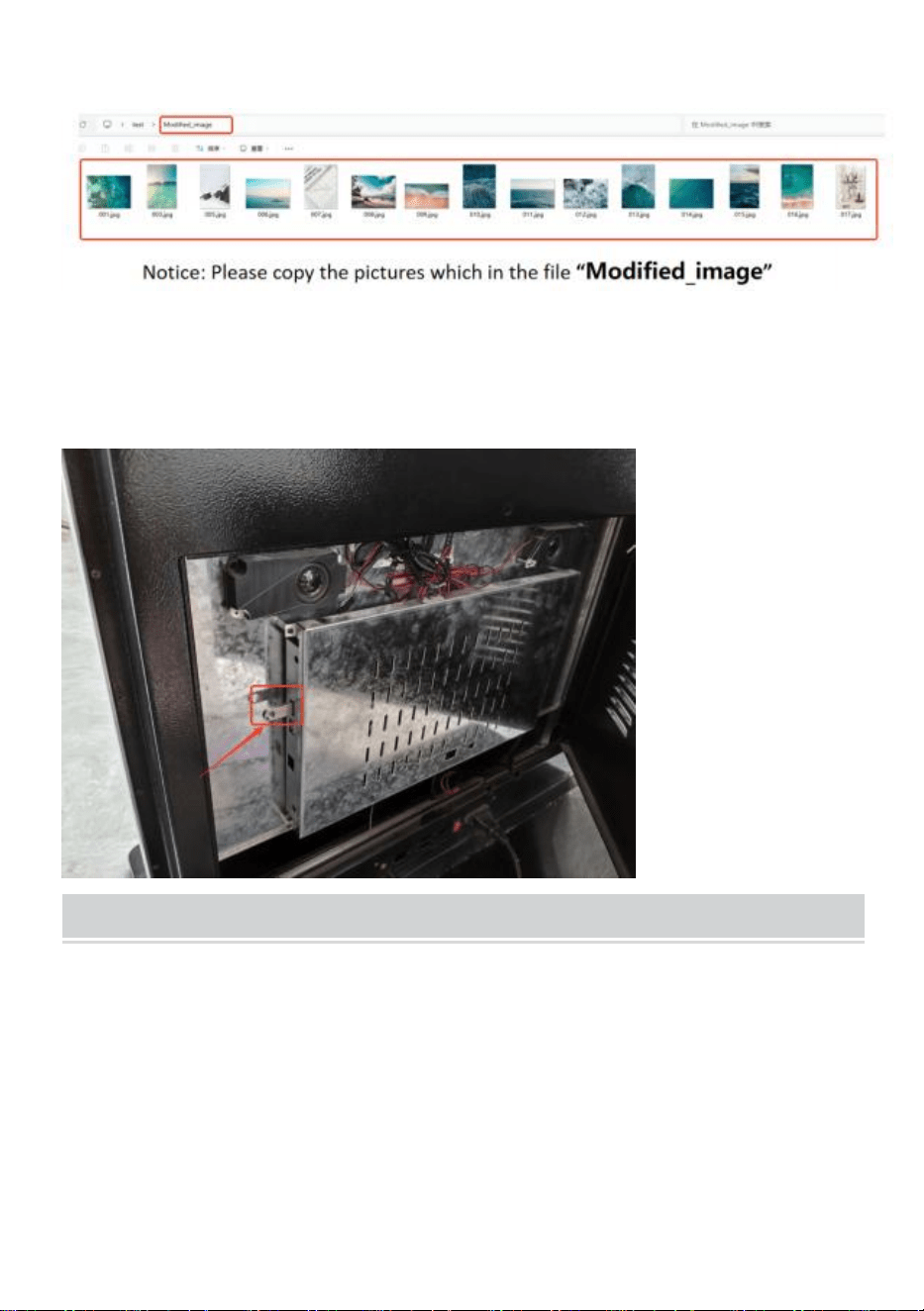
●
When the picture dealing completed, press the “Enter”key to exit.
●
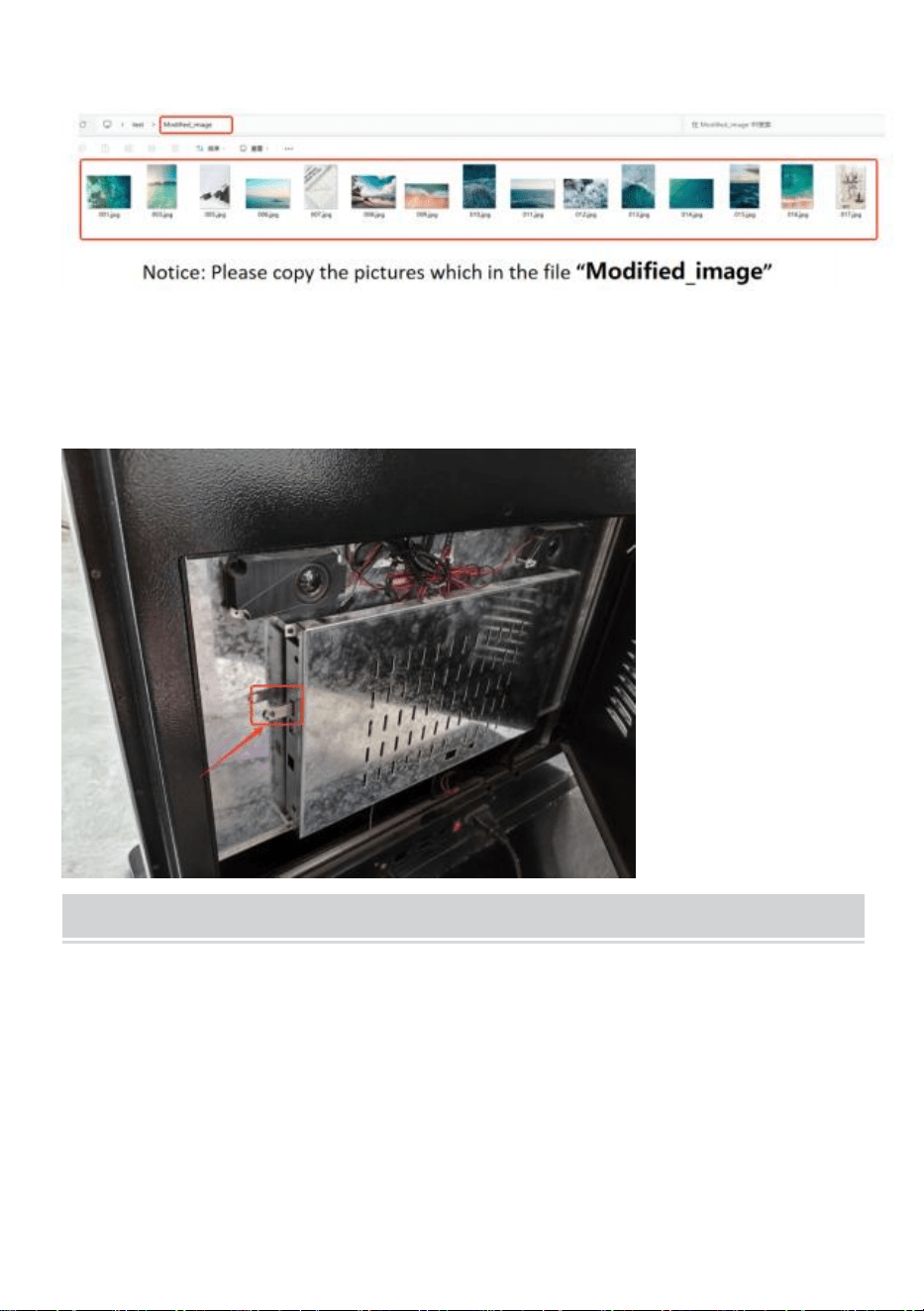
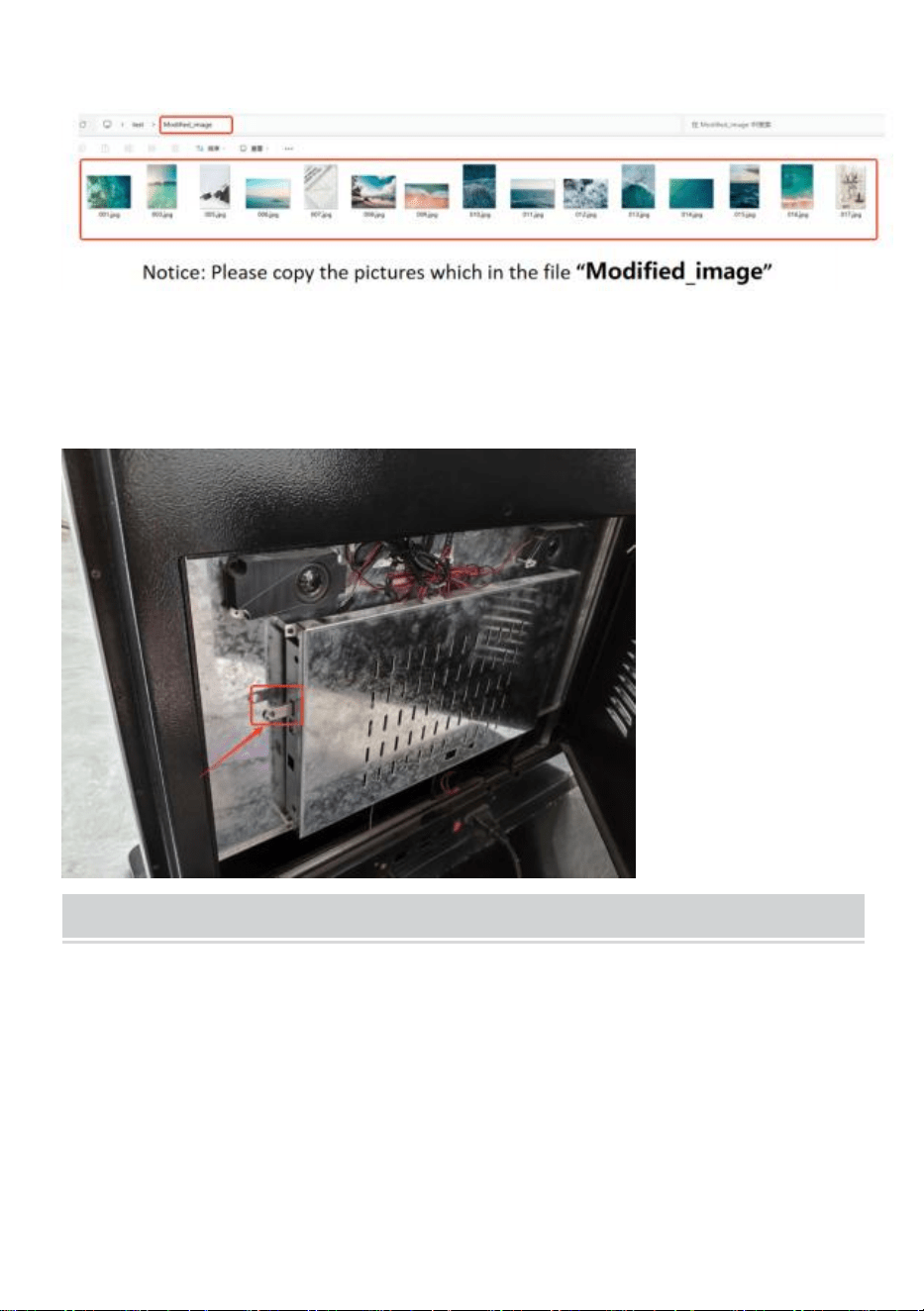
After picture dealing completed, it will create a new file“Modified_image”
which the dealing pictures all in it.
●Copy the picture to the USB disk.
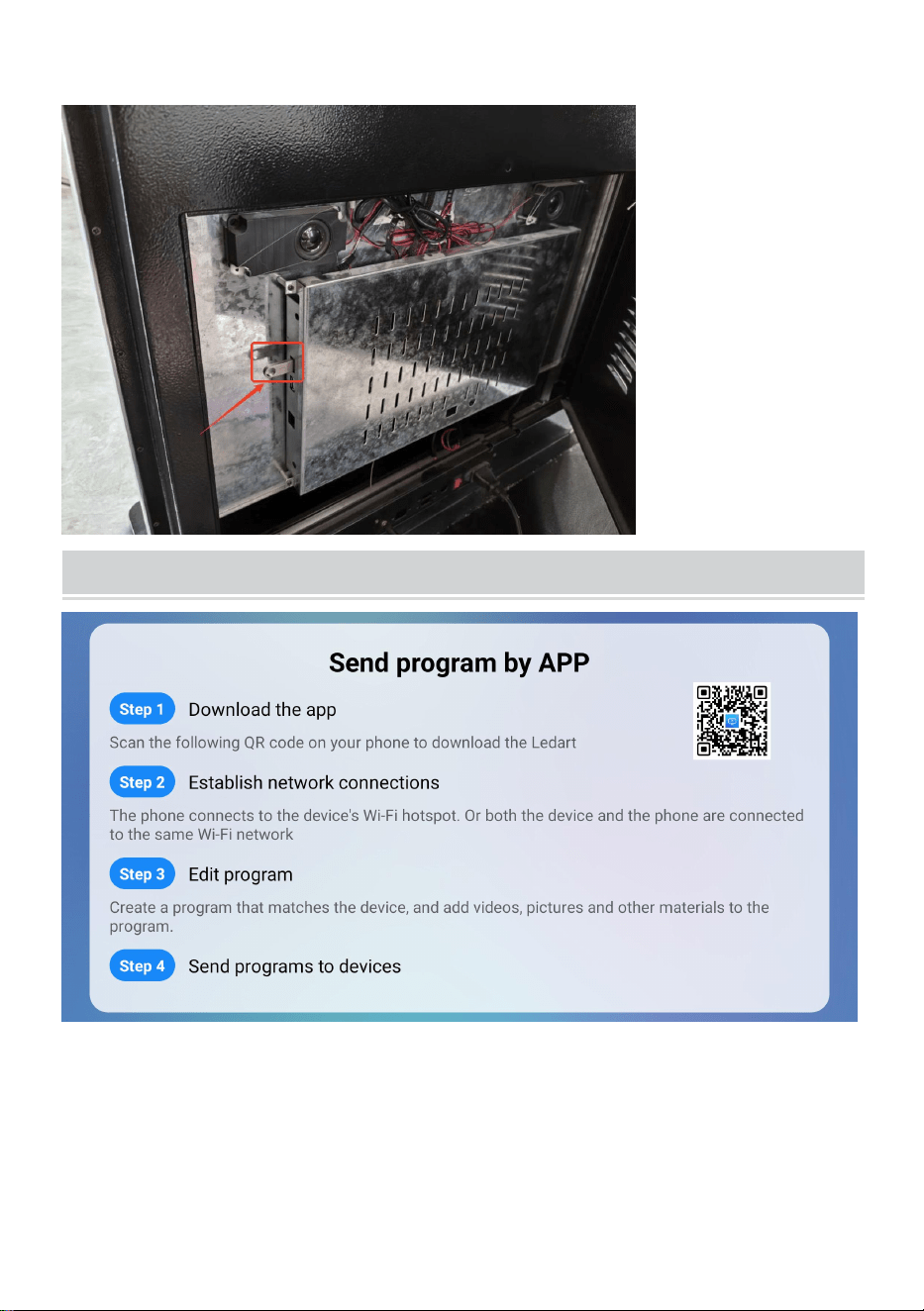
- 7 -
●Insert the USB disk to the digital kiosk.
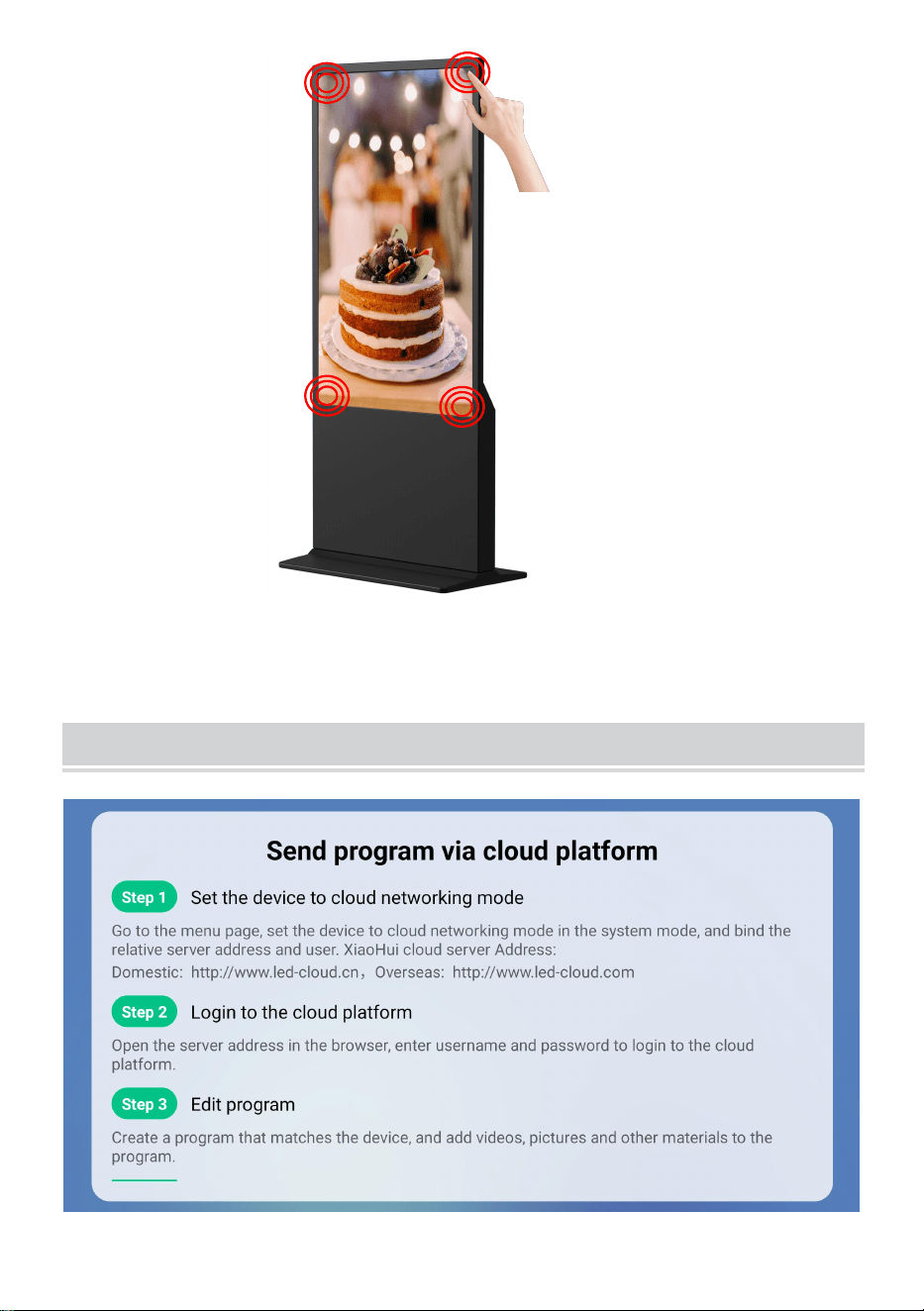
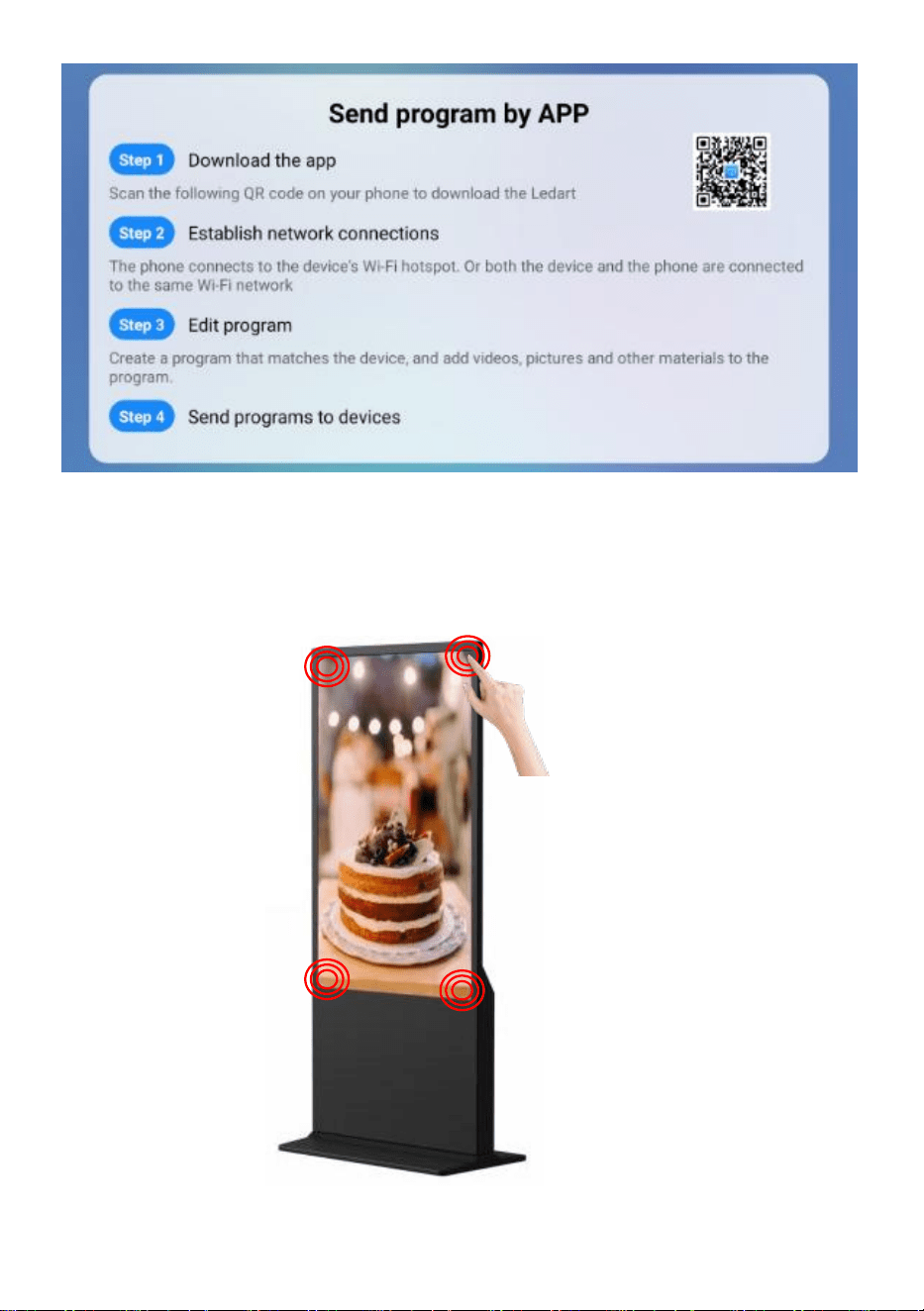
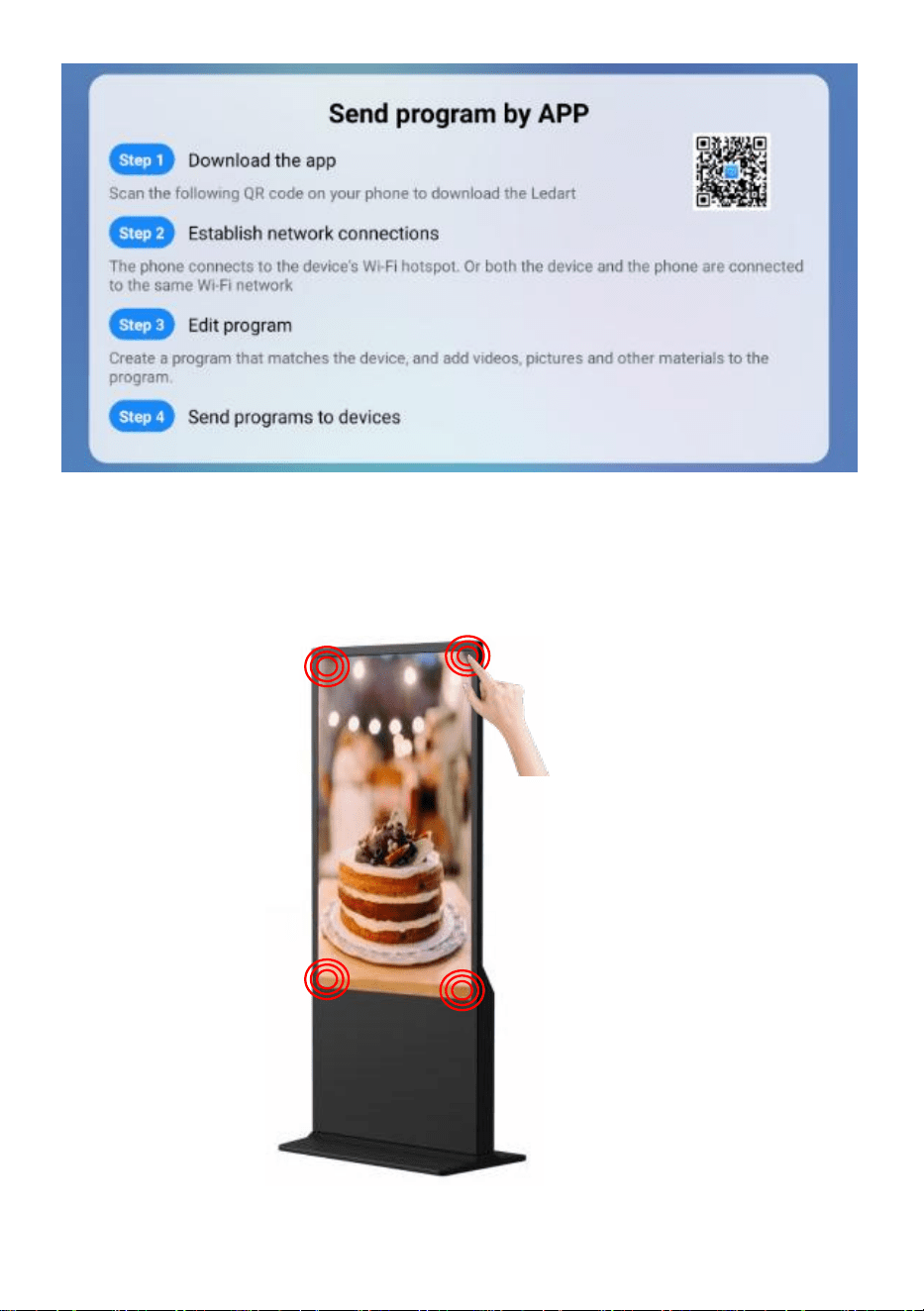
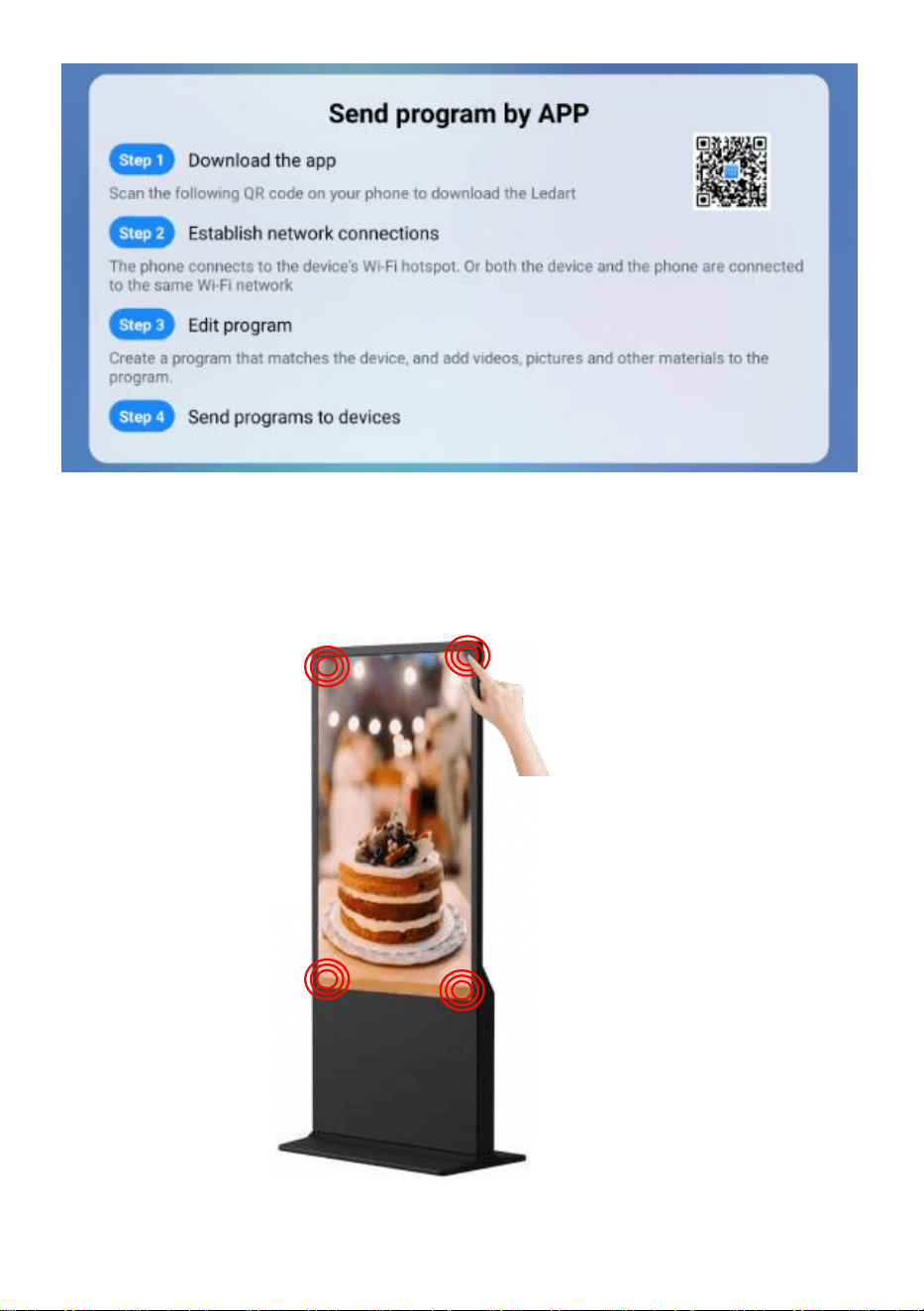
Publish advertisement by APP
- 8 -
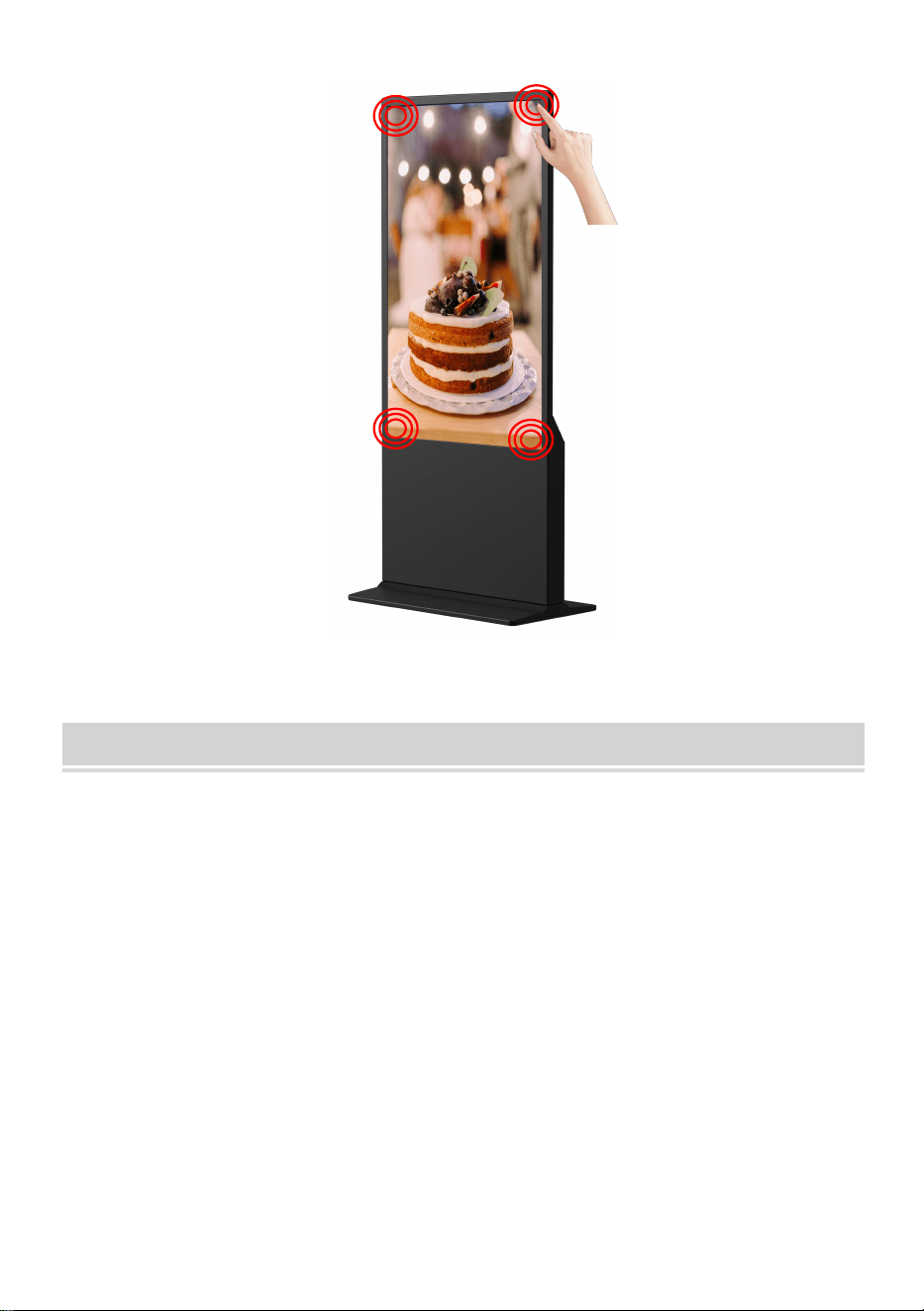
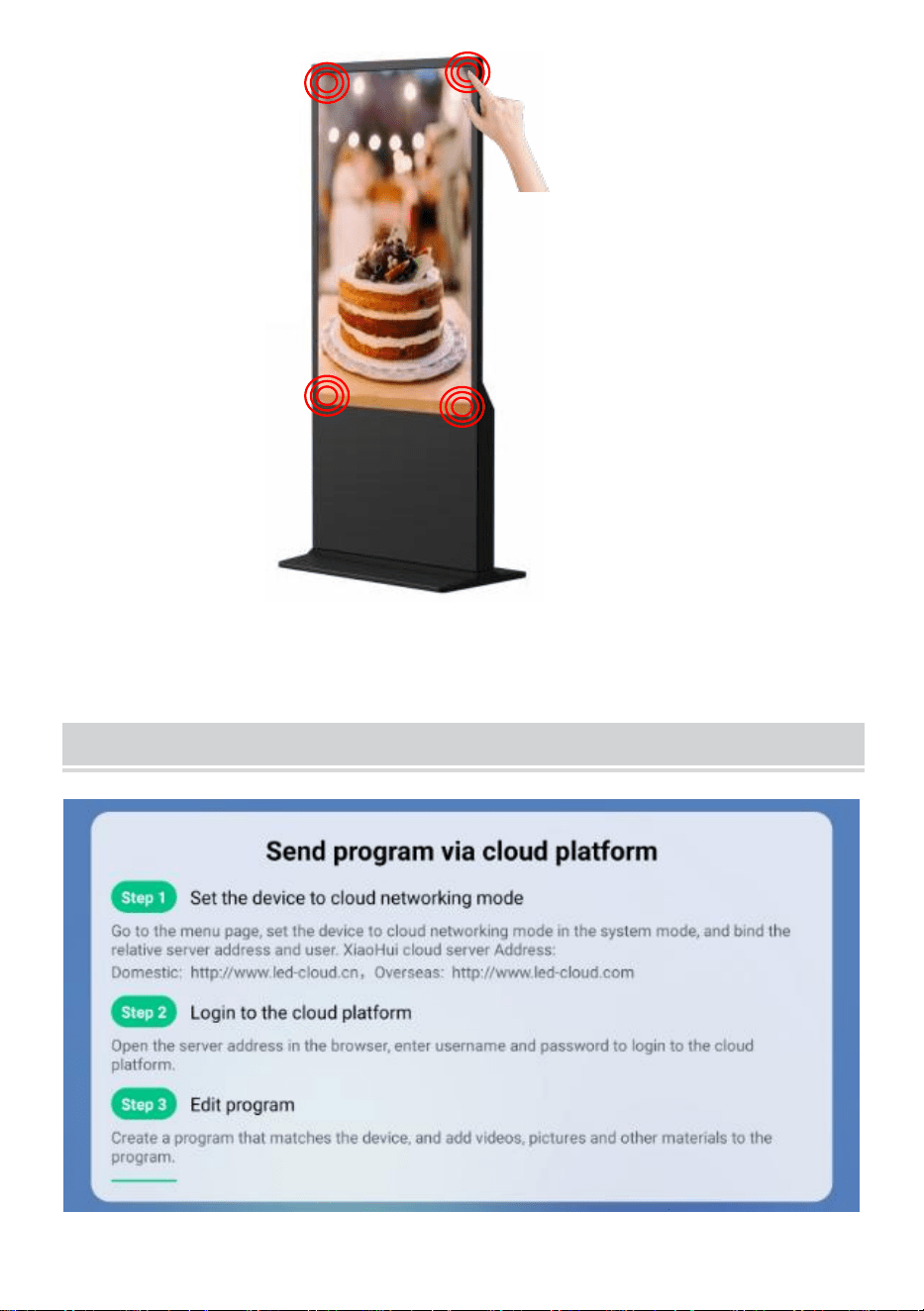
●Click the corner or screen for 4 times to setting mode.
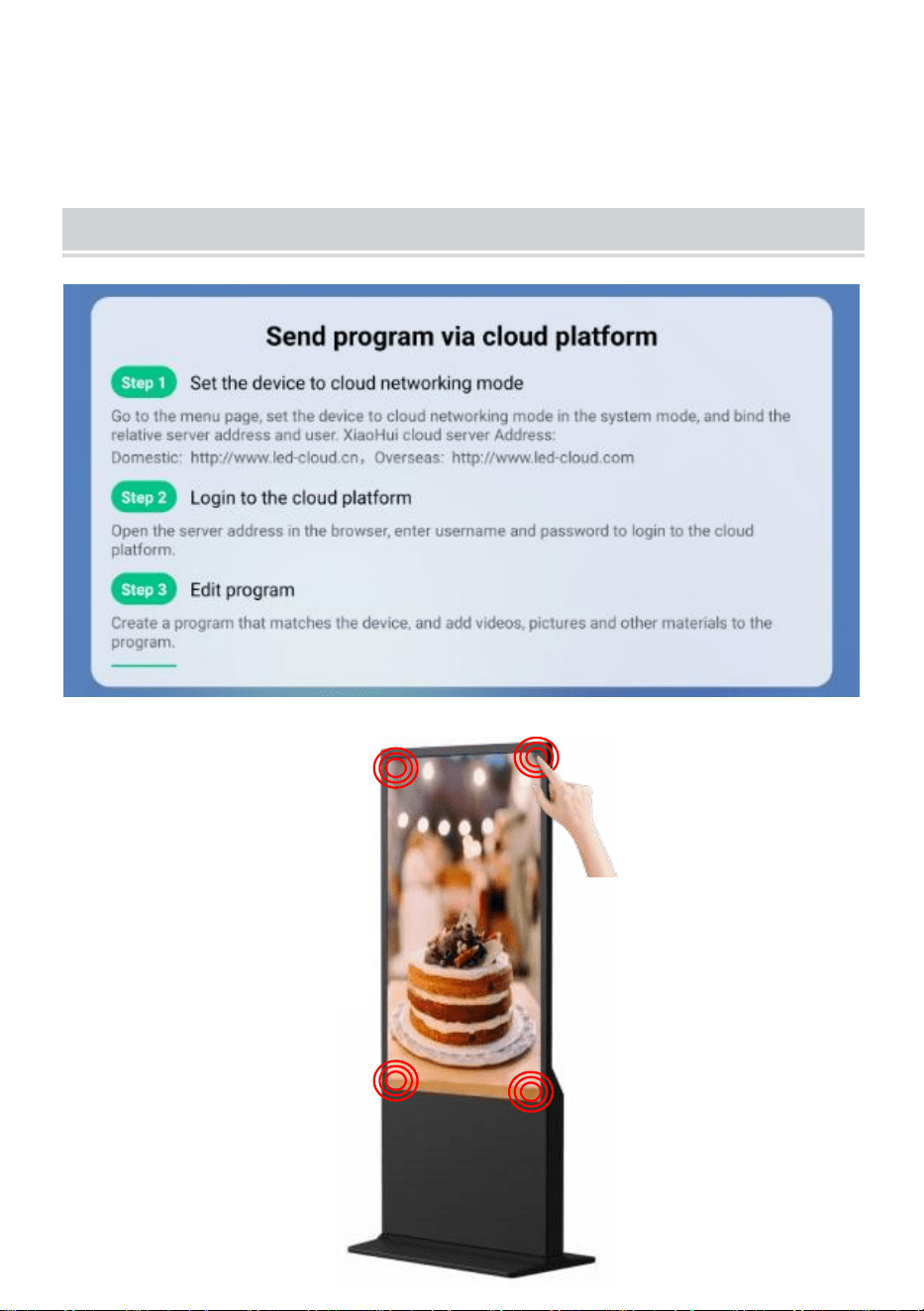
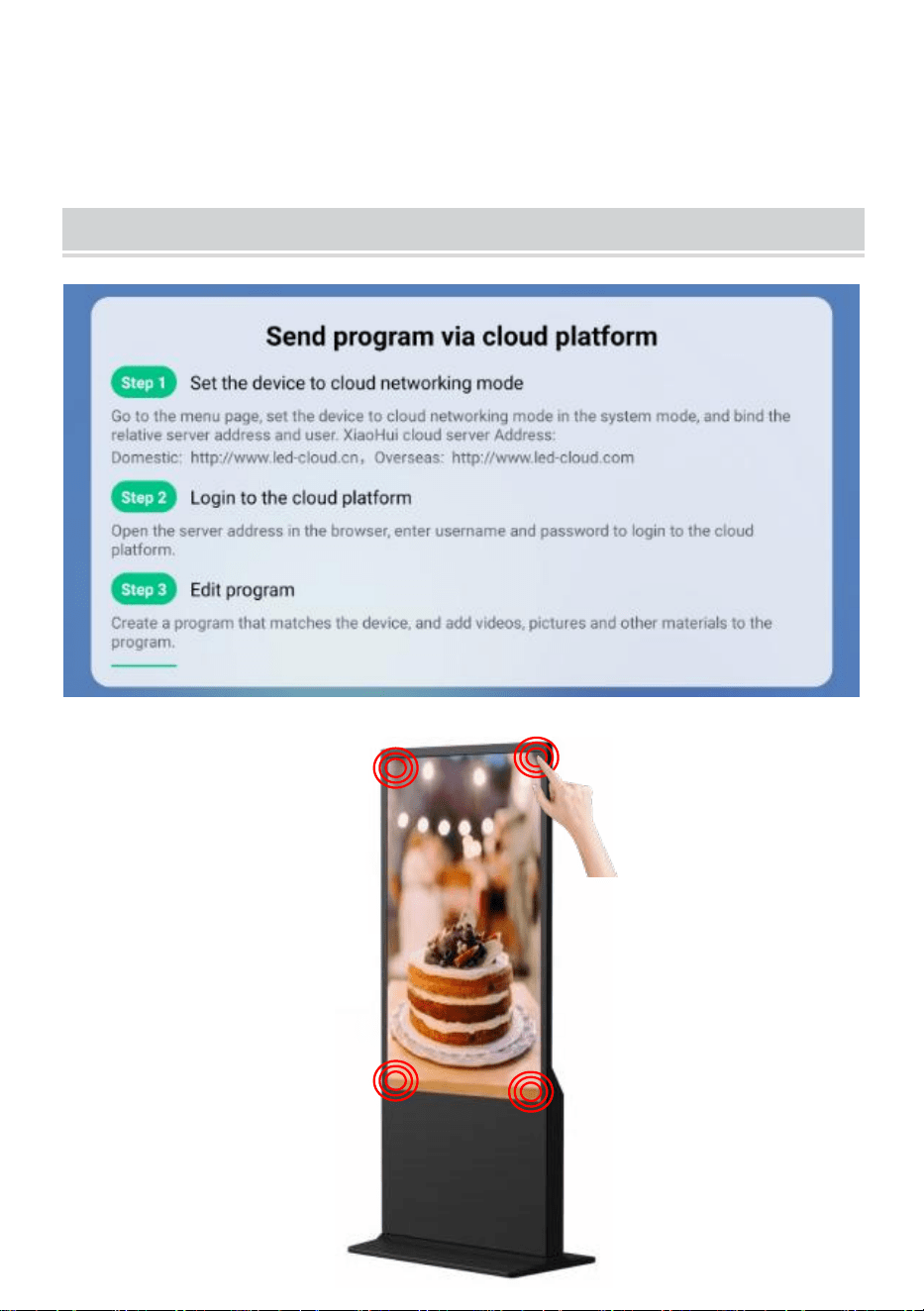
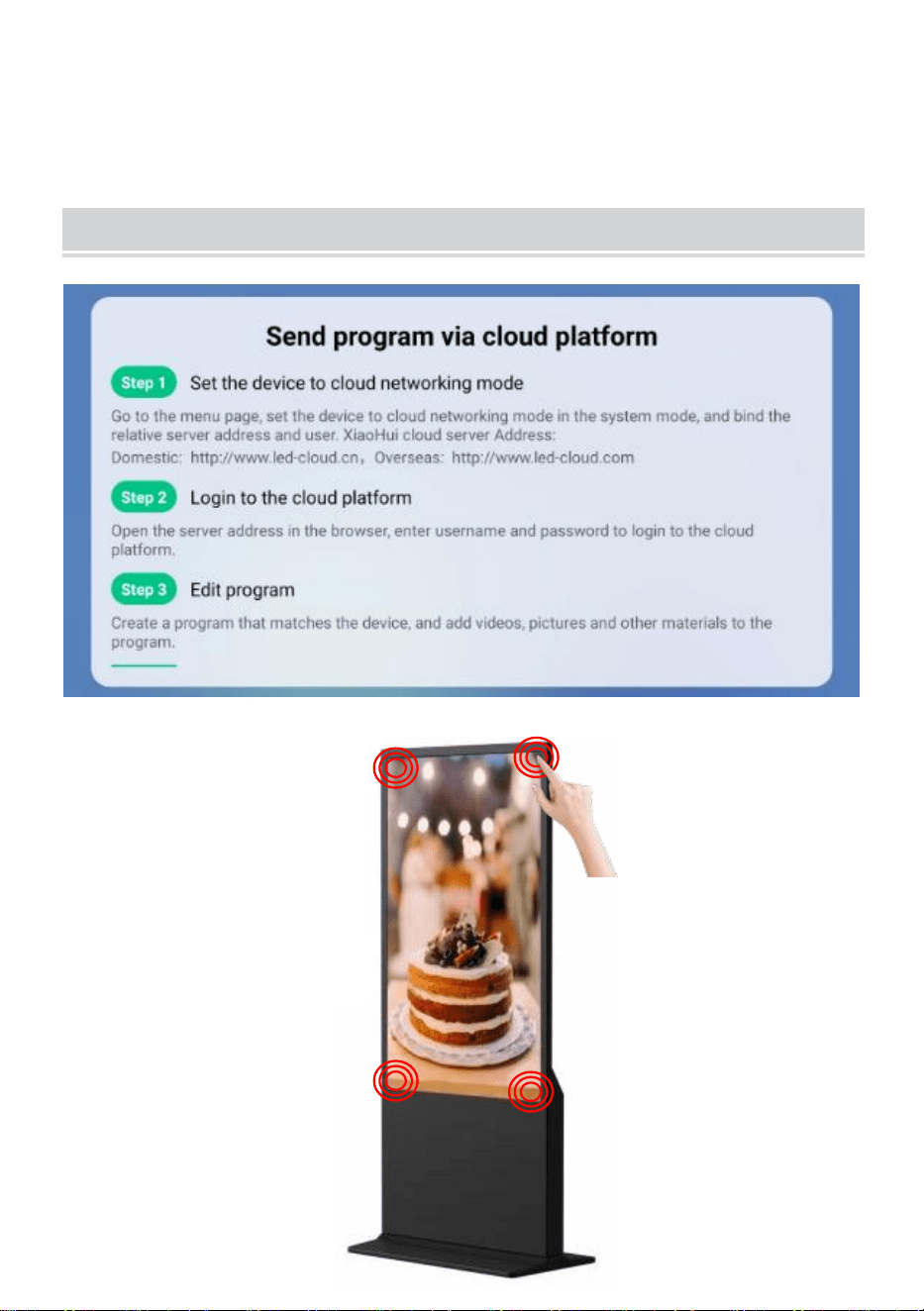
Publish advertisement by Website
- 9 -
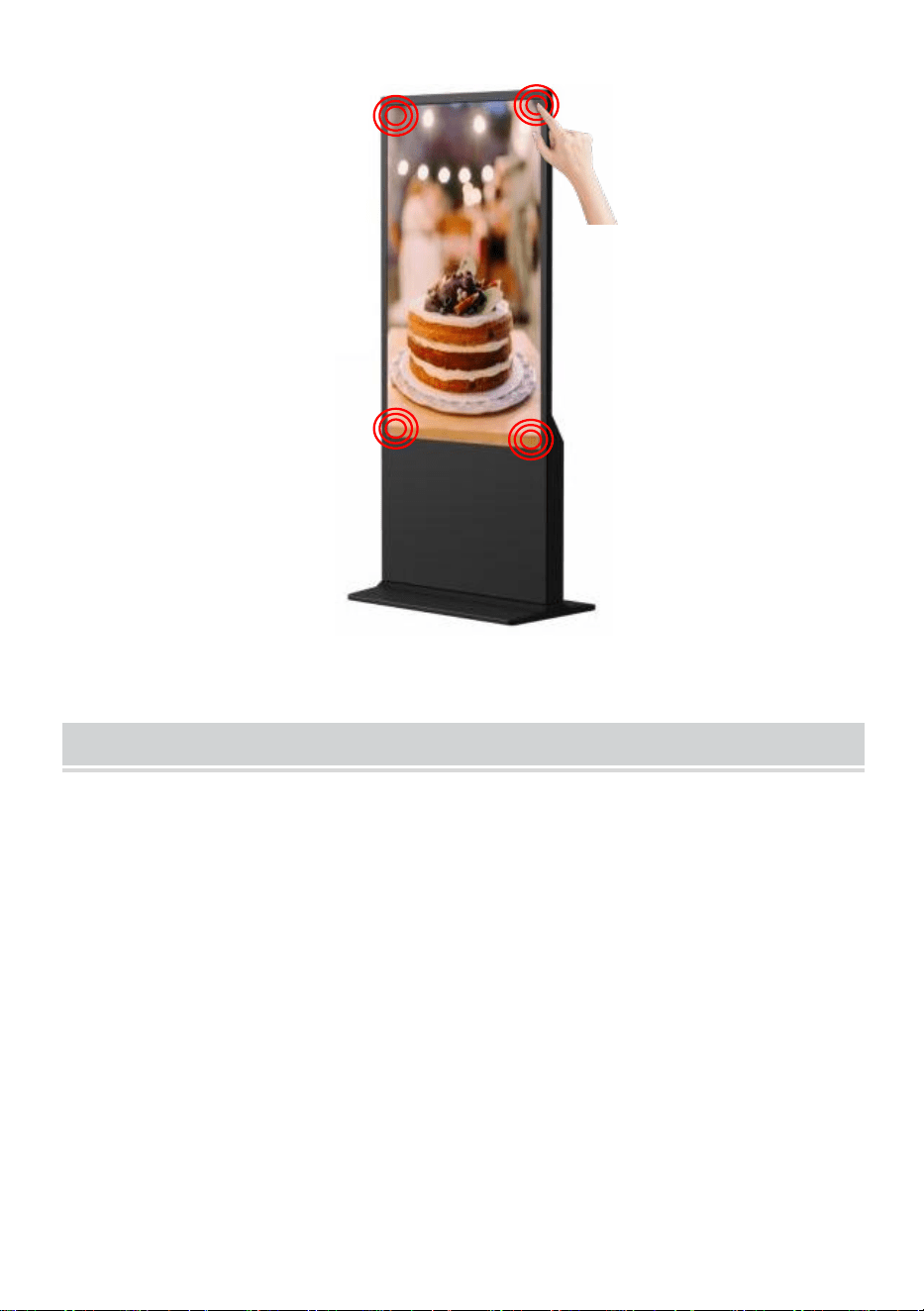
●Click the corner or screen for 4 times to setting mode.
Operation instruction
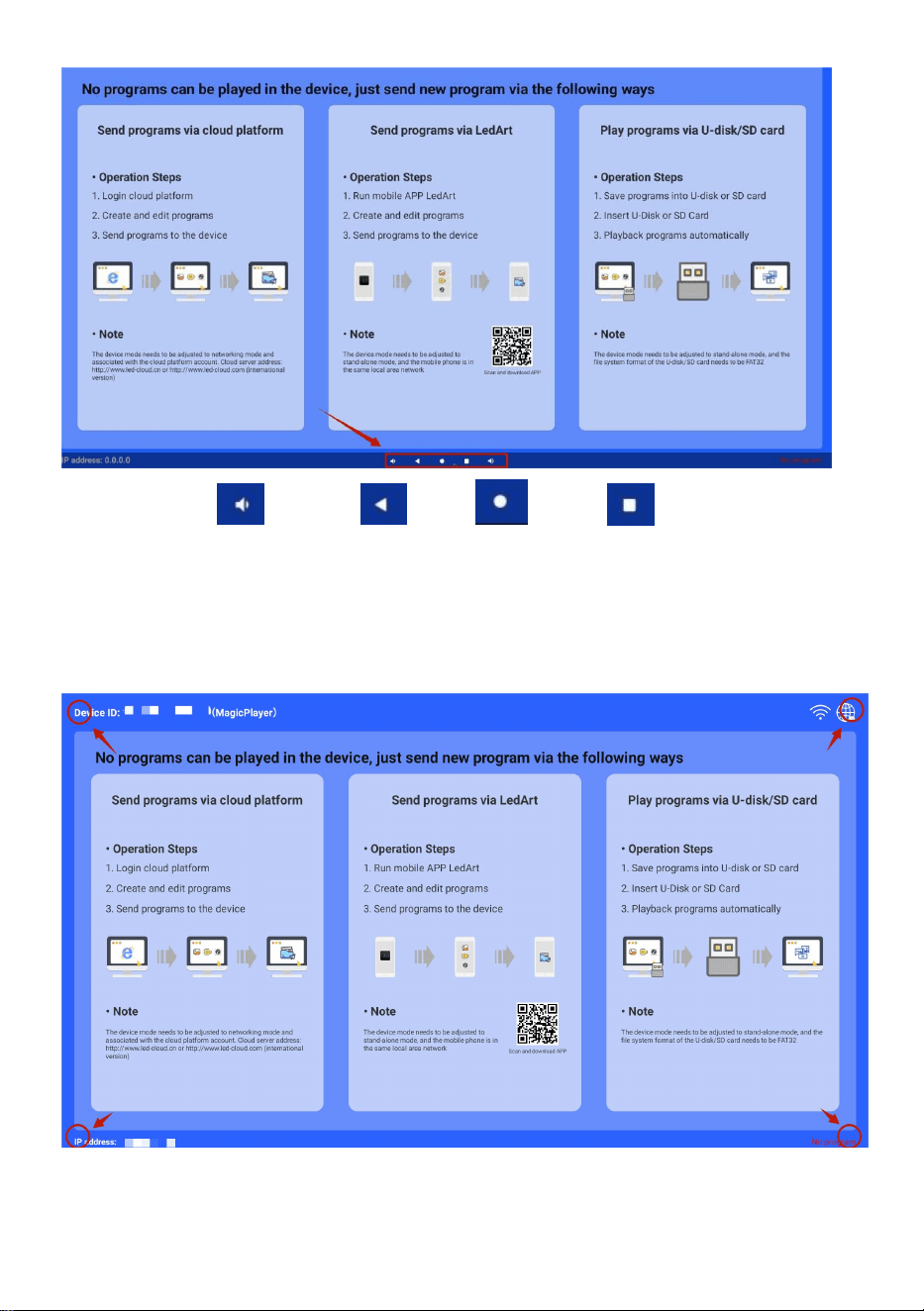
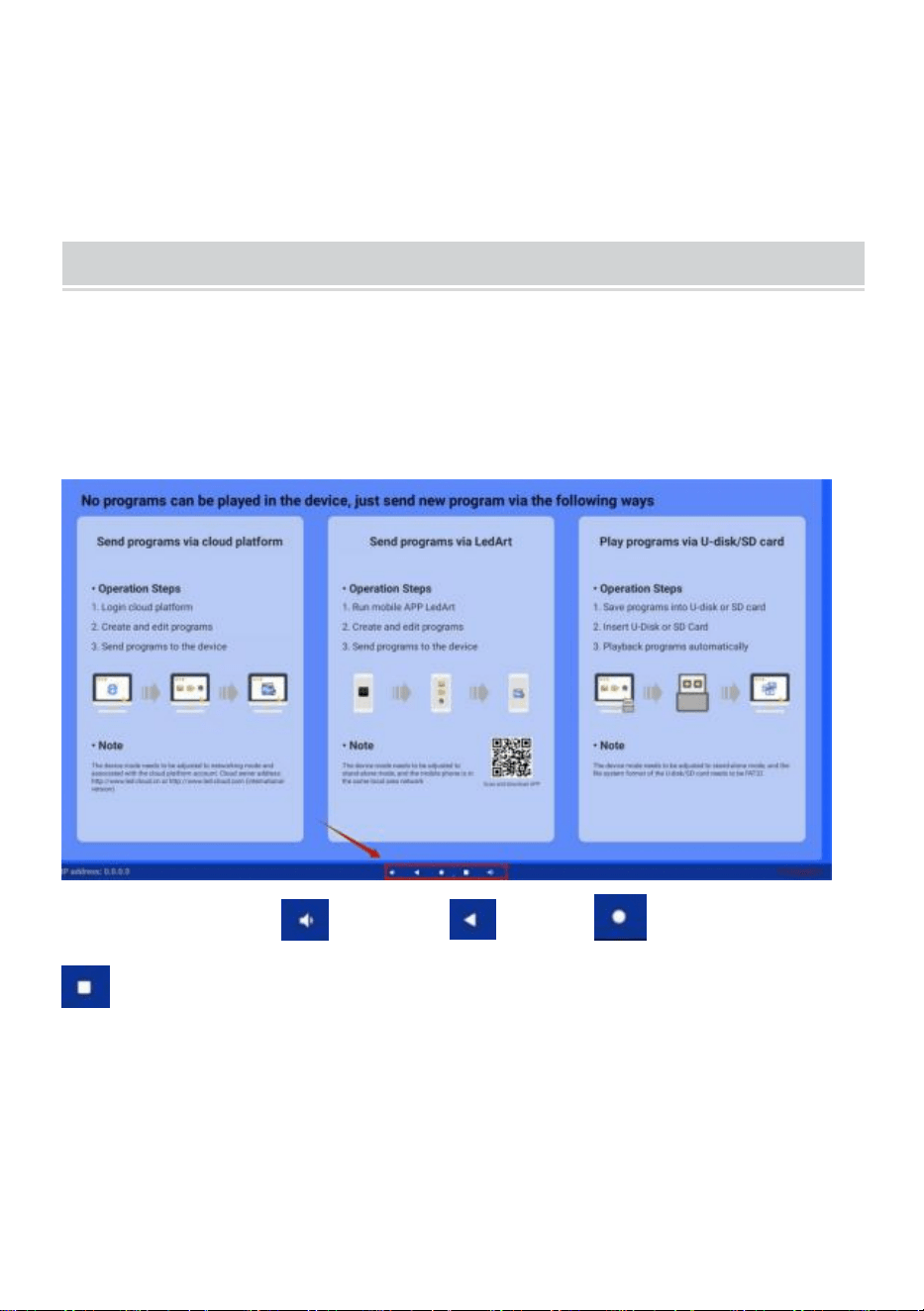
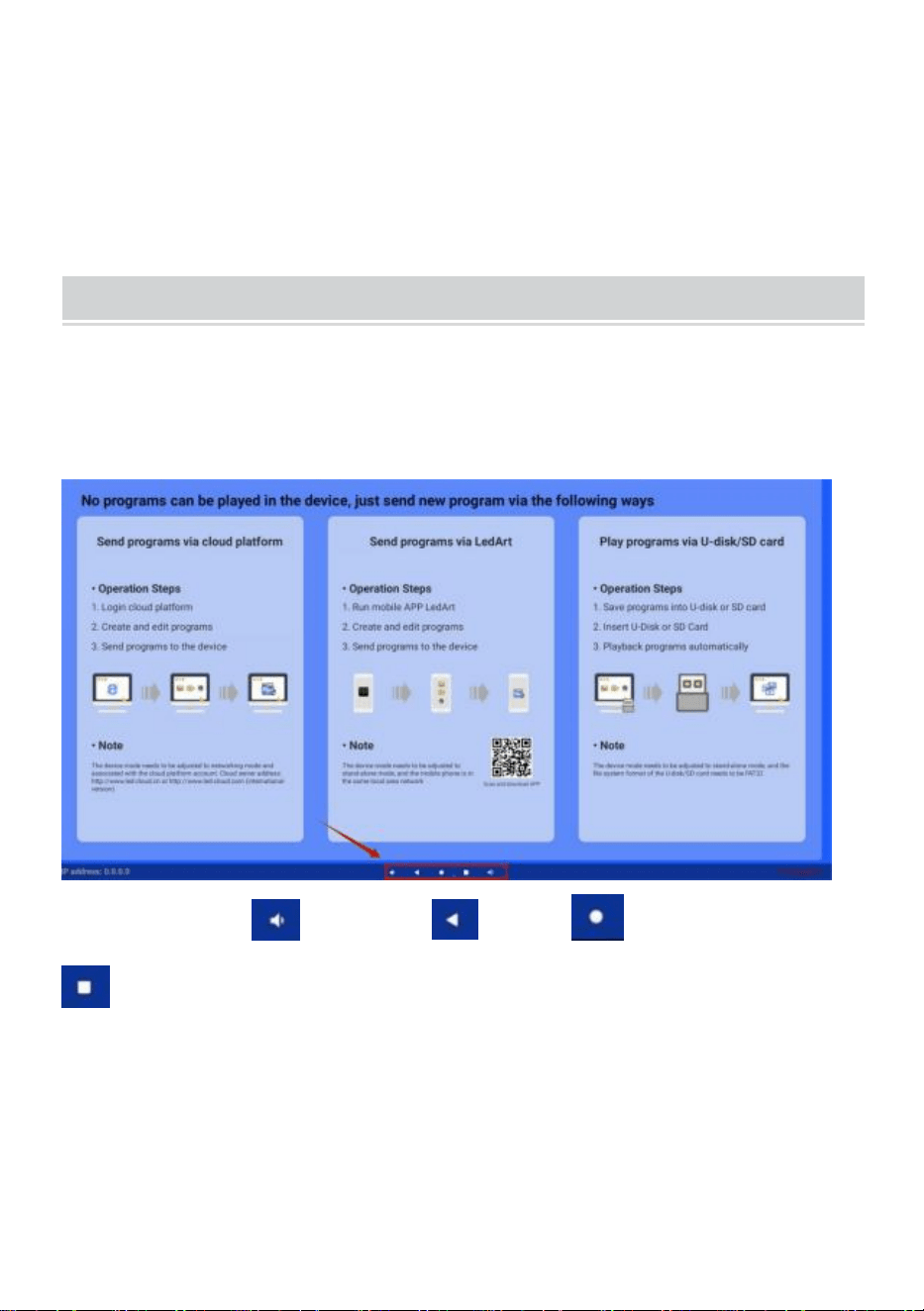
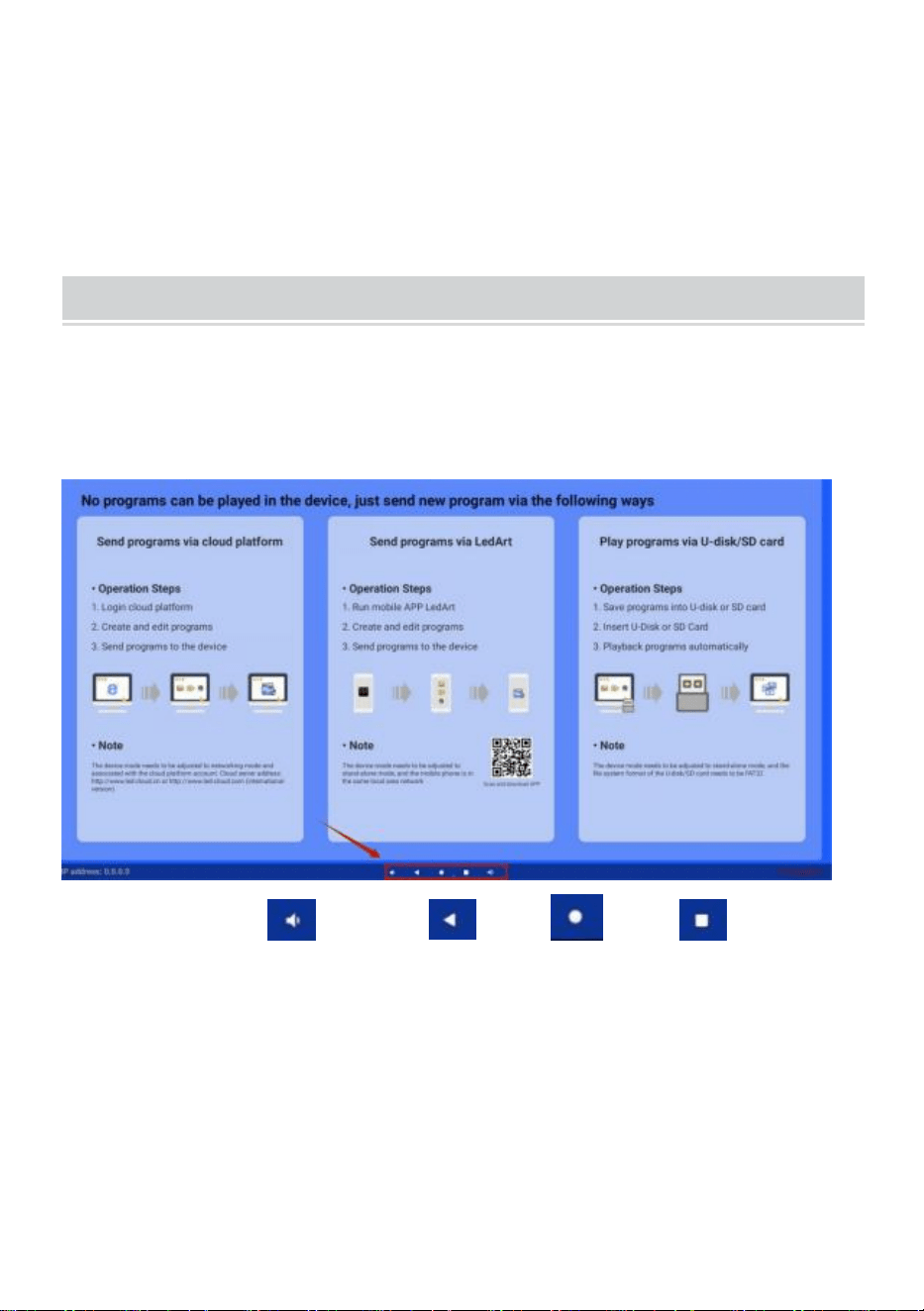
●Navigation bar function keys
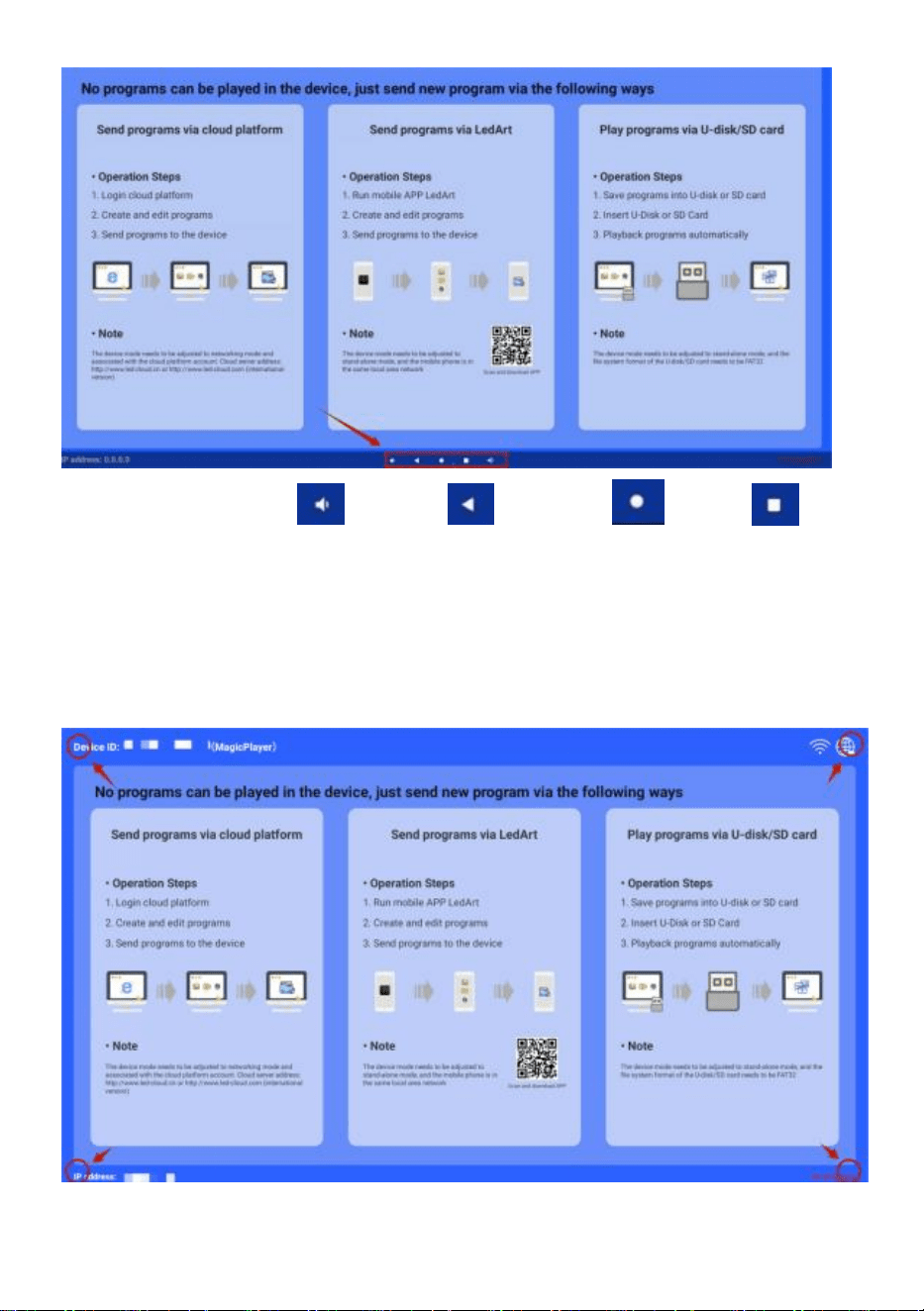
Swipe up at the bottom center of the screen to open the navigation
bar.
- 10 -
function keys: Volume, Back, Home, Switch applications
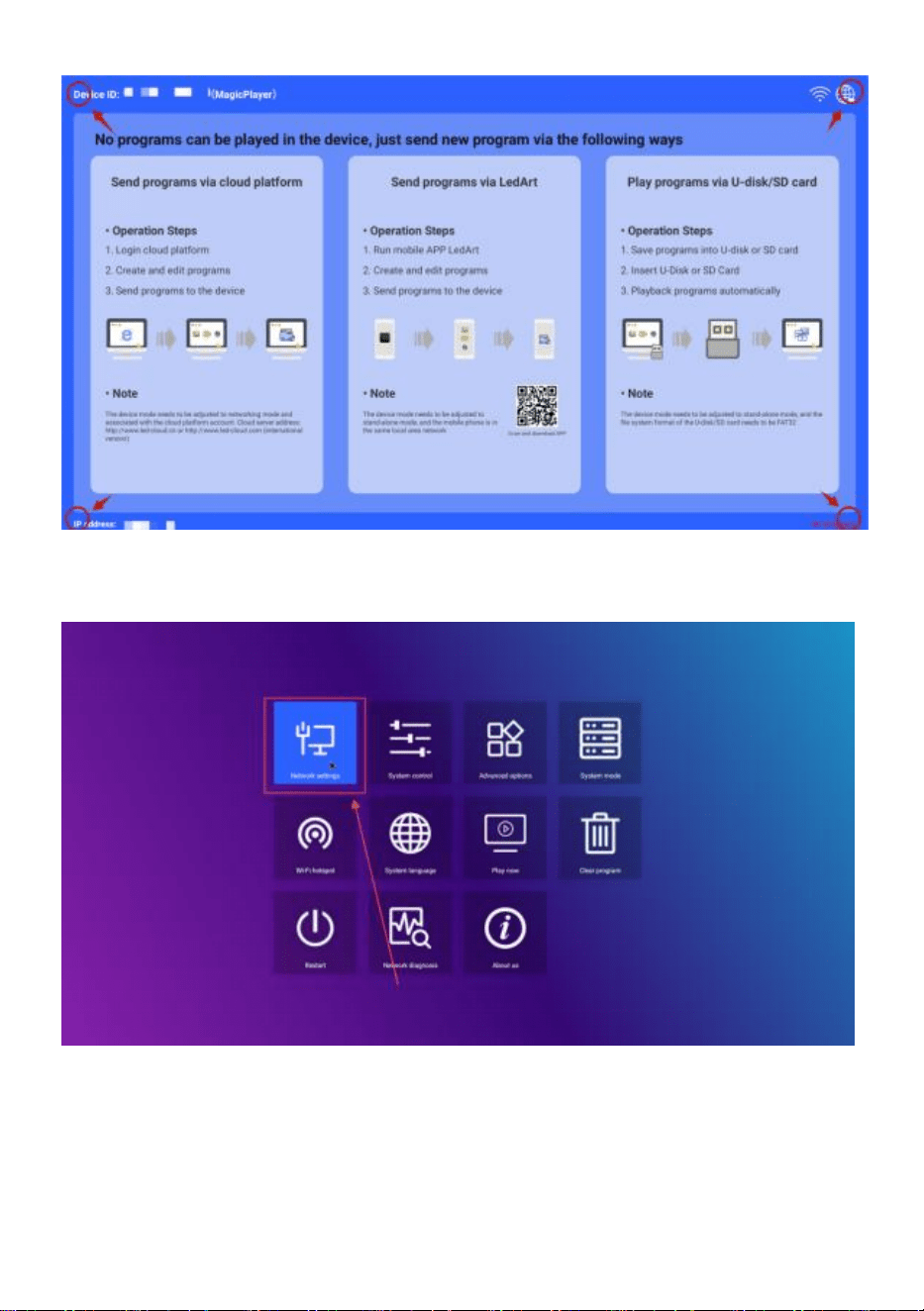
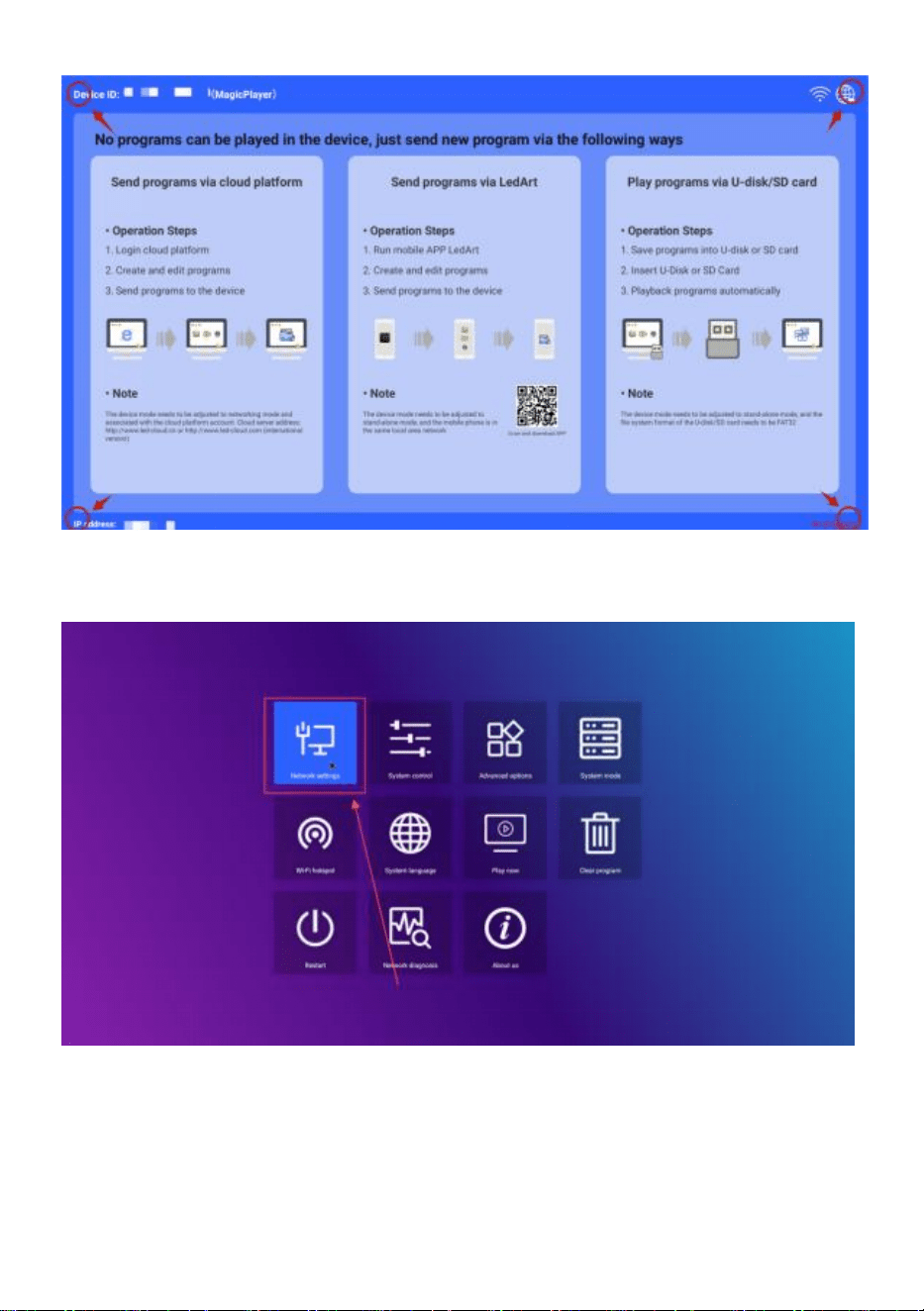
●Connect network
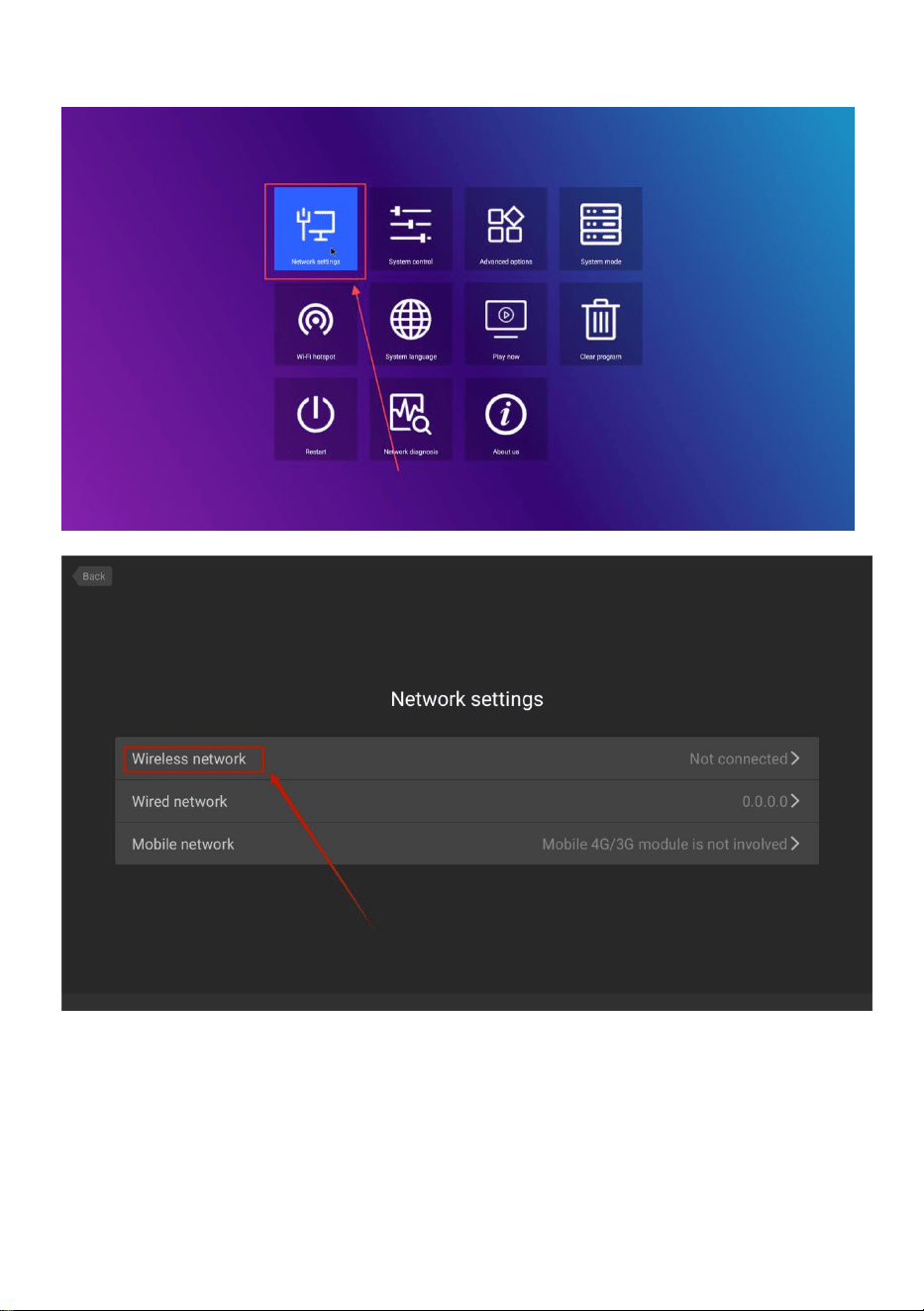
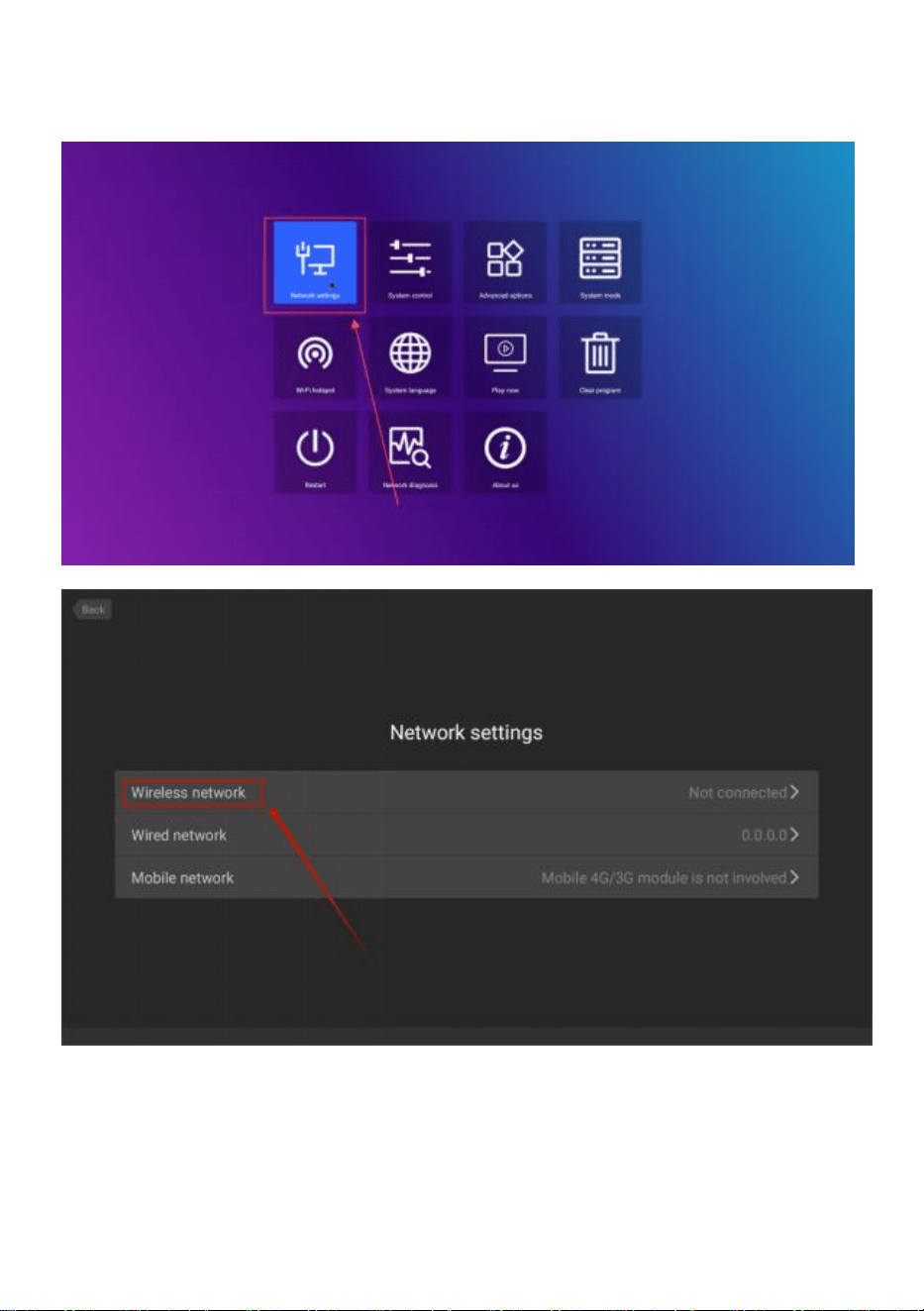
Play any of the four corners of the software interface, touch and click 4
times to enter the system settings
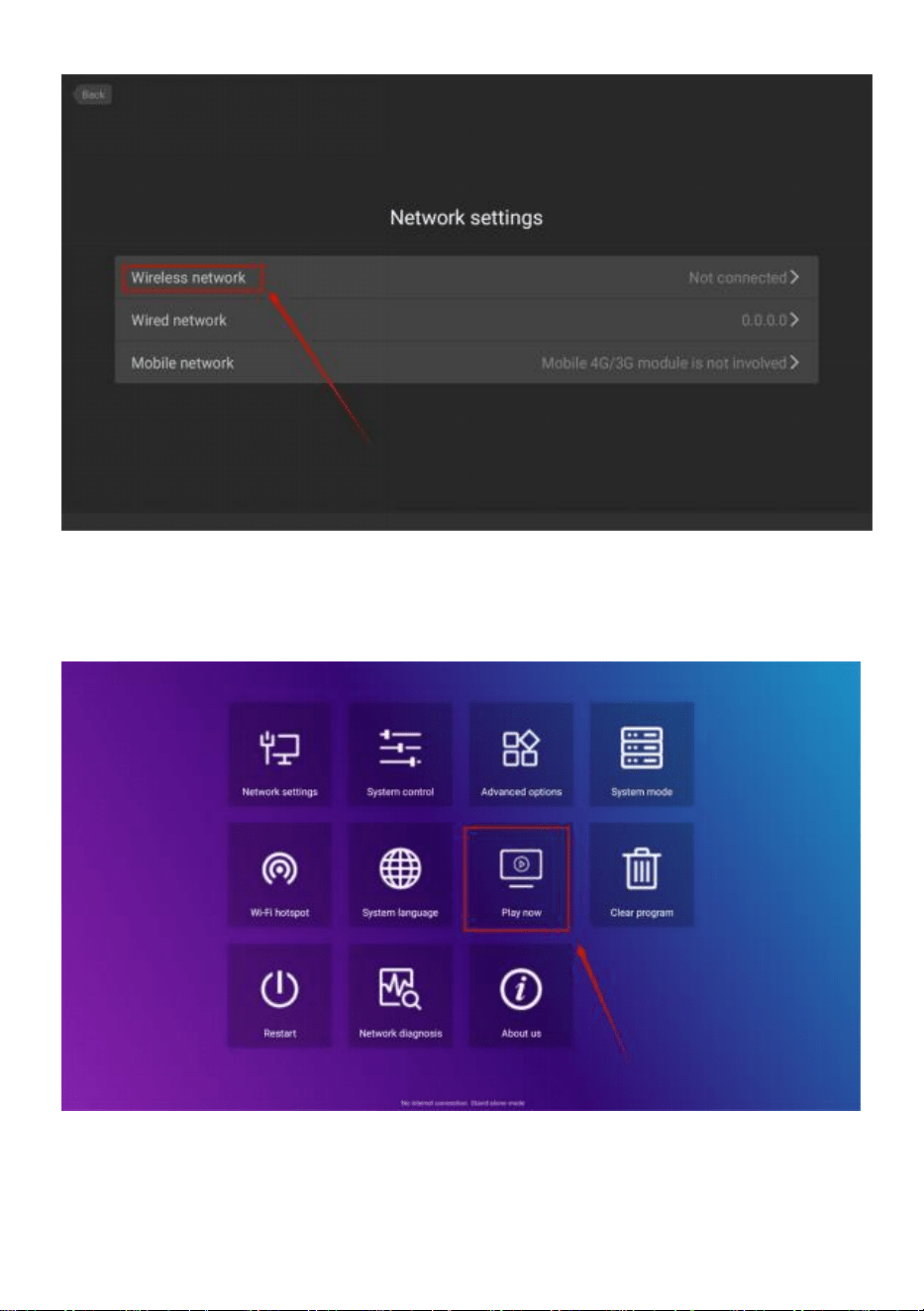
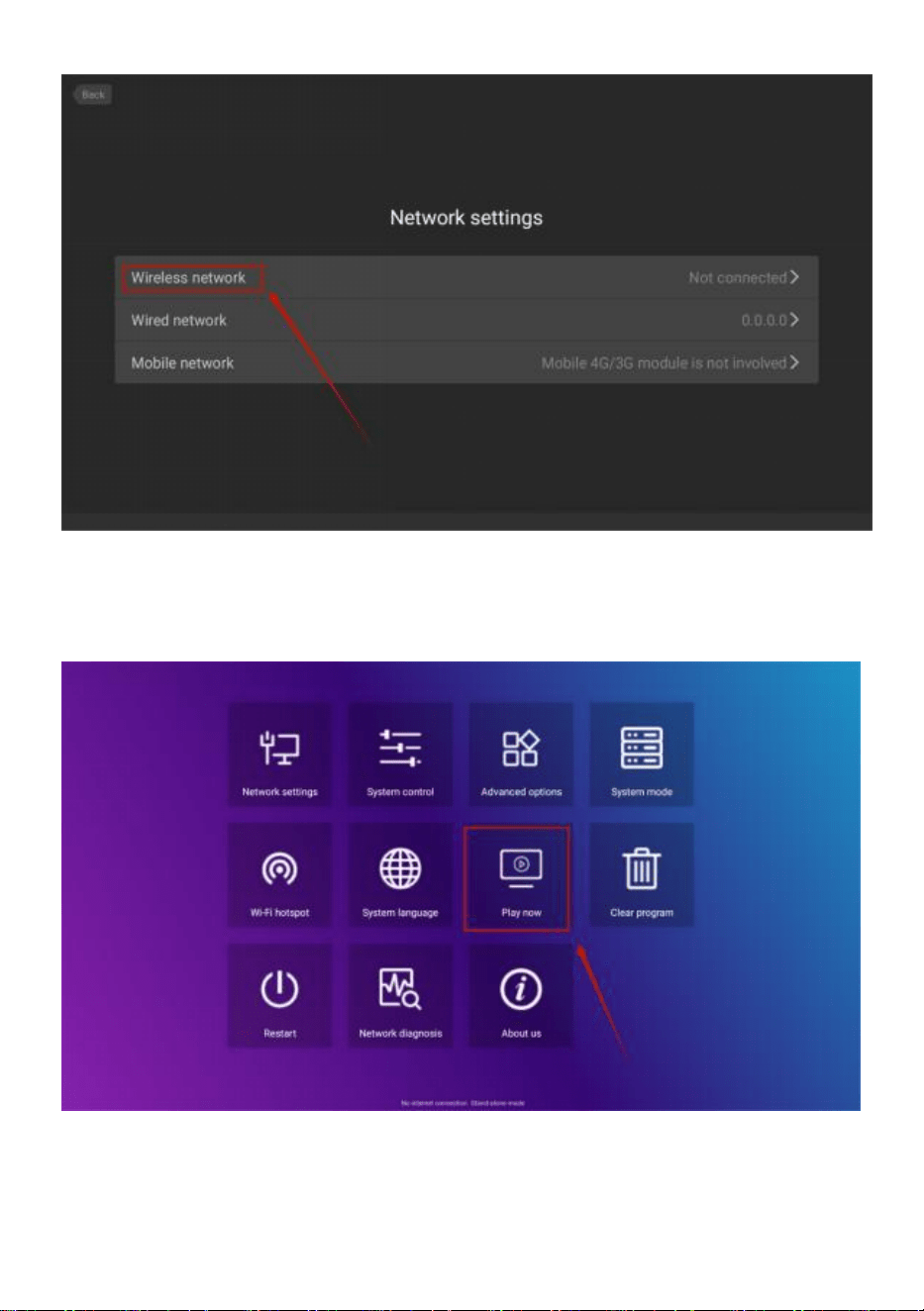
Click to enter->Network settings->Wireless network,select the WIFI to
- 11 -
connect.
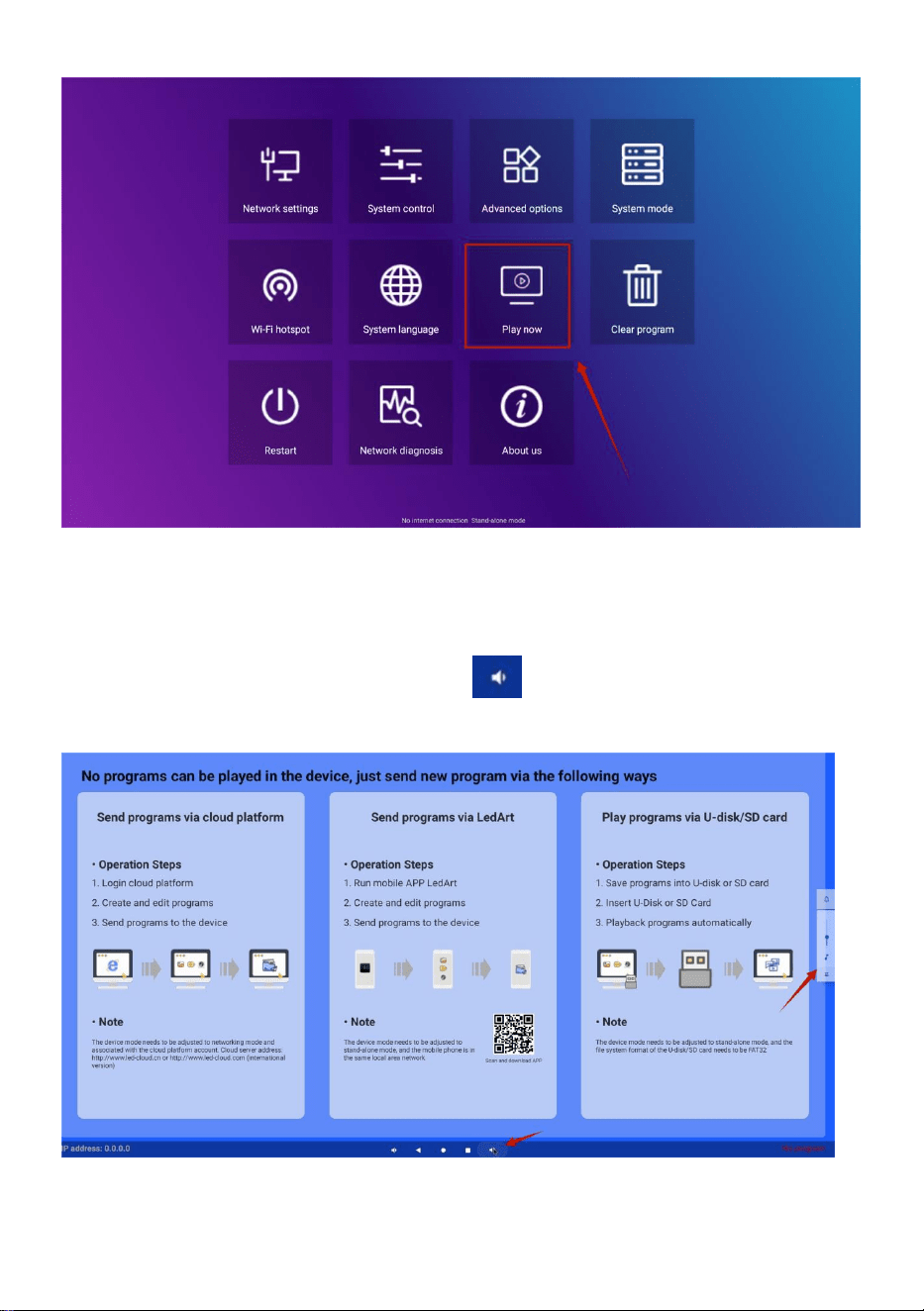
After connecting, click”Play now” to return to the playback interface.
- 12 -
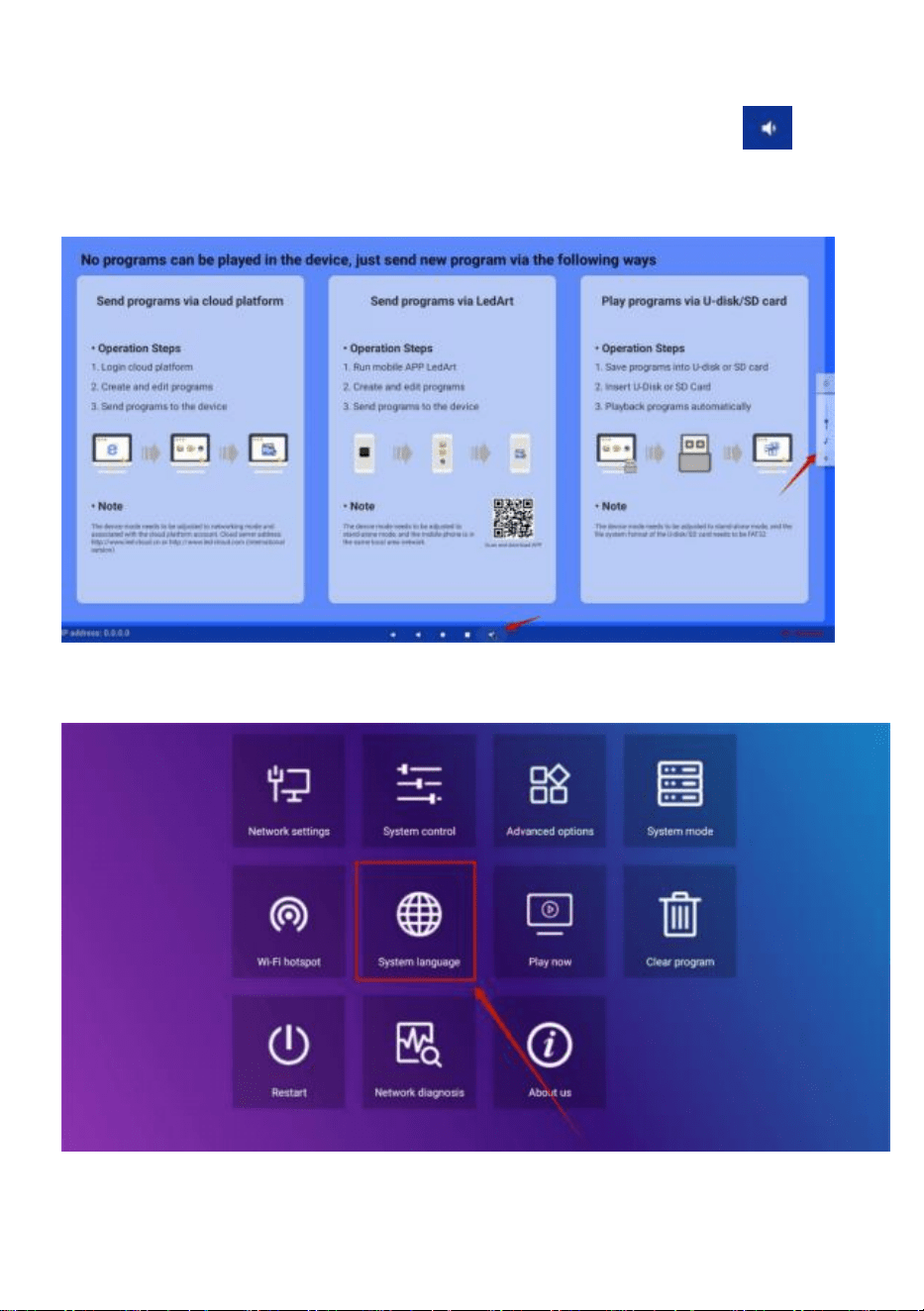
●Volume control
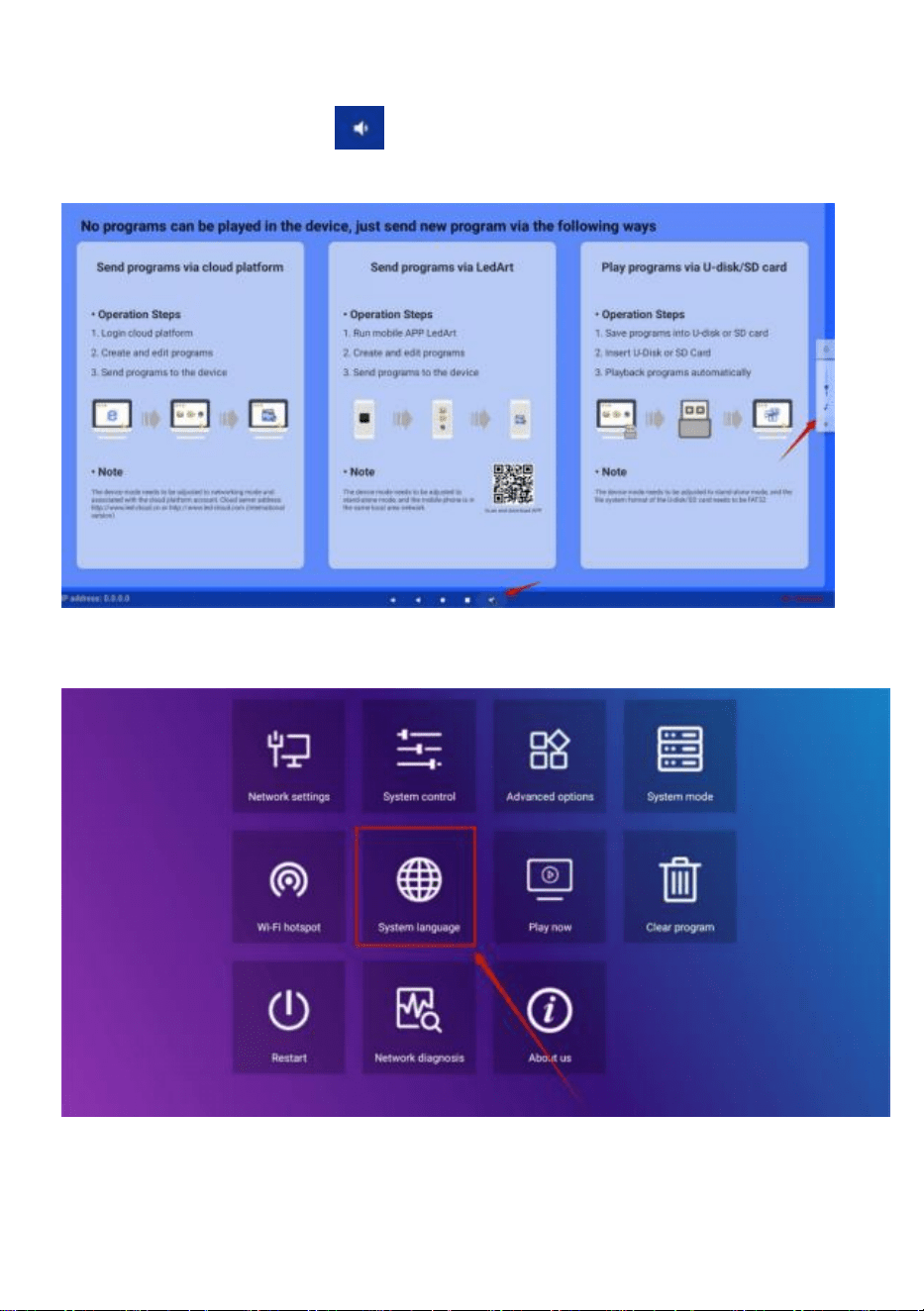
Slide up the middle position at the bottom of the screen, open the
navigation bar, click the volume button , and the volume size can be
adjusted by popping up on the right side
●Software language selection
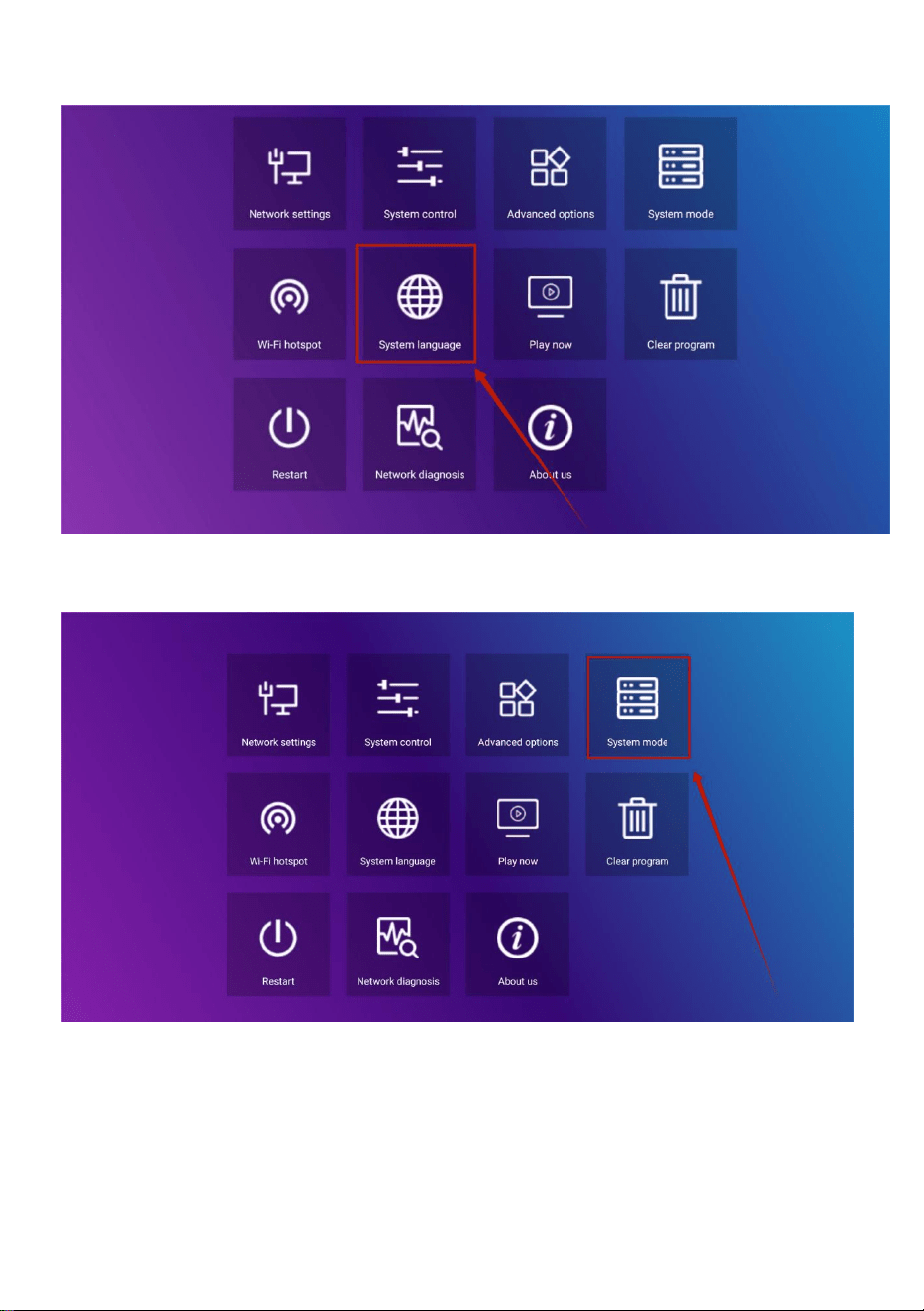
- 13 -
System settings->System language
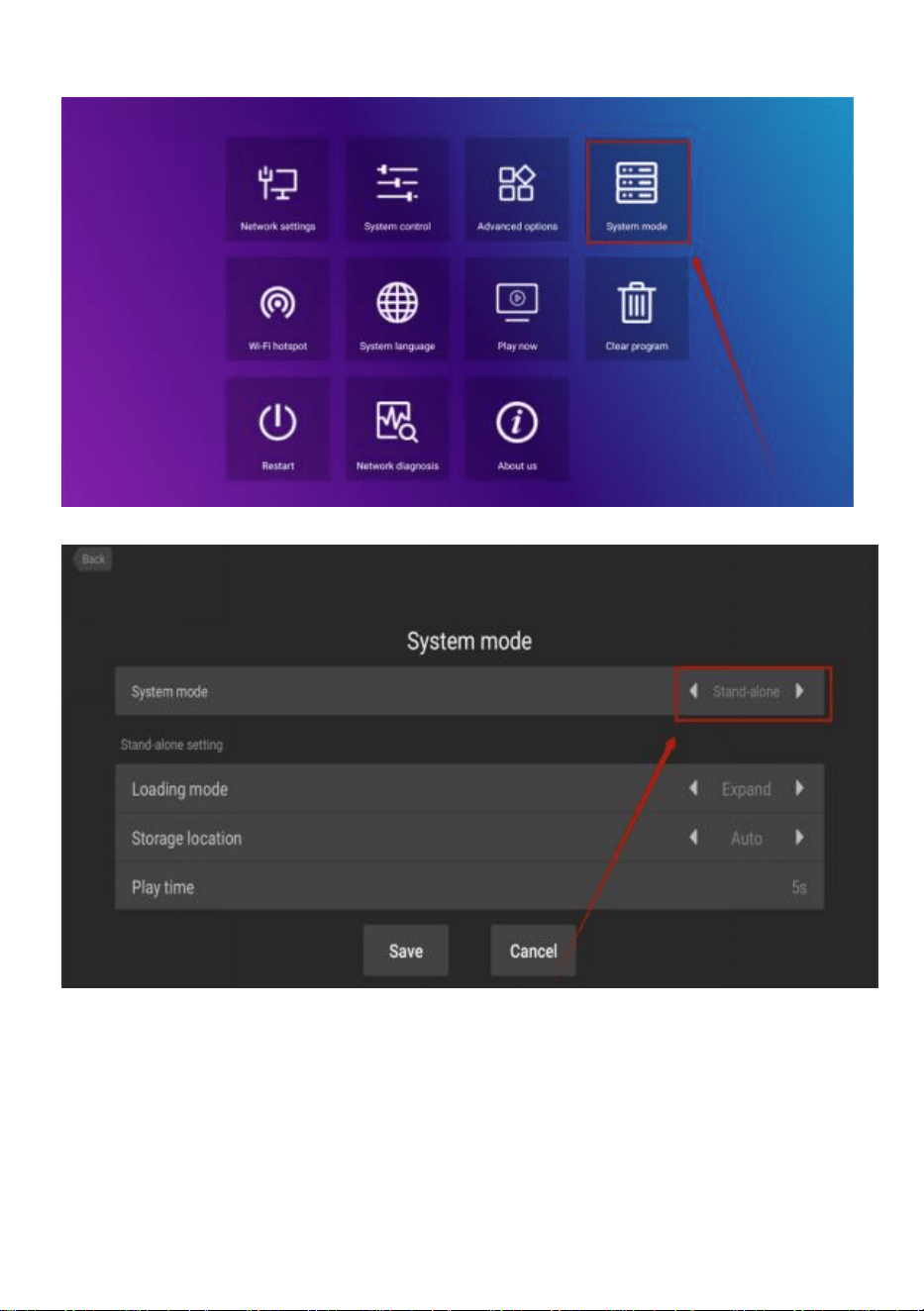
●Advertisement mode selection
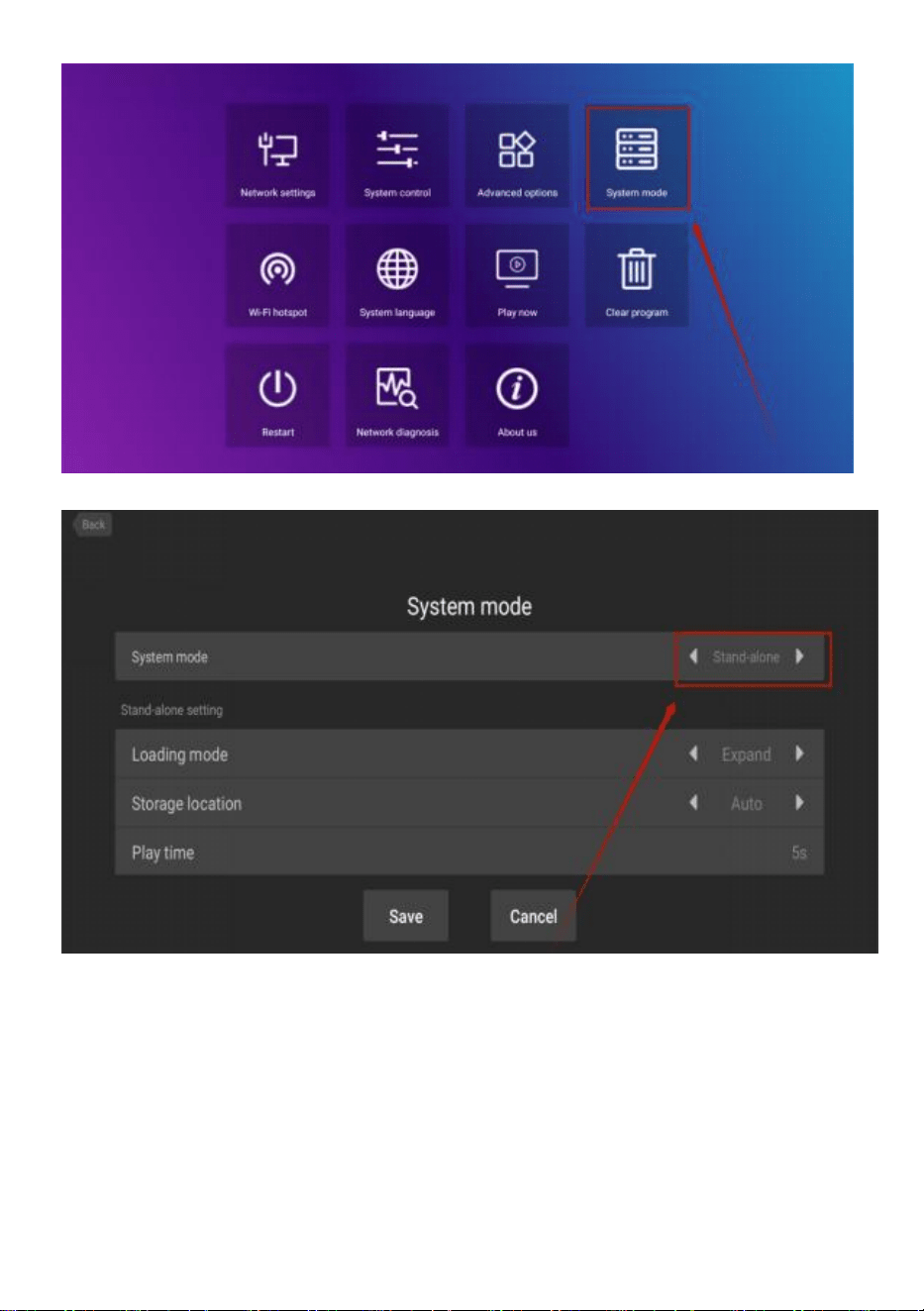
System settings->System mode
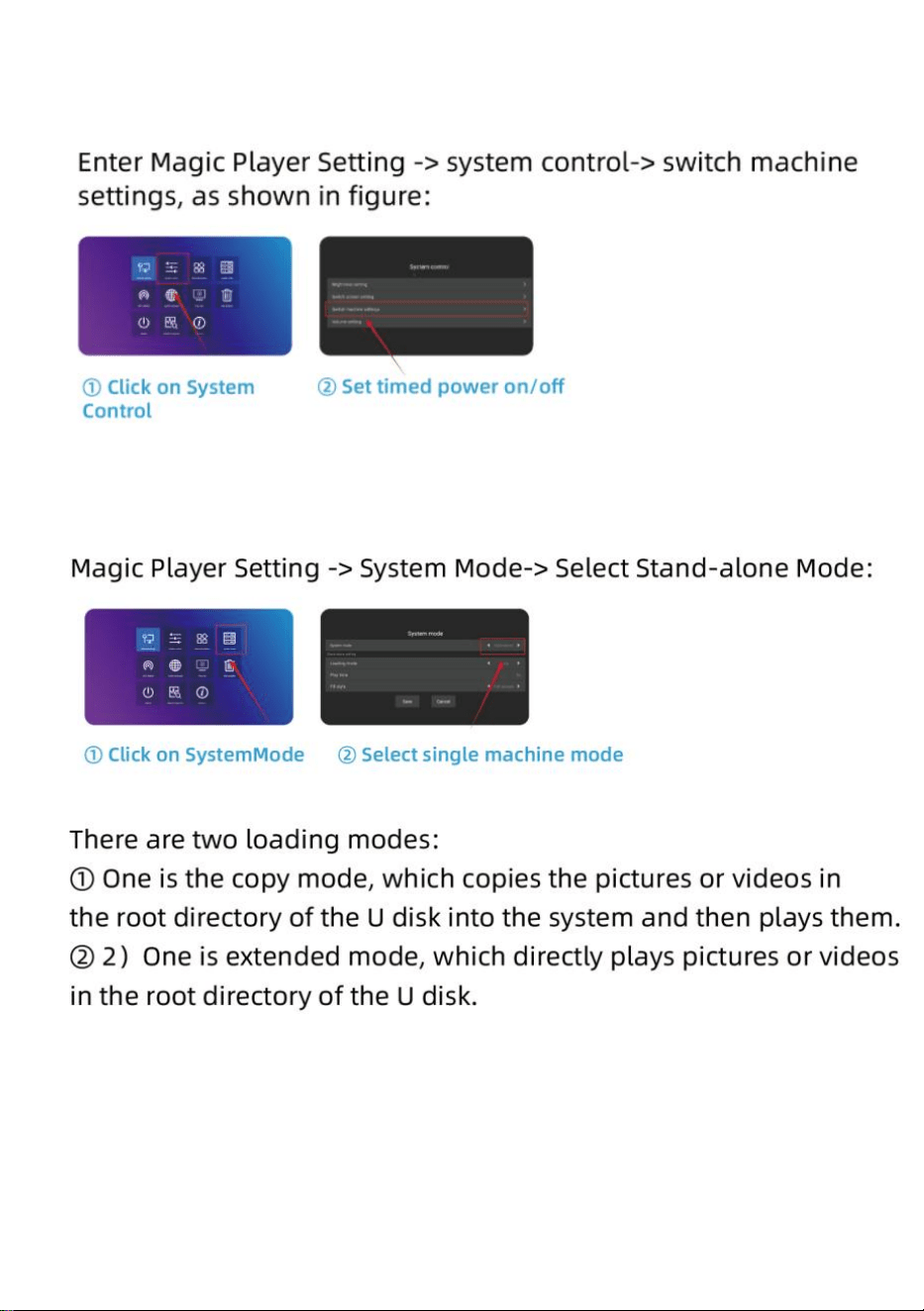
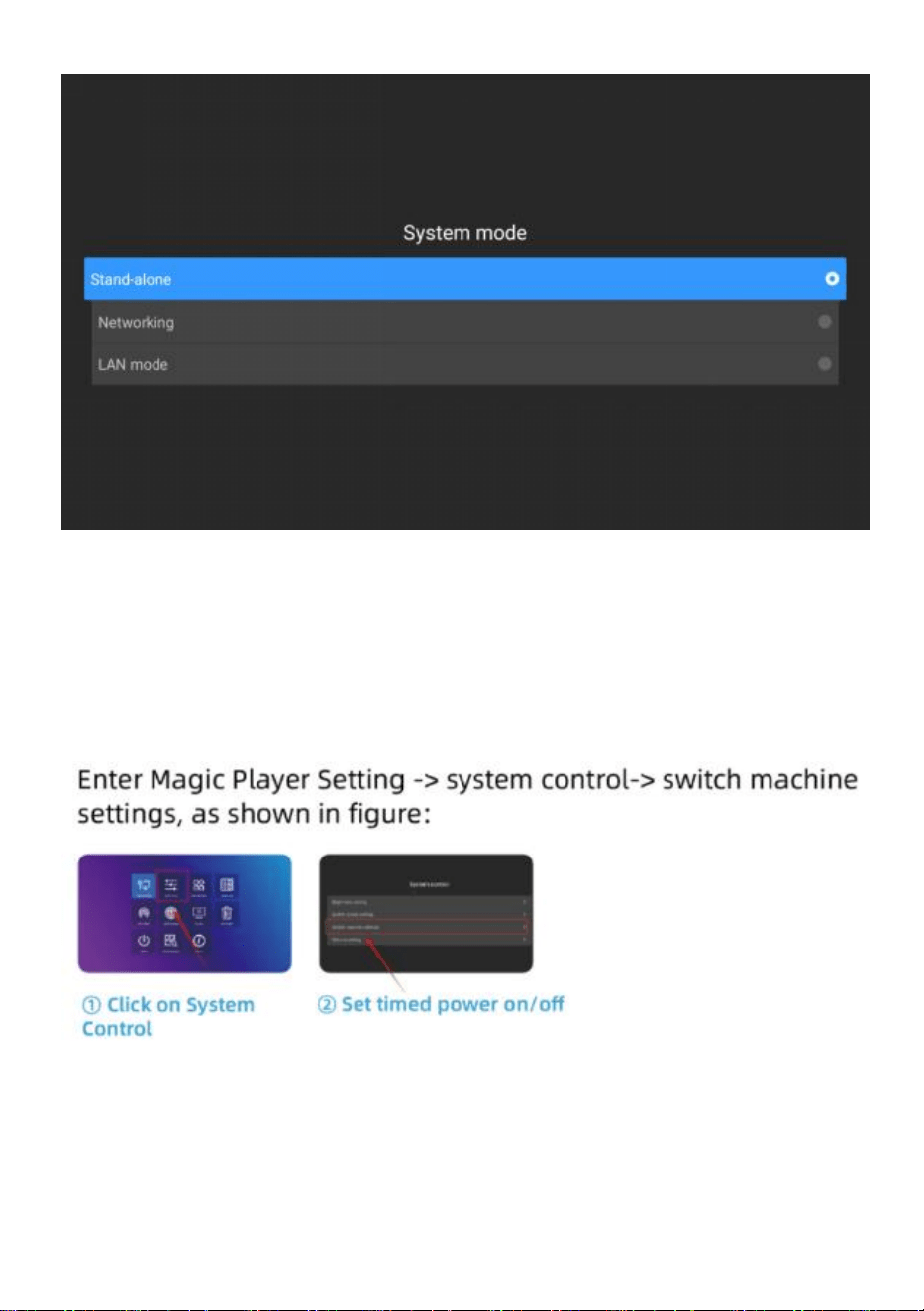
Click on system mode to select the mode.
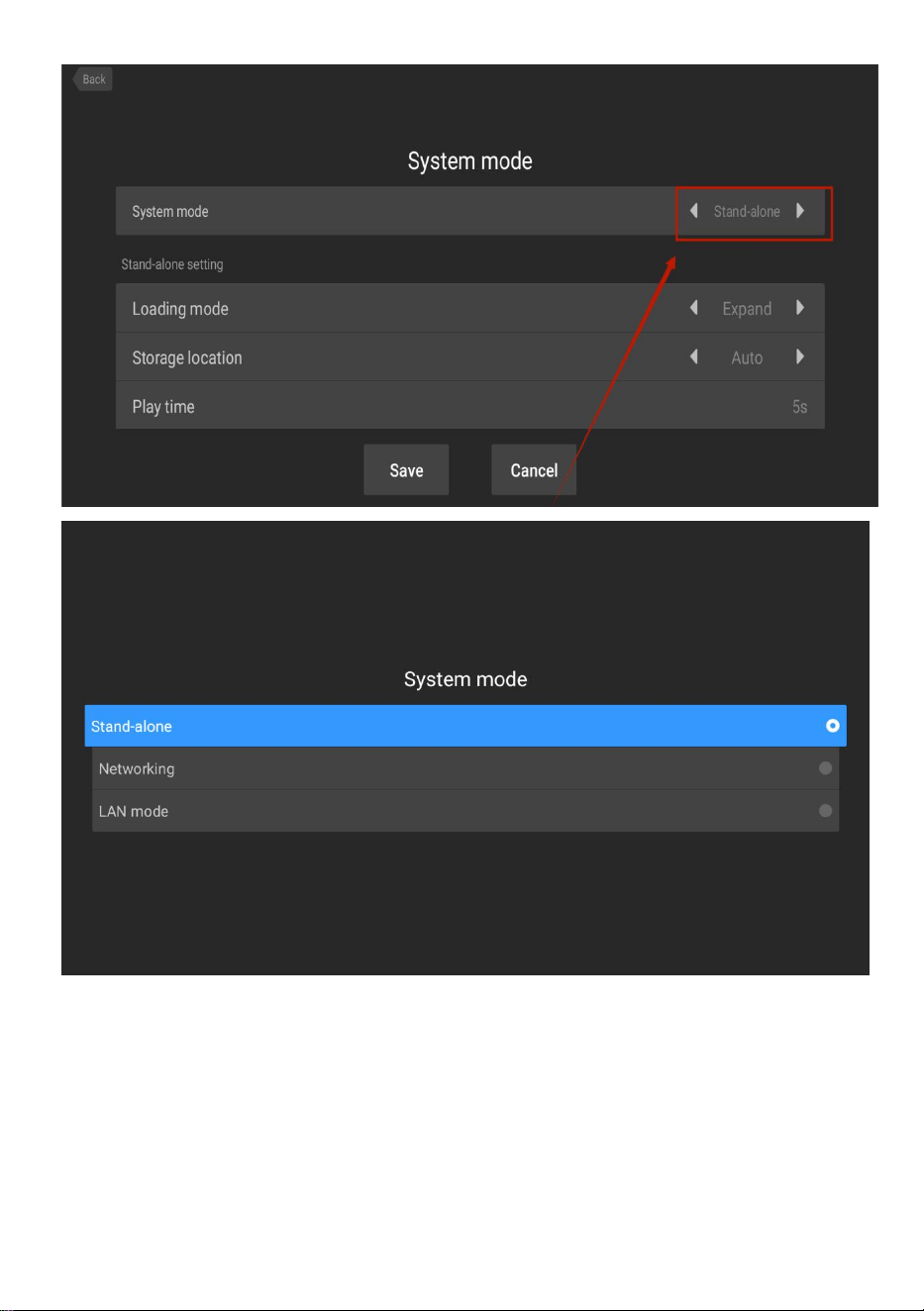
- 14 -
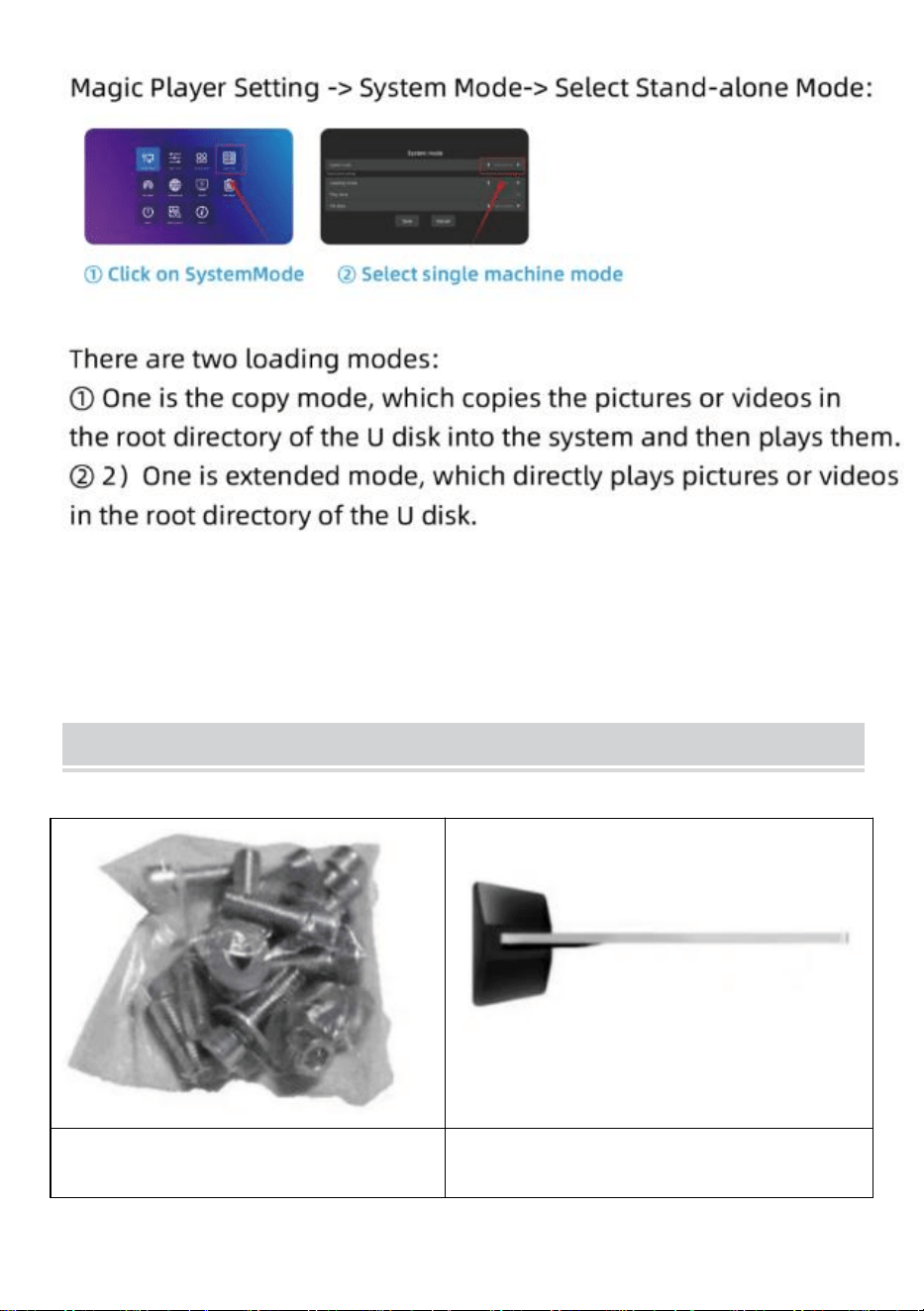
Stand-alone:Stand-alone mode is played by inserting a USB drive (default
setting).
Networking:You can remotely control the publication of content (more
information can be found in the video operation).
- 15 -
●Timing switch machine
●U disk playback setting
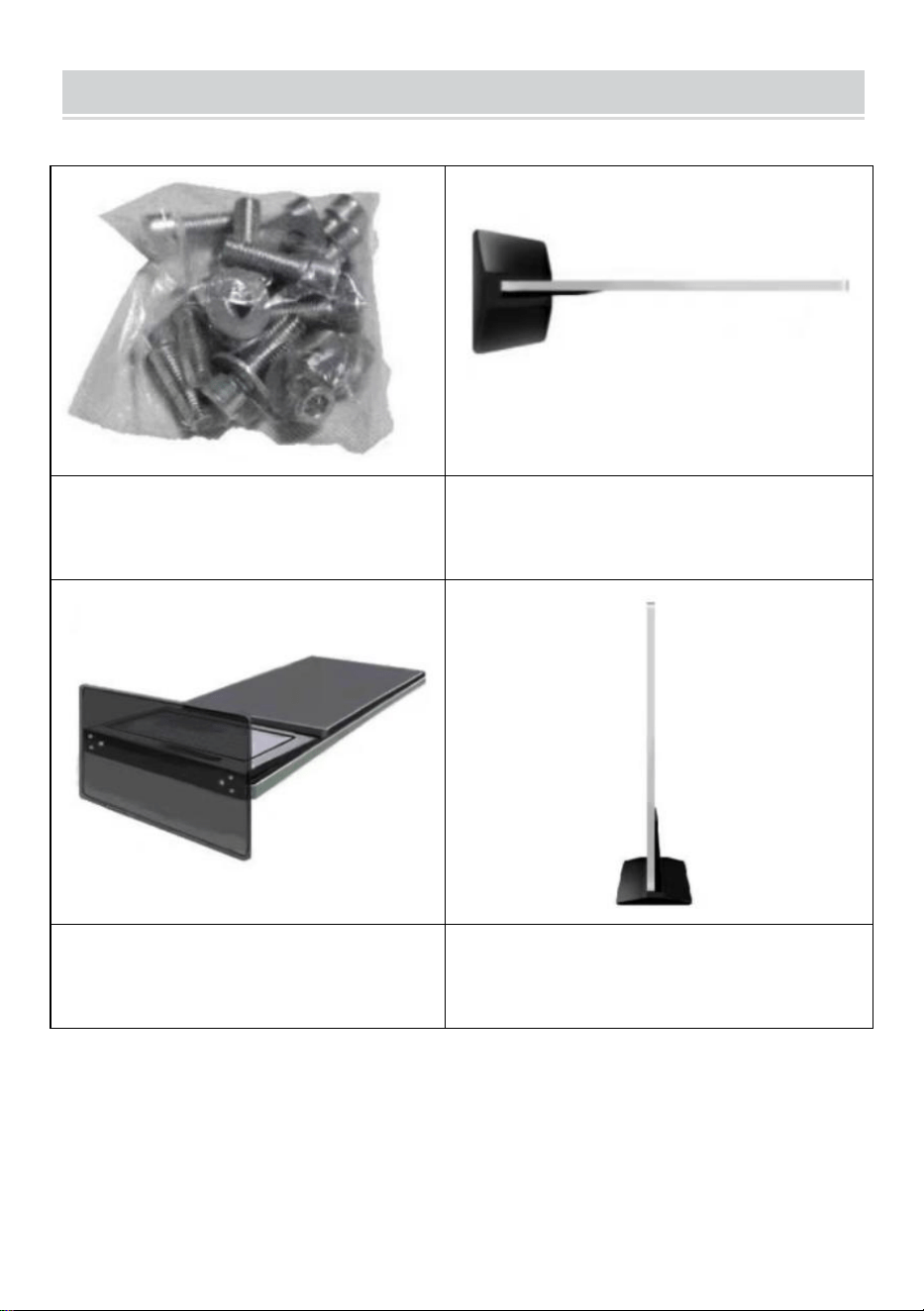
- 16 -
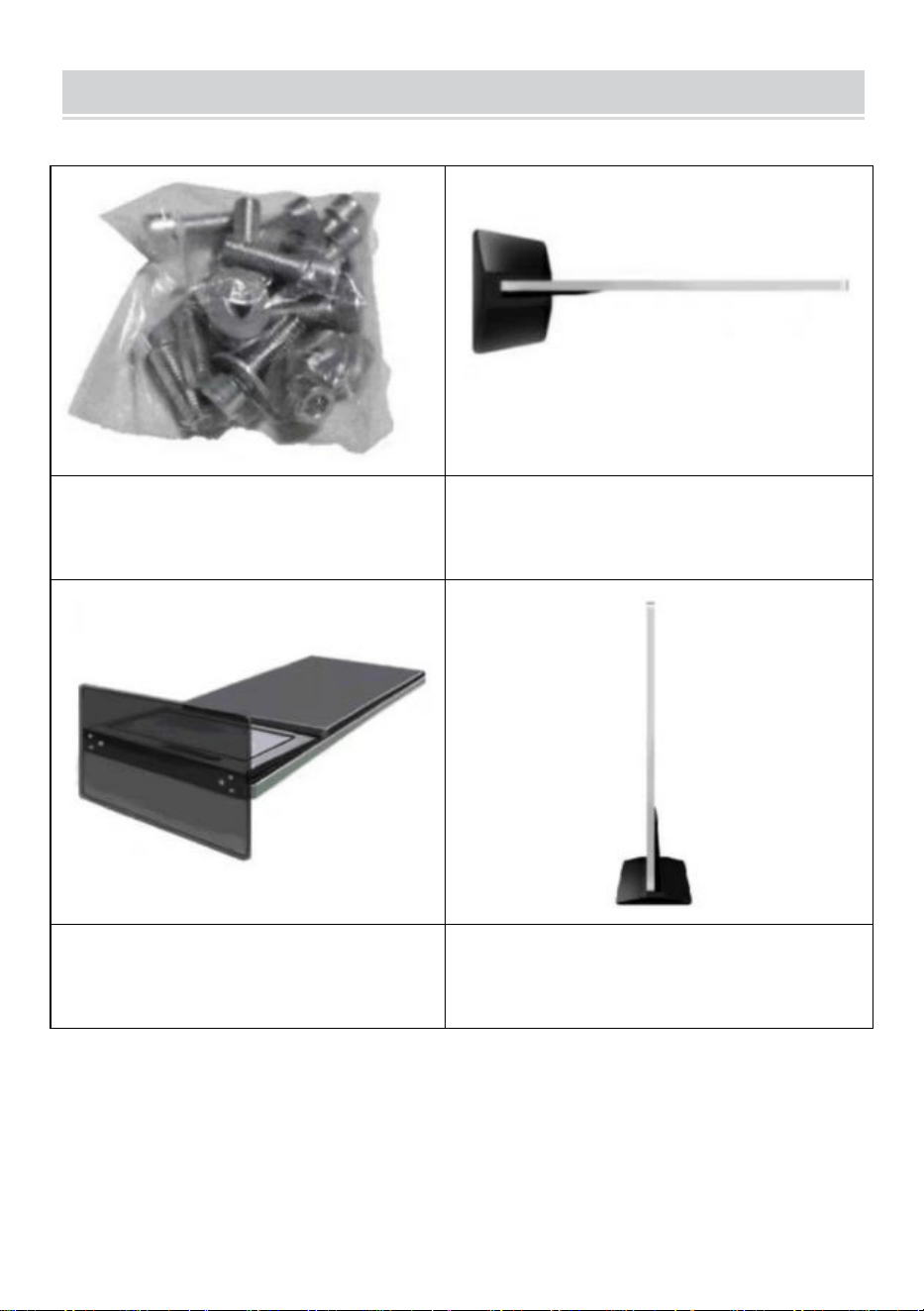
Installation Steps
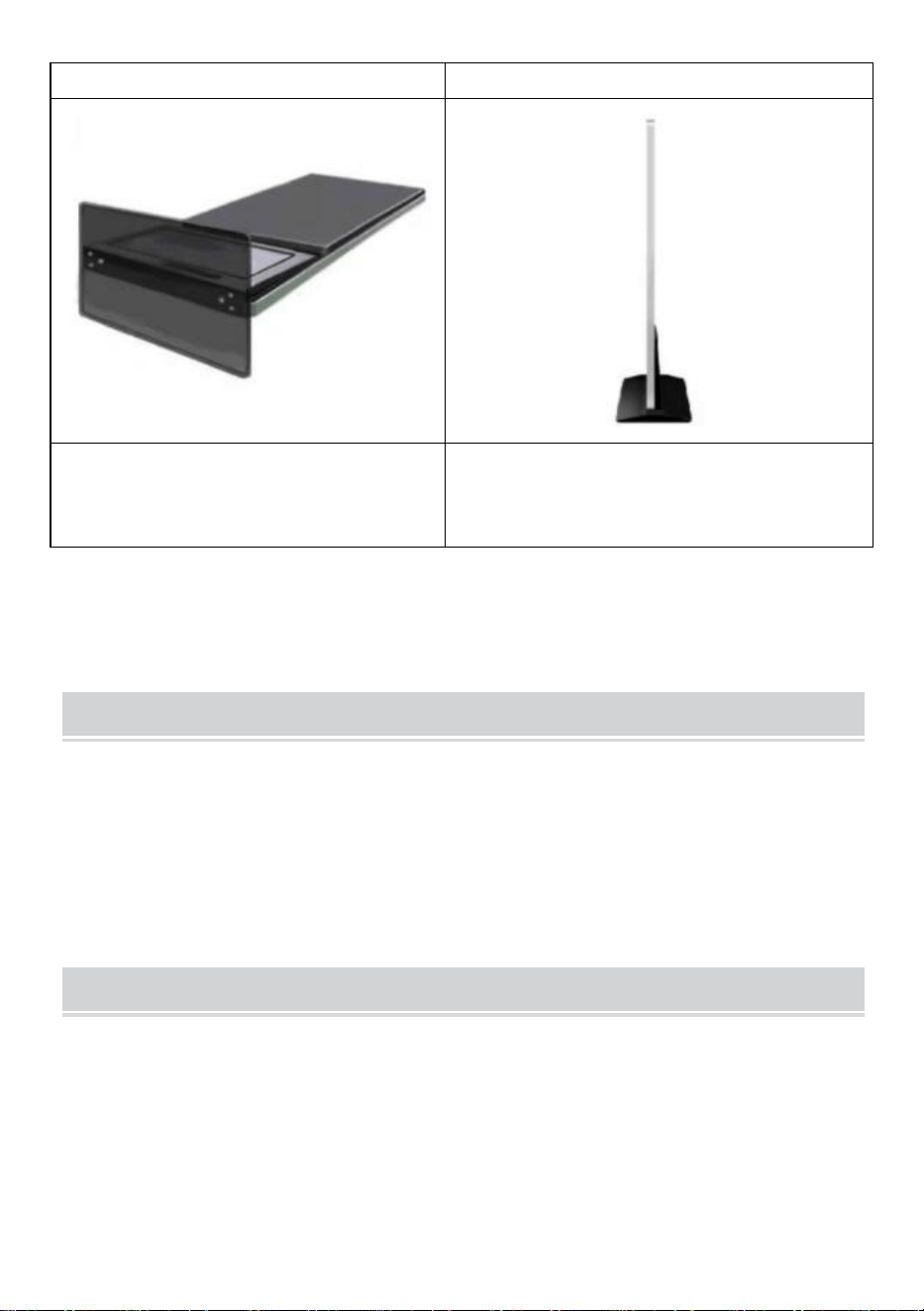
Step A:Take out six screws and a
hexagonal screwdriver.
Step B:Rotate the screen and lie
down to align with the base.
Step C:Tighten the six screws.
Step D:Rotate the screen upright and
plug it into the power supply.
- 17 -
Accessories List
User’s Guide * 1,
Power cord * 1,
USB flash drive * 1,
Screw * 8,
Roller * 4,
Key * 1.
Matters Need Attention
● If there is a hand pressing the screen, the touch screen operation will
not be responded to at this time.
● Scan the QR code for more installation and usage video information.
- 18 -
Manufacturer: Shanghaimuxinmuyeyouxiangongsi
Address: Shuangchenglu 803nong11hao1602A-1609shi, baoshanqu,
shanghai 200000 CN.
Imported to AUS: SIHAO PTY LTD. 1 ROKEVA STREETEASTWOOD
NSW 2122 Australia
Imported to USA: Sanven Technology Ltd. Suite 250, 9166 Anaheim
Place, Rancho Cucamonga, CA 91730
REP
UK
YH CONSULTING LIMITED. C/O YH Consulting
Limited Office 147, Centurion House, London
Road, Staines-upon-Thames, Surrey, TW18 4AX
REP
EC
E-CrossStu GmbH
Mainzer Landstr.69,
60329 Frankfurt am Main.


Techniczny Wsparcie i certyfikat gwarancji elektronicznej www.vevor.com/support
Kiosk cyfrowy
INSTRUKCJA UŻYTKOWNIKA
MODELE: DC-A55ZN-A,DC-A65ZN-A
We continue to be committed to provide you tools with competitive price.
"Save Half", "Half Price" or any other similar expressions used by us only represents an
estimate of savings you might benefit from buying certain tools with us compared to the major
top brands and does not necessarily mean to cover all categories of tools offered by us. You
are kindly reminded to verify carefully when you are placing an order with us if you are
actually saving half in comparison with the top major brands.
- 1 -
MODELE: DC-A55ZN-A,DC-A65ZN-A
POTRZEBUJESZ POMOCY? SKONTAKTUJ SIĘ Z NAMI!
Masz pytania dotyczące produktu? Potrzebujesz wsparcia
technicznego? Skontaktuj się z nami:
Wsparcie techniczne i certyfikat e-gwarancji
www.vevor.com/support
To jest oryginalna instrukcja, przed użyciem należy uważnie przeczytać
wszystkie instrukcje. VEVOR zastrzega sobie jasną interpretację naszej
instrukcji obsługi. Wygląd produktu będzie zależał od produktu, który
otrzymałeś. Prosimy o wybaczenie, że nie poinformujemy Cię ponownie,
jeśli w naszym produkcie pojawią się jakiekolwiek aktualizacje
technologiczne lub oprogramowania.
Digital Kiosk
- 2 -
Ostrzeżenie: Aby zminimalizować ryzyko obrażeń, użytkownik
powinien uważnie przeczytać instrukcję obsługi.
Informacje FCC
UWAGA: Zmiany lub modyfikacje wykonane bez wyraźnej zgody
strony odpowiedzialnej za zgodność mogą spowodować
unieważnienie prawa użytkownika do korzystania ze sprzętu!
To urządzenie jest zgodne z częścią 15 przepisów FCC. Jego
działanie podlega następującym dwóm warunkom:
1) Produkt ten może powodować szkodliwe zakłócenia.
2) Produkt ten musi być odporny na wszelkie zakłócenia, w tym
zakłócenia mogące powodować niepożądane działanie.
OSTRZEŻENIE: Wszelkie zmiany lub modyfikacje tego produktu,
które nie zostały wyraźnie zatwierdzone przez stronę
odpowiedzialną za zgodność, mogą spowodować unieważnienie
prawa użytkownika do korzystania z produktu.
Uwaga: Ten produkt został przetestowany i uznany za zgodny z
ograniczeniami dla urządzeń cyfrowych klasy B zgodnie z częścią 15
przepisów FCC. Ograniczenia te mają na celu zapewnienie
odpowiedniej ochrony przed szkodliwymi zakłóceniami w
instalacjach domowych.
Ten produkt generuje, wykorzystuje i może emitować energię o
częstotliwości radiowej i jeśli nie zostanie zainstalowany i używany
zgodnie z instrukcją, może powodować szkodliwe zakłócenia w
komunikacji radiowej. Nie ma jednak gwarancji, że zakłócenia nie
wystąpią w konkretnej instalacji. Jeśli ten produkt powoduje
szkodliwe zakłócenia w odbiorze radia lub telewizji, co można
ustalić, wyłączając i włączając produkt, zachęca się użytkownika do
podjęcia próby skorygowania zakłóceń za pomocą jednego lub kilku
z następujących środków.
· Zmiana orientacji lub położenia anteny odbiorczej.
· Zwiększ odległość między produktem a odbiornikiem.
- 3 -
· Podłączyć produkt do gniazdka w innym obwodzie niż ten, do
którego podłączony jest odbiornik.
· Aby uzyskać pomoc, należy zwrócić się do sprzedawcy lub
doświadczonego technika radiowo-telewizyjnego.
PRAWIDŁOWA UTYLIZACJA
Ten produkt podlega postanowieniom Dyrektywy Europejskiej
2012/19/WE. Symbol przedstawiający przekreślony kosz na śmieci
na kółkach oznacza, że produkt wymaga oddzielnej zbiórki odpadów
w Unii Europejskiej. Dotyczy to produktu i wszystkich akcesoriów
oznaczonych tym symbolem. Produktów oznaczonych w ten sposób
nie można wyrzucać razem ze zwykłymi odpadami domowymi, ale
należy je oddać do punktu zbiórki w celu recyklingu urządzeń
elektrycznych i elektronicznych.
IMPORTANT SAFEGUARDS
OSTRZEŻENIE: Przeczytaj wszystkie ostrzeżenia dotyczące
bezpieczeństwa, instrukcje, ilustracje i specyfikacje dołączone do tej
drukarki termicznej paragonów. Nieprzestrzeganie wszystkich instrukcji
wymienionych poniżej może skutkować porażeniem prądem, pożarem i/lub
poważnymi obrażeniami.
1. Nie używaj tego produktu w miejscach, w których może być narażony na
działanie wody lub innych płynów.
2. Odłącz ten produkt od gniazdka ściennego przed czyszczeniem. Nie używaj
płynów ani środków czyszczących w aerozolu. Do czyszczenia używaj wilgotnej
ściereczki.
3. Aby zmniejszyć ryzyko porażenia prądem, nie rozmontowuj tego produktu. W
przypadku konieczności wykonania prac serwisowych lub naprawczych oddaj go
do wykwalifikowanego personelu serwisowego. Otwieranie lub zdejmowanie
pokryw - takich jak tylna płyta osłonowa - może narazić Cię na niebezpieczne
napięcia lub inne zagrożenia. Nieprawidłowy ponowny montaż może spowodować
porażenie prądem podczas późniejszego użytkowania urządzenia.

- 4 -
4. Jeśli przewód zasilający jest uszkodzony, należy go wymienić na specjalny
przewód lub zespół dostępny u producenta lub jego agenta serwisowego. Używaj
wyłącznie przewodu dostarczonego wraz z urządzeniem. Użycie innych
przewodów może spowodować porażenie prądem, pożar lub poważne
uszkodzenie urządzenia.
5. Nie używaj urządzenia w miejscach o wysokiej temperaturze lub wysokiej
wilgotności, ponieważ może to uniemożliwić jego prawidłowe działanie.
6. Podczas odłączania wtyczki zasilania nie ciągnij za przewód, ale chwyć za
wtyczkę, aby ją wyciągnąć. Nieprzestrzeganie tych instrukcji może spowodować
porażenie prądem, pożar lub uszkodzenie urządzenia.
7. Nie używaj urządzenia, jeśli przewód zasilający jest uszkodzony lub jeśli styki
gniazda wtykowego są luźne. Nieprzestrzeganie tych instrukcji może spowodować
porażenie prądem, pożar lub inne zagrożenia.
8. Nie kładź ciężkich przedmiotów na przewodzie i nie zginaj go nadmiernie,
ponieważ może ulec uszkodzeniu. Nieprzestrzeganie tych instrukcji może
spowodować porażenie prądem, pożar lub inne zagrożenia.
9. Jeśli urządzenie nie jest używane przez dłuższy czas, wyjmij wtyczkę zasilania
z gniazdka ściennego.
10. Sprzęt ten nie nadaje się do użytku w miejscach, w których mogą przebywać
dzieci.
ZAPISZ TE INSTRUKCJE
INSTRUCTIONS
● Ulepszona konstrukcja ekranu odtwarzania doskonale rozwiązuje
problem jednoczesnego odtwarzania zdjęć i filmów oraz realizuje
inteligentną funkcję podzielony ekran funkcja, która sprawi, że Twoje
reklamy będą bardziej atrakcyjne.
● Korzystanie System operacyjny Android 11 z Mocne głośniki, obsługa
- 5 -
dysku USB typu plug-and-play .
● kiosk cyfrowy jest powszechnie stosowany w centrach handlowych, na
lotniskach, w szpitalach, restauracjach i wszelkiego rodzaju sklepach.
Easy to publish your advertisement by USB disk
● Przygotuj zdjęcia i filmy, które chcesz wyświetlić. (Upewnij się, że
zdjęcia i filmy nadają się do ekranu, który umożliwi uzyskanie doskonałych
wrażeń wizualnych) .
●
Skopiuj oprogramowanie „ tpcl.exe ” do dokumentu , w którym
znajduje się już przygotowany obraz.
Plik tpcl.exe można znaleźć na dysku USB w torbie z
akcesoriami.
UWAGA: tpcl.exe to program do obróbki zdjęć, który
może zapewnić identyfikację Twojego zdjęcia przez
kiosk cyfrowy.
● Uruchom „tpcl.exe”, a obraz zostanie zapisany automatycznie.
- 6 -
●
Po zakoń czeniu układania obrazków naciśnij klawisz „ Enter” , aby
wyjść.
●
Po zako ń czeniu handlu obrazkami zostanie utworzony nowy plik o
nazwie „Modified_image”, który będzie zawierał wszystkie obrazy handlu.
- 7 -
● Skopiuj zdjęcie na dysk USB.
● Podłącz dysk USB do kiosku cyfrowego.
Publish advertisement by APP
- 8 -
- 9 -
●
Kliknij róg ekranu 4 razy, aby przejść do trybu ustawień .
Publish advertisement by Website
- 10 -
● Kliknij róg ekranu 4 razy, aby przejść do trybu ustawień .
Operation instruction
● Klawisze funkcyjne paska nawigacyjnego
Przesuń palcem w górę po środku dolnej części ekranu, aby otworzyć
pasek
nawigacyjny.
klawisze funkcyjne: Głośność, Wstecz, Strona główna,
Przełączanie aplikacji
● Połącz sieć
Odtwórz dowolny z czterech rogów interfejsu oprogramowania, dotknij
i kliknij 4 razy, aby wejść do ustawień systemu
- 11 -
Kliknij, aby wejść -> Ustawienia sieciowe -> Sieć bezprzewodowa, wybierz
sieć WIFI, aby się połączyć.
- 12 -
Po nawiązaniu połączenia kliknij „ Odtwórz teraz ” , aby powrócić do
interfejsu
odtwarzania.
● Regulacja głośności
- 13 -
Przesuń środkową pozycję na dole ekranu, otwórz pasek nawigacyjny,
kliknij przycisk głośności , a rozmiar głośności można dostosować,
wyskakując po prawej stronie
● Wybór języka oprogramowania
Ustawienia systemowe ->Język systemu
● Wybór trybu reklamy
Ustawienia systemowe -> Tryb systemowy
- 14 -
Kliknij tryb systemowy, aby wybrać tryb.
- 15 -
Tryb samodzielny : Tryb samodzielny uruchamia się po podłączeniu dysku
USB (ustawienie domyślne).
Sieć : Możesz zdalnie kontrolować publikację treści (więcej informacji
można znaleźć w instrukcji wideo).
● Maszyna do przełączania czasowego
● Ustawienia odtwarzania dysku U
- 16 -
Installation Steps
Krok A: Wyjmij sześć śrub i
śrubokręt imbusowy.
Krok B: Obróć ekran i połóż się tak,
aby wyrównać go z podstawą .
- 17 -
Krok C: Dokręć sześć śrub.
Krok D: Obróć ekran do góry nogami i
podłącz go do zasilania.
Accessories List
Instrukcja użytkownika * 1 ,
Przewód zasilający * 1,
Pamięć flash USB * 1,
Śruba * 8,
Rolka * 4,
Klucz * 1 .
Matters Need Attention
● Jeśli ekran zostanie naciśnięty ręką, operacja dotykowa nie będzie w
tym momencie możliwa .
● Zeskanuj kod QR, aby obejrzeć więcej informacji na temat montażu i
- 18 -
użytkowania.
Producent: Shanghaimuxinmuyeyouxiangongsi
Adres: Shuangchenglu 803nong11hao1602A-1609shi, baoshanqu,
Szanghaj 200000 CN.
Importowane do AUS: SIHAO PTY LTD. 1 ROKEVA
STREETEASTWOOD
NSW 2122 Australia
Importowane do USA: Sanven Technology Ltd. Suite 250, 9166 Anaheim
Miejsce, Rancho Cucamonga, CA 91730

- 19 -
REP
UK
YH CONSULTING LIMITED. C/O YH Consulting
Limited Office 147, Centurion House, London
Road, Staines-upon-Thames, Surrey, TW18 4AX
REP
EC
E-CrossStu GmbH
Mainzer Landstr.69,
60329 Frankfurt am Main.


Technisch Support und E-Garantie-Zertifikat www.vevor.com/support
Digitaler Kiosk
BENUTZERHANDBUCH
MODELL: DC-A55ZN-A,DC-A65ZN-A
We continue to be committed to provide you tools with competitive price.
"Save Half", "Half Price" or any other similar expressions used by us only represents an
estimate of savings you might benefit from buying certain tools with us compared to the major
top brands and does not necessarily mean to cover all categories of tools offered by us. You
are kindly reminded to verify carefully when you are placing an order with us if you are
actually saving half in comparison with the top major brands.
- 1 -
MODELL: DC-A55ZN-A,DC-A65ZN-A
Brauchen Sie Hilfe? Kontaktieren Sie uns!
Sie haben Fragen zu unseren Produkten? Sie benötigen technischen
Support? Dann kontaktieren Sie uns gerne:
Technischer Support und E-Garantie-Zertifikat
www.vevor.com/support
Dies ist die Originalanleitung. Bitte lesen Sie alle Anweisungen sorgfältig
durch, bevor Sie das Gerät in Betrieb nehmen. VEVOR behält sich eine
klare Auslegung unserer Bedienungsanleitung vor. Das Erscheinungsbild
des Produkts richtet sich nach dem Produkt, das Sie erhalten haben. Bitte
verzeihen Sie uns, dass wir Sie nicht erneut informieren, wenn es
Technologie- oder Software-Updates für unser Produkt gibt .
Digital Kiosk
- 2 -
Warnung: Um das Verletzungsrisiko zu verringern, muss der
Benutzer die Bedienungsanleitung sorgfältig lesen.
FCC-Informationen
ACHTUNG: Durch Änderungen oder Modifikationen, die nicht
ausdrücklich von der für die Konformität verantwortlichen Partei
genehmigt wurden, kann die Berechtigung des Benutzers zum
Betrieb des Geräts erlöschen!
Dieses Gerät entspricht Teil 15 der FCC-Bestimmungen. Der Betrieb
unterliegt den folgenden zwei Bedingungen:
1) Dieses Produkt kann schädliche Störungen verursachen.
2) Dieses Produkt muss alle empfangenen Störungen tolerieren,
einschließlich Störungen, die einen unerwünschten Betrieb
verursachen können.
WARNUNG: Änderungen oder Modifikationen an diesem Produkt,
die nicht ausdrücklich von der für die Konformität verantwortlichen
Partei genehmigt wurden, können zum Erlöschen der Berechtigung
des Benutzers zum Betrieb des Produkts führen.
Hinweis: Dieses Produkt wurde getestet und entspricht den
Grenzwerten für digitale Geräte der Klasse B gemäß Teil 15 der
FCC-Bestimmungen. Diese Grenzwerte sollen einen angemessenen
Schutz gegen schädliche Störungen bei der Installation in
Wohngebieten bieten.
Dieses Produkt erzeugt und verwendet Hochfrequenzenergie und
kann diese auch ausstrahlen. Wenn es nicht gemäß den
Anweisungen installiert und verwendet wird, kann es zu Störungen
des Funkverkehrs kommen. Es gibt jedoch keine Garantie dafür,
dass bei einer bestimmten Installation keine Störungen auftreten.
Wenn dieses Produkt Störungen des Radio- oder Fernsehempfangs
verursacht (was durch Ein- und Ausschalten des Produkts
festgestellt werden kann), wird dem Benutzer empfohlen, die
Störungen durch eine oder mehrere der folgenden Maßnahmen zu
- 3 -
beheben.
· Empfangsantenne neu ausrichten oder verlegen.
· Vergrößern Sie den Abstand zwischen Produkt und Empfänger.
· Schließen Sie das Produkt an eine Steckdose eines anderen
Stromkreises an als den, an den der Empfänger angeschlossen ist.
· Wenden Sie sich an den Händler oder einen erfahrenen
Radio-/Fernsehtechniker.
KORREKTE ENTSORGUNG
Dieses Produkt unterliegt den Bestimmungen der europäischen
Richtlinie 2012/19/EU. Das Symbol einer durchgestrichenen
Mülltonne weist darauf hin, dass das Produkt in der Europäischen
Union einer getrennten Müllentsorgung unterliegt. Dies gilt für das
Produkt und alle mit diesem Symbol gekennzeichneten Zubehörteile.
So gekennzeichnete Produkte dürfen nicht im normalen Hausmüll
entsorgt werden, sondern müssen an einer Sammelstelle für das
Recycling von elektrischen und elektronischen Geräten abgegeben
werden.
IMPORTANT SAFEGUARDS
WARNUNG: Lesen Sie alle Sicherheitswarnungen, Anweisungen,
Abbildungen und Spezifikationen, die diesem Thermo-Belegdrucker
beiliegen. Die Nichtbeachtung aller unten aufgeführten Anweisungen
kann zu Stromschlag, Brand und/oder schweren Verletzungen führen.
1. Verwenden Sie dieses Produkt nicht in Bereichen, in denen es Wasser oder
anderen Flüssigkeiten ausgesetzt sein könnte.
2. Ziehen Sie vor dem Reinigen den Stecker aus der Steckdose. Verwenden Sie
keine flüssigen oder Aerosolreiniger. Verwenden Sie zum Reinigen ein feuchtes
Tuch.
3. Um das Risiko eines Stromschlags zu verringern, zerlegen Sie dieses Produkt
nicht. Bringen Sie es zu qualifiziertem Servicepersonal, wenn Wartungs- oder
Reparaturarbeiten erforderlich sind. Das Öffnen oder Entfernen von Abdeckungen

- 4 -
– wie der hinteren Abdeckplatte – kann Sie gefährlichen Spannungen oder
anderen Risiken aussetzen. Ein falscher Zusammenbau kann bei der
anschließenden Verwendung des Geräts einen Stromschlag verursachen.
4. Wenn das Netzkabel beschädigt ist, muss es durch ein spezielles Kabel oder
eine spezielle Baugruppe ersetzt werden, die beim Hersteller oder seinem
Servicevertreter erhältlich ist. Verwenden Sie nur das mit dem Gerät gelieferte
Kabel. Die Verwendung anderer Kabel kann zu Stromschlägen, Bränden oder
schweren Schäden am Gerät führen.
5. Betreiben Sie das Gerät nicht in Bereichen mit hohen Temperaturen oder hoher
Luftfeuchtigkeit, da dies den ordnungsgemäßen Betrieb beeinträchtigen kann.
6. Ziehen Sie den Netzstecker nicht am Kabel, sondern fassen Sie ihn am Stecker
an, um ihn herauszuziehen. Die Nichtbeachtung dieser Anweisungen kann zu
Stromschlägen, Bränden oder Schäden am Gerät führen.
7. Verwenden Sie das Gerät nicht, wenn das Netzkabel beschädigt ist oder der
Kontakt in der Steckdose locker ist. Die Nichtbeachtung dieser Anweisungen kann
zu Stromschlägen, Bränden oder anderen Gefahren führen.
8. Stellen Sie keine schweren Gegenstände auf das Kabel und biegen Sie es nicht
übermäßig, da es beschädigt werden könnte. Die Nichtbeachtung dieser
Anweisungen kann zu Stromschlägen, Bränden oder anderen Gefahren führen.
9. Wenn Sie das Gerät längere Zeit nicht verwenden, ziehen Sie den Netzstecker
aus der Steckdose.
10. Dieses Gerät ist nicht für den Einsatz an Orten geeignet, an denen sich
wahrscheinlich Kinder aufhalten.
BEWAHREN SIE DIESE ANWEISUNGEN AUF
INSTRUCTIONS
● Das verbesserte Bildschirmwiedergabedesign löst perfekt das Problem
der gleichzeitigen Wiedergabe von Bildern und Videos und realisiert die
- 5 -
intelligente geteilter Bildschirm Funktion, die Ihre Anzeigen attraktiver
macht.
● Verwendung Android 11 Betriebssystem mit leistungsstarke
Lautsprecher, unterstützt U-Disk-Plug-and-Play .
● Die digitaler Kiosk wird häufig in Einkaufszentren, Flughäfen,
Krankenhäusern, Restaurants und Geschäften aller Art verwendet.
Easy to publish your advertisement by USB disk
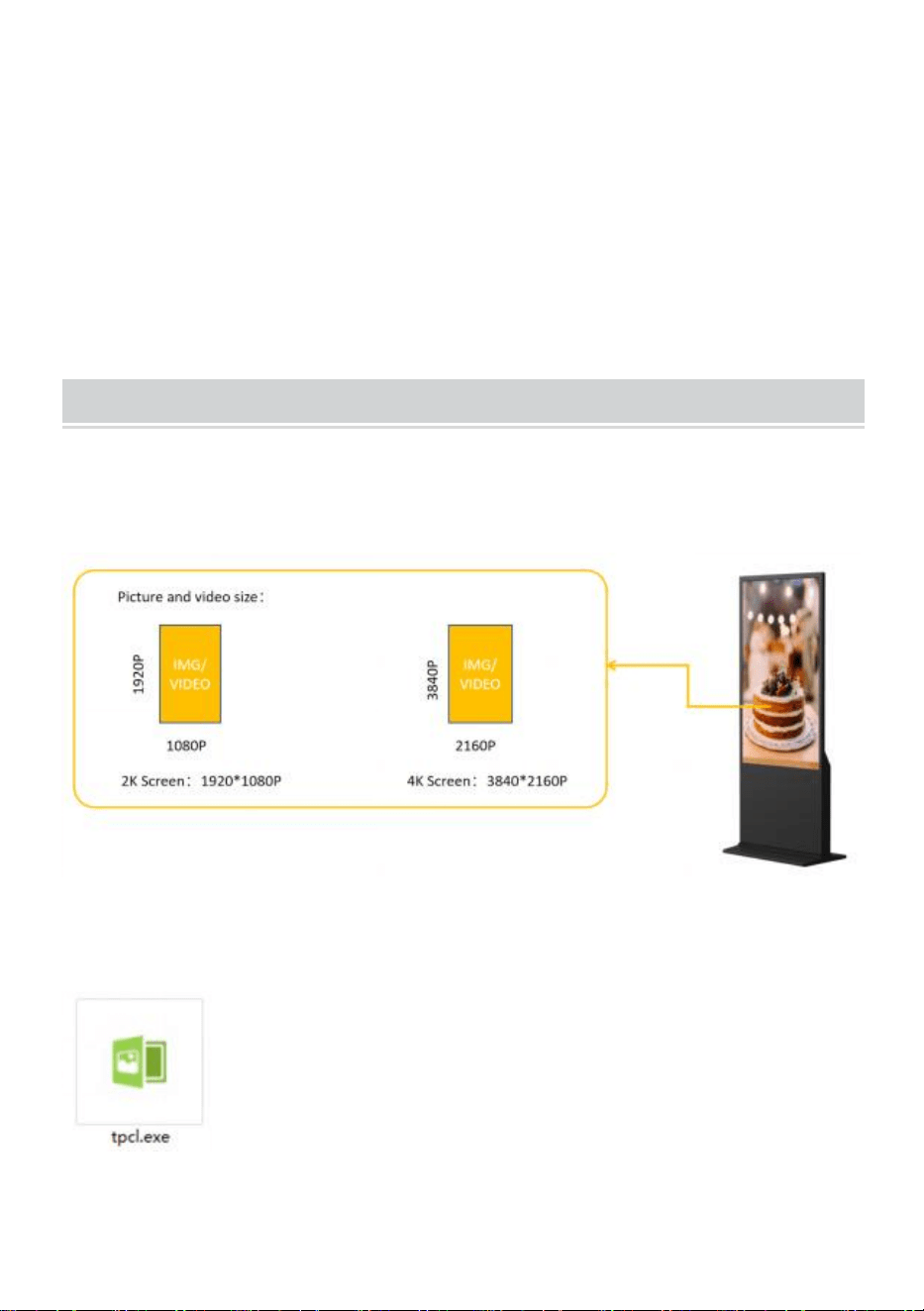
● Bereiten Sie die Bilder und Videos vor, die Sie anzeigen möchten.
(Stellen Sie sicher, dass die Bilder und Videos für den Bildschirm geeignet
sind, damit ein perfektes visuelles Erlebnis gewährleistet ist . )
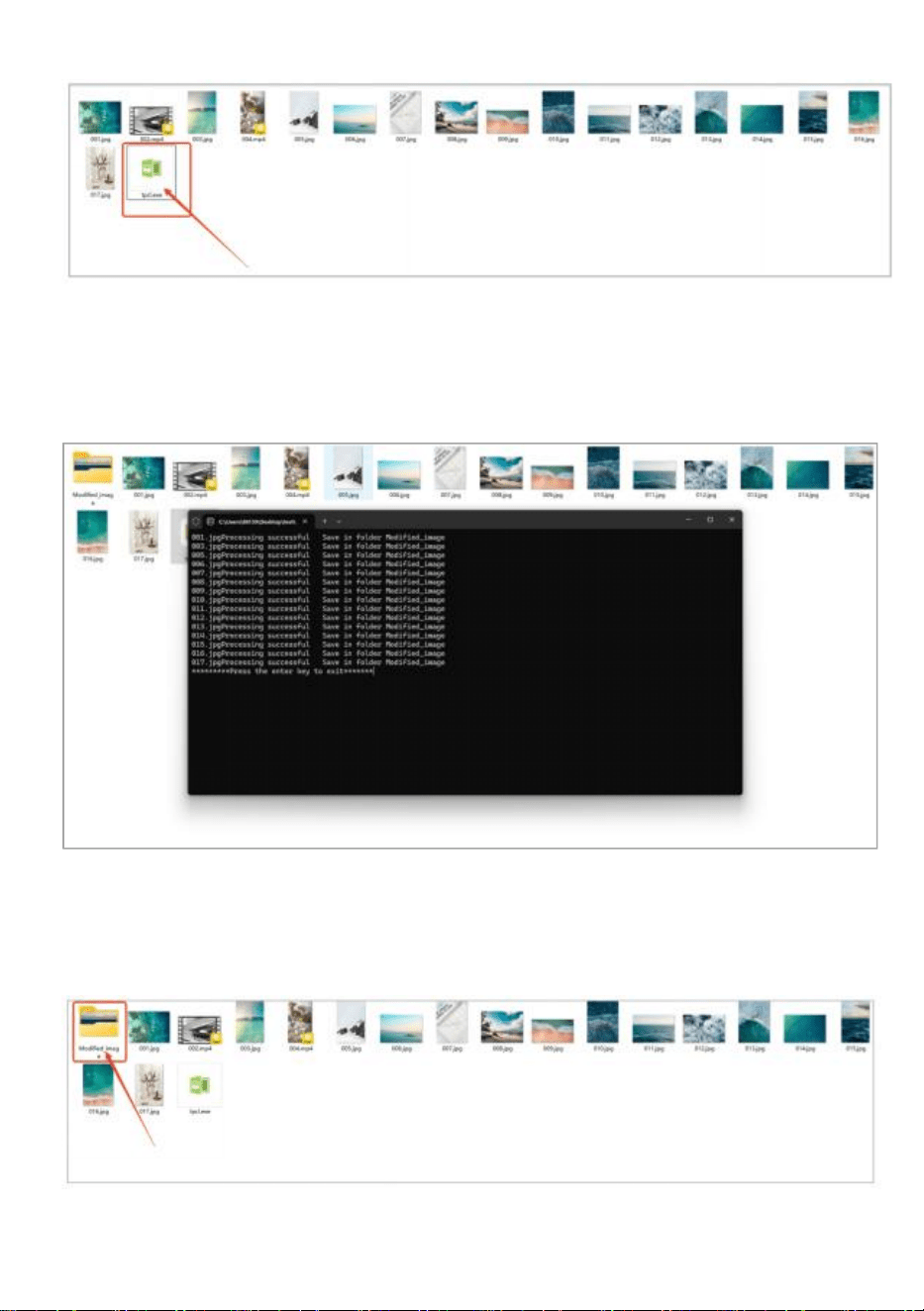
●
Kopieren Sie die Software „ tpcl.exe “ in das Dokument , in dem Ihr
Bild bereits vorbereitet ist.
" tpcl.exe " befindet sich auf der USB-Disk in der
Zubehörtasche.
HINWEIS: " tpcl.exe " ist eine
Bildbearbeitungssoftware, die sicherstellt, dass Ihr
Bild vom digitalen Kiosk identifiziert werden kann.
● Führen Sie „tpcl.exe“ aus und das Bild wird automatisch verarbeitet.
- 6 -
● Wenn die Bildverarbeitung abgeschlossen ist, drücken Sie zum
Beenden die Eingabetaste.
●
Nach Abschluss der Bildbearbeitung wird eine neue Datei „
Modified_image“ erstellt, die alle bearbeiteten Bilder enthält.
- 7 -
● Kopieren Sie das Bild auf den USB-Stick.
● Stecken Sie den USB-Stick in den digitalen Kiosk.
Publish advertisement by APP
- 8 -
- 9 -
● Klicken Sie viermal auf die Ecke oder den Bildschirm, um in den
Einstellungsmodus zu wechseln .
Publish advertisement by Website
- 10 -
● Klicken Sie viermal auf die Ecke oder den Bildschirm, um in den
Einstellungsmodus zu wechseln .
Operation instruction
● Funktionstasten der Navigationsleiste
Wischen Sie unten in der Bildschirmmitte nach oben, um die
Navigationsleiste zu
öffnen.
Funktionstasten: Lautstärke, Zurück, Home,
Anwendungen wechseln
● Netzwerk verbinden
Spielen Sie eine der vier Ecken der Software-Oberfläche, berühren
und klicken Sie 4 Mal, um die Systemeinstellungen aufzurufen
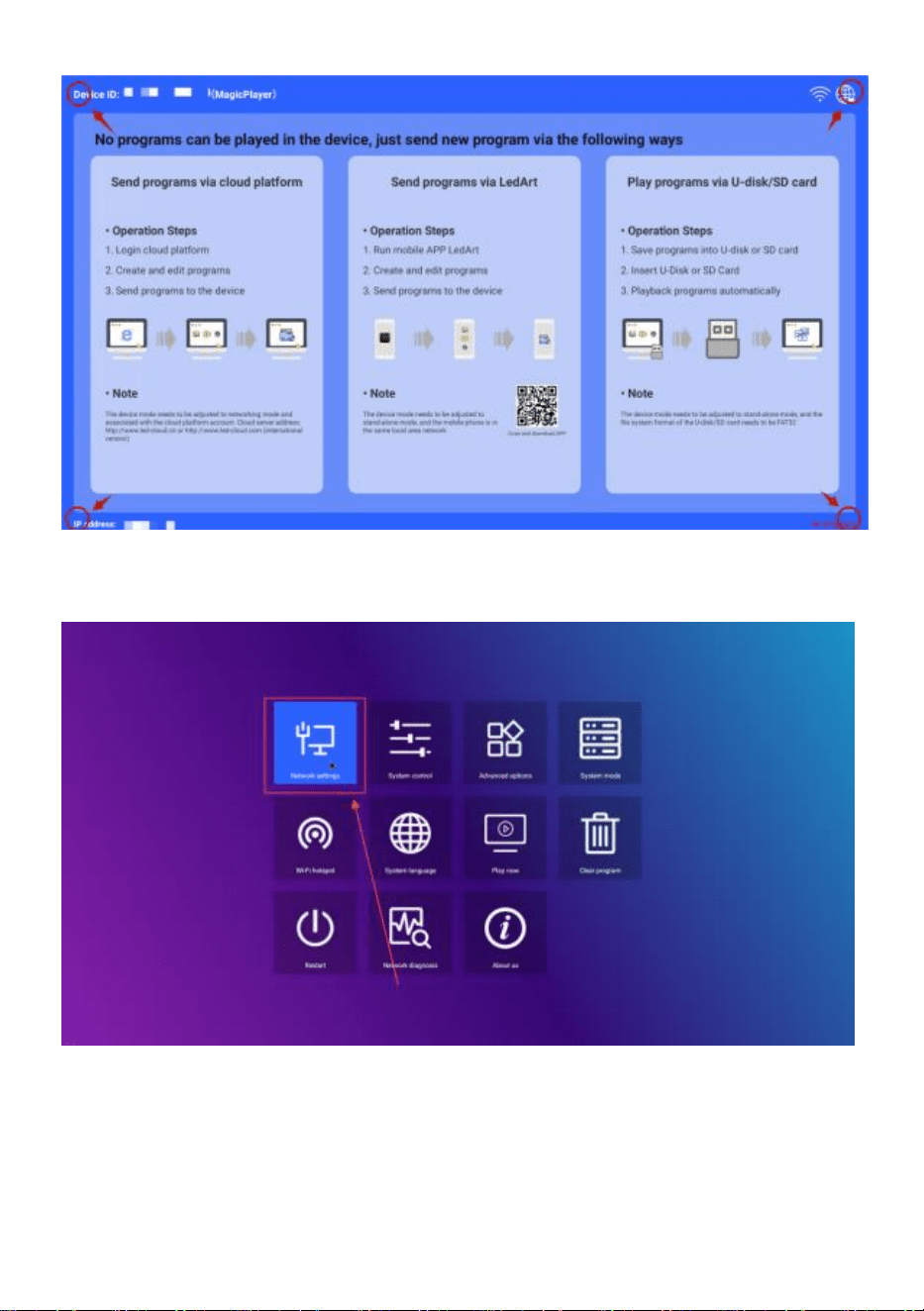
- 11 -
Klicken Sie zum Aufrufen auf -> Netzwerkeinstellungen -> Drahtloses
Netzwerk und wählen Sie das WLAN zum Verbinden aus.
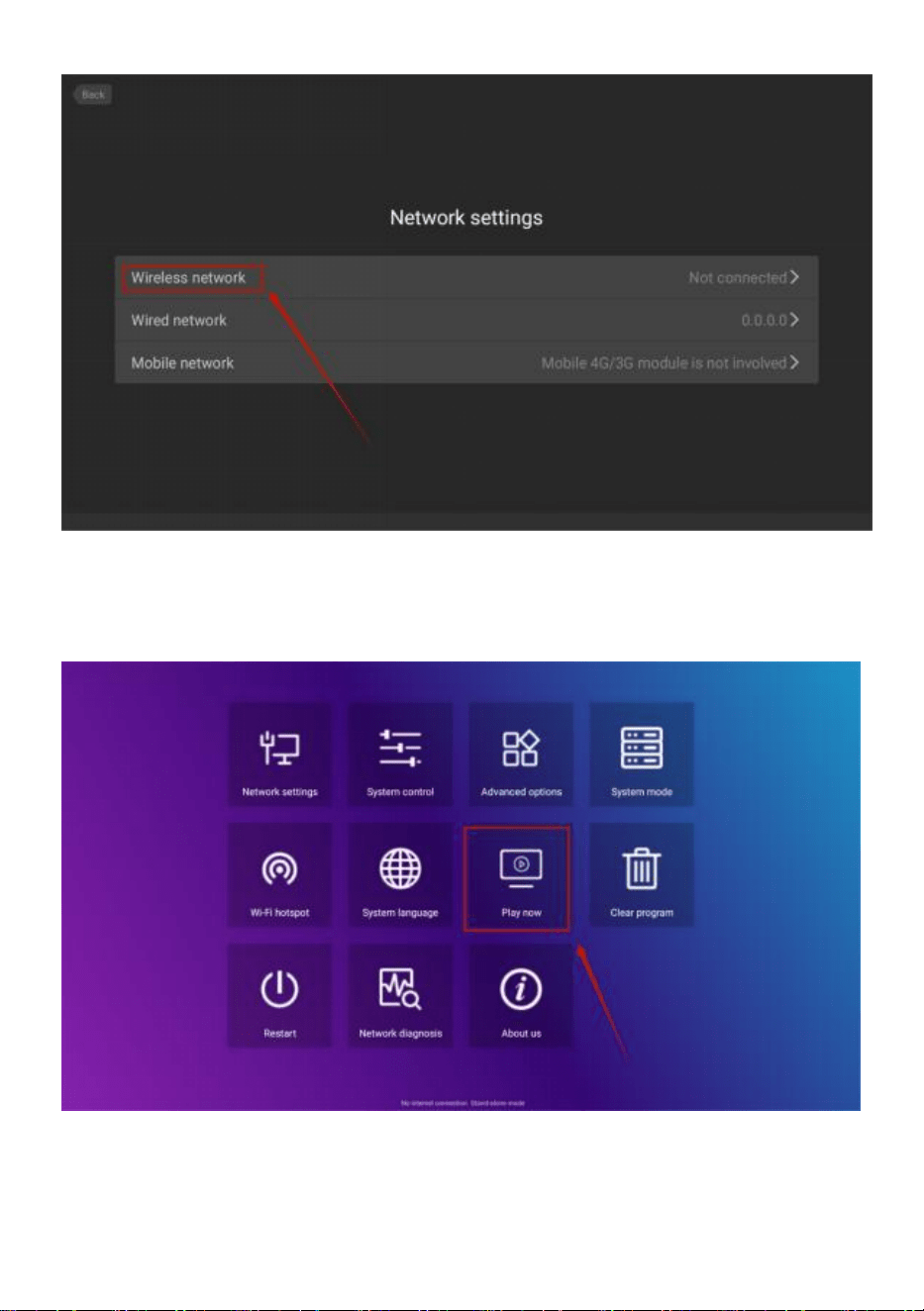
- 12 -
Klicken Sie nach dem Verbinden auf „ Jetzt abspielen “, um zur
Wiedergabeoberfläche
zurückzukehren.
● Lautstärkeregelung
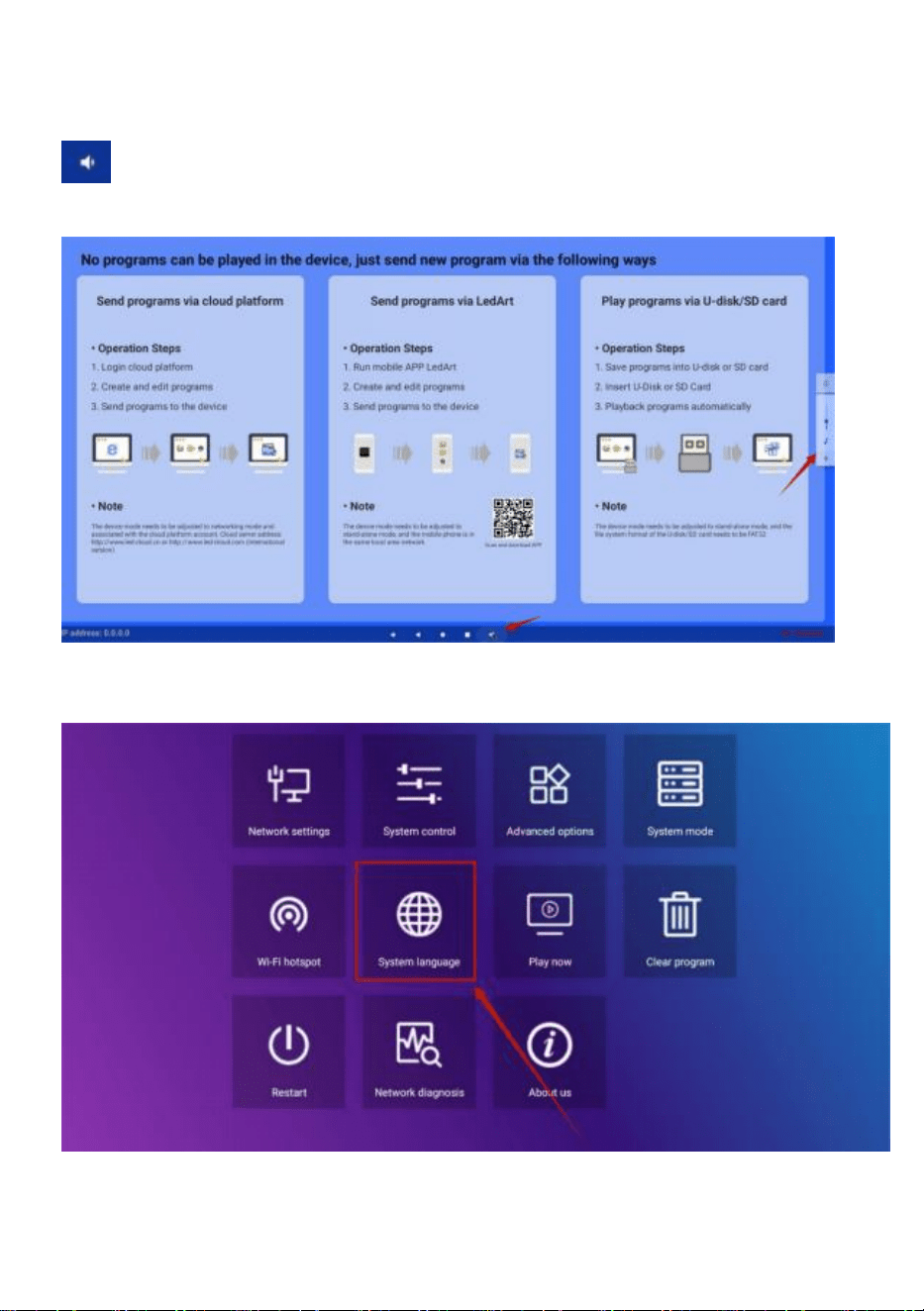
- 13 -
Schieben Sie die mittlere Position am unteren Bildschirmrand nach oben,
öffnen Sie die Navigationsleiste, klicken Sie auf die Lautstärketaste
und die Lautstärkegröße kann durch Aufklappen auf der rechten Seite
angepasst werden
● Auswahl der Softwaresprache
Systemeinstellungen ->Systemsprache
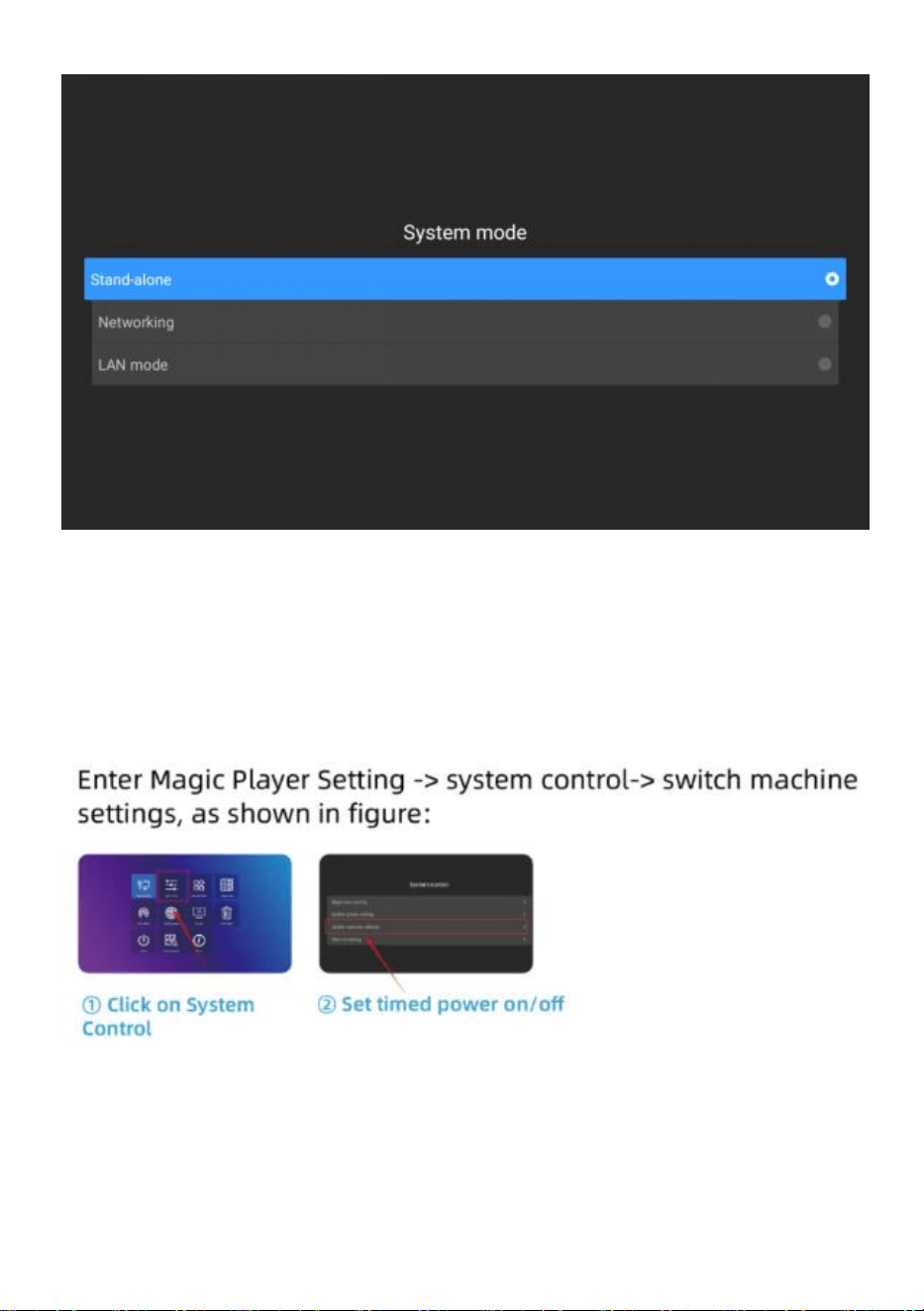
● Auswahl des Werbemodus
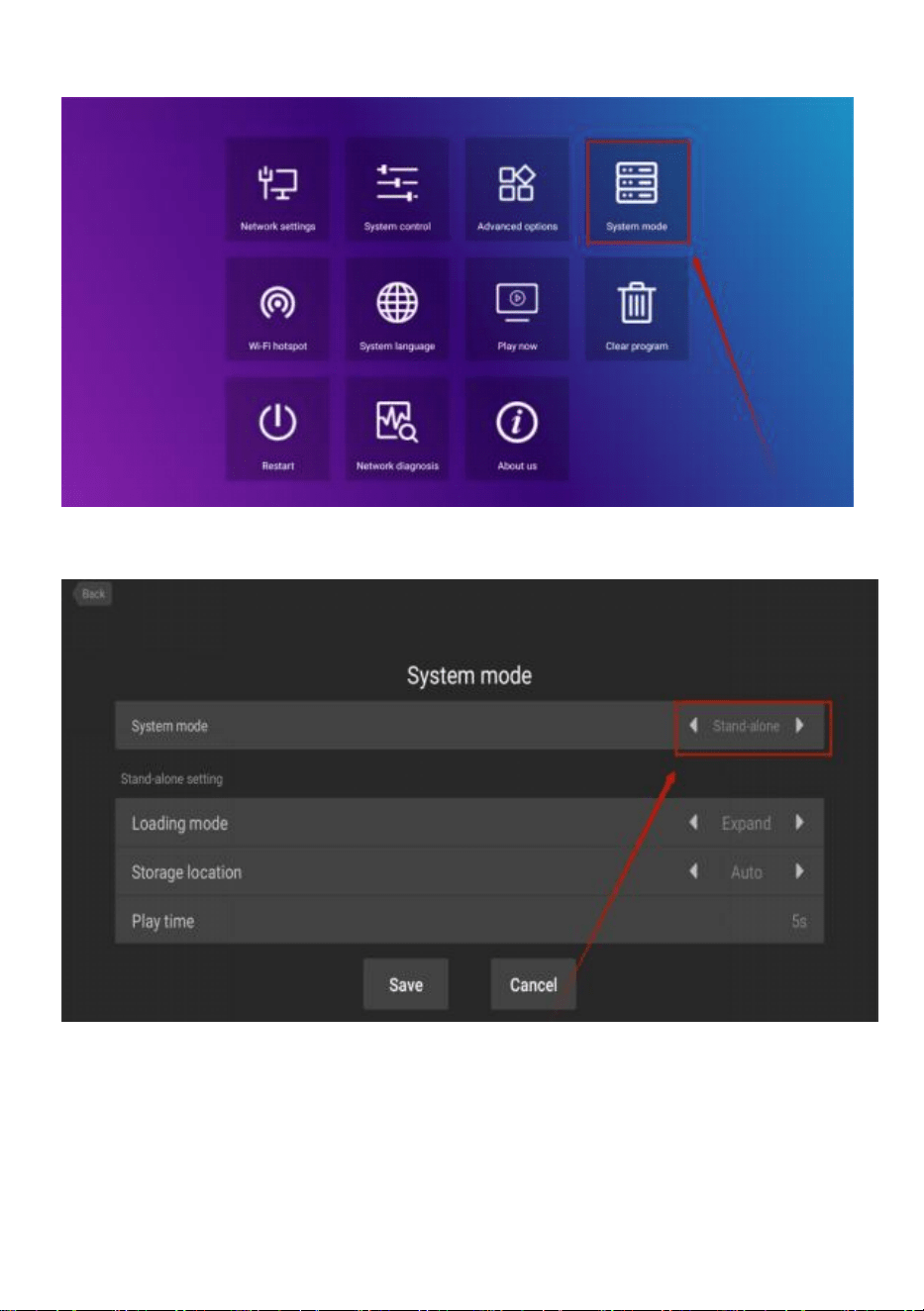
- 14 -
Systemeinstellungen ->Systemmodus
Klicken Sie auf „Systemmodus“, um den Modus auszuwählen.
- 15 -
Standalone : Der Standalone- Modus wird durch Einstecken eines
USB-Laufwerks gespielt (Standardeinstellung).
Vernetzung : Sie können die Veröffentlichung von Inhalten aus der Ferne
steuern (weitere Informationen finden Sie in der Videobedienung).
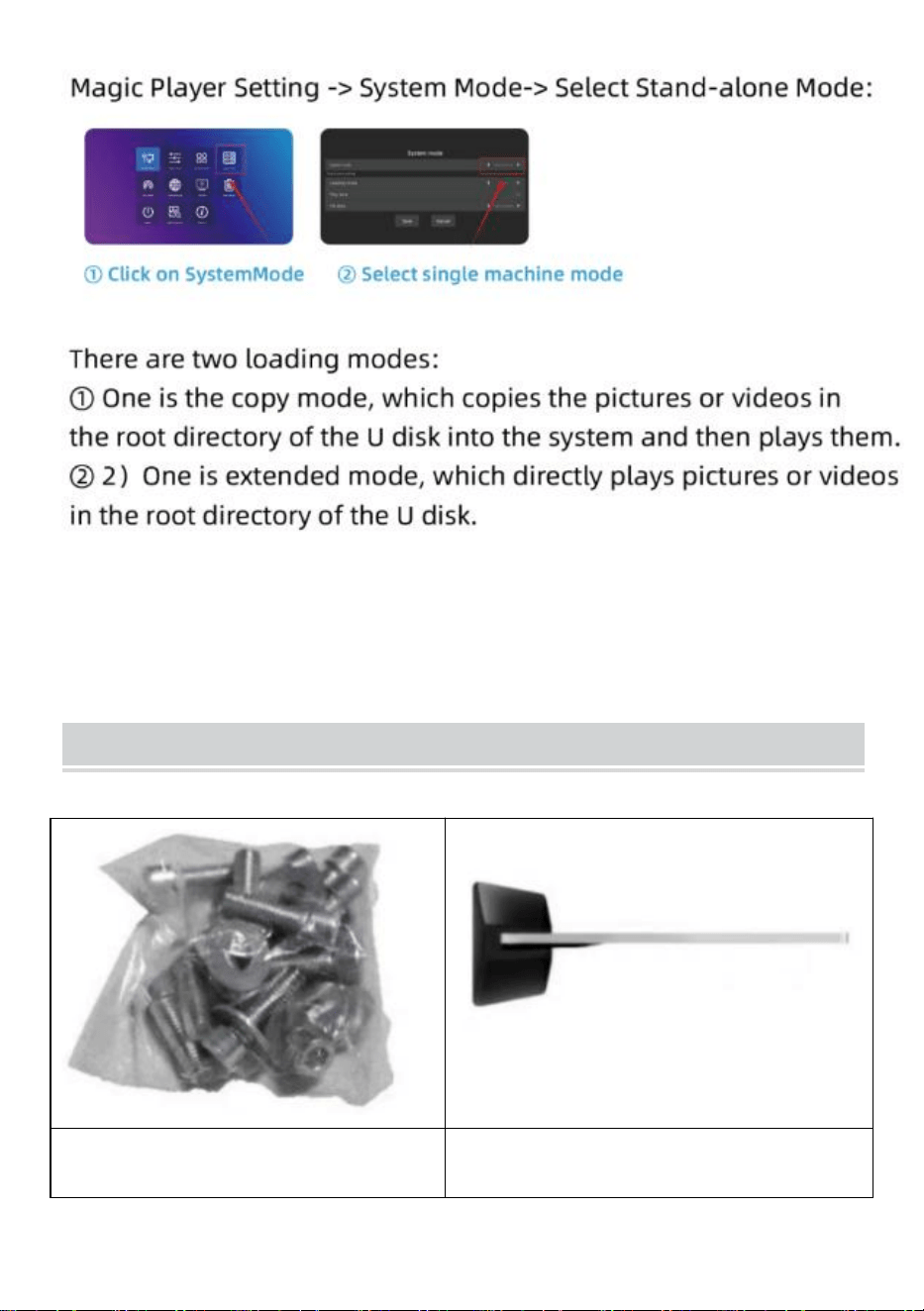
● Zeitschaltuhr
● U-Disk-Wiedergabeeinstellung
- 16 -
Installation Steps
Schritt A: Nehmen Sie sechs
Schrauben und einen
Schritt B: Drehen Sie den Bildschirm
und legen Sie sich hin, um ihn an der
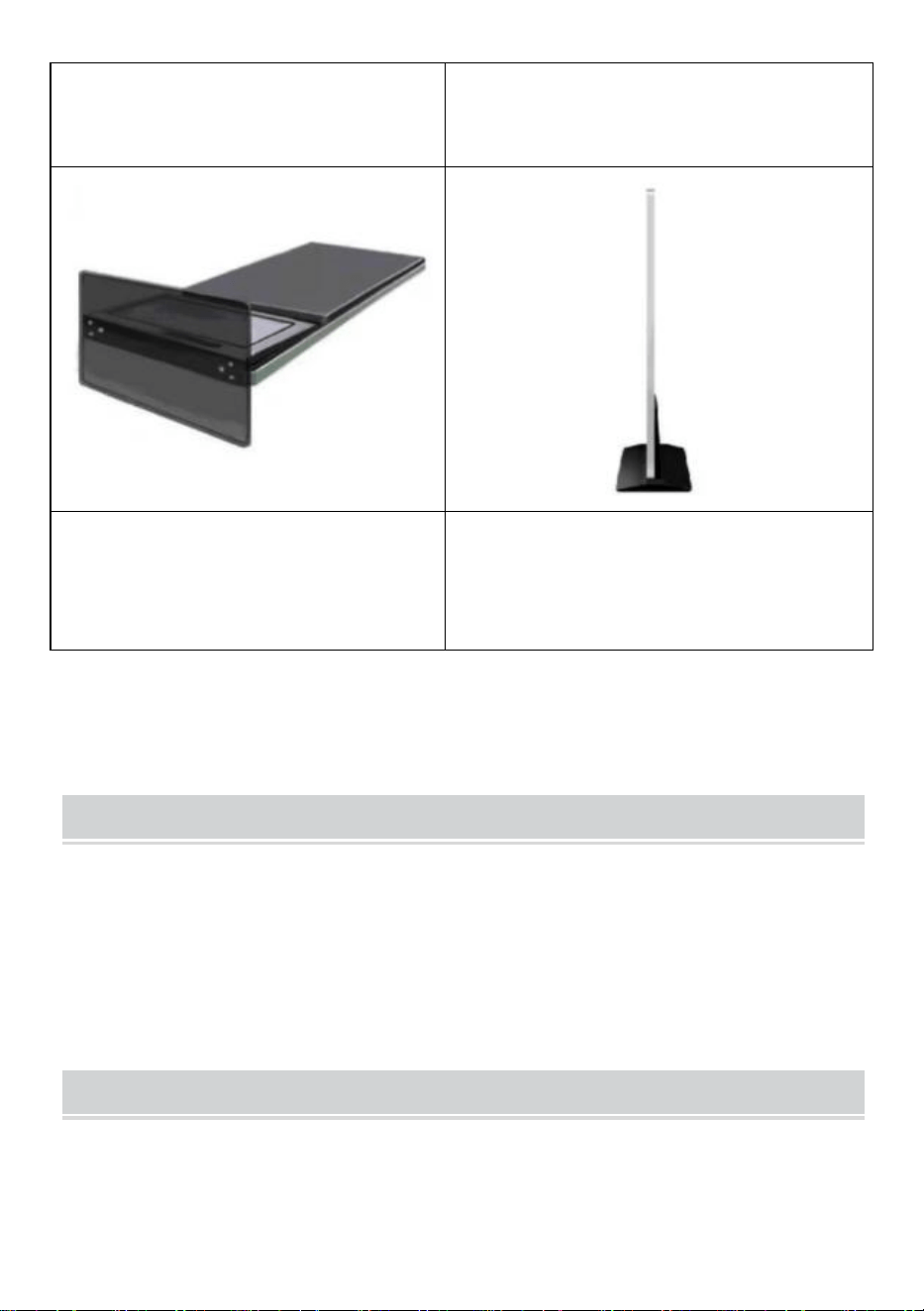
- 17 -
Sechskantschraubendreher
heraus.
Basis auszurichten .
Schritt C: Ziehen Sie die sechs
Schrauben fest.
Schritt D: Drehen Sie den Bildschirm
aufrecht und schließen Sie ihn an die
Stromversorgung an.
Accessories List
Benutzerhandbuch * 1 ,
Netzkabel * 1,
USB-Stick * 1,
Schraube * 8,
Rolle * 4,
Schlüssel * 1 .
Matters Need Attention
● Wenn eine Hand auf den Bildschirm drückt, wird auf die
- 18 -
Touchscreen-Bedienung derzeit nicht reagiert .
● Scannen Sie den QR-Code, um weitere Informationen zum
Installations- und Verwendungsvideo zu erhalten.
Hersteller: Shanghaimuxinmuyeyouxiangongsi
Adresse: Shuangchenglu 803nong11hao1602A-1609shi, baoshanqu,
Shanghai, 200.000 CN.
Nach AUS importiert: SIHAO PTY LTD. 1 ROKEVA
STREETEASTWOOD
NSW 2122 Australien
Importiert in die USA: Sanven Technology Ltd. Suite 250, 9166 Anaheim
Ort, Rancho Cucamonga, CA 91730

- 19 -
REP
UK
YH CONSULTING LIMITED. C/O YH Consulting
Limited Office 147, Centurion House, London
Road, Staines-upon-Thames, Surrey, TW18 4AX
REP
EC
E-CrossStu GmbH
Mainzer Landstr.69,
60329 Frankfurt am Main.


Technique Certificat d'assistance et de garantie électronique
www.vevor.com/support
Kiosque numérique
GUIDE DE L'UTILISATEUR
MODÈLE : DC-A55ZN-A, DC-A65ZN-A
We continue to be committed to provide you tools with competitive price.
"Save Half", "Half Price" or any other similar expressions used by us only represents an
estimate of savings you might benefit from buying certain tools with us compared to the major
top brands and does not necessarily mean to cover all categories of tools offered by us. You
are kindly reminded to verify carefully when you are placing an order with us if you are
actually saving half in comparison with the top major brands.
- 1 -
MODÈLE : DC-A55ZN-A, DC-A65ZN-A
BESOIN D'AIDE? CONTACTEZ-NOUS!
Vous avez des questions sur nos produits ? Vous avez besoin
d'assistance technique ? N'hésitez pas à nous contacter :
Assistance technique et certificat de garantie électronique
www.vevor.com/support
Il s'agit de la notice d'utilisation d'origine. Veuillez lire attentivement toutes
les instructions du manuel avant de l'utiliser. VEVOR se réserve le droit
d'interpréter clairement notre manuel d'utilisation. L'apparence du produit
dépend du produit que vous avez reçu. Veuillez nous excuser, nous ne
vous informerons plus en cas de mise à jour technologique ou logicielle
de notre produit.
Digital Kiosk
- 2 -
Avertissement - Pour réduire le risque de blessure,
l'utilisateur doit lire attentivement le manuel d'instructions.
Informations de la FCC
ATTENTION : Les changements ou modifications non expressément
approuvés par la partie responsable de la conformité peuvent
annuler le droit de l'utilisateur à utiliser l'équipement !
Cet appareil est conforme à la partie 15 des règles de la FCC. Son
fonctionnement est soumis aux deux conditions suivantes :
1) Ce produit peut provoquer des interférences nuisibles.
2) Ce produit doit accepter toute interférence reçue, y compris celles
qui peuvent provoquer un fonctionnement indésirable.
AVERTISSEMENT : Les changements ou modifications apportés à
ce produit non expressément approuvés par la partie responsable de
la conformité pourraient annuler l'autorité de l'utilisateur à utiliser le
produit.
Remarque : ce produit a été testé et jugé conforme aux limites d'un
appareil numérique de classe B conformément à la partie 15 des
règles de la FCC. Ces limites sont conçues pour fournir une
protection raisonnable contre les interférences nuisibles dans une
installation résidentielle.
Ce produit génère, utilise et peut émettre de l'énergie
radioélectrique. S'il n'est pas installé et utilisé conformément aux
instructions, il peut provoquer des interférences nuisibles aux
communications radio. Cependant, il n'existe aucune garantie
qu'aucune interférence ne se produira dans une installation
particulière. Si ce produit provoque des interférences nuisibles à la
réception radio ou télévision, ce qui peut être déterminé en éteignant
et en rallumant le produit, l'utilisateur est encouragé à essayer de
corriger l'interférence en prenant une ou plusieurs des mesures
suivantes.
· Réorienter ou déplacer l’antenne de réception.
- 3 -
· Augmenter la distance entre le produit et le récepteur.
· Brancher le produit sur une prise d’un circuit différent de celui sur
lequel le récepteur est branché.
· Consultez le revendeur ou un technicien radio/TV expérimenté pour
obtenir de l’aide.
ÉLIMINATION CORRECTE
Ce produit est soumis aux dispositions de la directive européenne
2012/19/CE. Le symbole représentant une poubelle à roulettes
barrée indique que le produit doit faire l'objet d'une collecte sélective
des déchets dans l'Union européenne. Cela s'applique au produit et
à tous les accessoires marqués de ce symbole. Les produits
marqués comme tels ne peuvent pas être jetés avec les déchets
ménagers normaux, mais doivent être déposés dans un point de
collecte pour le recyclage des appareils électriques et électroniques.
IMPORTANT SAFEGUARDS
AVERTISSEMENT : Lisez tous les avertissements de sécurité,
instructions, illustrations et spécifications fournis avec cette imprimante
thermique de reçus. Le non-respect de toutes les instructions
ci-dessous peut entraîner un choc électrique, un incendie et/ou des blessures
graves.
1. N'utilisez pas ce produit dans des endroits où il pourrait être exposé à de l'eau
ou à d'autres liquides.
2. Débranchez ce produit de la prise murale avant de le nettoyer. N'utilisez pas de
nettoyants liquides ou en aérosol. Utilisez un chiffon humide pour le nettoyage.
3. Pour réduire le risque de décharge électrique, ne démontez pas ce produit.
Confiez-le à un technicien qualifié en cas de travaux d'entretien ou de réparation.
L'ouverture ou le retrait des couvercles, comme la plaque de protection arrière,
peuvent vous exposer à des tensions dangereuses ou à d'autres risques. Un
remontage incorrect peut provoquer une décharge électrique lors de l'utilisation
ultérieure de l'appareil.

- 4 -
4. Si le cordon d'alimentation est endommagé, il doit être remplacé par un cordon
ou un ensemble spécial disponible auprès du fabricant ou de son agent de service.
Utilisez uniquement le câble fourni avec l'appareil. L'utilisation d'autres câbles peut
entraîner une décharge électrique, un incendie ou endommager gravement
l'appareil.
5. N'utilisez pas l'appareil dans des zones à température ou humidité élevées, car
cela pourrait l'empêcher de fonctionner correctement.
6. Lorsque vous débranchez la fiche d'alimentation, ne la tirez pas par le cordon,
mais saisissez plutôt la fiche pour la retirer. Le non-respect de ces instructions
peut entraîner un choc électrique, un incendie ou endommager l'appareil.
7. N'utilisez pas l'appareil si le cordon d'alimentation est endommagé ou si le
contact de la prise de courant est desserré. Le non-respect de ces instructions
peut entraîner un choc électrique, un incendie ou d'autres dangers.
8. Ne placez pas d'objets lourds sur le cordon et ne le pliez pas excessivement car
il pourrait être endommagé. Le non-respect de ces instructions peut entraîner un
choc électrique, un incendie ou d'autres dangers.
9. Lorsque vous n'utilisez pas l'appareil pendant une longue période, débranchez
le cordon d'alimentation de la prise murale.
10. Cet équipement n’est pas adapté à une utilisation dans des endroits où des
enfants sont susceptibles d’être présents.
CONSERVEZ CES INSTRUCTIONS
INSTRUCTIONS
● La conception de lecture d'écran améliorée résout parfaitement le
problème de la lecture d'images et de vidéos en même temps et réalise
l'intelligence écran partagé fonction qui rend vos annonces plus
attrayantes.
● Utilisation Système d'exploitation Android 11 avec haut-parleurs
- 5 -
puissants, prend en charge le plug-and-play du disque U.
● Le kiosque numérique est largement utilisé dans les centres
commerciaux, les aéroports, les hôpitaux, les restaurants et toutes sortes
de magasins.
Easy to publish your advertisement by USB disk
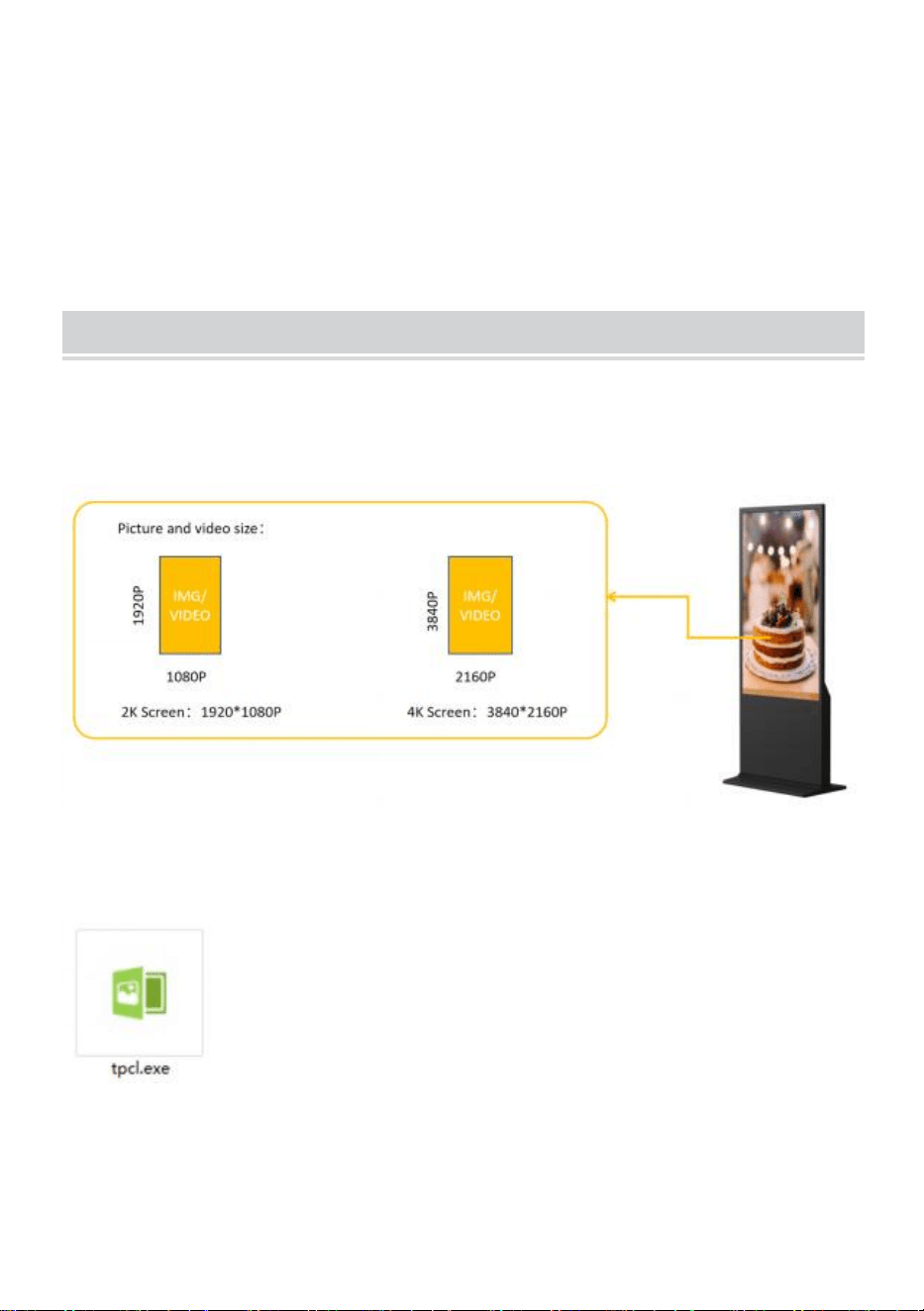
● Préparez les images et les vidéos que vous souhaitez afficher.
(assurez-vous que les images et les vidéos sont adaptées à l'écran pour
obtenir une expérience visuelle parfaite) .
●
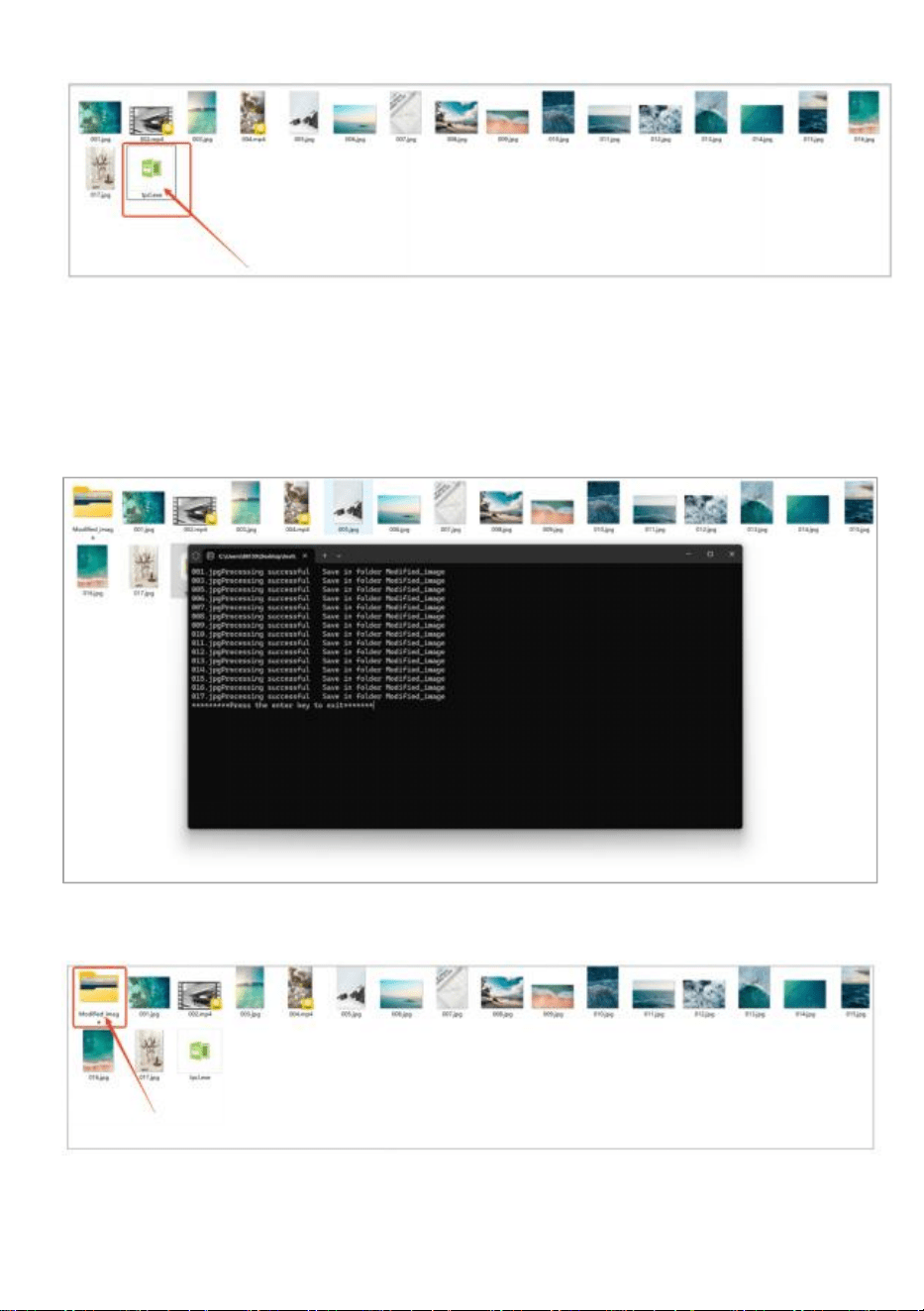
Copiez le logiciel " tpcl.exe " dans le document dans lequel votre
image est déjà préparée.
" tpcl.exe " se trouve sur le disque USB qui se trouve
dans le sac d'accessoires.
REMARQUE : " tpcl.exe " est un logiciel de
traitement d'images qui peut garantir que votre image
peut être identifiée par un kiosque numérique.
● Exécutez « tpcl.exe » et l’image sera traitée automatiquement.
- 6 -
●
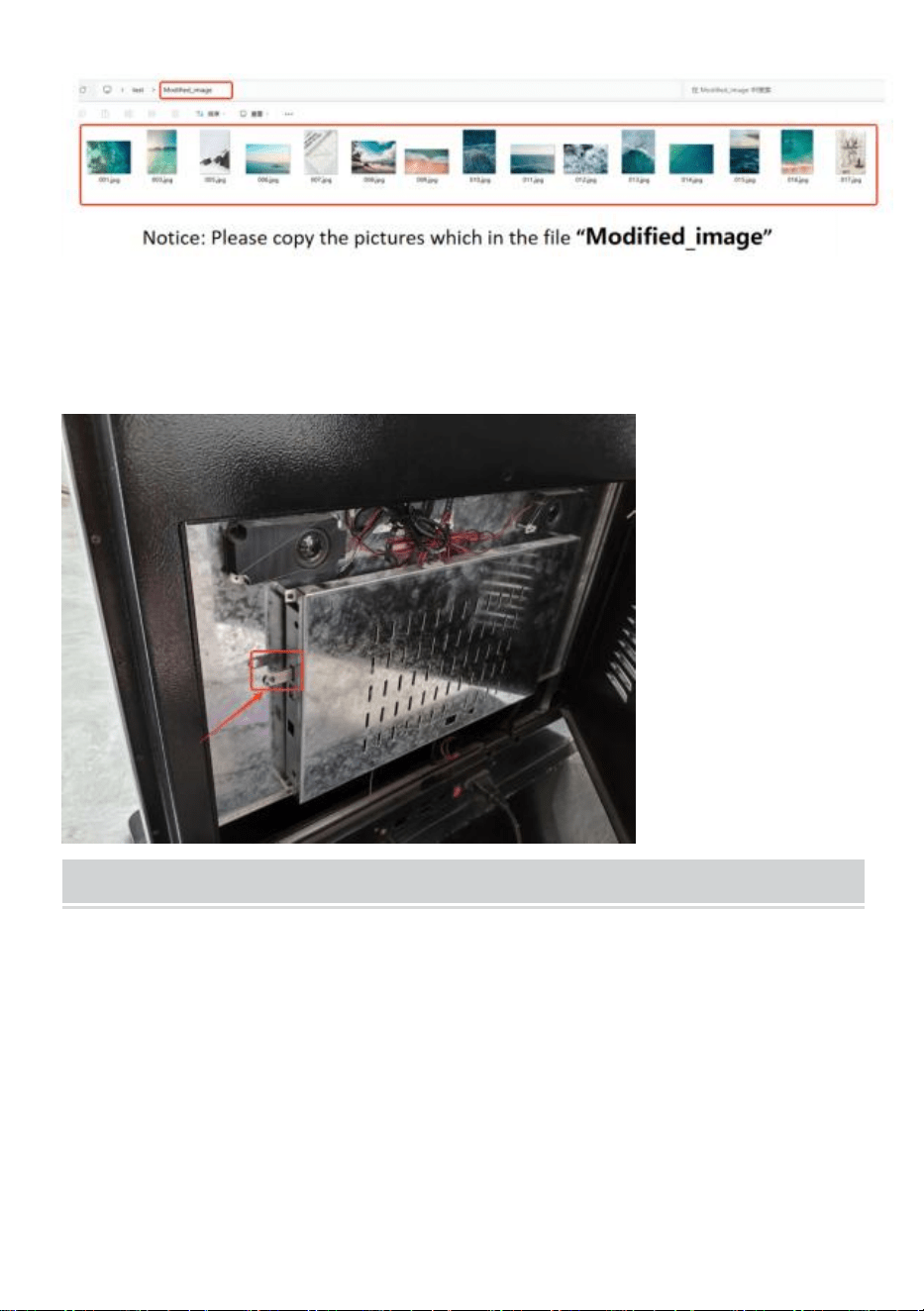
Une fois le traitement de l ’ image terminé, appuyez sur la touche
« Entrée » pour quitter.
● Une fois le traitement des images terminé, un nouveau fichier
« Modified_image » contenant toutes les images traitées sera créé.
●
Copiez l’image sur le disque USB.
- 7 -
● Insérez la clé USB dans le kiosque numérique.
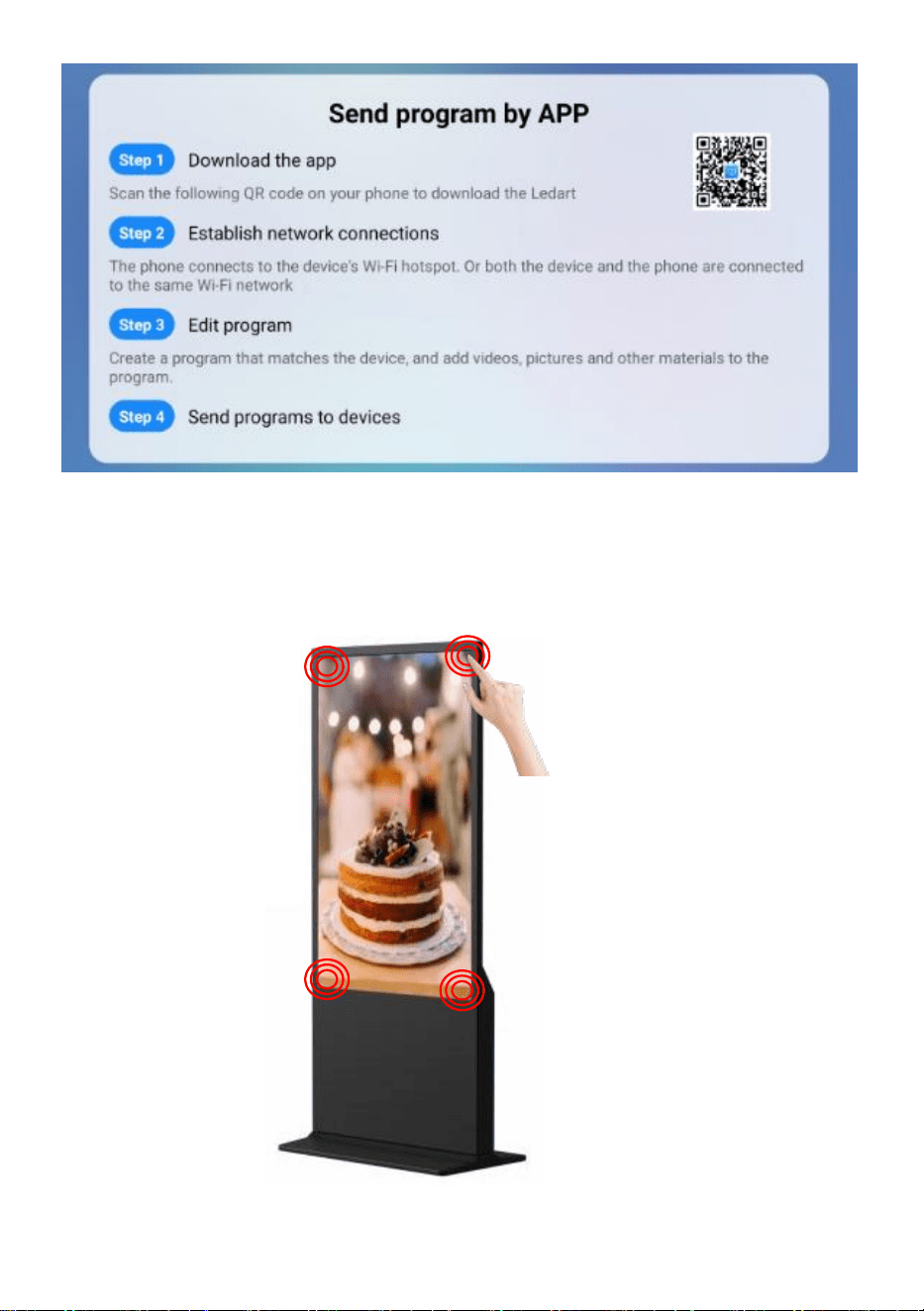
Publish advertisement by APP
- 8 -
- 9 -
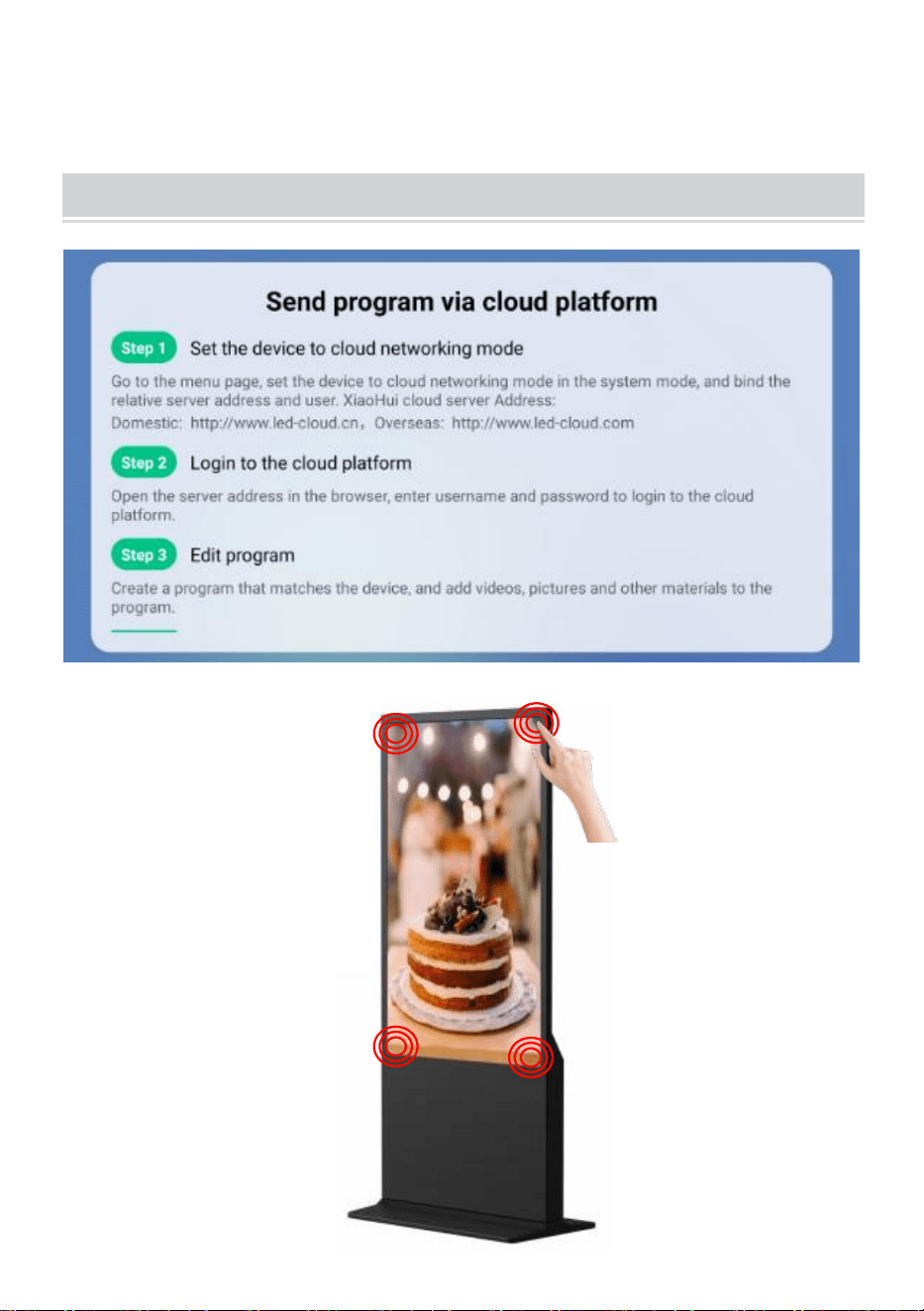
● Cliquez sur le coin ou l'écran 4 fois pour accéder au mode de réglage .
Publish advertisement by Website
- 10 -
● Cliquez sur le coin ou l'écran 4 fois pour accéder au mode de réglage .
Operation instruction
● Touches de fonction de la barre de navigation
Faites glisser votre doigt vers le haut en bas au centre de l’écran pour
ouvrir la barre de
navigation.
touches de fonction : Volume, Retour, Accueil,
Changer d'application
● Connecter le réseau
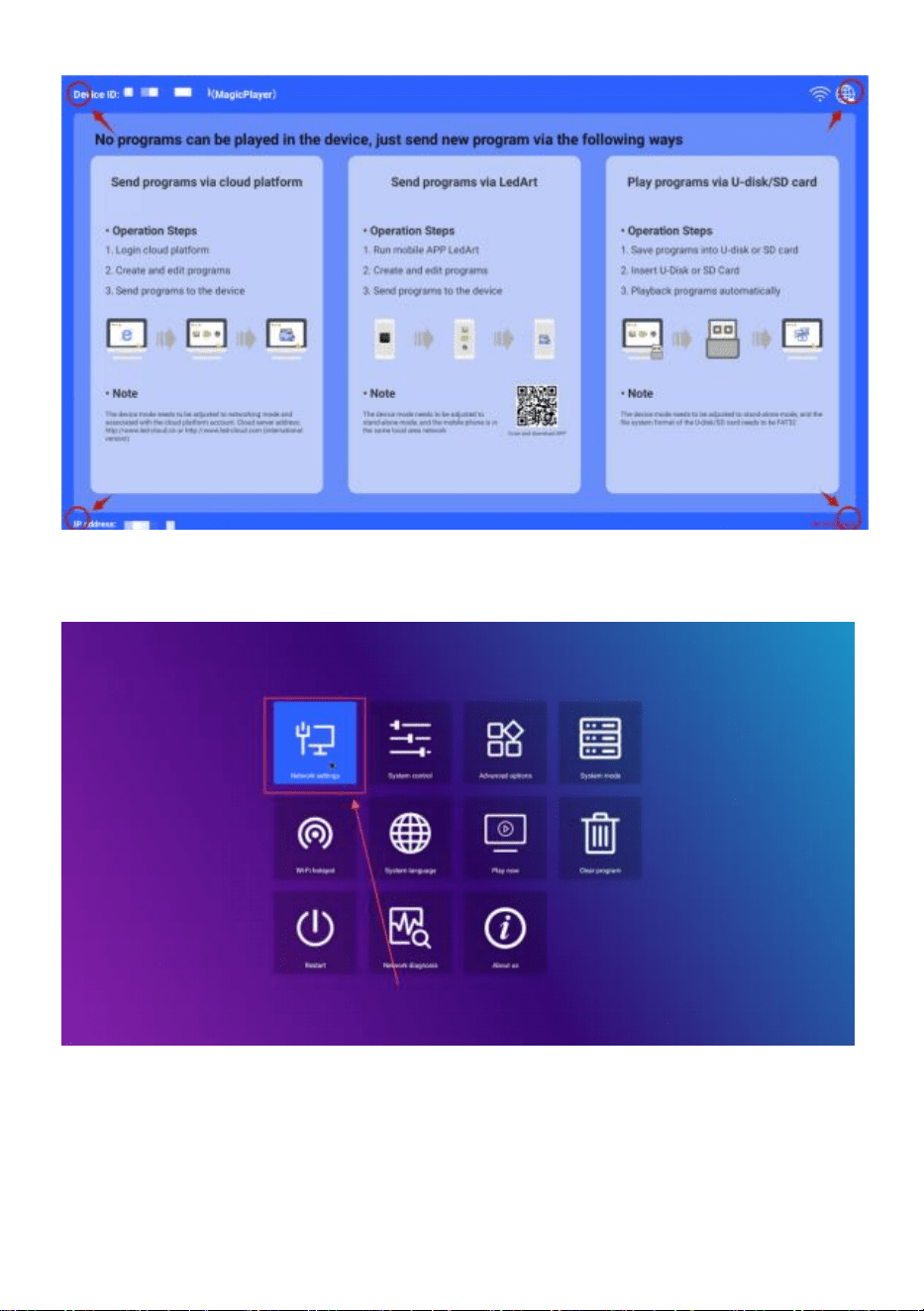
Jouez dans l'un des quatre coins de l'interface du logiciel, touchez et
cliquez 4 fois pour accéder aux paramètres système
- 11 -
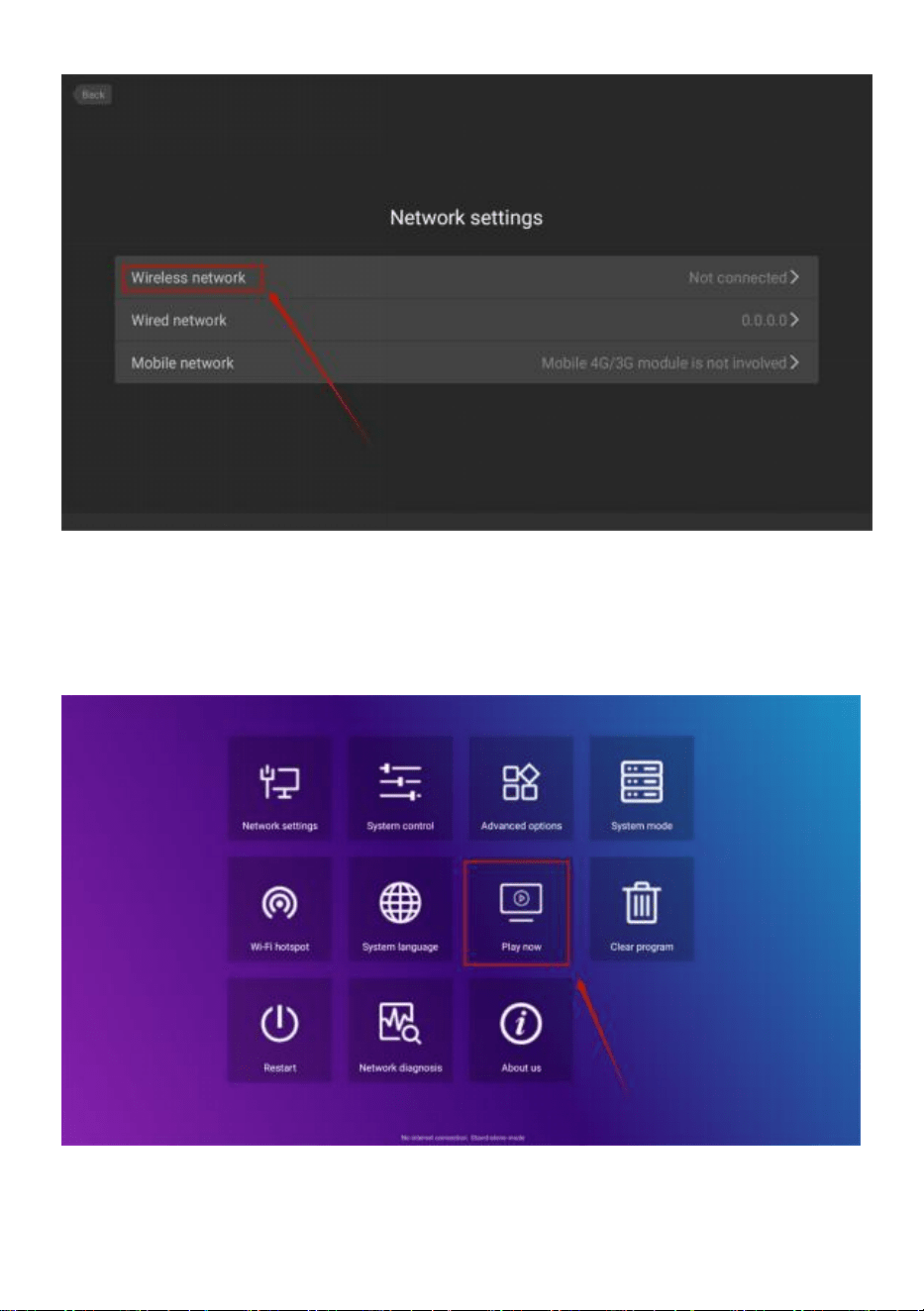
Cliquez pour entrer -> Paramètres réseau -> Réseau sans fil, sélectionnez
le WIFI pour vous connecter.
- 12 -
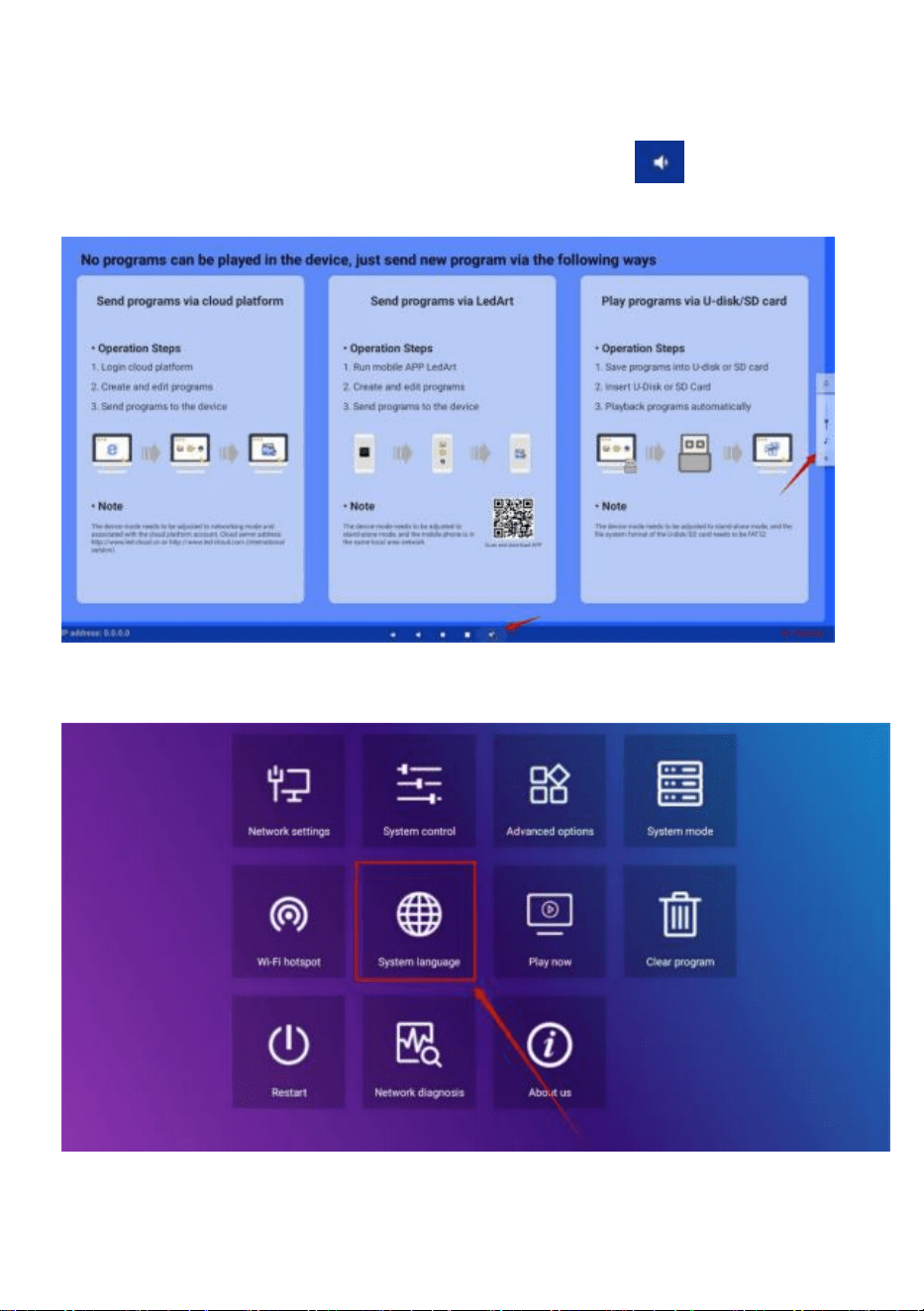
Après la connexion, cliquez sur « Jouer maintenant » pour revenir à l’
interface de
lecture.
- 13 -
● Contrôle du volume
Faites glisser vers le haut la position médiane en bas de l'écran, ouvrez la
barre de navigation, cliquez sur le bouton de volume et la taille du
volume peut être ajustée en apparaissant sur le côté droit
● Sélection de la langue du logiciel
Paramètres système -> Langue du système
● Sélection du mode publicitaire
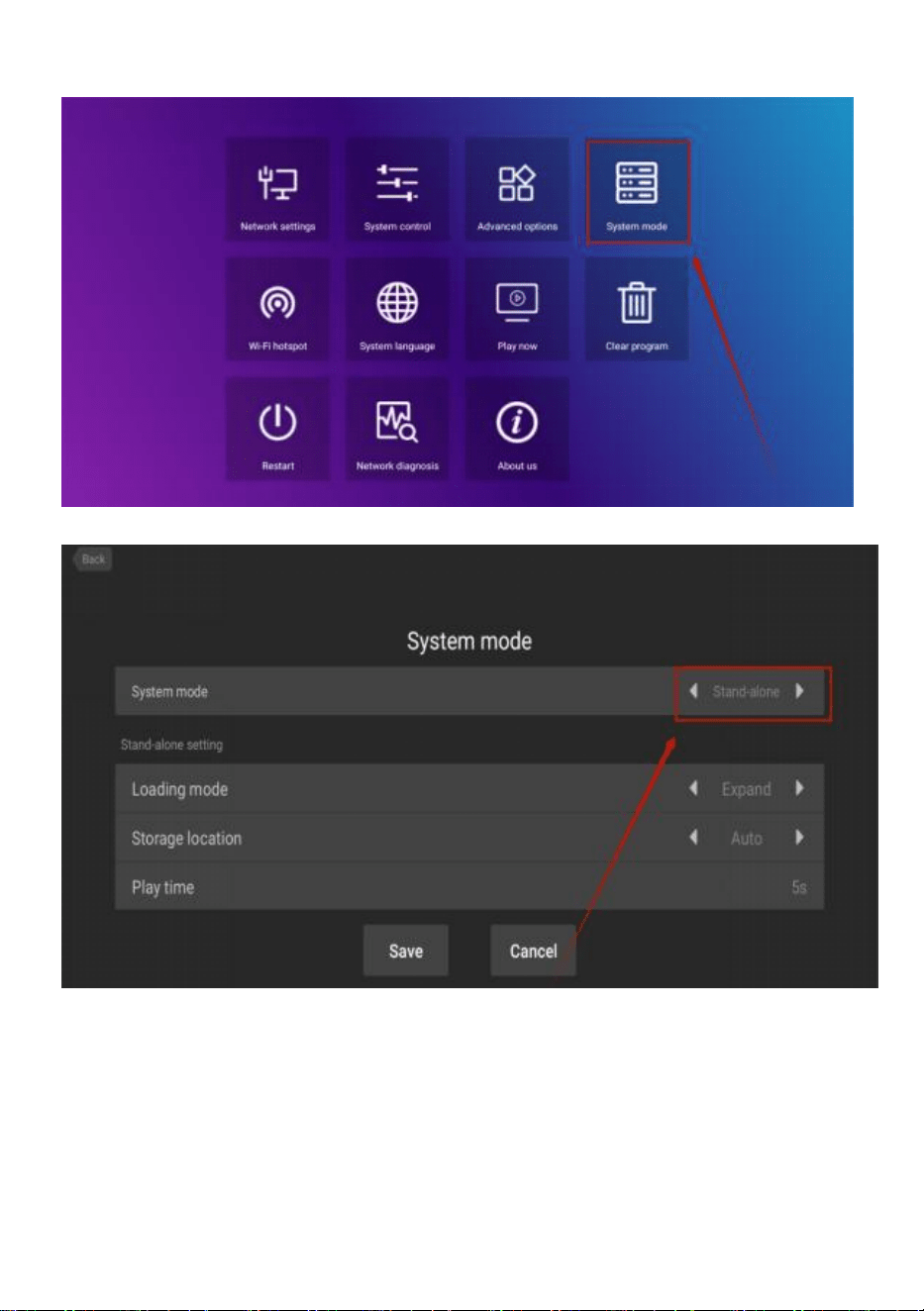
- 14 -
Paramètres système -> Mode système
Cliquez sur le mode système pour sélectionner le mode.
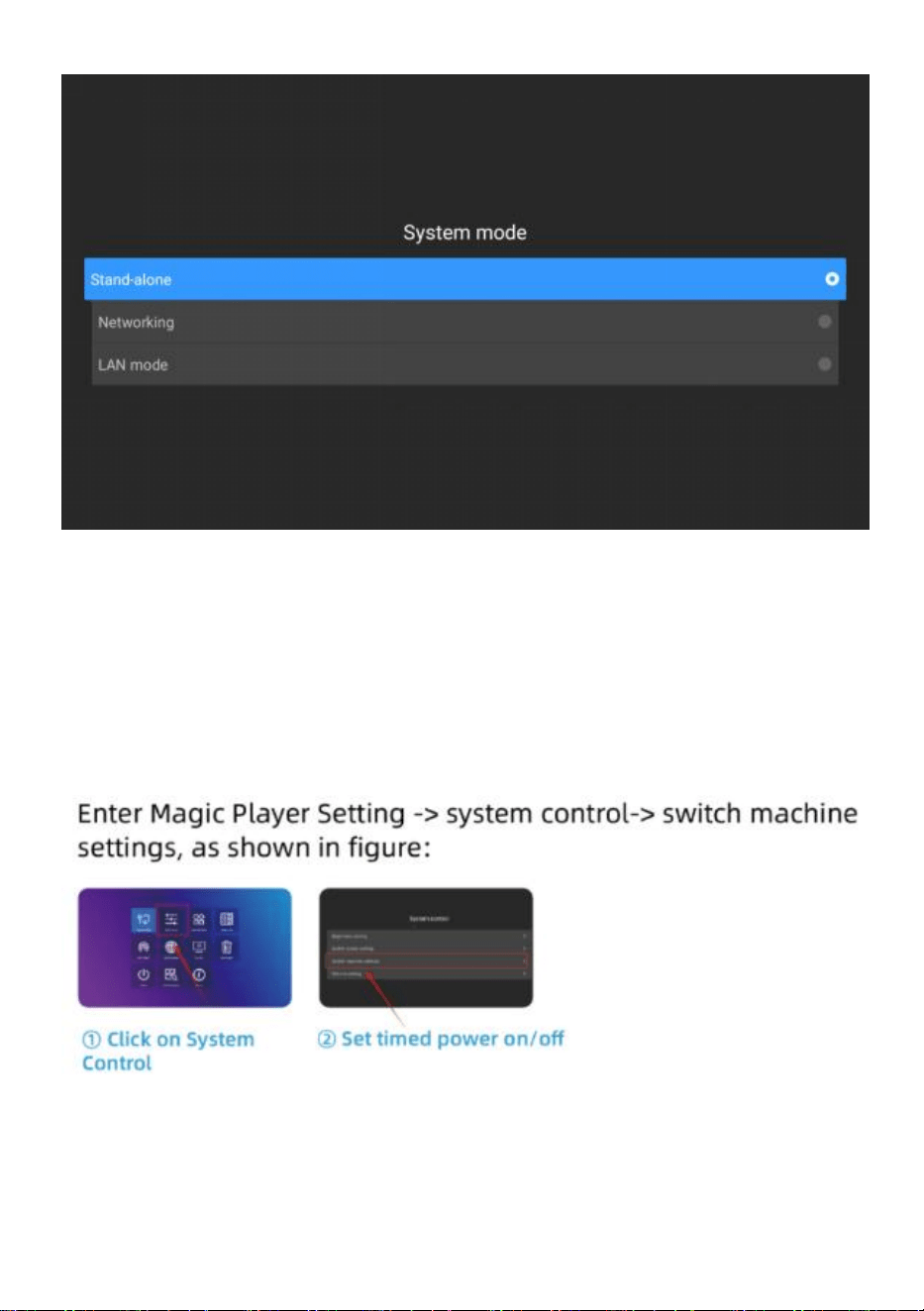
- 15 -
Autonome : Le mode autonome est joué en insérant une clé USB
(paramètre par défaut).
Mise en réseau : vous pouvez contrôler à distance la publication de
contenu (plus d'informations peuvent être trouvées dans le fonctionnement
vidéo).
● Machine à commutation de temps
● Paramètre de lecture du disque U
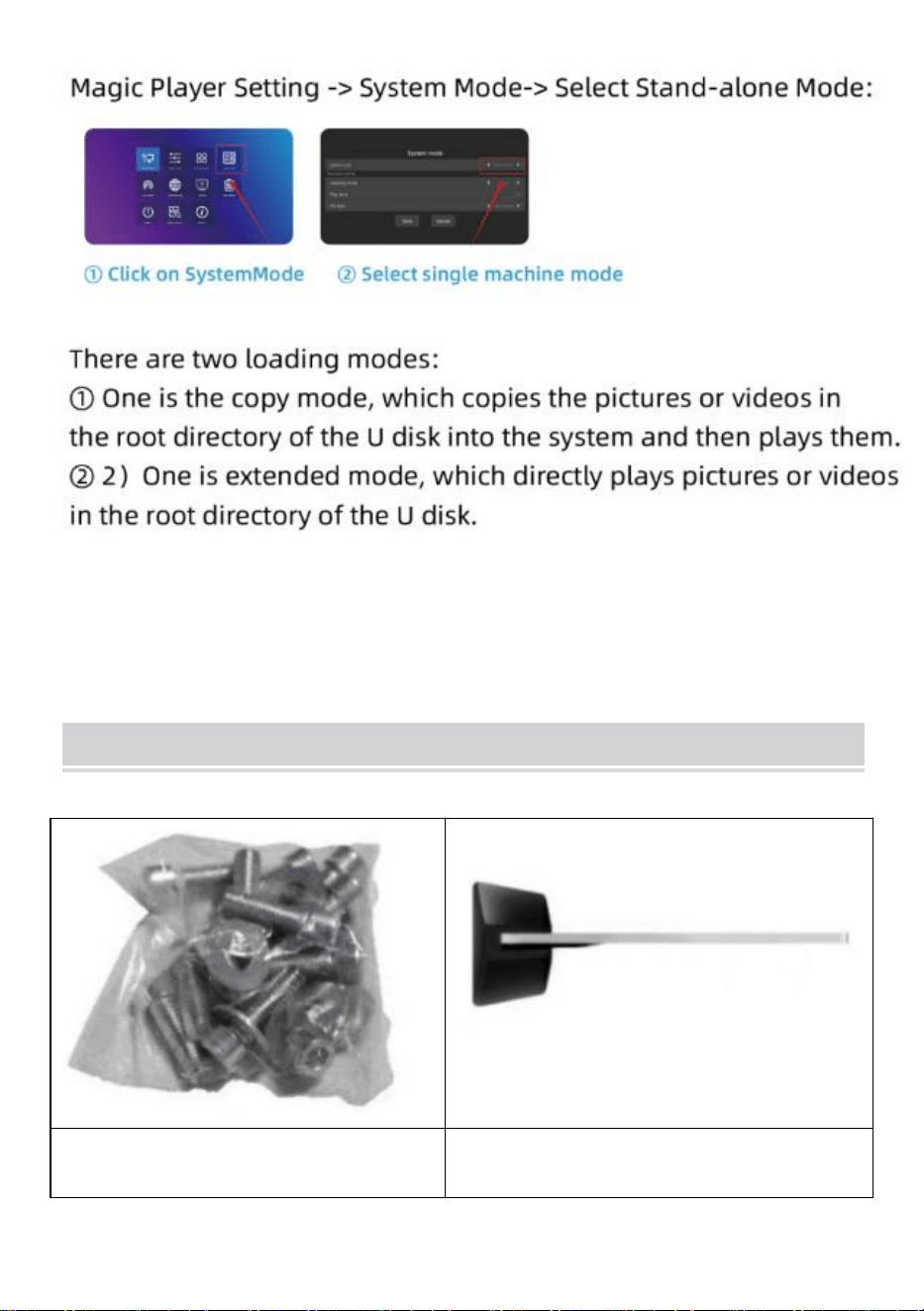
- 16 -
Installation Steps
Étape A : Retirez six vis et un
tournevis hexagonal.
Étape B : Faites pivoter l'écran et
allongez-le pour l'aligner avec la
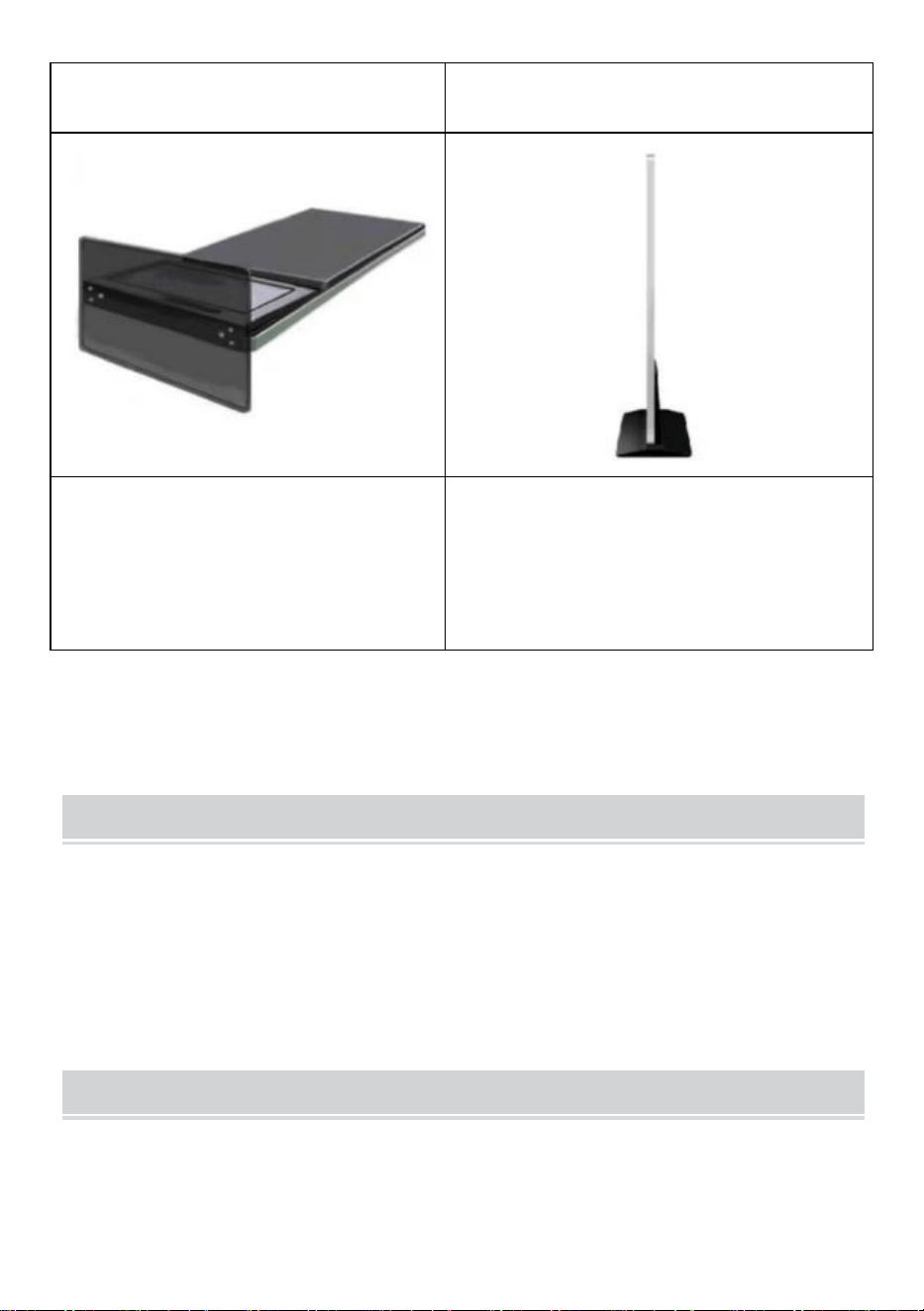
- 17 -
base .
Étape C : Serrez les six vis.
Étape D : faites pivoter l’ écran à la
verticale et branchez-le sur le
secteur.
Accessories List
Guide de l' utilisateur * 1 ,
Cordon d'alimentation * 1,
Clé USB * 1,
Vis * 8,
Rouleau * 4,
Clé * 1 .
Matters Need Attention
● Si une main appuie sur l’écran, l’opération de l’écran tactile ne sera
- 18 -
pas prise en compte à ce moment .
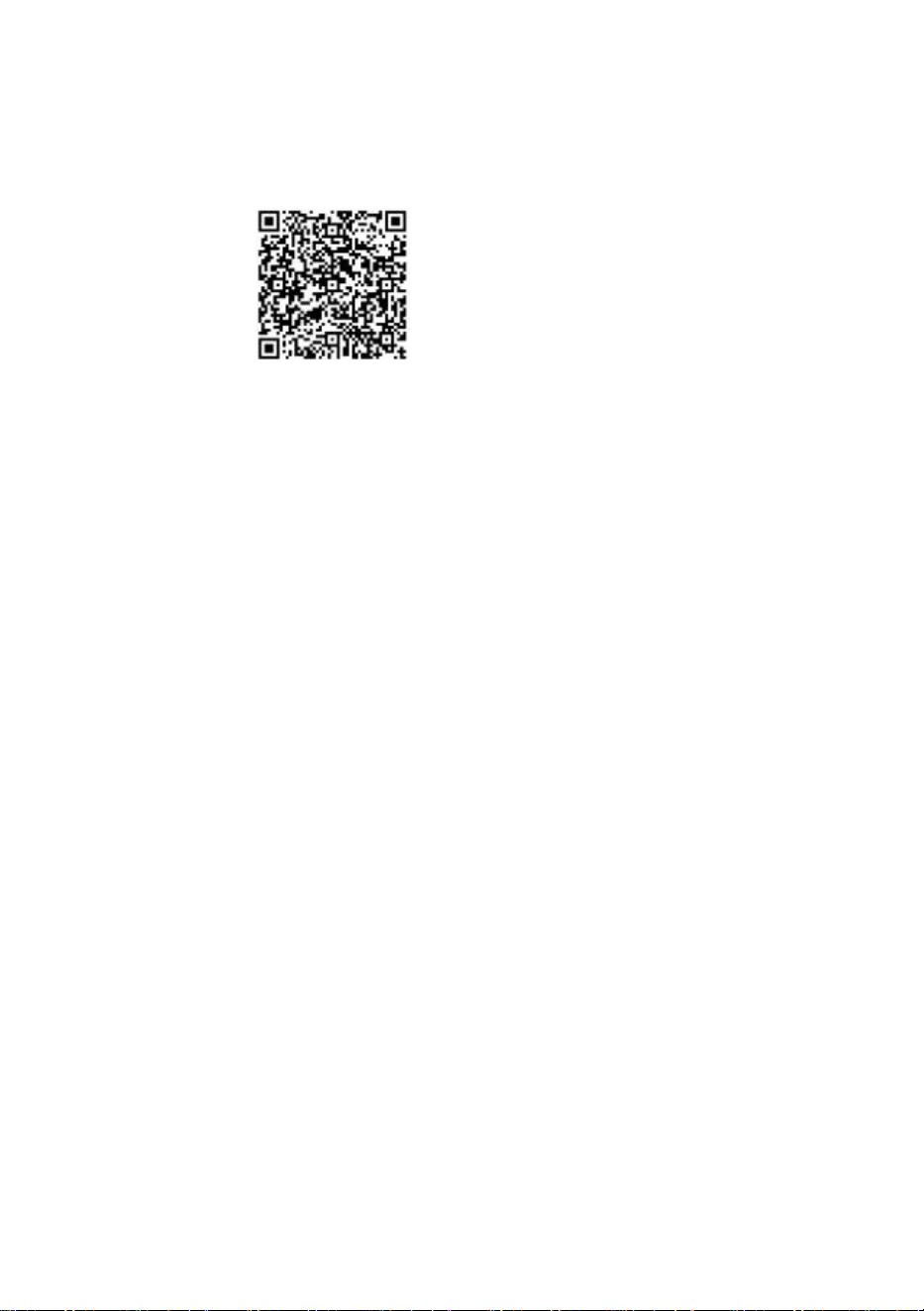
● Scannez le code QR pour plus d'informations sur la vidéo d'installation
et d'utilisation.
Fabricant : Shanghaimuxinmuyeyouxiangongsi
Adresse : Shuangchenglu 803nong11hao1602A-1609shi, baoshanqu,
Shanghai 200 000 CN.
Importé en Australie : SIHAO PTY LTD. 1 ROKEVA
STREETEASTWOOD
NSW 2122 Australie
Importé aux États-Unis : Sanven Technology Ltd. Suite 250, 9166
Anaheim

- 19 -
Lieu, Rancho Cucamonga, CA 91730
REP
UK
YH CONSULTING LIMITED. C/O YH Consulting
Limited Office 147, Centurion House, London
Road, Staines-upon-Thames, Surrey, TW18 4AX
REP
EC
E-CrossStu GmbH
Mainzer Landstr.69,
60329 Frankfurt am Main.


Technisch Ondersteuning en E-garantiecertificaat www.vevor.com/support
Digitale kiosk
GEBRUIKERSHANDLEIDING
MODEL: DC-A55ZN-A, DC-A65ZN-A
We continue to be committed to provide you tools with competitive price.
"Save Half", "Half Price" or any other similar expressions used by us only represents an
estimate of savings you might benefit from buying certain tools with us compared to the major
top brands and does not necessarily mean to cover all categories of tools offered by us. You
are kindly reminded to verify carefully when you are placing an order with us if you are
actually saving half in comparison with the top major brands.
- 1 -
MODEL: DC-A55ZN-A, DC-A65ZN-A
HULP NODIG? NEEM CONTACT MET ONS OP!
Heeft u vragen over het product? Heeft u technische ondersteuning
nodig? Neem dan gerust contact met ons op:
Technische ondersteuning en e-garantiecertificaat
www.vevor.com/support
Dit is de originele instructie, lees alle handleidingen zorgvuldig door
voordat u het product gebruikt. VEVOR behoudt zich een duidelijke
interpretatie van onze gebruikershandleiding voor. Het uiterlijk van het
product is afhankelijk van het product dat u hebt ontvangen. Vergeef ons
dat we u niet opnieuw zullen informeren als er technologie- of
software-updates voor ons product zijn .
Digital Kiosk
- 2 -
Waarschuwing: om het risico op letsel te verkleinen, moet de
gebruiker de gebruiksaanwijzing zorgvuldig lezen.
FCC-informatie
LET OP: Wijzigingen of aanpassingen die niet uitdrukkelijk zijn
goedgekeurd door de partij die verantwoordelijk is voor de naleving,
kunnen de bevoegdheid van de gebruiker om het apparaat te
bedienen ongeldig maken!
Dit apparaat voldoet aan Deel 15 van de FCC-regels. De werking is
onderworpen aan de volgende twee voorwaarden:
1) Dit product kan schadelijke interferentie veroorzaken.
2) Dit product moet alle ontvangen interferentie accepteren, inclusief
interferentie die ongewenste werking kan veroorzaken.
WAARSCHUWING: Wijzigingen of aanpassingen aan dit product die
niet uitdrukkelijk zijn goedgekeurd door de partij die verantwoordelijk
is voor de naleving, kunnen de bevoegdheid van de gebruiker om het
product te bedienen ongeldig maken.
Let op: Dit product is getest en voldoet aan de limieten voor een
digitaal apparaat van klasse B, conform Deel 15 van de FCC-regels.
Deze limieten zijn bedoeld om redelijke bescherming te bieden tegen
schadelijke interferentie in een residentiële installatie.
Dit product genereert, gebruikt en kan radiofrequentie-energie
uitstralen en kan, indien niet geïnstalleerd en gebruikt in
overeenstemming met de instructies, schadelijke interferentie
veroorzaken in radiocommunicatie. Er is echter geen garantie dat er
geen interferentie zal optreden in een bepaalde installatie. Als dit
product schadelijke interferentie veroorzaakt in radio- of
televisieontvangst, wat kan worden vastgesteld door het product uit
en aan te zetten, wordt de gebruiker aangemoedigd om te proberen
de interferentie te corrigeren door een of meer van de volgende
maatregelen.
· Heroriënteer of verplaats de ontvangstantenne.
- 3 -
· Vergroot de afstand tussen het product en de ontvanger.
· Sluit het product aan op een stopcontact van een ander circuit dan
waarop de ontvanger is aangesloten.
· Raadpleeg de dealer of een ervaren radio-/tv-technicus voor hulp.
CORRECTE VERWIJDERING
Dit product is onderworpen aan de bepalingen van de Europese
richtlijn 2012/19/EG. Het symbool met een doorgestreepte afvalbak
geeft aan dat het product in de Europese Unie gescheiden
afvalinzameling vereist. Dit geldt voor het product en alle
accessoires die met dit symbool zijn gemarkeerd. Producten die als
zodanig zijn gemarkeerd, mogen niet met het normale huishoudelijke
afval worden weggegooid, maar moeten worden ingeleverd bij een
inzamelpunt voor recycling van elektrische en elektronische
apparaten.
IMPORTANT SAFEGUARDS
WAARSCHUWING: Lees alle veiligheidswaarschuwingen, instructies,
illustraties en specificaties die bij deze thermische bonprinter worden
geleverd. Het niet opvolgen van alle onderstaande instructies kan
leiden tot elektrische schokken, brand en/of ernstig letsel.
1. Gebruik dit product niet op plekken waar het kan worden blootgesteld aan water
of andere vloeistoffen.
2. Haal de stekker van dit product uit het stopcontact voordat u het schoonmaakt.
Gebruik geen vloeibare of spuitbusreinigers. Gebruik een vochtige doek om het
product schoon te maken.
3. Haal dit product niet uit elkaar om het risico op een elektrische schok te
verkleinen. Breng het naar gekwalificeerd onderhoudspersoneel wanneer er
onderhouds- of reparatiewerkzaamheden nodig zijn. Het openen of verwijderen
van afdekkingen - zoals de achterste afdekplaat - kan u blootstellen aan
gevaarlijke spanningen of andere risico's. Onjuiste hermontage kan een
elektrische schok veroorzaken wanneer het apparaat vervolgens wordt gebruikt.

- 4 -
4. Als het netsnoer beschadigd is, moet het worden vervangen door een speciaal
snoer of een speciale assemblage die verkrijgbaar is bij de fabrikant of diens
serviceagent. Gebruik alleen de kabel die bij het apparaat is geleverd. Het gebruik
van andere kabels kan leiden tot een elektrische schok, brand of ernstige schade
aan het apparaat.
5. Gebruik het apparaat niet op plekken met een hoge temperatuur of hoge
luchtvochtigheid, omdat dit de juiste werking ervan kan belemmeren.
6. Trek bij het loskoppelen van de stekker niet aan het snoer, maar pak de stekker
vast om deze eruit te trekken. Het niet opvolgen van deze instructies kan leiden tot
elektrische schokken, brand of schade aan het apparaat.
7. Gebruik het apparaat niet als het netsnoer beschadigd is of als het contact van
de stekker los zit. Het niet opvolgen van deze instructies kan leiden tot elektrische
schokken, brand of andere gevaren.
8. Plaats geen zware voorwerpen op het snoer en buig het niet te veel, omdat het
anders beschadigd kan raken. Het niet opvolgen van deze instructies kan leiden
tot elektrische schokken, brand of andere gevaren.
9. Haal de stekker uit het stopcontact als u het apparaat langere tijd niet gebruikt.
10. Deze apparatuur is niet geschikt voor gebruik op locaties waar de kans groot is
dat er kinderen aanwezig zijn.
BEWAAR DEZE INSTRUCTIES
INSTRUCTIONS
● Het verbeterde schermweergaveontwerp lost het probleem van het
tegelijkertijd afspelen van foto's en video's perfect op en realiseert de
intelligente gesplitst scherm functie, die uw advertenties aantrekkelijker
maakt.
● Gebruik makend van Android 11 -besturingssysteem met krachtige
luidsprekers, ondersteunt U disk plug-and-play .
- 5 -
● De digitale kiosk wordt veel gebruikt in winkelcentra, luchthavens,
ziekenhuizen, restaurants en allerlei soorten winkels.
Easy to publish your advertisement by USB disk
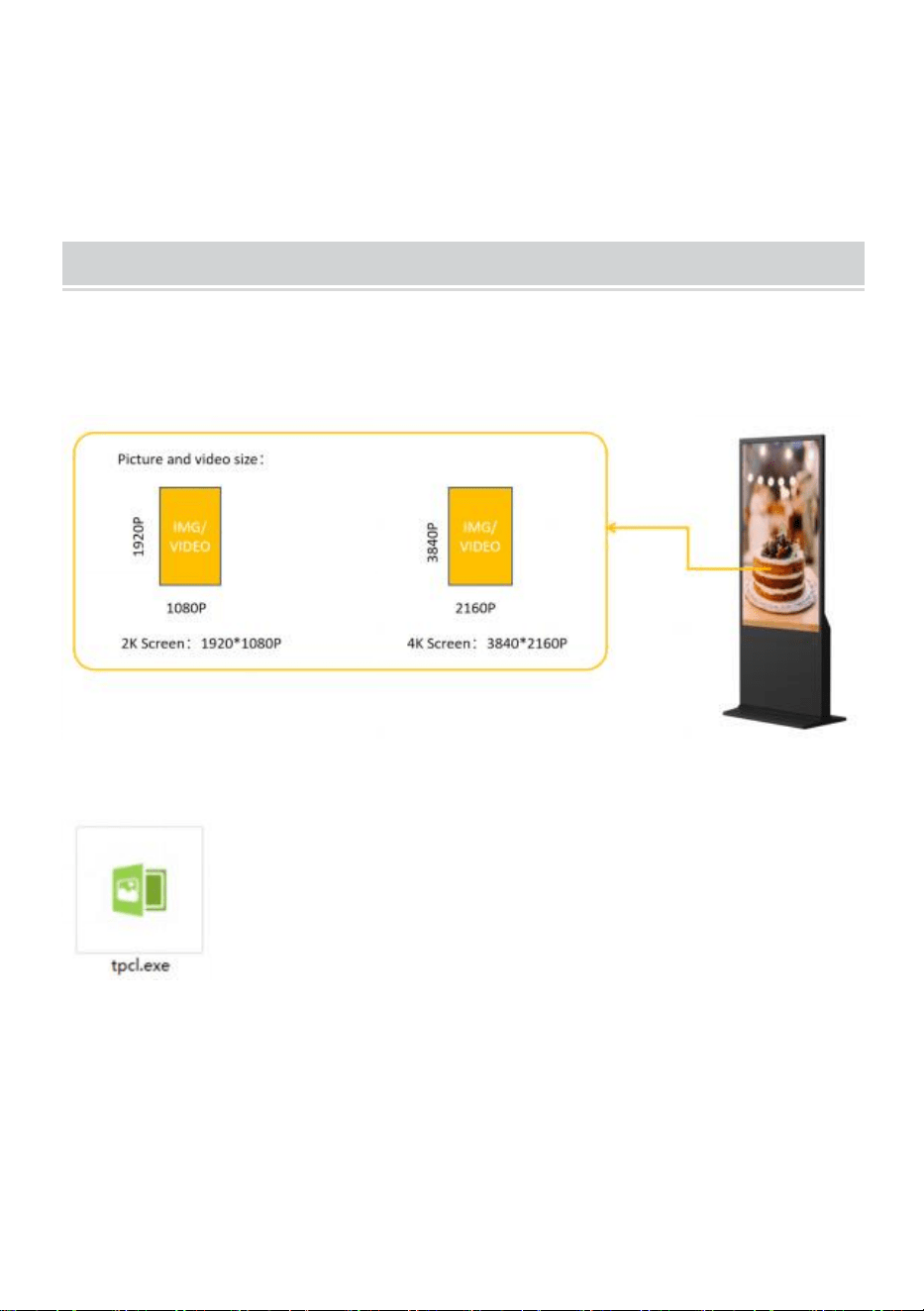
● Bereid de foto's en video's voor die u wilt weergeven. (Zorg ervoor dat
de foto's en video's geschikt zijn voor een scherm waarop u de perfecte
visuele ervaring kunt krijgen) .
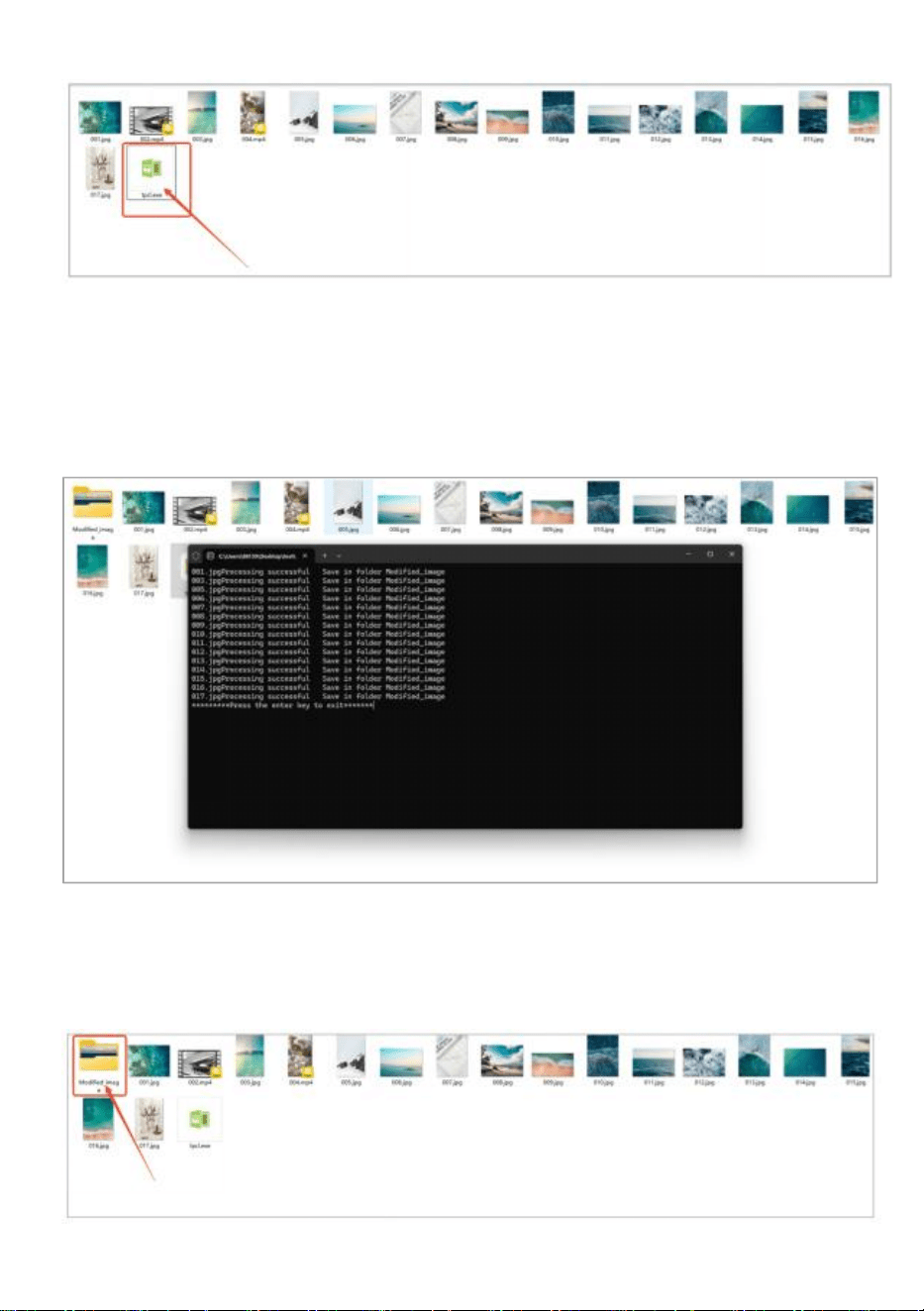
● Kopieer de software ( tpcl.exe ) naar het document waarin uw
afbeelding al is voorbereid.
" tpcl.exe " bevindt zich op de USB-schijf in het zakje
met accessoires.
OPMERKING: " tpcl.exe " is een
softwareprogramma voor het verwerken van foto's dat
ervoor zorgt dat uw foto herkend kan worden door
digitale kiosken.
● Voer “tpcl.exe” uit en de afbeelding wordt automatisch verwerkt.
- 6 -
●
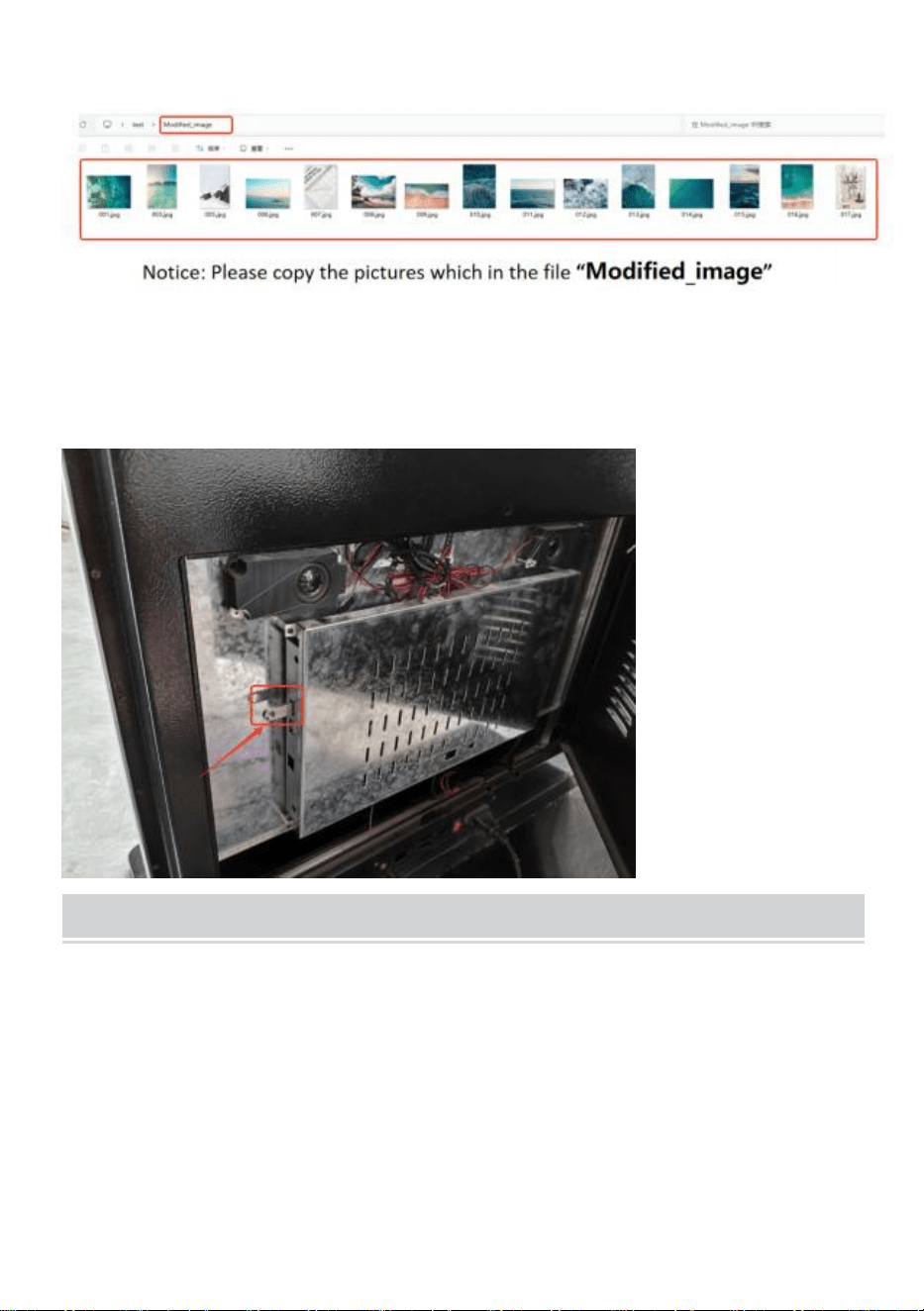
Wanneer de afbeeldingsbewerking voltooid is, drukt u op de “ Enter”
-toets om af te sluiten.
● Nadat de afbeeldingsverwerking is voltooid, wordt er een nieuw
bestand gemaakt, “ Modified_image” , waarin alle afbeeldingen met de
verwerking zijn opgenomen.
- 7 -
● Kopieer de afbeelding naar de USB-schijf.
● Plaats de USB-schijf in de digitale kiosk.
Publish advertisement by APP
- 8 -
- 9 -
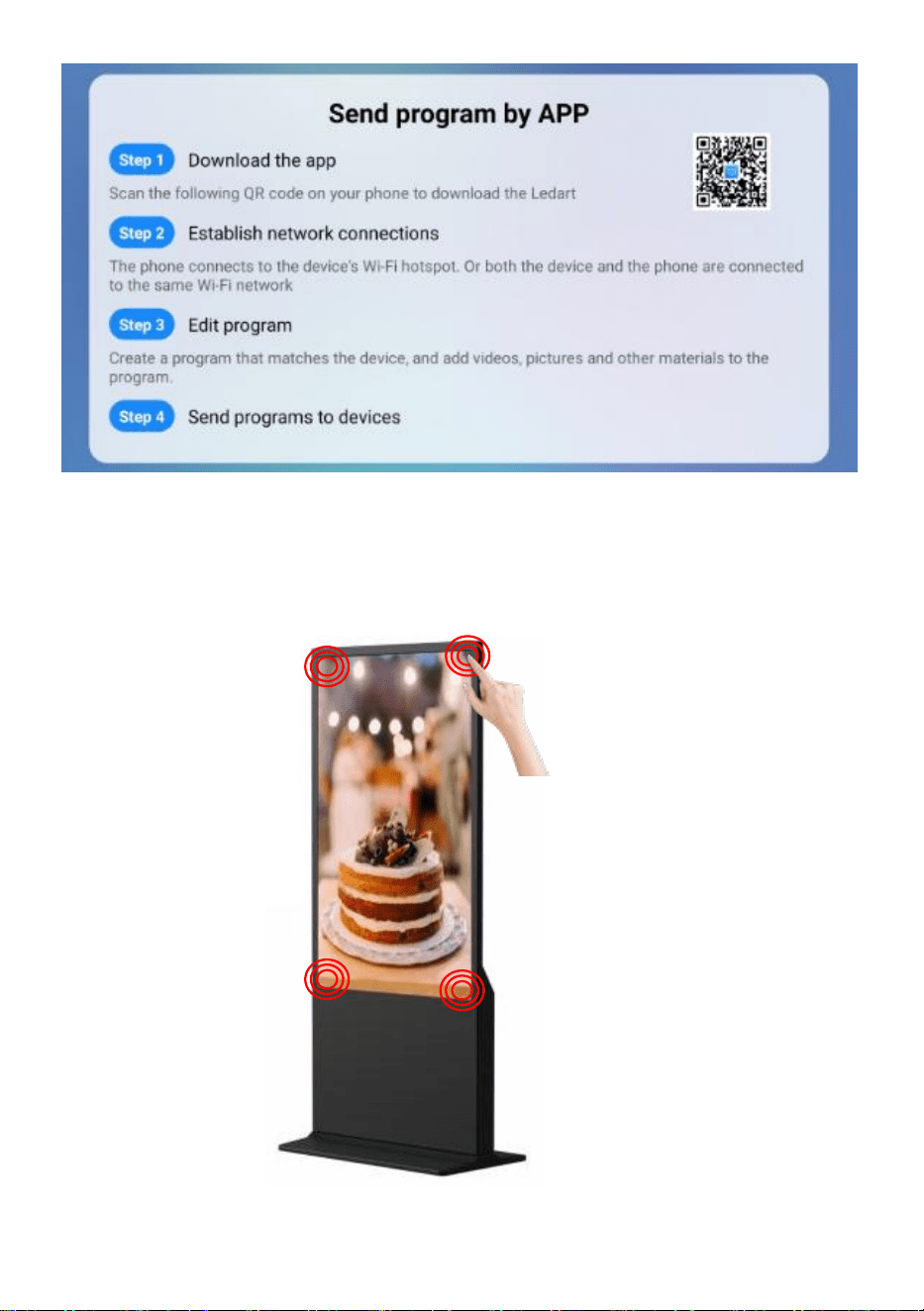
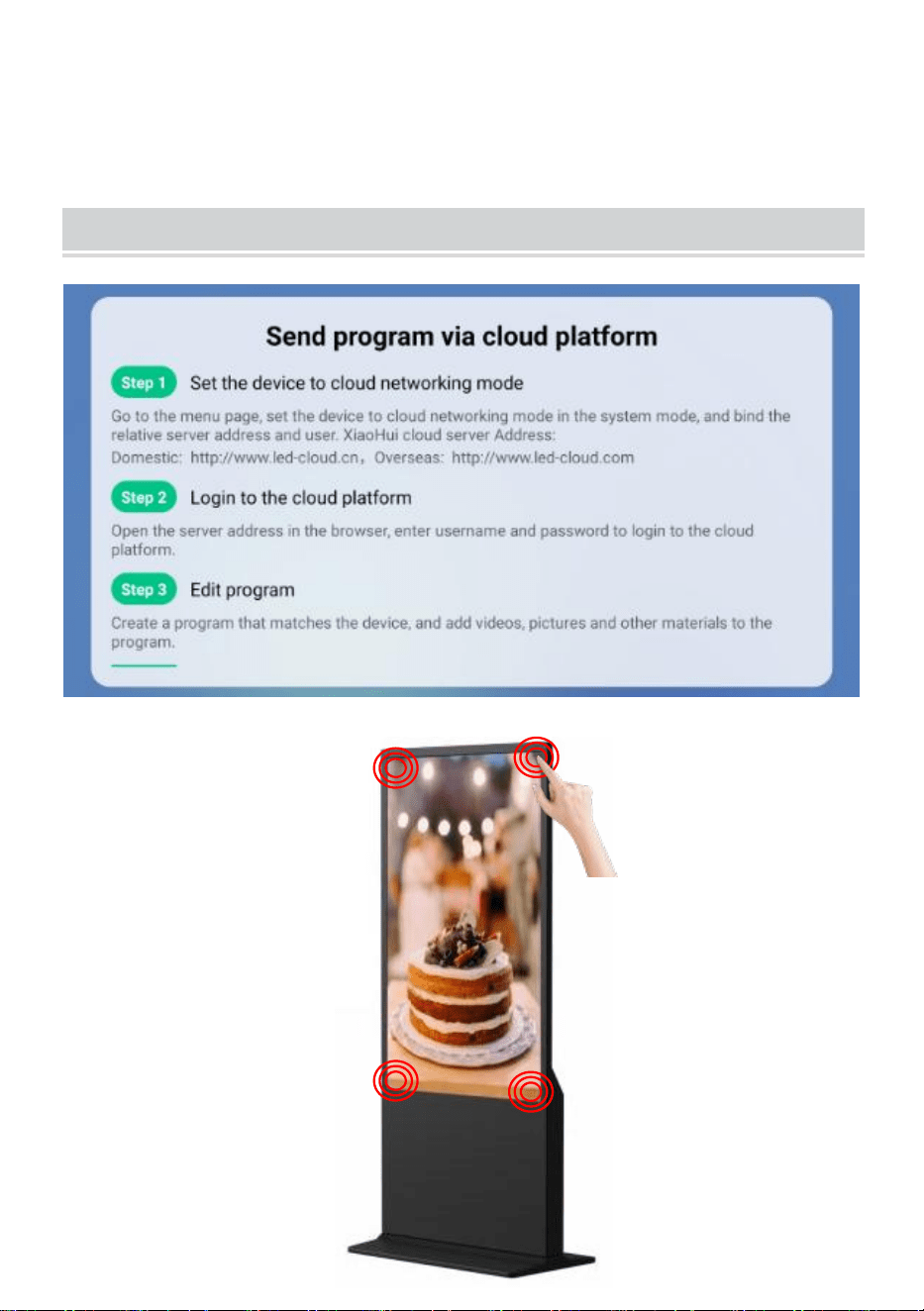
● Klik 4 keer op de hoek of het scherm om de instellingsmodus te
openen .
Publish advertisement by Website
- 10 -
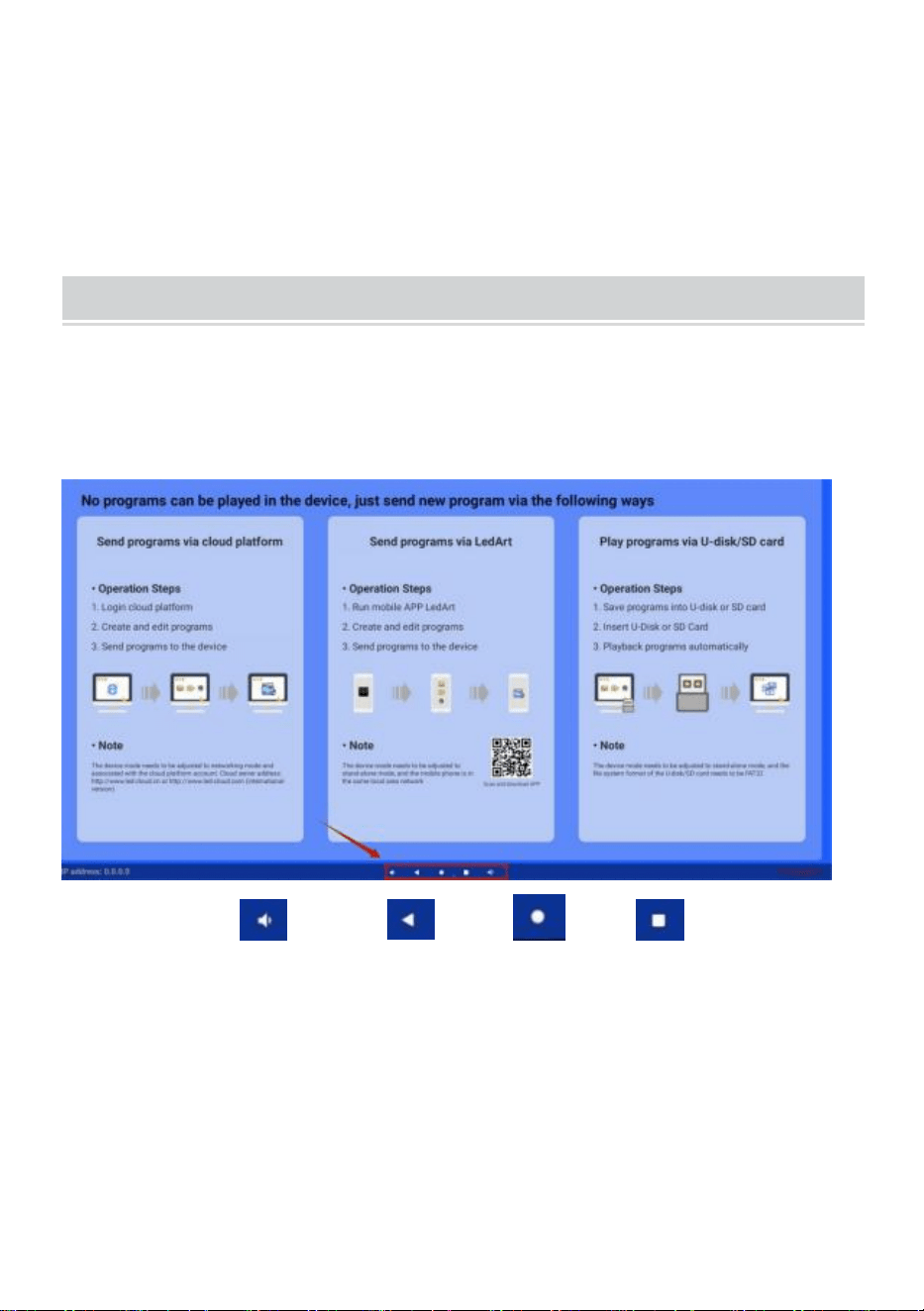
● Klik 4 keer op de hoek of het scherm om de instellingsmodus te
openen .
Operation instruction
● Functietoetsen navigatiebalk
Veeg omhoog onderaan in het midden van het scherm om de
navigatiebalk te
openen.
Functietoetsen: Volume, Terug, Start, Toepassingen
wisselen
● Netwerk verbinden
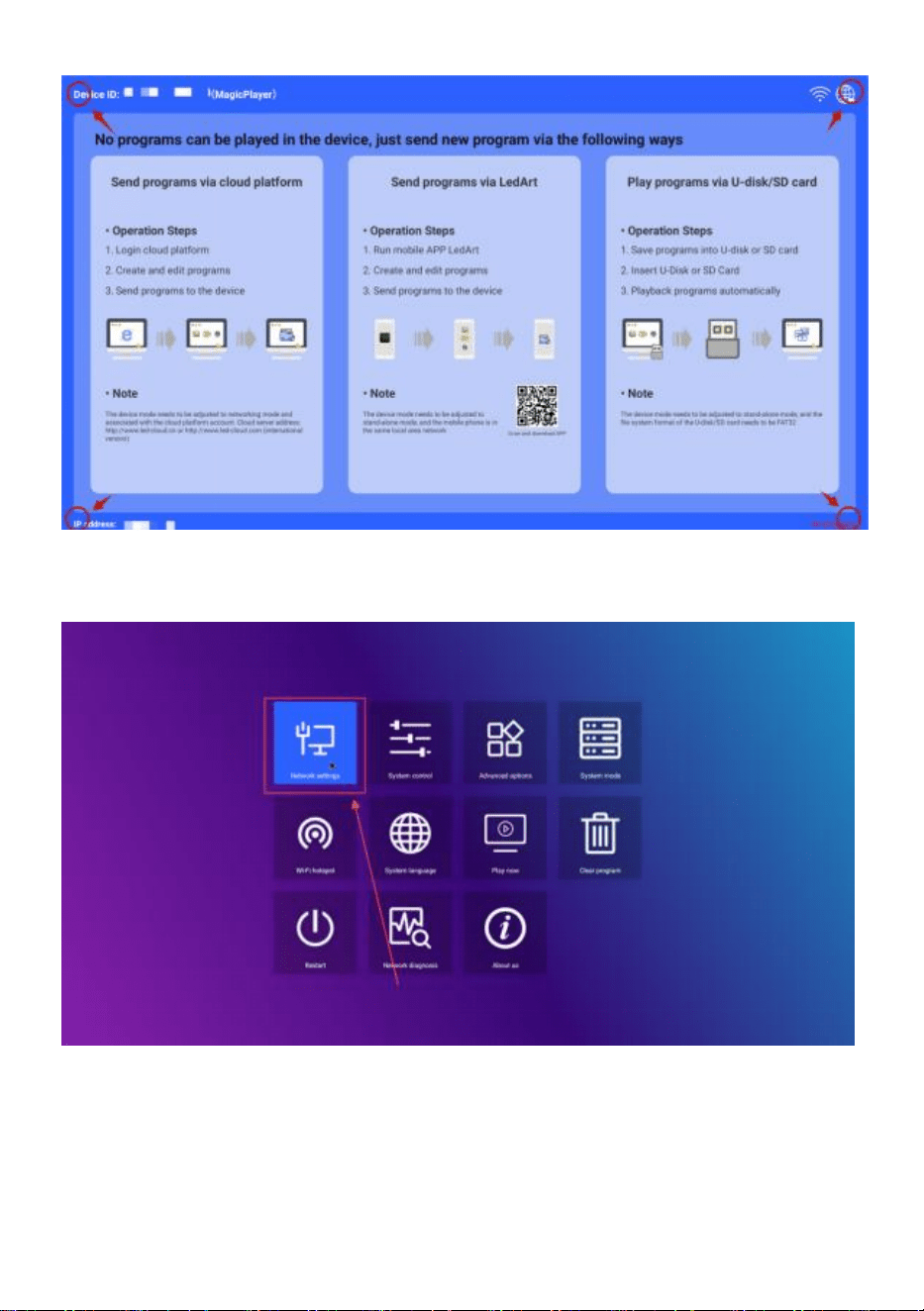
Speel een van de vier hoeken van de software-interface, raak aan en
klik 4 keer om de systeeminstellingen te openen
- 11 -
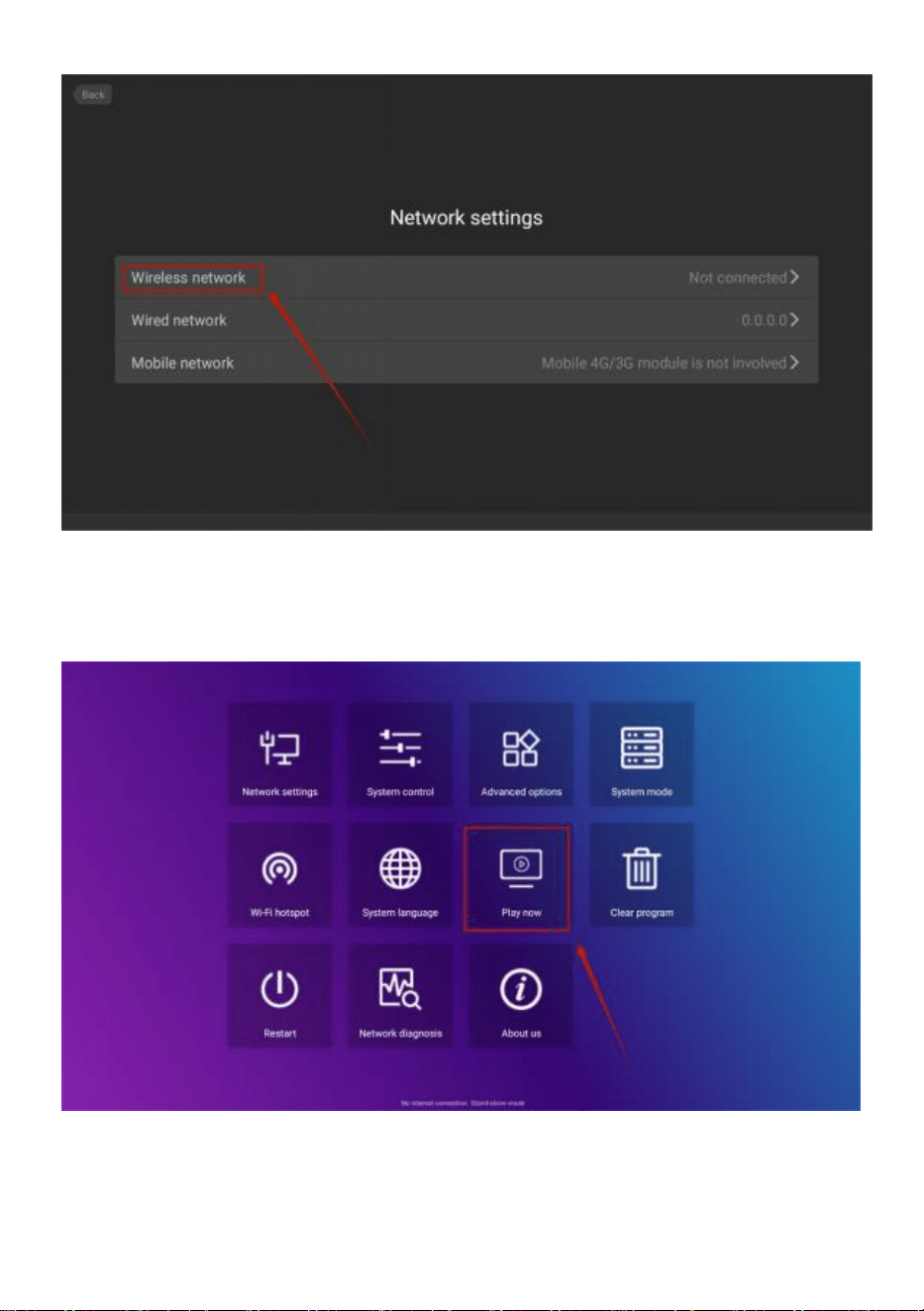
Klik om te openen -> Netwerkinstellingen -> Draadloos netwerk, selecteer
de WIFI waarmee u verbinding wilt maken.
- 12 -
Nadat u verbinding hebt gemaakt, klikt u op " Nu afspelen " om terug te
keren naar de
afspeelinterface.
● Volumeregeling
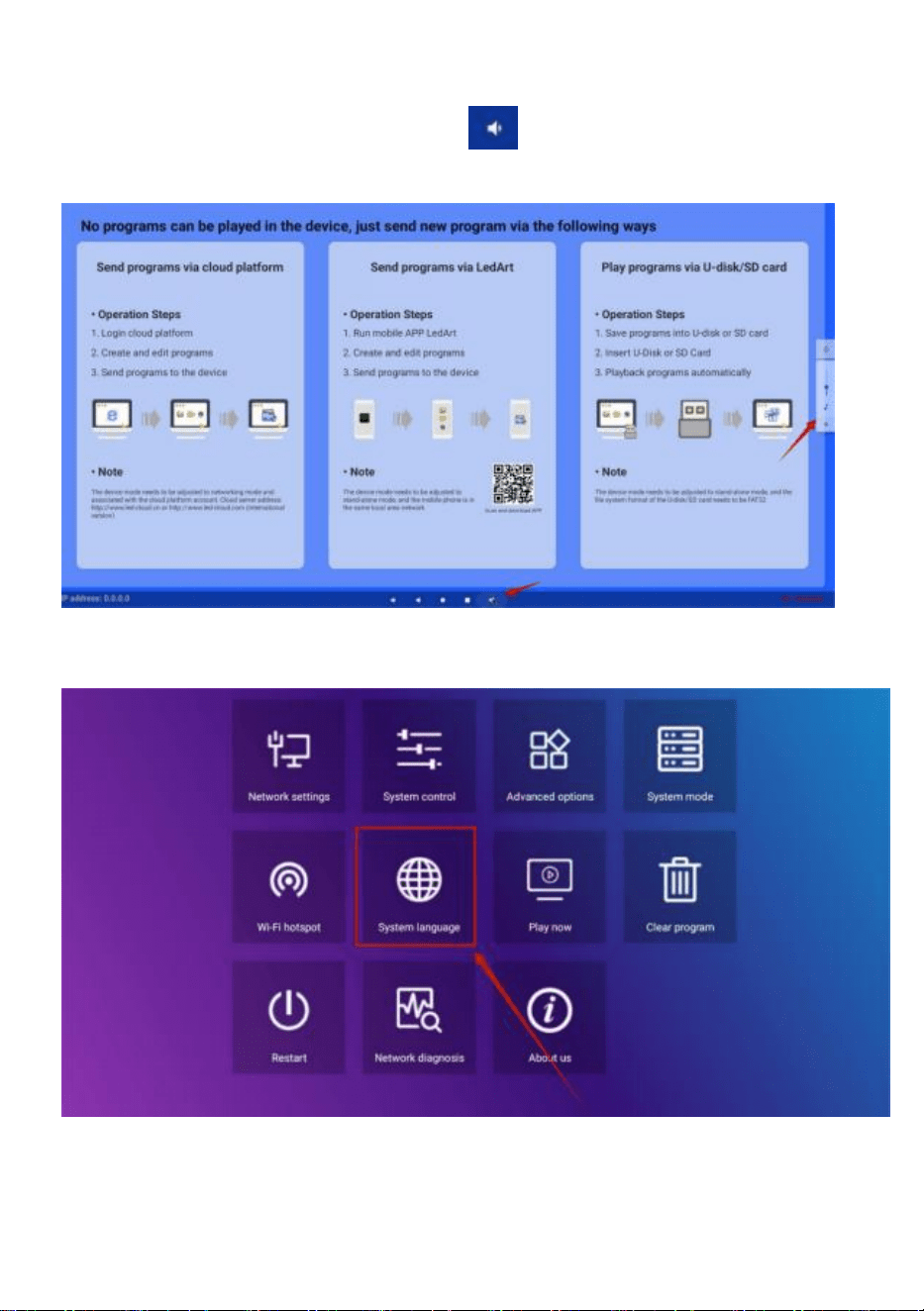
- 13 -
Schuif de middelste positie onderaan het scherm omhoog, open de
navigatiebalk, klik op de volumeknop en de volumegrootte kan
worden aangepast door aan de rechterkant omhoog te springen
● Selectie van softwaretaal
Systeeminstellingen ->Systeemtaal
● Selectie van advertentiemodus
Systeeminstellingen ->Systeemmodus
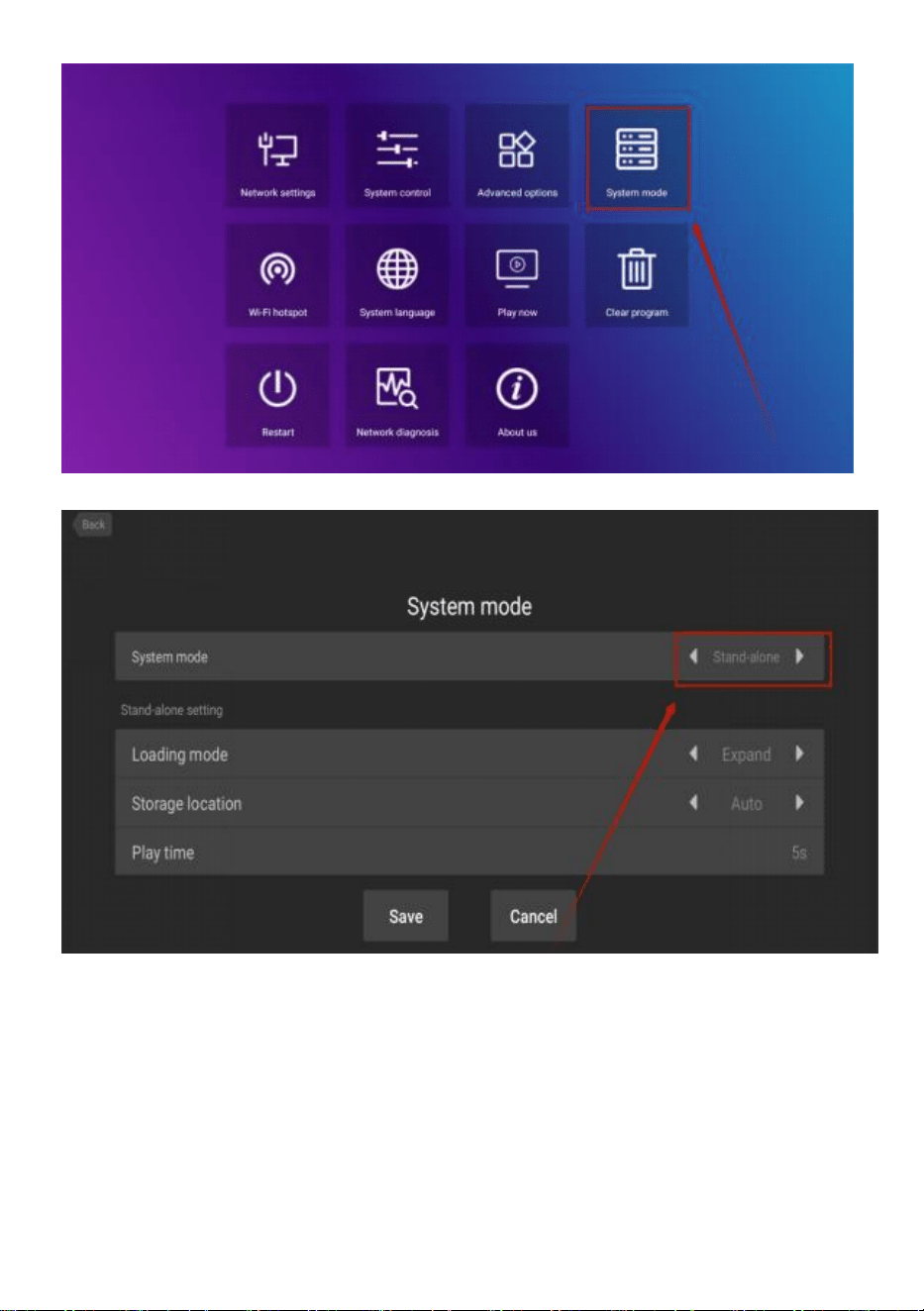
- 14 -
Klik op systeemmodus om de modus te selecteren.
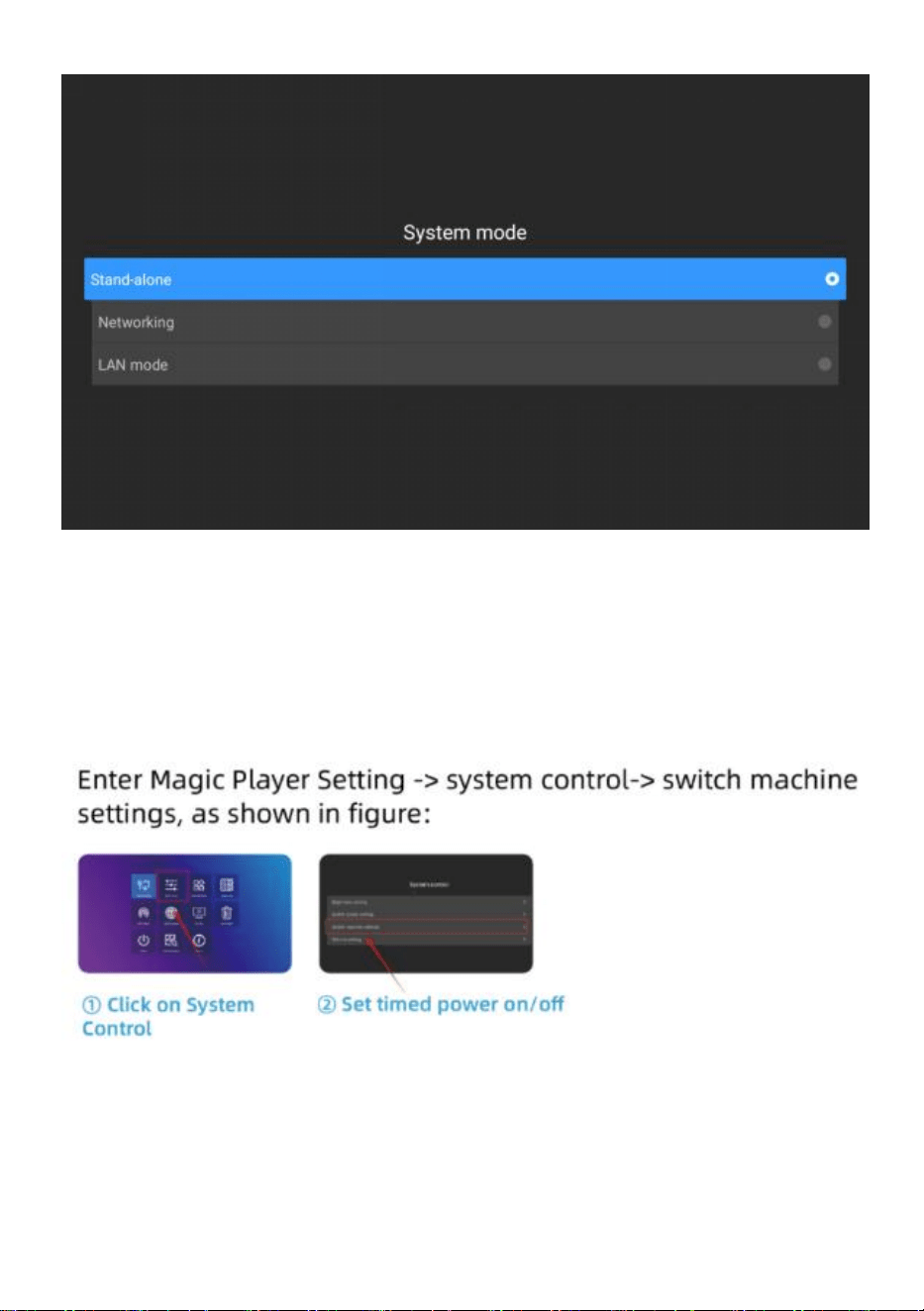
- 15 -
Stand-alone : De stand-alone modus wordt afgespeeld door een USB-stick
aan te sluiten (standaardinstelling).
Netwerken : U kunt de publicatie van inhoud op afstand beheren (meer
informatie vindt u in de video over de werking).
● Tijdschakelmachine
● Instelling voor afspelen van U-schijf
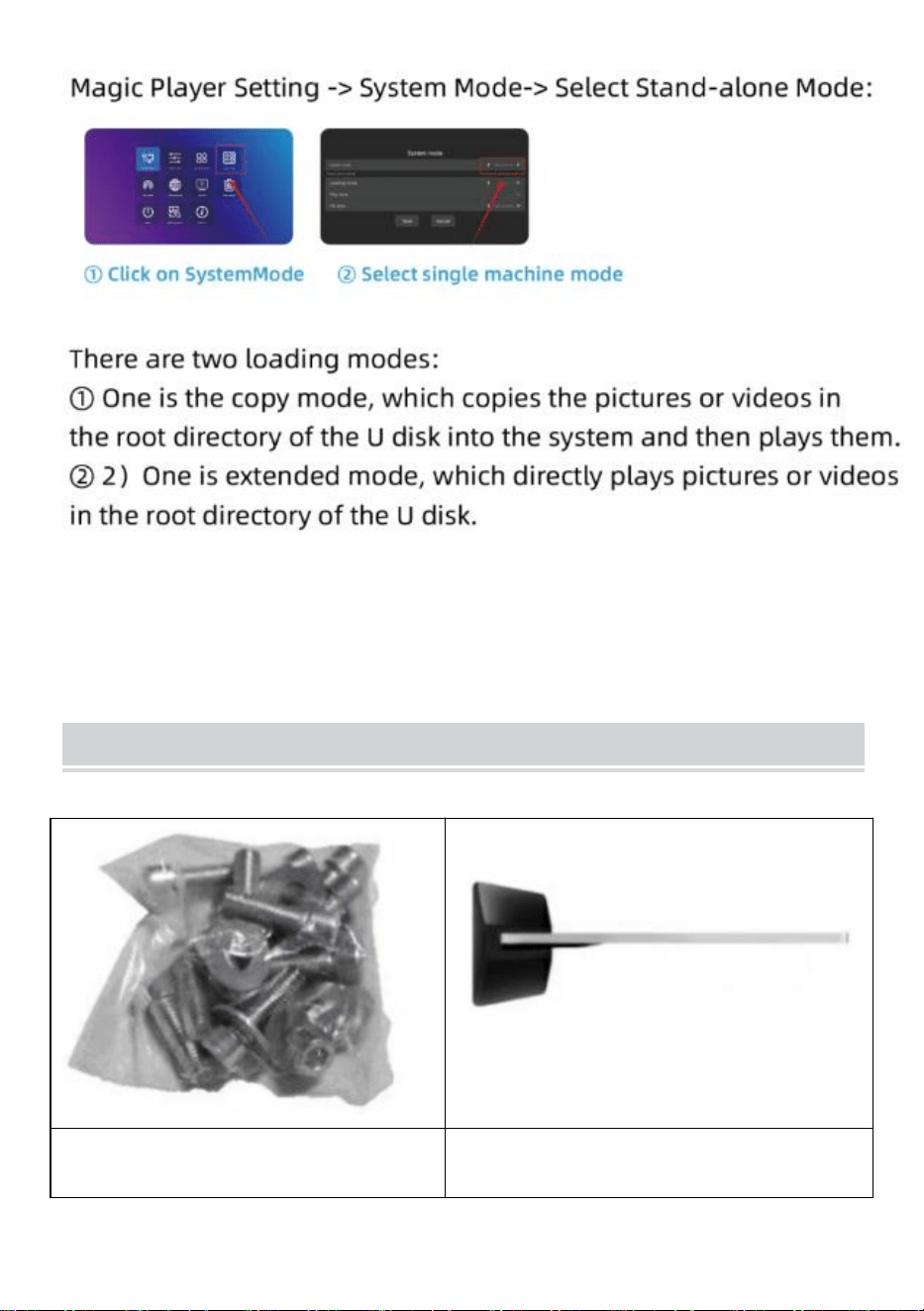
- 16 -
Installation Steps
Stap A: Verwijder zes schroeven
en een zeskantschroevendraaier.
Stap B: Draai het scherm en ga
liggen totdat het is uitgelijnd met de
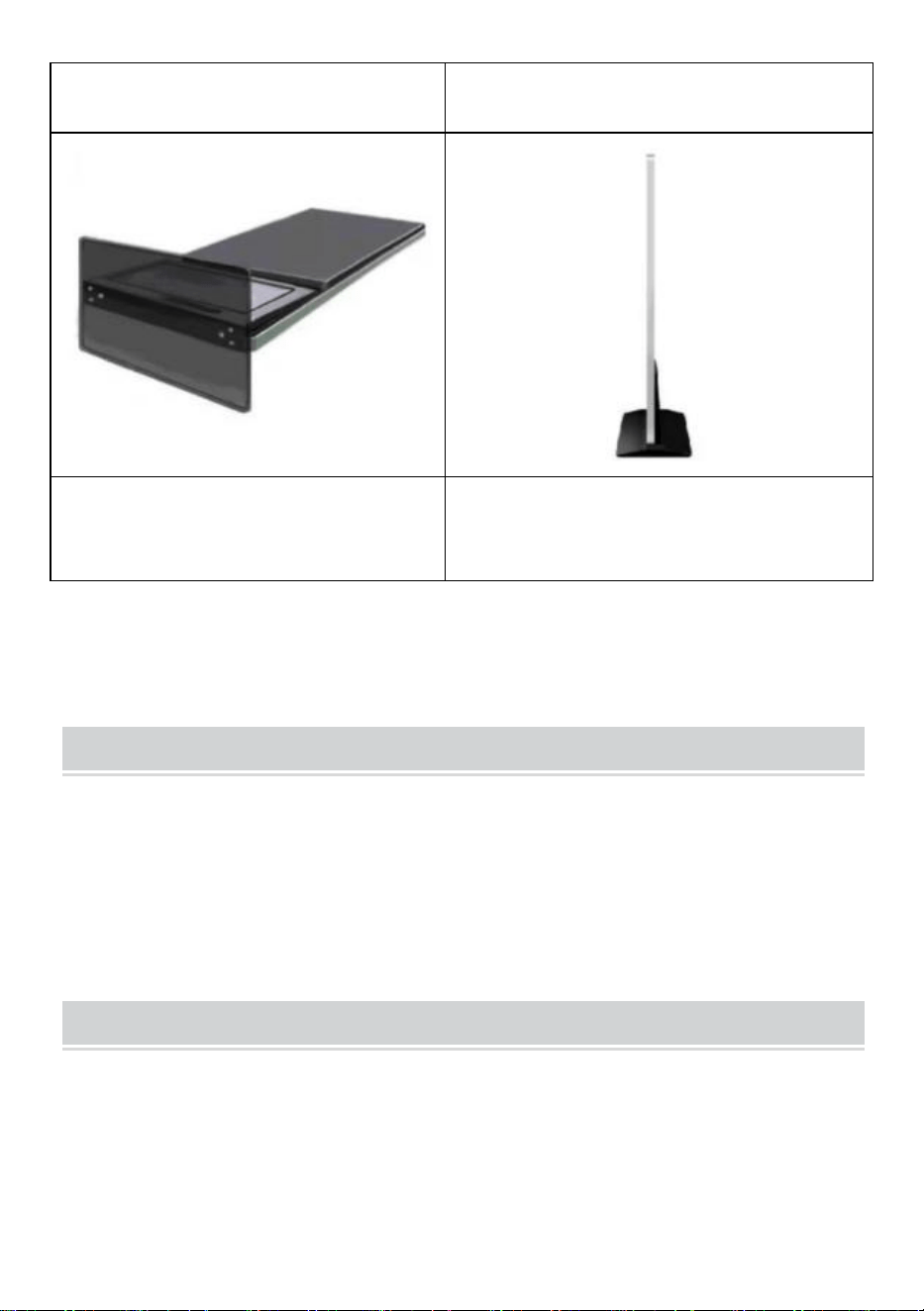
- 17 -
basis .
Stap C: Draai de zes schroeven
vast.
Stap D: Draai het scherm rechtop en
sluit het aan op de voeding.
Accessories List
Gebruikershandleiding * 1 ,
Stroomkabel * 1,
USB-stick * 1,
Schroef * 8,
Rol * 4,
Sleutel * 1 .
Matters Need Attention
● Als er een hand op het scherm drukt, wordt er op dat moment niet op
de bediening van het touchscreen gereageerd .
● Scan de QR-code voor meer video-informatie over de installatie en het
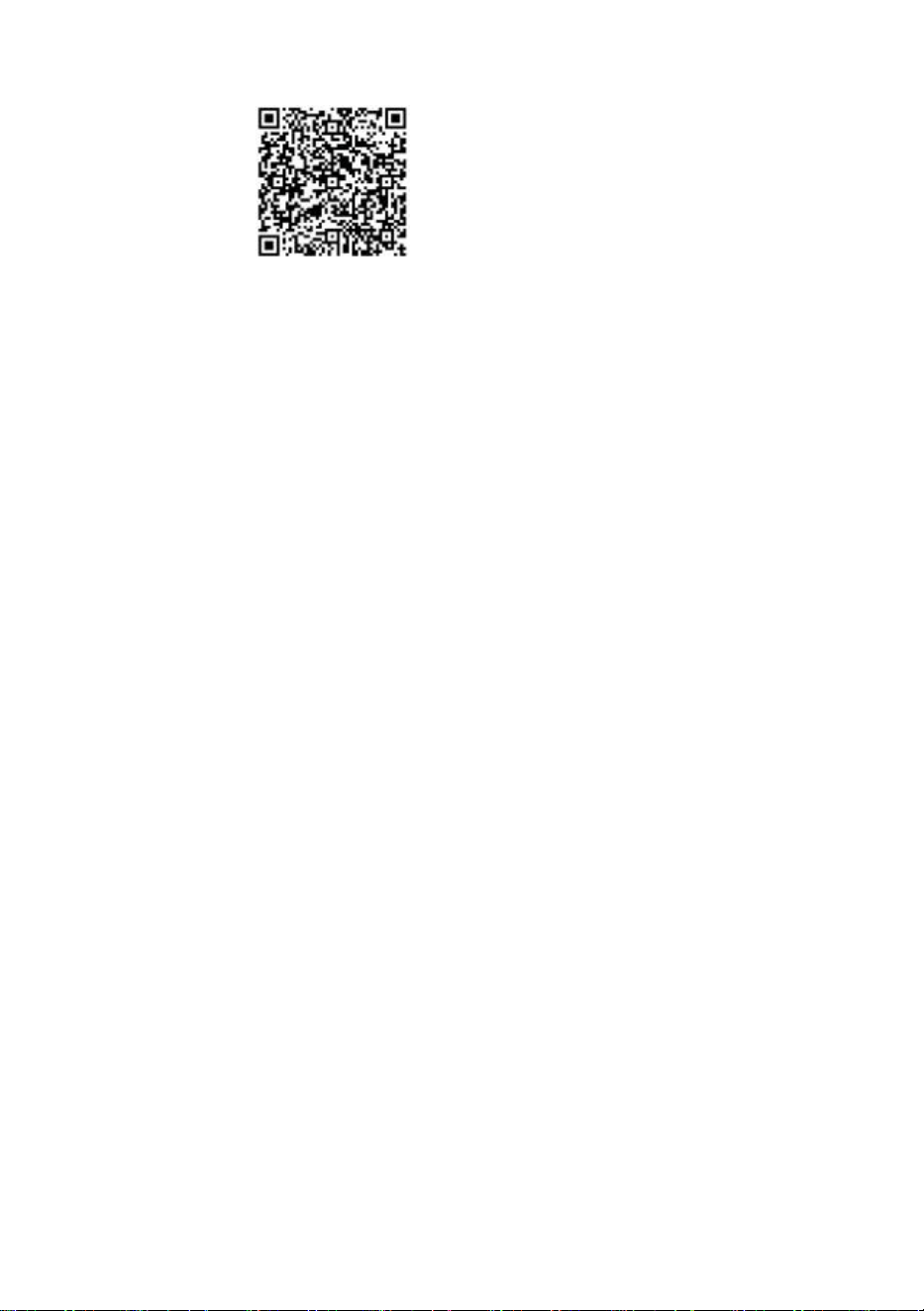
- 18 -
gebruik.
Fabrikant: Shanghaimuxinmuyeyouxiangongsi
Adres: Shuangchenglu 803nong11hao1602A-1609shi, baoshanqu,
Sjanghai 200000 CN.
Geïmporteerd naar AUS: SIHAO PTY LTD. 1 ROKEVA
STREETEASTWOOD
NSW 2122 Australië
Geïmporteerd naar de VS: Sanven Technology Ltd. Suite 250, 9166
Anaheim
Plaats, Rancho Cucamonga, CA 91730

- 19 -
REP
UK
YH CONSULTING LIMITED. C/O YH Consulting
Limited Office 147, Centurion House, London
Road, Staines-upon-Thames, Surrey, TW18 4AX
REP
EC
E-CrossStu GmbH
Mainzer Landstr.69,
60329 Frankfurt am Main.


Teknisk Support och e-garanticertifikat www.vevor.com/support
Digital kiosk
ANVÄNDARHANDBOK
MODELL: DC-A55ZN-A, DC-A65ZN-A
We continue to be committed to provide you tools with competitive price.
"Save Half", "Half Price" or any other similar expressions used by us only represents an
estimate of savings you might benefit from buying certain tools with us compared to the major
top brands and does not necessarily mean to cover all categories of tools offered by us. You
are kindly reminded to verify carefully when you are placing an order with us if you are
actually saving half in comparison with the top major brands.
- 1 -
MODELL: DC-A55ZN-A, DC-A65ZN-A
BEHÖVER HJÄLP? KONTAKTA OSS!
Har du produktfrågor? Behöver du teknisk support? Kontakta oss
gärna:
Teknisk support och e-garanticertifikat
www.vevor.com/support
Detta är den ursprungliga instruktionen, läs alla instruktioner noggrant
innan du använder den. VEVOR reserverar sig för en tydlig tolkning av vår
användarmanual. Utseendet på produkten är beroende av den produkt du
fått. Ursäkta oss att vi inte kommer att informera dig igen om det finns
någon teknik eller mjukvaruuppdateringar på vår produkt.
Digital Kiosk
- 2 -
Varning- För att minska risken för skada måste användaren
läsa bruksanvisningen noggrant.
FCC-information
FÖRSIKTIGHET: Ändringar eller modifieringar som inte uttryckligen
godkänts av den part som ansvarar för efterlevnaden kan upphäva
användarens behörighet att använda utrustningen!
Denna enhet uppfyller del 15 av FCC-reglerna. Driften är föremål för
följande två villkor:
1) Denna produkt kan orsaka skadliga störningar.
2) Denna produkt måste acceptera alla mottagna störningar,
inklusive störningar som kan orsaka oönskad funktion.
VARNING: Ändringar eller modifieringar av denna produkt som inte
uttryckligen godkänts av den part som är ansvarig för efterlevnaden
kan upphäva användarens behörighet att använda produkten.
Obs: Denna produkt har testats och befunnits överensstämma med
gränserna för en digital enhet av klass B i enlighet med del 15 av
FCC-reglerna. Dessa gränser är utformade för att ge rimligt skydd
mot skadliga störningar i en bostadsinstallation.
Denna produkt genererar, använder och kan utstråla
radiofrekvensenergi, och om den inte installeras och används i
enlighet med instruktionerna kan den orsaka skadliga störningar på
radiokommunikation. Det finns dock ingen garanti för att störningar
inte kommer att inträffa i en viss installation. Om denna produkt
orsakar skadliga störningar på radio- eller tv-mottagning, vilket kan
fastställas genom att stänga av och på produkten, uppmanas
användaren att försöka korrigera störningen med en eller flera av
följande åtgärder.
· Rikta om eller flytta mottagningsantennen.
· Öka avståndet mellan produkten och mottagaren.
· Anslut produkten till ett uttag på en annan krets än den som
mottagaren är ansluten till.
- 3 -
· Kontakta återförsäljaren eller en erfaren radio/TV-tekniker för hjälp.
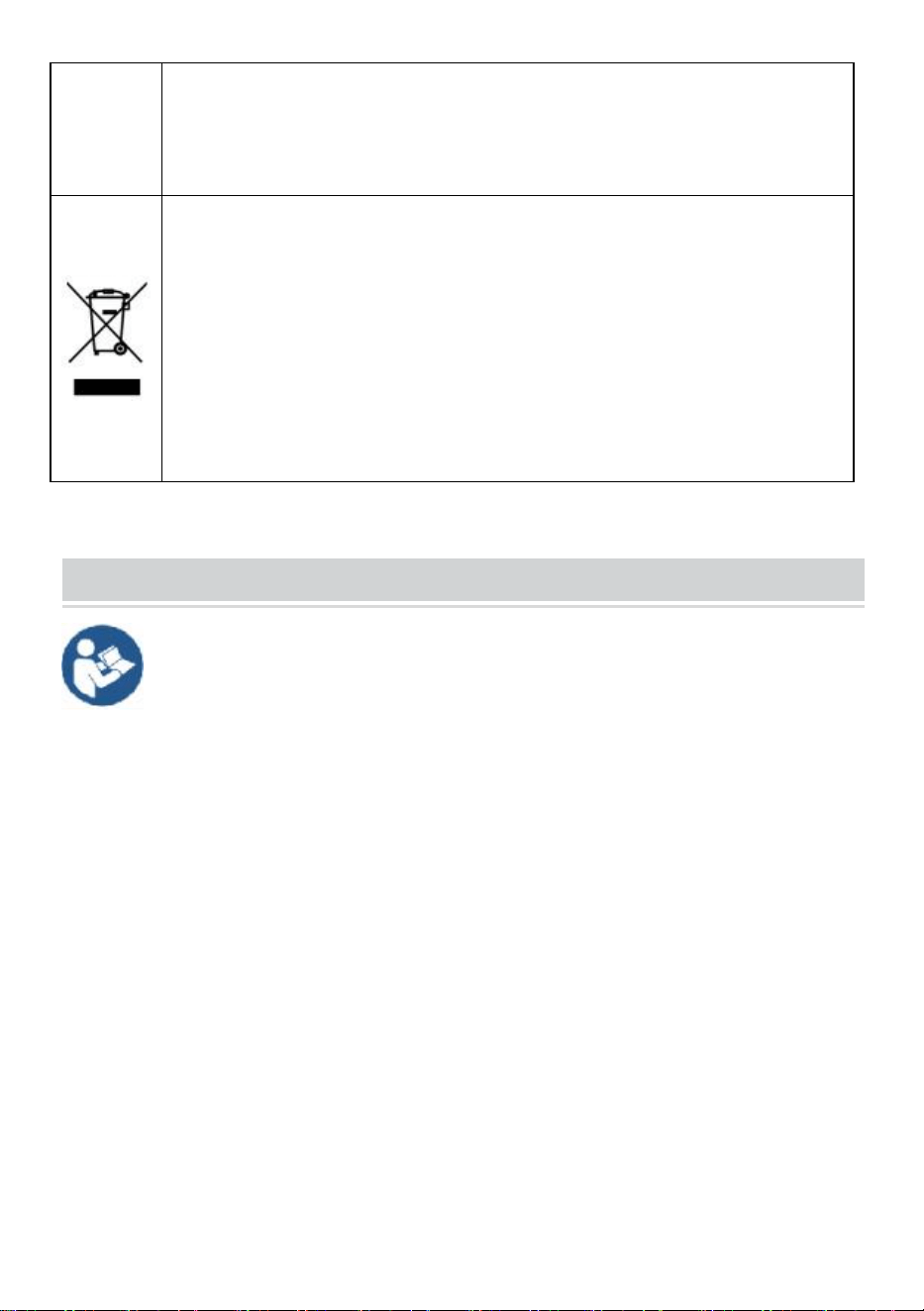
KORREKT AVFALLSHANTERING
Denna produkt omfattas av bestämmelserna i det europeiska
direktivet 2012/19/EC. Symbolen som visar en soptunna korsad
anger att produkten kräver separat sophämtning i EU. Detta gäller för
produkten och alla tillbehör märkta med denna symbol. Produkter
märkta som sådana får inte slängas tillsammans med vanligt
hushållsavfall, utan måste lämnas till en insamlingsplats för
återvinning av elektriska och elektroniska apparater
IMPORTANT SAFEGUARDS
VARNING: Läs alla säkerhetsvarningar, instruktioner, illustrationer och
specifikationer som medföljer denna termiska kvittoskrivare.
Underlåtenhet att följa alla instruktioner som anges nedan kan resultera
i elektriska stötar, brand och/eller allvarliga skador.
1. Använd inte denna produkt i områden där den kan utsättas för vatten eller andra
vätskor.
2. Koppla bort produkten från vägguttaget innan rengöring. Använd inte flytande
rengöringsmedel eller aerosolrengöringsmedel. Använd en fuktig trasa för
rengöring.
3. För att minska risken för elektriska stötar, ta inte isär denna produkt. Ta den till
kvalificerad servicepersonal när service eller reparationsarbete krävs. Att öppna
eller ta bort kåpor -som den bakre täckplåten - kan utsätta dig för farlig spänning
eller andra risker. Felaktig återmontering kan orsaka elektriska stötar när
apparaten används senare.
4. Om nätsladden är skadad måste den bytas ut mot en speciell sladd eller enhet
som finns tillgänglig från tillverkaren eller dess servicerepresentant. Använd
endast den kabel som medföljer enheten. Användning av andra kablar kan leda till

- 4 -
elektriska stötar, brand eller orsaka allvarlig skada på enheten.
5. Använd inte enheten i områden med hög temperatur eller hög luftfuktighet
eftersom det kan hindra den från att fungera korrekt.
6. När du drar ur nätkontakten, dra inte i den i sladden utan ta tag i kontakten för
att dra ut den. Att inte följa dessa instruktioner kan leda till elektriska stötar, brand
eller skada på enheten.
7. Använd inte enheten om nätsladden är skadad eller om kontakten är lös. Att inte
följa dessa instruktioner kan leda till elektriska stötar, brand eller andra faror.
8. Placera inga tunga föremål över sladden och böj den inte för mycket eftersom
den kan skadas. Att inte följa dessa instruktioner kan leda till elektriska stötar,
brand eller andra faror.
9. När du inte använder enheten under en längre tid, dra ut stickkontakten ur
vägguttaget.
10. Denna utrustning är inte lämplig för användning på platser där barn sannolikt
finns närvarande.
SPARA DESSA INSTRUKTIONER
INSTRUCTIONS
● Den uppgraderade skärmuppspelningsdesignen löser perfekt
problemet med att spela upp bilder och videor samtidigt och realiserar den
intelligenta delad skärm funktion, vilket gör dina annonser mer
attraktiva.
● Använder Android 11 OS med kraftfulla högtalare, stöder U-disk
plug-and-play .
●Den d igital kiosk används ofta i kommersiella centra, flygplatser, sjukhus,
restauranger och alla typer av butiker.
- 5 -
Easy to publish your advertisement by USB disk
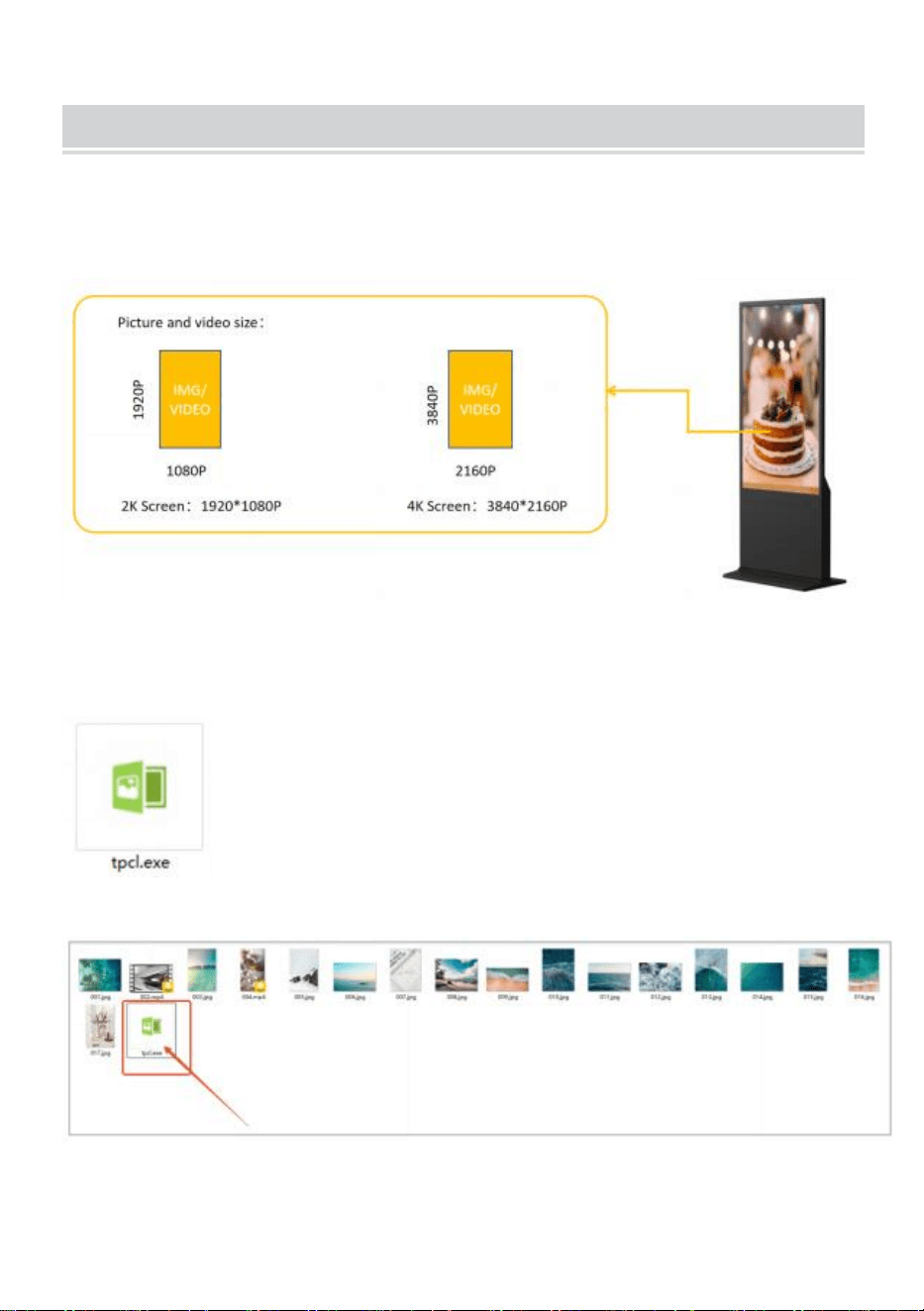
● Förbered bilderna och videorna som du vill visa. (se till att bilderna och
videorna är lämpliga för en skärm som kan få en perfekt visuell
upplevelse) .
●
Kopiera programvaran " tpcl.exe " till dokumentet som din bild
redan är förberedd.
" tpcl.exe " finns i USB-disken som finns i
tillbehörsväskan.
OBS: " tpcl.exe " är en bildhanteringsprogramvara
som kan se till att din bild kan identifieras av digital
kiosk.
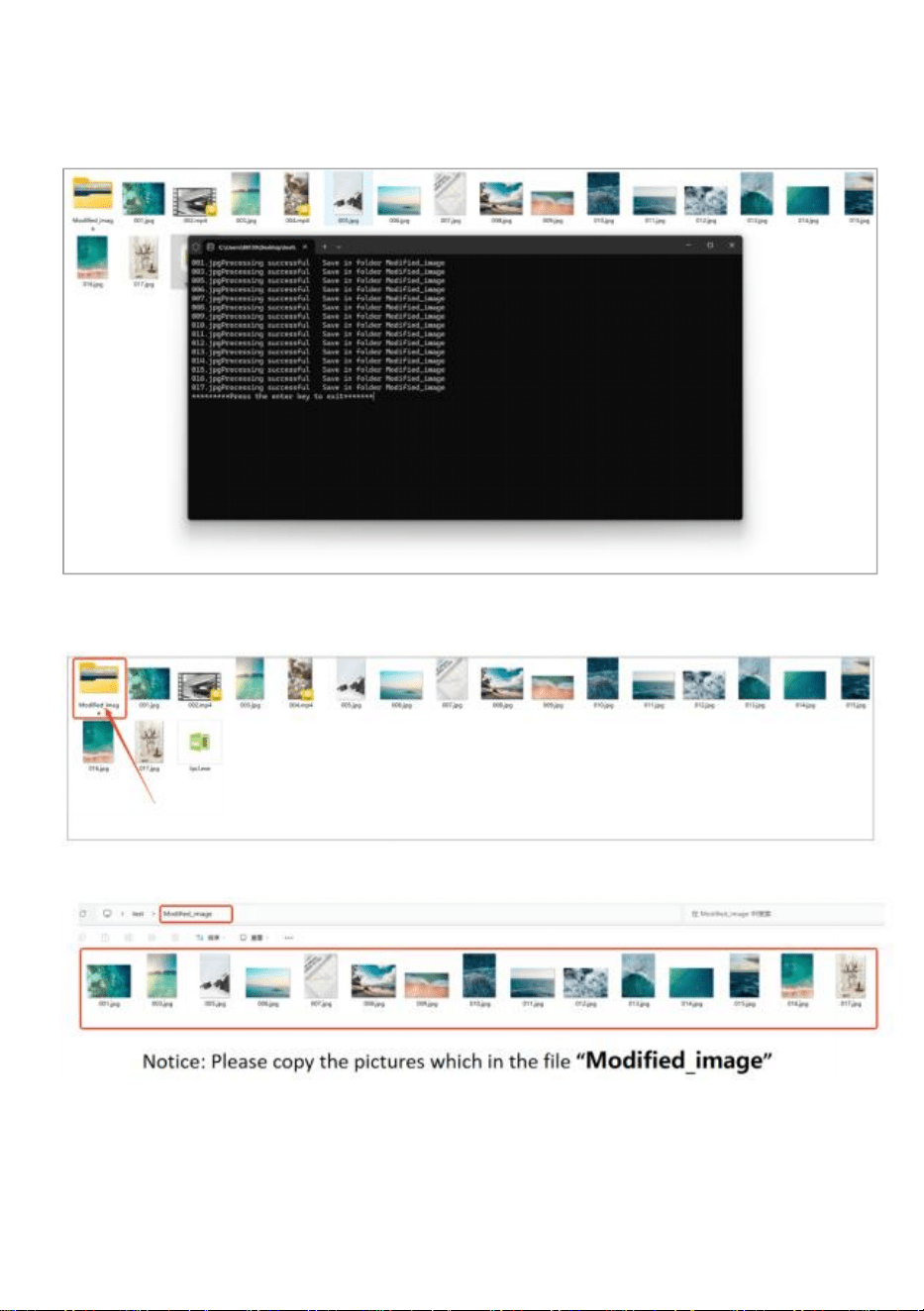
● Kör "tpcl.exe" och bilden kommer att hanteras automatiskt.
- 6 -
●
När bildhanteringen är klar, tryck på “Enter”-tangenten för att avsluta.
● När bildhanteringen har slutförts kommer den att skapa en ny fil
"Modified_image" med alla hanteringsbilder.
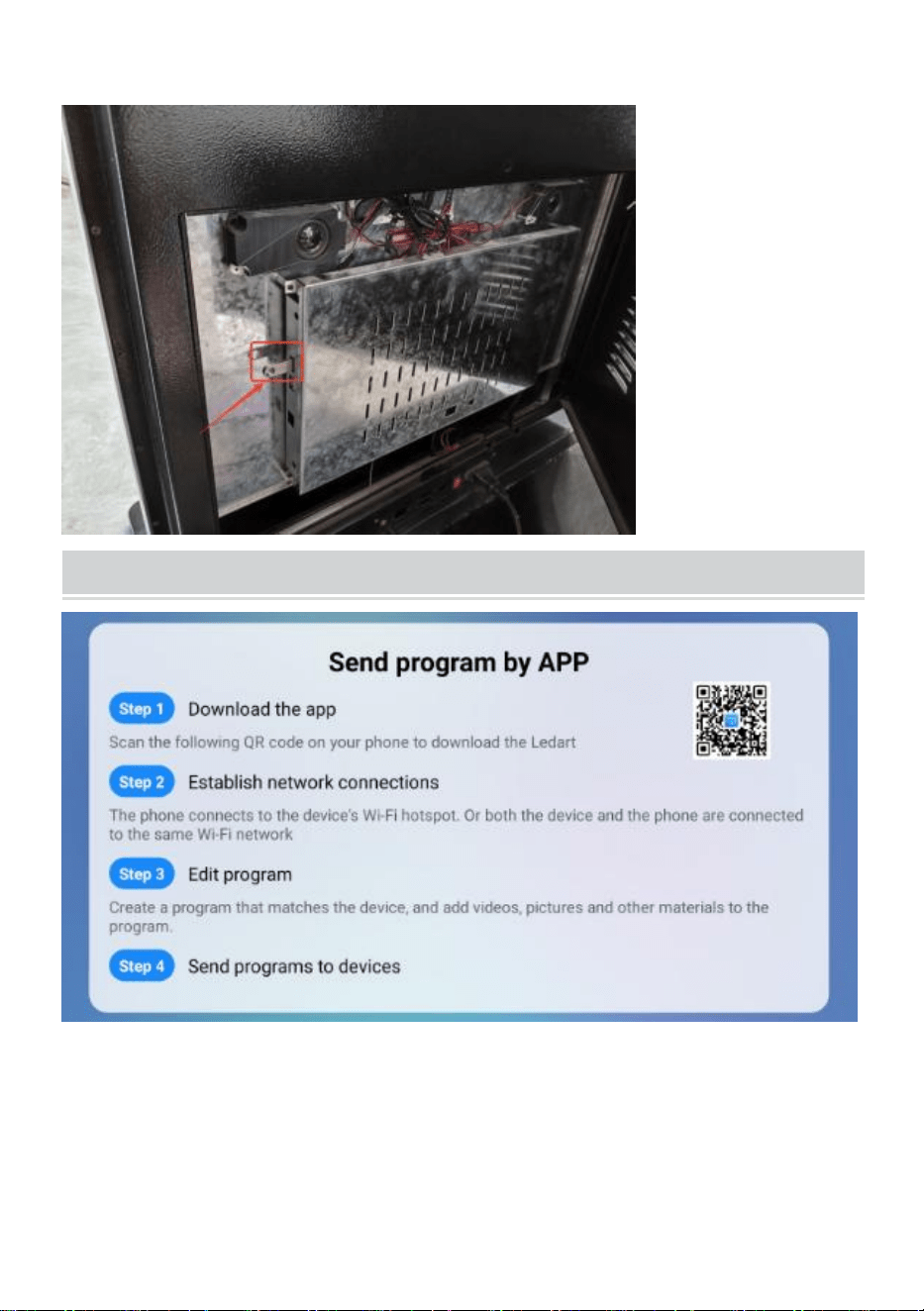
● Kopiera bilden till USB-disken.
- 7 -
● Sätt i USB-disken i den digitala kiosken.
Publish advertisement by APP
- 8 -
● Klicka på hörnet eller skärmen fyra gånger till inställningsläget .
Publish advertisement by Website
- 9 -
● Klicka på hörnet eller skärmen fyra gånger till inställningsläget .
Operation instruction
● Funktionsknappar för navigeringsfältet
Svep uppåt längst ned i mitten av skärmen för att öppna
navigeringsfältet.
- 10 -
funktionstangenter: Volym, Tillbaka, Hem, Växla
applikationer
● Anslut nätverk
Spela något av de fyra hörnen av mjukvarugränssnittet, peka och
klicka 4 gånger för att gå in i systeminställningarna
- 11 -
Klicka för att gå in-> Nätverksinställningar ->Trådlöst nätverk, välj WIFI för
att ansluta.
Efter anslutning klickar du på " Spela nu " för att återgå till
uppspelningsgränssnittet.
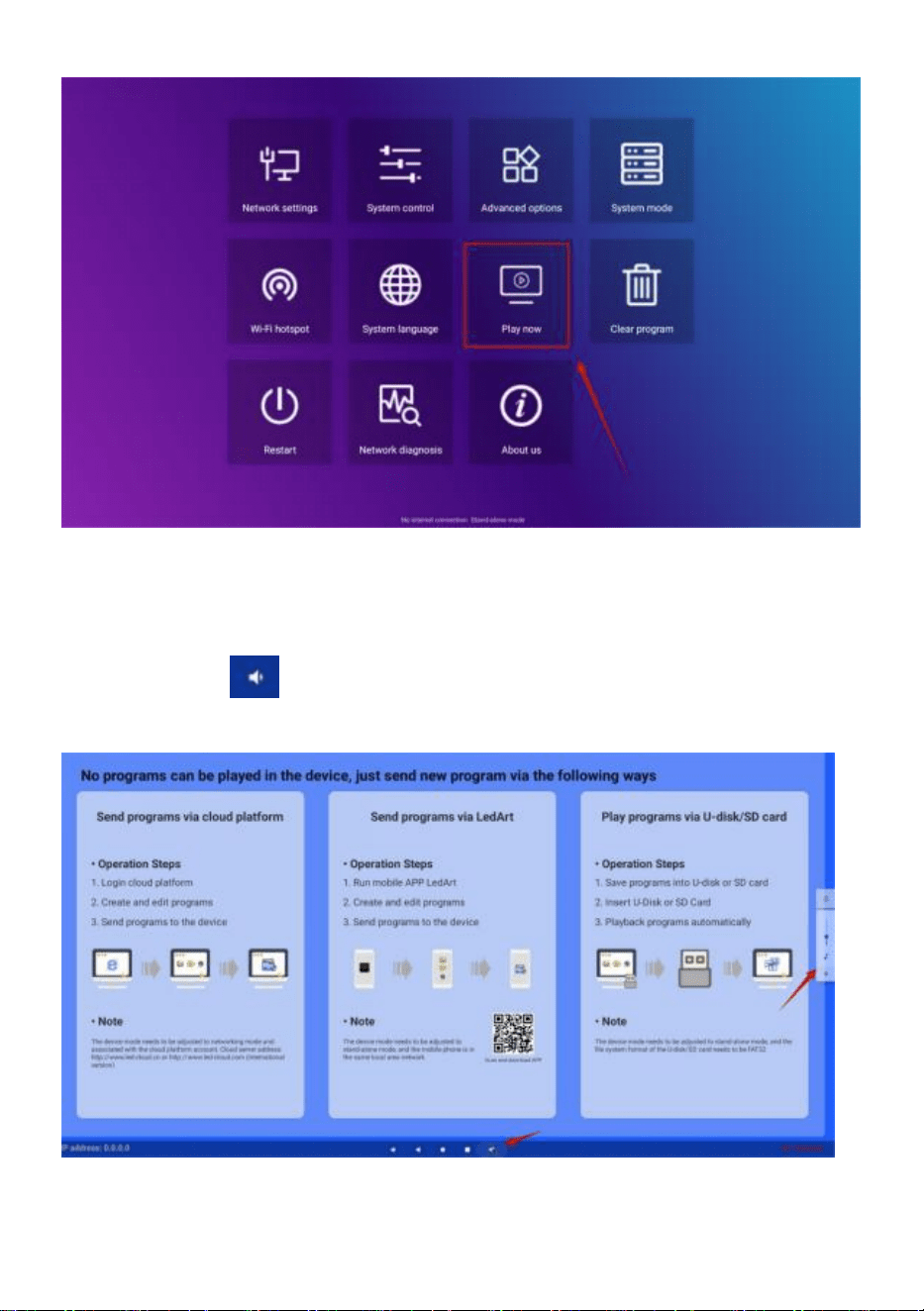
- 12 -
● Volymkontroll
Skjut upp i mitten längst ner på skärmen, öppna navigeringsfältet, klicka på
volymknappen och volymstorleken kan justeras genom att poppa upp
på höger sida
● Val av programspråk
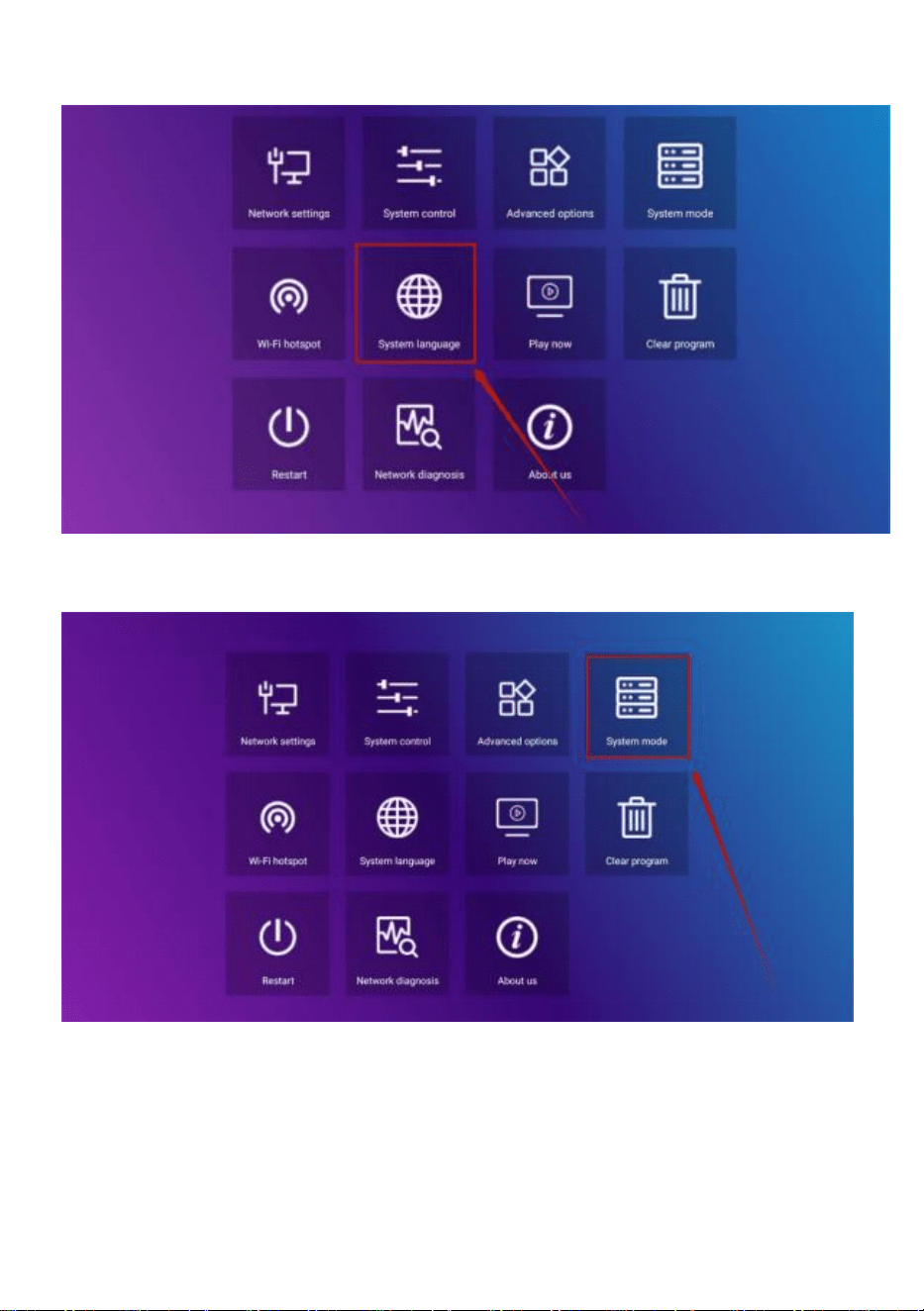
- 13 -
Systeminställningar ->Systemspråk
● Val av annonsläge
Systeminställningar ->Systemläge
Klicka på systemläge för att välja läge.
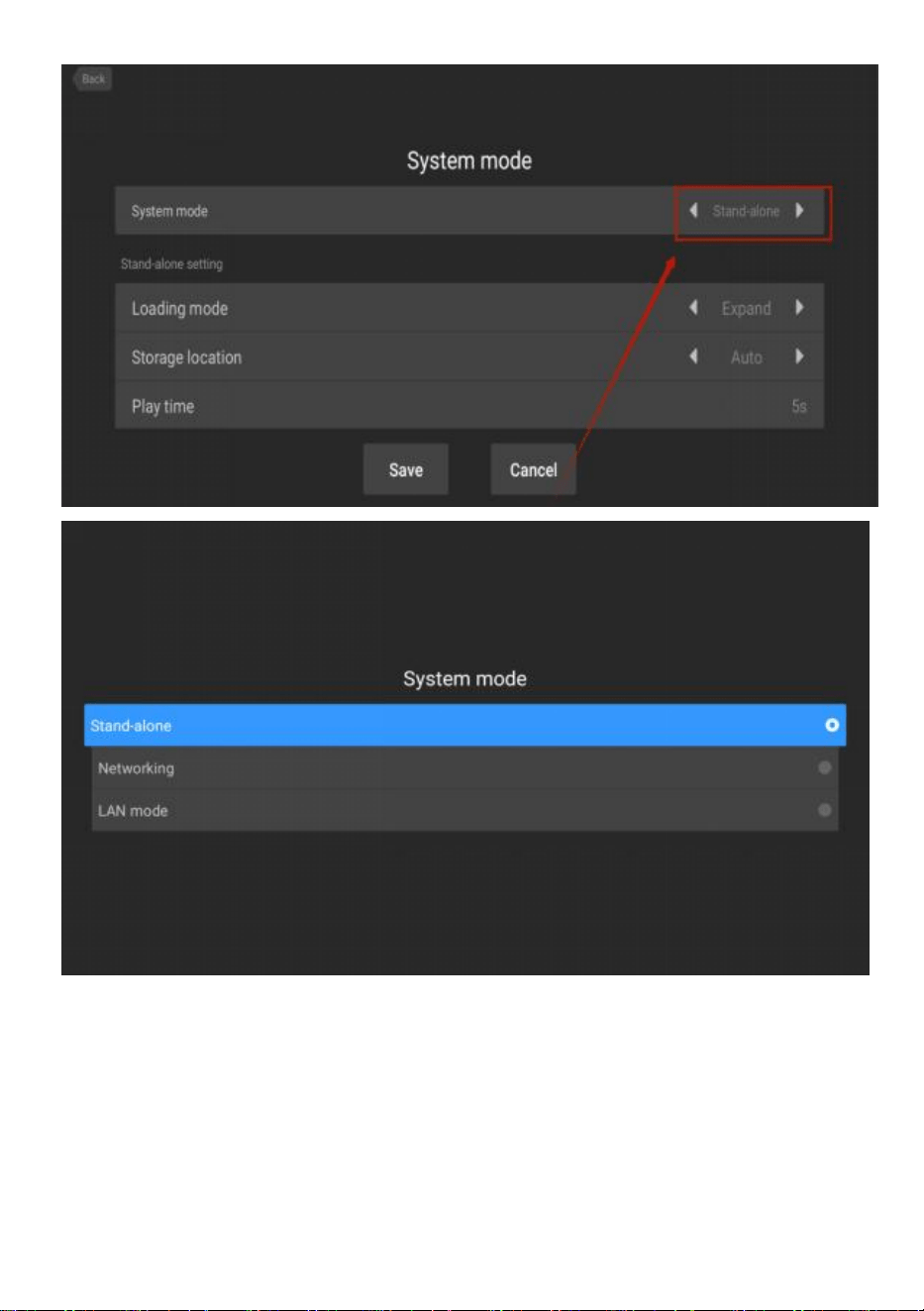
- 14 -
Fristående : Fristående läge spelas upp genom att sätta i en USB-enhet
(standardinställning).
Nätverk :Du kan fjärrstyra publiceringen av innehåll (mer information finns
i videofunktionen).
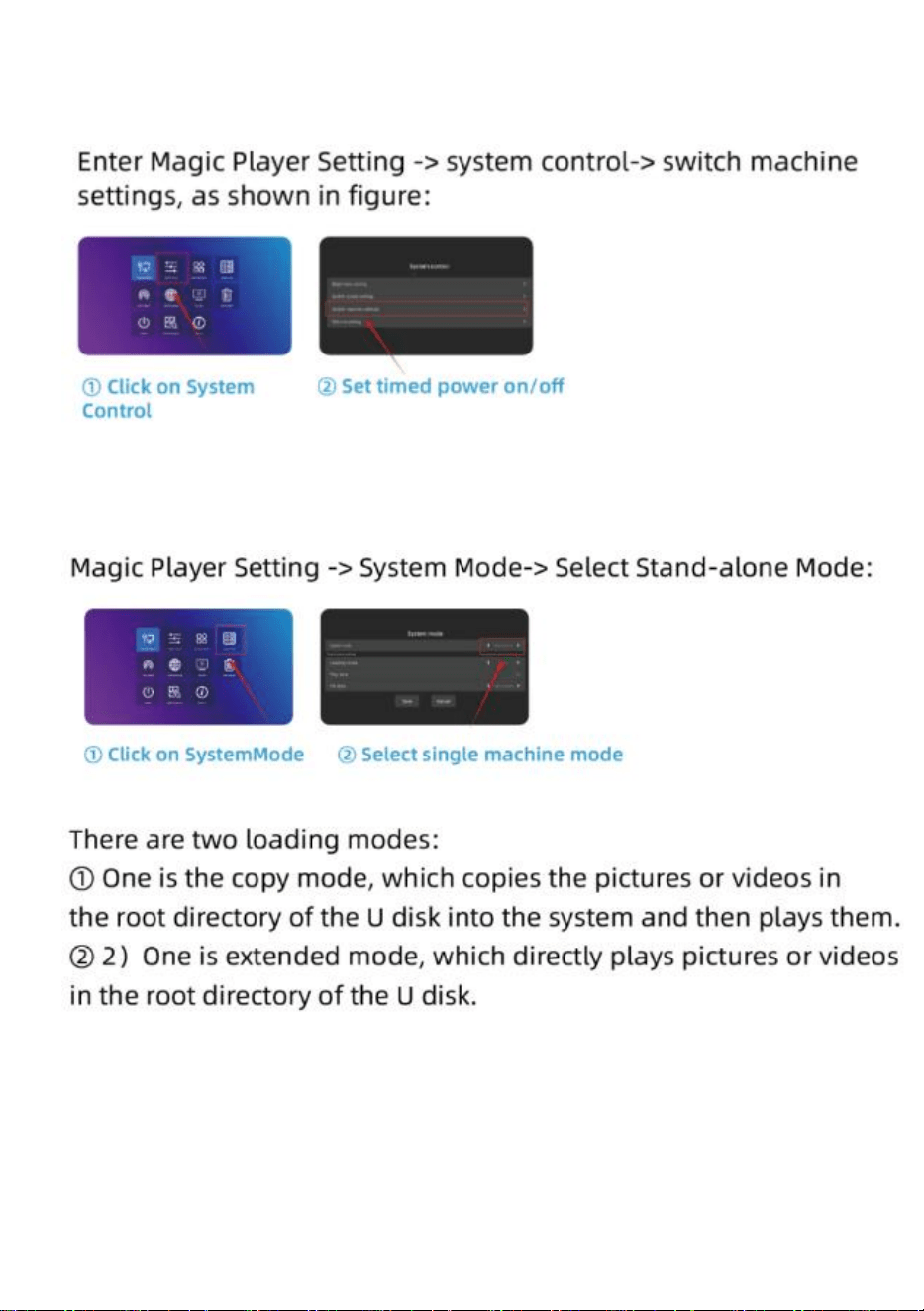
- 15 -
● Kaminkopplingsmaskin
● U diskuppspelningsinställning
- 16 -
Installation Steps
Steg A: Ta ut sex skruvar och en
sexkantskruvmejsel.
Steg B: Vrid skärmen och lägg dig ner
för att passa in med basen .
Steg C: Dra åt de sex skruvarna.
Steg D: Vrid skärmen upprätt och
anslut den till strömförsörjningen.
- 17 -
Accessories List
Användarhandbok * 1 ,
Nätsladd * 1,
USB-minne * 1,
Skruv * 8,
Rull * 4,
Nyckel * 1 .
Matters Need Attention
● Om det finns en hand som trycker på skärmen kommer
pekskärmsfunktionen inte att reageras på för närvarande .
● Skanna QR-koden för mer information om installation och
användningsvideo.
- 18 -
Tillverkare: Shanghaimuxinmuyeyouxiangongsi
Adress: Shuangchenglu 803nong11hao1602A-1609shi, baoshanqu,
shanghai 200 000 CN.
Importerad till AUS: SIHAO PTY LTD. 1 ROKEVA STREETEASTWOOD
NSW 2122 Australien
Importerad till USA: Sanven Technology Ltd. Suite 250, 9166 Anaheim
Place, Rancho Cucamonga, CA 91730
REP
UK
YH CONSULTING LIMITED. C/O YH Consulting
Limited Office 147, Centurion House, London
Road, Staines-upon-Thames, Surrey, TW18 4AX
REP
EC
E-CrossStu GmbH
Mainzer Landstr.69,
60329 Frankfurt am Main.


Técnico Soporte y certificado de garantía electrónica www.vevor.com/support
Quiosco digital
GUÍA DEL USUARIO
MODELO: DC-A55ZN-A,DC-A65ZN-A
We continue to be committed to provide you tools with competitive price.
"Save Half", "Half Price" or any other similar expressions used by us only represents an
estimate of savings you might benefit from buying certain tools with us compared to the major
top brands and does not necessarily mean to cover all categories of tools offered by us. You
are kindly reminded to verify carefully when you are placing an order with us if you are
actually saving half in comparison with the top major brands.
- 1 -
MODELO: DC-A55ZN-A,DC-A65ZN-A
¿NECESITA AYUDA? ¡CONTÁCTENOS!
¿Tiene preguntas sobre el producto? ¿Necesita asistencia técnica? No
dude en ponerse en contacto con nosotros:
Soporte técnico y certificado de garantía electrónica
www.vevor.com/support
Estas son las instrucciones originales, lea atentamente todas las
instrucciones del manual antes de utilizar el producto. VEVOR se reserva
una interpretación clara de nuestro manual de usuario. La apariencia del
producto estará sujeta al producto que recibió. Perdónenos por no
informarle nuevamente si hay actualizaciones de tecnología o software
en nuestro producto.
Digital Kiosk
- 2 -
Advertencia: Para reducir el riesgo de lesiones, el usuario
debe leer atentamente el manual de instrucciones.
Información de la FCC
PRECAUCIÓN: ¡ Los cambios o modificaciones no aprobados
expresamente por la parte responsable del cumplimiento podrían
anular la autoridad del usuario para operar el equipo!
Este dispositivo cumple con la Parte 15 de las Normas de la FCC.
Su funcionamiento está sujeto a las dos condiciones siguientes:
1) Este producto puede causar interferencias dañinas.
2) Este producto debe aceptar cualquier interferencia recibida,
incluida aquella que pueda provocar un funcionamiento no deseado.
ADVERTENCIA: Los cambios o modificaciones a este producto no
aprobados expresamente por la parte responsable del cumplimiento
podrían anular la autoridad del usuario para operar el producto.
Nota: Este producto ha sido probado y se ha determinado que
cumple con los límites para un dispositivo digital de Clase B de
conformidad con la Parte 15 de las Normas de la FCC. Estos límites
están diseñados para brindar protección razonable contra
interferencias dañinas en una instalación residencial.
Este producto genera, utiliza y puede emitir energía de
radiofrecuencia y, si no se instala y utiliza de acuerdo con las
instrucciones, puede causar interferencias perjudiciales en las
comunicaciones por radio. Sin embargo, no existe garantía de que
no se produzcan interferencias en una instalación determinada. Si
este producto causa interferencias perjudiciales en la recepción de
radio o televisión, lo que se puede determinar encendiendo y
apagando el producto, se recomienda al usuario que intente corregir
la interferencia mediante una o más de las siguientes medidas.
· Reorientar o reubicar la antena receptora.
· Aumentar la distancia entre el producto y el receptor.
· Conecte el producto a una toma de corriente de un circuito
- 3 -
diferente al que está conectado el receptor.
· Consulte al distribuidor o a un técnico de radio/TV experimentado
para obtener ayuda.
ELIMINACIÓN CORRECTA
Este producto está sujeto a las disposiciones de la Directiva Europea
2012/19/CE. El símbolo que muestra un contenedor de basura
tachado indica que el producto requiere una recogida selectiva de
residuos en la Unión Europea. Esto se aplica al producto y a todos
los accesorios marcados con este símbolo. Los productos marcados
como tales no pueden desecharse con los residuos domésticos
normales, sino que deben llevarse a un punto de recogida para
reciclar dispositivos eléctricos y electrónicos.
IMPORTANT SAFEGUARDS
ADVERTENCIA: Lea todas las advertencias de seguridad,
instrucciones, ilustraciones y especificaciones que se incluyen con esta
impresora térmica de recibos. Si no sigue todas las instrucciones que
se indican a continuación, puede sufrir una descarga eléctrica, un incendio o
lesiones graves.
1. No utilice este producto en áreas donde pueda estar expuesto al agua u otros
líquidos.
2. Desconecte este producto de la toma de corriente antes de limpiarlo. No utilice
limpiadores líquidos o en aerosol. Utilice un paño húmedo para limpiarlo.
3. Para reducir el riesgo de descarga eléctrica, no desarme este producto. Llévelo
a personal de servicio calificado cuando sea necesario realizar tareas de servicio
o reparación. Abrir o quitar cubiertas, como la placa de cubierta trasera, puede
exponerlo a voltajes peligrosos u otros riesgos. Un reensamblaje incorrecto puede
causar descargas eléctricas cuando se utilice el aparato posteriormente.
4. Si el cable de alimentación está dañado, debe reemplazarse por un cable o
conjunto especial disponible a través del fabricante o su agente de servicio. Utilice

- 4 -
únicamente el cable provisto con la unidad. El uso de otros cables puede provocar
descargas eléctricas, incendios o causar daños graves a la unidad.
5. No utilice la unidad en áreas con alta temperatura o alta humedad, ya que
puede impedir que funcione correctamente.
6. Al desenchufar el enchufe de alimentación, no tire del cable, sino más bien
sujete el enchufe para sacarlo. No seguir estas instrucciones puede provocar una
descarga eléctrica, un incendio o daños en la unidad.
7. No utilice la unidad si el cable de alimentación está dañado o si el contacto del
enchufe está suelto. No seguir estas instrucciones puede provocar una descarga
eléctrica, un incendio u otros peligros.
8. No coloque objetos pesados sobre el cable ni lo doble excesivamente, ya que
podría dañarse. No seguir estas instrucciones puede provocar una descarga
eléctrica, un incendio u otros peligros.
9. Cuando no utilice la unidad durante un largo período de tiempo, desenchufe el
cable de alimentación de la toma de corriente.
10. Este equipo no es adecuado para su uso en lugares donde es probable que
haya niños presentes.
GUARDE ESTAS INSTRUCCIONES
INSTRUCTIONS
● El diseño de reproducción de pantalla mejorado resuelve
perfectamente el problema de reproducir imágenes y videos al mismo
tiempo y realiza la reproducción inteligente. pantalla dividida Función
que hace que sus anuncios sean más atractivos.
● Usando Sistema operativo Android 11 con Altavoces potentes,
compatible con disco U plug-and-play .
● El quiosco digital Es ampliamente utilizado en centros comerciales,
aeropuertos, hospitales, restaurantes y todo tipo de tiendas.
- 5 -
Easy to publish your advertisement by USB disk
● Prepare las imágenes y los videos que desea mostrar. (asegúrese de
que las imágenes y los videos sean adecuados para la pantalla para que
pueda obtener una experiencia visual perfecta) .
●
Copie el software " tpcl.exe " al documento en el que ya está
preparada su imagen.
" tpcl.exe " se puede encontrar en el disco USB que se
encuentra en la bolsa de accesorios.
NOTA: " tpcl.exe " es un software de
procesamiento de imágenes que puede garantizar que
su imagen pueda ser identificada por un quiosco
digital.
● Ejecute “tpcl.exe” y la imagen se procesará automáticamente.
- 6 -
● Cuando finalice el procesamiento de imágenes, presione la tecla
“Enter” para salir.
● Una vez finalizado el procesamiento de imágenes, se creará un nuevo
archivo “ Modified_image ” que contendrá todas las imágenes
procesadas.
- 7 -
● Copiar la imagen al disco USB.
● Inserte el disco USB en el quiosco digital.
Publish advertisement by APP
- 8 -
- 9 -
● Haga clic en la esquina o la pantalla 4 veces para pasar al modo de
configuración .
Publish advertisement by Website
- 10 -
● Haga clic en la esquina o la pantalla 4 veces para pasar al modo de
configuración .
Operation instruction
● Teclas de función de la barra de navegación
Deslice el dedo hacia arriba en la parte inferior central de la pantalla
para abrir la barra de
navegación.
Teclas de función: Volumen, Atrás, Inicio, Cambiar
aplicaciones
● Conectar red
Toque cualquiera de las cuatro esquinas de la interfaz del software,
toque y haga clic 4 veces para ingresar a la configuración del sistema.
- 11 -
Haga clic para ingresar-> Configuración de red -> Red inalámbrica,
seleccione WIFI para conectarse.
- 12 -
Después de conectarse, haga clic en “ Reproducir ahora ” para regresar a
la interfaz de
reproducción.
● Control de volumen
- 13 -
Deslice hacia arriba la posición central en la parte inferior de la pantalla,
abra la barra de navegación, haga clic en el botón de volumen y el
tamaño del volumen se puede ajustar en la ventana emergente del lado
derecho.
● Selección del idioma del software
Configuración del sistema -> Idioma del sistema
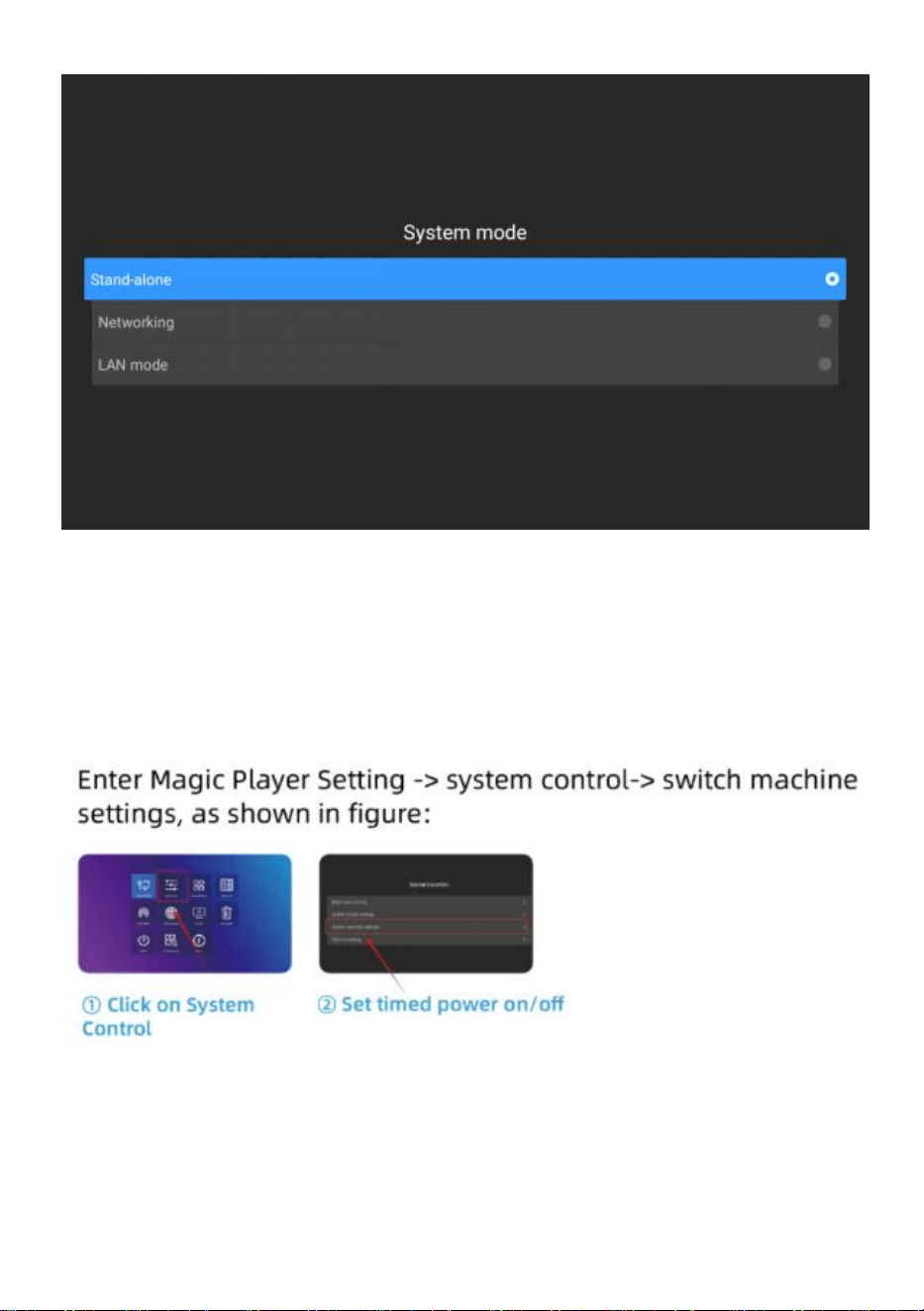
● Selección del modo de publicidad
- 14 -
Configuración del sistema -> Modo del sistema
Haga clic en el modo de sistema para seleccionar el modo.
- 15 -
Independiente : el modo independiente se reproduce insertando una
unidad USB (configuración predeterminada).
Redes : puede controlar de forma remota la publicación de contenido
(puede encontrar más información en la operación del video).
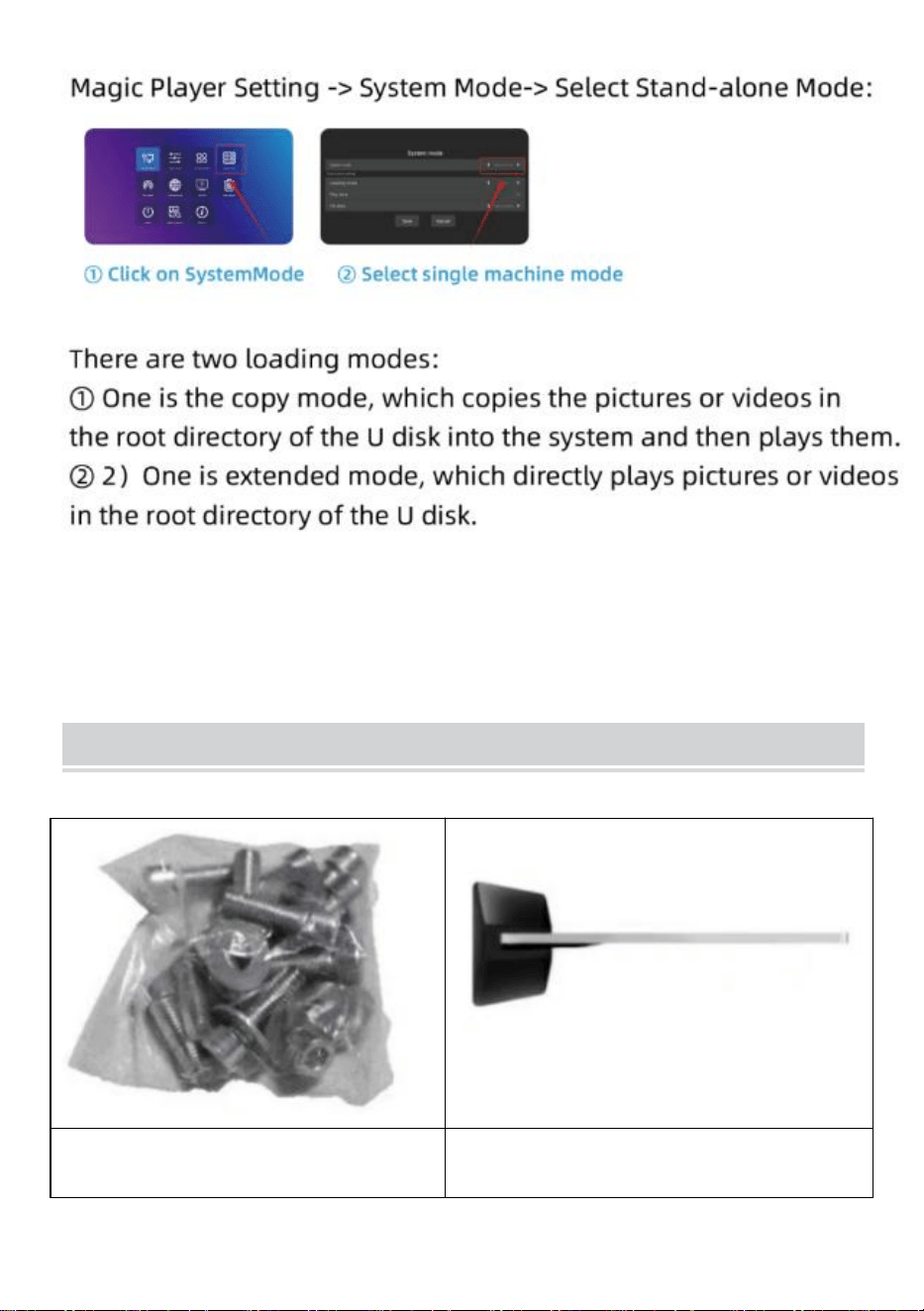
● Máquina de interruptores de temporización
● Configuración de reproducción de disco U
- 16 -
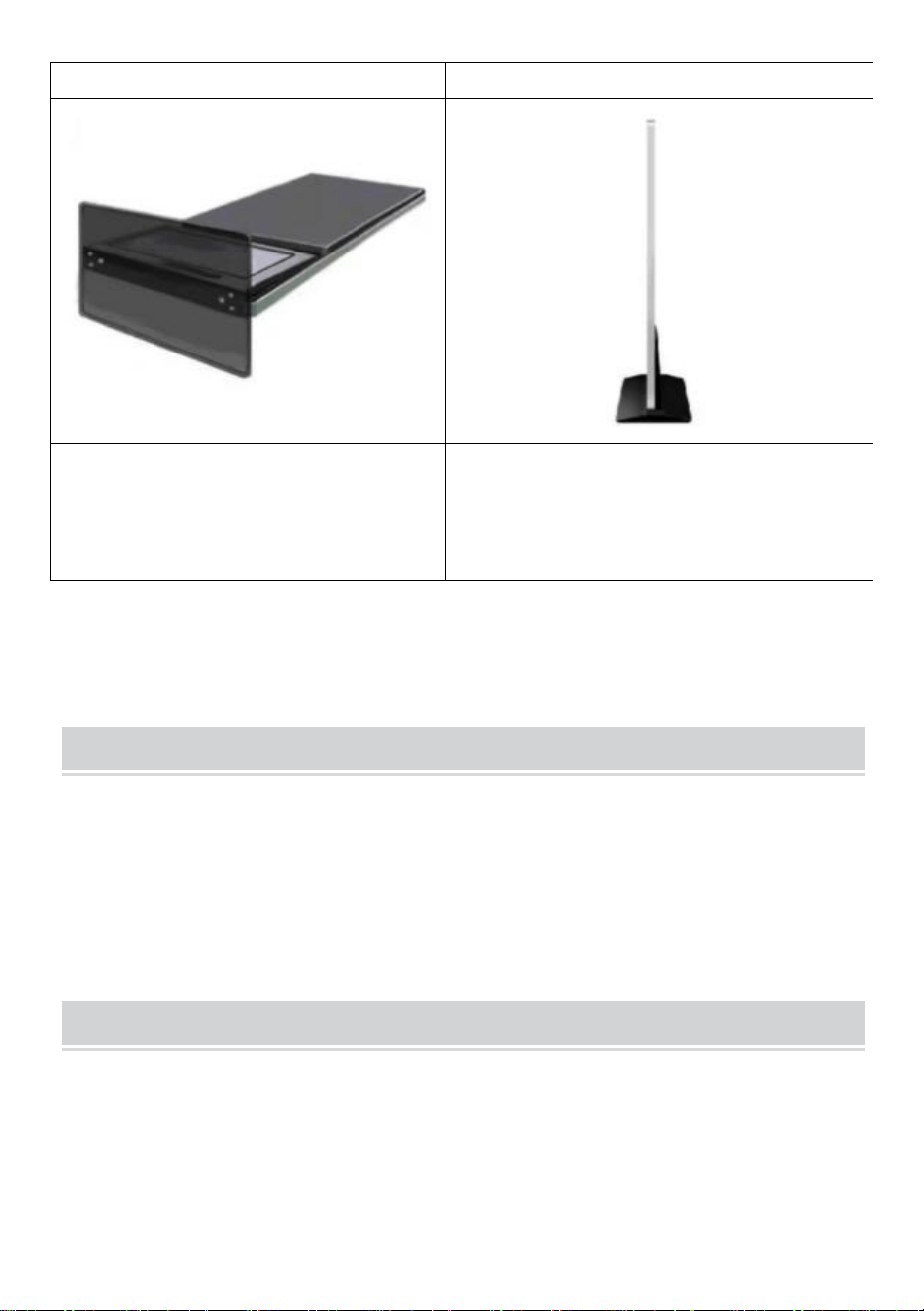
Installation Steps
Paso A: Retire seis tornillos y un
destornillador hexagonal.
Paso B: Gire la pantalla y acuéstese
para alinearla con la base .
- 17 -
Paso C:Apriete los seis tornillos.
Paso D: Gire la pantalla en posición
vertical y conéctela a la fuente de
alimentación.
Accessories List
Guía del usuario * 1 ,
Cable de alimentación * 1,
Unidad flash USB * 1,
Tornillo * 8,
Rodillo * 4,
Clave * 1 .
Matters Need Attention
● Si hay una mano presionando la pantalla, la operación de la pantalla
táctil no responderá en este momento .
● Escanee el código QR para obtener más información sobre el video de
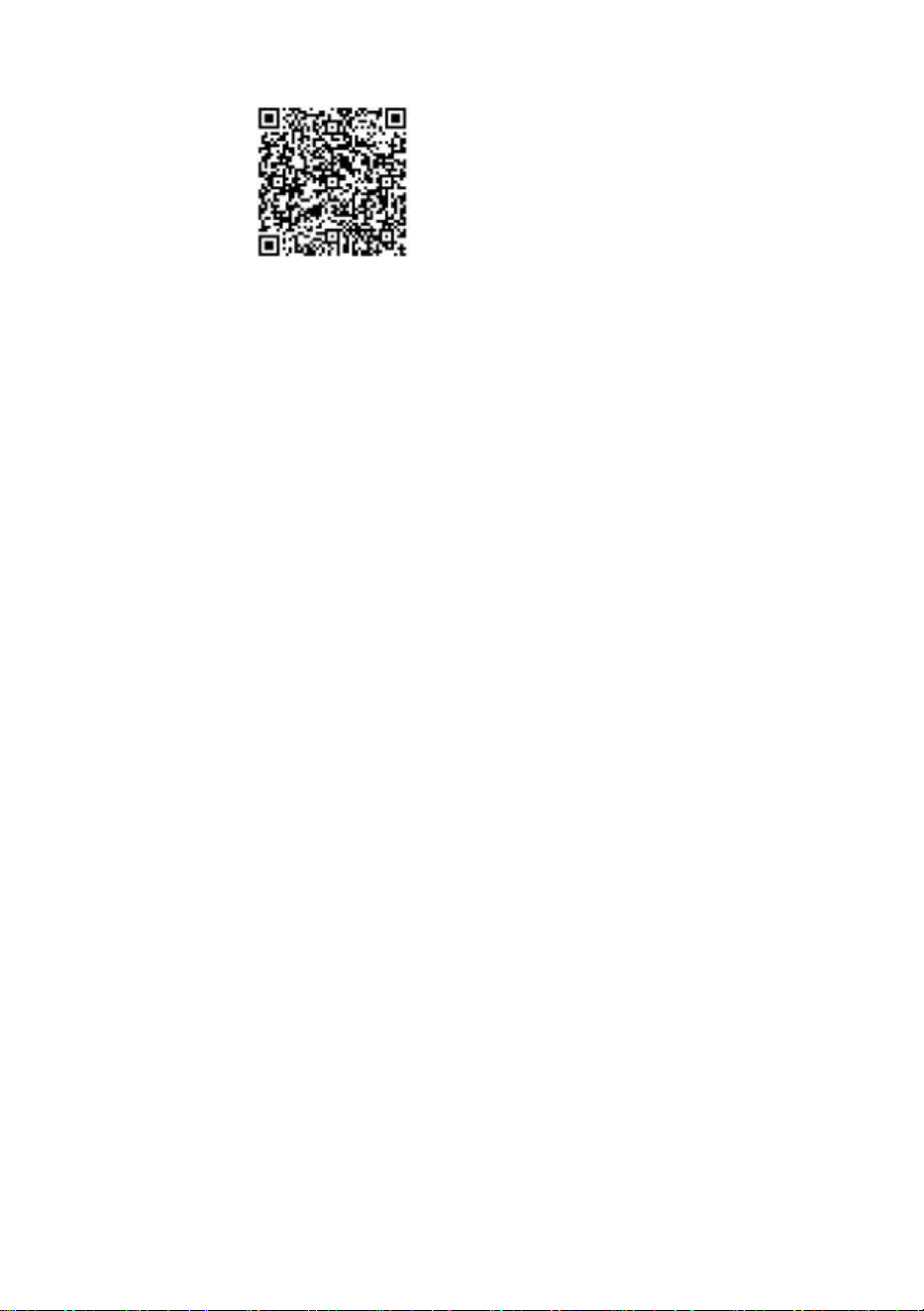
- 18 -
instalación y uso.
Fabricante: Shanghaimuxinmuyeyouxiangongsi
Dirección: Shuangchenglu 803nong11hao1602A-1609shi, baoshanqu,
Shangai 200000 CN.
Importado a Australia: SIHAO PTY LTD. 1 ROKEVA
STREETEASTWOOD
Nueva Gales del Sur 2122 Australia
Importado a EE. UU.: Sanven Technology Ltd. Suite 250, 9166 Anaheim
Lugar, Rancho Cucamonga, CA 91730

- 19 -
REP
UK
YH CONSULTING LIMITED. C/O YH Consulting
Limited Office 147, Centurion House, London
Road, Staines-upon-Thames, Surrey, TW18 4AX
REP
EC
E-CrossStu GmbH
Mainzer Landstr.69,
60329 Frankfurt am Main.


Tecnico Supporto e certificato di garanzia elettronica www.vevor.com/support
Chiosco digitale
GUIDA PER L'UTENTE
MODELLO: DC-A55ZN-A,DC-A65ZN-A
We continue to be committed to provide you tools with competitive price.
"Save Half", "Half Price" or any other similar expressions used by us only represents an
estimate of savings you might benefit from buying certain tools with us compared to the major
top brands and does not necessarily mean to cover all categories of tools offered by us. You
are kindly reminded to verify carefully when you are placing an order with us if you are
actually saving half in comparison with the top major brands.
- 1 -
MODELLO: DC-A55ZN-A,DC-A65ZN-A
HAI BISOGNO DI AIUTO? CONTATTACI!
Hai domande sui prodotti? Hai bisogno di supporto tecnico? Non
esitare a contattarci:
Supporto tecnico e certificato di garanzia elettronica
www.vevor.com/support
Questa è l'istruzione originale, si prega di leggere attentamente tutte le
istruzioni del manuale prima di utilizzare. VEVOR si riserva una chiara
interpretazione del nostro manuale utente. L'aspetto del prodotto sarà
soggetto al prodotto ricevuto. Vi preghiamo di perdonarci se non vi
informeremo di nuovo se ci sono aggiornamenti tecnologici o software sul
nostro prodotto.
Digital Kiosk
- 2 -
Attenzione: per ridurre il rischio di lesioni, l'utente deve
leggere attentamente il manuale di istruzioni.
Informazioni FCC
ATTENZIONE: cambiamenti o modifiche non espressamente
approvati dalla parte responsabile della conformità potrebbero
invalidare il diritto dell'utente a utilizzare l'apparecchiatura!
Questo dispositivo è conforme alla Parte 15 delle Norme FCC. Il
funzionamento è soggetto alle seguenti due condizioni:
1) Questo prodotto può causare interferenze dannose.
2) Questo prodotto deve accettare qualsiasi interferenza ricevuta,
comprese quelle che potrebbero causare un funzionamento
indesiderato.
ATTENZIONE: cambiamenti o modifiche al prodotto non
espressamente approvati dalla parte responsabile della conformità
potrebbero invalidare l'autorizzazione dell'utente a utilizzare il
prodotto.
Nota: questo prodotto è stato testato e ritenuto conforme ai limiti per
i dispositivi digitali di Classe B, ai sensi della Parte 15 delle Norme
FCC. Tali limiti sono concepiti per fornire una protezione ragionevole
contro interferenze dannose in un'installazione residenziale.
Questo prodotto genera, utilizza e può irradiare energia a
radiofrequenza e, se non installato e utilizzato in conformità alle
istruzioni, può causare interferenze dannose alle comunicazioni
radio. Tuttavia, non vi è alcuna garanzia che non si verifichino
interferenze in una particolare installazione. Se questo prodotto
causa interferenze dannose alla ricezione radiofonica o televisiva,
cosa che può essere determinata accendendo e spegnendo il
prodotto, si consiglia all'utente di provare a correggere l'interferenza
con una o più delle seguenti misure.
· Riorientare o riposizionare l'antenna ricevente.
· Aumentare la distanza tra il prodotto e il ricevitore.
- 3 -
· Collegare il prodotto a una presa di corrente su un circuito diverso
da quello a cui è collegato il ricevitore.
· Per assistenza, consultare il rivenditore o un tecnico radio/TV
esperto.
SMALTIMENTO CORRETTO
Questo prodotto è soggetto alle disposizioni della Direttiva Europea
2012/19/CE. Il simbolo raffigurante un bidone della spazzatura
barrato indica che il prodotto richiede la raccolta differenziata dei
rifiuti nell'Unione Europea. Ciò si applica al prodotto e a tutti gli
accessori contrassegnati con questo simbolo. I prodotti
contrassegnati come tali non possono essere smaltiti con i normali
rifiuti domestici, ma devono essere portati in un punto di raccolta per
il riciclaggio di dispositivi elettrici ed elettronici
IMPORTANT SAFEGUARDS
ATTENZIONE: leggere tutte le avvertenze di sicurezza, le istruzioni, le
illustrazioni e le specifiche fornite con questa stampante termica per
ricevute. La mancata osservanza di tutte le istruzioni elencate di seguito
può causare scosse elettriche, incendi e/o lesioni gravi.
1. Non utilizzare questo prodotto in aree in cui potrebbe essere esposto ad acqua
o altri liquidi.
2. Scollegare questo prodotto dalla presa a muro prima di pulirlo. Non utilizzare
detergenti liquidi o spray. Utilizzare un panno umido per la pulizia.
3. Per ridurre il rischio di scosse elettriche, non smontare questo prodotto. Portarlo
a personale di assistenza qualificato quando è necessario un intervento di
assistenza o riparazione. L'apertura o la rimozione di coperchi, come la piastra di
copertura posteriore, può esporre a tensioni pericolose o ad altri rischi. Un
riassemblaggio non corretto può causare scosse elettriche quando l'apparecchio
viene utilizzato successivamente.
4. Se il cavo di alimentazione è danneggiato, deve essere sostituito con un cavo o
un gruppo speciale disponibile presso il produttore o il suo agente di assistenza.

- 4 -
Utilizzare solo il cavo fornito con l'unità. L'uso di altri cavi può causare scosse
elettriche, incendi o causare gravi danni all'unità.
5. Non utilizzare l'unità in aree con temperature elevate o elevata umidità poiché
potrebbe impedirne il corretto funzionamento.
6. Quando si scollega la spina di alimentazione, non tirarla dal cavo ma piuttosto
afferrare la spina per estrarla. La mancata osservanza di queste istruzioni può
causare scosse elettriche, incendi o danni all'unità.
7. Non utilizzare l'unità se il cavo di alimentazione è danneggiato o se il contatto
della presa della spina è allentato. La mancata osservanza di queste istruzioni può
causare scosse elettriche, incendi o altri pericoli.
8. Non posizionare oggetti pesanti sul cavo e non piegarlo eccessivamente poiché
potrebbe danneggiarsi. La mancata osservanza di queste istruzioni può causare
scosse elettriche, incendi o altri pericoli.
9. Quando non si utilizza l'unità per un lungo periodo di tempo, rimuovere la spina
di alimentazione dalla presa a muro.
10. Questa apparecchiatura non è adatta all'uso in luoghi in cui è probabile che
siano presenti bambini.
SALVA QUESTE ISTRUZIONI
INSTRUCTIONS
● Il design di riproduzione dello schermo aggiornato risolve perfettamente
il problema della riproduzione simultanea di immagini e video e realizza
l'intelligente schermo diviso funzione che rende i tuoi annunci più
accattivanti.
● Utilizzo Sistema operativo Android 11 con altoparlanti potenti,
supportano il plug-and-play del disco U.
● Il chiosco digitale è ampiamente utilizzato nei centri commerciali,
aeroporti, ospedali, ristoranti e negozi di ogni genere.
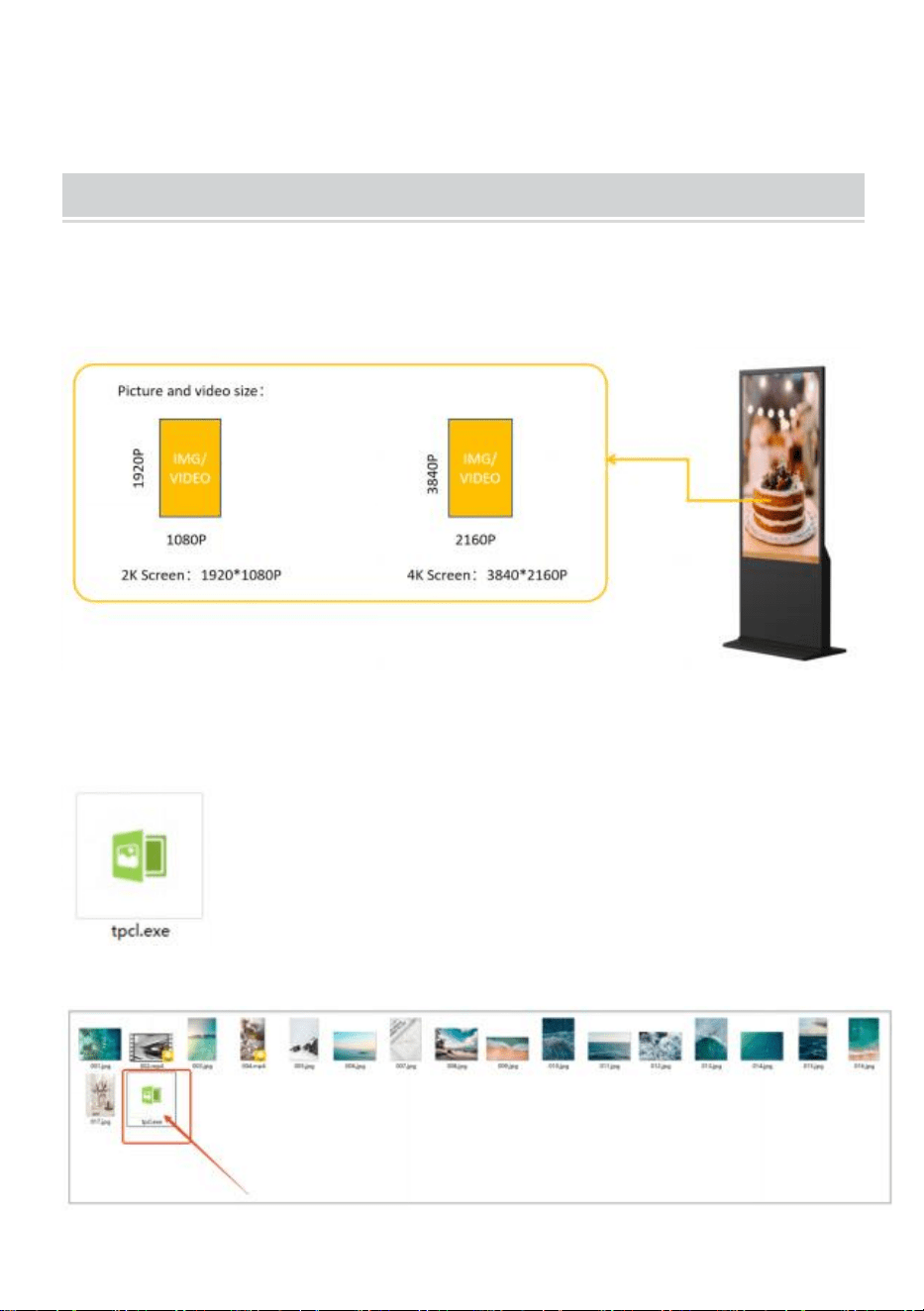
- 5 -
Easy to publish your advertisement by USB disk
● Prepara le immagini e i video che vuoi visualizzare (assicurati che
siano adatti allo schermo in modo da ottenere un'esperienza visiva
perfetta) .
●
Copia il software " tpcl.exe " nel documento in cui è già stata
preparata l'immagine.
" tpcl.exe " si trova nel disco USB presente nella borsa
degli accessori.
NOTA: " tpcl.exe " è un software per la gestione
delle immagini che può garantire che la tua immagine
possa essere identificata dal chiosco digitale.
● Esegui “tpcl.exe” e l'immagine verrà elaborata automaticamente.
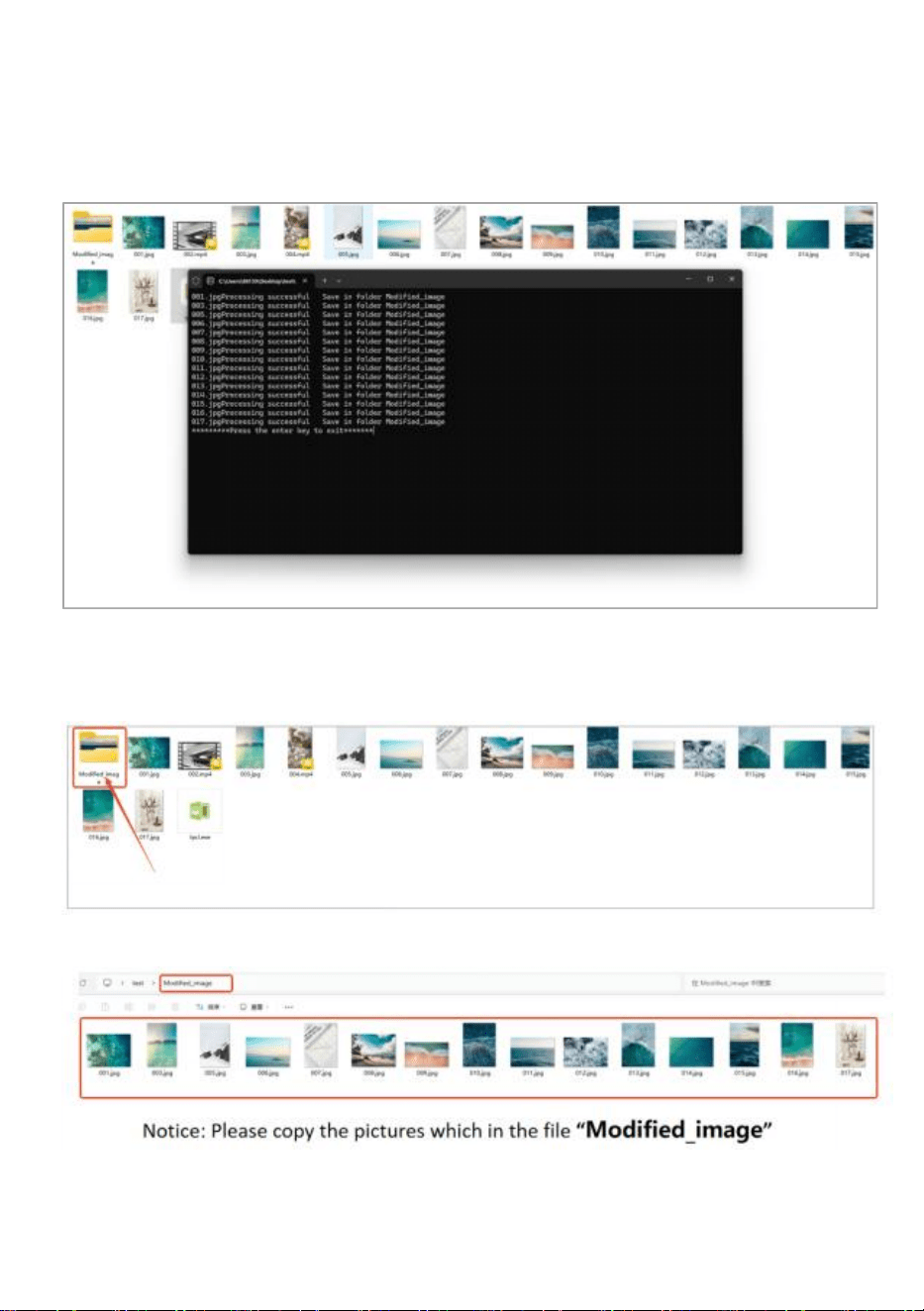
- 6 -
● Una volta completata la distribuzione delle immagini, premere il tasto
"Invio" per uscire.
● Dopo aver completato la gestione delle immagini, verrà creato un
nuovo file "Modified_image" che conterrà tutte le immagini in esso
contenute.
● Copia l'immagine sul disco USB.
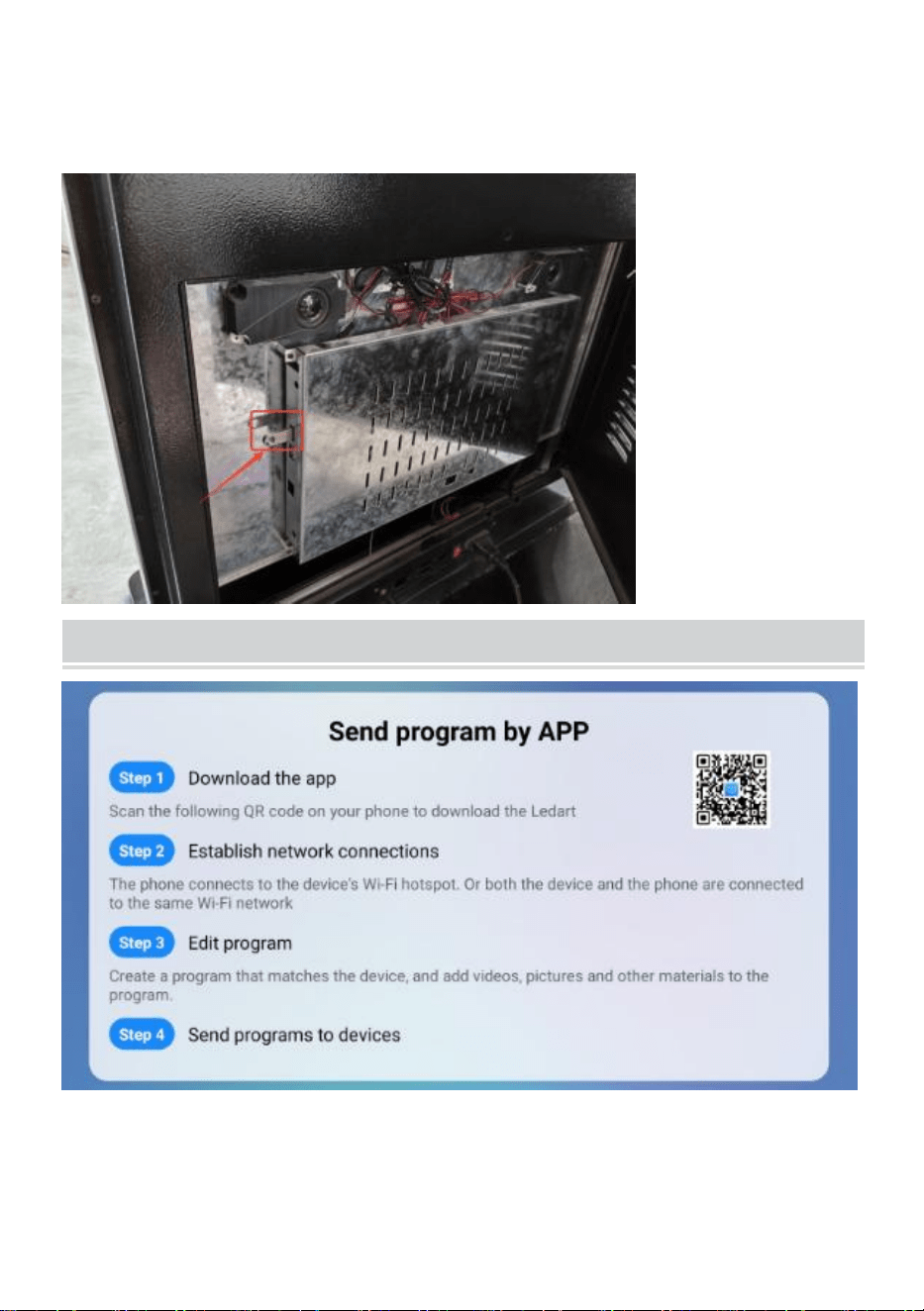
- 7 -
● Inserire il disco USB nel chiosco digitale.
Publish advertisement by APP
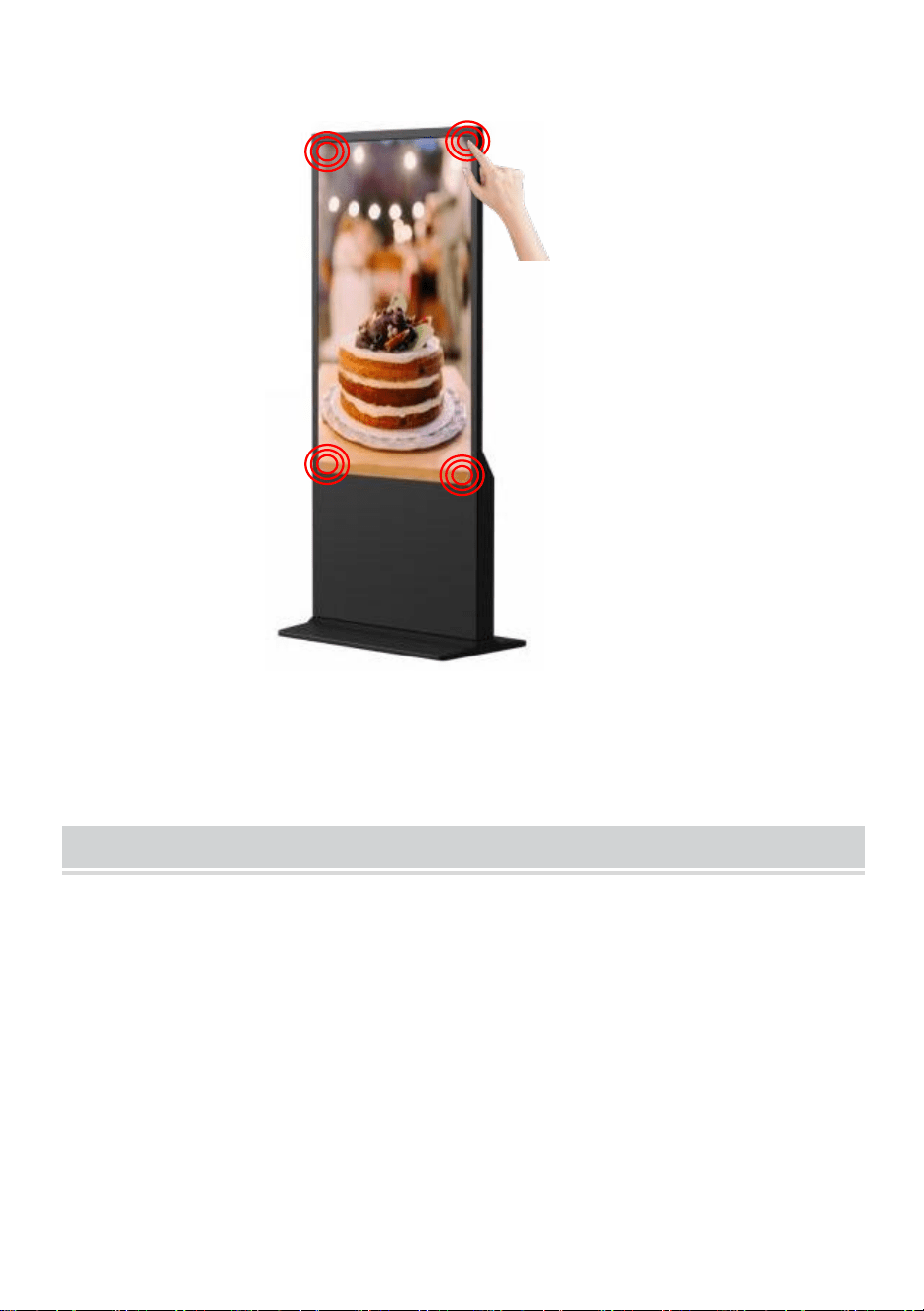
- 8 -
● Fare clic sull'angolo o sullo schermo 4 volte per accedere alla modalità
di impostazione .
Publish advertisement by Website
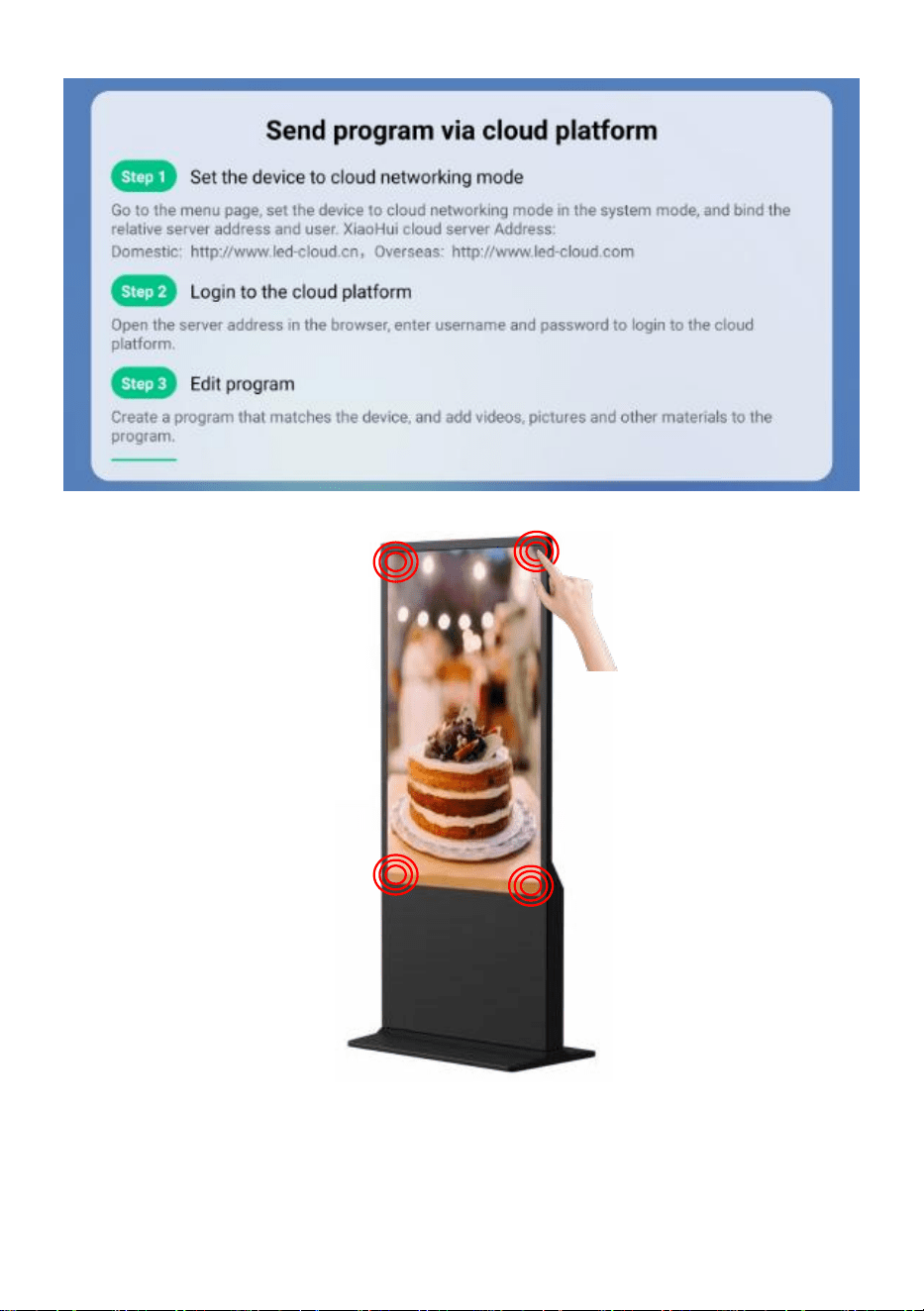
- 9 -
● Fare clic sull'angolo o sullo schermo 4 volte per accedere alla modalità
di impostazione .
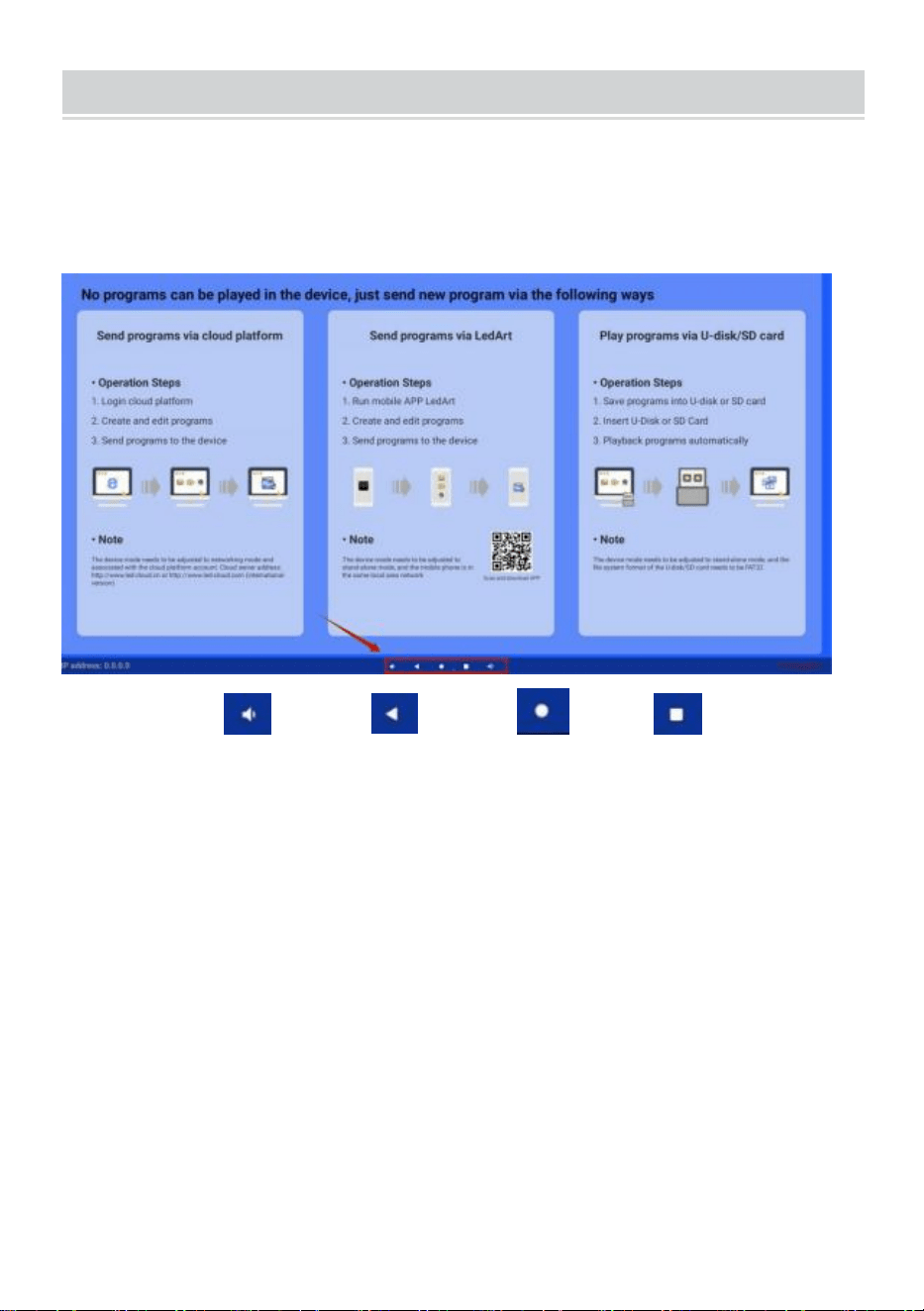
- 10 -
Operation instruction
● Tasti funzione della barra di navigazione
Scorri verso l'alto nella parte inferiore centrale dello schermo per
aprire la barra di
navigazione.
tasti funzione: Volume, Indietro, Home, Cambia
applicazione
● Connetti la rete
Gioca su uno qualsiasi dei quattro angoli dell'interfaccia software,
tocca e fai clic 4 volte per accedere alle impostazioni di sistema
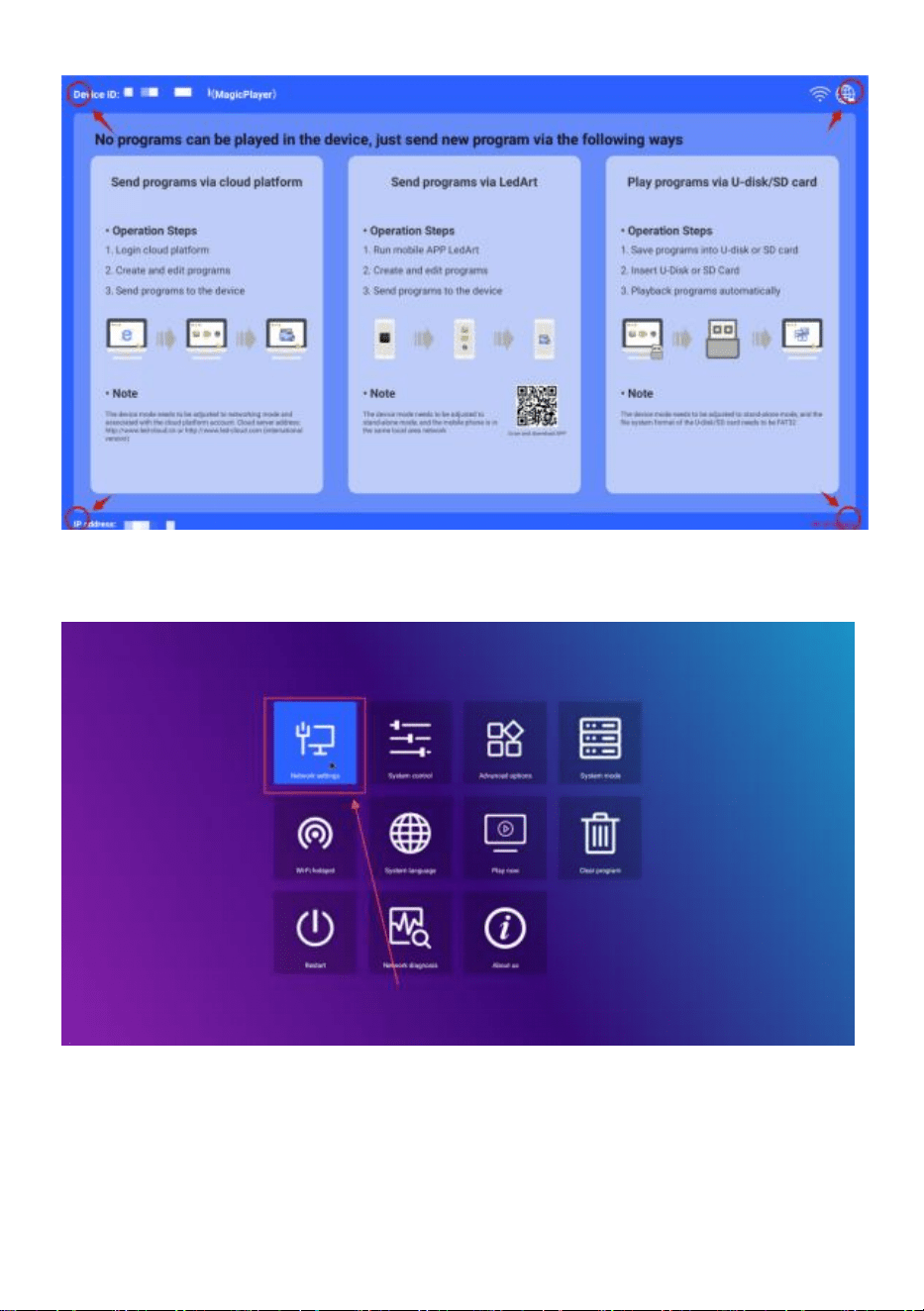
- 11 -
Fare clic per accedere -> Impostazioni di rete -> Rete wireless, selezionare
il WIFI a cui connettersi.
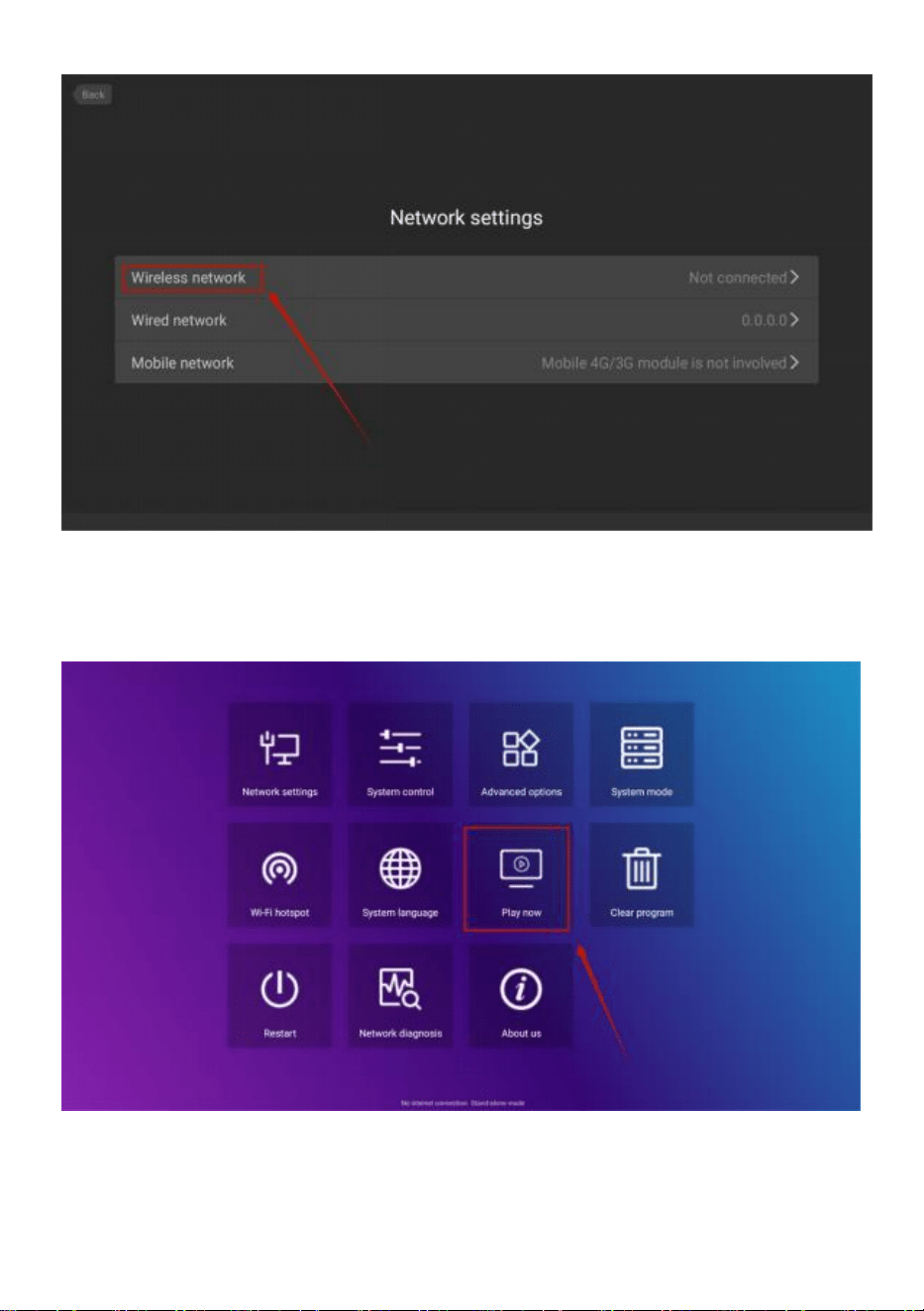
- 12 -
Dopo la connessione, fare clic su " Riproduci ora " per tornare
all'interfaccia di
riproduzione.
● Controllo del volume
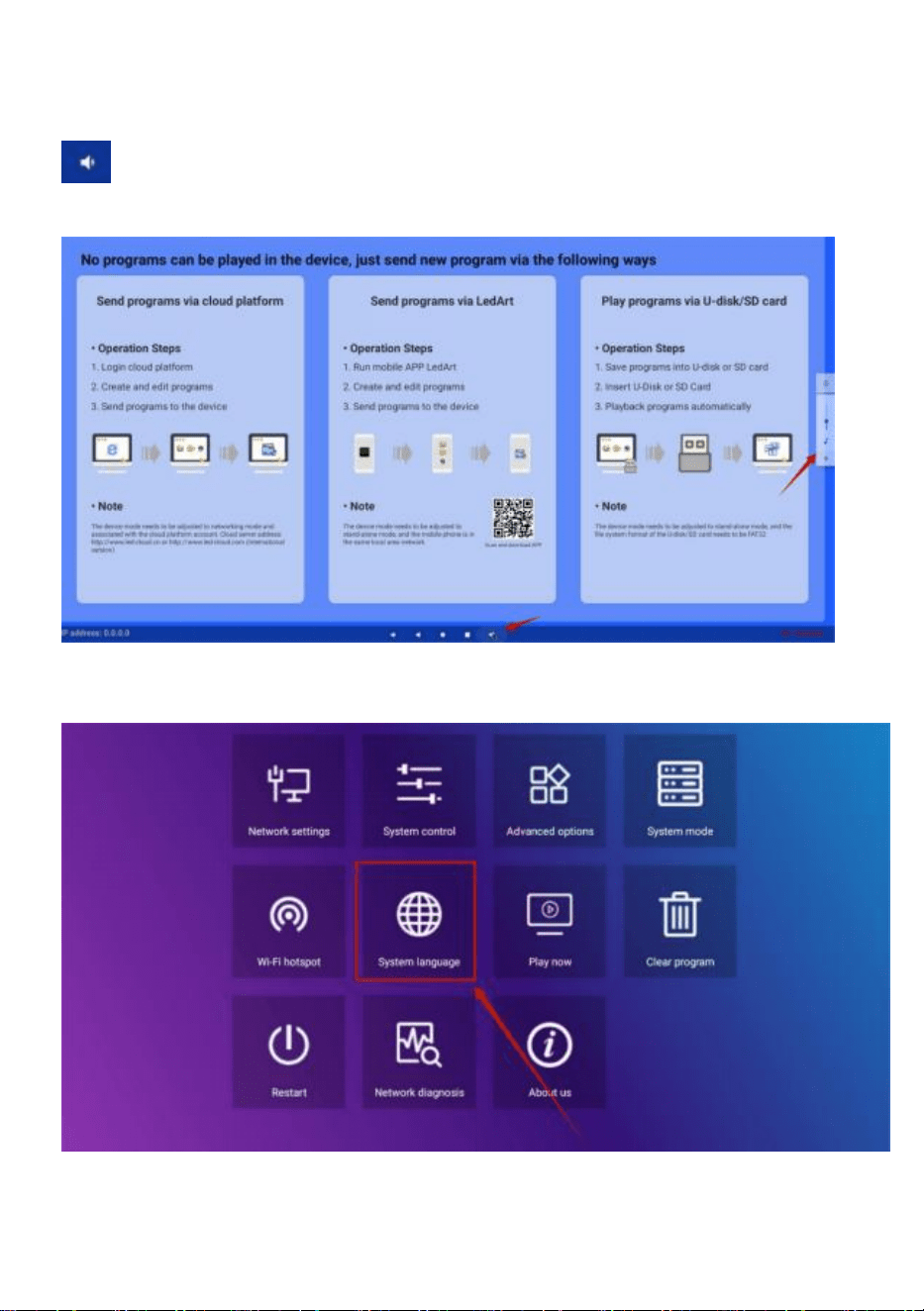
- 13 -
Scorrere verso l'alto la posizione centrale nella parte inferiore dello
schermo, aprire la barra di navigazione, fare clic sul pulsante del volume
e la dimensione del volume può essere regolata tramite un pop-up sul
lato destro
● Selezione della lingua del software
Impostazioni di sistema ->Lingua di sistema
● Selezione della modalità pubblicitaria
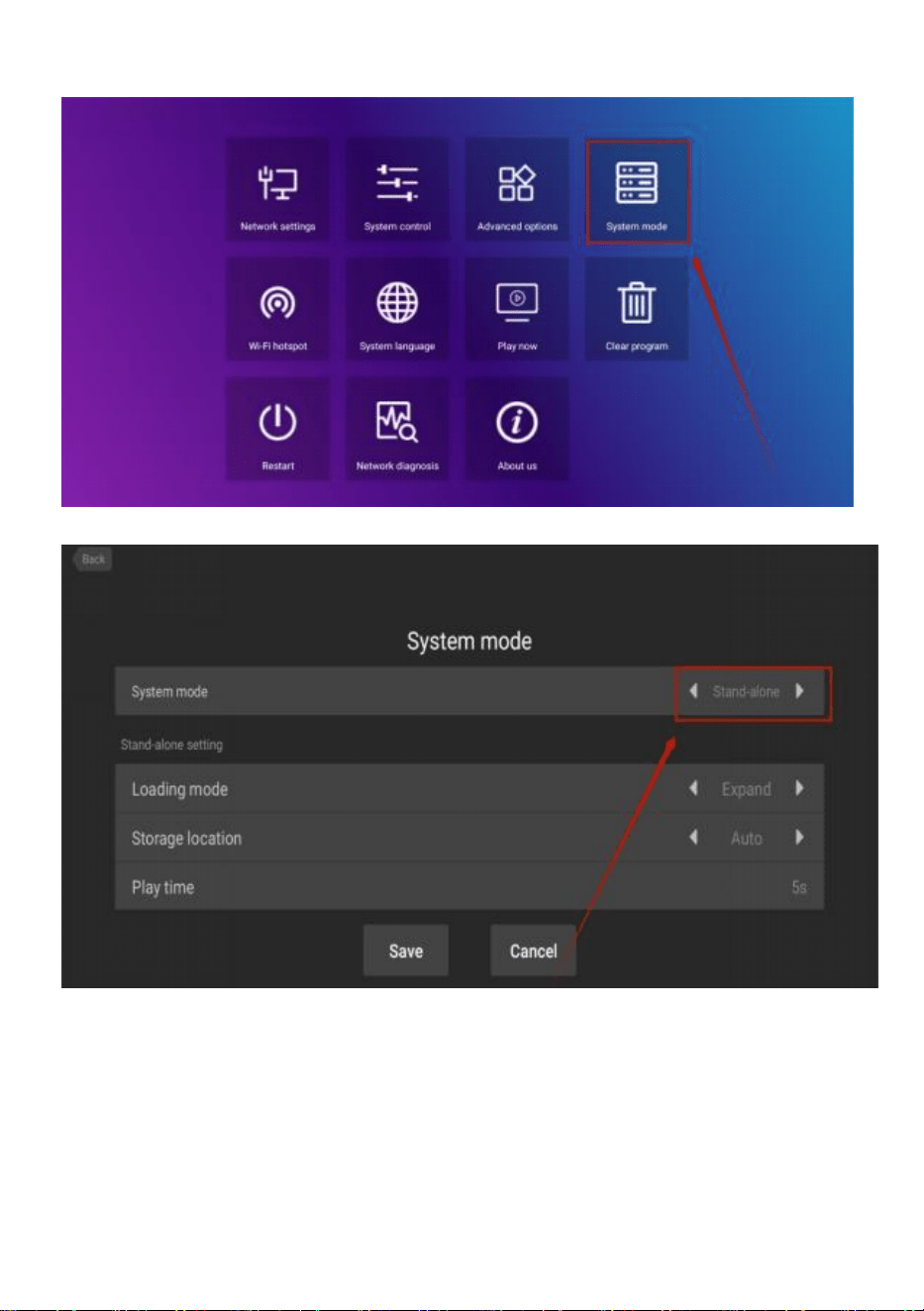
- 14 -
Impostazioni di sistema -> Modalità di sistema
Fare clic sulla modalità di sistema per selezionare la modalità.
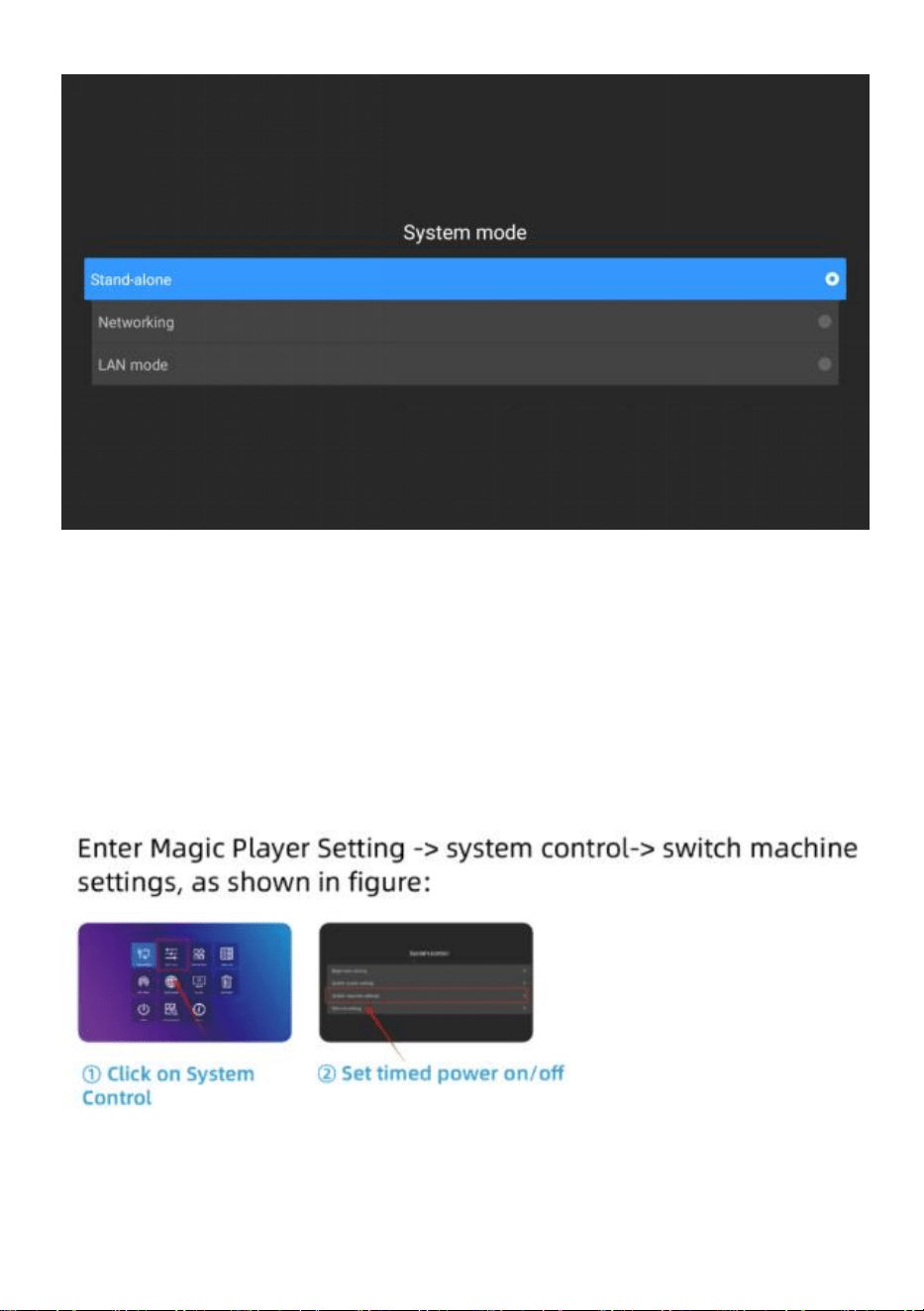
- 15 -
Stand-alone : La modalità stand-alone viene riprodotta inserendo
un'unità USB (impostazione predefinita).
Networking : è possibile controllare da remoto la pubblicazione dei
contenuti (ulteriori informazioni sono disponibili nel video sul
funzionamento).
● Macchina di commutazione temporizzata
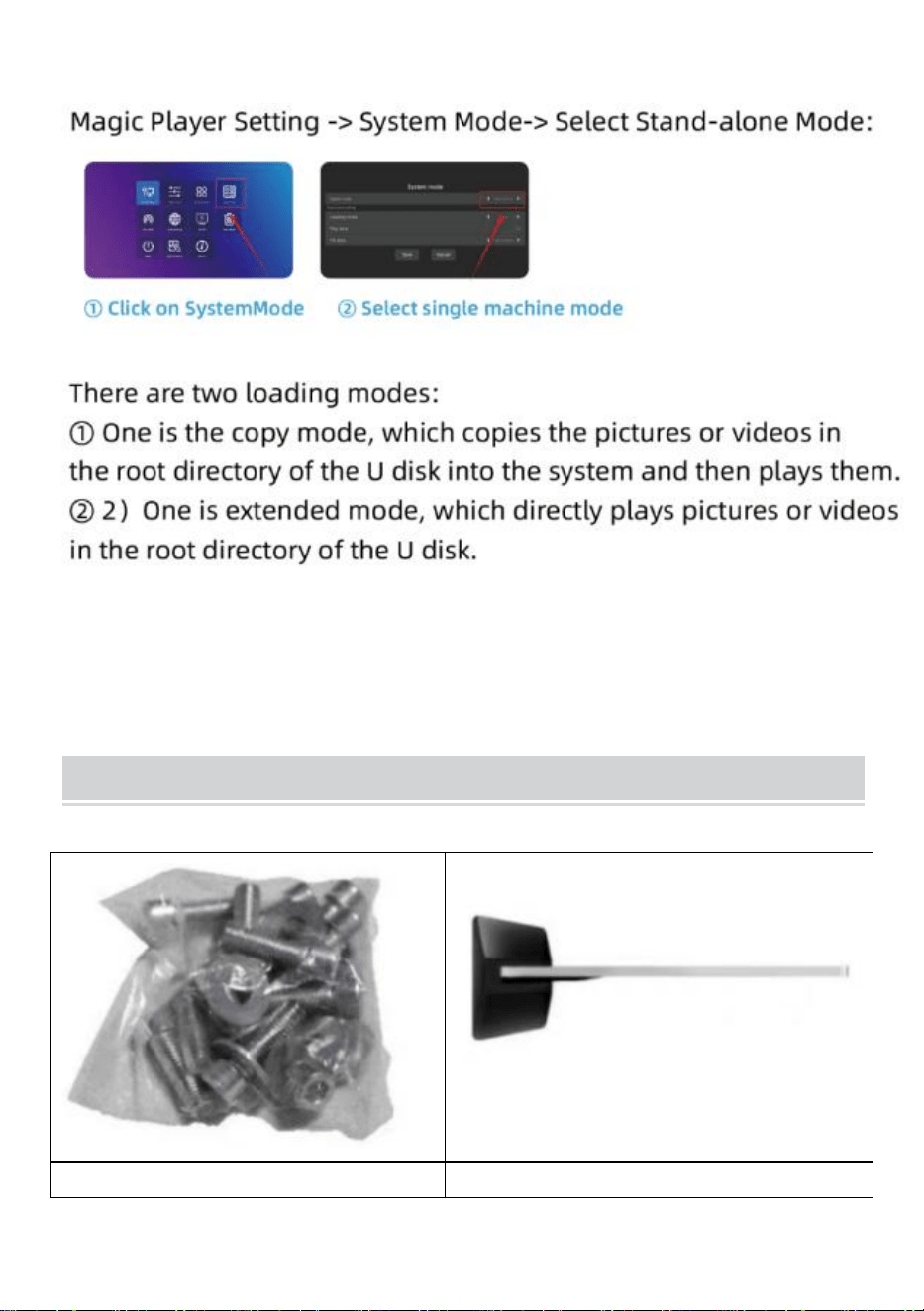
- 16 -
● Impostazione di riproduzione del disco U
Installation Steps
Fase A: Togliere sei viti e un
Fase B: Ruotare lo schermo e
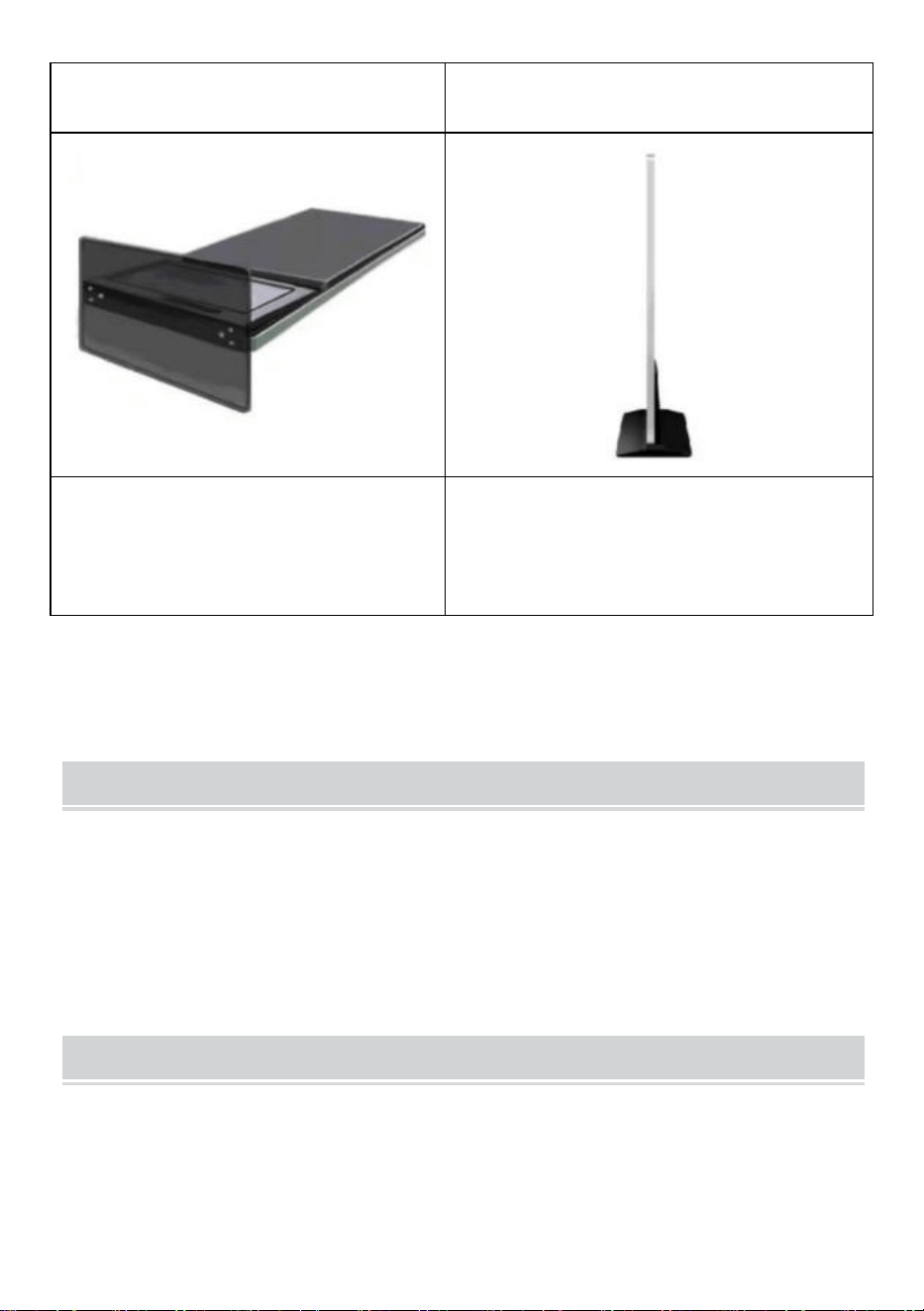
- 17 -
cacciavite esagonale.
sdraiarlo per allinearlo con la base .
Fase C: serrare le sei viti.
Fase D: Ruotare lo schermo in
posizione verticale e collegarlo
all'alimentatore.
Accessories List
Manuale dell'utente * 1 ,
Cavo di alimentazione * 1,
Chiavetta USB * 1,
Vite * 8,
Rullo * 4,
Chiave * 1 .
Matters Need Attention
● Se c'è una mano che preme lo schermo, in questo momento non verrà
risposto al funzionamento del touch screen .
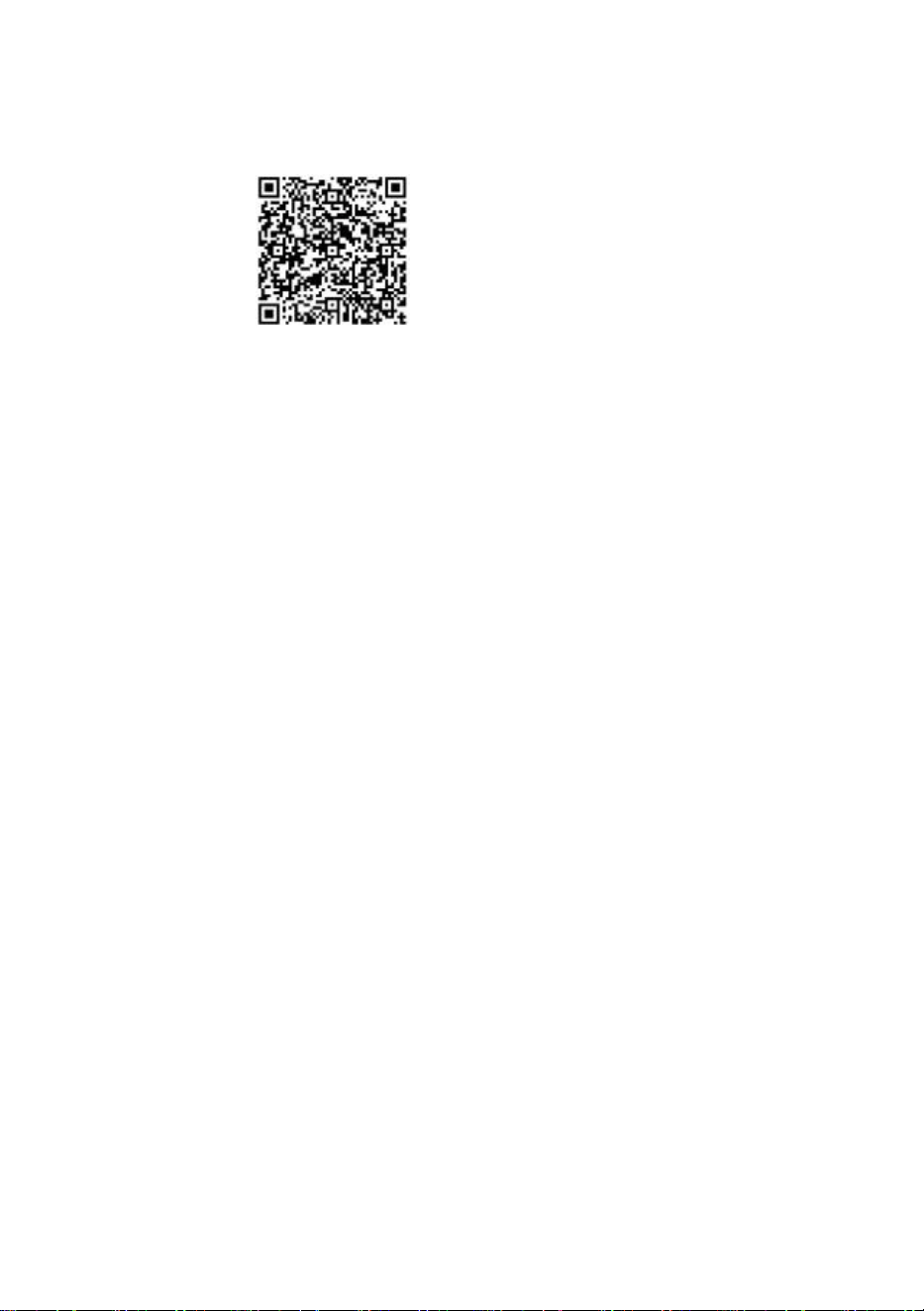
- 18 -
● Scansiona il codice QR per maggiori informazioni video
sull'installazione e l'utilizzo.
Produttore: Shanghaimuxinmuyeyouxiangongsi
Indirizzo: Shuangchenglu 803nong11hao1602A-1609shi, baoshanqu,
shanghai 200000 CN.
Importato in AUS: SIHAO PTY LTD. 1 ROKEVA STREETEASTWOOD
Nuovo Galles del Sud 2122 Australia
Importato negli USA: Sanven Technology Ltd. Suite 250, 9166 Anaheim
Luogo, Rancho Cucamonga, CA 91730

- 19 -
REP
UK
YH CONSULTING LIMITED. C/O YH Consulting
Limited Office 147, Centurion House, London
Road, Staines-upon-Thames, Surrey, TW18 4AX
REP
EC
E-CrossStu GmbH
Mainzer Landstr.69,
60329 Frankfurt am Main.