ONLINE
MANUAL
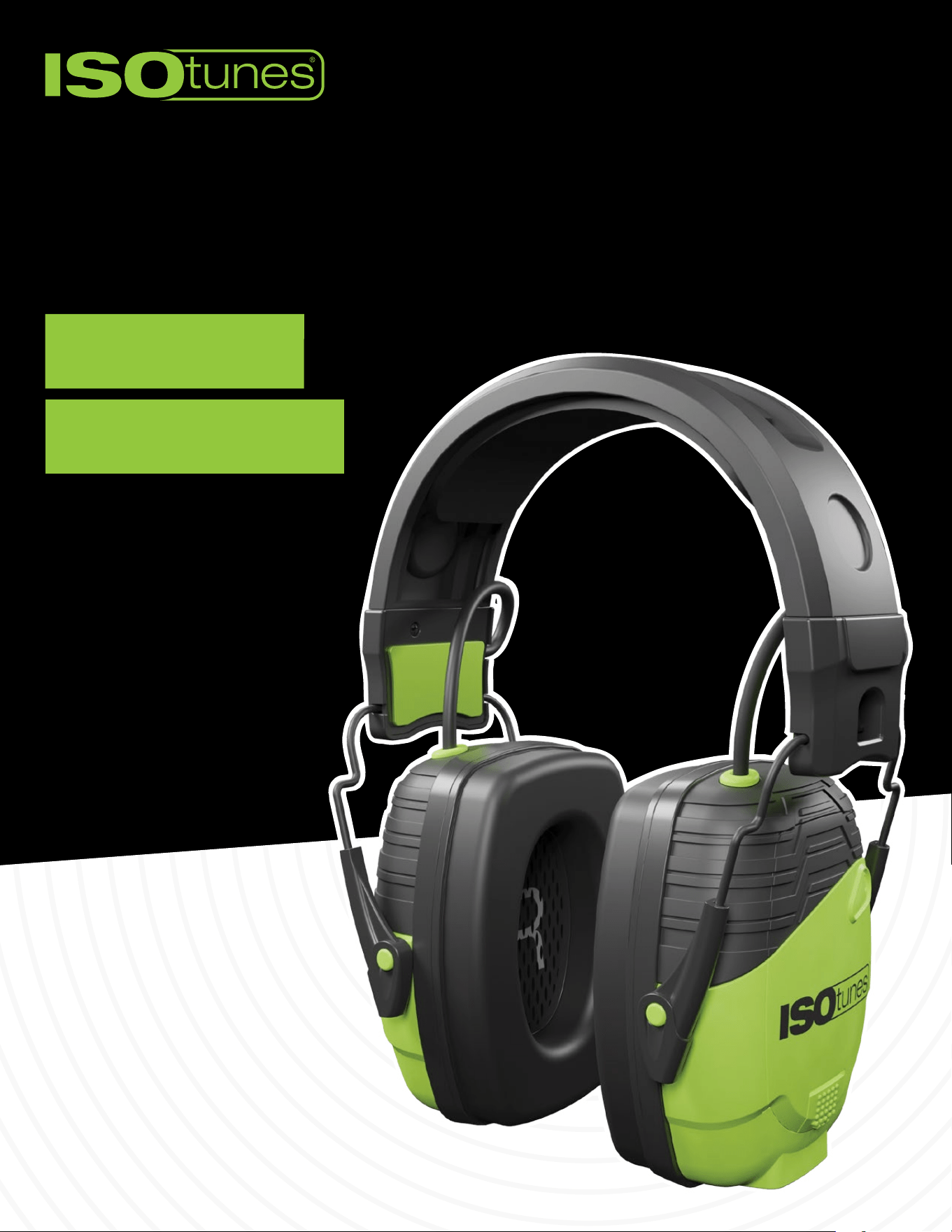
LINK AWARE

TABLE OF CONTENTS
Included � � � � � � � � � � � � � � � � � � � � � � � � � � � � � � � � � � � � � � � � � � � � � � � � � � � � 3
Labeled Diagrams � � � � � � � � � � � � � � � � � � � � � � � � � � � � � � � � � � � � � � � � � � � 4
Left Earcup � � � � � � � � � � � � � � � � � � � � � � � � � � � � � � � � � � � � � � � � � � � � � � � � � � � � 4
Labeled Diagrams � � � � � � � � � � � � � � � � � � � � � � � � � � � � � � � � � � � � � � � � � � � 5
Right Earcup � � � � � � � � � � � � � � � � � � � � � � � � � � � � � � � � � � � � � � � � � � � � � � � � � � � 5
Fitting � � � � � � � � � � � � � � � � � � � � � � � � � � � � � � � � � � � � � � � � � � � � � � � � � � � � � � 6
Secure Fit � � � � � � � � � � � � � � � � � � � � � � � � � � � � � � � � � � � � � � � � � � � � � � � � � � � � � 6
Fitting Instructions � � � � � � � � � � � � � � � � � � � � � � � � � � � � � � � � � � � � � � � � � � � � � 6
Bluetooth � � � � � � � � � � � � � � � � � � � � � � � � � � � � � � � � � � � � � � � � � � � � � � � � � � � 7
Pairing � � � � � � � � � � � � � � � � � � � � � � � � � � � � � � � � � � � � � � � � � � � � � � � � � � � � � � � 7
Dual Connect � � � � � � � � � � � � � � � � � � � � � � � � � � � � � � � � � � � � � � � � � � � � � � � � � � 8
Bluetooth User Controls � � � � � � � � � � � � � � � � � � � � � � � � � � � � � � � � � � � � � � 9
Powering On/O � � � � � � � � � � � � � � � � � � � � � � � � � � � � � � � � � � � � � � � � � � � � � � � 9
Audio � � � � � � � � � � � � � � � � � � � � � � � � � � � � � � � � � � � � � � � � � � � � � � � � � � � � � � � � � 9
Phone Calls � � � � � � � � � � � � � � � � � � � � � � � � � � � � � � � � � � � � � � � � � � � � � � � � � � � 9
Voice Assistant � � � � � � � � � � � � � � � � � � � � � � � � � � � � � � � � � � � � � � � � � � � � � � � � � 9
Aware User Controls � � � � � � � � � � � � � � � � � � � � � � � � � � � � � � � � � � � � � � � � 10
Aware Volume � � � � � � � � � � � � � � � � � � � � � � � � � � � � � � � � � � � � � � � � � � � � � � � � 10
Battery & Charging � � � � � � � � � � � � � � � � � � � � � � � � � � � � � � � � � � � � � � � � � � 11
Charging � � � � � � � � � � � � � � � � � � � � � � � � � � � � � � � � � � � � � � � � � � � � � � � � � � � � � 11
Checking / Reinstalling Battery � � � � � � � � � � � � � � � � � � � � � � � � � � � � � � � � � � 12
Using AAA Batteries � � � � � � � � � � � � � � � � � � � � � � � � � � � � � � � � � � � � � � � � � � � � 12
Accessories � � � � � � � � � � � � � � � � � � � � � � � � � � � � � � � � � � � � � � � � � � � � � � � � 13
Boom Mic � � � � � � � � � � � � � � � � � � � � � � � � � � � � � � � � � � � � � � � � � � � � � � � � � � � � 13
Wind Noise Filters � � � � � � � � � � � � � � � � � � � � � � � � � � � � � � � � � � � � � � � � � � � � � 13
Replacement Ear Cushions � � � � � � � � � � � � � � � � � � � � � � � � � � � � � � � � � � � � � � 14
Cleaning & Maintenance � � � � � � � � � � � � � � � � � � � � � � � � � � � � � � � � � � � � � 15
Troubleshooting � � � � � � � � � � � � � � � � � � � � � � � � � � � � � � � � � � � � � � � � � � � � 16
Reset � � � � � � � � � � � � � � � � � � � � � � � � � � � � � � � � � � � � � � � � � � � � � � � � � � � � � � � � 16
Customer Service � � � � � � � � � � � � � � � � � � � � � � � � � � � � � � � � � � � � � � � � � � � � � � 16
3
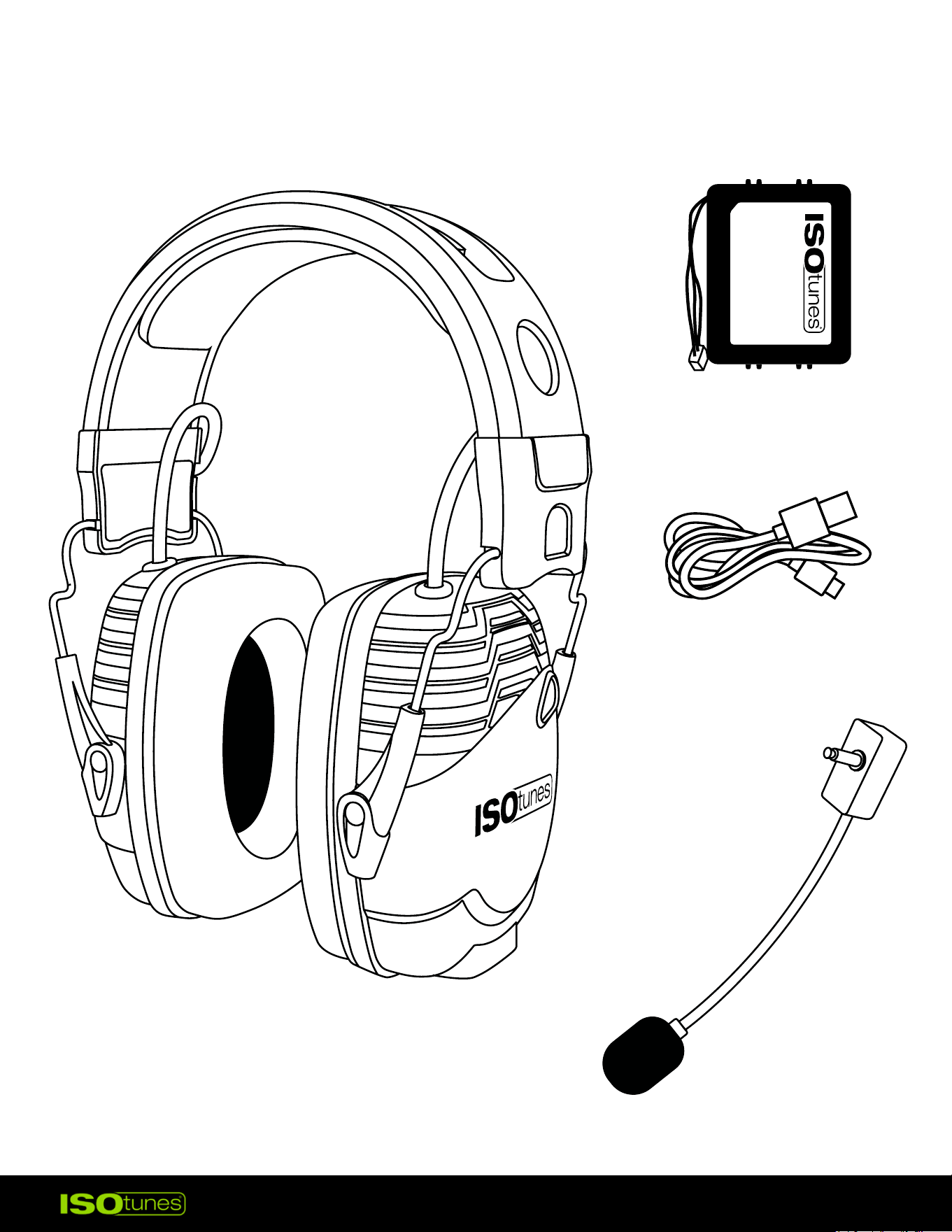
INCLUDED
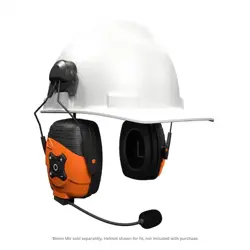
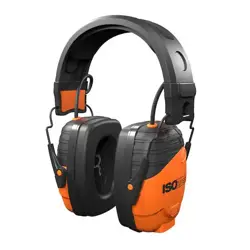
LINK AWARE EARMUFFS
USB-C CHARGING CABLE
BOOM MIC
(Sold Separately)* Replacements available online.
RECHARGEABLE BATTERY
*
*
4
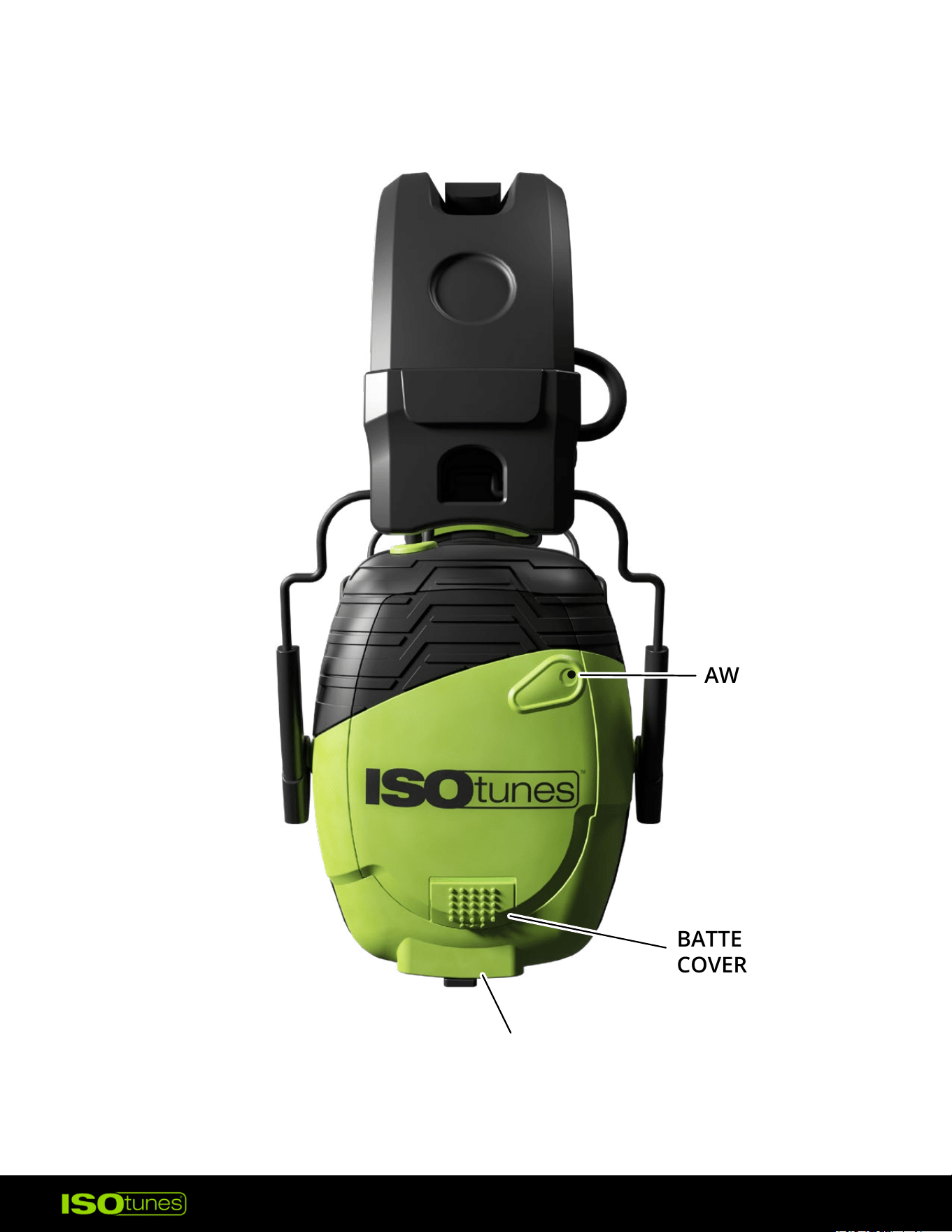
LABELED DIAGRAMS
USB-C CHARGING PORT
BATTERY
COVER LATCH
MULTI-FUNCTION
BUTTON (MFB)
AWARE MIC
LEFT EARCUP
5
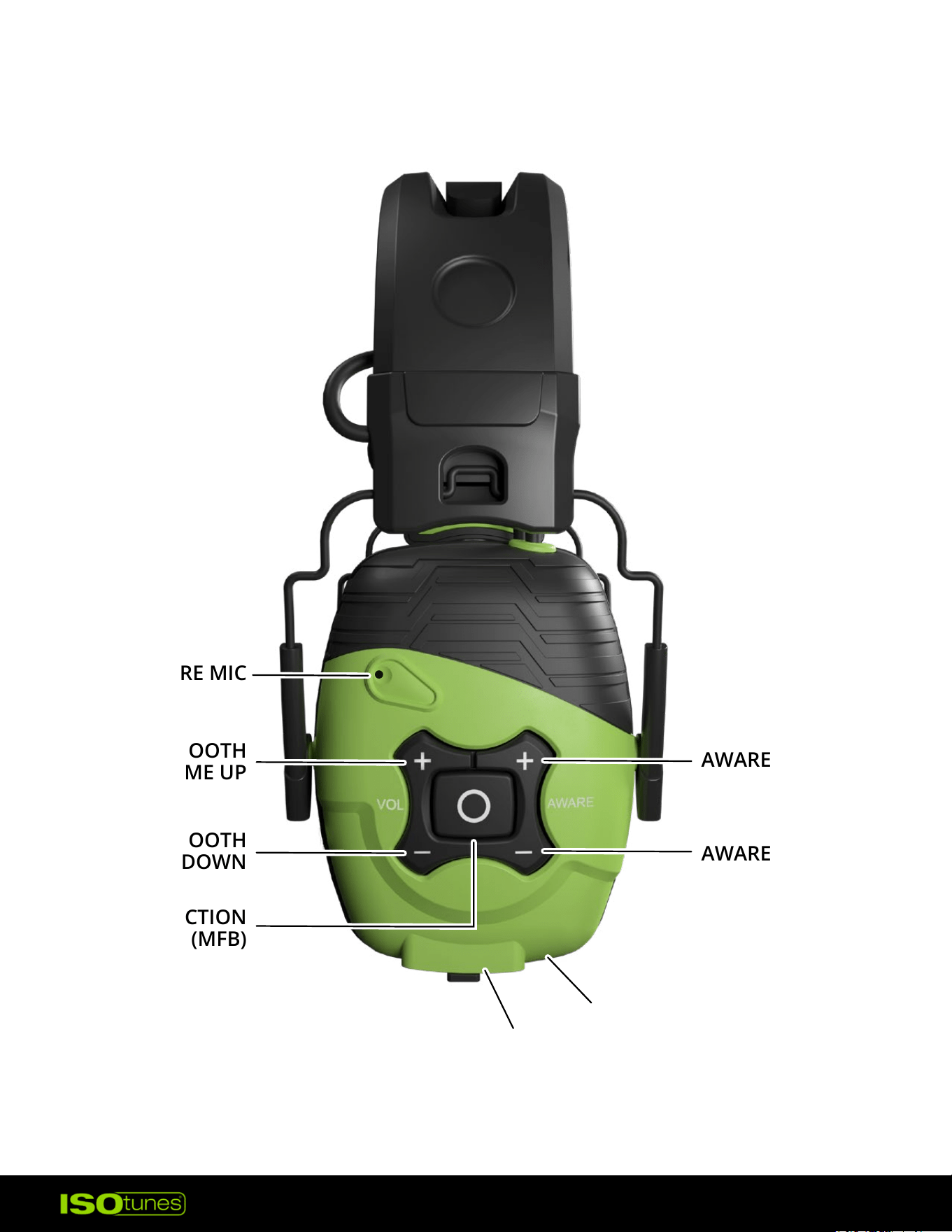
LABELED DIAGRAMS
BOOM MIC PORT
BLUETOOTH MIC
AWARE VOLUME DOWN
MULTI-FUNCTION
BUTTON (MFB)
BLUETOOTH
VOLUME UP
BLUETOOTH
VOLUME DOWN
AWARE MIC
AWARE VOLUME UP
RIGHT EARCUP
6
FITTING
SECURE FIT
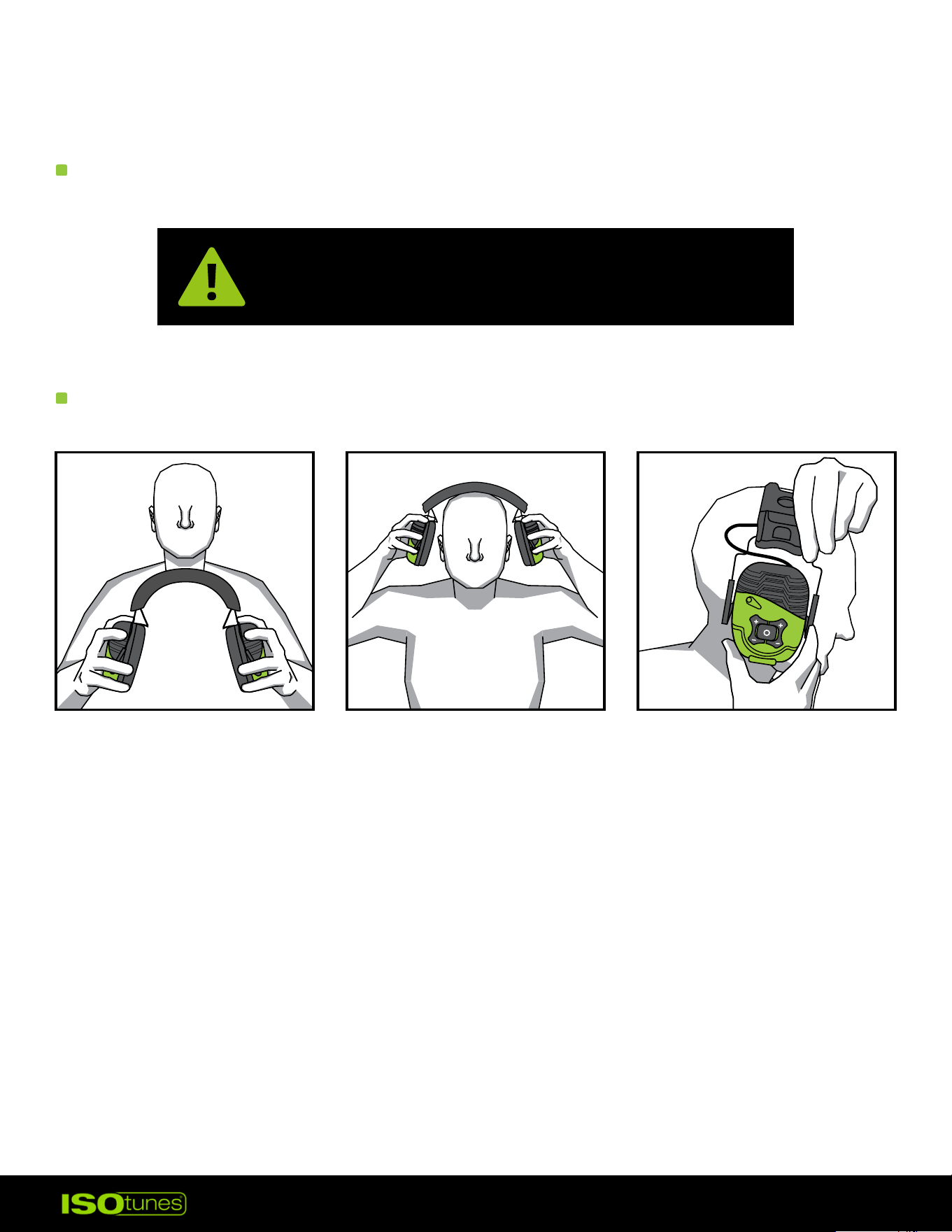
FITTING INSTRUCTIONS
Ensuring a secure t is the most critical step
to obtaining appropriate hearing protection.
1. Pull the earcups apart (Figure 1).
2. Place the product on your head, securely covering both ears (Figure 2).
3. Extend the headband to adjust the earcup position and ensure a good
t around the head and ears (Figure 3).
4. When testing the t, have the product turned o. This will allow you
to ensure the passive hearing protection of this product.
5. Properly tted and secured earmus signicantly and noticeably
reduce outside noise.
Figure 1 Figure 2 Figure 3
VOL
TSC
7
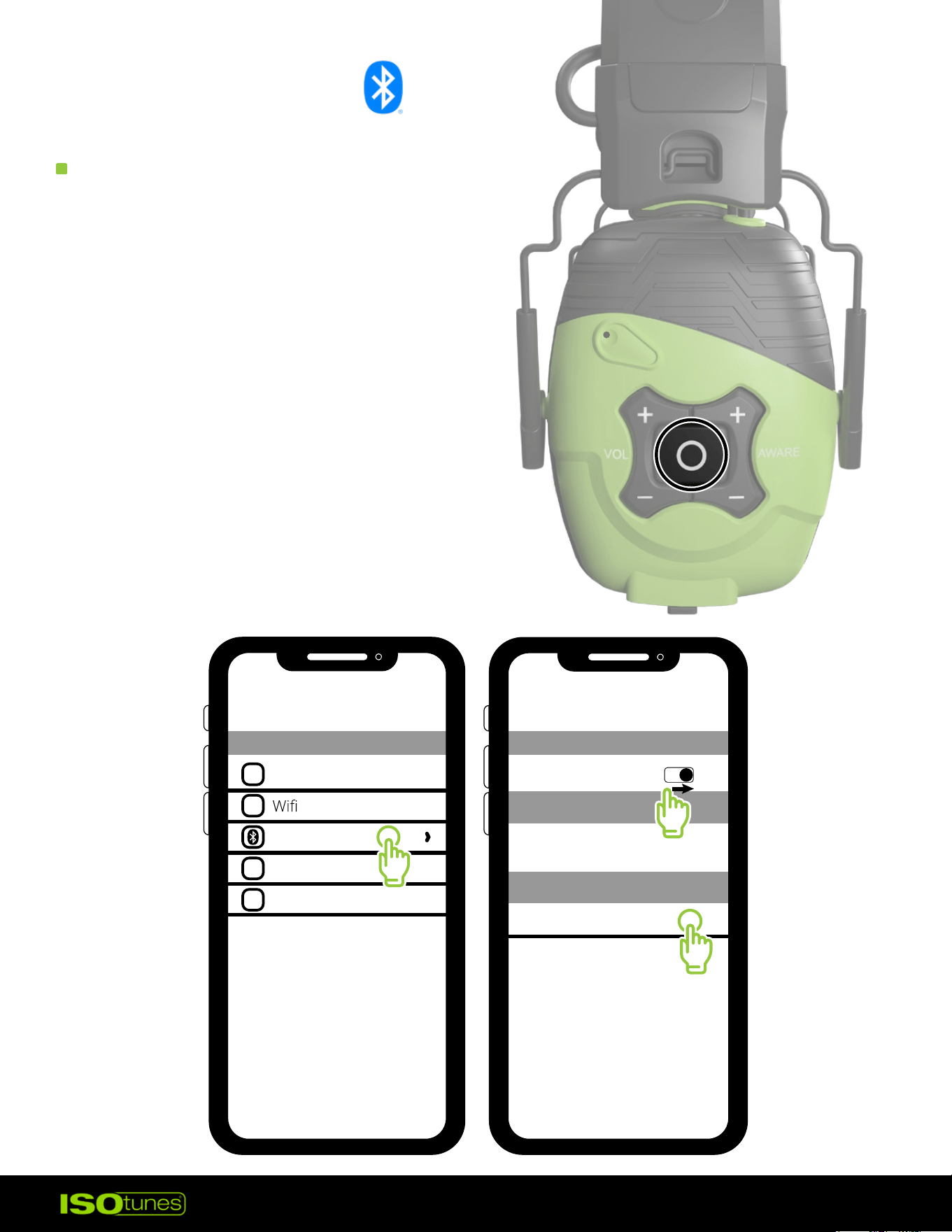
BLUETOOTH
PAIRING
1. Press and hold the
Multi-Function Button to
power on the headphones.
2. You will hear “Power On” followed
by “Bluetooth Pairing Mode�”
The headphones will automatically
enter Pairing Mode.
3. Open your Bluetooth settings
on your device.
4. Select “ISOtunes LINK Aware.”
Pair and connect.
5. Once paired, you will hear
“Bluetooth Connected�”
Airplane Mode
Bluetooth
Cellular
Personal Hotspot
OFF
1
Bluetooth
Bluetooth
Bluetooth
My Devices
Other Devices
ISOtunes LINK Aware
2
3
8
DUAL CONNECT
1. This product can connect to two devices simultaneously, for example –
your phone and your computer.
2. Pair and connect to your rst device as described in Bluetooth Pairing.
This will be Device A.
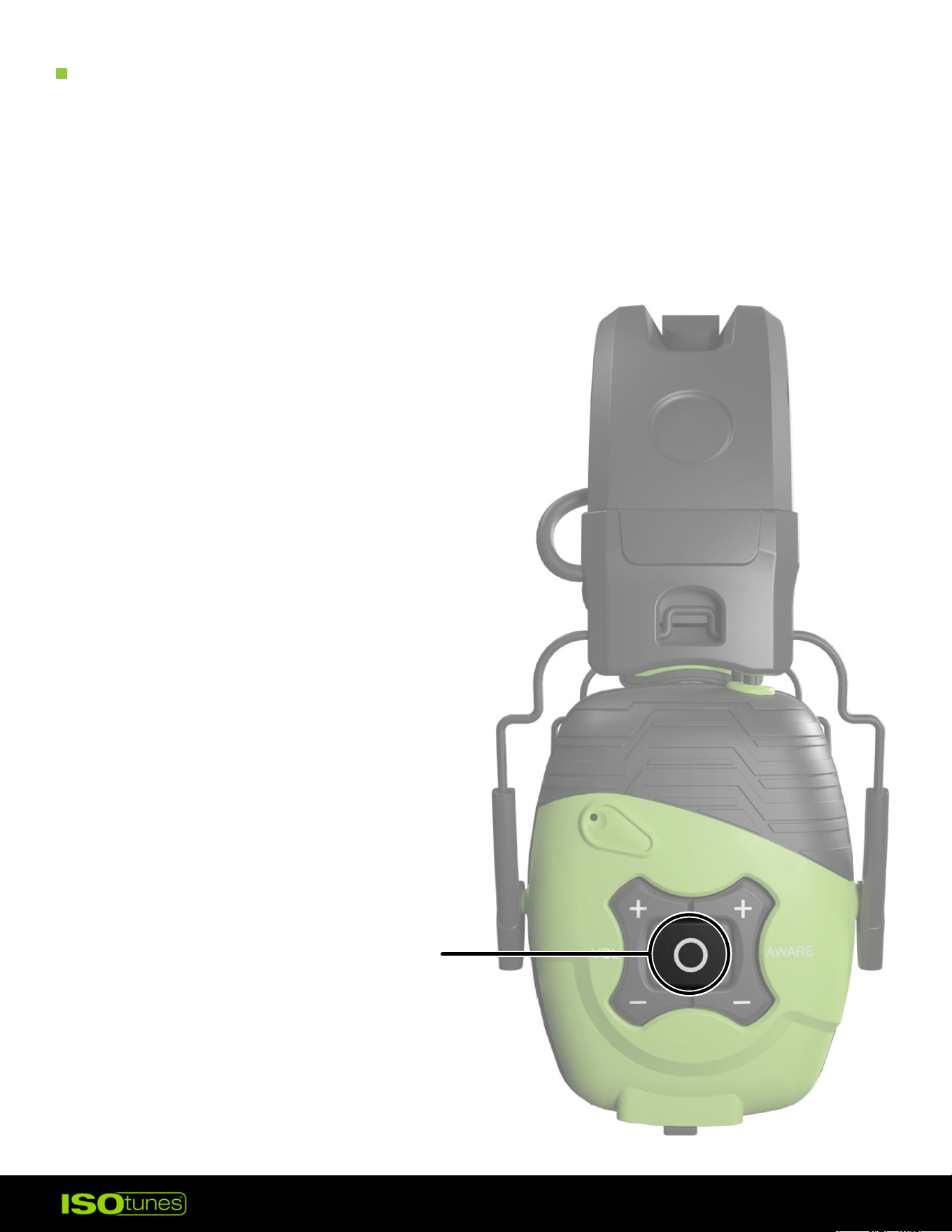
3. Press and hold the multi-function button (MFB) for 7 seconds.
4. Continue holding the button until
you hear “Power O” and
then “Bluetooth Pairing Mode�”
5. Pair and connect to the 2nd device
as described in Bluetooth Pairing.
This will be Device B.
6. On Device A, go to the Bluetooth
settings and connect to the
LINK Aware. Both devices are
now connected.
PRESS AND HOLD
FOR 7 SECONDS
9
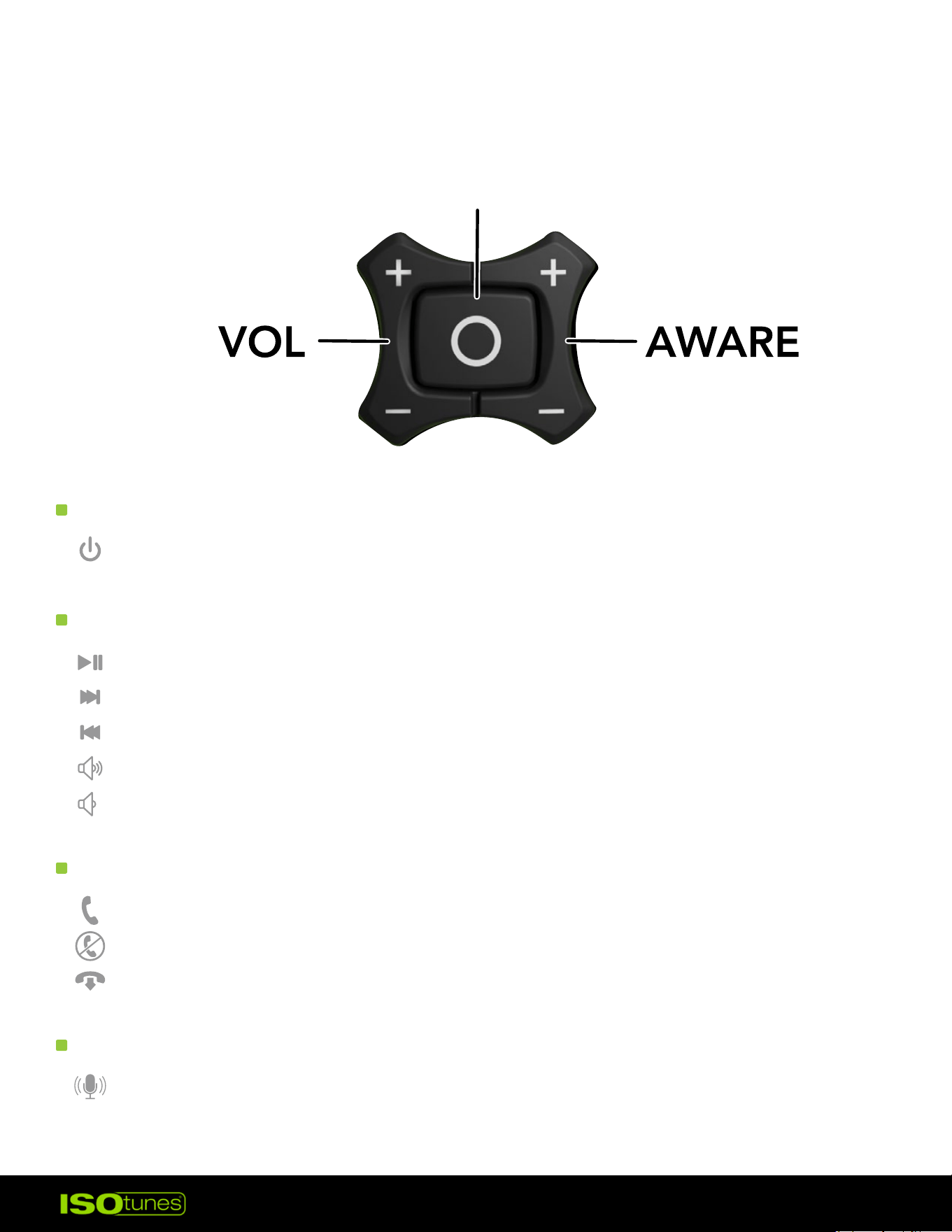
Power On/O — press and hold MFB for 4 seconds
Play/Pause — press MFB 1x
Next Track — Press MFB 2x
Previous Track — Press MFB 3x
Raise Bluetooth Volume — Press (+) button 1x
*
Lower Bluetooth Volume — Press (-) button 1x
*
Answer Call — Press MFB 1x
Deny Call — Press and hold MFB 2 seconds
End Call — Press MFB 1x
Activate/Deactivate Assistant — Press and hold MFB 2 seconds
BLUETOOTH USER CONTROLS
POWERING ON/OFF
AUDIO
PHONE CALLS
VOICE ASSISTANT
*Double chime indicates minimum or maximum volume met
MULTI-FUNCTION
BUTTON (MFB)
10
LINK Aware includes Aware Technology – this is a microphone technology
that allows the user to hear the world around them at a safe listening
level. When environmental noise exceeds a safe listening level, the
microphone technology immediately responds and reiterates that noise
to the user at a safe listening level.
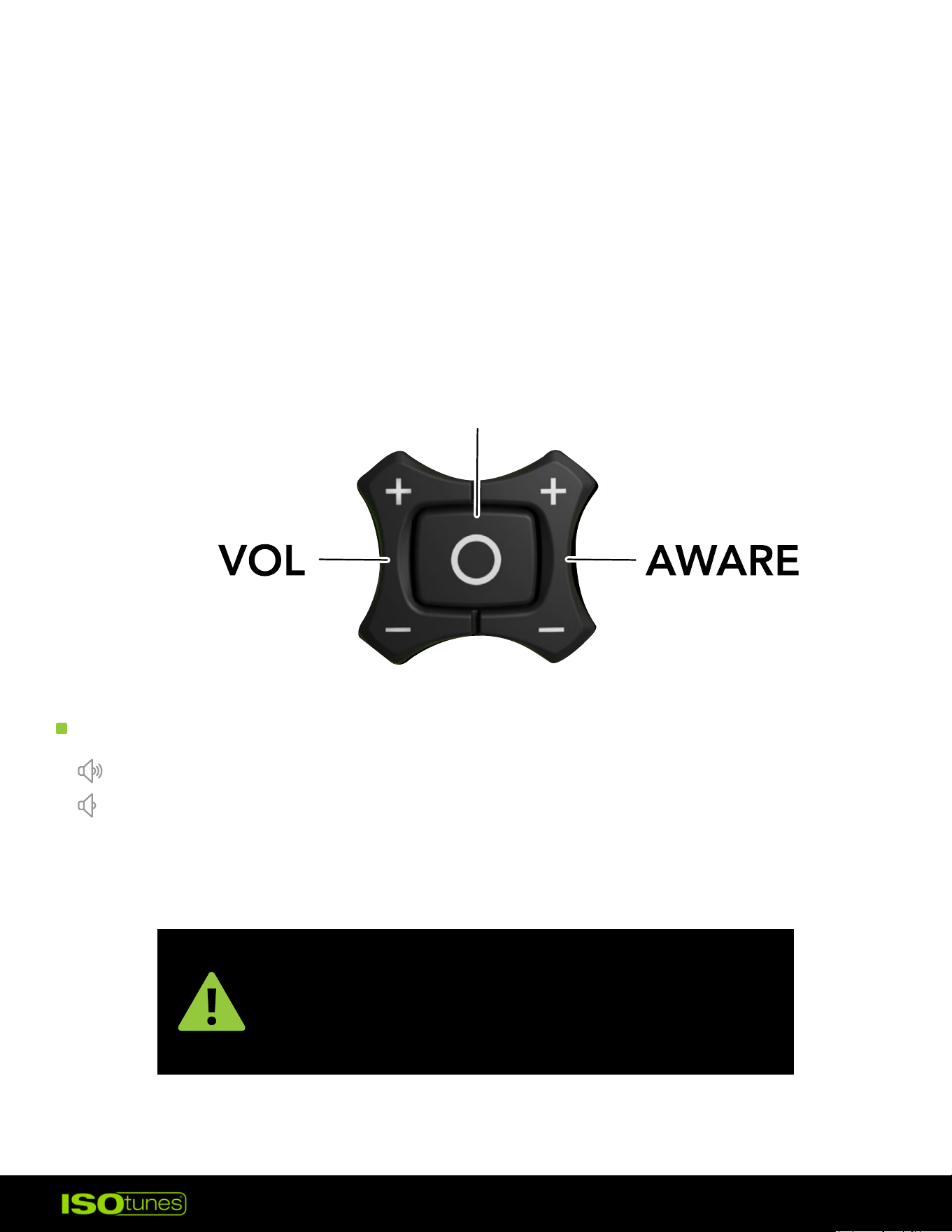
AWARE USER CONTROLS
AWARE VOLUME
MULTI-FUNCTION
BUTTON (MFB)
A low-pitched double chime means the
lowest Aware level has been reached (OFF).
A high-pitched double chime means the
highest Aware level has been reached.
Raise Aware Volume — Press (+) button 1x
*
Lower Aware Volume — Press (-) button 1x
*
11
BATTERY & CHARGING
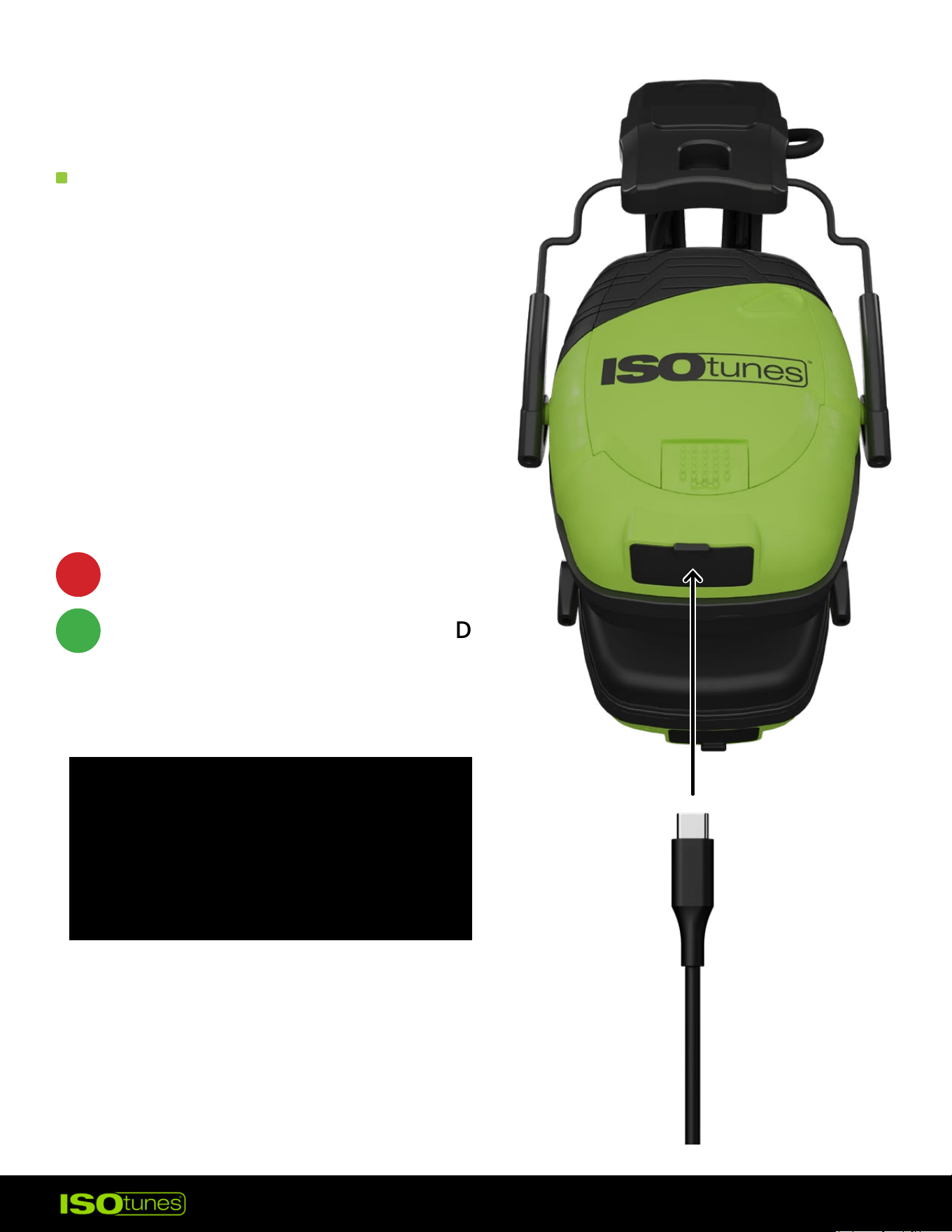
CHARGING
SOLID RED = CHARGING
SOLID GREEN = FULLY CHARGED
The headset can be powered by
the included rechargeable Lithium
Battery Pack. Please charge with
the included cable.
While the cable is plugged into
the Charging Port, LED Charging
Indicators will let you know how
charged the Lithium Battery is.
Charging voltage should not
exceed 5 volts. Avoid using
adapters or chargers rated
higher, as this can damage the
device or cause it to not charge.
12
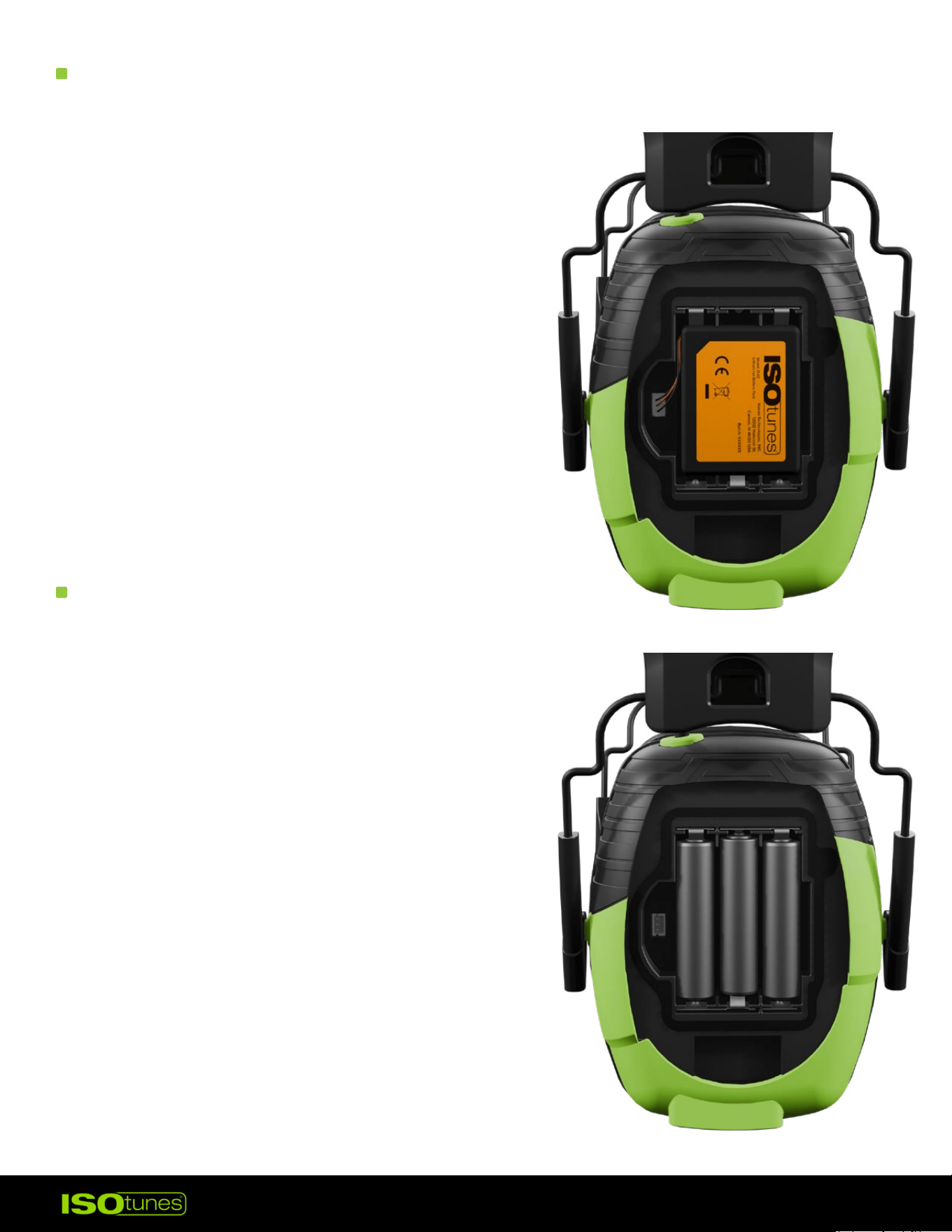
CHECKING / REINSTALLING BATTERY
USING AAA BATTERIES
1. The batteries can be checked by removing
the battery cover. Slide the latch to release
the door.
2. Lift the battery out.
Unplug the battery pack cable.
3. To reinstall, put the battery pack into
the compartment. Then, plug the
battery pack cable into the port.
4. Ensure the battery pack cable is
plugged in properly for proper
product performance.
Alternatively, three AAA batteries can
power the device.
1. Slide the latch to release the door.
2. Lift the battery out. Unplug the
battery pack cable.
3. Install the AAA batteries as
indicated on the product.
4. Do not attempt to use the
lithium battery pack and
AAA batteries simultaneously.
13
ACCESSORIES
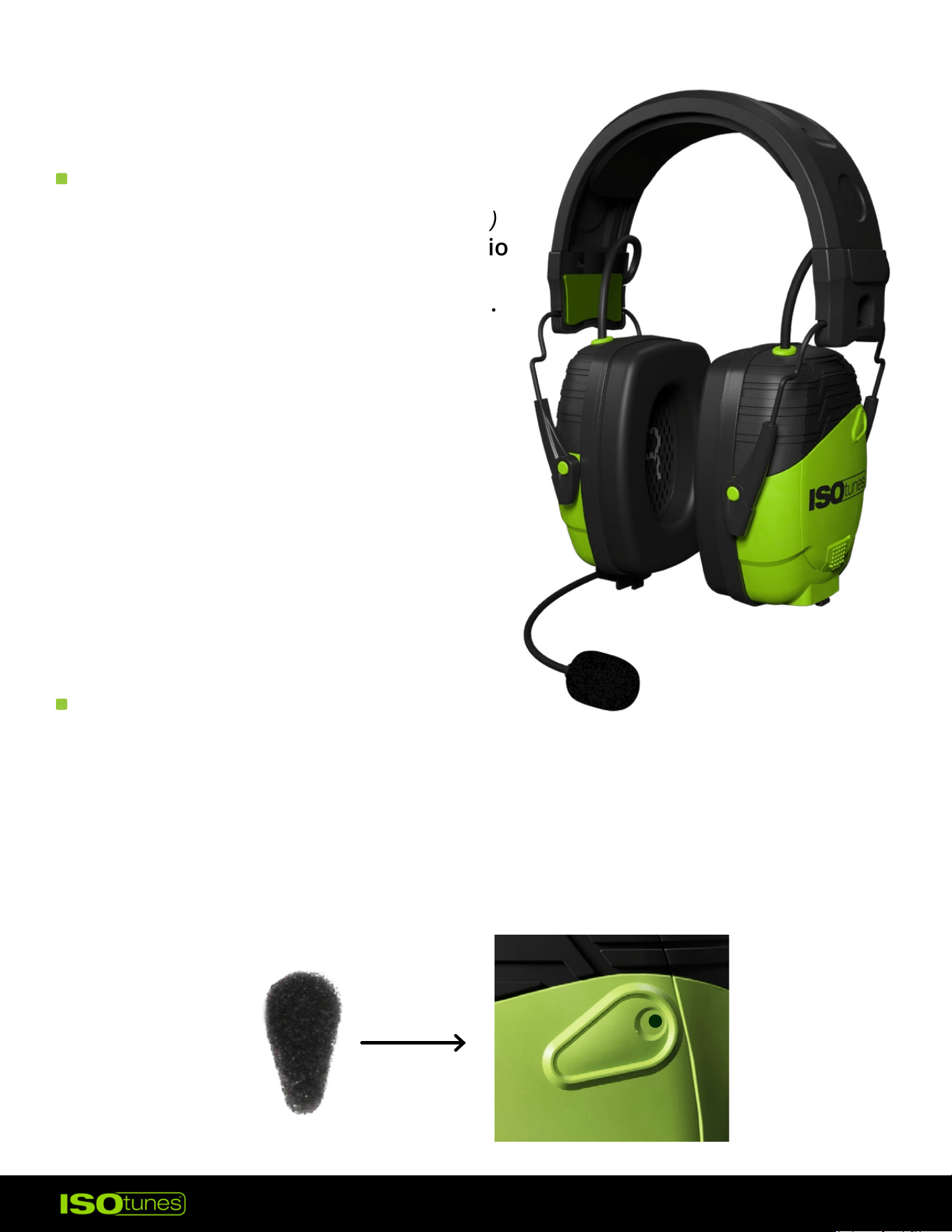
BOOM MIC
WIND NOISE FILTERS
The ISOtunes Boom Mic (sold separately)
is used to enhance phone or radio audio
quality. The Boom Mic accessory is
available for purchase on our websites.
1. Open the microphone port cover on
the right earcup by pulling down
on the exposed tab, then align the
base and the 3.5 mm jack of the
Boom Mic and insert.
2. Press rmly to ensure that it’s fully
seated.
3. Remove the Boom Mic for storage
or when not in use.
1. Carefully peel one wind noise lter from the sheet.
2. Align with the microphone panel on the earcup. The foam should fully
cover the microphone section.
3. Press the wind noise lter down to fully adhere to the earcup.
4. Repeat with the other earcup.
14
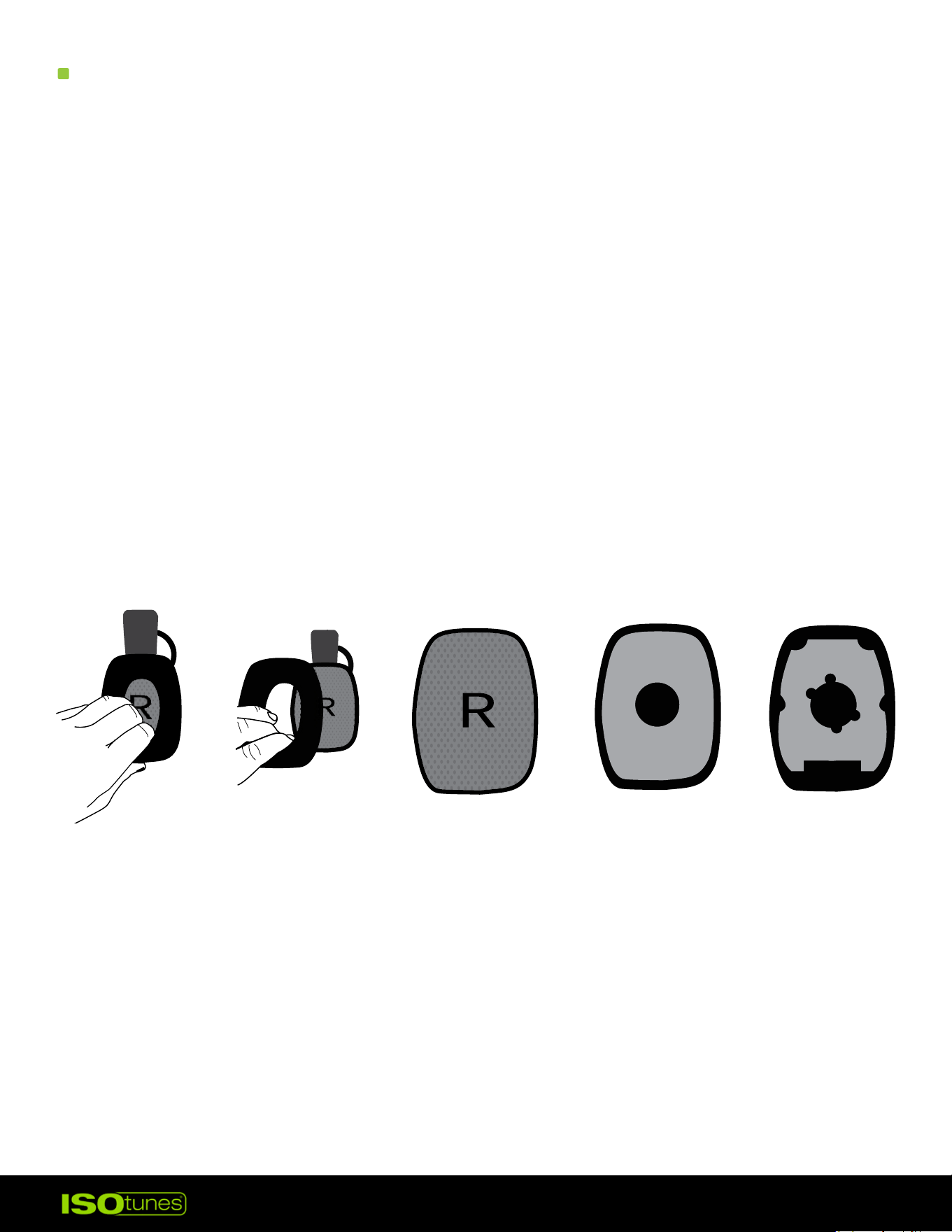
REPLACEMENT EAR CUSHIONS
1. Firmly reach into one earcup and tug on the plastic plate behind the ear
cushion (Figure 1)�
2. Pull with force until the ear cushion is removed from the earcup. Do not
twist, shear, or cut o. The cushions are secured with a strong snap t
(Figure 2)�
3. Remove the R or L indicating fabric and 2 layers of foam (Figure 3-5).
4. Insert one new foam layer with notches. Align notches to the earcup.
5. Insert second new foam layer (Figure 4).
6. Insert the new R or L indicating fabric (Figure 3).
7. Place the new ear cushion on and listen for a snap sound. Check that
the cushion is secure on all sides.
8. Repeat with the other earcup
Figure 1 Figure 2 Figure 3 Figure 4 Figure 5

15
CLEANING & MAINTENANCE
• TRILOGY™ foam eartips should be regularly inspected for deterioration,
cracking, or other damage. The eartips can be cleaned in between uses
with a damp cloth and water. Over time, the eartips should be replaced.
• Eartips are disposable and should be replaced over time. Depending on
use, we recommend replacing them every 1- 3 months. Replacements
are available on our website.
• Clean your product by gently wiping them with a clean, damp cloth with
mild soap.
• Do not immerse the earbuds in water.
• Do not use abrasive cleaning solvents to clean the earbuds.
• If the earbuds get wet from sweat or rain, please discontinue use and
allow them to dry.
16
TROUBLESHOOTING
RESET
CUSTOMER SERVICE
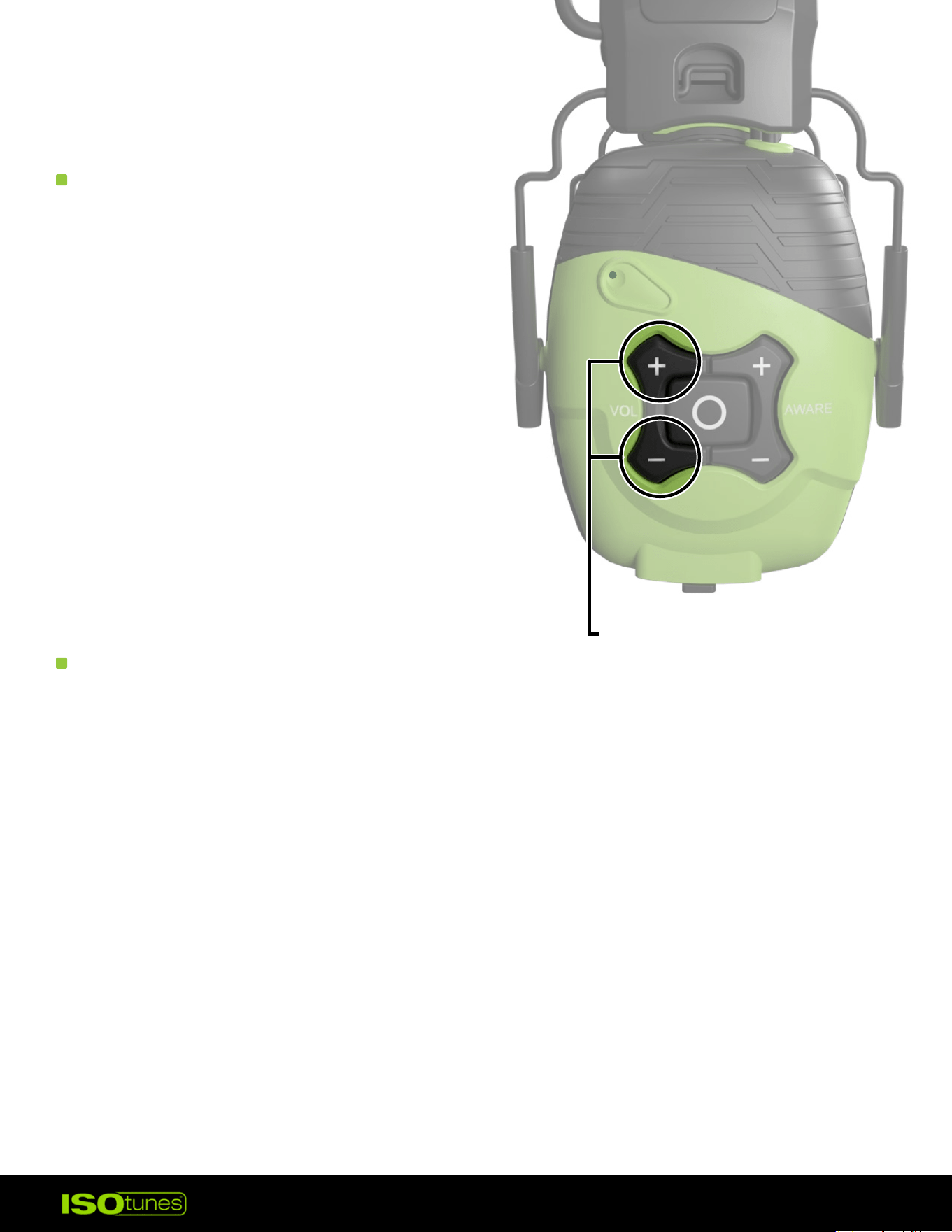
1. Earmus must be powered on.
2. Remove the earmus from your
Bluetooth connections.
3. Press and hold the Volume Up
and the Volume Down buttons at
the same time. Hold for 4 seconds.
4. Product will shut o and you
will hear “Power On,” followed
by “Bluetooth Pairing Mode�”
5. Follow the pairing steps to
reconnect your device.
For more information, FAQs, or to
reach out for further assistance —
• ISOtunes.com/support
• ISOtunes.ca/support
• ISOtunes.co.uk/support
• ISOtunes.eu/support
PRESS AND HOLD
FOR 4 SECONDS