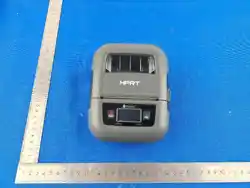
Expiry Date Label Printer
这版确定
SSBH-XD-02
Please use the power adapter and charging cable provided
by our company. Using non-approved accessories may
cause product damage.
1. Why doesn't the printer detect the paper?
2. Why can't the printer turn on?
The print head sensor may be dirty. Please clean the sensor
with a soft brush. If the issue persists after cleaning,
please contact customer service.
Thank you for choosing our productss. We are committed to
providing you with the best service. Please read this manual
and the warranty terms carefully after purchase to ensure
proper use and service.
This product has a 2-year warranty from the date of
purchase, provided it is used correctly and not
disassembled. If the issue is a product quality problem,
repair services will be provided.
A warranty card must be shown to claim service.
Damage caused by human error is not covered.
Dear Customer,
The printer may have no power. Please use the included
power adapter to charge for 3 hours.If it still won't turn on,
please contact customer service.
Note:
Note:
Unauthorized personnel should not disassemble or
repair the device.
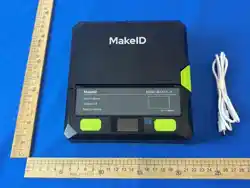
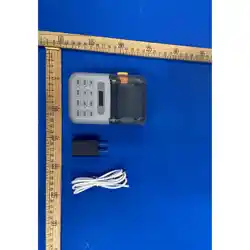
Printer Main Unit x1
Product Manual x1
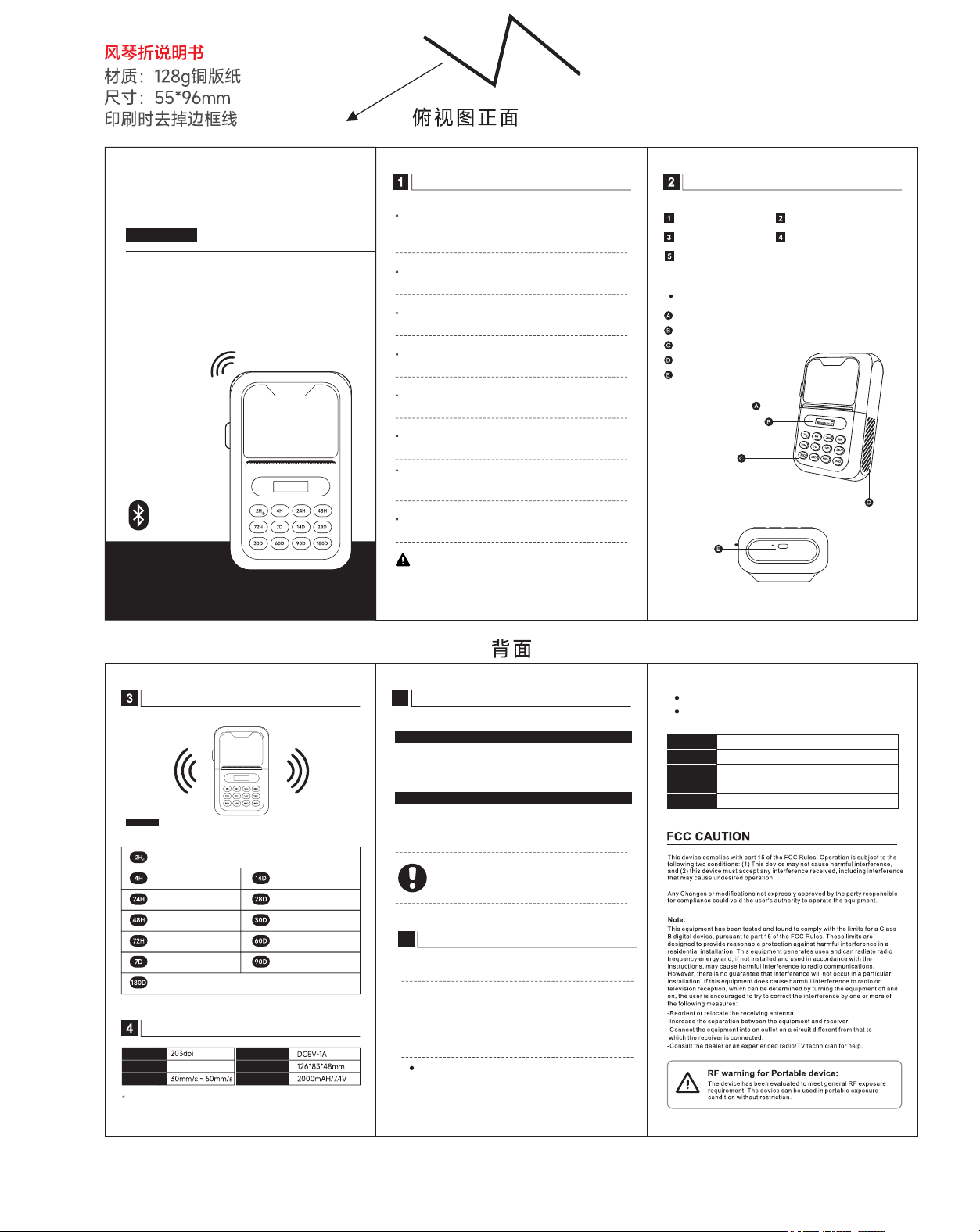
Label Paper Outlet
Battery and Time Display Window
Multifunctional Buttons
Anti-slip Design Details
Type-C Charging Port
Product Certificate x1
PRINTER INTRODUCTION
Power Adapter x1
USB Data Cable x1
Please use dedicated label paper for the Expiry Date
Label Printer to ensure proper operation.
Do not open the paper compartment cover during printing,
as this may cause malfunction.
2H Press lightly for 2-hour label, long press to power on/off.
4H Press lightly for
4-hour label.
14D Press lightly for
14-day label
28D Press lightly for
28-day label
30D Press lightly for
30-day label
60D Press lightly for
60-day label
90D Press lightly for
90-day label
24H Press lightly for
24-hour label
48H Press lightly for
48-hour label
72H Press lightly for
72-hour label
7D Press lightly for
7-day label
Resolution
User Name
User Phone
Purchase Date
Product Model
Serial Number
The data are laboratory test values, but due to changes in the objective
environment, the data may vary or have discrepancies.
Input Voltage/Current
Power
Printing Speed
Product Size
Battery Capacity
Lithium Battery
180D Press lightly for 180-day label
Do not touch the print head or surrounding connectors to
avoid damage caused by static electricity.
Do not operate the printer without paper loaded, as this may
cause serious damage to the print head.
Prevent water or conductive substances from entering the
printer. If this occurs, turn off the power immediately.
If the printer is not used for a long period, please recharge
it at least once every three months to prevent battery
damage and failure to power on.
Please operate this product according to the user manual. This product contains a built-in
battery. For safety, do not disassemble, drop, or use the product under high temperature or
short-circuit conditions.
Please keep this manual properly for future reference.
WARNING
PRECAUTIONS
PRODUCT SPECIFICATIONS
BUTTON FUNCTION
WARRANTY CARD
65
HOW TO DEAL WITH COMMON PROBLEMS
LIST OF PRINTER ACCESSORIES
EXPIRY DATE LABEL PRINTER
USER MANUAL
SSBH-XD-02
Bluetooth
Connection
Supported for
Mobile Devices
Please read the manual before use.
The manual includes the "Warranty Card."
Please keep it safe. Please follow the
precautions marked in the manual.
INSTRUCTIONS
Note:
FCC CAUTION
Expiry Date Label Printer
这版确定
SSBH-XD-02
Please use the power adapter and charging cable provided
by our company. Using non-approved accessories may
cause product damage.
1. Why doesn't the printer detect the paper?
2. Why can't the printer turn on?
The print head sensor may be dirty. Please clean the sensor
with a soft brush. If the issue persists after cleaning,
please contact customer service.
A warranty card must be shown to claim service.
Damage caused by human error is not covered.
The printer may have no power. Please use the included
power adapter to charge for 3 hours.If it still won't turn on,
please contact customer service.
Note:
This product has a 2-year warranty from the date of
purchase, provided it is used correctly and not
disassembled. If the issue is a product quality problem,
repair services will be provided.
Note:
Unauthorized personnel should not disassemble or
repair the device.
Printer Main Unit x1
Product Manual x1
Label Paper Outlet
Battery and Time Display Window
Multifunctional Buttons
Anti-slip Design Details
Type-C Charging Port
Product Certificate x1
PRINTER INTRODUCTION
Power Adapter x1
USB Data Cable x1
Please use dedicated label paper for the Expiry Date
Label Printer to ensure proper operation.
Do not open the paper compartment cover during printing,
as this may cause malfunction.
2H Press lightly for 2-hour label, long press to power on/off.
4H Press lightly for
4-hour label.
14D Press lightly for
14-day label
28D Press lightly for
28-day label
30D Press lightly for
30-day label
60D Press lightly for
60-day label
90D Press lightly for
90-day label
24H Press lightly for
24-hour label
48H Press lightly for
48-hour label
72H Press lightly for
72-hour label
7D Press lightly for
7-day label
Resolution
User Name
User Phone
Purchase Date
Product Model
Serial Number
The data are laboratory test values, but due to changes in the objective
environment, the data may vary or have discrepancies.
Input Voltage/Current
Power
Printing Speed
Product Size
Battery Capacity
Lithium Battery
180D Press lightly for 180-day label
Do not touch the print head or surrounding connectors to
avoid damage caused by static electricity.
Do not operate the printer without paper loaded, as this may
cause serious damage to the print head.
Prevent water or conductive substances from entering the
printer. If this occurs, turn off the power immediately.
If the printer is not used for a long period, please recharge
it at least once every three months to prevent battery
damage and failure to power on.
Please operate this product according to the user manual. This product contains a built-in
battery. For safety, do not disassemble, drop, or use the product under high temperature or
short-circuit conditions.
Please keep this manual properly for future reference.
WARNING
PRECAUTIONS
PRODUCT SPECIFICATIONS
BUTTON FUNCTION
Thank you for choosing our productss. We are committed to
providing you with the best service. Please read this manual
and the warranty terms carefully after purchase to ensure
proper use and service.
Dear Customer,
WARRANTY CARD
6
5
HOW TO DEAL WITH COMMON PROBLEMS
LIST OF PRINTER ACCESSORIES
EXPIRY DATE LABEL PRINTER
USER MANUAL
SSBH-XD-02
Bluetooth
Connection
Supported for
Mobile Devices
Please read the manual before use.
The manual includes the "Warranty Card."
Please keep it safe. Please follow the
precautions marked in the manual.
INSTRUCTIONS
-Reorient or relocate the receiving antenna.
-Increase the separation between the equipment and receiver.
-Connect the equipment into an outlet on a circuit different from that to
which the receiver is connected.
-Consult the dealer or an experienced radio/TV technician for help.
This device complies with part 15 of the FCC Rules. Operation is subject to the
following two conditions: (1) This device may not cause harmful interference,
and (2) this device must accept any interference received, including interference
that may cause undesired operation.
Any Changes or modifications not expressly approved by the party responsible
for compliance could void the user's authority to operate the equipment.
This equipment has been tested and found to comply with the limits for a Class
B digital device, pursuant to part 15 of the FCC Rules. These limits are
designed to provide reasonable protection against harmful interference in a
residential installation. This equipment generates uses and can radiate radio
frequency energy and, if not installed and used in accordance with the
instructions, may cause harmful interference to radio communications.
However, there is no guarantee that interference will not occur in a particular
installation. If this equipment does cause harmful interference to radio or
television reception, which can be determined by turning the equipment off and
on, the user is encouraged to try to correct the interference by one or more of
the following measures:
RF warning for Portable device:
The device has been evaluated to meet general RF exposure
requirement. The device can be used in portable exposure
condition without restriction.