Quick Start Guide
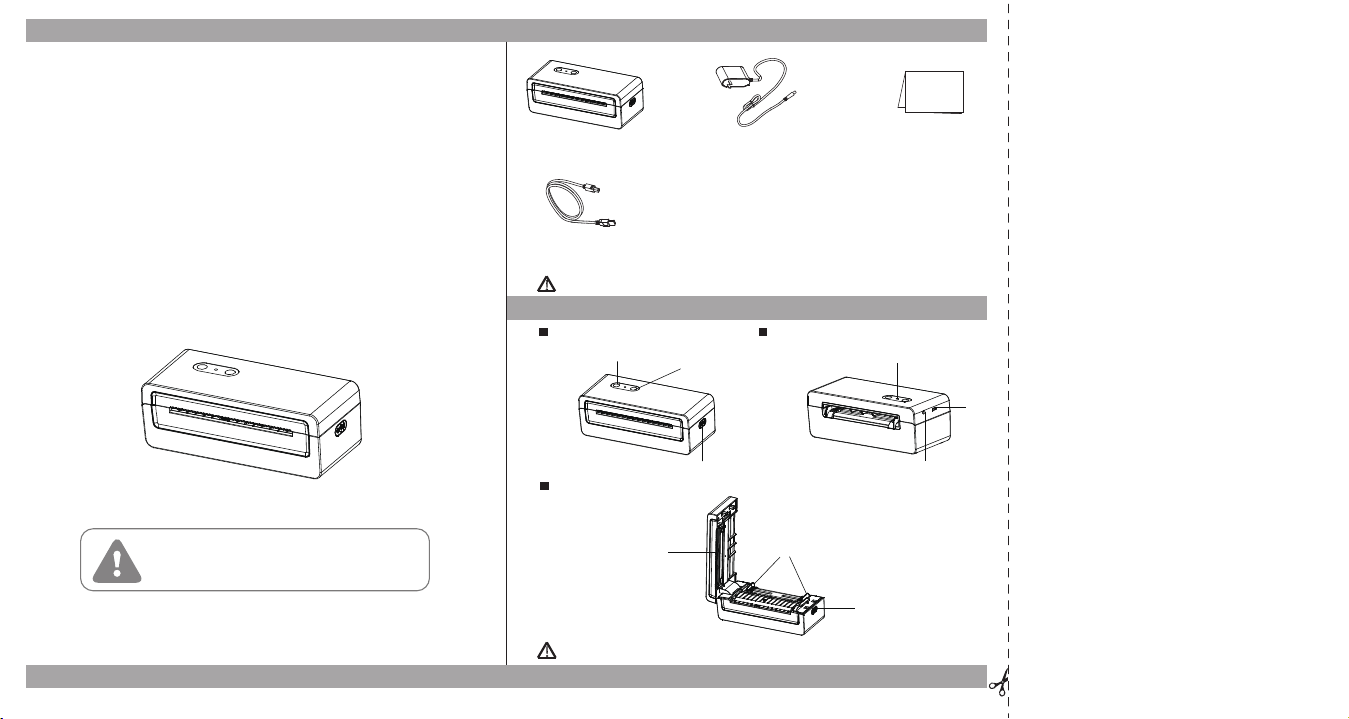
Appearance and Components
Rev:1.0
-1-
Front View
Rear View
Inside View
Parking List
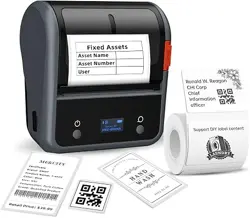
N43_N43BT
Note: the packing materials are actually based on the order.
!
Note: the views above are for your reference. Ports vary by your choice.
!
-2-
USB Cable
Printer
Quick Start GuidePower Cord
In a residential environment, running this equipment
may cause Radio jamming.
Power Button
Feed Button
Cover Open Lever
Status Indicator
USB
Port
Printing Bracket Module
Moveable Label Guides
Platen
:
FCC Warning
This device complies with Part 15 of the FCC Rules.
Operation is subject to the following two conditions:
(1) This device may not cause harmful interference,
and (2) this device must accept any interference
received, including interference that may cause
undesired operation.
Note: This equipment has been tested and found to
comply with the limits for a Class B digital device,
pursuant to part 15 of the FCC Rules. These limits
are designed to provide reasonable protection against
harmful interference in a residential installation.
This equipment generates, uses and can radiate radio
frequency energy and, if not installed and used in
accordance with the instructions, may cause harmful
interference to radio communications. However, there
is no guarantee that interference will not occur in a
particular installation. If this equipment does cause
harmful interference to radio or television reception,
which can be determined by turning the equipment off
and on, the user is encouraged to try to correct the
interference by one or more of the following measures:
—Reorient or relocate the receiving antenna.
—Increase the separation between the equipment and receiver.
—Connect the equipment into an outlet on a circuit
different from that to which the receiver is connected.
—Consult the dealer or an experienced radio/TV technician for help.
NOTE 2: Any changes or modifications to this unit
not expressly approved by the party responsible for
compliance could void the user's authority to operate
the equipment.
FCC ID: 2AUTE-4DT23SE
-3-
Rev:1.0
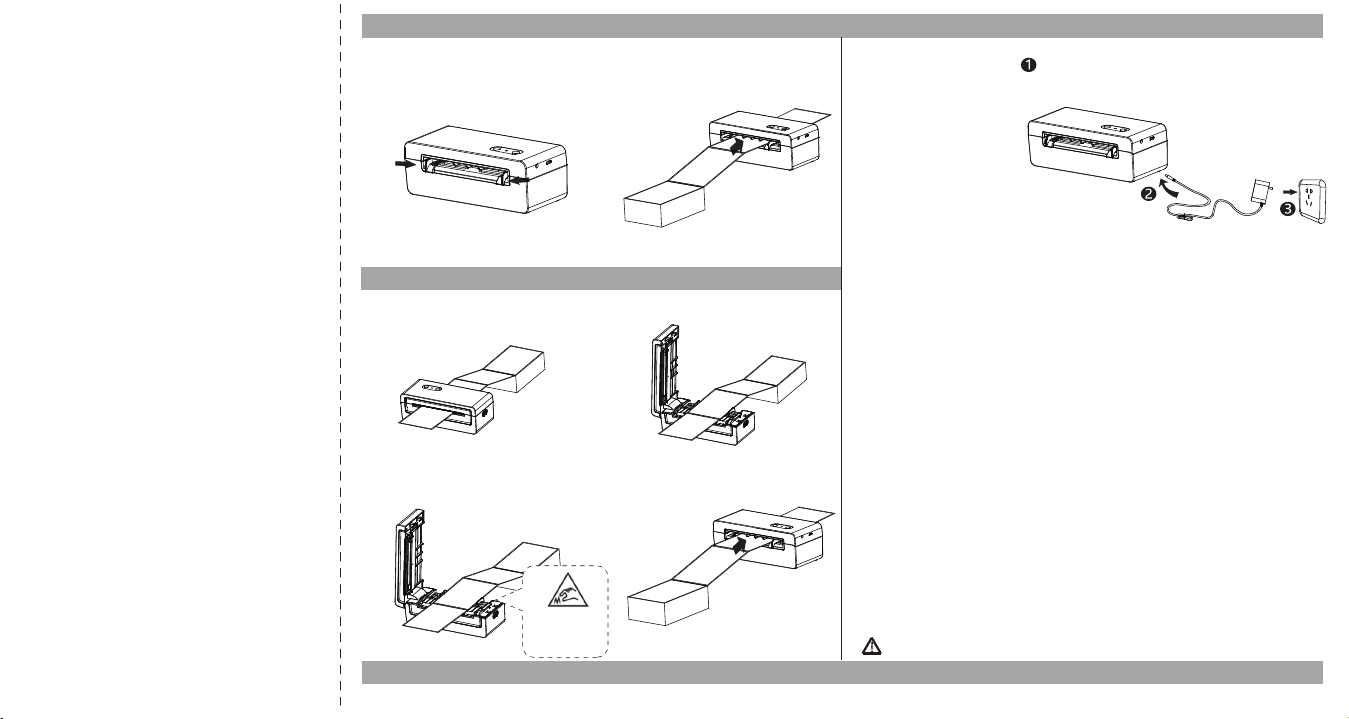
Loading the Paper
-4-
Connection
Note: Please refer to the N43BT User Manual for the u�lity and driver installa�on.
!
1.Turn the power on, adjust the paper
guides to fit the width of paper.
2. Insert the paper into the entry slot.
The paper will be inhaled into the path
automatically.
Power Connection
Bluetooth Connection(Only for N43BT)
Handling Paper Jams
1.Facing the front of the machine, use
your right hand to toggle the top cover
opening button.
2.Lift up the top cover.
3.After removing the jammed paper from
the feed channel, replace it with new
paper and discard the wrinkled paper.
4.Remove the stuck paper and proceed
with normal operating paper loading.
Note:Sharp
edge, Caution
!
BT Name: N43BT_****(The last four digits of the Mac address)
BT Password: 1234
1. Confirm that the printer power is turned off.
2. Connect the power cord to the printer.
3. Connect the other end of the power cord to a nearby socket.
4. Power on: Press and hold the "power button" for 1 second.
Power off: Long press and hold the "power button" for 3 seconds.