
08
09
20
22
23
24
25
25
26
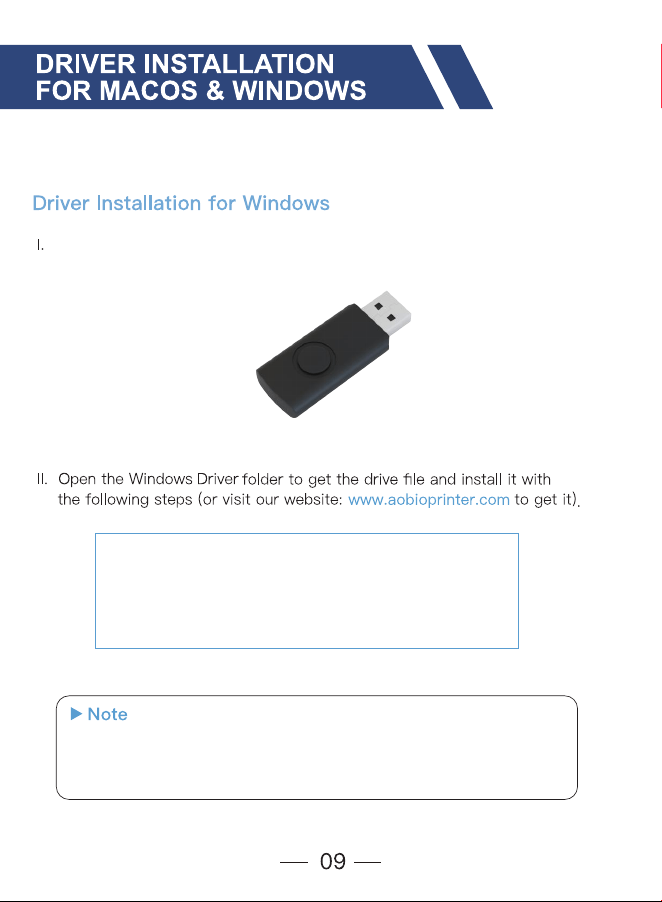
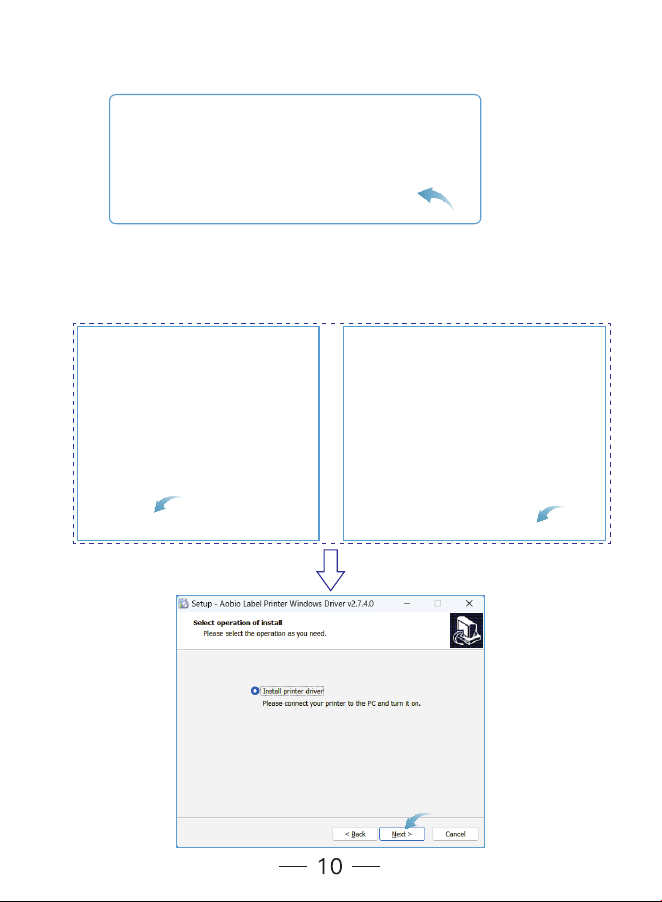
Driver Installation for Windows & MacOS
FAQ
Overview
Package Contents
Machine Components
Printer Connection
LED Light Indicator
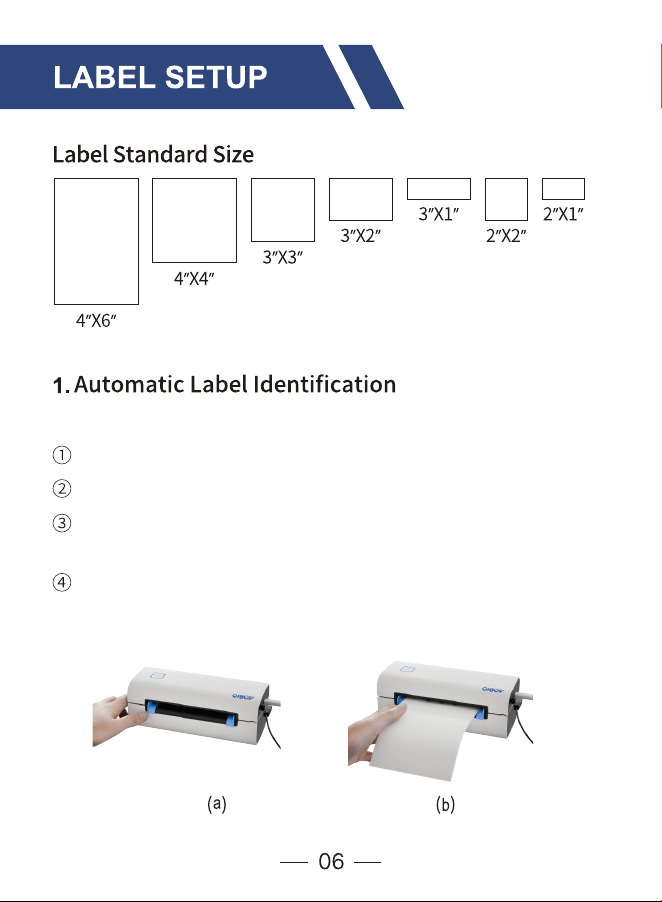
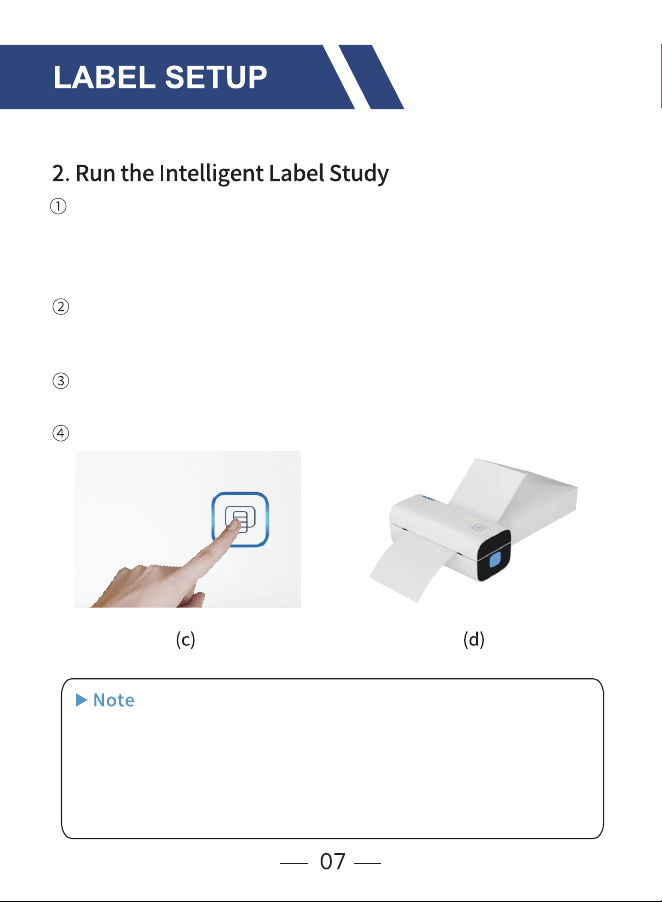
Label Setup
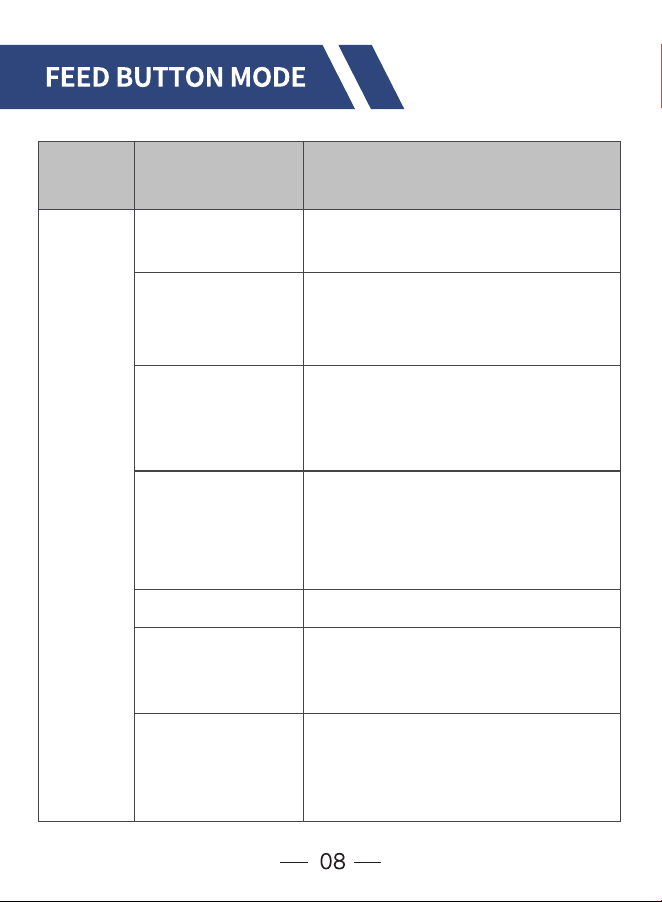
Feed Button Mode
iPhone/Android Installation
Pro Tips
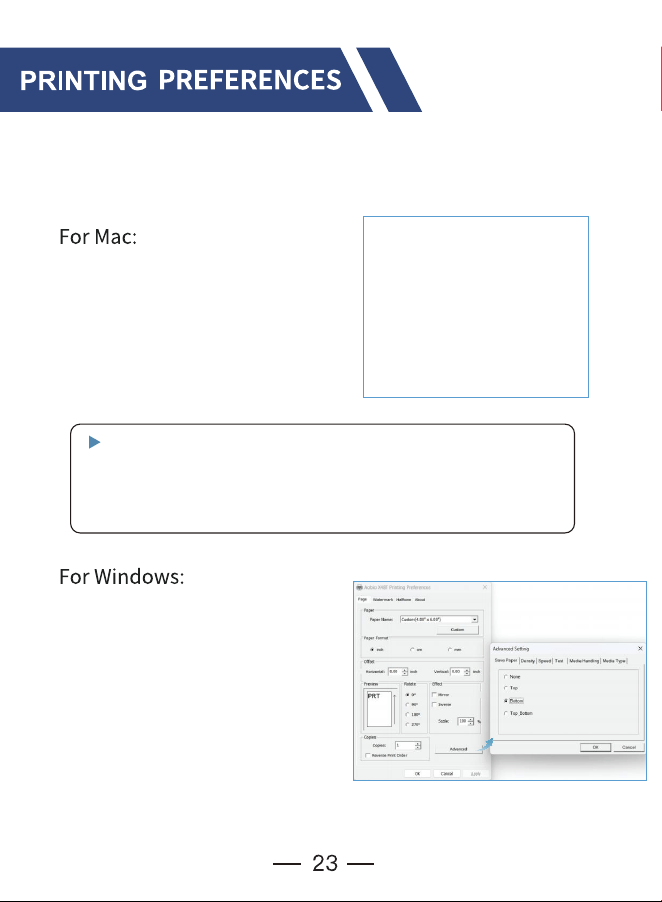
Printing Preferences
Specifications
Maintenance
Safety Notices
01
02
03
04
05
06
30
Support and Warranty
Please take a moment to follow this user guide, as incorrect
operation may result in unsatisfactory print quality, a poorer
user experience, or even damage to your printer or injury.
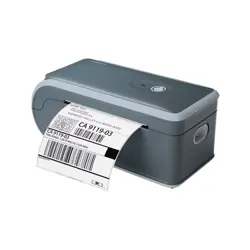
Congratulations on your purchase of Aobio Printer. Aobio is
your loyal business partner offering commercial solutions to
batch label printing.
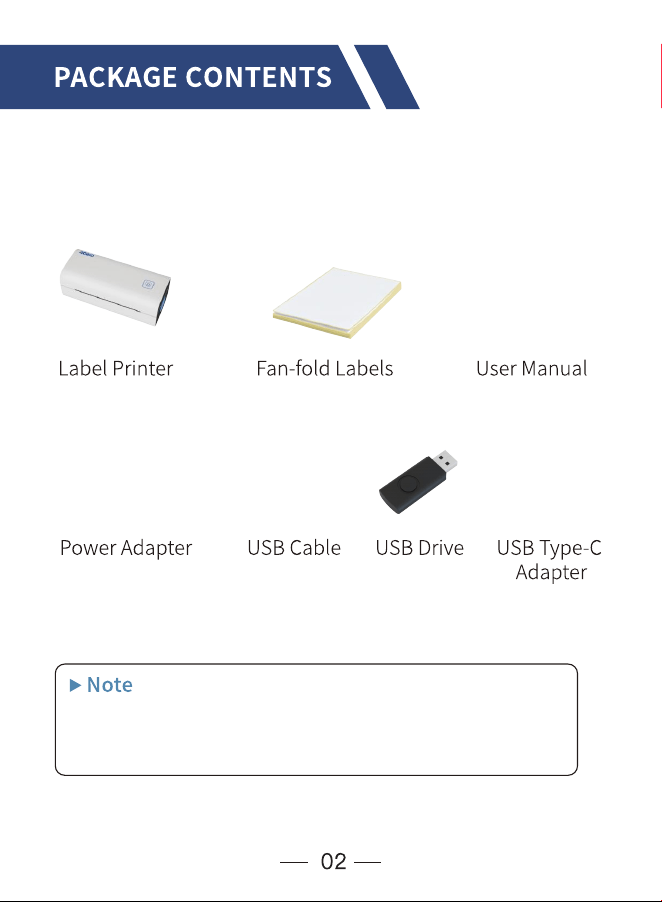
Before using the label printer, make sure to verify that all the
following items are included in the package. If any of the items
are missing or damaged, please don't hesitate to reach out and
let us know.
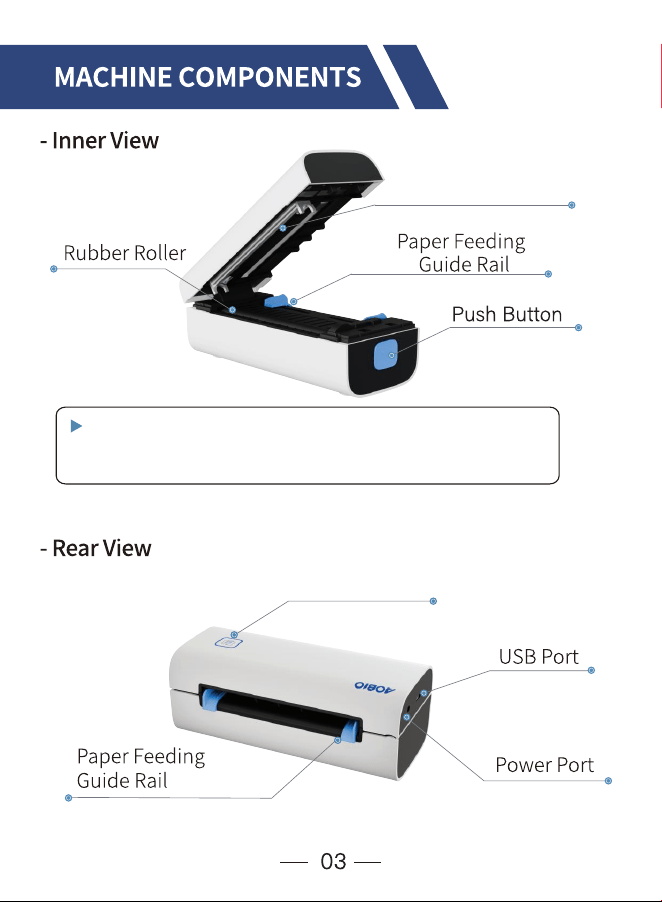
Press the Push Button on the right side to open the printer.
/
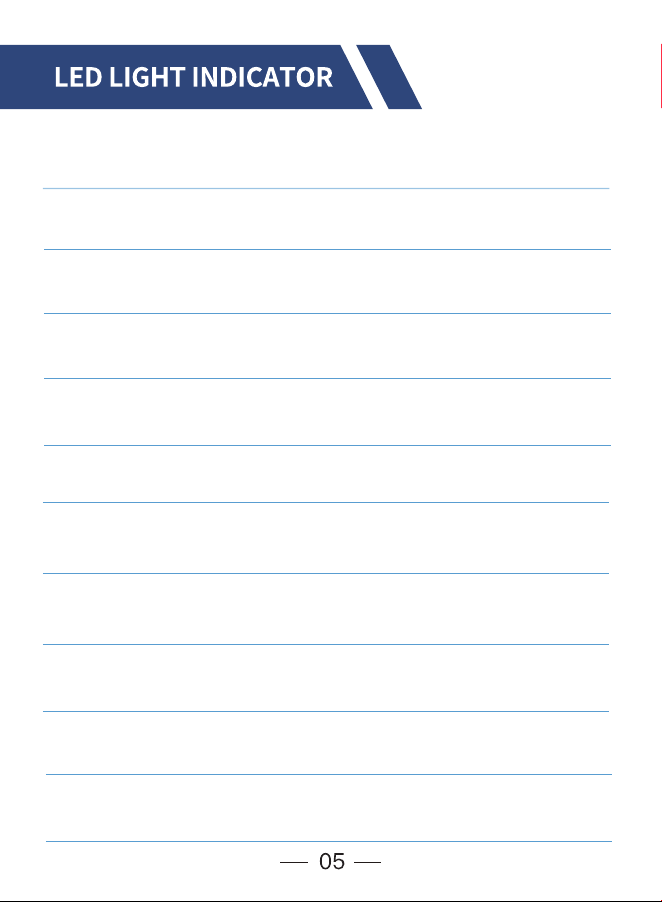
Light Description Troubleshoot
/
/
/
&
¡
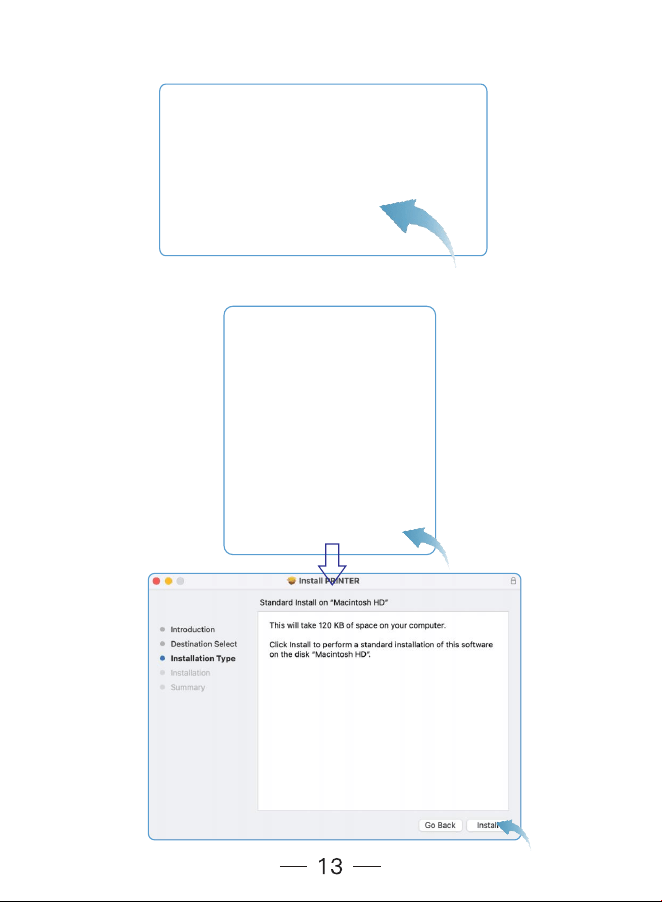
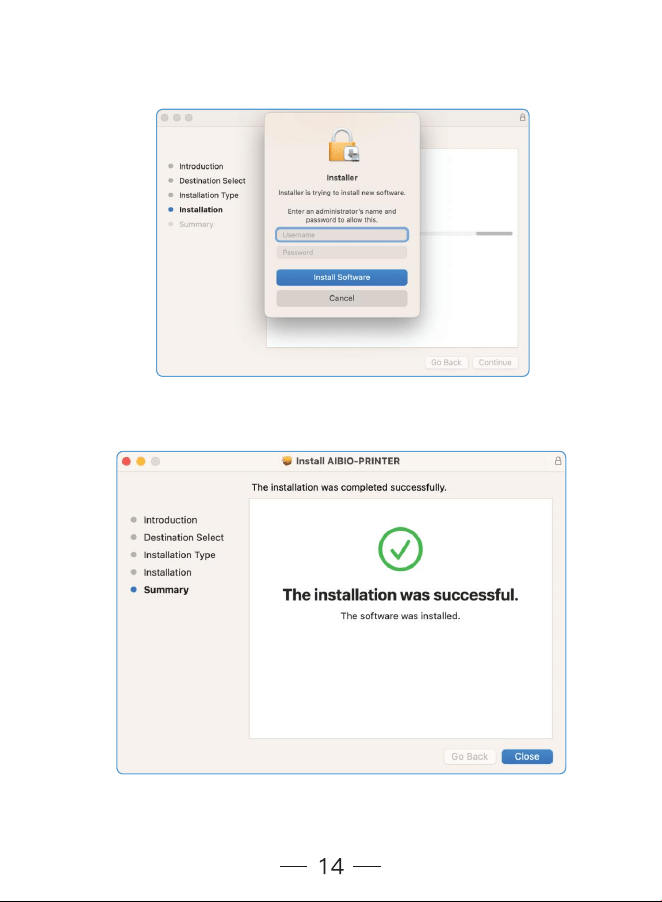
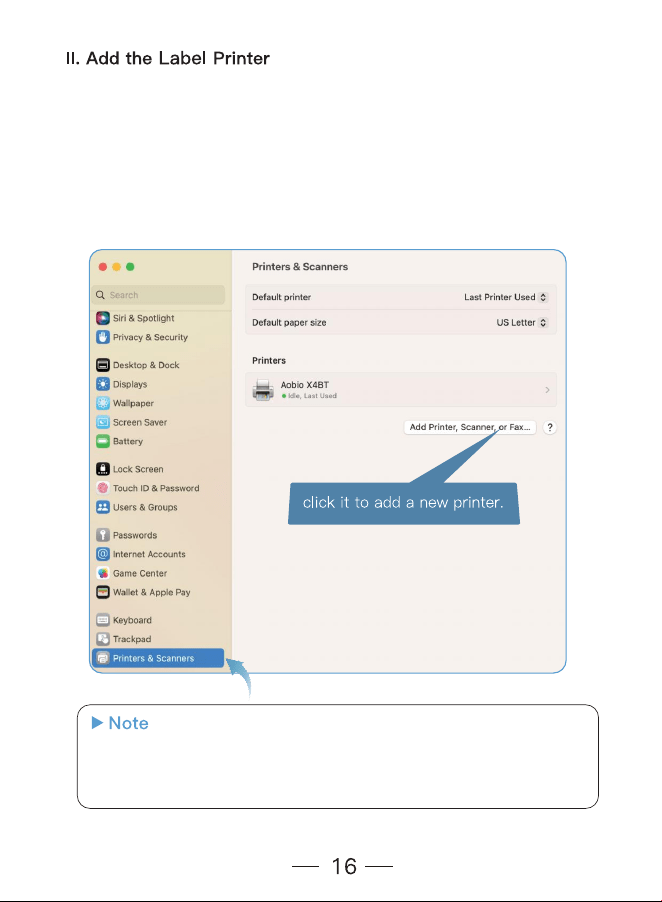
Driver Installation for Mac
¢£
¤¤
¤¤
¤¥¤
¤¤¤¤
¤¤
¤ ¤
¤¥¤¤
¤
¦¦
¦
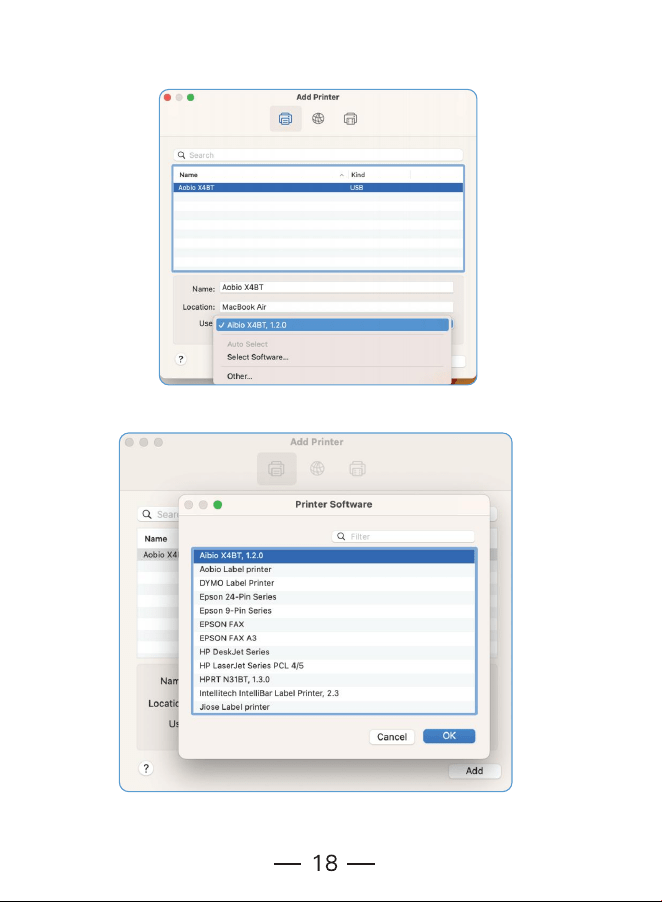
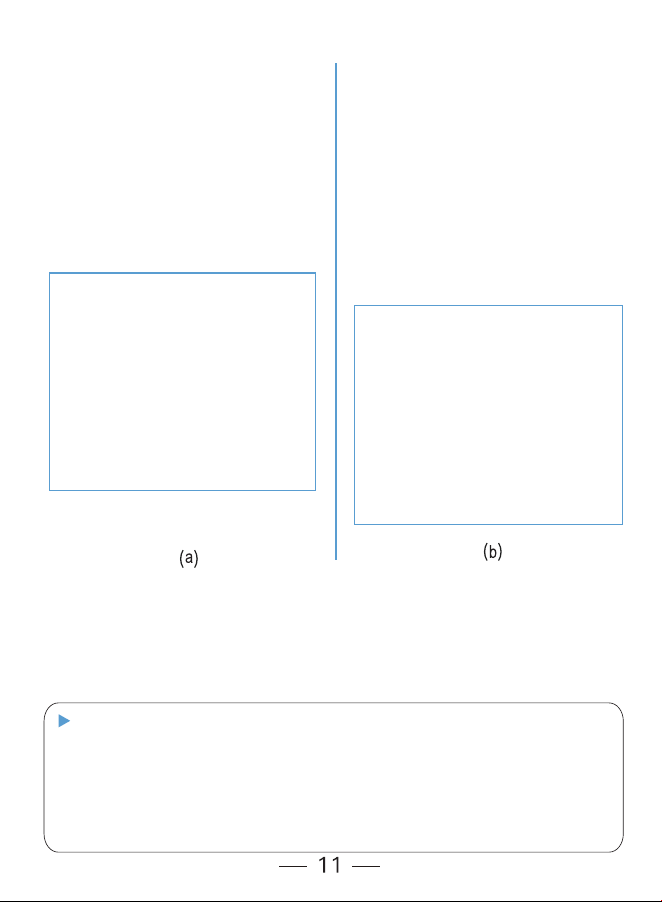
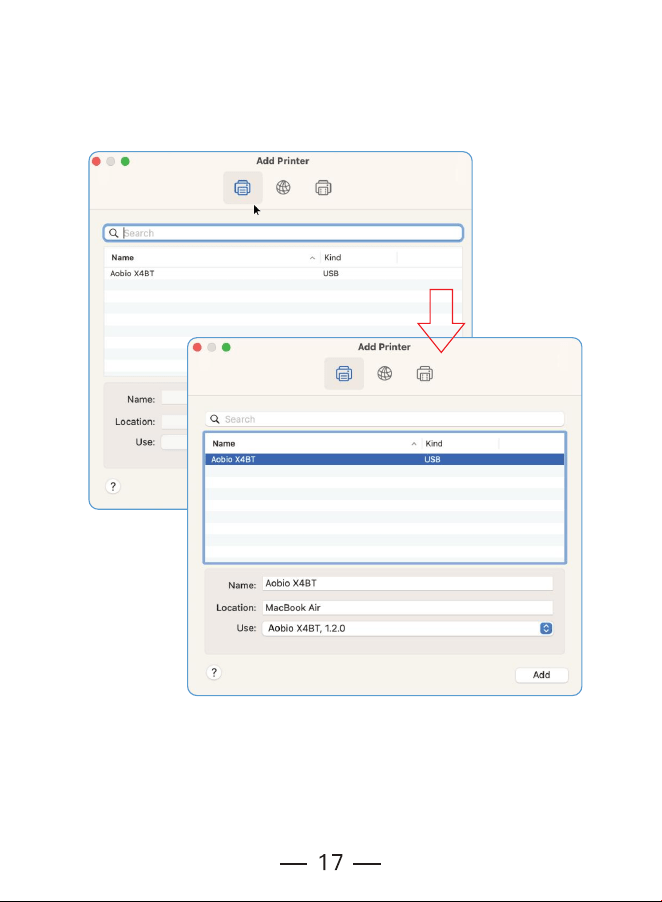
06. Select the "X4BT" and click "OK" to continue.
05. Normally, the wizard will automatically select the right driver for you. If
not, click the "Select Software" option in the "Use" drop-down box.
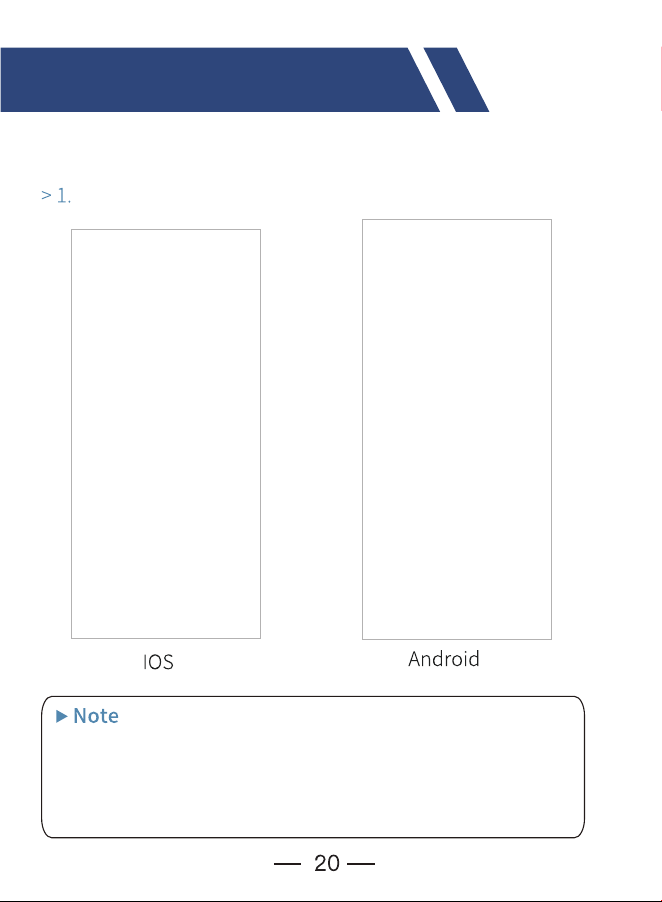
08. Ok, the printer installation has been completed. You may now close
the window and learn how to set the parameters for your most commonly
used settings or try printing a sample shipping label.
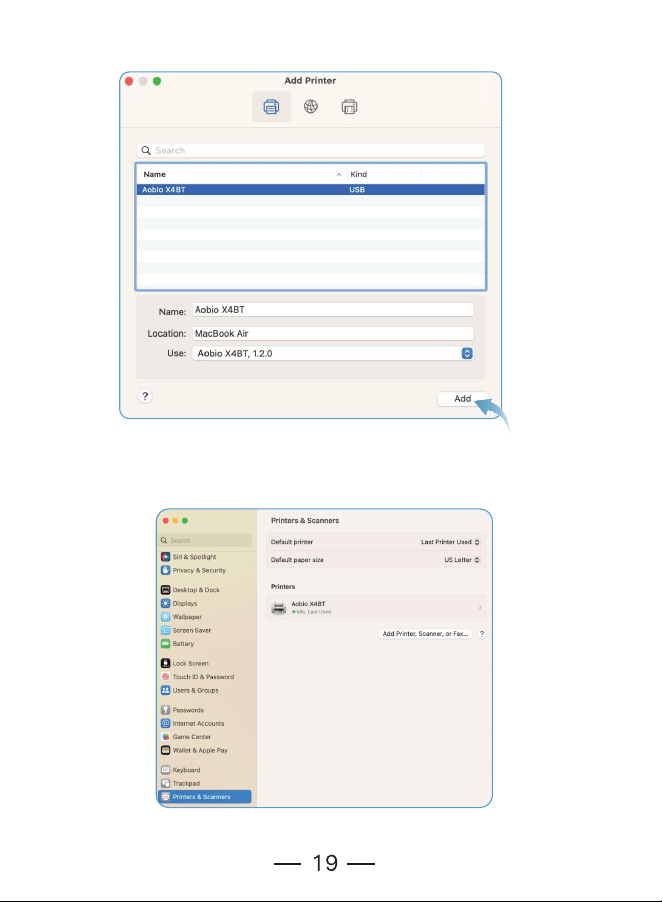
07. Click "Add" to finish setting.
¤¤
¤¤
£
¤¤
§
¨
¤¤
¤¤
©
¤¤
¤
¤,¤
¦¤
¤¤
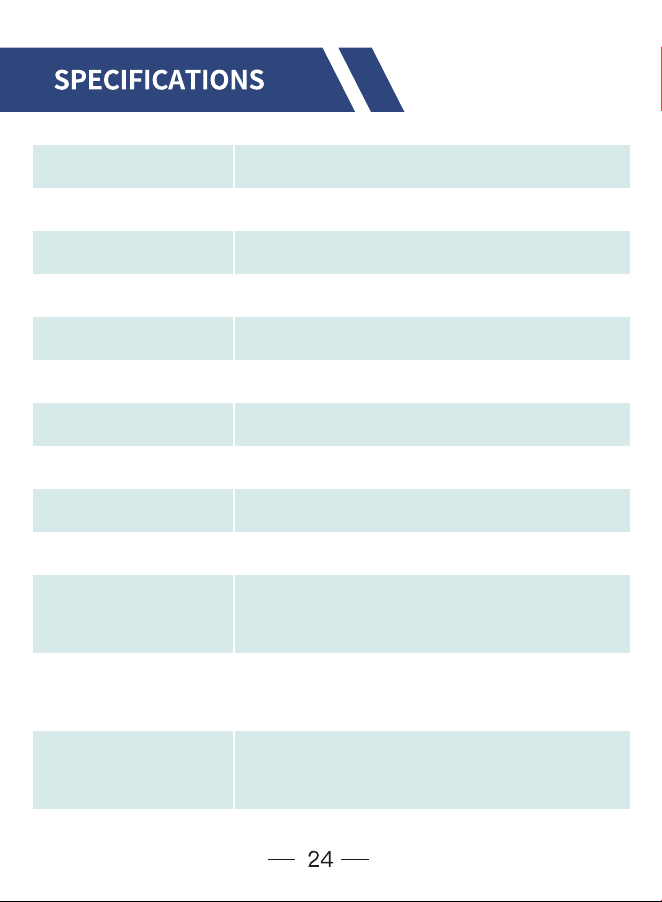
Method Direct Thermal
203 dpi, 8 dots/mm
152 mm/s (6 inch/s)
40~110 mm (1.57"~4.3")
0.06~0.254 mm
DC 24V/1.5A
TPH 100 KM
USB (Optional with Bluetooth)
1.02 lbs / 0.463 kg
180x 80x 72mm (L*W*H)
Windows/Mac OS (Print via USB cable)
iOS/Android (Print via Bluetooth)
Temperature: 0 to 45°C
Humidity: 10% ~ 80%
Temperature:-10 to 50°C
Humidity: 10% ~ 90% (Non condensing)
Resolution
Max Printing Speed
Paper Width
Paper Thickness
Power Adapter
Pinting Life
Connection
Weight
Dimensions
Supported System
Operating
Environment
Storage
Environnent
£
ª

¤¤
¨
¤¤¤¤
«¤¤

¤ ¤
¤¤¨¤¤
, ª
¤ ª¤
¤ª¤
§
«¤¤
¤ª¤
¤ª¤
«¤¤
§¤¤
¤¤
¤¤

¬
¬
¬
©
§
(AOBIO X4BT v4.03)
Aobio Email:service@aobioprinter.com
LiveChat: www.aobioprinter.com
Aobio Tel:+1 281-236-7202
Scan QR Code below to CONTACT AOBIO TECH
SUPPORT Directly or email service@aobioprinter.com
Aobioprinter
®«