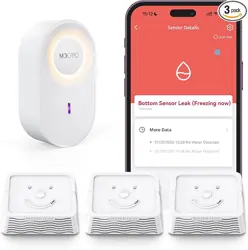
H6Pro-LW1 Water Leak Sensor Kit
User Manual
Introduction What's in the Box
1
1110 12 13 14 15 16 17 18 19
2 3 4 55 6 8 97
V1.0
H6Pro-LW1 Kit — Smart Water Leak Alert
System
Detect leaks and receive instant alerts
anywhere.
Includes:
LW1 Sensor :Detects water leaks and
freezing temperatures.
H6Pro Hub: Connects sensors to MOCREO
App; includes a soft night light.
Introduction
What's in the Box
Product Parameter
LW1
LoRa
Up to 2000 ft (Line-of-Sight)
2.9 x 2.4 x 1.0 in
2.93 oz (83 g)
2 × AAA Batteries
105 dB @ 0.3 m
32°F to 122°F (0°C to 50°C)
IP67
Specifications LW1 Sensor Indicator & Button Behavior
Model
Wireless Protocol
Communication Range
Dimensions (H × W × D)
Weight
Power Supply
Buzzer Sound Level
Operating Temperature
IP Rating
LED & Sound Response
Red LED flashes once and
one short beep.
Red LED blinks slowly while
water is present.
LED turns off.
Function
Power On /
Restart
Water Detected
Water Removed
Button
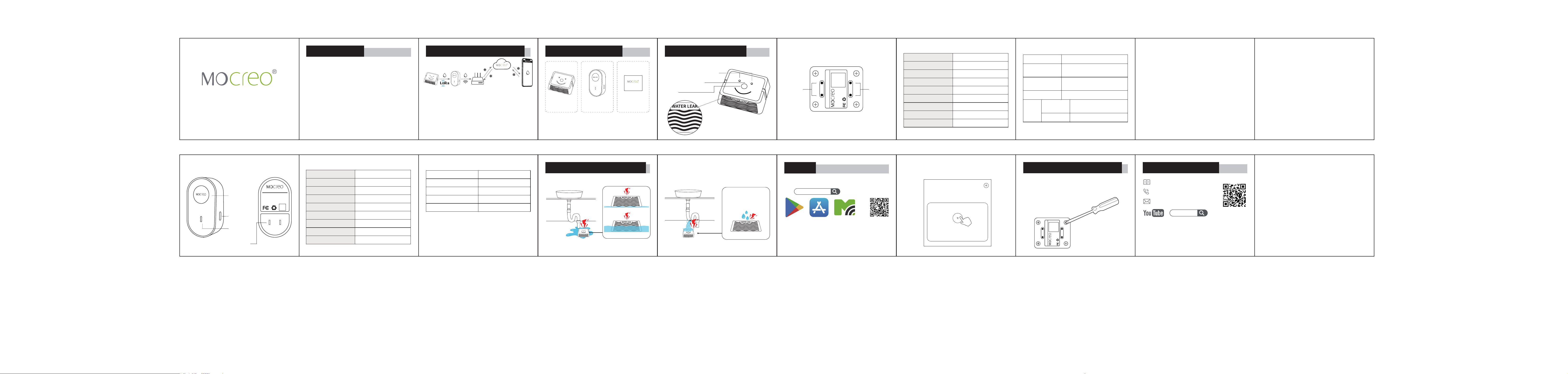
How the System Works
Sensor → Hub: Data sent via LoRa protocol
(Long range, up to 2000 ft Line-of-Sight).
Hub → Cloud: Data uploaded to MOCREO
Cloud via 2.4GHz Wi-Fi.
View real-time data anytime via the
MOCREO Smart App.
LW1 Sensor
How the System Works
Specifications
H6Pro-LW1 Water Leak Sensor Kit
User Manual
Top Leak Detection Contacts
Status Indicator Light
Button
Side Leak
Detection Contacts
LoRa Water Leak Sensor
Model:LW1
BATTERY:2 x AAA
FCC ID:2BFZL-LS1
SN:MCXXXXXXXXXXXX
Bottom
Leak
Detection
Contacts
Bottom
Leak
Detection
Contacts
H6Pro Hub
Single Press:
Function: Communication test with Hub.
normal:
• LED flash + beep → Communication with hub is OK.
abnormal:
• LED flash, no beep → Communication failure with
hub.
• No LED, no beep → Power failure (check batteries).
Note: Before setup, LED only (no beep) is normal.
Add the sensor in the app.
Double Click:
Function: Volume level switch.
Cycles buzzer volume: High ↔ Low ↔ High ...
Button Actions and Expected Behavior
Night Light
Status Light
Plug
Setup Button
LoRa Hub
Model:H6Pro
FCCID:2BFZL-H5LT
SN:MCXXXXXXXXXXXX
Power:110-240V50/60Hz
H6Pro Hub × 1
User Manual
LW1 Sensor × 1
LoRa Water Leak Sensor
Model:LW1
BATTERY:2 x AAA
FCC ID:2BFZL-LS1
SN:MCXXXXXXXXXXXX
Battery Replacement
Use a screwdriver to remove the four screws
on the bottom cover of the sensor, and
replace the two AAA batteries currently
used in the LW1 Sensor.
Single Press
Double Click
• LED: Red LED flashes once
• BEEP: One short beep
• BEEP: Two quick beeps
Water Leak Detection Stages
Bottom & Side Leak Detection Contacts
Top Leak Detection Contacts
FCC ID (LW1 Sensor): 2BFZL-LS1
(Shared certification)
FCC ID (H6Pro Hub): 2BFZL-H5LT
(Shared certification)
SetupSetup
Setup
❶Download MOCREO Smart App
Setup
❸Open the app to add the H6Pro Hub
first, then add the LW1 Sensor
❷Power up your H6Pro Hub
Plug in your H6Pro Hub. The light turns on.
Scan and
Download
Google Play App Store
MOCREO
Smart App
MOCREO Smart
or
Welcome to MOCREO smart
My Home >
All
H6Pro
Wi-Fi 2.4GHz, LoRa, BLE
3.5 × 2.0 × 1.8 in
2.47 oz (70 g)
Max 1W
110V - 240V AC
32°F to 104°F (0°C to 40°C)
1
90dB@1ft (0.3m)
Model
Wireless Protocols
Dimensions
Weight
Night Light
Operating Voltage
Operating Temperature
Physical Button
Buzzer
LED Behavior
Breathing Purple
Breathing Red
Breathing Blue
Off
Status
Normal Operation
Hub Offline
Wi-Fi Setup Mode
No Power / Power Issue
H6Pro Hub LED Status Indicator
Customer Service
Search [ MOCREO ] on YouTube to watch the
setup video tutorials.
User Guide Manual
+1 (530) 988-8608
https://doc.mocreo.com/
MOCREO