Introduction Hardware OverviewWhat’s in the Box
•
•
•
•
Test the Effective Distance
4.9ft Probe Cable × n
NS1 Wi-Fi Thermometer ×n
Power Cable × n
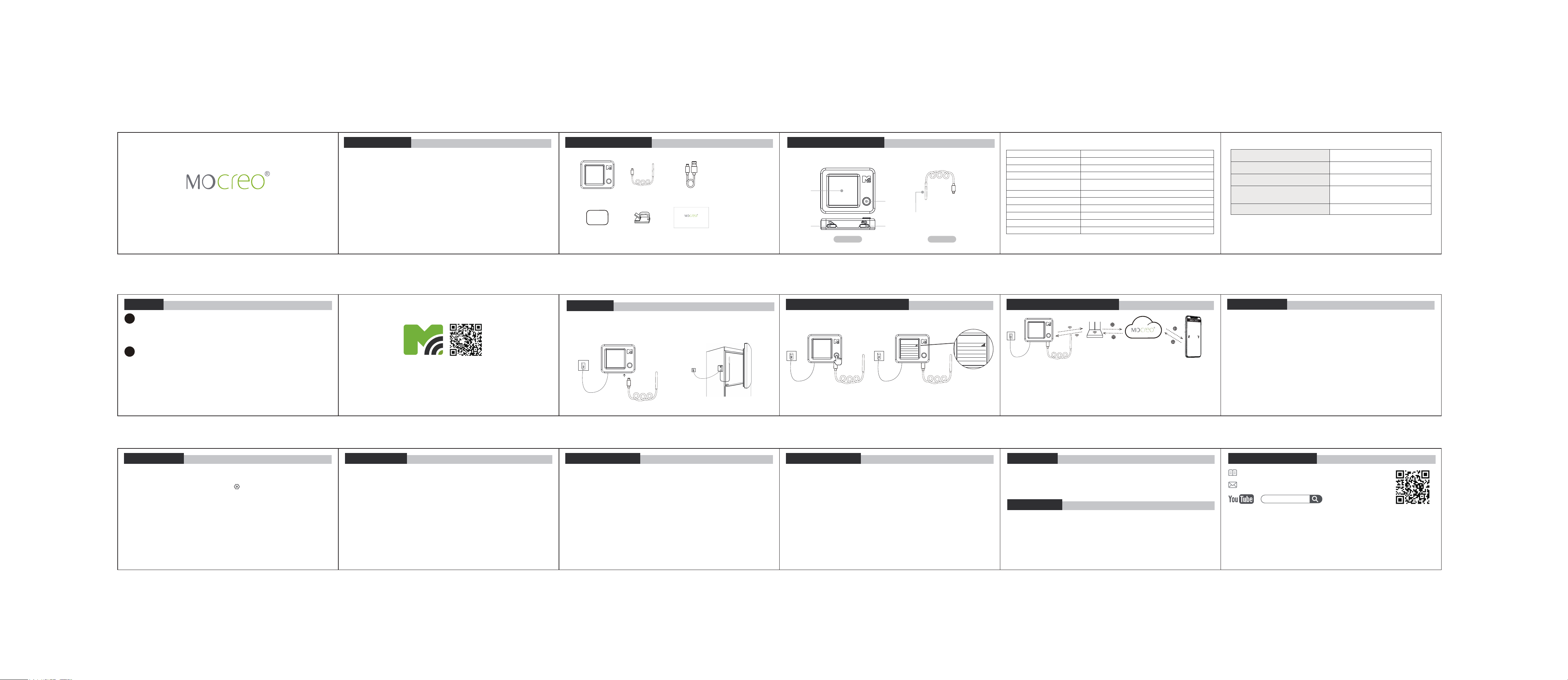
(1) NS1 Wi-Fi Thermometer
Device Body
Sensor Probe
Inductive Probe
1.54 Inch
LCD Display
Button
USB-C Power
Input 5V/1A
Sensor Port
Parameter
Specification
Button
1 physical button
Display Resolution
240 × 240 pixels (non-touch)
Display
1.54-inch IPS LCD
Wi-Fi Connectivity
2.4 GHz band (802.11 b/g/n)
5 GHz not supported
Bluetooth
Bluetooth Low Energy (BLE) 5.0
Dimensions (L × W × H)
2.07 × 1.72 × 0.46 inches
Weight (with probe)
3.6 oz (103 g)
Probe Temperature Range
-40°F to 221°F (-40°C to 105°C)
Temperature Accuracy
±0.9°F (±0.5°C) within 14°F to 185°F (-10°C to 85°C)
Power Requirements
5V/1A USB power adapter (not included)
Specifications
Wi-Fi Thermometer User Manual
Model: NS1
Magic Sticker ×n Probe/Cable Clip ×2n User Manual ×1
Wi-Fi Thermometer User Manual
Model: NS1
How the System Works
Customer ServicePrecautions
To ensure the normal use of the product, please pay attention to the
following situations:
• lt is recommended to install the NS1 in a high place.
• Do not expose the device to high temperatures, humidity, or dusty
environments.
• Do not place the device near flammable materials.
• Do not put heavy objects on the device or use it as a support.
• Children should not use the device without adult supervision.
50.8
Search [ MOCREO ] on YouTube to watch the
setup video tutorials.
User Guide Manual
https://doc.mocreo.com/
MOCREO
Installation
(2)NS1 Button Instructions
50.8°F
Button Action
Short Press
Press & Hold for 5 seconds
Press & Hold for 5 seconds
(while in Setup Mode)
Press & Hold for 15+ seconds
Result
Cycle to next display page
Exit Setup Mode
Enter Setup Mode
Restore Factory Default Settings
The NS1 operates as a standalone Wi-Fi sensor (2.4GHz) that connects
directly to your router. Its signal strength varies with environmental
obstacles and distance, while cloud-enabled connectivity allows global data
access via the MOCREO Smart App after initial setup.
Position the NS1 in close proximity to your Wi-Fi router and at an elevated
location within the same space, avoiding major physical barriers and
electronic interference sources for optimal performance.
Calibration
Calibration
-
Factory Calibration
The NS1 undergoes precision instrument calibration during manufacturing,
ensuring measurement accuracy within certified tolerances (±0.9°F).
Recalibration is typically unnecessary throughout the product lifecycle.
Thermal Stabilization
When transitioning between environments with >18°F (10°C) temperature
differentials (e.g., freezer to room):
•Allow 15-20 minutes for thermal equilibrium
•Displayed readings will gradually converge to ambient temperature
•This hysteresis is inherent to all thermal sensors
79.0°F
Press
Twice
XXX XXXXXXXXX
WiFi Signal
XXX XXXXXXXXX
XXX XXXXXXXXX
XXX XXXXXXXXX
XXX XXXXXXXXX
XXX XXXXXXXXX
System Info
Manual Adjustment
To compensate for installation-specific variations:
1.Navigate: App > Sensor List > NS1 > Settings > Calibration
2.Apply offset values (±9°F max adjustment)
3.Changes take effect in real-time
Best Practice: Verify calibration against NIST-traceable thermometer in
stable environments.
Note: MOCREO does not issue temperature calibration certificates at purchase.
XXX XXXXXXXXX
WiFi Signal
XXX XXXXXXXXX
XXX XXXXXXXXX
XXX XXXXXXXXX
XXX XXXXXXXXX
XXX XXXXXXXXX
System Info
• Connect the NS1 to a 5V/1A (or higher) USB power adapter.
Note: The power adapter is not included.
Setup
1
Power On Your Device
3
Use Without Network (Offline Mode)
• If you prefer not to connect to the internet, simply press and hold the
device button for 5 seconds to enter or exit Setup Mode as needed.
Note: The NS1 Sensor cannot be monitored remotely or use online alert
features when operating in offline mode.
2
Choose Your Usage Mode
Use With Network (Recommended)
• Download the MOCREO Smart app via Google Play, Apple App Store, or
by scanning the QR code below.
• Open the app and register an account if you haven’t already. Registra-
tion is required to access all features.
• Follow the in-app instructions to add your NS1 device and complete the
setup.
(v2.0)
1 2 3
10
16
4
11
12 13
6
7 8 9
5
Warranty
Disclaimer
15
FCC Statement FCC Statement
14
FCC ID : 2BFZL-NS1
This device complies with part 15 of the FCC rules.Operation is subject to
the following two conditions:
• This device may not cause harmful interference
• This device must accept any interference received, including interference
that may cause undesired operation.
Warning: Changes or modifications not expressly approved by the party
responsible for compliance could void the user's authority to operate the
equipment.
Note:This equipment has been tested and found to comply with the limits
for a Class B digital device, according to part 15 of the FCC Rules.
These limits are designed to provide reasonable protection against harmful
interference in a residential installation. This equipment generates uses
MOCREO products enjoy a 12-month limited warranty (starting from the
date when the customer receives the product), which applies only to
hardware components of the device that are not subject to accident,
misuse, neglect, fire, or other external causes, alterations, or repair.
The contents about how to use the product and the App guidance are only
for reference, please refer to the actual situation for specific applications. lf
there is something different from the instructions during using the product,
please contact MOCREO Support for updates. This product is for detecting
and monitoring only, MOCREO is not responsible for any property damage
or other consequences of the use of this product.
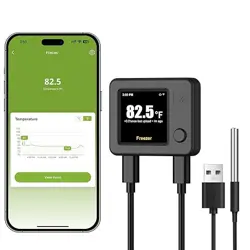
Clear Color Display: The NS1 Wi-Fi Thermometer features a color IPS LCD for
instant, at-a-glance temperature readings. Use the device button to easily
toggle through historical data and device information.
Dual Alert Notifications: Receive immediate alerts via App push notifications
and/or email whenever environmental conditions change, keeping you
informed anytime, anywhere.
Wide Temperature Range: Accurately detects temperatures from -40°F to
221°F (-40°C to 105°C).
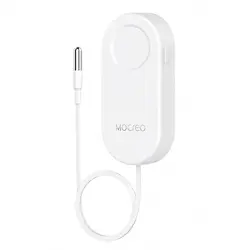
Versatile Waterproof Probe: Equipped with a 4.9-foot (1.5-meter), ultra-thin
waterproof external probe. Ideal for monitoring conditions in refrigerators,
freezers, bathtubs, fish tanks, and various other environments.
Note:
For 1 Sensor Kit: n=1
For 2 Sensor Kits: n=2
For 3 Sensor Kits: n=3
and can radiate radio frequency energy and, if not installed and used in
accordance with the instructions, may cause harmful interference to radio
communications.
However, there is no guarantee that interference will not occur in a
particular installation. lf this equipment does cause harmful interference to
radio or television reception, which can be determined by turning the
equipment off and on, the user is encouraged to try to correct the
interference by one or more of the following measures:
• Increase the separation between the equipment and the receiver.
• Consult the dealer or an experienced radio/TV technician for help.
• Connect the equipment to an outlet on a circuit different from that to
which the receiver is connected.