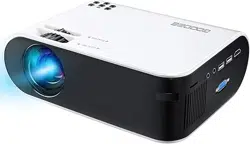
W18 Projector how to use the wifi display function
when you want to connect to your iPhone and use the wifi internet.
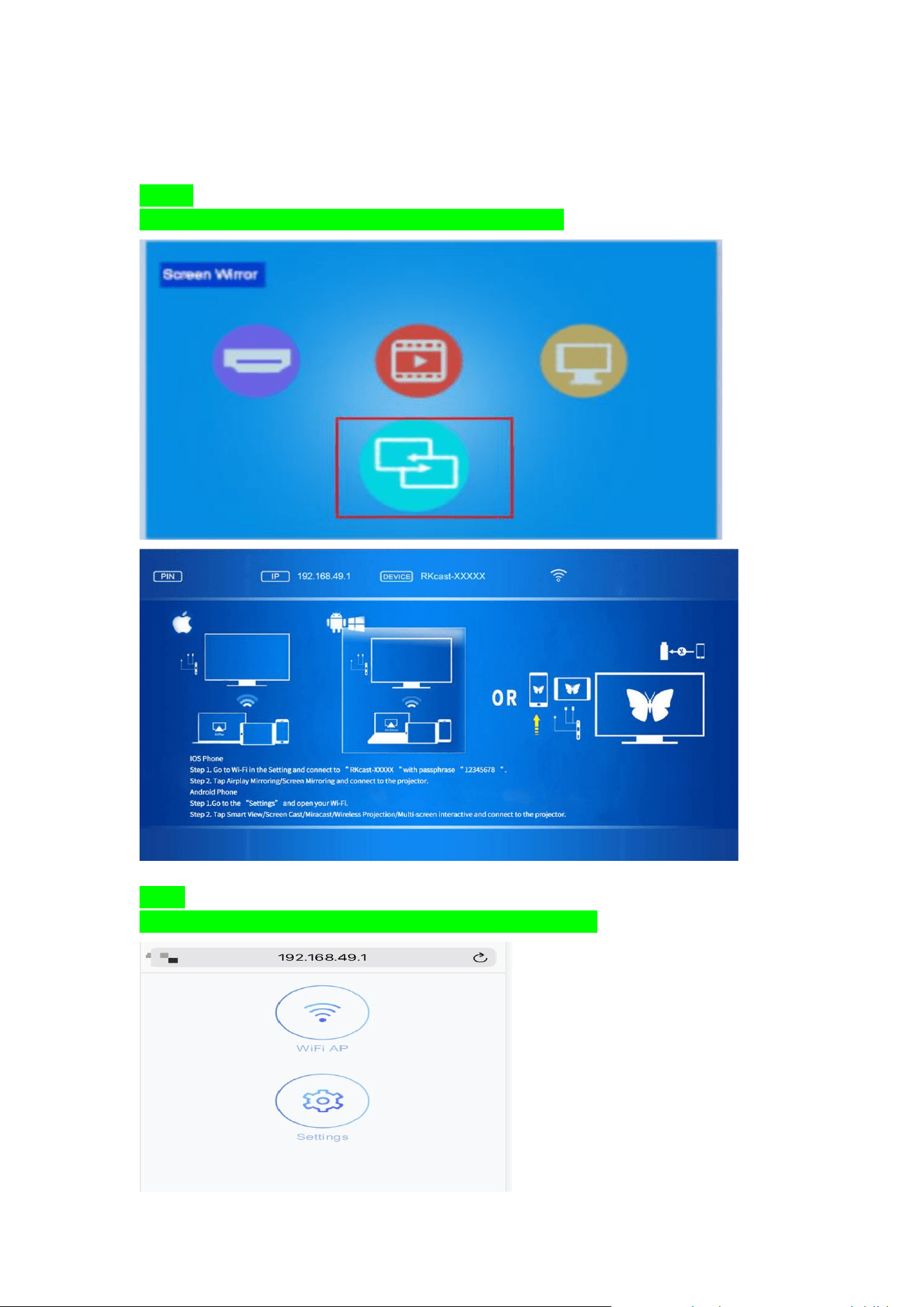
Step 1.
Open the projector and choose the “Mirror Screen” input signal.
Step 2.
Open your iphone’s Safari, and search the
website IP: 192.168.49.1
Step 3
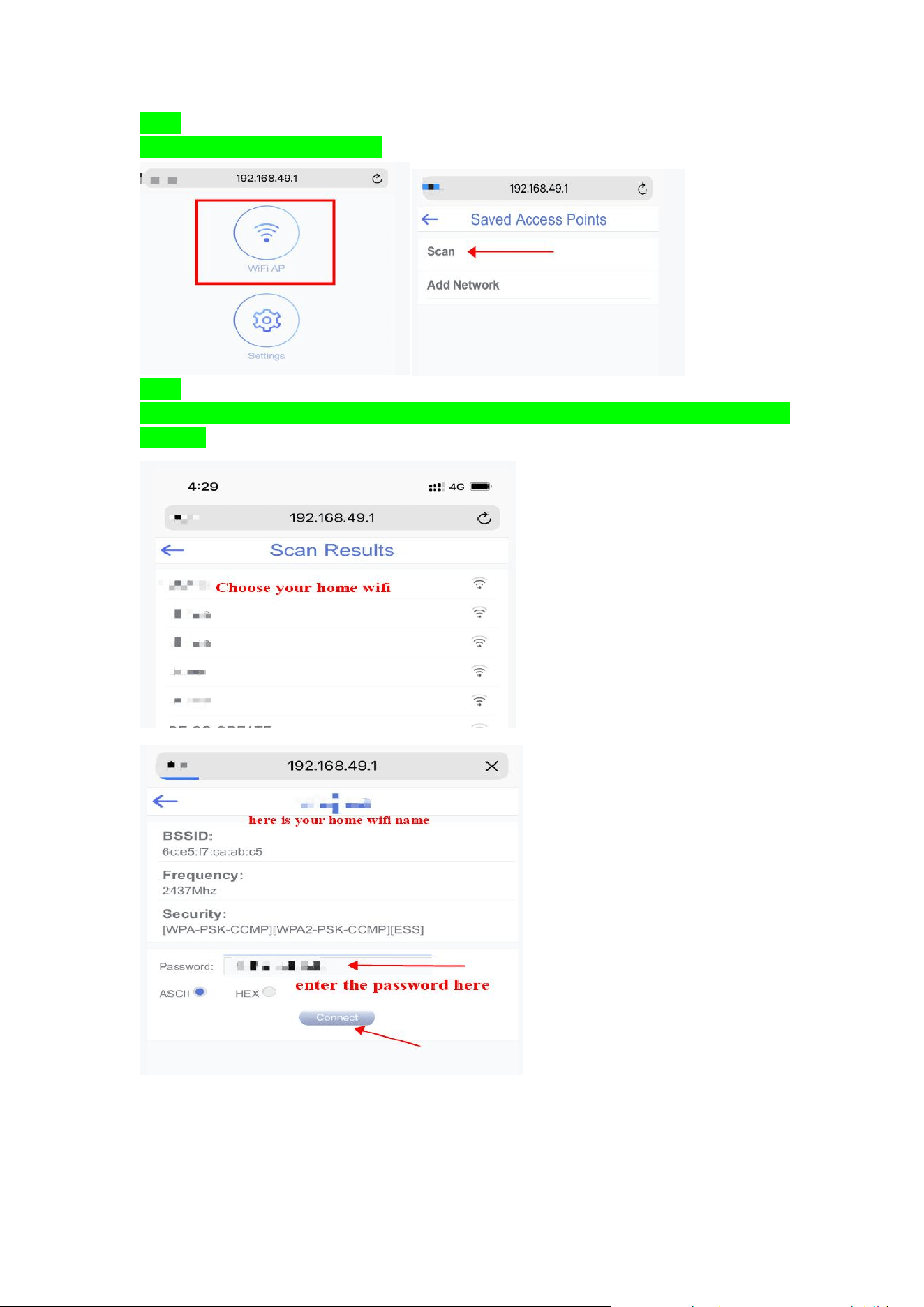
Click the “WIFI AP” and click “Scan”
Step 4
Click the “Scan ” and then choose your home wifi, enter your home wifi’s password,click the
“connect”
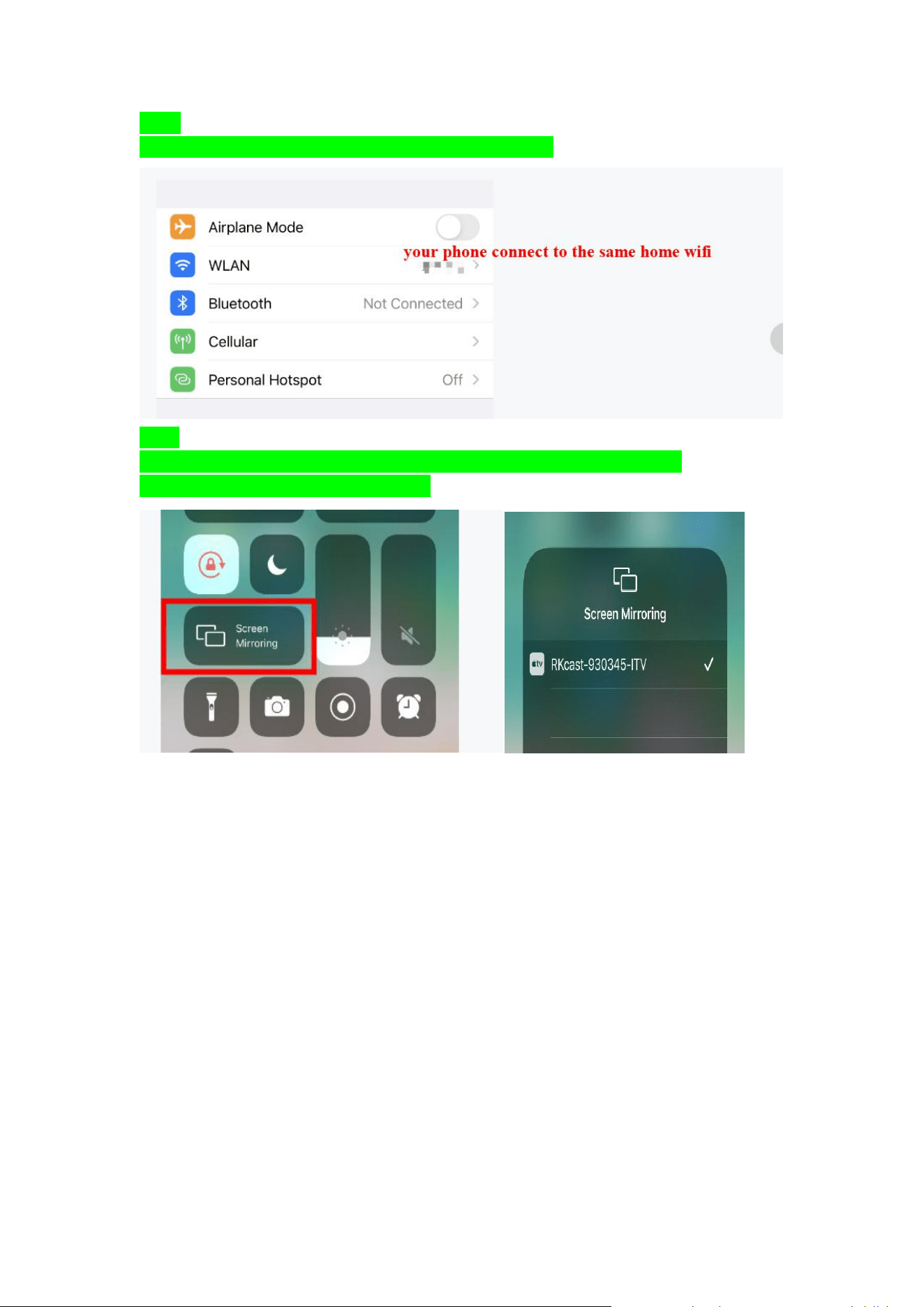
Step 5
Go to your iphone setting and connect to the same home wifi
step 6
Open your iphone’s “Screen Mirroring” function, and choose the “RKcast-XXXXXX”
And your iphone will be display successfully.
