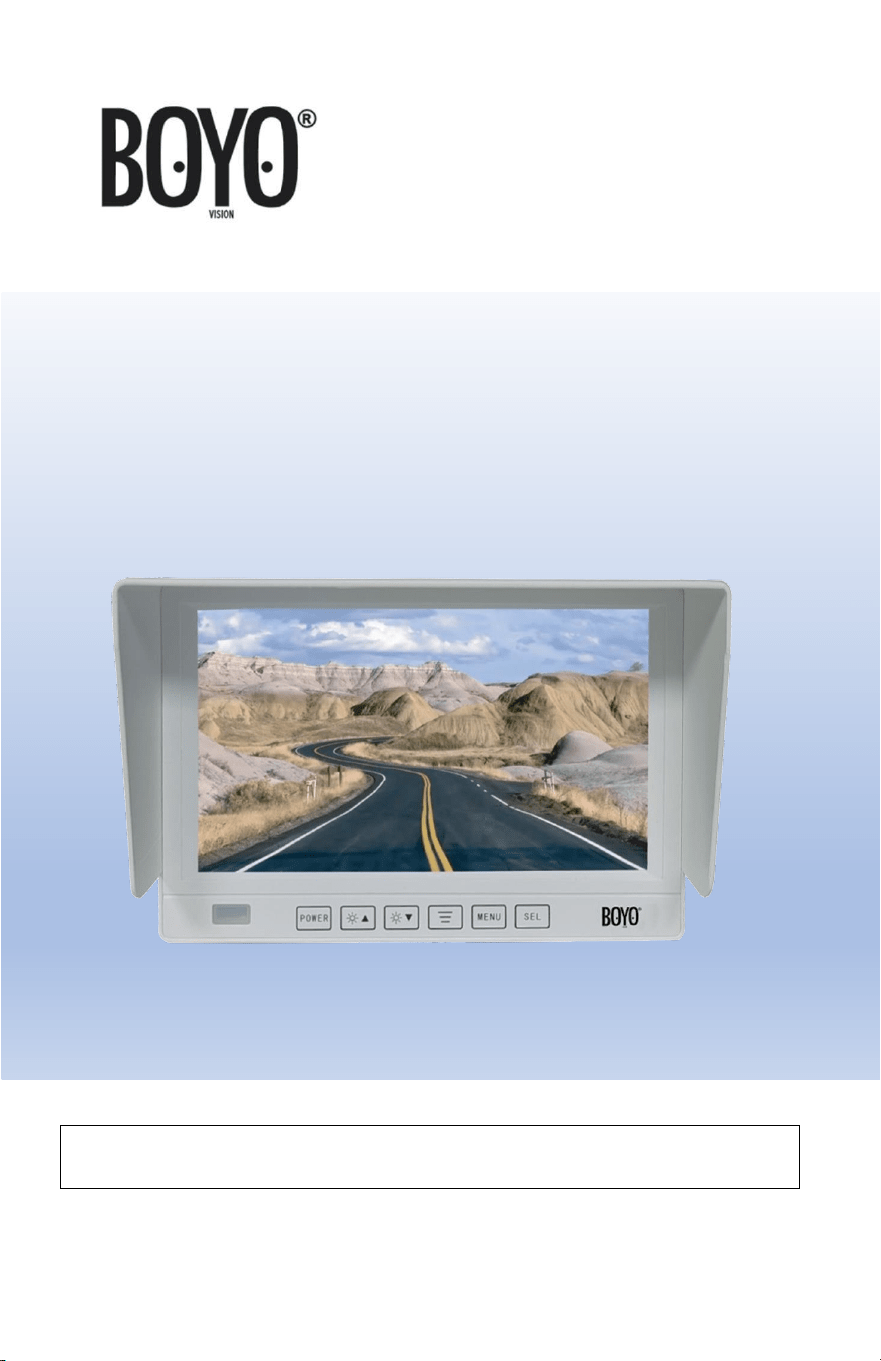
VTM7000MAHD
7” AHD & CVBS Waterproof Monitor
USER MANUAL
Please read the instructional complete before use and keep it for
future reference.
2
Product Features
• IP69 Waterproof Monitor- Suitable for Marine Application
• AHD & CVBS Compatible
• 7” TFT LCD Panel
• Built-in Speaker
• Button Lock Function
• Easy Installation and Operation
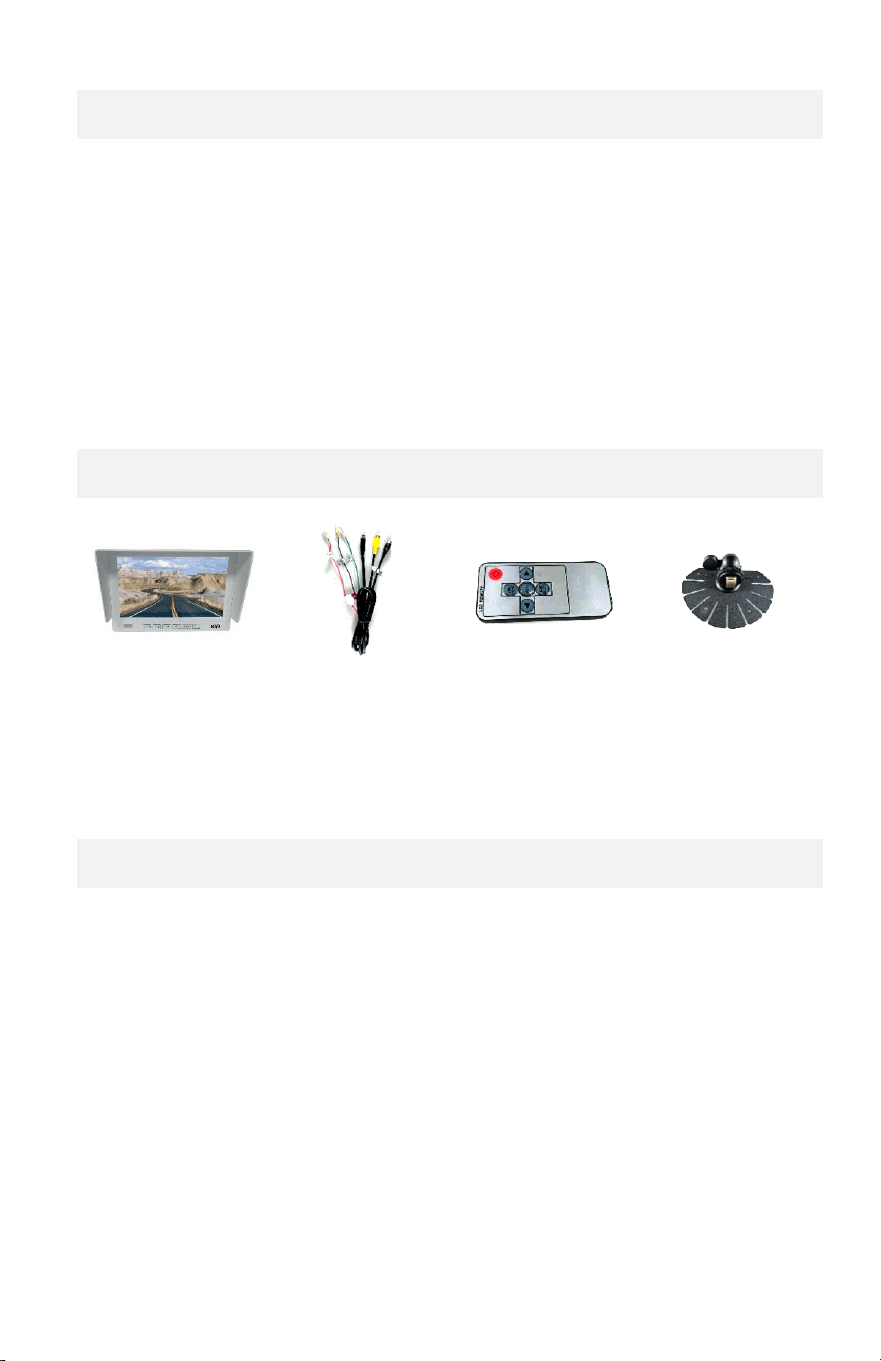
Contents
Monitor Set
(1x)
Power Harness
(1x)
Remote Control
(1x)
Mount Bracket
(1x)
Before Installation
• Please check contents.
• Perform bench test. Ensure the product is working before
installation by connecting the cameras and power (12VDC to
24VDC) to the monitor.
• Perform pre-install test (monitor viewing position), before
mounting the monitor.
3
Installation
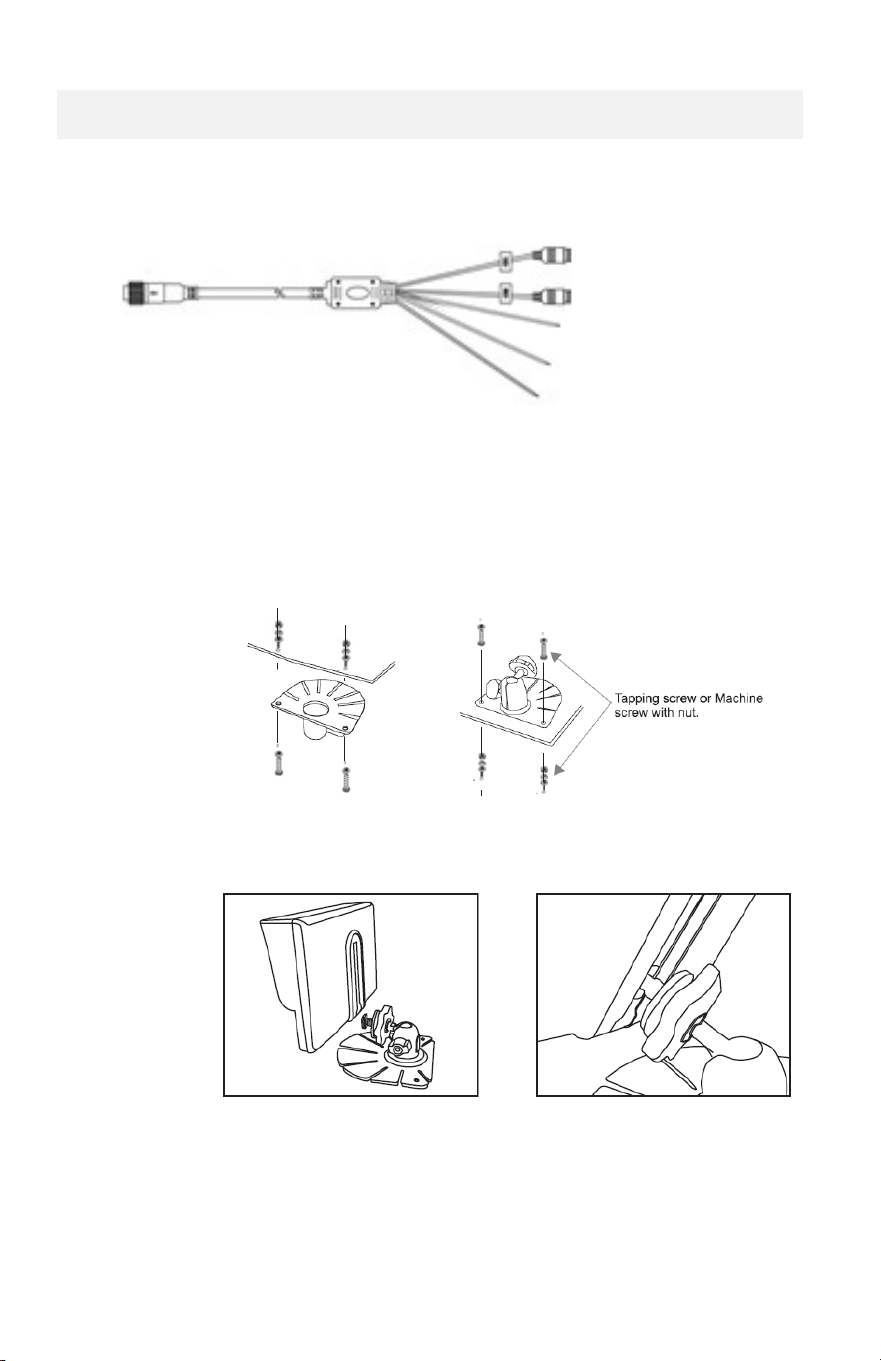
1. Wiring / Connections
BLACK: AHD/CVBS AV1
YELLOW: AHD/CVBS AV2
GREEN: AV2 Trigger
BLACK: Ground (-)
RED: DC12~32V (+)
2. Monitor Installation Steps
a. Perform pre-install test to determine the right monitor
position placement and mark the hole positions.
b. Affix the bracket with the screws
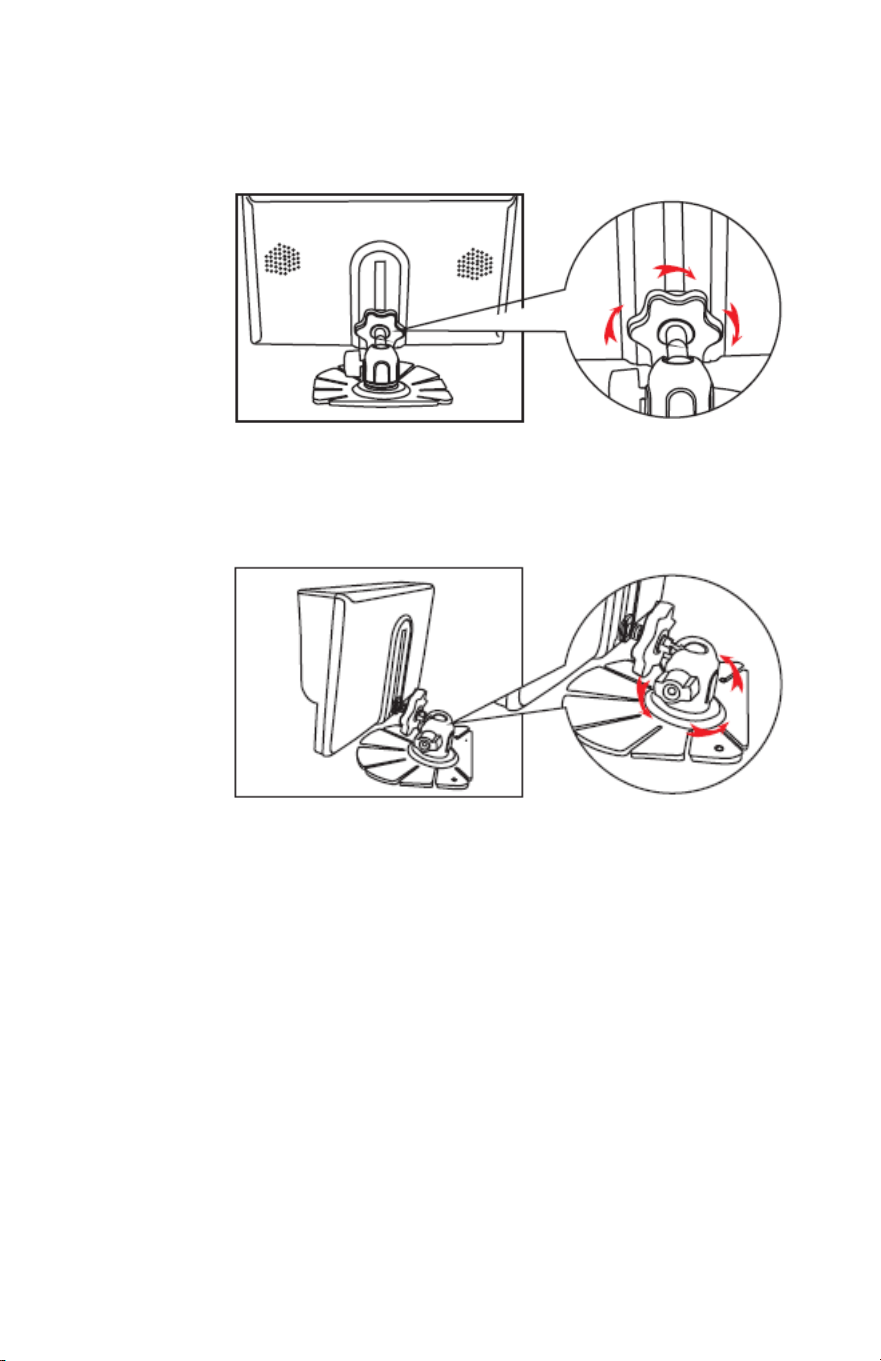
c. Inert the bracket “catch” into the guide at the back of the
monitor.
4
d. Determine the monitor height position and lock into
position.
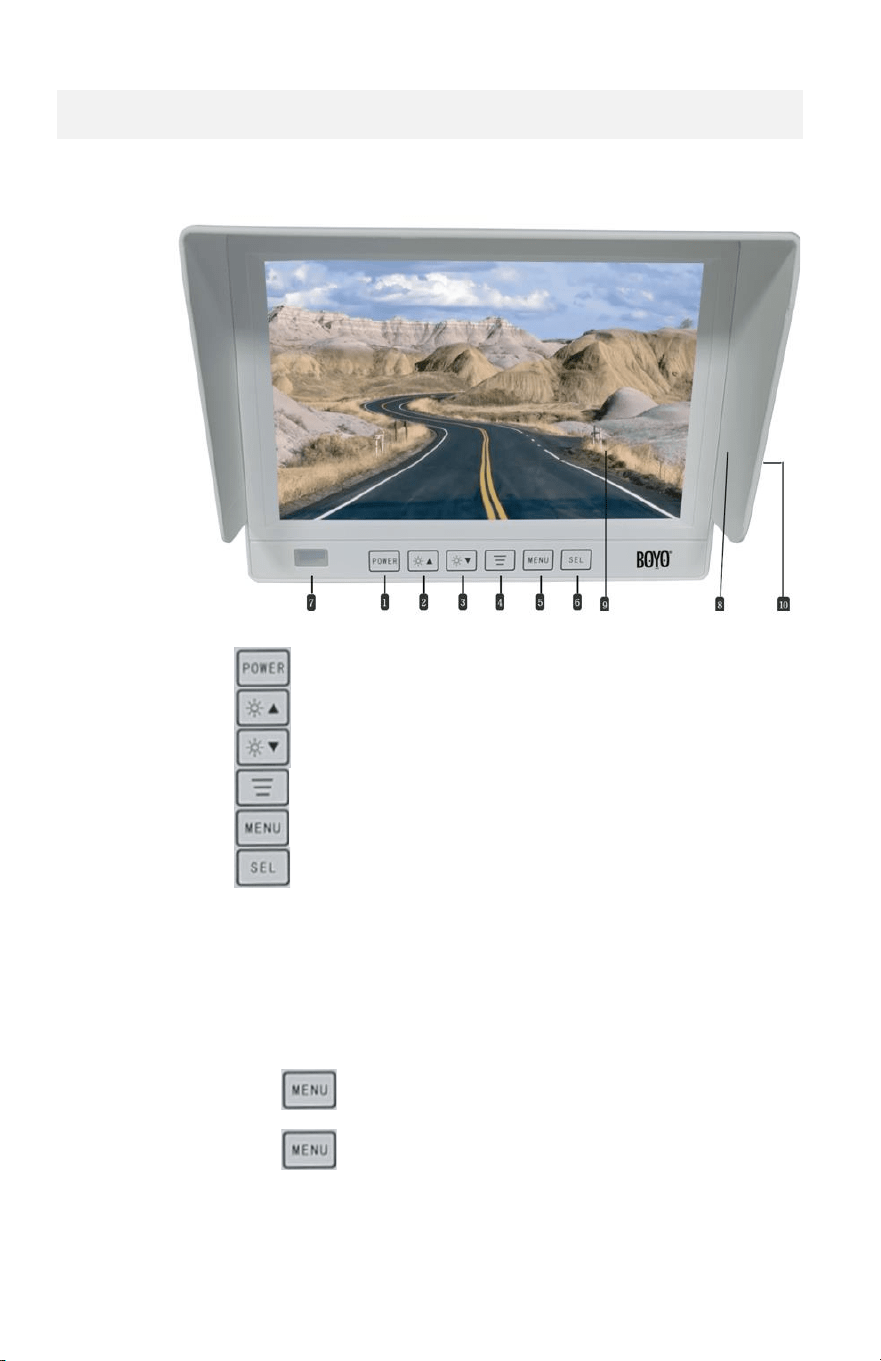
e. Loosen the bottom screw and adjust the tilt and pan
position to face the monitor to the driver.
5
Monitor Operation
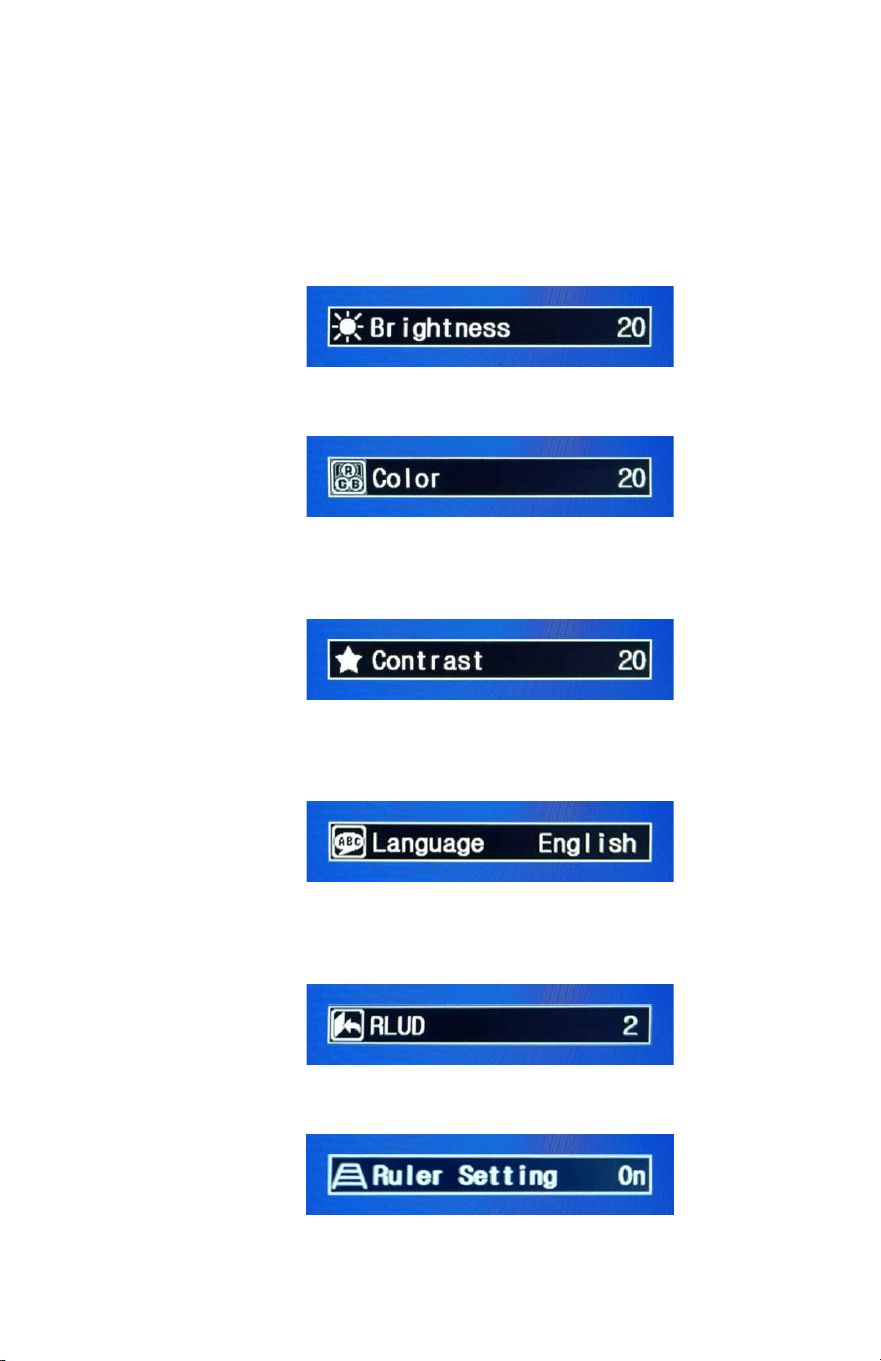
Touch Buttons:
1.
Power on/off
7.
IR Remote receiver
2.
Brightness Up
8.
Sun Shield
3.
Brightness Down
9.
TFT LCD
4.
Mode
10.
Audio speaker
(rear side)
5.
Menu
6.
Switch Video
Button Lock:
The monitor can be locked. When locked, the touch buttons will
become non-functional (disabled).
To lock:
Press the menu button for 5 seconds. And
“LOCK” will appear on the top right.
To unlock:
Press the menu button for 5 seconds.
6
Menu
Pressing the menu button will enter the monitor setting options.
Repeated pressing will scroll through the following selection. Once
selected
1. Brightness: Display brightness adjustment
Press ▲ or ▼button to increase/decrease the brightness
2. Color: Change color intensity
Press ▲ or ▼ button to increase /decrease the color intensity
3. Contrast: Change display color contrast
Press ▲or ▼ button to increase /decrease the color contrast
4. Language: Select user interface language
Press ▲or ▼ button to change the language
5. RLUD: Flip display horizontally (L-R) and vertically (U-D)
Press ▲or ▼ button to flip display
6. Ruler Setting: Turn on or off the guidelines
Press ▲or ▼ button to turn on or off guidelines

7
7. Default Setting: Reset the settings to the factory defaults.
Press ▲or ▼ button to reset
Specifications
Monitor Specification
7 Inch AHD/CVBS LCD Monitor
Waterproof: Suitable for Marine Application
Resolution: 1024*600
Water Proof Rating: IP69
AHD/CVBS Auto Switching
Touch Button
Built-in Speaker
2 Video Inputs/ 1 Backup Camera Trigger Input
Reverse/ Non-Reverse Switchable
NTSC/PAL Auto Detect
Aspect Ratio: 16:9
Working Voltage: 9-36V DC
Working Temperature: -4F-158F
Sunshade and U-Shape Dash Mount Bracket Included
Trouble Shooting
1. The buttons do not function. Please check if the buttons are locked. To unlock, press
the menu button for 5 seconds.
2. No picture. Three possibilities. The monitor has a problem. The camera cable has
problem. Or the camera is not working. To troubleshoot, try the following steps.
a. Check the video connection to the camera and check if the camera is receiving
power. If picture is displayed, the problem solved.
b. There are two video inputs to monitor, switch the video inputs. If picture is
shown, camera video input port is defective.
c. Connect camera to another monitor. If camera shows, the monitor is defective.
If picture does not show, then camera is defective.
3. Picture color is not good. Please adjust the display brightness, color, and contrast.
Also check the camera video out with another monitor to verify camera video quality.
4. Image is flipped horizontally and/or vertically. Go to menu and change “RLUD”
settings.

8
WARRANTY INFORMATION
This limited warranty is given to the end-user or the retail purchaser (referred to this
warranty as “Original Purchaser”) that it will be free from defects in material and
workmanship for a period of one year from the date of the purchase of the new product
(excluding cameras).
This limited warranty does not cover any physical damage to, or misuse of, this product,
damage caused by improper installation; improper use; misuse; neglect; repair of cracked,
scratched, broken or modified cosmetics; or parts that have been altered or removed;
damages done by another device used with this product resulting from use of non BOYO®-
brand parts. This warranty is VOID if you purchased this product as used, floor model
sample, or refurbished; if the product has been altered or modified in any way (including
but not limited to attempted repair without authorization from BOYO®- Vision Tech
America, Inc. and/or alteration/removal of the serial number).
For warranty information, visit: https://www.visiontechamerica.com/get-warranty
For technical support: Call: (888) 941-3060
Email: info@visiontechamerica.com
Visit: www.VisionTechAmerica.com
