General
PIN :1234
1
4
7
Rearview mirror
15:2 7
2
5
8
0
Pai r
3
6
9
X
You need to wait for more 2 minutes after the flash of the Bluetooth
device completely disappear, and then connect your mobile phone or
other device to rearview mirror.
Connecting to new phone
4
Short press
Please ensure your mobile phone supports voice dialing function.
When the rearview mirror is in the standby state, to short press the
button is to activate voice control function. In 3 seconds, you can hear
a beep sound. Please speak out the phone number you want to call or
other commands, and then the phone will deal with it.
Voice dialing
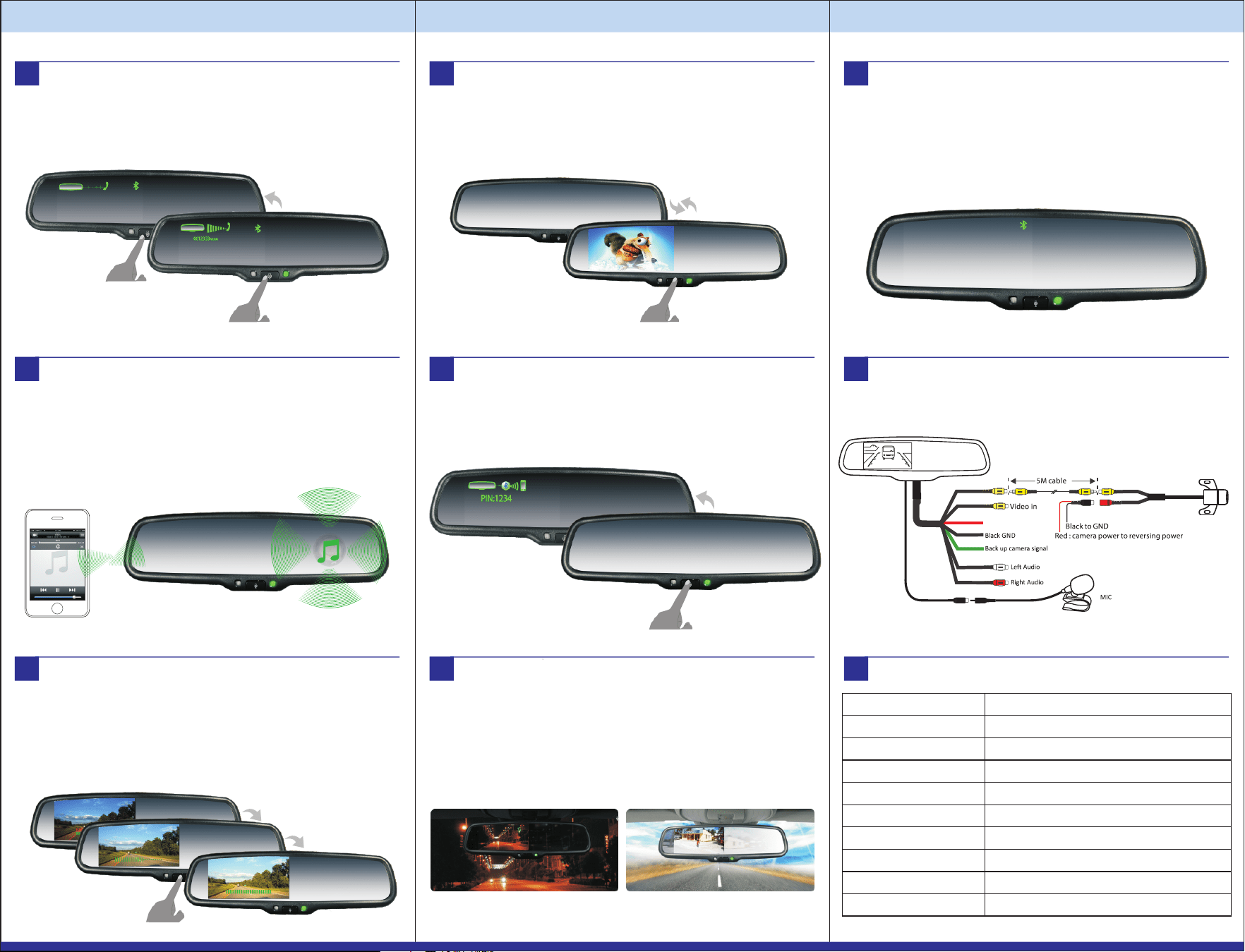
Successfully connected
After the password has been set, a bluetooth icon will appear on the
monitor. It means the connection is successful. 5 seconds later, the
monitor will automatically shut off and then becomes completely
invisible. The Bluetooth system enters standby state.
Making a call
Using the phone's keypad
Dial number on the keypad or select the contact name from the contact
list of your mobile phone.
Press phone's “send/call” key.
15:2 7
1 2 3
4 5
6
7
*
8
0
9
#
+
+
49154 0
5
6
7
◆
OE-STYLED BLUETOOTH REAR VIEW MIRROR
VTB46M
Starting up
The first time you use the rearview mirror, it will automatically start up
when the car is started. You need to wait for 1 minute to connect your
phone with the mirror. Because at the first minute, the mirror keeps
searching last paired cell phone.
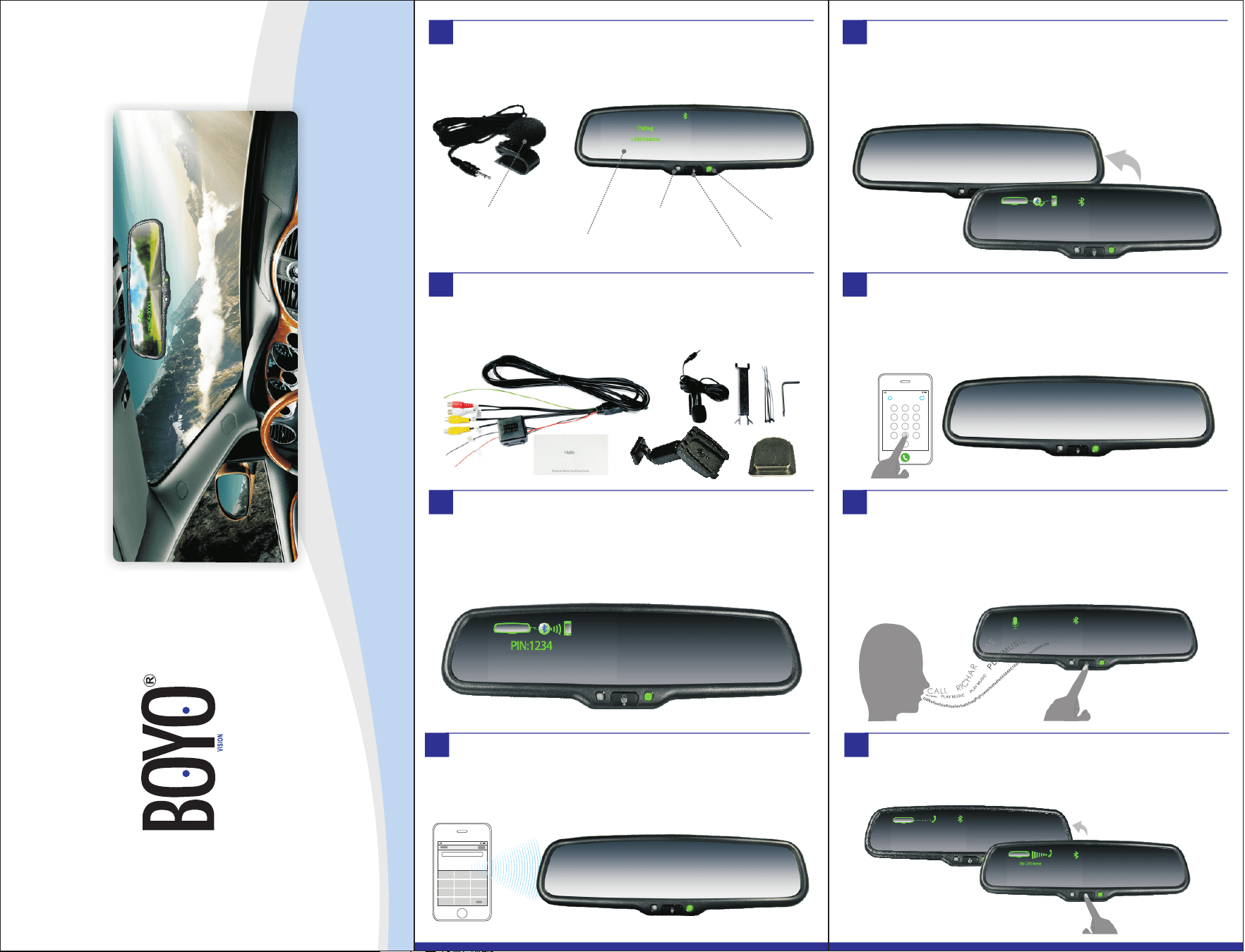
Brief Introduction
High sensitive external
microphone
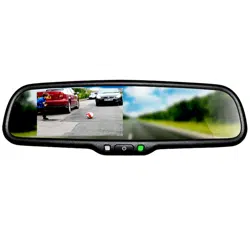
4.3" ultra high brightness
automatically adjustable LCD screen
High sensitive
ambient light sensor
Multi-function button
Green indicator
Checking the accessories
Make sure that you have the following items with your Bluetooth rearview
mirror: user manual, microphone, cover, wire.
Thank you for purchasing the Bluetooth rearview mirror monitor, please
read this user's guide to get start.The following is the introduction of the
monitor.
1
2
3
Shortly press the button to answer the call, when you are receiving an
incoming call.
Short press
Answering
Answering a call
8
Almost all cell phones can be perfectly paired with the Bluetooth
monitor. However, individual handset vendor's Bluetooth protocols are
special. It will lead to unstable connection with Bluetooth or other
unpredictable problems. Therefore, please test whether your phone
can be paired with the Bluetooth monitor or not, before purchasing
this product.
Screen Size
Display Screen
Display Resolution
Aspect Radio
Color Depth
Pixel Pitch (mm)
Power Consumption
Working Voltage
Video Input
Signal System
4.3”
TFT-LCD
480(H)×272(V)
16 : 9
16.7M dithering
0.219X0.219
8W
DC 12V
PAL/AUTO/NSTC
NTFS/PAL Video input
ACC
Support
15
Specifications
17
Backup camera display and manual brightness adjustment
With a Rear View Camera installed, place the vehicle in reverse, and the
image from the back-up camera will be automatically displayed on the
monitor. Once the camera image is displayed , you can manually adjust
the monitors' brightness by ashort press of the centre button. The
brightness can be adjusted from 10 to 100.Once you have reached the
desired brightness, wait 5 seconds and the OSD menu will disappear.
11
Short press
turn on /off video input
Turn on/off video input
When the mirror is in video mode, and none phone is paried, with one
short press of the centre button you can switch the active video signal,
On or Off. While your phone is paried, a short press of the centre button
will activate the voice dial mode.
12
When you find that your phone is not connected to the rearview mirror,
and the screen is turned off, to long press the button is to manually
reconnect Bluetooth.
Long press
Reconnect bluetooth
How to connect
16
Manual Bluetooth Connection
13
If your phone can play music through Bluetooth, then voice comes from
the music and part of games of your phone can be played through
loudspeaker built in the mirror.
However, part of phones cannot support this function. The sound may
be intermittent or music cannot be transferred.
Bluetooth music
10
Hanging up
When the monitor is in the phone state or voice control state, to short
press the button is to hang up calls. To long press the button is to reject
an incoming call.
Hanging up
9
Short press
Hanging up
Long press
Rejecting incoming call
Super light
When video from backup camera is displayed on the screen, the screen
will automatically adjust brightness with the ambient light. It can
ensure that you can see the screen clearly under sunshine when the
light is super bright; the screen also can automatically become dimmer,
which is enough to protect you from the sudden light from the turned-
on screen at night.
Weak light
Super high brightness screen with auto adjustment
14
BRIGHT
10
Short press
Adjusting brightness
BRIGHT
100
BRIGHT
60
