Battery Saver
Your universal remote control saves battery power by
automatically turning off if any key is pressed for more than 15
seconds. This saves your battery life should your remote get stuck
in a place where the keys remain depressed, such as between sofa
cushions.
RCR6473E
Universal Remote Control
Owner’s Manual
Manual del Propietario (parte posterior)
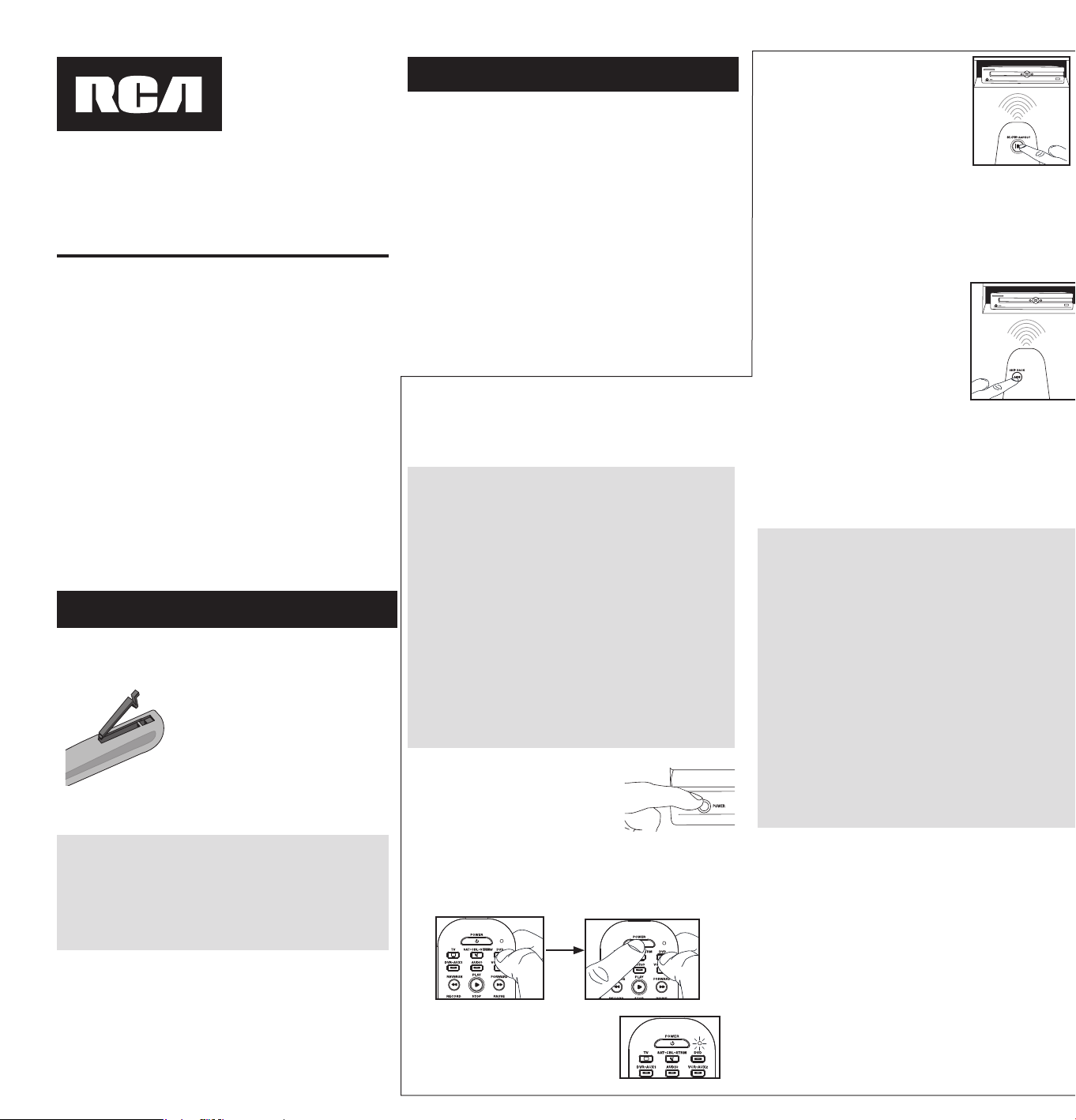
Your universal remote requires two AAA alkaline batteries (not
included).
To install the batteries:
1. Remove the battery compartment cover.
2. Insert the batteries, matching the batteries to the (+) and (–)
marks inside the battery compartment.
3. Push the battery cover back into place.
Battery Precautions:
• Do not mix old and new batteries.
• Do not mix alkaline, standard (carbon-zinc) or rechargeable (nickel-
cadmium) batteries.
• Always remove old, weak or worn-out batteries promptly and
recycle or dispose of them in accordance with Local and National
Regulations.
Step 1: Install your batteries
RCR6473E US 01 R271U1
SAVE THIS MANUAL AND THE CODE LISTS!
Remote controls can sometimes lose their programming when you
changethebatteries.Makesureyoukeepthemanualandcode
lists in a safe place so that you can reprogram the remote if you
need to.
Tip:Thisremoteisalreadyprogrammedtooperatemost
SamsungTVs,DVDandBluRayplayers,Comcastcableboxes,
Roku streaming players, and JBL audio products. Just press the
correspondingkey—DVD-BLURAYforaDVDorBluRayplayer,TV
foratelevision,SAT•CBLforacablebox,STREAMforastreaming
player,orAUDIO/SOUNDBARforanaudiodeviceorsoundbar.
Step 2: Program your remote
To use this universal remote with your home entertainment
system,�rstyouneedtoprogramittocontrolyourdevices.There
are three ways you can program the universal remote to operate
your devices. Try them in the order listed.
• The Direct Code Entry lets you enter a code from the
accompanying code list for your brand of device.
• The Auto Code Search: Top Brands searches through the
codes for select brands of devices.
• The Auto Code Search: All Brands goes automatically through
all the codes for the device you’re trying to control.
Direct Code Entry
Direct Code Entry lets you enter a code from the accompanying
code list for your brand of device.
1.
Manually turn on the device you want
to control.
3.
Press and hold the device key
you want to program for about 2
seconds, until the remote’s indicator
light illuminates and stays on. Then
release the key.
2.
Find the Code List that came with
the remote. Locate the section for
the type of device you’re trying to
program,and�ndyourbrandinthat
section. Circle the codes for your
brand and keep them handy.
NOTES
Testtheremotewiththedevicetomakesurethedevicekeyis
programmed with the correct code for maximum functionality.
Ifsomefeaturesdon’twork,tryadifferentcodeinthelist.
Remember to enter the code for future reference in the box
providedintheCodeRetrievalsectionofthismanual.
Ifyourbrandisn’tlistedinthecodelist,usetheAutoCode
Search method to program the remote control.
4.
Enterthe�rst�ve-digitcodefor
your brand in the code list (the
remote’sindicatorlightashes
after each digit).
YES: You’re done! You’ve programmed this device key.
NO, it’s still illuminated: You have either entered a code
number that is not in the code lists or missed a step in the
code entry procedure. Try step 4 again.
5.
Whenyou’ve�nishedentering
the�ve-digitcode,lookatthe
remote’s indicator light.
Did the remote’s indicator light
turn off?
C
o
d
e
L
i
st
s
L
i
s
t
e
s
d
e
Cod
e
s
L
i
st
a
de
Có
d
i
g
o
s
R
2
71
U
1
4-
D
ev
i
ce
C
o
d
es
00
T
V
/
Té
l
é
v
i
se
u
r
A
B
E
X
.
.
.
.
.
.
.
.
.
.
.
.
.
.
.
.
.
.
.
.
.
.
.
.
.
.
.
.
.
.
.
.
.
.
.
.
.
.
.
.
.
.
.
.
.
.
.
.
.
.
.
.
.
.
.
.
.
.
.
.
.
.
.
.
.
.
.
.
.
.
.
.
.
.
.
.
.
.
.
.
.
64
911
,
6
9
9
13
A
C
C
U
RI
A
N
.
.
.
.
.
.
.
.
.
.
.
.
.
.
.
.
.
.
.
.
.
.
.
.
.
.
.
.
.
.
.
.
.
.
.
.
.
.
.
.
.
.
.
.
.
.
.
.
.
.
.
.
.
.
.
.
.
.
.
.
.
.
.
.
.
.
.
.
.
.
.
.
.
.
.
.
.
.
.
.
.
.
.
.
91
81
4
A
C
E
R
.
.
.
.
.
.
.
.
.
.
.
.
.
.
.
.
.
.
.
.
.
.
.
.
.
.
.
.
.
.
.
.
.
.
.
.
.
.
.
.
.
.
.
.
.
.
.
.
.
.
.
.
.
.
.
.
.
.
.
.
.
.
.
.
.
.
.
.
16
31
7
,
42
9
19,
5
91
14
A
D
C
.
.
.
.
.
.
.
.
.
.
.
.
.
.
.
.
.
.
.
.
.
.
.
.
.
.
.
.
.
.
.
.
.
.
.
.
.
.
.
.
.
.
.
.
.
.
.
.
.
.
.
.
.
.
.
.
.
.
.
.
.
.
.
.
.
.
.
.
.
.
.
.
.
.
.
.
.
.
.
.
.
.
33
7
1
9,
65
3
12
A
D
V
EN
T
.
.
.
.
.
.
.
.
.
.
.
.
.
.
.
.
.
.
.
.
.
.
.
.
.
.
.
.
.
.
.
.
.
.
.
.
.
.
.
.
.
.
.
.
.
.
.
.
.
50
411
,
710
1
4,
91
0
1
9,
99
7
15
A
FF
I
N
I
T
Y
.
.
.
.
.
.
.
.
.
.
.
.
.
.
.
.
.
.
.
.
.
.
.
.
.
.
.
.
.
.
.
.
.
.
.
.
.
.
.
.
.
.
.
.
.
.
.
.
.
.
.
.
.
.
.
.
.
.
.
.
.
.
.
.
.
.
.
.
.
.
.
.
.
.
.
.
.
.
.
.
.
.
.
.
.
.
.
0
78
1
9
A
FT
RO
N
.
.
.
.
.
.
.
.
.
.
.
.
.
.
.
.
.
.
.
.
.
.
.
.
.
.
.
.
.
.
.
.
.
.
.
.
.
.
.
.
.
.
.
.
.
.
.
.
.
.
.
.
.
.
.
.
.
.
.
.
.
.
.
.
.
.
.
.
.
.
.
.
.
.
.
.
.
.
.
.
.
.
.
.
.
.
.
.
01
2
1
9
A
I
K
O
.
.
.
.
.
.
.
.
.
.
.
.
.
.
.
.
.
.
.
.
.
.
.
.
.
.
.
.
.
.
.
.
.
.
.
.
.
.
.
.
.
.
.
.
.
.
.
.
.
.
.
.
.
.
.
.
.
.
.
.
.
.
.
.
.
.
.
.
.
.
.
.
.
.
.
.
.
.
.
.
.
.
.
.
.
.
.
.
.
.
.
.
.
.
63
51
1
A
I
W
A
.
.
.
.
.
.
.
.
.
.
.
.
.
.
.
.
.
.
.
.
.
.
.
.
.
.
.
.
.
.
.
.
.
.
.
.
.
.
.
.
.
.
.
.
.
.
.
.
.
.
.
.
.
.
.
.
.
.
.
.
.
.
.
.
.
.
.
.
.
.
.
.
.
.
.
.
.
.
.
.
.
4
0
411
,
66
1
11
A
KA
I
.
.
.
.
.
.
.
.
.
.
.
.
.
.
.
.
.
.
.
.
.
.
.
.
.
.
.
.
.
.
.
.
.
.
.
.
.
.
.
.
.
.
.
09
61
9,
435
1
4,
9
01
17
,
94
2
1
9,
9
781
7
A
L
LER
O
N
.
.
.
.
.
.
.
.
.
.
.
.
.
.
.
.
.
.
.
.
.
.
.
.
.
.
.
.
.
.
.
.
.
.
.
.
.
.
.
.
.
.
.
.
.
.
.
.
.
.
.
.
.
.
.
.
.
.
.
.
.
.
.
.
.
.
.
.
.
.
.
.
.
.
.
.
.
.
.
.
.
.
.
.
.
.
54
7
1
1
A
M
TR
O
N
.
.
.
.
.
.
.
.
.
.
.
.
.
.
.
.
.
.
.
.
.
.
.
.
.
.
.
.
.
.
.
.
.
.
.
.
.
.
.
.
.
.
.
.
.
.
.
.
.
.
.
.
.
.
.
.
.
.
.
.
.
.
.
.
.
.
.
.
.
.
.
.
.
.
.
.
.
.
.
.
.
.
.
.
.
.
.
79
513
A
M
W
.
.
.
.
.
.
.
.
.
.
.
.
.
.
.
.
.
.
.
.
.
.
.
.
.
.
.
.
.
.
.
.
.
.
.
.
.
.
.
.
.
.
.
.
.
.
.
.
.
.
.
.
.
.
.
.
.
.
.
.
.
.
.
.
.
.
.
.
.
.
.
.
.
.
.
.
.
.
.
.
.
64
013
,
75
2
14
A
N
A
M
N
A
TI
O
NA
L
.
.
.
.
.
.
.
.
.
.
.
.
.
.
.
.
.
.
.
.
4
9
219,
576
1
1,
5821
1,
7
861
3
,
7
9
5
13
A
O
C
.
.
.
.
19
81
9
,
31
6
12,
3
1
8
11,
334
1
1,
3341
2,
4
041
3
,
5
2
7
1
3,
5
3
313
A
PE
X
.
.
.
.
.
.
.
.
.
.
.
.
.
.
.
.
.
.
.
.
.
.
.
.
.
.
.
.
.
.
.
.
.
.
.
.
.
.
.
.
.
06
016
,
390
1
9,
4
21
13,
4711
1,
54
21
4,
.
.
.
.
.
.
.
.
.
.
.
.
.
.
.
.
.
.
.
.
.
.
.
.
.
.
.
.
.
.
.
.
.
.
.
.
.
.
.
.
.
.
.
.
.
.
.
.
.
.
.
.
.
.
.
.
.
.
.
.
.
.
.
.
.
6
01
13,
752
1
7,
7
6
31
4,
8
471
5
A
PE
X
D
I
G
I
T
A
L
.
.
.
.
.
.
.
.
.
.
.
.
.
.
.
.
.
.
.
.
.
.
.
.
.
.
.
.
.
.
.
.
.
.
.
.
.
.
.
.
.
.
.
.
.
.
.
.
.
.
.
.
.
.
.
.
.
.
.
.
.
.
.
.
.
.
.
.
.
.
.
.
.
.
.
.
.
.
.
39
019
A
RI
O
.
.
.
.
.
.
.
.
.
.
.
.
.
.
.
.
.
.
.
.
.
.
.
.
.
.
.
.
.
.
.
.
.
.
.
.
.
.
.
.
.
.
.
.
.
.
.
.
.
.
.
.
.
.
.
.
.
.
.
.
.
.
.
.
.
.
.
.
.
.
.
.
.
.
.
.
.
.
.
.
.
.
.
.
.
.
.
.
.
.
.
.
.
.
68
515
A
TV
I
O
.
.
.
.
.
.
.
.
.
.
.
.
.
.
.
.
.
.
.
.
.
.
.
.
.
.
.
.
.
.
.
.
.
.
.
.
.
.
.
.
.
.
.
.
.
.
.
.
.
.
.
.
.
21
711
,
38
1
1
1,
6
33
15,
646
15
A
TY
M
E
.
.
.
.
.
.
.
.
.
.
.
.
.
.
.
.
.
.
.
.
.
.
.
.
.
.
.
.
.
.
.
.
.
.
.
.
.
.
.
.
.
.
.
.
.
.
.
.
.
.
.
.
.
.
.
.
.
.
.
.
.
.
.
.
.
.
.
.
.
.
.
.
.
.
.
.
.
.
.
.
.
.
.
.
.
.
.
.
.
.
.
52
013
A
U
D
I
O
VO
X
.
.
.
.
.
.
.
.
.
.
.
.
.
.
.
.
.
.
.
.
.
.
.
.
.
.
.
.
.
.
.
.
.
.
.
.
.
.
.
.
.
.
.
.
.
.
.
.
.
.
.
.
.
.
.
.
.
75
512
,
795
13,
8
64
13
A
U
R
I
A
.
.
.
.
.
.
.
.
.
.
.
.
.
.
.
.
.
.
.
.
.
.
.
.
.
.
.
.
.
.
.
.
.
.
.
.
.
.
.
.
.
.
.
.
.
.
.
.
.
.
.
.
.
.
.
.
.
.
.
.
.
.
.
.
.
.
.
.
.
.
.
.
.
.
.
.
.
.
.
3
16
12,
334
12
A
U
R
O
R
A
.
.
.
.
.
.
.
.
.
.
.
.
.
.
.
.
.
.
.
.
.
.
.
.
.
.
.
.
.
.
.
.
.
.
.
.
.
.
.
.
.
.
.
.
.
.
.
.
.
.
.
.
.
.
.
.
.
.
.
.
.
.
.
.
.
.
.
.
.
.
.
.
.
.
.
.
.
.
.
.
.
.
.
.
.
.
.
.
46
014
A
U
V
I
O
.
.
.
.
.
.
.
.
.
.
.
.
.
.
.
.
.
.
.
.
.
.
.
.
.
.
.
.
.
.
.
.
.
.
.
.
.
.
.
.
.
.
.
.
.
.
.
.
.
.
.
.
.
.
.
.
.
.
.
.
.
.
.
.
.
.
.
.
.
.
.
.
.
.
.
.
.
.
.
46
513
,
57
014
A
VE
N
TU
R
A
.
.
.
.
.
.
.
.
.
.
.
.
.
.
.
.
.
.
.
.
.
.
.
.
.
.
.
.
.
.
.
.
.
.
.
.
.
.
.
.
.
.
.
.
.
.
.
.
.
.
.
.
.
.
.
.
.
.
.
.
.
.
.
.
.
.
.
.
.
.
.
.
.
.
.
.
.
.
.
.
.
.
.
.
8
85
18
A
VE
R
A
.
.
.
.
.
.
.
.
.
.
.
.
.
.
.
.
.
.
.
.
.
.
.
.
.
.
.
.
.
.
.
.
.
.
.
.
.
.
.
.
.
.
.
.
.
.
.
.
.
.
.
.
.
.
.
.
.
.
.
.
.
.
.
.
.
.
.
.
.
.
.
.
.
.
.
.
.
.
.
.
.
.
.
.
.
.
.
.
.
.
.
68
515
A
VO
L
.
.
.
.
.
.
.
.
.
.
.
.
.
.
.
.
.
.
.
.
.
.
.
.
.
.
.
.
.
.
.
.
.
.
.
.
.
.
.
.
.
.
.
.
.
.
.
.
.
.
.
.
.
.
.
.
.
.
.
.
.
.
.
.
.
.
.
.
.
.
.
.
.
.
.
.
.
.
.
.
87
217
,
89
1
1
5
A
X
E
SS
.
.
.
.
.
.
.
.
.
.
.
.
.
.
.
.
.
.
.
.
.
.
.
.
.
.
.
.
.
.
.
.
.
.
.
.
.
.
.
.
.
.
.
.
.
.
.
.
.
.
.
.
.
.
.
.
.
.
.
.
.
.
.
.
.
.
.
.
.
.
.
.
.
.
.
.
.
.
.
.
.
.
.
.
.
.
.
.
.
.
.
.
41
811
A
X
I
O
N
.
.
.
.
.
.
.
.
.
.
.
.
.
.
.
.
.
.
.
.
.
.
.
.
.
.
.
.
.
.
.
.
.
.
.
.
.
.
.
.
.
.
.
.
.
.
.
.
.
.
.
.
.
.
.
.
.
.
.
.
.
.
.
.
.
.
.
.
.
.
.
.
.
.
.
.
.
.
.
.
.
.
.
.
.
.
.
.
.
.
.
8
43
15
B
A
N
G
&
O
L
U
F
SEN
.
.
.
.
.
.
.
.
.
.
.
.
.
.
.
.
.
.
.
.
.
.
.
.
.
.
.
.
.
.
.
.
.
.
.
.
.
.
.
.
.
.
.
.
.
.
.
.
.
.
.
.
.
.
.
.
.
.
.
.
.
.
.
.
.
.
.
.
.
.
24
011
B
E
L
L
&
H
O
W
E
L
L
.
.
.
.
.
.
.
.
.
.
.
.
.
.
.
.
.
.
.
.
.
.
.
.
.
.
.
.
.
.
.
.
.
.
.
.
.
.
.
.
.
.
.
.
.
.
.
.
.
2
66
18,
653
1
2,
9
8
21
5
B
E
N
Q
.
.
.
.
.
.
.
.
.
.
.
.
.
.
.
.
.
.
.
.
.
.
.
.
.
.
.
.
.
.
.
.
.
.
.
.
.
.
.
.
.
.
.
.
.
.
.
.
.
.
.
.
.
.
3
1
9
19,
800
1
4,
87
81
3,
9
571
9
B
L
U
E
S
K
Y
.
.
.
.
.
.
.
.
.
.
.
.
.
.
.
.
.
.
.
.
.
.
.
.
.
.
.
.
.
.
.
.
.
.
.
.
.
.
.
.
.
.
.
.
.
.
.
.
.
.
.
.
.
.
.
.
.
.
.
.
.
.
.
.
.
.
.
.
.
.
.
.
.
95
017
,
983
14
B
O
E
.
.
.
.
.
.
.
.
.
.
.
.
.
.
.
.
.
.
.
.
.
.
.
.
.
.
.
.
.
.
.
.
.
.
.
.
.
.
.
.
.
.
.
.
.
.
.
.
.
.
.
.
.
.
.
.
.
.
.
.
.
.
.
.
.
.
.
.
.
.
.
.
.
.
.
.
.
.
.
.
.
.
.
19
81
9,
89
0
13
B
O
L
VA
.
.
.
.
.
.
.
.
.
.
.
.
.
.
.
.
.
.
.
.
.
.
.
.
.
.
.
.
.
.
.
.
.
.
.
.
.
.
.
.
.
.
.
.
.
.
.
.
.
.
.
.
.
.
.
.
.
.
.
.
.
.
.
.
.
.
.
.
.
.
.
.
.
.
.
.
.
.
.
.
.
.
.
.
.
.
.
.
.
.
.
72
015
B
R
O
C
K
W
O
O
D
.
.
.
.
.
.
.
.
.
.
.
.
.
.
.
.
.
.
.
.
.
.
.
.
.
.
.
.
.
.
.
.
.
.
.
.
.
.
.
.
.
.
.
.
.
.
.
.
.
.
.
.
.
.
.
.
.
.
.
.
.
.
.
.
.
.
.
.
.
.
.
.
.
.
.
.
.
43
411
B
R
O
K
SO
N
I
C
.
.
.
.
.
.
.
.
.
.
.
.
.
.
.
.
54
411
,
5
5
7
1
1
,
5
781
2,
6
581
3,
75
61
4
,
81
017
C
C
E
.
.
.
.
.
.
.
.
.
.
.
.
.
.
.
.
.
.
.
.
.
.
.
.
.
.
.
.
.
.
.
.
.
.
.
.
.
.
.
.
.
.
.
.
.
.
.
.
.
.
.
.
.
.
.
.
.
.
.
.
.
.
.
.
.
.
.
.
.
.
.
.
.
.
.
.
.
.
.
.
.
.
.
.
.
.
.
.
.
.
.
.
.
.
.
.
95
017
C
EL
ER
A
.
.
.
.
.
.
.
.
.
.
.
.
.
.
.
.
.
.
.
.
.
.
.
.
.
.
.
.
.
.
.
.
.
.
.
.
.
.
.
.
.
.
.
.
.
.
.
.
.
.
.
.
.
.
.
.
.
.
.
.
.
.
.
.
.
.
.
.
.
.
.
.
.
.
.
.
42
113
,
86
718
C
EN
T
R
I
O
S
.
.
.
.
.
.
.
.
.
.
.
.
.
.
.
.
.
.
.
.
.
.
.
.
.
.
.
.
.
.
.
.
.
.
.
.
.
.
.
.
.
.
.
.
.
.
.
.
.
.
.
.
.
.
.
.
.
.
.
.
.
.
.
.
.
.
.
.
.
.
.
.
.
.
.
.
.
.
.
.
.
.
.
.
.
82
614
C
ET
O
M
ER
.
.
.
.
.
.
.
.
.
.
.
.
.
.
.
.
.
.
.
.
.
.
.
.
.
.
.
.
.
.
.
.
.
.
.
.
.
.
.
.
.
.
.
.
.
.
.
.
.
.
.
.
.
.
.
.
.
.
.
.
.
.
.
.
.
.
.
.
.
.
.
.
40
41
2
,
83
3
1
4
C
ET
R
O
N
I
C
.
.
.
.
.
.
.
.
.
.
.
.
.
.
.
.
.
.
.
.
.
.
.
.
.
.
.
.
.
.
.
.
.
.
.
.
.
.
.
.
.
.
.
.
.
.
.
.
.
.
.
.
.
.
.
.
.
.
.
.
.
.
.
.
.
.
.
.
.
.
.
.
.
.
.
.
.
.
.
.
.
.
.
.
78
613
C
H
A
N
G
H
O
N
G
.
.
.
.
.
.
.
.
.
.
.
.
.
.
.
.
.
.
.
.
.
.
.
.
.
.
.
.
.
.
.
.
.
.
.
.
.
.
.
.
.
.
.
.
.
.
.
.
.
.
.
.
.
.
.
.
.
.
.
.
.
.
.
.
01
618
,
72
1
1
7
C
H
A
R
TER
C
O
M
M
U
N
I
CA
T
I
O
N
S
.
.
.
.
.
.
.
.
.
.
.
.
.
.
.
.
.
.
.
.
.
.
.
.
.
.
.
.
.
.
.
.
.
.
.
.
.
.
.
.
.
.
.
.
.
.
.
.
.
80
415
C
H
I
M
EI
.
.
.
.
.
.
.
.
.
.
.
.
.
.
.
.
.
.
.
.
.
.
.
.
.
.
.
.
.
.
.
.
.
.
.
.
.
.
.
.
.
.
.
.
.
.
.
.
.
.
.
.
.
.
.
.
.
.
.
.
.
.
.
.
.
.
.
.
.
.
.
.
.
.
.
.
.
.
.
.
.
.
.
.
.
.
.
.
.
.
2
49
12
C
I
E
L
O
.
.
.
.
.
.
.
.
.
.
.
.
.
.
.
.
.
.
.
.
.
.
.
.
.
.
.
.
.
.
.
.
.
.
.
.
.
.
.
.
.
.
.
.
.
.
.
.
.
.
.
.
.
.
.
.
.
.
.
.
.
.
.
.
.
.
.
.
.
.
.
.
.
.
.
.
.
.
.
.
.
.
.
.
.
.
.
.
.
.
.
.
30
812
C
I
N
E
RA
L
.
.
.
.
.
.
.
.
.
.
.
.
.
.
.
.
.
.
.
.
.
.
.
.
.
.
.
.
.
.
.
.
.
.
.
.
.
.
.
.
.
.
.
.
.
.
.
.
.
.
.
.
.
.
.
.
.
.
.
.
.
.
.
.
.
.
.
.
.
.
.
.
.
.
.
63
51
1
,
95
0
1
7
C
I
TI
Z
E
N
.
.
.
.
.
.
.
.
.
.
.
.
.
.
.
.
.
.
.
.
.
.
.
.
58
4
12
,
60
1
12,
6
35
11,
786
1
3,
79
5
13,
9311
5
C
LA
SSI
C
.
.
.
.
.
.
.
.
.
.
.
.
.
.
.
.
.
.
.
.
.
.
.
.
.
.
.
.
.
.
.
.
.
.
.
.
.
.
.
.
.
.
.
.
.
.
.
.
.
.
.
.
.
.
.
.
.
.
.
.
.
.
04
616
,
463
11,
7
86
13
C
LP
.
.
.
.
.
.
.
.
.
.
.
.
.
.
.
.
.
.
.
.
.
.
.
.
.
.
.
.
.
.
.
.
.
.
.
.
.
.
.
.
.
.
.
.
.
.
.
.
.
.
.
.
.
.
.
.
.
.
.
.
.
.
.
.
.
.
.
.
.
.
.
.
.
.
.
.
.
.
.
.
.
.
.
.
.
.
.
.
.
.
.
.
.
.
.
.
.
43
311
C
LP
C
L
A
S
S
I
C
.
.
.
.
.
.
.
.
.
.
.
.
.
.
.
.
.
.
.
.
.
.
.
.
.
.
.
.
.
.
.
.
.
.
.
.
.
.
.
.
.
.
.
.
.
.
.
.
.
.
.
.
.
.
.
.
.
.
.
.
.
.
.
.
.
.
.
43
411
,
79
9
14
C
O
BY
.
.
.
.
.
.
.
.
.
.
.
.
.
.
.
13
011
,
52
2
11,
5
24
1
1,
616
1
1,
77
61
7,
7
791
2
,
9
63
1
5
C
O
L
O
R
TYM
E
.
.
.
.
.
.
.
.
.
.
.
.
.
.
.
.
.
.
.
.
.
.
.
.
.
.
.
.
.
.
.
.
.
.
.
.
.
.
.
.
.
.
.
.
.
.
.
.
.
.
.
.
.
.
.
.
.
.
.
.
.
.
.
.
.
.
.
.
.
.
.
.
.
.
.
.
.
.
.
.
3
3
7
19
C
O
M
W
A
V
E
.
.
.
.
.
.
.
.
.
.
.
.
.
.
.
.
.
.
.
.
.
.
.
.
.
.
.
.
.
.
.
.
.
.
.
.
.
.
.
.
.
.
.
.
.
.
.
.
.
.
.
.
.
.
.
.
.
.
.
.
.
.
.
.
.
.
.
.
.
.
.
.
.
.
.
.
.
.
.
.
.
.
.
32
611
C
O
N
T
E
C
.
.
.
.
.
.
.
.
.
.
.
.
.
.
.
.
.
.
.
.
.
.
.
.
.
.
.
.
.
.
.
.
.
.
.
.
.
.
.
.
.
.
.
.
.
.
.
.
54
31
2,
565
11,
786
1
3,
795
1
3
.
.
.
.
.
.
.
.
.
.
.
.
.
.
.
.
.
.
.
.
.
.
.
.
.
.
.
.
.
.
.
.
.
.
.
.
.
.
.
.
.
.
.
.
.
.
.
.
.
.
.
.
.
.
.
.
.
.
.
.
.
.
.
.
.
.
.
.
.
.
.
.
.
.
.
.
.
.
.
.
.
.
.
.
.
.
.
.
.
.
.
.
.
.
.
.
.
.
.
.
.
.
.
.
.
.
.
.
.
.
.
.
.
.
.
.
.
.
.
.
.
.
.
.
.
.
.
.
.
.
.
.
.
.
.
.
.
.
.
.
.
.
.
.
.
.
.
.
.
.
.
.
.
.
.
.
.
.
.
.
.
.
.
.
.
.
.
.
.
.
.
.
.
.
.
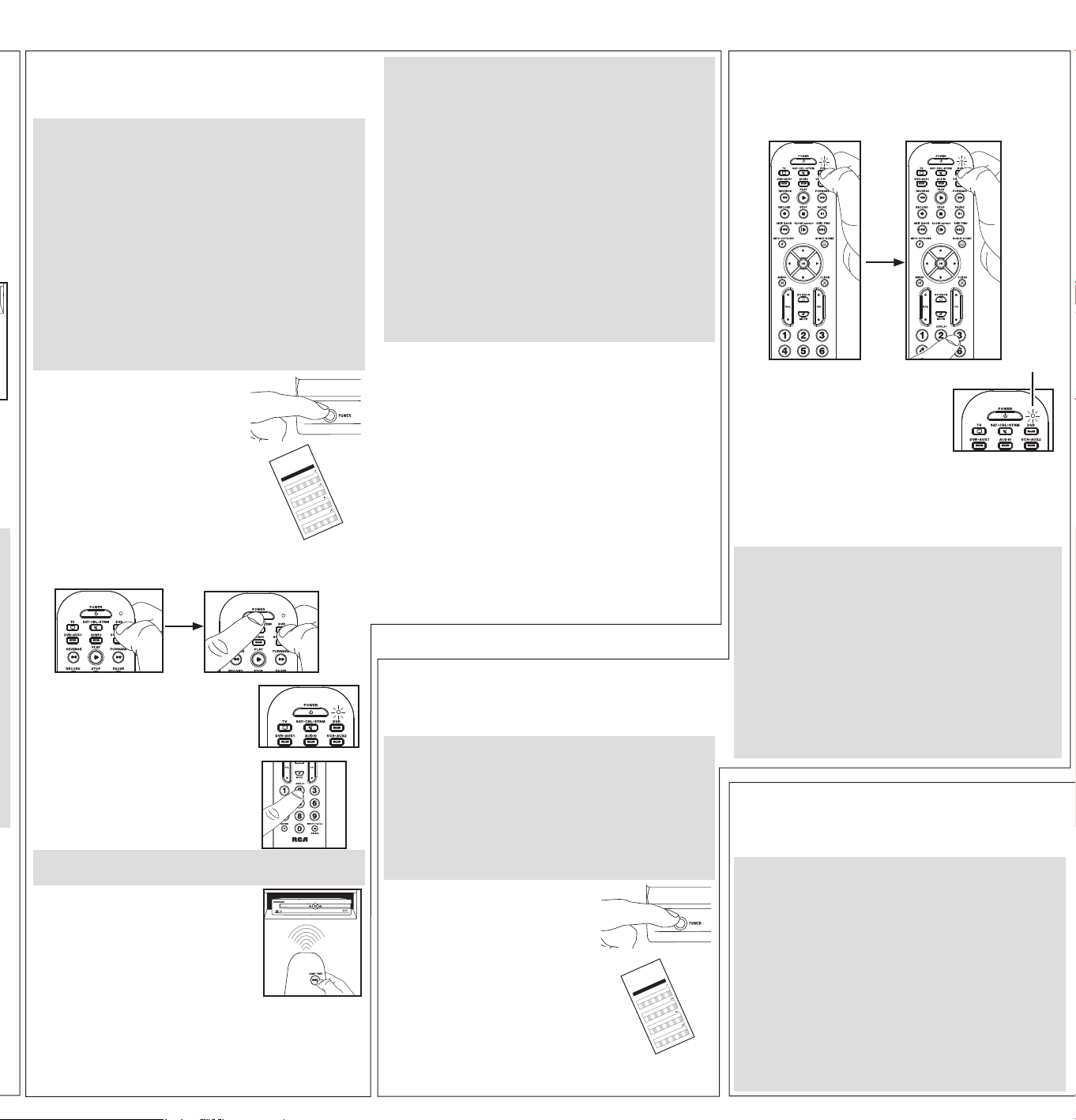
Auto Code Search: Top Brands
This search goes automatically through all device codes for the
select brands listed below. If your brand of device is listed, this
search can be quick and easy.
3.
Manually turn on the device you
want to control.
5.
Point the remote directly at the
front panel of the device you want
to control. Press POWER on the
remote.
The remote starts sending the on/
off command for a new code every 2
seconds.
1.
Press and hold the device key
you want to program for about 2
seconds, until the remote’s indicator
light illuminates and stays on. Then
release the key.
2.
Enterthe�ve-digitdevicecodeforyour
device you want to operate.
11111 TV
22222 VCR
33333 Streaming Player
44444 Satellite Receiver, Cable Box,
Digital TV Converter
55555 DVD / Blu Ray Player
88888 Projector
66666Audio/Ampli�er
66664 Soundbar
Theremote’sindicatorlightashesafterthe�rstfourdigits
andturnsoffafterthe�fth.
4.
Press and hold the device key you
want to program for 2 seconds,
until the remote’s indicator light
illuminates and stays on. Then
release the key.
When your device turns off:
Press the STOP key to store the code. You’re done! You’ve
programmed this device key.
If your device turns off but you waited more than 2 seconds:
Press the PLAY key to go backwards through the last few
codes. When your device turns back on again, press STOP to
store that code.
Testing the Code for Maximum Functionality
1. Try a variety of the device’s functions with the remote. If
some device features don’t work, go to the next step to try
a different code.
2. Repeat the Brand Code Search from step 3.
3. Test the key’s functionality again by attempting to control
a variety of the device’s functions. If the code that has
been stored controls the majority of the device’s functions,
programming is complete. If the code stored does not give
maximum functionality, try another code.
NOTES
Throughouttheprogrammingofeachkey,besuretokeepthe
remotepointedattheIRsensorofthedeviceyouarecurrently
programming the remote to control.
Testtheremotewiththedevicetomakesurethedevicekeyis
programmed with the correct code for maximum functionality.
Ifsomefeaturesdon’twork,tryadifferentcode.Seethe
“TestingtheCodeforMaximumFunctionality”sectionbelow
for more information.
TV
ELEMENT, EMERSON, HISENSE, HITACHI, INSIGNIA, JVC,
LG, MAGNAVOX, PANASONIC, PHILIPS, PROSCAN, RCA,
ROKU TV, SAMSUNG, SANSUI, SANYO, SCEPTRE, SHARP,
SONY, SUNBRITETV, SYLVANIA, TCL, TOSHIBA, VIZIO,
WESTINGHOUSE
STREAM
APPLETV,AT&T,DIGITALSTREAM,D-LINK,LG,
MICROSOFT, NETGEAR, NVIDIA, PHILIPS, QNAP, ROKU,
SAMSUNG, SEAGATE, SHARP, SONY, TIVO, UNBLOCK
TECH, VIZIO, WD (WESTERN DIGITAL), XBOX, XIAOMI,
XTREAMER
SAT-CBL
ADELPHIA, ARRIS, AT&T, CABLEVISION, CHARTER
COMMUNICATIONS, CISCO, COMCAST, COX, DIRECTV,
DISH NETWORK, MOTOROLA, PACE, SAMSUNG, SHARP,
SHAW, SHAW DIRECT, SPECTRUM, TIVO, VERIZON,
XFINITY
DVD-BLU RAY
BOSE, FUNAI, INSIGNIA, LG, MAGNAVOX, MEMOREX,
ONN, PANASONIC, PHILIPS, PIONEER, RCA, SAMSUNG,
SANYO, SHARP, SONY, SYLVANIA, TOSHIBA, VIZIO
PROJECTOR
3M, BENQ, EPSON, LG, MITSUBISHI, NEC, OPTOMA,
PANASONIC, SONY, VANKYO, VIEWSONIC
VCR
HITACHI, JVC, MAGNAVOX, PHILIPS, RCA, SAMSUNG,
SANSUI, SANYO, SHARP, SONY, YAMAHA
AUDIO
BOSE, DENON, HARMAN/KARDON , INSIGNIA, JVC,
KENWOOD, LG, MARANTZ, ONKYO, PANASONIC,
PHILIPS, PIONEER, RCA, SAMSUNG, SANYO, SONY,
TECHNICS, VIZIO, YAMAHA
SOUNDBAR
BOSE, CRAIG, ILIVE, INSIGNIA, JBL, KLIPSCH, LG,
MAGNAVOX, ONN, PHILIPS, POLK AUDIO, PROSCAN,
RCA, SAMSUNG, SANYO, SONOS, SONY, VIZIO, YAMAHA
CD PLAYER
AIWA, HARMAN/KARDON, JVC, PANASONIC, PHILIPS,
RCA, SANSUI, SANYO, SHARP, SONY, YAMAHA
Auto Code Search: All Brands
This search goes automatically through all the codes for the device
you’retryingtocontrol.Whenyou�ndtheonethatoperatesyour
device, you can stop the search and store that code.
1.
Press and hold the device key
you want to program fofr about 2
seconds, until the remote’s indicator
light illuminates and stays on. Then
release the key.
2.
Enterthe�ve-digitdevicecodeforyour
device you want to operate.
11111 TV
22222 VCR
33333 Streaming Player
44444 Satellite Receiver, Cable Box,
Digital TV Converter
55555 DVD / Blu Ray Player
88888 Projector
66666Audio/Ampli�er
66664 Soundbar
Theremote’sindicatorlightashesafterthe�rstfourdigits
andturnsoffafterthe�fth.
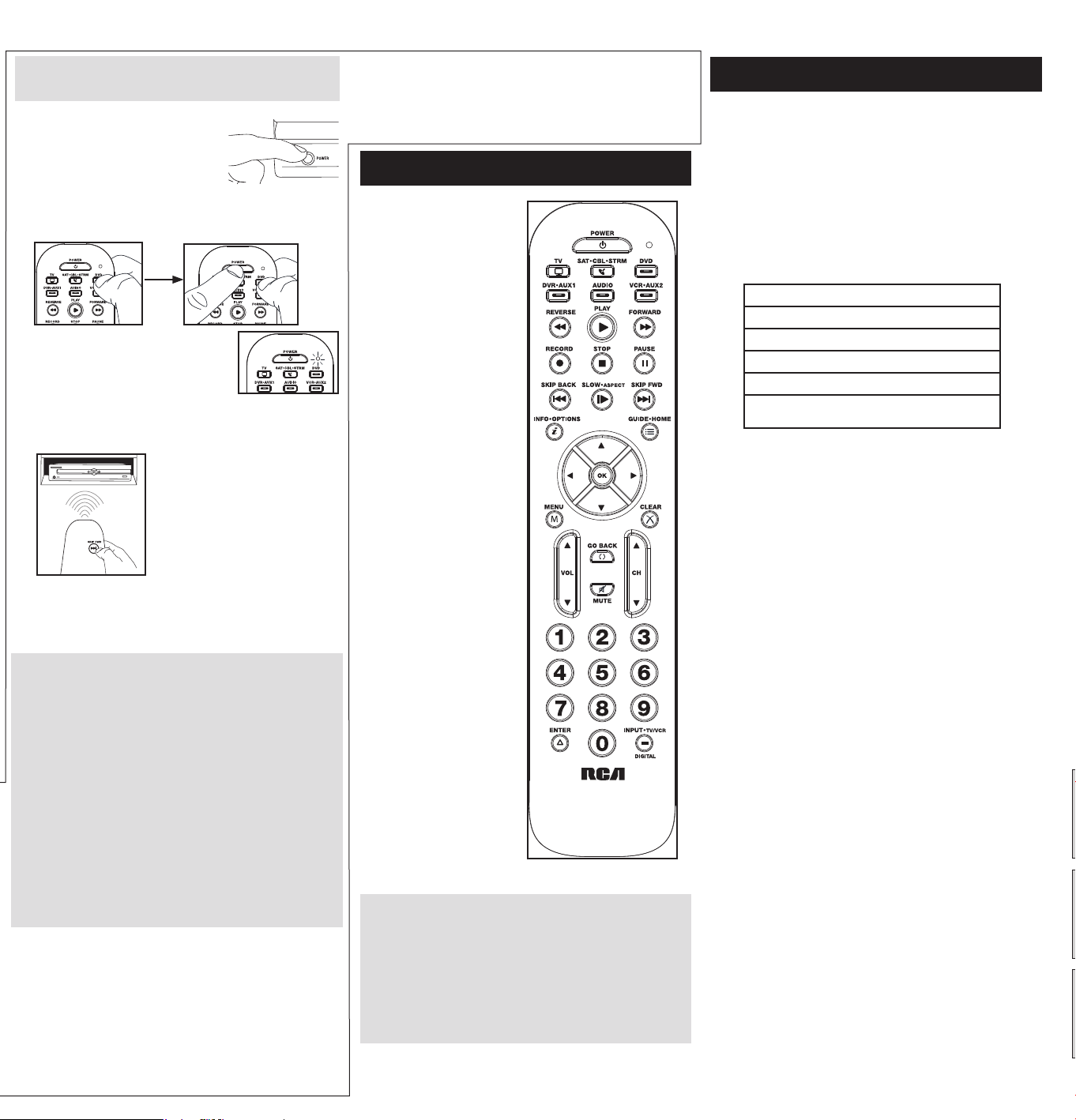
LED indicator serves as an
indicator light to provide
feedback.
Device keys (TV, SAT•CBL,
DVD-BLU RAY, AUDIO/
SOUNDBAR, STREAM, AUX)
put the remote in the right
mode to control your device.
controls Samsung Hub
functionality on TVs. It may also
control similar functionality on
other devices (see your device
manual for information).
GUIDE puts the remote in
guide mode for satellite
receivers or cable boxes, and
accesses the home screen for
streaming players.
EXIT exits remote
programming; it also performs
the same functions as on your
original remotes.
Arrow keys act as navigation
keys in device guides and menu
systems.
The INPUT•DIGITAL — (dash)
key has three functions: (1) it
toggles through all the video
sources connected to your TV;
(2) when the remote is in VCR
mode, this button toggles
between VCR and the TV input;
(3) when you’re entering digital
channel numbers directly, this
button lets you separate the
main channel number from the
sub-channel number (such as
59.1).
Actual model may vary from
illustration
IMPORTANT
Because this remote controls more than one device, you must
�rst“tell”theremotewhichdeviceyouwishtooperate.That
means,ifyouwishtooperateyourTV,youmust�rstpressthe
TVkeytoputtheremoteintheTVMode.Theremotestays
in that device mode until you press a different device key.
Forexample,ifyourremoteisinTVModeandyouwantto
operatetheDVDplayer,youmustpresstheDVD-BLURAYkey
to change device modes.
Tour of the Remote
5.
Point the remote directly at the front
panel of the device you want to
control. Press PLAY on the remote.
The remote starts sending the on/
off command for a new code every 2
seconds.
When your device turns off:
Press the STOP key to store the code. You’re done! You’ve
programmed this device key.
If your device turns off but you waited more than 2 seconds:
Press the PLAY key to go backwards through the last few
codes. When your device turns back on again, press STOP to
store that code.
3.
Manually turn on the device you
want to control.
4.
Press and hold the device key
you want to program for about 2
seconds, until the remote’s indicator
light illuminates. Then release the
key.
Testing the Code for Maximum Functionality
1. Try a variety of the device’s functions with the remote. If
some device features don’t work, go to the next step to try
a different code.
2. Repeat the search from step 3.
3. Test the key’s functionality again by attempting to control
a variety of the device’s functions. If the code that has
been stored controls the majority of the device’s functions,
programming is complete. If the code stored does not give
maximum functionality, try another code.
NOTES
Throughouttheprogrammingofeachkey,besuretokeep
theremotepointedattheIRsensorofthedeviceyouare
currently programming the remote to control.
Testtheremotewiththedevicetomakesurethedevicekeyis
programmed with the correct code for maximum functionality.
Ifsomefeaturesdon’twork,tryadifferentcode.Seethe
“TestingtheCodeforMaximumFunctionality”sectionbelow
for more information.
In most cases, the keys on this remote perform the same functions
as the keys on your original remotes once you’ve programmed this
remote to operate your components. Many keys on this remote
have other functions as well.
LEDindicator
Advanced Functions
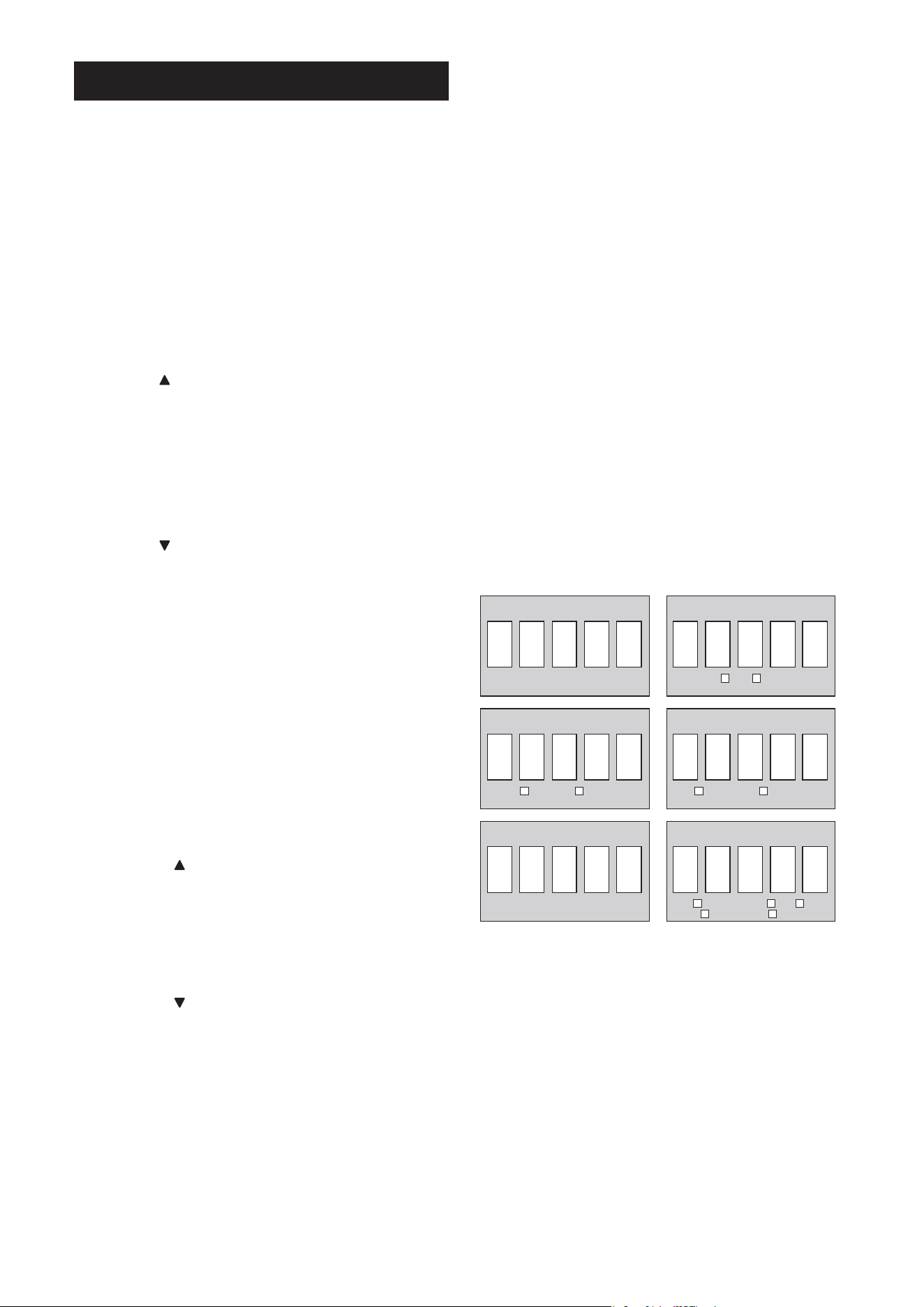
DVD-BLU RAY CODE AUDIO/SOUNDBAR CODE
SAT•CBL CODETV CODE
SAT
CABLE
DVD
BLU RAY
AUDIO RECEIVER
SOUNDBAR
AUX CODE
STREAMING PLAYER DVD TV
SATELLITE/CABLE BLU RAY
STREAM CODE
TV Volume Lock and Advanced Volume Lock
TV Volume Lock allows the VOL and MUTE keys, when pressed
in SAT•CBL, STREAM, or DVD-BLU RAY modes, to go directly to
your TV. TV Volume Lock occurs automatically and allows you to
control the TV volume without exiting the current mode.
Note:TVVolumeLockdoesnotoccurincaseswherethe
componentcodehasitsownvolume/mutecontrols,suchassome
satellite receivers.
Advanced Volume Lock lets you lock volume controls to a
different component, like a soundbar or audio receiver.
To use Advanced Volume Lock:
1. Press and hold the device key you want to use to control
volume for about 2 seconds until the remote’s indicator light
illuminates and stays on. Then release the device key.
2. Press VOL once.Theremote’sindicatorlightashesonce
and remains illumintated.
3. Press OK once to lock volume commands to this device. The
remote’sindicatorlightashestwiceandturnsoff.
Volumecommandswillnowgotothedeviceyouspeci�ed.
To turn Advanced Volume Lock off:
1. Press and hold the device key that currently controls volume
for about 2 seconds until the remote’s indicator light
illuminates and stays on. Then release the device key.
2. Press VOL once.Theremote’sindicatorlightashesonce
and remains illumintated.
3. Press OK once to unlock Volume commands. The remote’s
indicatorlightashestwiceandthenturnsoff.
Volume commands will now go to your TV.
Channel Lock
Channel lock automatically sends channel commands, like the CH,
GO BACK, and 0–9 number keys, to your satellite receiver, cable
box, or digital TV converter when you’re in TV mode. This can save
you keypresses if you use a device other than your TV to change
channels.
To turn channel lock on:
1. Press and hold the device key you want to use to change
channels for about 2 seconds until the remote’s indicator light
illuminates. Then release the device key.
2. Press the CH keyonce.Theremote’sindicatorlightashes
once and remains ON.
3. Press OK to lock channel commands to this device. The
remote’sindicatorlightashestwiceandturnsoff.
To turn channel lock off:
1. Press any device key for about 2 seconds until the remote’s
indicator light illuminates. Then release device key.
2. Press the CH keyonce.Theremote’sindicatorlightashes
once and remains ON.
3. Press OK to unlock channel commands. The remote’s indicator
lightashestwiceandturnsoff.
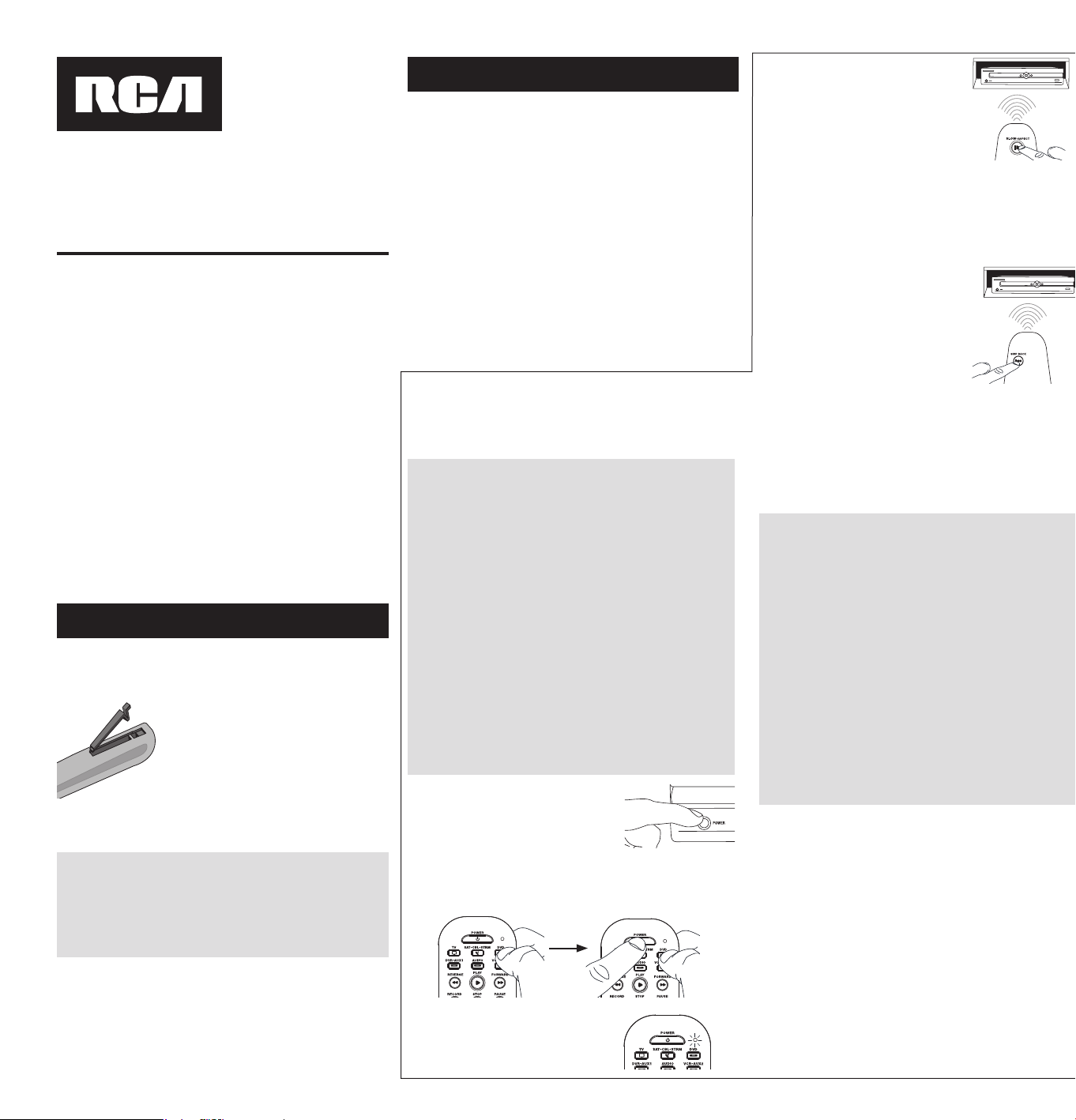
Code Retrieval
Once you’ve programmed the remote to control your devices, you
may want to record the codes for future reference. If you used the
DirectCodeEntrymethod,thisiseasy.Just�ndthecodesyou
entered and make a note of them in the boxes below. If you used
one of the Code Search methods to program your remote or if
you used the Direct Entry method but don’t remember the code,
youwillneedtoretrieveeachdevice’s�ve-digitcode.Retrieving
the actual code and writing it down will save you time if you ever
need to program the remote again. If the codes are recorded, you
can use the Direct Entry method to reprogram your remote to
control your devices, which is quick and easy.
1. Press and hold the device key (TV, SAT•CBL, STREAM, AUX,
AUDIO/SOUNDBAR,DVD-BLURAY)whosecodeyouwishto
retrieve for about 2 seconds until the remote’s indicator light
illuminates and stays on. Then release device key.
2. PresstheMENUkey.Theremote’sindicatorlightashesonce
and remains illuminated.
3. Toretrievethe�rstnumberinthecode,pressthe1keyon
the remote. The remote’s indicator light blinks to show the
numberthatisthe�rstdigitinthecode.Forexample,ifthe
remote’s indicator light blinks 3 times when you press the 1
key,the�rstnumberinthecodeis3.Writethisnumberinthe
corresponding box below.
Repeat for each number in the code—press 2 to see the
second number in the code, 3 for the third, and so on until
you have all 5.
4. Press MENU to exit code retrieval.
TIP:ToexittheCodeRetrievalModeatanytime,pressthe
MENUkey.
Problem: The remote does not operate your device.
• Make sure the remote is in the correct mode by pressing the
corresponding device key (TV, SAT•CBL, DVD-BLU RAY, AUDIO/
SOUNDBAR, STREAM, AUX). This tells the remote which device to
operate.
• Remove any obstacles between the remote and the device. Make sure
you’re aiming the remote at the device’s IR sensor.
• Make sure the batteries are fresh and are properly installed. Replace
the batteries with two new AAA batteries, if necessary (see the
Battery Installation section).
Problem: The remote can’t be programmed to operate your
device.
• If you are testing the remote while programming it, you may be
too far away from the device or at a wrong angle. There must be
an unobstructed path between the remote and the IR sensor on
the device. Move closer and make sure you point the remote at the
device you’re trying to control.
• If you’re using the Direct Entry programming method to enter the
codes for your brand and the unit is still not functioning properly, try
one of the auto search methods.
• To control combo units, like TV/VCRs or TV/DVDs, you must program
the individual corresponding device keys to control each part of the
combo unit. Once programmed successfully, the TV key controls the
TV functions, and the DVD-BLU RAY key controls the VCR or DVD
functions.
• Make sure the batteries are fresh and are properly installed.
Problem: The remote doesn’t perform commands properly.
• Make sure the remote is in the correct mode by pressing the
corresponding device key (TV, SAT•CBL, DVD-BLU RAY, AUDIO/
SOUNDBAR, STREAM, AUX). This tells the remote which device to
operate.
• Make sure device is ready (for example, the DVD player has a disc
loaded).
• You may have pressed an invalid key for the mode the remote is in.
• If you’re trying to enter a channel number directly, try pressing the
OK key after entering the channel number as this is a requirement of
certain models and brands.
• There is a possibility that a programmed code may only be able to
control some of your device features (for example, only turns a device
onandoff).Tocon�rmthatthedevicekeyisprogrammedwiththe
correct code for maximum functionality, test the device. Attempt to
control a variety of the device’s functions with the remote. If some of
the features of your devices don’t work, try programming the remote
with a different code in the list using the Direct Code Entry Method,
untilyou�ndthecodethatallowstheremotetocontrolthemajority
of your device’s functions. Different codes can provide different levels
of functionality.
Problem: The remote’s indicator light does not light when you
press a key.
• You may have pressed an invalid key for the mode the remote is in.
• Make sure the remote is in the correct mode by pressing the
corresponding device key (TV, SAT•CBL, DVD-BLU RAY, AUDIO/
SOUNDBAR, STREAM, AUX). This tells the remote which device to
operate.
• Make sure the batteries are fresh and are properly installed. Replace
the batteries with two new AAA batteries, if necessary (see the
Battery Installation section).
Problem: The remote will not change channels on device.
• Make sure the remote is in the correct mode by pressing the
corresponding device key (TV, SAT•CBL, DVD-BLU RAY, AUDIO/
SOUNDBAR, STREAM, AUX). This tells the remote which device to
operate.
• Press the OK key after you enter a channel number.
• Remove any obstacles between the remote and the device. Make sure
to aim the remote at the IR sensor on the device.
Problem: The device’s menu does not appear on the TV screen.
• Make sure you have connected the device to your TV properly and
selected the correct input. (See your devices’ Owner’s Manuals for
proper connection procedures.)
• Make sure the remote is in the correct mode by pressing the
corresponding device key (TV, SAT•CBL, DVD-BLU RAY, AUDIO/
SOUNDBAR, STREAM, AUX). This tells the remote which device to
operate.
• Menu access isn’t supported for all brands. You may need to use your
original remote control to access menu functions for some devices.
For more information, including instructional videos, remote
programming codes, and customer support, visit
Troubleshooting
Voxx Accessories Corporation (the “Company”) warrants to you the original retail
purchaser of this product that should it, under normal use and conditions, be
proven defective in material or workmanship during its lifetime while you own
it, such defect(s) will be repaired or replaced (at the Company’s option) without
charge for parts and repair labor.
To obtain repair or replacement within the terms of the warranty, the product is to
bedeliveredwithproofofwarrantycoverage(e.g.datedbillofsale),speci�cation
of defect(s), transportation prepaid, to an approved warranty station. For the
locationofthenearestwarrantystationtoyou,calltoll-freetoourcontrolof�ce:
1-800-645-4994.
This Warranty does not cover product purchased, serviced or used outside the
United States or Canada. This Warranty is not transferable and does not extend
to costs incurred for installation, removal or reinstallation of the product. This
Warranty does not apply if in the Company’s opinion, the product has been
damaged through alteration, improper installation, mishandling, misuse, neglect,
accident, or the simultaneous use of different battery types (e.g. alkaline, standard
or rechargeable).
THE EXTENT OF THE COMPANY’S LIABILITY UNDER THIS WARRANTY IS
LIMITED TO THE REPAIR OR REPLACEMENT PROVIDED ABOVE AND, IN NO
EVENT, SHALL THE COMPANY’S LIABILITY EXCEED THE PURCHASE PRICE PAID
BY PURCHASER FOR THE PRODUCT.
This Warranty is in lieu of all other express warranties or liabilities. ANY IMPLIED
WARRANTIES, INCLUDING ANY IMPLIED WARRANTY OF MERCHANTABILITY
OR FITNESS FOR A PARTICULAR PURPOSE SHALL BE LIMITED TO DURATION
OF THIS WARRANTY. IN NO CASE SHALL THE COMPANY BE LIABLE FOR ANY
CONSEQUENTIAL OR INCIDENTAL DAMAGES WHATSOEVER. No person or
representative is authorized to assume for the Company any liability other than
expressed herein in connection with the sale of this product.
Some states/provinces do not allow limitations on how long an implied warranty
lasts or the exclusion or limitation of incidental or consequential damage so the
above limitations or exclusions may not apply to you. This Warranty gives you
speci�clegalrightsandyoumayalsohaveotherrights,whichvaryfromstate/
province to state/province.
Limited Lifetime Warranty
FCC Statement:
This device complies with part 15 of the FCC Rules. Operation is subject
tothefollowingtwoconditions:(1)Thisdevicemaynotcauseharmful
interference, and (2) this device must accept any interference received,
including interference that may cause undesired operation.
Note:Thisequipmenthasbeentestedandfoundtocomplywiththelimits
for a Class B digital device, pursuant to part 15 of the FCC Rules. These
limits are designed to provide reasonable protection against harmful
interference in a residential installation. This equipment generates, uses
and can radiate radio frequency energy and, if not installed and used in
accordance with the instructions, may cause harmful interference to radio
communications. However, there is no guarantee that interference will
not occur in a particular installation. If this equipment does cause harmful
interference to radio or television reception, which can be determined by
turning the equipment off and on, the user is encouraged to try to correct
theinterferencebyoneormoreofthefollowingmeasures:
• Reorient or relocate the receiving antenna.
• Increase the separation between the equipment and receiver.
• Connect the equipment into an outlet on a circuit different from that to
which the receiver is connected.
• Consult the dealer or an experienced radio/TV technician for help.
Caution:AnyChangesormodi�cationsnotexpresslyapprovedbytheparty
responsible for compliance could void the user’s authority to operate this
equipment.
Industry Canada Regulatory InformationCANICES-3(B)/NMB-3(B)
Avis d’Industrie Canada CANICES-3(B)/NMB-3(B)
Care and Maintenance
• Keep the remote dry. If it gets wet, wipe it dry immediately.
• Use and store the remote only in normal temperature environments.
• Handle the remote gently and carefully. Don’t drop it.
• Keep the remote away from dust and dirt.
• Wipe the remote with a damp cloth occasionally to keep it looking new.
• Modifying or tampering with the remote’s internal devices can cause
malfunction and invalidate its warranty.
Co
d
e
L
i
s
t
s
L
is
t
e
s
d
e
Cod
e
s
L
i
st
a
d
e
Có
d
i
g
os
R
2
71
U
1
4-
D
ev
i
ce
C
o
des
0
0
T
V
/
Té
l
é
v
i
se
u
r
A
B
E
X
.
.
.
.
.
.
.
.
.
.
.
.
.
.
.
.
.
.
.
.
.
.
.
.
.
.
.
.
.
.
.
.
.
.
.
.
.
.
.
.
.
.
.
.
.
.
.
.
.
.
.
.
.
.
.
.
.
.
.
.
.
.
.
.
.
.
.
.
.
.
.
.
.
.
.
.
.
.
.
.
.
64
911
,
69
9
13
A
C
C
U
R
I
A
N
.
.
.
.
.
.
.
.
.
.
.
.
.
.
.
.
.
.
.
.
.
.
.
.
.
.
.
.
.
.
.
.
.
.
.
.
.
.
.
.
.
.
.
.
.
.
.
.
.
.
.
.
.
.
.
.
.
.
.
.
.
.
.
.
.
.
.
.
.
.
.
.
.
.
.
.
.
.
.
.
.
.
.
.
91
814
A
C
E
R
.
.
.
.
.
.
.
.
.
.
.
.
.
.
.
.
.
.
.
.
.
.
.
.
.
.
.
.
.
.
.
.
.
.
.
.
.
.
.
.
.
.
.
.
.
.
.
.
.
.
.
.
.
.
.
.
.
.
.
.
.
.
.
.
.
.
.
.
16
317
,
42
9
19,
5
91
14
A
D
C
.
.
.
.
.
.
.
.
.
.
.
.
.
.
.
.
.
.
.
.
.
.
.
.
.
.
.
.
.
.
.
.
.
.
.
.
.
.
.
.
.
.
.
.
.
.
.
.
.
.
.
.
.
.
.
.
.
.
.
.
.
.
.
.
.
.
.
.
.
.
.
.
.
.
.
.
.
.
.
.
.
.
3
3
71
9,
653
12
A
D
VE
N
T
.
.
.
.
.
.
.
.
.
.
.
.
.
.
.
.
.
.
.
.
.
.
.
.
.
.
.
.
.
.
.
.
.
.
.
.
.
.
.
.
.
.
.
.
.
.
.
.
.
5
0
411
,
710
1
4
,
910
1
9,
997
15
A
FF
I
N
I
T
Y
.
.
.
.
.
.
.
.
.
.
.
.
.
.
.
.
.
.
.
.
.
.
.
.
.
.
.
.
.
.
.
.
.
.
.
.
.
.
.
.
.
.
.
.
.
.
.
.
.
.
.
.
.
.
.
.
.
.
.
.
.
.
.
.
.
.
.
.
.
.
.
.
.
.
.
.
.
.
.
.
.
.
.
.
.
.
.
0
78
1
9
A
FT
RO
N
.
.
.
.
.
.
.
.
.
.
.
.
.
.
.
.
.
.
.
.
.
.
.
.
.
.
.
.
.
.
.
.
.
.
.
.
.
.
.
.
.
.
.
.
.
.
.
.
.
.
.
.
.
.
.
.
.
.
.
.
.
.
.
.
.
.
.
.
.
.
.
.
.
.
.
.
.
.
.
.
.
.
.
.
.
.
.
.
01
2
1
9
A
I
K
O
.
.
.
.
.
.
.
.
.
.
.
.
.
.
.
.
.
.
.
.
.
.
.
.
.
.
.
.
.
.
.
.
.
.
.
.
.
.
.
.
.
.
.
.
.
.
.
.
.
.
.
.
.
.
.
.
.
.
.
.
.
.
.
.
.
.
.
.
.
.
.
.
.
.
.
.
.
.
.
.
.
.
.
.
.
.
.
.
.
.
.
.
.
.
63
511
A
I
W
A
.
.
.
.
.
.
.
.
.
.
.
.
.
.
.
.
.
.
.
.
.
.
.
.
.
.
.
.
.
.
.
.
.
.
.
.
.
.
.
.
.
.
.
.
.
.
.
.
.
.
.
.
.
.
.
.
.
.
.
.
.
.
.
.
.
.
.
.
.
.
.
.
.
.
.
.
.
.
.
.
.
40
411
,
66
1
11
A
KA
I
.
.
.
.
.
.
.
.
.
.
.
.
.
.
.
.
.
.
.
.
.
.
.
.
.
.
.
.
.
.
.
.
.
.
.
.
.
.
.
.
.
.
.
09
61
9,
4
35
14,
9
01
17
,
9
42
1
9,
9
781
7
A
L
LER
O
N
.
.
.
.
.
.
.
.
.
.
.
.
.
.
.
.
.
.
.
.
.
.
.
.
.
.
.
.
.
.
.
.
.
.
.
.
.
.
.
.
.
.
.
.
.
.
.
.
.
.
.
.
.
.
.
.
.
.
.
.
.
.
.
.
.
.
.
.
.
.
.
.
.
.
.
.
.
.
.
.
.
.
.
.
.
.
54
7
1
1
A
M
TR
O
N
.
.
.
.
.
.
.
.
.
.
.
.
.
.
.
.
.
.
.
.
.
.
.
.
.
.
.
.
.
.
.
.
.
.
.
.
.
.
.
.
.
.
.
.
.
.
.
.
.
.
.
.
.
.
.
.
.
.
.
.
.
.
.
.
.
.
.
.
.
.
.
.
.
.
.
.
.
.
.
.
.
.
.
.
.
.
.
79
51
3
A
M
W
.
.
.
.
.
.
.
.
.
.
.
.
.
.
.
.
.
.
.
.
.
.
.
.
.
.
.
.
.
.
.
.
.
.
.
.
.
.
.
.
.
.
.
.
.
.
.
.
.
.
.
.
.
.
.
.
.
.
.
.
.
.
.
.
.
.
.
.
.
.
.
.
.
.
.
.
.
.
.
.
.
6
4
013
,
75
2
14
A
N
A
M
N
A
T
I
O
N
A
L
.
.
.
.
.
.
.
.
.
.
.
.
.
.
.
.
.
.
.
.
4
92
19,
57
6
1
1,
5
8
21
1,
7
861
3
,
7
95
13
A
O
C
.
.
.
.
1
9819
,
31
6
12,
31
811
,
334
1
1,
33
4
12,
4041
3
,
5
27
1
3,
5
3313
A
PE
X
.
.
.
.
.
.
.
.
.
.
.
.
.
.
.
.
.
.
.
.
.
.
.
.
.
.
.
.
.
.
.
.
.
.
.
.
.
.
.
.
.
06
016
,
39
0
1
9,
4
21
13,
471
1
1,
54
21
4,
.
.
.
.
.
.
.
.
.
.
.
.
.
.
.
.
.
.
.
.
.
.
.
.
.
.
.
.
.
.
.
.
.
.
.
.
.
.
.
.
.
.
.
.
.
.
.
.
.
.
.
.
.
.
.
.
.
.
.
.
.
.
.
.
.
6
01
1
3,
752
1
7
,
76
31
4,
8
471
5
A
PE
X
D
I
G
I
T
A
L
.
.
.
.
.
.
.
.
.
.
.
.
.
.
.
.
.
.
.
.
.
.
.
.
.
.
.
.
.
.
.
.
.
.
.
.
.
.
.
.
.
.
.
.
.
.
.
.
.
.
.
.
.
.
.
.
.
.
.
.
.
.
.
.
.
.
.
.
.
.
.
.
.
.
.
.
.
.
.
39
019
A
RI
O
.
.
.
.
.
.
.
.
.
.
.
.
.
.
.
.
.
.
.
.
.
.
.
.
.
.
.
.
.
.
.
.
.
.
.
.
.
.
.
.
.
.
.
.
.
.
.
.
.
.
.
.
.
.
.
.
.
.
.
.
.
.
.
.
.
.
.
.
.
.
.
.
.
.
.
.
.
.
.
.
.
.
.
.
.
.
.
.
.
.
.
.
.
.
68
515
A
TV
I
O
.
.
.
.
.
.
.
.
.
.
.
.
.
.
.
.
.
.
.
.
.
.
.
.
.
.
.
.
.
.
.
.
.
.
.
.
.
.
.
.
.
.
.
.
.
.
.
.
.
.
.
.
.
21
7
11
,
381
11,
6
33
15,
646
1
5
A
TY
M
E
.
.
.
.
.
.
.
.
.
.
.
.
.
.
.
.
.
.
.
.
.
.
.
.
.
.
.
.
.
.
.
.
.
.
.
.
.
.
.
.
.
.
.
.
.
.
.
.
.
.
.
.
.
.
.
.
.
.
.
.
.
.
.
.
.
.
.
.
.
.
.
.
.
.
.
.
.
.
.
.
.
.
.
.
.
.
.
.
.
.
.
52
013
A
U
D
I
O
VO
X
.
.
.
.
.
.
.
.
.
.
.
.
.
.
.
.
.
.
.
.
.
.
.
.
.
.
.
.
.
.
.
.
.
.
.
.
.
.
.
.
.
.
.
.
.
.
.
.
.
.
.
.
.
.
.
.
.
75
512
,
7
9
5
13
,
8
64
13
A
U
R
I
A
.
.
.
.
.
.
.
.
.
.
.
.
.
.
.
.
.
.
.
.
.
.
.
.
.
.
.
.
.
.
.
.
.
.
.
.
.
.
.
.
.
.
.
.
.
.
.
.
.
.
.
.
.
.
.
.
.
.
.
.
.
.
.
.
.
.
.
.
.
.
.
.
.
.
.
.
.
.
.
3
16
12,
3341
2
A
U
R
O
R
A
.
.
.
.
.
.
.
.
.
.
.
.
.
.
.
.
.
.
.
.
.
.
.
.
.
.
.
.
.
.
.
.
.
.
.
.
.
.
.
.
.
.
.
.
.
.
.
.
.
.
.
.
.
.
.
.
.
.
.
.
.
.
.
.
.
.
.
.
.
.
.
.
.
.
.
.
.
.
.
.
.
.
.
.
.
.
.
.
46
014
A
U
V
I
O
.
.
.
.
.
.
.
.
.
.
.
.
.
.
.
.
.
.
.
.
.
.
.
.
.
.
.
.
.
.
.
.
.
.
.
.
.
.
.
.
.
.
.
.
.
.
.
.
.
.
.
.
.
.
.
.
.
.
.
.
.
.
.
.
.
.
.
.
.
.
.
.
.
.
.
.
.
.
.
46
5
13
,
57
0
14
A
VE
N
TU
R
A
.
.
.
.
.
.
.
.
.
.
.
.
.
.
.
.
.
.
.
.
.
.
.
.
.
.
.
.
.
.
.
.
.
.
.
.
.
.
.
.
.
.
.
.
.
.
.
.
.
.
.
.
.
.
.
.
.
.
.
.
.
.
.
.
.
.
.
.
.
.
.
.
.
.
.
.
.
.
.
.
.
.
.
.
8
85
18
A
VE
R
A
.
.
.
.
.
.
.
.
.
.
.
.
.
.
.
.
.
.
.
.
.
.
.
.
.
.
.
.
.
.
.
.
.
.
.
.
.
.
.
.
.
.
.
.
.
.
.
.
.
.
.
.
.
.
.
.
.
.
.
.
.
.
.
.
.
.
.
.
.
.
.
.
.
.
.
.
.
.
.
.
.
.
.
.
.
.
.
.
.
.
.
68
515
A
VO
L
.
.
.
.
.
.
.
.
.
.
.
.
.
.
.
.
.
.
.
.
.
.
.
.
.
.
.
.
.
.
.
.
.
.
.
.
.
.
.
.
.
.
.
.
.
.
.
.
.
.
.
.
.
.
.
.
.
.
.
.
.
.
.
.
.
.
.
.
.
.
.
.
.
.
.
.
.
.
.
.
87
2
17
,
89
1
1
5
A
X
E
SS
.
.
.
.
.
.
.
.
.
.
.
.
.
.
.
.
.
.
.
.
.
.
.
.
.
.
.
.
.
.
.
.
.
.
.
.
.
.
.
.
.
.
.
.
.
.
.
.
.
.
.
.
.
.
.
.
.
.
.
.
.
.
.
.
.
.
.
.
.
.
.
.
.
.
.
.
.
.
.
.
.
.
.
.
.
.
.
.
.
.
.
.
41
811
A
X
I
O
N
.
.
.
.
.
.
.
.
.
.
.
.
.
.
.
.
.
.
.
.
.
.
.
.
.
.
.
.
.
.
.
.
.
.
.
.
.
.
.
.
.
.
.
.
.
.
.
.
.
.
.
.
.
.
.
.
.
.
.
.
.
.
.
.
.
.
.
.
.
.
.
.
.
.
.
.
.
.
.
.
.
.
.
.
.
.
.
.
.
.
.
8
43
15
B
A
N
G
&
O
L
U
F
S
EN
.
.
.
.
.
.
.
.
.
.
.
.
.
.
.
.
.
.
.
.
.
.
.
.
.
.
.
.
.
.
.
.
.
.
.
.
.
.
.
.
.
.
.
.
.
.
.
.
.
.
.
.
.
.
.
.
.
.
.
.
.
.
.
.
.
.
.
.
.
.
24
011
B
E
L
L
&
H
O
W
E
L
L
.
.
.
.
.
.
.
.
.
.
.
.
.
.
.
.
.
.
.
.
.
.
.
.
.
.
.
.
.
.
.
.
.
.
.
.
.
.
.
.
.
.
.
.
.
.
.
.
.
2
66
18,
6531
2
,
98
21
5
B
E
N
Q
.
.
.
.
.
.
.
.
.
.
.
.
.
.
.
.
.
.
.
.
.
.
.
.
.
.
.
.
.
.
.
.
.
.
.
.
.
.
.
.
.
.
.
.
.
.
.
.
.
.
.
.
.
.
3
19
19,
800
1
4,
8
7
81
3,
9
571
9
B
L
U
E
S
K
Y
.
.
.
.
.
.
.
.
.
.
.
.
.
.
.
.
.
.
.
.
.
.
.
.
.
.
.
.
.
.
.
.
.
.
.
.
.
.
.
.
.
.
.
.
.
.
.
.
.
.
.
.
.
.
.
.
.
.
.
.
.
.
.
.
.
.
.
.
.
.
.
.
.
95
01
7
,
98
3
14
B
O
E
.
.
.
.
.
.
.
.
.
.
.
.
.
.
.
.
.
.
.
.
.
.
.
.
.
.
.
.
.
.
.
.
.
.
.
.
.
.
.
.
.
.
.
.
.
.
.
.
.
.
.
.
.
.
.
.
.
.
.
.
.
.
.
.
.
.
.
.
.
.
.
.
.
.
.
.
.
.
.
.
.
.
.
19
81
9,
89
0
13
B
O
L
VA
.
.
.
.
.
.
.
.
.
.
.
.
.
.
.
.
.
.
.
.
.
.
.
.
.
.
.
.
.
.
.
.
.
.
.
.
.
.
.
.
.
.
.
.
.
.
.
.
.
.
.
.
.
.
.
.
.
.
.
.
.
.
.
.
.
.
.
.
.
.
.
.
.
.
.
.
.
.
.
.
.
.
.
.
.
.
.
.
.
.
.
72
015
B
R
O
C
K
W
O
O
D
.
.
.
.
.
.
.
.
.
.
.
.
.
.
.
.
.
.
.
.
.
.
.
.
.
.
.
.
.
.
.
.
.
.
.
.
.
.
.
.
.
.
.
.
.
.
.
.
.
.
.
.
.
.
.
.
.
.
.
.
.
.
.
.
.
.
.
.
.
.
.
.
.
.
.
.
.
43
411
B
R
O
K
SO
N
I
C
.
.
.
.
.
.
.
.
.
.
.
.
.
.
.
.
5
4411
,
5
5
7
1
1
,
5
78
1
2,
6
5
81
3,
75
61
4
,
8
1
017
C
C
E
.
.
.
.
.
.
.
.
.
.
.
.
.
.
.
.
.
.
.
.
.
.
.
.
.
.
.
.
.
.
.
.
.
.
.
.
.
.
.
.
.
.
.
.
.
.
.
.
.
.
.
.
.
.
.
.
.
.
.
.
.
.
.
.
.
.
.
.
.
.
.
.
.
.
.
.
.
.
.
.
.
.
.
.
.
.
.
.
.
.
.
.
.
.
.
.
95
017
C
EL
ER
A
.
.
.
.
.
.
.
.
.
.
.
.
.
.
.
.
.
.
.
.
.
.
.
.
.
.
.
.
.
.
.
.
.
.
.
.
.
.
.
.
.
.
.
.
.
.
.
.
.
.
.
.
.
.
.
.
.
.
.
.
.
.
.
.
.
.
.
.
.
.
.
.
.
.
.
.
42
11
3
,
86
7
18
C
EN
TR
I
O
S
.
.
.
.
.
.
.
.
.
.
.
.
.
.
.
.
.
.
.
.
.
.
.
.
.
.
.
.
.
.
.
.
.
.
.
.
.
.
.
.
.
.
.
.
.
.
.
.
.
.
.
.
.
.
.
.
.
.
.
.
.
.
.
.
.
.
.
.
.
.
.
.
.
.
.
.
.
.
.
.
.
.
.
.
.
82
614
C
ET
O
M
ER
.
.
.
.
.
.
.
.
.
.
.
.
.
.
.
.
.
.
.
.
.
.
.
.
.
.
.
.
.
.
.
.
.
.
.
.
.
.
.
.
.
.
.
.
.
.
.
.
.
.
.
.
.
.
.
.
.
.
.
.
.
.
.
.
.
.
.
.
.
.
.
.
40
412
,
833
14
C
ET
R
O
N
I
C
.
.
.
.
.
.
.
.
.
.
.
.
.
.
.
.
.
.
.
.
.
.
.
.
.
.
.
.
.
.
.
.
.
.
.
.
.
.
.
.
.
.
.
.
.
.
.
.
.
.
.
.
.
.
.
.
.
.
.
.
.
.
.
.
.
.
.
.
.
.
.
.
.
.
.
.
.
.
.
.
.
.
.
.
78
613
C
H
A
N
G
H
O
N
G
.
.
.
.
.
.
.
.
.
.
.
.
.
.
.
.
.
.
.
.
.
.
.
.
.
.
.
.
.
.
.
.
.
.
.
.
.
.
.
.
.
.
.
.
.
.
.
.
.
.
.
.
.
.
.
.
.
.
.
.
.
.
.
.
01
618
,
721
17
C
H
A
R
TER
C
O
M
M
U
N
I
C
A
T
I
O
N
S
.
.
.
.
.
.
.
.
.
.
.
.
.
.
.
.
.
.
.
.
.
.
.
.
.
.
.
.
.
.
.
.
.
.
.
.
.
.
.
.
.
.
.
.
.
.
.
.
.
80
415
C
H
I
M
EI
.
.
.
.
.
.
.
.
.
.
.
.
.
.
.
.
.
.
.
.
.
.
.
.
.
.
.
.
.
.
.
.
.
.
.
.
.
.
.
.
.
.
.
.
.
.
.
.
.
.
.
.
.
.
.
.
.
.
.
.
.
.
.
.
.
.
.
.
.
.
.
.
.
.
.
.
.
.
.
.
.
.
.
.
.
.
.
.
.
.
2
49
12
C
I
E
L
O
.
.
.
.
.
.
.
.
.
.
.
.
.
.
.
.
.
.
.
.
.
.
.
.
.
.
.
.
.
.
.
.
.
.
.
.
.
.
.
.
.
.
.
.
.
.
.
.
.
.
.
.
.
.
.
.
.
.
.
.
.
.
.
.
.
.
.
.
.
.
.
.
.
.
.
.
.
.
.
.
.
.
.
.
.
.
.
.
.
.
.
.
30
812
C
I
N
E
RA
L
.
.
.
.
.
.
.
.
.
.
.
.
.
.
.
.
.
.
.
.
.
.
.
.
.
.
.
.
.
.
.
.
.
.
.
.
.
.
.
.
.
.
.
.
.
.
.
.
.
.
.
.
.
.
.
.
.
.
.
.
.
.
.
.
.
.
.
.
.
.
.
.
.
.
.
63
511
,
950
17
C
I
TI
Z
EN
.
.
.
.
.
.
.
.
.
.
.
.
.
.
.
.
.
.
.
.
.
.
.
.
58
412
,
60
1
12,
6
3
5
11,
786
1
3,
7
9
51
3
,
9
311
5
C
LA
SSI
C
.
.
.
.
.
.
.
.
.
.
.
.
.
.
.
.
.
.
.
.
.
.
.
.
.
.
.
.
.
.
.
.
.
.
.
.
.
.
.
.
.
.
.
.
.
.
.
.
.
.
.
.
.
.
.
.
.
.
.
.
.
.
0
4
616
,
46
3
1
1,
7
86
13
C
LP
.
.
.
.
.
.
.
.
.
.
.
.
.
.
.
.
.
.
.
.
.
.
.
.
.
.
.
.
.
.
.
.
.
.
.
.
.
.
.
.
.
.
.
.
.
.
.
.
.
.
.
.
.
.
.
.
.
.
.
.
.
.
.
.
.
.
.
.
.
.
.
.
.
.
.
.
.
.
.
.
.
.
.
.
.
.
.
.
.
.
.
.
.
.
.
.
.
43
311
C
LP
C
L
A
SS
I
C
.
.
.
.
.
.
.
.
.
.
.
.
.
.
.
.
.
.
.
.
.
.
.
.
.
.
.
.
.
.
.
.
.
.
.
.
.
.
.
.
.
.
.
.
.
.
.
.
.
.
.
.
.
.
.
.
.
.
.
.
.
.
.
.
.
.
.
43
411
,
79
9
1
4
C
O
BY
.
.
.
.
.
.
.
.
.
.
.
.
.
.
.
13
0
11
,
52
2
11,
5
24
11,
616
1
1,
77
6
1
7,
7
791
2
,
9
6
3
1
5
C
O
L
O
R
TYM
E
.
.
.
.
.
.
.
.
.
.
.
.
.
.
.
.
.
.
.
.
.
.
.
.
.
.
.
.
.
.
.
.
.
.
.
.
.
.
.
.
.
.
.
.
.
.
.
.
.
.
.
.
.
.
.
.
.
.
.
.
.
.
.
.
.
.
.
.
.
.
.
.
.
.
.
.
.
.
.
.
3
37
19
C
O
M
W
A
V
E
.
.
.
.
.
.
.
.
.
.
.
.
.
.
.
.
.
.
.
.
.
.
.
.
.
.
.
.
.
.
.
.
.
.
.
.
.
.
.
.
.
.
.
.
.
.
.
.
.
.
.
.
.
.
.
.
.
.
.
.
.
.
.
.
.
.
.
.
.
.
.
.
.
.
.
.
.
.
.
.
.
.
.
3
2
611
C
O
N
T
E
C
.
.
.
.
.
.
.
.
.
.
.
.
.
.
.
.
.
.
.
.
.
.
.
.
.
.
.
.
.
.
.
.
.
.
.
.
.
.
.
.
.
.
.
.
.
.
.
.
54
31
2,
565
1
1
,
7
86
1
3,
795
13
.
.
.
.
.
.
.
.
.
.
.
.
.
.
.
.
.
.
.
.
.
.
.
.
.
.
.
.
.
.
.
.
.
.
.
.
.
.
.
.
.
.
.
.
.
.
.
.
.
.
.
.
.
.
.
.
.
.
.
.
.
.
.
.
.
.
.
.
.
.
.
.
.
.
.
.
.
.
.
.
.
.
.
.
.
.
.
.
.
.
.
.
.
.
.
.
.
.
.
.
.
.
.
.
.
.
.
.
.
.
.
.
.
.
.
.
.
.
.
.
.
.
.
.
.
.
.
.
.
.
.
.
.
.
.
.
.
.
.
.
.
.
.
.
.
.
.
.
.
.
.
.
.
.
.
.
.
.
.
.
.
.
.
.
.
.
.
.
.
.
.
.
.
.
.
RCR6473E
Manual del Propietario del
Control Remoto Universal
Owner’s Manual (English on back)
¡GUARDE ESTE MANUAL Y LAS LISTAS DE CÓDIGOS!
Enocasionesloscontrolesremotospierdensuprogramacióncuando
se cambian las baterías. Asegúrese de mantener el manual y las
listasdecódigosenunlugarsegurodemaneraquepuedavolvera
programar el control remoto de ser necesario.
Consejo:Estecontrolremotoyaestáprogramadoparafuncionar
conlamayoríadelostelevisores,reproductoresdeDVDyBluRay
Samsung,aparatosdecableComcast,reproductoresdestreaming
Roku, y productos de audio JBL. Simplemente oprima la tecla
correspondiente:DVD-BLURAYparaunreproductordeDVD,TVpara
untelevisor,SAT•CBLparaunaparatodecable,STREAMparaun
reproductordestreaming,oAUDIO/SOUNDBARparaundispositivo
de audio o barra de sonido.
Ahorro de Batería
Su control remoto universal ahorra la potencia de las baterías al
apagar automáticamente cualquier tecla que se oprima por más de
15 segundos. Esta acción prolonga la vida útil de las baterías en caso
de que el control remoto quede pillado en un lugar donde las teclas
permanezcanoprimidas,talcomoentreloscojinesdeunsofá.
El control remoto necesita dos baterías alcalinas AAA (no
suministradas).
Para instalar las baterías:
1. Retire la tapa del compartimiento de las baterías.
2. Inserte las baterías, cerciorándose de que las polaridades (+) y (–)
correspondan con el diagrama que aparece en el compartimiento de
las baterías.
3. Vuelva a colocar la tapa del compartimiento de las baterías en su
posición.
Precauciones sobre las Baterías:
• No combine baterías nuevas y viejas.
•Nocombinediferentestiposdebaterías:alcalinas,estándar
(carbón-zinc)orecargables(níquel-cadmio).
• Siempre remueva de inmediato baterías viejas, débiles o
desgastadas, y recíclelas o deséchelas según lo disponen las normas
locales y nacionales.
Paso 1: Instale las baterías
Paso 2: Programe el control remoto
Para utilizar este control remoto universal con su sistema de
entretenimiento en el hogar, necesitará primero programarlo para
manejarsusdispositivos.Paraprogramarelcontrolremotouniversal
paramanejarsusdispositivos,utiliceunodelostresmétodosa
continuación. Intente cada una de ellas en el orden indicado.
• La Entrada Directa de Códigos le permite ingresar un
código de la lista de códigos suministrada para la marca de su
dispositivo.
• La función Búsqueda automática de códigos: principales
marcas realiza la búsqueda por los códigos para determinadas
marcas de dispositivos.
• La función Búsqueda automática de códigos: todas las
marcas explora automáticamente todos los códigos para el
dispositivo que está intentando controlar.
Entrada Directa de Códigos
La Entrada Directa de Códigos le permite ingresar un código de la
lista de códigos suministrada para la marca de su dispositivo.
1.
Encienda manualmente el dispositivo
que desea manejar.
3.
Mantenga oprimida la tecla de
dispositivo que desea programar
durante aproximadamente 2
segundos hasta que la luz indicadora
del control remoto permanezca
encendida. A continuación, suelte la
tecla.
2.
Encuentre la Lista de Códigos
suministrada con el control remoto.
Encuentre la sección para el tipo de
dispositivo que desea programar,
y localice la marca en esa sección.
Marque con un círculo los códigos
para la marca y manténgalos a mano.
NOTAS
Pruebe el control remoto con el dispositivo para asegurarse
quelatecladedispositivoestéprogramadaconelcódigo
correctoygarantizarasísumáximafuncionalidad.Sinopuede
utilizaralgunadelasfunciones,intenteconotrocódigodela
lista.
Recuerdeingresarelcódigoparareferenciafuturaenel
recuadroprovistoenlasecciónRecuperacióndeCódigosde
este manual.
Silamarcadeldispositivonoestáenlalistadecódigos,
utiliceelmétododebúsquedaautomáticadecódigospara
programar el control remoto.
4.
Ingrese el primer código de
cinco códigos para la marca
correspondiente en la lista de
códigos (la luz indicadora del
control remoto parpadea después
de cada dígito).
NO, sigue encendida: Ingresó un número de código que
no está en las listas de códigos o le faltó un paso en el
procedimiento de ingreso de código. Pruebe el paso 4
nuevamente.
5.
Cuando haya terminado de
ingresar el código de cinco
dígitos, mire la luz indicadora.
¿La luz indicadora se apagó?
SÍ: ¡Todo listo! Programó esta
tecla de dispositivo.
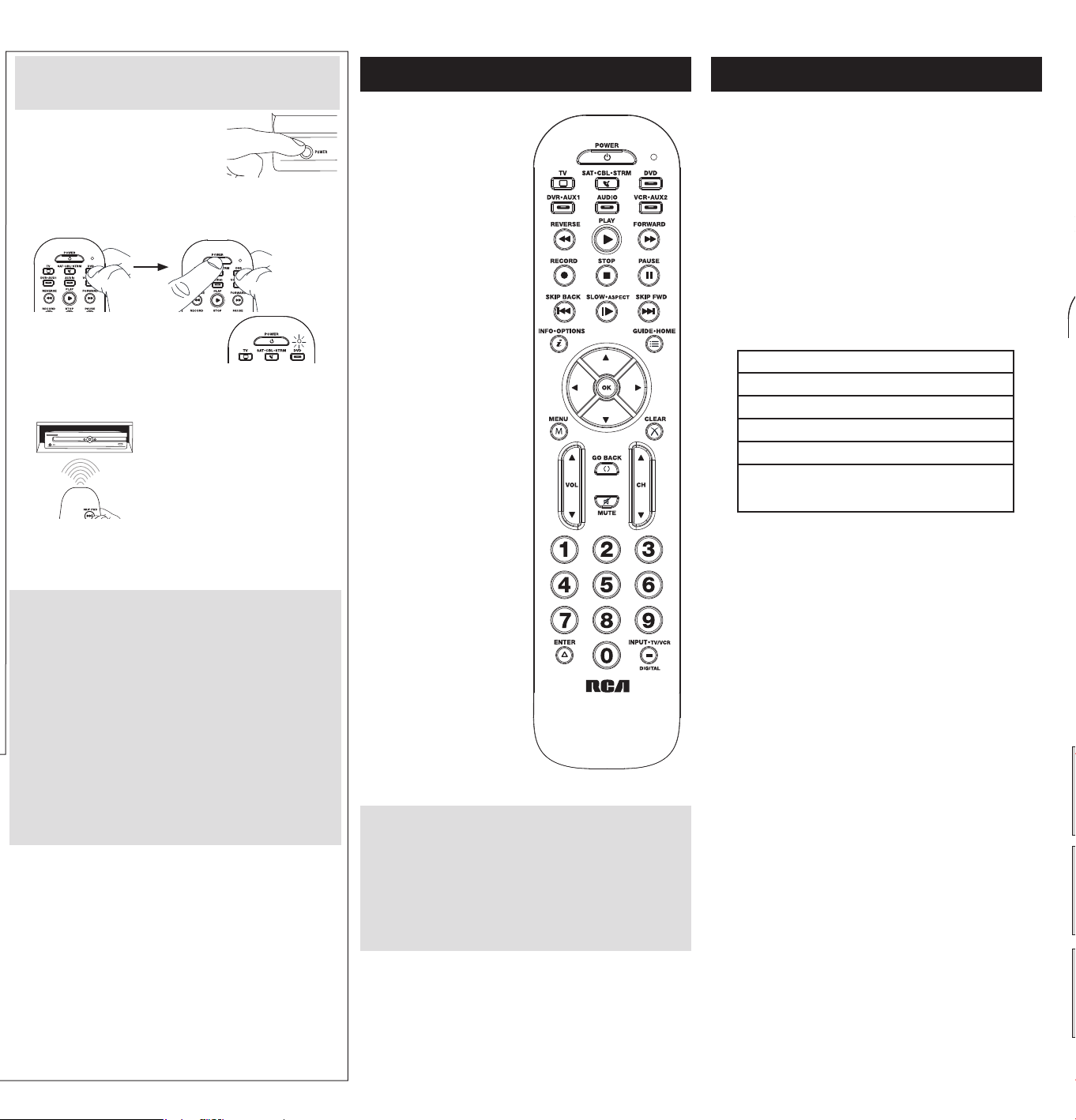
2.
Ingrese el código de dispositivo para el
dispositivo que desea controlar.
11111 TV
22222 VCR
33333 Reproductor de streaming
44444 Receptor de satélite,
aparato de cable,
convertidor de TV digital
55555 Reproductor de DVD/Blu Ray
88888 Proyector de video
66666Ampli�cadordeaudio
66664 Barra de sonido
La luz indicadora parpadea luego de los primeros cuatro
dígitos y se apaga después del quinto.
Búsqueda automática de códigos: principales marcas
Esta búsqueda explora automáticamente todos los códigos de
dispositivo para las marcas seleccionadas detalladas a continuación. Si
la marca del dispositivo está incluida en la lista, esta búsqueda puede
ser rápida y sencilla.
3.
Encienda manualmente el
dispositivo que desea manejar.
1.
Mantenga oprimida la tecla de
dispositivo que desea programar
durante aproximadamente 2 segundos
hasta que la luz indicadora del control
remoto permanezca encendida. A
continuación, suelte la tecla.
4.
Mantenga oprimida la tecla de
dispositivo que desea programar
durante aproximadamente 2
segundos hasta que la luz indicadora
del control remoto permanezca
encendida. A continuación, suelte la
tecla.
TV
ELEMENT, EMERSON, HISENSE, HITACHI, INSIGNIA, JVC,
LG, MAGNAVOX, PANASONIC, PHILIPS, PROSCAN, RCA,
ROKU TV, SAMSUNG, SANSUI, SANYO, SCEPTRE, SHARP,
SONY, SUNBRITETV, SYLVANIA, TCL, TOSHIBA, VIZIO,
WESTINGHOUSE
STREAM
APPLETV,AT&T,DIGITALSTREAM,D-LINK,LG,
MICROSOFT, NETGEAR, NVIDIA, PHILIPS, QNAP, ROKU,
SAMSUNG, SEAGATE, SHARP, SONY, TIVO, UNBLOCK
TECH, VIZIO, WD (WESTERN DIGITAL), XBOX, XIAOMI,
XTREAMER
SAT-CBL
ADELPHIA, ARRIS, AT&T, CABLEVISION, CHARTER
COMMUNICATIONS, CISCO, COMCAST, COX, DIRECTV,
DISH NETWORK, MOTOROLA, PACE, SAMSUNG, SHARP,
SHAW, SHAW DIRECT, SPECTRUM, TIVO, VERIZON,
XFINITY
DVD-BLU RAY
BOSE, FUNAI, INSIGNIA, LG, MAGNAVOX, MEMOREX,
ONN, PANASONIC, PHILIPS, PIONEER, RCA, SAMSUNG,
SANYO, SHARP, SONY, SYLVANIA, TOSHIBA, VIZIO
PROYECTOR
3M, BENQ, EPSON, LG, MITSUBISHI, NEC, OPTOMA,
PANASONIC, SONY, VANKYO, VIEWSONIC
VCR
HITACHI, JVC, MAGNAVOX, PHILIPS, RCA, SAMSUNG,
SANSUI, SANYO, SHARP, SONY, YAMAHA
AUDIO
BOSE, DENON, HARMAN/KARDON , INSIGNIA, JVC,
KENWOOD, LG, MARANTZ, ONKYO, PANASONIC,
PHILIPS, PIONEER, RCA, SAMSUNG, SANYO, SONY,
TECHNICS, VIZIO, YAMAHA
BARRA DE
SONIDO
BOSE, CRAIG, ILIVE, INSIGNIA, JBL, KLIPSCH, LG,
MAGNAVOX, ONN, PHILIPS, POLK AUDIO, PROSCAN,
RCA, SAMSUNG, SANYO, SONOS, SONY, VIZIO, YAMAHA
REPRODUCTOR
DE CD
AIWA, HARMAN/KARDON, JVC, PANASONIC, PHILIPS,
RCA, SANSUI, SANYO, SHARP, SONY, YAMAHA
2.
Ingrese el código de dispositivo para el
dispositivo que desea controlar.
11111 TV
22222 VCR
33333 Reproductor de streaming
44444 Receptor de satélite,
aparato de cable,
convertidor de TV digital
55555 Reproductor de DVD/Blu Ray
88888 Proyector de video
66666Ampli�cadordeaudio
66664 Barra de sonido
La luz indicadora parpadea luego de los primeros cuatro
dígitos y se apaga después del quinto.
5.
Apunte el control remoto
directamente hacia el panel frontal
del dispositivo que desea controlar.
Oprima la tecla POWER en el control
remoto.
El control remoto comienza enviando
el comando de encendido/apagado
para obtener un nuevo código cada 2 segundos.
Cuando el dispositivo se apaga: Oprima la tecla STOP para
almacenar el código. ¡Todo listo! Programó esta tecla de
dispositivo.
Si el dispositivo se apaga, pero esperó más de 2 segundos:
Oprima la tecla PLAY para retroceder a los últimos códigos.
Cuando el dispositivo vuelva a encenderse, oprima la tecla STOP
para almacenar ese código.
Cómo Probar el Código
para Obtener Máxima Funcionalidad
1. Pruebe una variedad de funciones del dispositivo con el
control remoto. Si no puede utilizar alguna de las funciones
del dispositivo, vaya al próximo paso e intente un código
diferente.
2. Repita la búsqueda del código de marca desde el paso 3.
3. Vuelva a probar la funcionalidad de las teclas intentando
controlar diferentes funciones del dispositivo. Si el código
que se almacenó controla la mayoría de las funciones del
dispositivo, se completó la programación. Si el código no
otorga la máxima funcionalidad, pruebe con otro.
NOTAS: Atravésdelaprogramacióndecadatecla,asegúrese
de mantener el control remoto apuntado directamente al sensor
infrarrojodeldispositivoqueestáactualmenteprogramandocon
el control remoto.
Pruebeelcontrolremotoconeldispositivoparaasegurarseque
latecladedispositivoestéprogramadaconelcódigocorrectoy
garantizarasísumáximafuncionalidad.Sinopuedeutilizaralguna
delasfunciones,intenteconotrocódigo.Paraobtenermayor
información,consultelasección“CómoProbarelCódigopara
ObtenerMáximaFuncionalidad”acontinuación.
Búsqueda automática de códigos: todas las marcas
Esta busca explora automáticamente todos los códigos para el
dispositivo que está intentando controlar. Cuando encuentre el
código que controla su dispositivo, puede detener la búsqueda y
almacenar ese código.
1.
Mantenga oprimida la tecla de
dispositivo que desea programar
durante aproximadamente 2 segundos
hasta que la luz indicadora del control
remoto permanezca encendida. A
continuación, suelte la tecla.
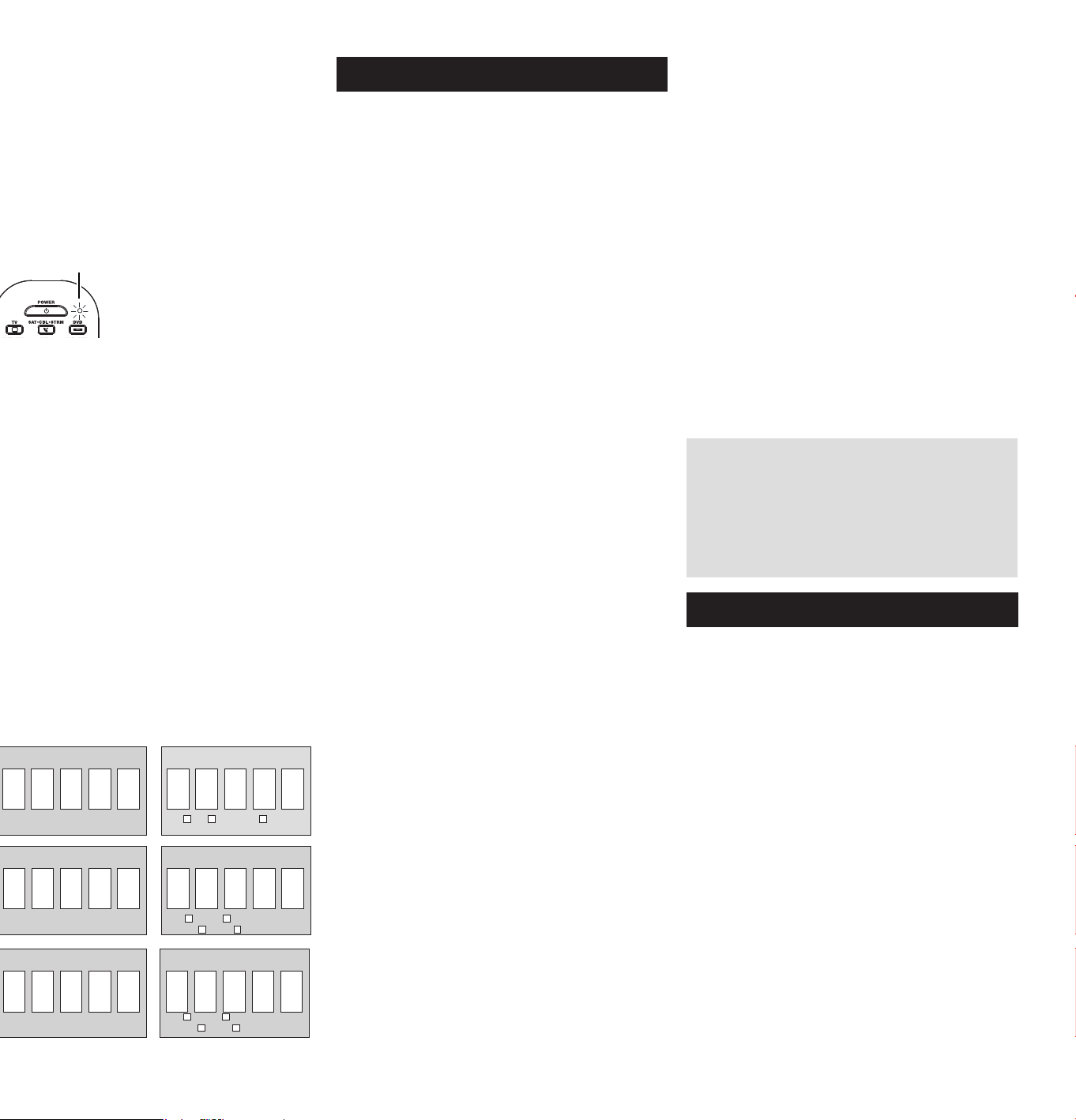
5.
Apunte el control remoto directamente
hacia el panel frontal del dispositivo
que desea controlar. Oprima la tecla
PLAY en el control remoto.
El control remoto comienza enviando
el comando de encendido/apagado
para obtener un nuevo código cada 2
segundos.
Cuando el dispositivo se apaga:
Oprima la tecla STOP para almacenar el código. ¡Todo listo!
Programó esta tecla de dispositivo.
Si el dispositivo se apaga, pero esperó más de 2 segundos:
Oprima la tecla PLAY para retroceder a los últimos códigos.
Cuando el dispositivo vuelva a encenderse, oprima la tecla
STOP para almacenar ese código.
3.
Encienda manualmente el
dispositivo que desea manejar.
4.
Mantenga oprimida la tecla de
dispositivo que desea programar
durante aproximadamente 2 segundos
hasta que la luz indicadora del control
remoto permanezca encendida. A
continuación, suelte la tecla.
Cómo Probar el Código para Obtener Máxima
Funcionalidad
1. Pruebe una variedad de funciones del dispositivo con el
control remoto. Si no puede utilizar alguna de las funciones
del dispositivo, vaya al próximo paso e intente un código
diferente.
2. Repita la búsqueda del código de marca desde el paso 3.
3. Vuelva a probar la funcionalidad de las teclas intentando
controlar diferentes funciones del dispositivo. Si el código que
se almacenó controla la mayoría de las funciones del dispositivo,
se completó la programación. Si el código no otorga la máxima
funcionalidad, pruebe con otro.
NOTAS: Atravésdelaprogramacióndecadatecla,asegúrese
de mantener el control remoto apuntado directamente al sensor
infrarrojodeldispositivoqueestáactualmenteprogramandocon
el control remoto.
Pruebeelcontrolremotoconeldispositivoparaasegurarseque
latecladedispositivoestéprogramadaconelcódigocorrecto
ygarantizarasísumáximafuncionalidad.Sinopuedeutilizar
algunadelasfunciones,intenteconotrocódigo.Paraobtener
mayorinformación,consultelasección“CómoProbarelCódigo
paraObtenerMáximaFuncionalidad”acontinuación.
El indicador LED sirve de
luz indicadora para ofrecer
retroalimentación.
Las teclas de dispositivo
(TV, SAT•CBL, DVD-BLU
RAY, AUDIO/SOUNDBAR,
STREAM, AUX) ponen el
control remoto en el modo
correctoparamanejarel
dispositivo.
controla la funcionalidad
del Concentrador de
Samsung en los televisores.
Tambiénpodríacontrolaruna
funcionalidad similar en otros
dispositivos (consulte el manual
de su dispositivo para obtener
información).
GUIDE pone el remoto en
modo guide (guía) para
receptoresdesatéliteo
aparatos de cable, y accede
a la pantalla inicial para
reproductores de streaming.
EXIT sale de la programación
del control remoto; además,
desempeña las mismas
funciones que en los controles
remotos originales.
Lasteclasde�echas se utilizan
paranavegaratravésdelos
sistemas de menús y guías de
los componentes
La tecla INPUT — (guión)
tiene tres funciones: (1) alterna
entre todas las fuentes de
video conectadas al televisor;
(2) cuando el control remoto
se encuentra en el modo VCR,
este botón alterna entre la
entrada VCR y TV; (3) cuando
ingresa directamente números
de canales digitales, este botón
le permite separar el número
del canal principal del número
del canal secundario (tal como
59.1).
IMPORTANTE
Dadoqueestecontrolremotomanejamásdeundispositivo,
deberáprimero“indicarle”alcontrolremotocuáldispositivodesea
manejar.Enotraspalabras,sideseamanejareltelevisor,deberá
primerooprimirlateclaTVparaponerelcontrolremotoenel
ModoTV.Elcontrolremotopermaneceenesemododedispositivo
hastaqueoprimaunatecladedispositivodiferente.Porejemplo,si
elcontrolremotoseencuentraenelModoTVydeseamanejarel
LectordeDVD,deberáoprimirlateclaDVD-BLURAYparacambiar
los modos de dispositivo.
Recorrido del control remoto
En la mayoría de los casos, las teclas del control remoto
desempeñan las mismas funciones que las teclas de los controles
remotos originales una vez programa este control remoto para
manejarloscomponentes.Lamayoríadelasteclasdeestecontrol
remoto tienen otras funciones.
Elmodeloactualpuedeserdiferente
al ilustrado
IndicadorLED
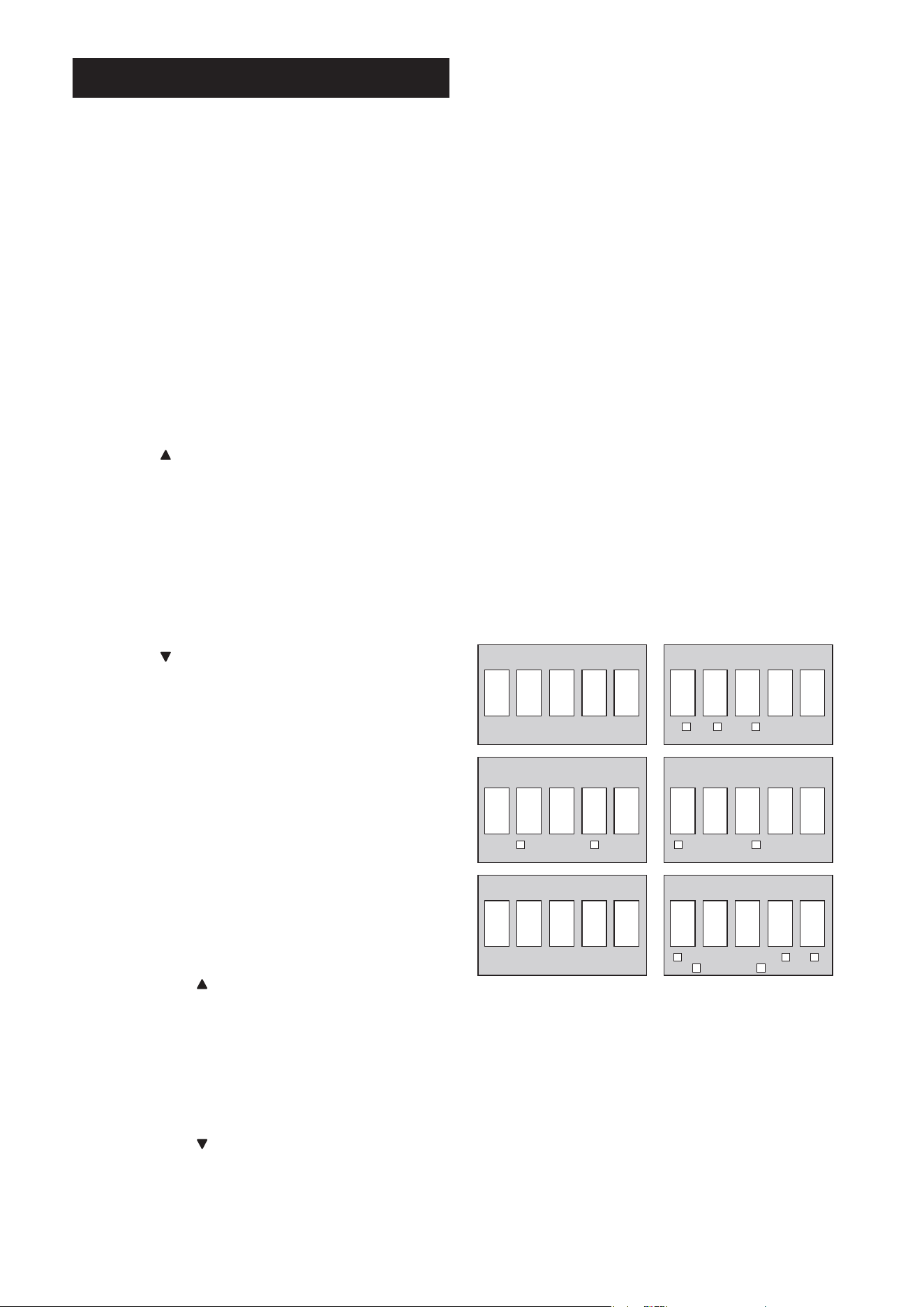
Funciones Avanzadas
Bloqueo de Canales
Bloqueo de Canales envía automáticamente comandos de canal,
talescomoCH,GOBACKylasteclasnuméricas0-9,asureceptor
desatélite,aparatodecableoconvertidordeTVdigitalcuando
se encuentra en el modo TV. Esto puede ahorrarle opresiones de
teclas si utiliza un dispositivo diferente a su televisor para cambiar
canales.
Para activar el bloqueo de canales:
1. Mantenga oprimida la tecla de dispositivo que desea utilizar
para cambiar de canal durante aproximadamente 2 segundos
hasta que se encienda la luz indicadora del control remoto. A
continuación, suelte la tecla de dispositivo.
2. Oprima la tecla CH una vez. La luz indicadora parpadea una
vez y permanece encendida.
3. Oprima OK para bloquear los comandos de canal de este
dispositivo. La luz indicadora parpadea dos veces y se apaga.
Bloqueo de volumen para la TV y bloqueo de
volumen avanzado
El bloqueo de volumen para la TV permite que las teclas VOL
y MUTE, al presionarlas en los modos SAT•CBL, STREAM o
DVD-BLU RAY, se activen directamente para la TV. El bloqueo de
volumen para la TV se activa de forma automática y le permite
controlar el volumen de la TV sin salir del modo actual.
Nota:ElbloqueodevolumenparalaTVnoseactivaenaquellos
casosenlosqueelcódigodelcomponentetienesuspropios
controlesdevolumen/silencio,comoocurreconalgunos
receptores satelitales.
El bloqueo de volumen avanzado le permite bloquear los
controles de volumen en un componente diferente, como una
barra de sonido o receptor de audio.
Para utilizar el bloqueo de volumen avanzado:
1. Mantenga oprimida la tecla de dispositivo que desea utilizar
para controlar el volumen durante 2 segundos hasta que la
luz indicadora del control remoto se encienda y permanezca
encendida. A continuación, suelte la tecla de dispositivo.
2. Oprima VOL
una vez. La luz indicadora parpadea una vez y
permanece encendida.
3. Oprima OK una vez para bloquear los comandos de volumen
en ese dispositivo. La luz indicadora parpadea dos veces y
se apaga. Las comandos de voz ahora se activarán para el
dispositivoespeci�cado.
Para desactivar el bloqueo de volumen avanzado:
1. Mantenga oprimida la tecla de dispositivo que controla
actualmente el volumen durante aproximadamente 2 segundos
hasta que la luz indicadora del control remoto se encienda
y permanezca encendida. A continuación, suelte la tecla de
dispositivo.
2. Oprima VOL una vez. La luz indicadora parpadea una vez y
permanece encendida.
3. Oprima OK para desbloquear los comandos de volumen. La luz
indicadora parpadea dos veces y luego se apaga. Los comandos
de volumen ahora se activarán para la TV.
Para desactivar el bloqueo de canales:
1. Oprima cualquier tecla de dispositivo durante aproximadamente
2 segundos hasta que se encienda la luz indicadora del control
remoto. A continuación, suelte la tecla de dispositivo.
2. Oprima la tecla CH una vez. La luz indicadora parpadea una
vez y permanece encendida.
3. Oprima OK para bloquear los comandos de canal. La luz
indicadora parpadea dos veces y se apaga.
Recuperación de Códigos
Unavezhayaprogramadoelcontrolremotoparamanejarsus
dispositivos, se recomienda anotar los códigos para futura
referencia.SiutilizóelmétododeEntradaDirectadeCódigos,
es muy sencillo. Simplemente encuentre los códigos que ingresó
y anótelos en los recuadros a continuación. Si utilizó uno de los
métodosdeBúsquedadeCódigosparaprogramarelcontrol
remotoosiutilizóelmétododeEntradaDirectaperonorecuerda
el código, necesitará recuperar el código de cinco dígitos de
cada uno de los dispositivos. Recuperar y anotar el código real
le ahorrará tiempo si alguna vez necesita volver a programar el
controlremoto.Sianotaloscódigos,puedeutilizarelmétodode
EntradaDirectaparavolveraprogramarelcontrolremotoa�nde
manejarotrosdispositivos,unprocesorápidoysencillo.
1. Mantenga oprimida la tecla de dispositivo (TV, SAT•CBL,
STREAM, AUX, AUDIO/SOUNDBAR, DVD B RAY) cuyo código
desea recuperar durante aproximadamente 2 segundos
hasta que la luz indicadora del control remoto se encienda
y permanezca encendida. A continuación, suelte la tecla de
dispositivo.
2. Oprima la tecla MENU. La luz indicadora parpadea una vez y
permanece encendida.
3. Para recuperar el primer número de código, oprima la tecla 1
en el control remoto. La luz indicadora parpadea para mostrar
el número que es el primer dígito del código. Por ejemplo, si la
luz indicadora del control remoto parpadea 3 veces al oprimir la
tecla 1, el primer número del código es 3. Anote este número
en el cuadro correspondiente que aparece a continuación.
Repitaesteprocedimientoparacadanúmerodelcódigo:
oprima 2 para ver el segundo número del código, 3 para ver el
tercero y así sucesivamente hasta tener los 5 números.
4. Oprima MENU para salir del modo de recuperación de códigos.
CONSEJO:Parasalirdelmododerecuperacióndecódigosen
cualquiermomento,oprimalateclaMENU.
CÓDIGO DVD-BLU RAY CÓDIGO AUDIO/
BARRA DE SONIDO
CÓDIGO SATÉLITE/CABLECÓDIGO TV
SAT CABLE REPRODUCTOR DE
STREAMING
DVD BLU RAY RECEPTOR DE AUDIO BARRA DE SONIDO
CÓDIGO AUX
REPRODUCTOR DE STREAMING DVD TV
SATÉLITE/CABLE DVR/BLU RAY
CÓDIGO STREAM

Problema: El control remoto no maneja su dispositivo.
• Asegúrese que el control remoto se encuentre en el modo correcto
oprimiendo la tecla de dispositivo correspondiente (TV, SAT•CBL,
DVD-BLU RAY, AUDIO/SOUNDBAR, STREAM, AUX). Esto le indica al
controlremotoeldispositivoquedebemanejar.
• Retire los obstáculos ubicados entre el control remoto y el
dispositivo. Asegúrese de apuntar el control remoto directamente al
sensorinfrarrojodeldispositivo.
• Asegúresequelasbateríasesténcargadasydebidamente
instaladas. Reemplace las baterías con dos baterías AAA nuevas, de
ser necesario (consulte la sección Instalación de las Baterías).
Problema: El control remoto no puede programarse para
manejar su dispositivo.
• Si está probando el control remoto mientras lo está programando, podría
estardemasiadoalejadodeldispositivooenunánguloincorrecto.
Deberá haber una trayectoria sin obstáculos entre el control remoto y el
sensorinfrarrojodeldispositivo.Acérquesemásyasegúresedeapuntar
directamentealdispositivoqueestáintentandomanejar.
• SiestáutilizandoelmétododeprogramacióndeEntradaDirecta
para ingresar los códigos para su marca y la unidad aún no funciona
debidamente,intenteunodelosmétodosdebúsquedaautomática.
• ParamanejarunidadesdecombinacióntalescomoTV/VCRoTV/
DVD, deberá programar las teclas de dispositivo correspondientes
individualesparamanejarcadapartedelaunidaddecombinación.
Unavezprogramadasdemaneraexitosa,lateclaTVmanejalas
funcionesdeltelevisor,ylateclaDVD-BLURAYmanejalasfunciones
del Lector de DVD y VCR.
• Asegúresequelasbateríasesténcargadasydebidamenteinstaladas.
Problema: El control remoto no ejecuta los comandos
debidamente.
• Asegúrese que el control remoto se encuentre en el modo correcto
oprimiendo la tecla de dispositivo correspondiente (TV, SAT•CBL, DVD-
BLU RAY, AUDIO/SOUNDBAR, STREAM, AUX). Esto le indica al control
remotoeldispositivoquedebemanejar.
• Asegúresequeeldispositivoseencuentrelisto(porejemplo,elLector
de DVD tenga un disco cargado).
• Puede haber oprimido una tecla inválida para el modo en que se
encuentra el control remoto.
• Si está tratando de ingresar directamente un número de canal, intente
oprimir la tecla OK luego de ingresar el número del canal ya que
algunas marcas y modelos requieren esta acción.
• Existelaposibilidaddequeuncódigoprogramadopuedamanejar
únicamentealgunasdelasfuncionesdeldispositivo(porejemplo,
sóloenciendeyapagaundispositivo).Paracon�rmarquelateclade
dispositivo ha sido programada con el código correcto para obtener
máximafuncionalidad,pruebeeldispositivo.Intentemanejaruna
variedad de funciones del dispositivo con el control remoto. Si algunas
delasfuncionesdesusdispositivosnotrabajan,intenteprogramarel
controlremotoconuncódigodiferenteenlalistaatravésdelMétodo
de Entrada Directa de Códigos hasta que encuentre el código que
lepermitaalcontrolremotomanejarlamayoríadelasfuncionesdel
dispositivo. Diferentes códigos pueden proporcionar diferentes niveles
de funcionalidad.
Problema: La luz indicadora no se ilumina cuando oprime una tecla.
• Puede haber oprimido una tecla inválida para el modo en que se
encuentra el control remoto.
• Asegúrese que el control remoto se encuentre en el modo correcto
oprimiendo la tecla de dispositivo correspondiente (TV, SAT•CBL,
DVD-BLU RAY, AUDIO/SOUNDBAR, STREAM, AUX). Esto le indica al
controlremotoeldispositivoquedebemanejar.
• Asegúresequelasbateríasesténcargadasydebidamenteinstaladas.
Reemplace las baterías con dos baterías AAA nuevas, de ser
necesario (consulte la sección Instalación de las Baterías).
Problema: El control remoto no cambia canales en el dispositivo.
• Asegúrese que el control remoto se encuentre en el modo correcto
oprimiendo la tecla de dispositivo correspondiente (TV, SAT•CBL,
DVD-BLU RAY, AUDIO/SOUNDBAR, STREAM, AUX). Esto le indica al
controlremotoeldispositivoquedebemanejar.
• Oprima la tecla OK luego de haber ingresado un número de canal.
• Retire los obstáculos ubicados entre el control remoto y el dispositivo.
Asegúrese de apuntar el control remoto directamente al sensor IR del
dispositivo.
Problema: El menú del dispositivo no aparece en la pantalla del
televisor.
• Asegúrese de haber conectado debidamente el dispositivo al
televisor y haber seleccionado la entrada correcta. (Consulte el
Manual del Propietario de los dispositivos para informarse sobre los
procedimientos de conexión correctos.)
• Asegúrese que el control remoto se encuentre en el modo correcto
oprimiendo la tecla de dispositivo correspondiente (TV, SAT•CBL,
DVD-BLU RAY, AUDIO/SOUNDBAR, STREAM, AUX). Esto le indica al
controlremotoeldispositivoquedebemanejar.
• El acceso a los menús no es respaldado por todas las marcas.
Posiblemente sea necesario utilizar el control remoto original para
lograr acceso a las funciones de menú de algunos dispositivos.
Para obtener más información, incluido videos instructivos,
códigos de programación con control remoto y asistencia al
cliente, visite www.RCACodeSupport.com
Resolución de Problemas
Voxx Accessories Corporation (la “Compañía”) le garantiza a usted, el comprador
original de este producto que si, bajo condiciones y uso normales, se encontrara
que presenta defectos materiales o de mano de obra durante su vida útil mientras
sea de su propiedad, tales defectos serán reparados o reemplazados (a opción de
la Compañía) sin cargo alguno por las piezas y labores de reparación.
Para obtener los servicios de reparación o reemplazo dentro de los términos de
esta garantía, el producto se entregará con prueba de cubierta de garantía (por
ejemplo,facturafechadadeventa),especi�cacióndelosdefectos,transporte
prepagado, a una estación de garantía aprobada. Para ubicar la estación de
garantíamáscercanaasudomicilio,llamesincostoanuestrao�cinadecontrol:al
1-800-645-4994.
Esta Garantía no cubre un producto adquirido, mantenido o utilizado fuera de
los Estados Unidos o Canadá. Esta Garantía no es transferible y no incluye los
costos incurridos en la instalación, remoción o reinstalación de este producto.
Esta Garantía no aplica si, es opinión de la Compañía que, este producto ha
sufrido daños debido a alteraciones, instalación inadecuada, abuso, uso indebido,
negligencia, accidente o el uso simultáneo de baterías de tipos diferentes (p.ej.,
alcalinas, estándar o recargables).
EL ALCANCE DE LA RESPONSABILIDAD DE LA COMPAÑÍA BAJO ESTA
GARANTÍA ESTÁ LIMITADO A LA REPARACIÓN O EL REEMPLAZO PROVISTO
ARRIBA Y, EN NINGÚN CASO, DEBERÁ LA RESPONSABILIDAD DE LA
COMPAÑÍA EXCEDER EL PRECIO DE COMPRA PAGADO POR EL COMPRADOR
DE ESTE PRODUCTO.
Esta Garantía reemplaza cualesquiera otras responsabilidades o garantías
expresas. CUALESQUIERA GARANTÍAS IMPLÍCITAS, INCLUYENDO CUALQUIER
GARANTÍA IMPLÍCITA DE COMERCIABILIDAD O ADAPTABILIDAD PARA UN
PROPÓSITO EN PARTICULAR ESTARÁN LIMITADAS A LA DURACIÓN DE ESTA
GARANTÍA. EN NINGÚN CASO LA COMPAÑÍA SERÁ RESPONSABLE POR
DAÑOS EMERGENTES O INCIDENTALES. Ninguna persona ni representante está
autorizado a asumir, a nombre de la Compañía, ninguna responsabilidad salvo la
expresada aquí en conexión con la venta de este producto.
Algunos estados/provincias no permiten limitaciones sobre la duración de una
garantía implícita o la exclusión o la limitación de daños incidentales o emergentes,
de modo que es posible que las limitaciones o exclusiones anteriores no se
apliquenensucaso.EstaGarantíalecon�erederechoslegalesespecí�cos;según
el estado/provincia, puede disfrutar además de otros derechos.
Garantía Limitada Durante la Vida Útil del Producto
Cuidado y Mantenimiento
• Mantenga el control remoto seco. Si se moja, séquelo inmediatamente.
• Utilice y almacene el control remoto únicamente en entornos de temperatura
normal.
• Maneje el control remoto de forma cuidadosa. No lo deje caer.
• Mantenga el control remoto resguardado del polvo y la suciedad.
• Limpie el control remoto con un paño húmedo de vez en cuando para
mantenerlo en buenas condiciones de operación.
•Modi�carosabotearlosdispositivosinternosdelcontrolremotopodría
ocasionar desperfectos y anular la garantía.
Información FCC
Esteaparatoobedecelasespeci�cacionesdelaParte15delasregulaciones
FCC.Lasfuncionesestánsujetasalassiguientescondiciones:1)Esteaparato
no puede causar interferencias dañinas, y 2) este aparato puede recibir
cualquiera interferencia, incluyendo aquellas que puedan causar funciones
no deseadas.
Nota:Seprobóesteequipoypodemosa�rmarquecumpleconlas
restricciones establecidas para un dispositivo digital Clase B, de acuerdo
con la Sección 15 de la Reglamentación de FCC. Estas restricciones fueron
designadas para brindar una protección razonable frente a la interferencia
perjudicial en una instalación residencial. Este equipo genera, usa y puede
irradiar energía de radiofrecuencia y, si no está instalado o no se lo utiliza de
acuerdo con las instrucciones, puede ocasionar interferencias perjudiciales
para las comunicaciones de radio. Sin embargo, no existe ninguna garantía
de que no se vaya a producir una interferencia en una instalación particular.
Si este equipo produce una interferencia perjudicial con la recepción de la
radio o la televisión, lo cual podría determinarse apagando y encendiendo el
equipo, se le pide al usuario que intente corregir la interferencia siguiendo
una o varias de las siguientes medidas.
• Vuelva a orientar o cambie de lugar la antena receptora.
• Aumente la separación entre el equipo y el receptor.
• Conecte este equipo a un tomacorriente en un circuito diferente al que esté
conectado el receptor.
• Consulte al distribuidor o a un técnico experimentado de radio y televisión
para solicitar asistencia.
Precaución: Cualquiercambioomodi�caciónnoexpresamenteaprobados
por la parte responsable por el cumplimiento podría invalidar la autoridad del
usuario para operar este equipo.
Información Regulatoria de la Industria Canadiense
CANICES-3(B)/NMB-3(B)
