封底 封面
2.4 Bluetooth Selfie Function
1.Turn on Bluetooth on your phone
2.5earch for“AB Shutter3”and connect to the device Bluetooth signal
3.Hold the Bluetooth remote and pressthe button to control photo
taking /video recording
4.Enables long-distance selfies and group photos without assistance
from others
2.5 Tripod Expansion
PRECAUTIONS
1.Non-MagSafe phones must use the adapter metal ring and should be
leftfor 12 hours before use to avoid weak attachment or accidental
dropping
2.Do not clamponto fragile or easily deformed objects,to avoid
damagingthe device or the mounting surface
3.Keep the Bluetooth remote away from strong electromagntic
interference to avoid dsconnection
4.Use a dry cloth for cleaning.Do notallow liquid to enter the device
5.Do not place the device in high-temperature or humid environments,
toextend service life
FCC Warning Statement
Changes or modifications not expressly approved by the party responsible for
compliance could void the user’s authority to operate the equipment. This equipment
has been tested and found to comply with the limits for a Class B digital device,
pursuant to Part 15 of the FCC Rules. These limits are designed to provide reasonable
protection against harmful interference in a residential installation. This equipment
generates uses and can radiate radio frequency energy and, if not installed and used in
accordance with the instructions, may cause harmful interference to radio
communications. However, there is no guarantee that interference will not occur in a
particular installation. If this equipment does cause harmful interference to radio or
television reception, which can be determined by turning the equipment off and on, the
user is encouraged to try to correct the interference by one or more of the following
measures:
‐‐ Reorient or relocate the receiving antenna.
‐‐ Increase the separation between the equipment and receiver.
‐‐ Connect the equipment into an outlet on a circuit different from that to which the
receiver is connected.
‐‐ Consult the dealer or an experienced radio/TV technician for help.
FCC Radiation Exposure Statement
The device has been evaluated to meet general RF exposure req
uirement. The device can be used in portable exposure conditio
n without restriction.
This device complies with Part 15 of the FCC Rules. Operation is subject to the
following two conditions:
(1)This device may not cause harmful interference.
(2)This device must accept any interference received, including interference that may
cause undesired operation.
USER MANUAL
LX80 TRAVEL STAND
Key Selling Points:
MagSafe Magnetic
Attachment|360°Rotation Bluetooth
Selfie|Multi-Scenario Mounting
The bottom of the stand
is equipped witha standard
1/4
inch
threadedinterface,which can
be mounted directly ona
tripodforstable shoting
and long recording
sessions.
PRODUCT OVERVIEW
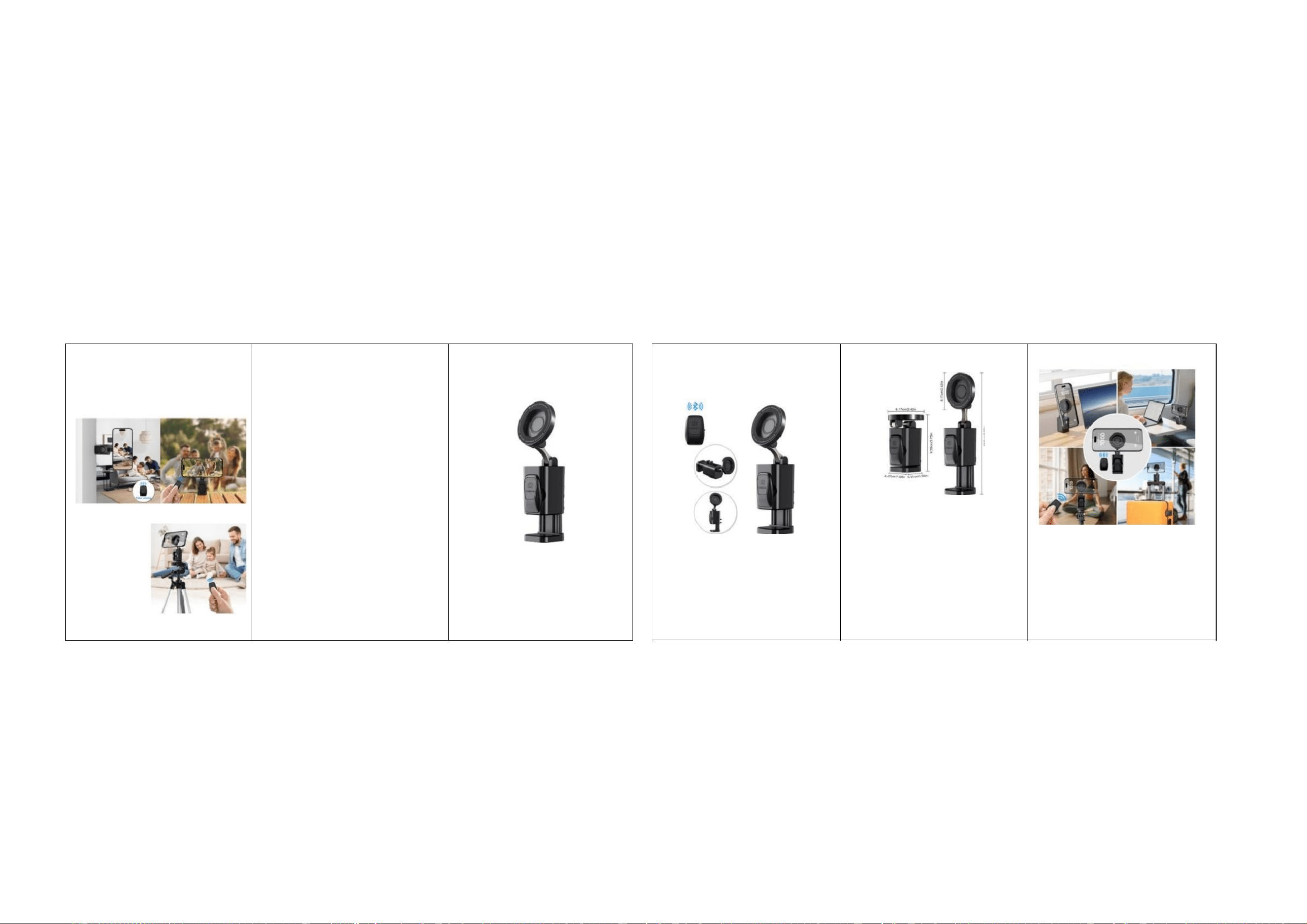
1.1 Core Components
· Magnetic Head:supports MagSafe attachment,rotates freely 360°,and
fits multiple shooting angles
· Reinforced Clamp:opens with the side button;built-in silicone anti-slip
pads help preventslipping and protect the device
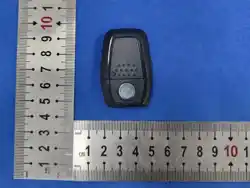
· Bluetooth Remote:wirelesslycontrols phone photography for long
distance selfies
· 1/4-inch threaded interface:compatible with tripods
· Adapter metal ring:accessory for non-MagSafe phones
1.2 Dimensions
● Folded size:6.17cm×4.27cm×9.55cm
· Expanded siz:6.17 m×4.27 m×1.5cm
INSTALLATION AND USE
2.1 Phone Compatibility Preparation
●iPhone(MagSafe models)
Attach the phone directly to the magnetic head.No extra acessory is
needed.
· Other phones(non-MagSafe models)
1.Peel off the adhesive backing from the adaptermetal ring
2.Place the ringflat in the center of the back of the phone
3.Let it sit for 12 hours before use so the adhesive can bond completely
2.2 Mounting and Application Scenarios
1.Press and hold the side button on the stand to open the reinforced
lamp
2.Align the clamp with a fixed position such as a desk,door frame,or
suitcase handle,then release the button to clamp firmly
3.The silicone anti-slip pads wilfit automaticallyto help prevent
slipping
2.3Angle Adjustment
The magnetichead supports 360°horizontal rotation and multi-
angletilt adjustment allowing freswitching among portrait,landscape,
upward,and downward shooting positions,