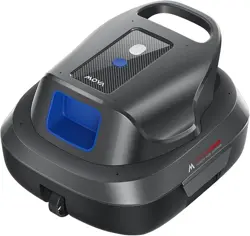
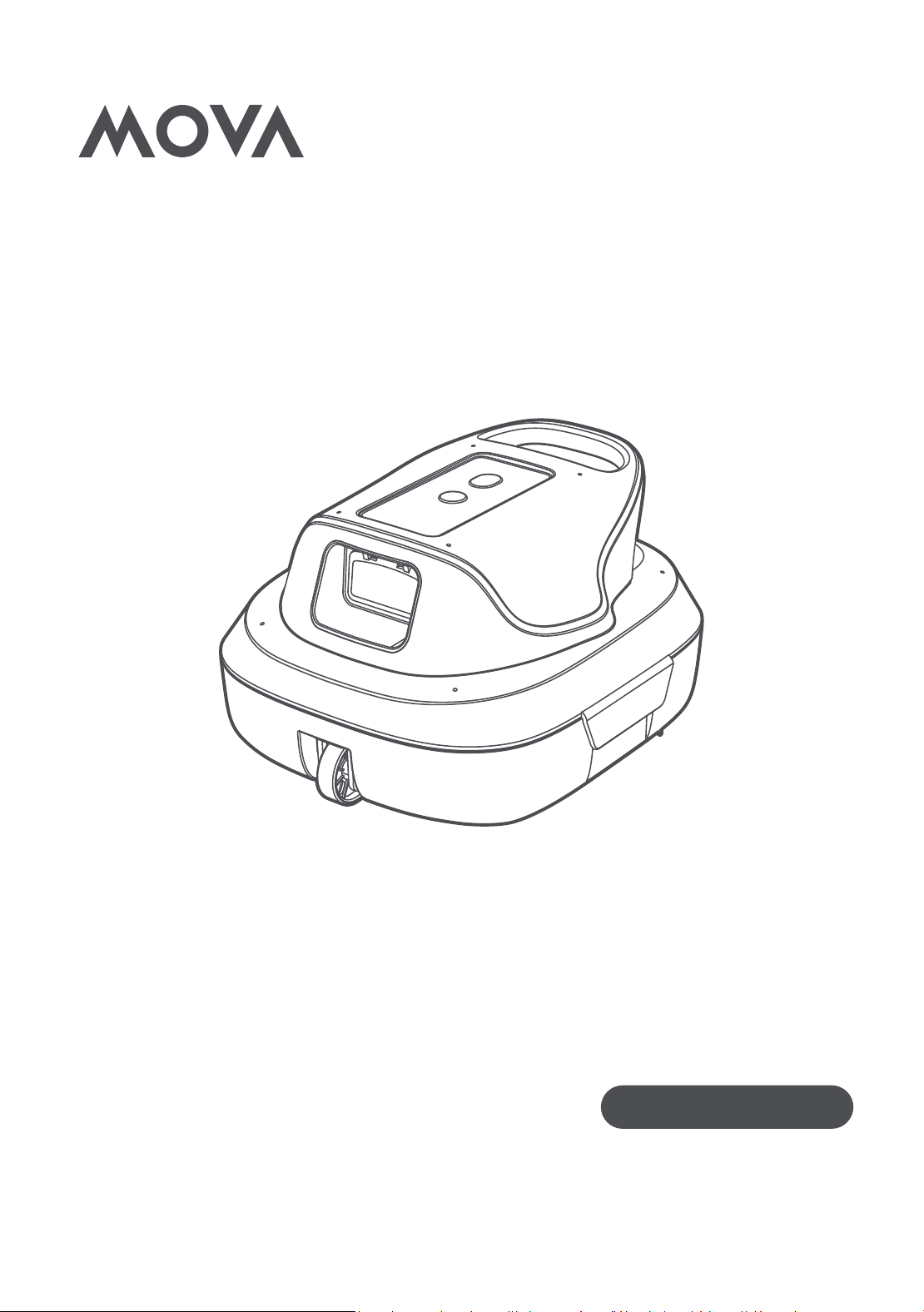
MOVA Diver R10
User Manual
Robotic Pool Cleaner
The illustrations in this manual are for reference only. Please refer to the actual product for accuracy.

2
EN
1. Safety Instructions
•Always disconnect the appliance from the supply before assembling,
disassembling or cleaning.
•To protect against the effect of freezing, the appliance shall not be left
outside during freezing weather conditions.
•The appliance is a Class III appliance that it must only be supplied at
SELV.
1.1 Safety Regulations
•
READ AND FOLLOW ALL INSTRUCTIONS.
•
SAVE THESE INSTRUCTIONS.
•This appliance can be used by children aged from 8 years and above
and persons with reduced physical, sensory or mental capabilities or
lack of experience and knowledge if they have been given supervision
or instruction concerning use of the appliance in a safe way and
understand the hazards involved.
•Children shall not play with the appliance.
•Cleaning and user maintenance shall not be made by children without
supervision.
•Disconnect the pump from the supply mains before carrying out user
maintenance such as cleaning the filter.
•The installation instructions for class III pumps intended to be installed
in zone 0 of a swimming pool, as defined in IEC 60364-7-702, shall state
that the transformer is to be located outside zone 1.
•This appliance contains batteries that are nonreplaceable.
•Please read this manual carefully and use your MOVA Diver R10 in
accordance with the manual instructions. MOVA is not liable for any
losses or injuries caused by improper use of this device.
•This appliance is not intended for use by persons (including children)
with reduced physical, sensory or mental capabilities, or lack of
experience and knowledge, unless they have been given supervision or
instruction concerning use of the appliance by a person responsible for
their safety. Children should be supervised to ensure that they do not
play with the appliance.
•Please don't use the robot in a temperature below 10 °C (50 °F) or above
40°C (104 °F).
•Remove the robot from the pool before allowing people to enter the
pool. DO not use the robot while people or animals are in the swimming
pool.
•Turn the robot off while not in use or while performing maintenance.
•Do not run the robot out of water as it may lead to overheating.
3
EN
•Do not pierce the shell of the robot, throw, or damage the robot
intentionally.
•
WARNING:
For the purposes of recharging the battery, only use the
detachable supply unit provided with this appliance.
•Please fully charge the pool cleaning robot before using it for the first
time.
•Ensure the robot is powered off and the charging port is dry and clean
before charging.
•Charging the robot in a cool place, keep away from water and
flammable. Do not charge the robot in direct sunlight or in a humid
environment.
•Put the robot into the water soon after powering it on. Do not place the
robot upside down, or directly throw the robot into the swimming pool.
•If the pool cleaner robot used in salty water, >PH8.0 or <PH7.0 water,
please clean the robot with fresh water after each use.
•DO NOT open the sealed electrical cabin.
•Please keep the robot clean and fully charged before long-term storage.
The storage temperature should be between -10-60 °C (14-140 °F).
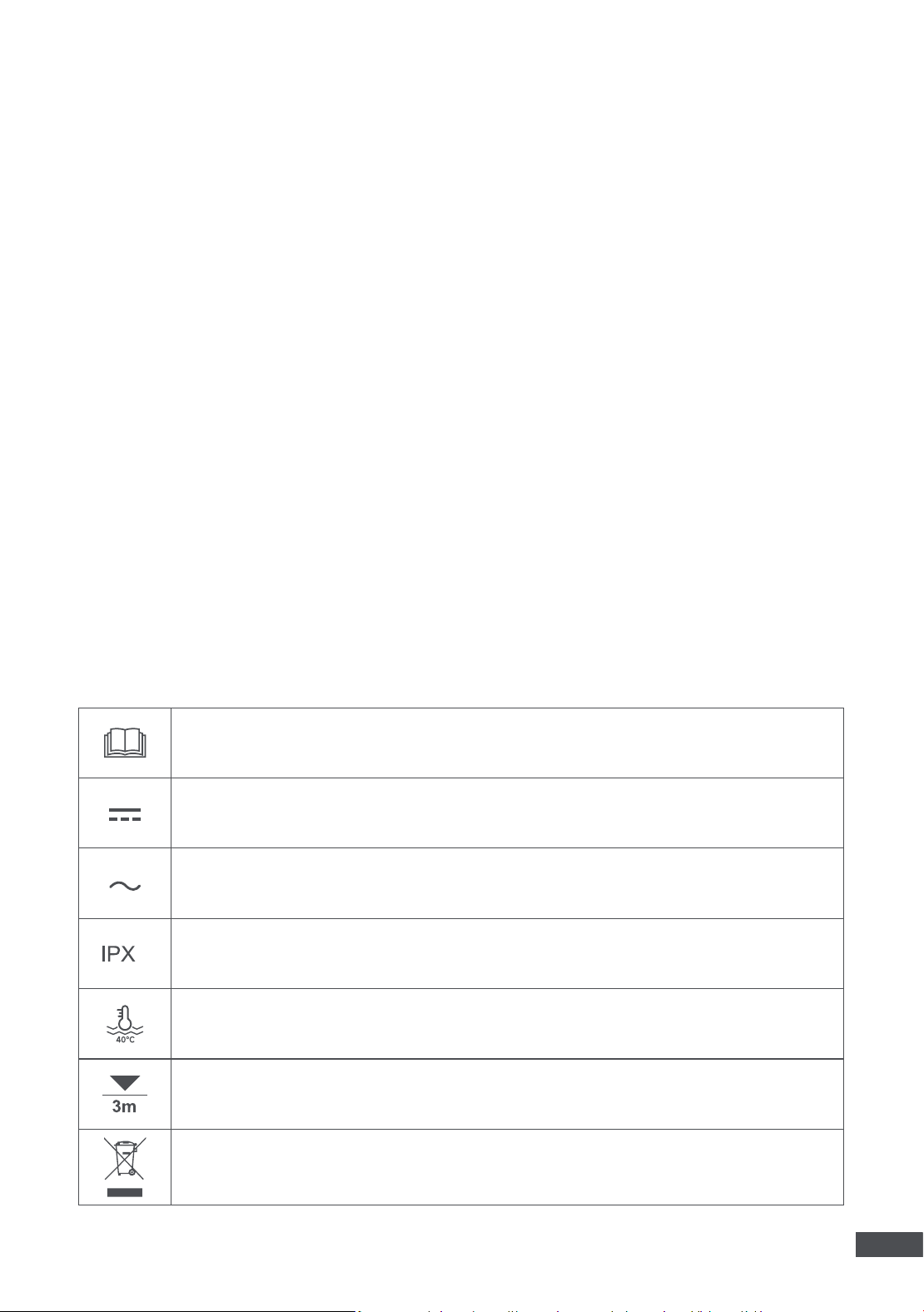
1.2 Symbols
Before charging, read the instructions.
Direct current
Alternating current
8
IP classification
Maximum Working Temperature: 40 °C/104 °F
Maximum Working Depth: 3 m/10 ft
WARNING –
It is not permitted to dispose of this product as normal household waste. Ensure that the
product is recycled in accordance with local legal requirements.
4
EN
2. Product Introduction
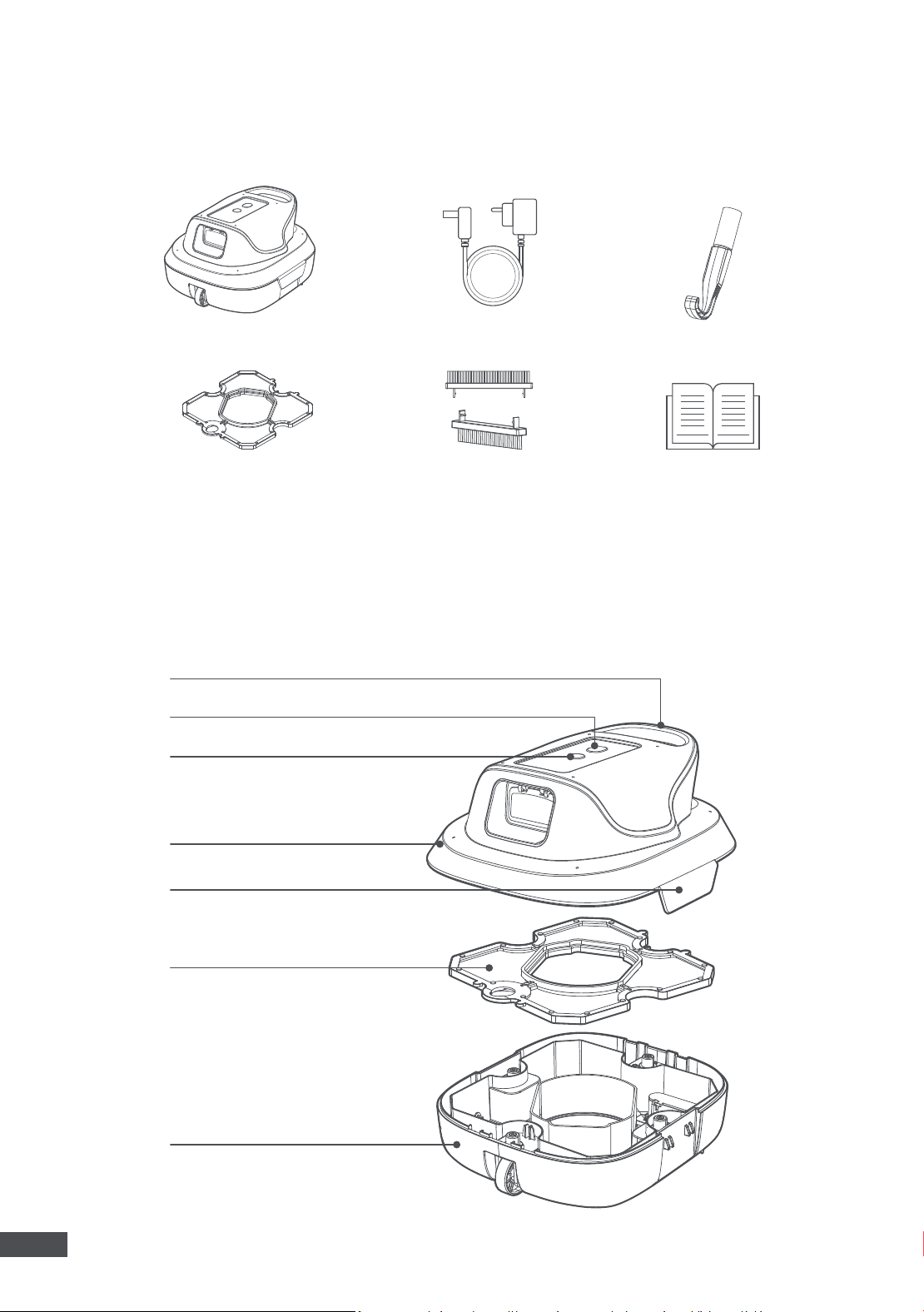
2.1 What’s in the Box
Robot
Filter (pre-installed)
Handle
LED Indicator
Start Button
Top Cover
Locking Buckle
Filter
Chassis
Brush * 2 (pre-installed)
Charger
Retrieval Hook
User Manual and
Quick Start Guide
Note:
The illustrations provided in this manual are for reference only. Please refer to the actual product for
accuracy.
2.2 Product Structure
5
EN
2.3 Indicators on the Robot
Light Effects Robot Status
Charging
Solid green Battery Level=100%
Blinking green 70%<Battery Level<100%
Blinking blue 30%<Battery Level≤70%
Blinking red 0%<Battery Level≤30%
Red-green alternative flashing Low charging voltage.
Red-white alternative flashing High charging voltage.
Operating
Solid white (1s) Restoring factory settings.
Blinking red (Quick)
The robot will power off after about 25 minutes due
to low battery.
Solid purple
The robot is parking on the pool floor and will power
off after 40s.
Solid yellow The robot will power off soon.
Solid white The robot is changing direction.
Error or
Malfunction
Blinking white The robot is trapped.
Red-blue alternative flashing Motor blockage.
Red-green-blue alternative
flashing
Motor broken.
Green-blue alternative flashing Sealed cabin leaking.
6
EN
3.1 Operation Conditions
3.2 Charging
3.3 Start Cleaning
3. Operations
1
The robot is suitable for flat-bottom pools with no slopes up to
80 ㎡ (850 sq.ft)
.
2
Please don't use the robot in a temperature below 10 °C (50 °F) or above 40 °C (104 °F).
3
If the pool cleaner robot is used in salty water, please clean the robot with fresh water after each use.
1
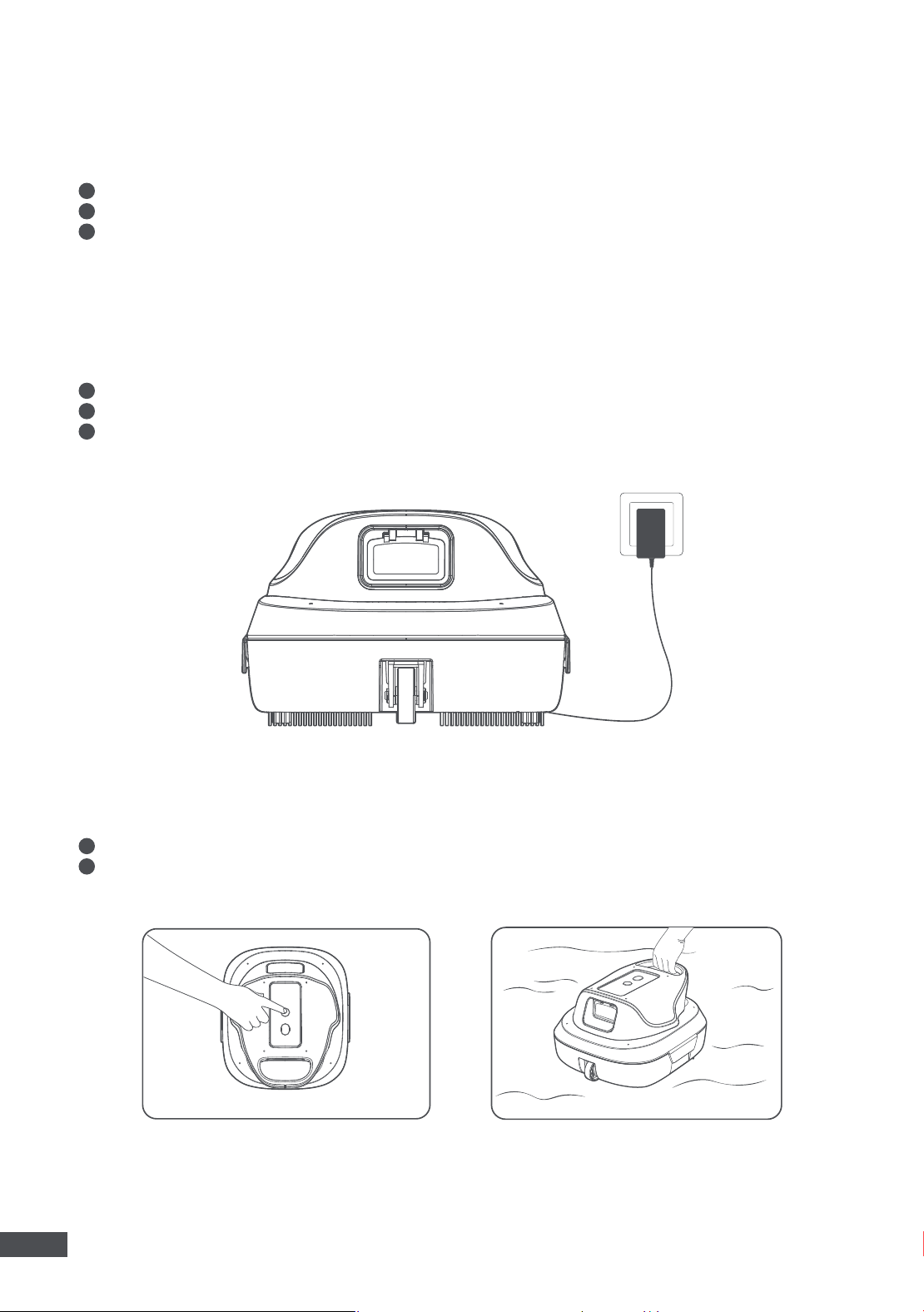
Check if there is any residual water in the charging port. If so, wipe the charging port dry first.
2
Connect the charging cable to the robot's charging port and plug the charger into a fixed power outlet.
3
Fully charge the battery, then disconnect and unplug the charger. The indicator will show solid green when
the robot is fully charged.
1
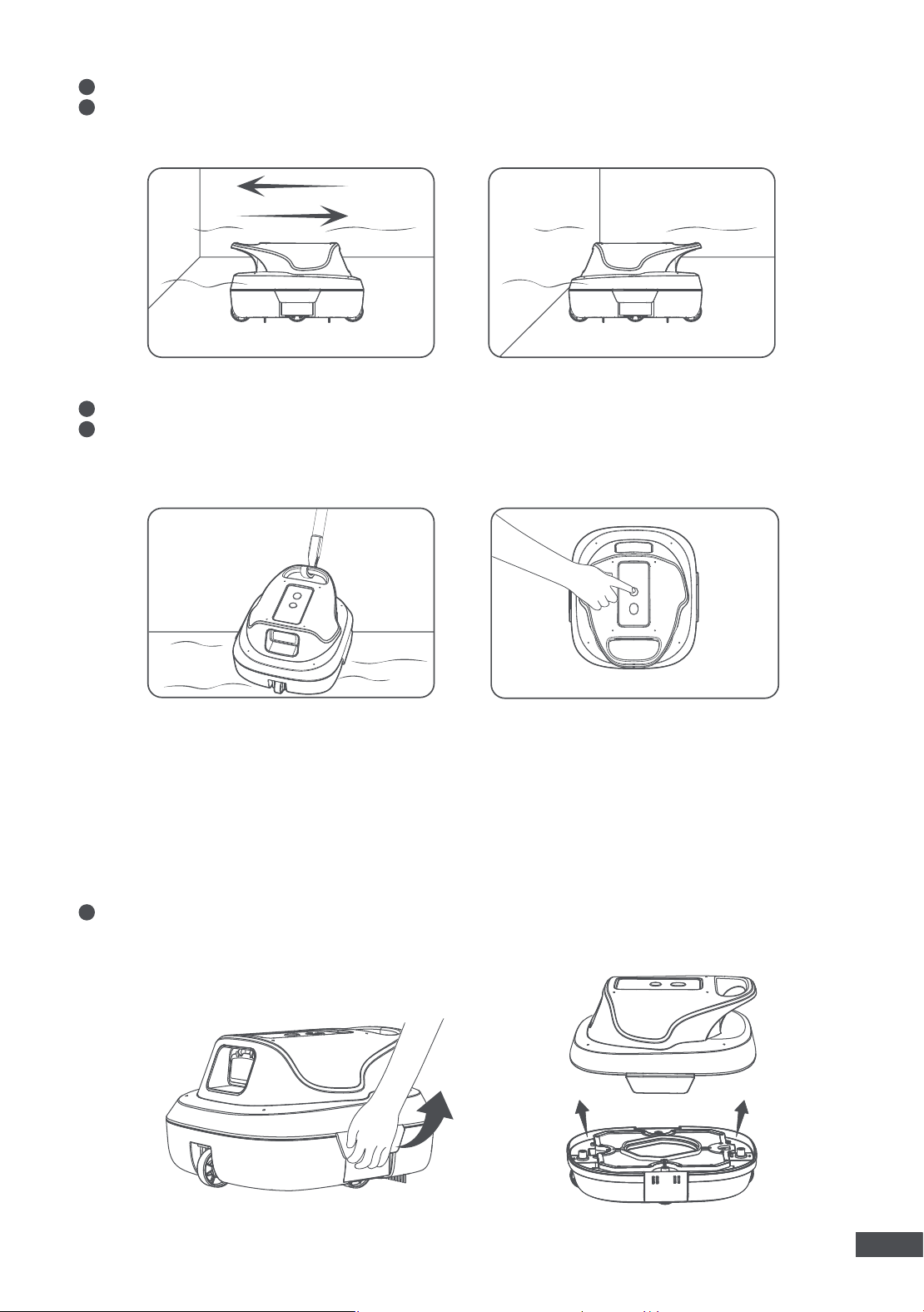
Press the start button for 1 second to power the robot on.
2
Submerge the robot into the water and after 10-20 seconds, the robot will start cleaning automatically.
Please make sure to fully charge the robot before initial usage.
press for 1s to power on
7
EN
4.1 Clean the Components
4. Maintenance & Storage
3
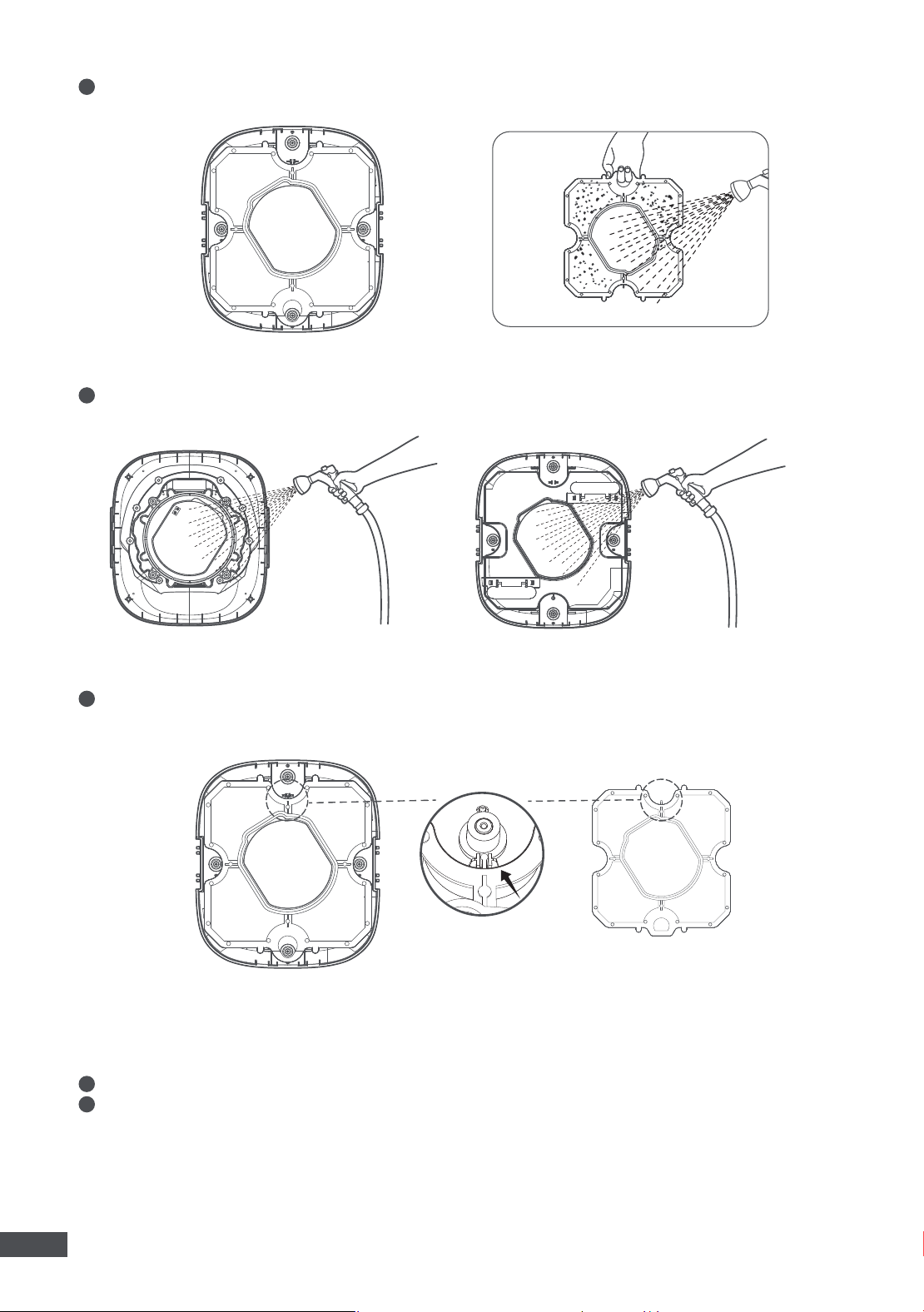
The robot will continue to work until the battery is low.
4
When the battery runs out, the robot will park itself alongside the pool's bottom edge until powering off. The
indicator will show solid purple before powering off.
5
Attach the included retrieval hook to your standard pool pole (not included) to lift the robot out of the water.
6
Alternatively, you can lift the robot out of water when it's working and long-press the start button for 3
seconds to power it off.
1
Open the two locking buckles, detach the top cover.
press 3s to power off
8
EN
2
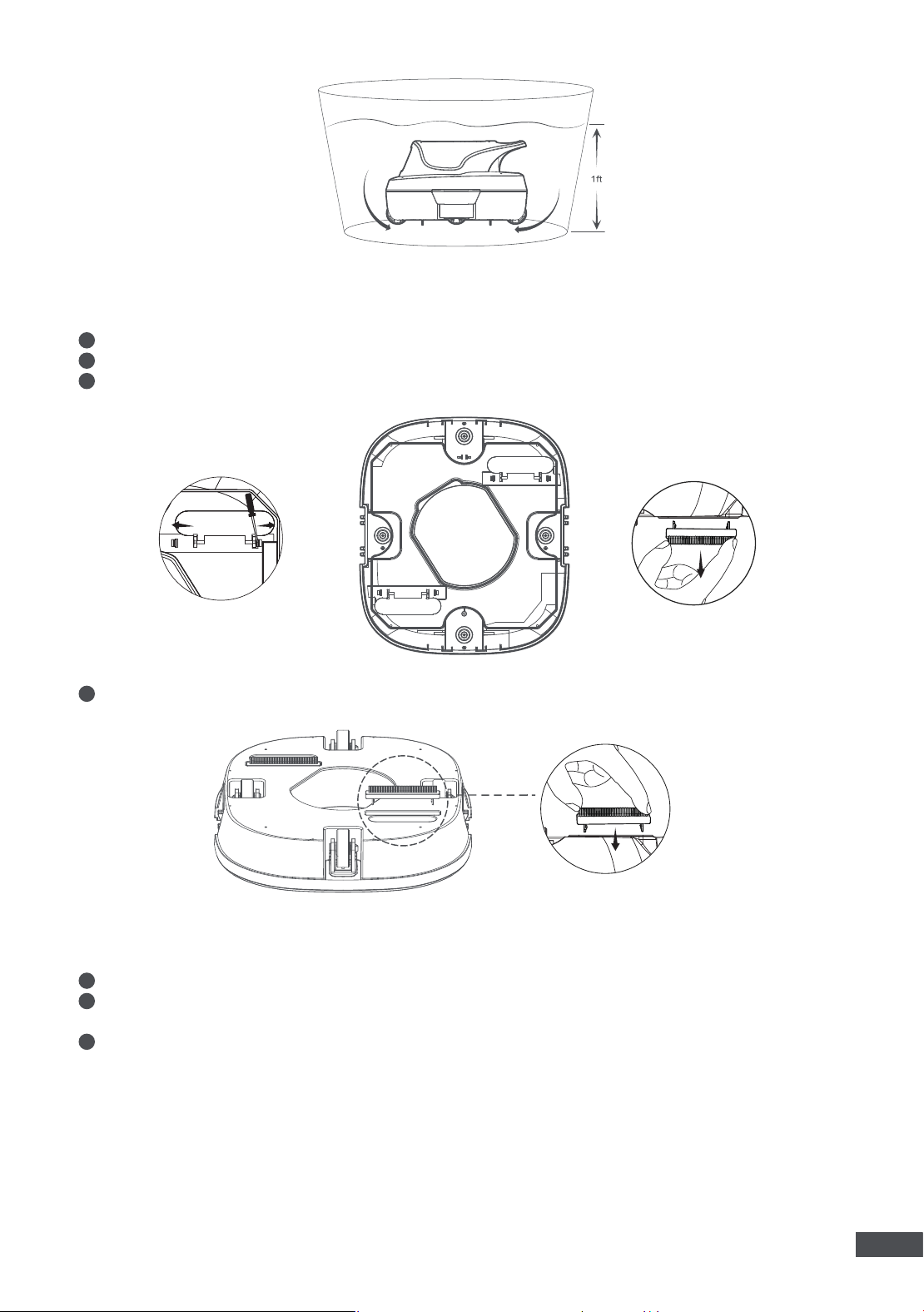
Remove the filter and rinse it with water.
3
Wash the top cover and the chassis with water.
4
After the cleaning is complete, replace the filter and secure the top cover using the buckles. Make sure to
align the filter with the stand card location on the chassis as indicated in the figure below.
1
Remove the filter, then put the pool cleaning robot into a barrel with enough clean water.
2
Power the robot on, and keep the robot working for at least 60 seconds to clean the debris inside the robot.
4.2 Self-cleaning Function
9
EN
1
Open the two locking buckles, detach the top cover.
2
Locate the brush location on the chassis. Push the small locking pins to the sides to loosen the brushes.
3
Fetch out the old brush.
1
Remove the robot from the pool and drain all the water.
2
Turn off the robot and disconnect it from the power source before storage. It is recommended to store the
robot with a battery level of 80–100 %.
3
Store the robot in a place with an ambient temperature between -10-60 °C (14-140 °F). Ensure the following
conditions are met:
• Store the robot indoors in a cool, dry location, protected from direct sunlight, rain, or frost.
• Keep the robot away from extreme temperatures, flames, and areas accessible to children.
• Protect it from dust if stored for an extended period.
• Before using the robot again, please fully charge the battery.
4
Insert a new brush into the slot.
4.3 Change the Brushes
4.4 Storage
10
EN
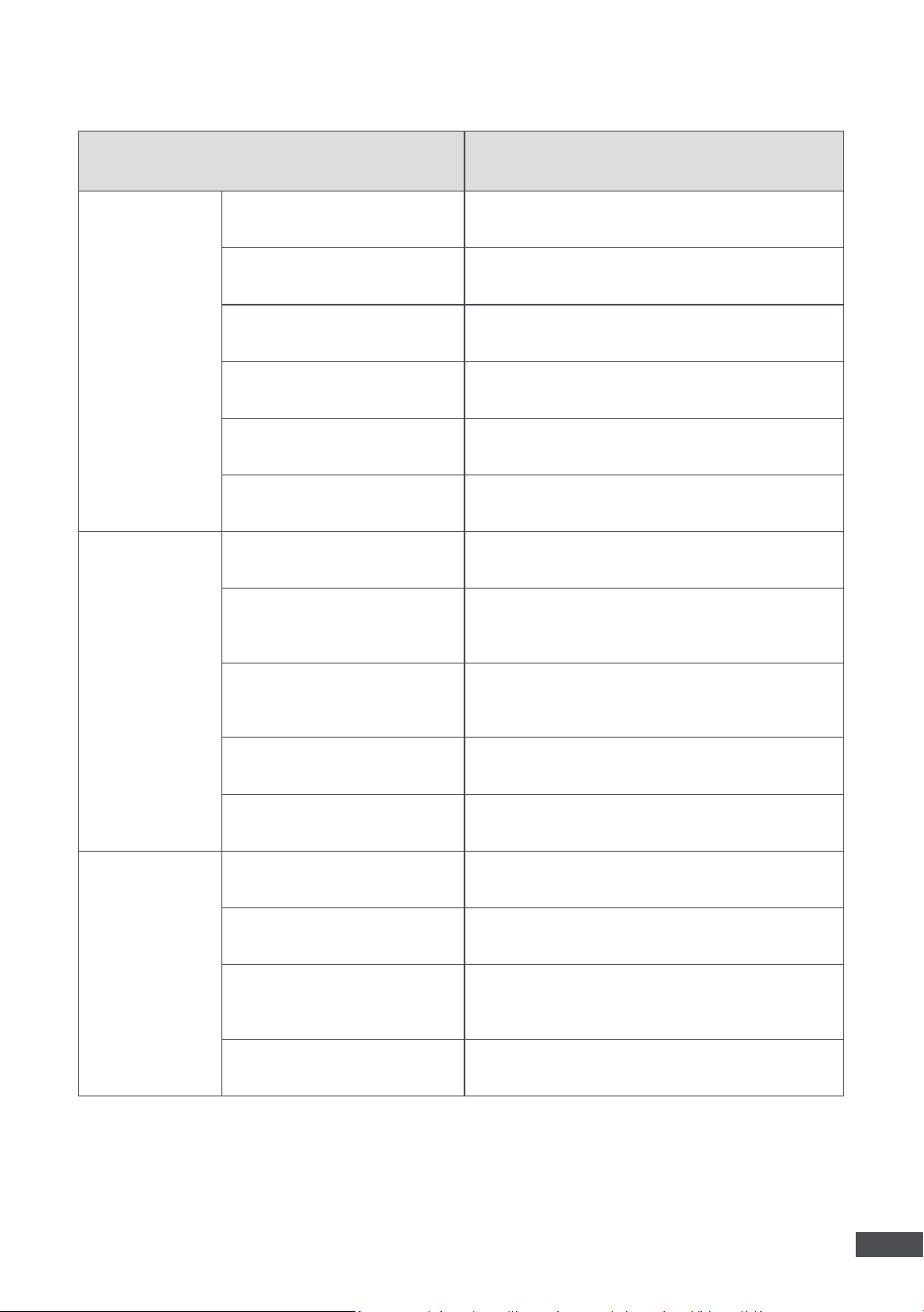
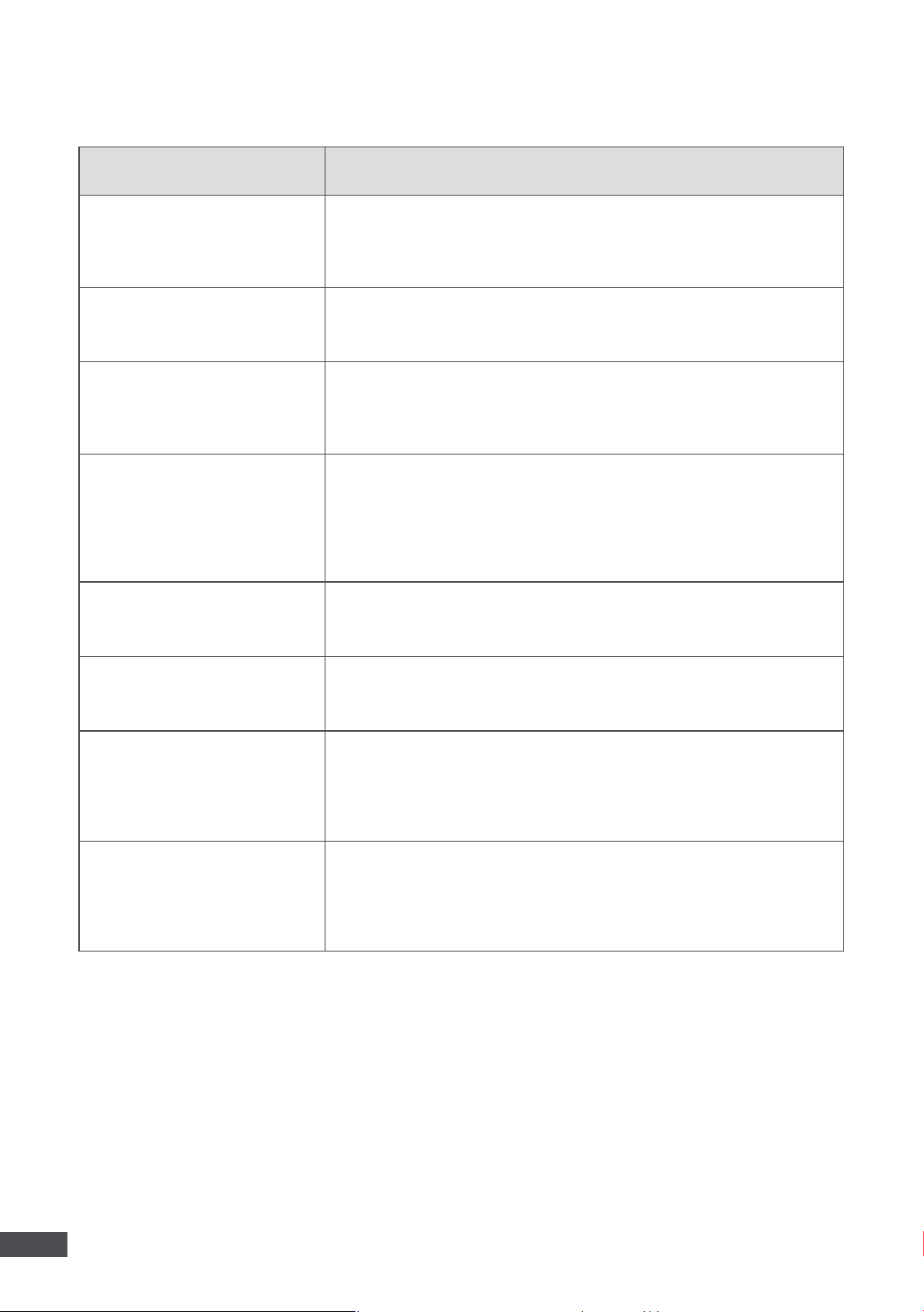
5. Troubleshooting
Problems Possible Solutions
The robot fails to charge.
1. Use another working wall outlet.
2. Check and clean the charging port.
3. Contact the after-sales service if the problem persists.
The robot fails to power on.
1. Fully charge the robot before powering it on.
2. Contact the after-sales service if the problem persists.
The robot moves slowly or turns
its direction frequently while
there is no pool wall.
1. Check and wash the filter.
2. Check the wheels for any entanglement or blockage.
3. Contact the after-sales service if the problem persists.
Motor blockage.
1. Check whether the impeller or the motor shaft are stuck by
obstructions. If so, please clean them up in time and turn on the robot
again.
2. If the above questions are not found, try to turn on the robot again.
3. Contact the after-sales service if the problem persists.
Motor broken.
1. Try to turn the robot on again.
2. Contact the after-sales service if the problem persists.
Sealed cabin leaking.
1. Try to turn the robot on again.
2. Contact the after-sales service if the problem persists.
Low charging voltage.
1. Check if the charging plug is inserted securely, replug the charger
once again.
2. Use another working wall outlet.
3. Contact the after-sales service if the problem persists.
High charging voltage.
1. Check if the charging plug is inserted securely, replug the charger
once again.
2. Use another working wall outlet.
3. Contact the after-sales service if the problem persists.
11
EN
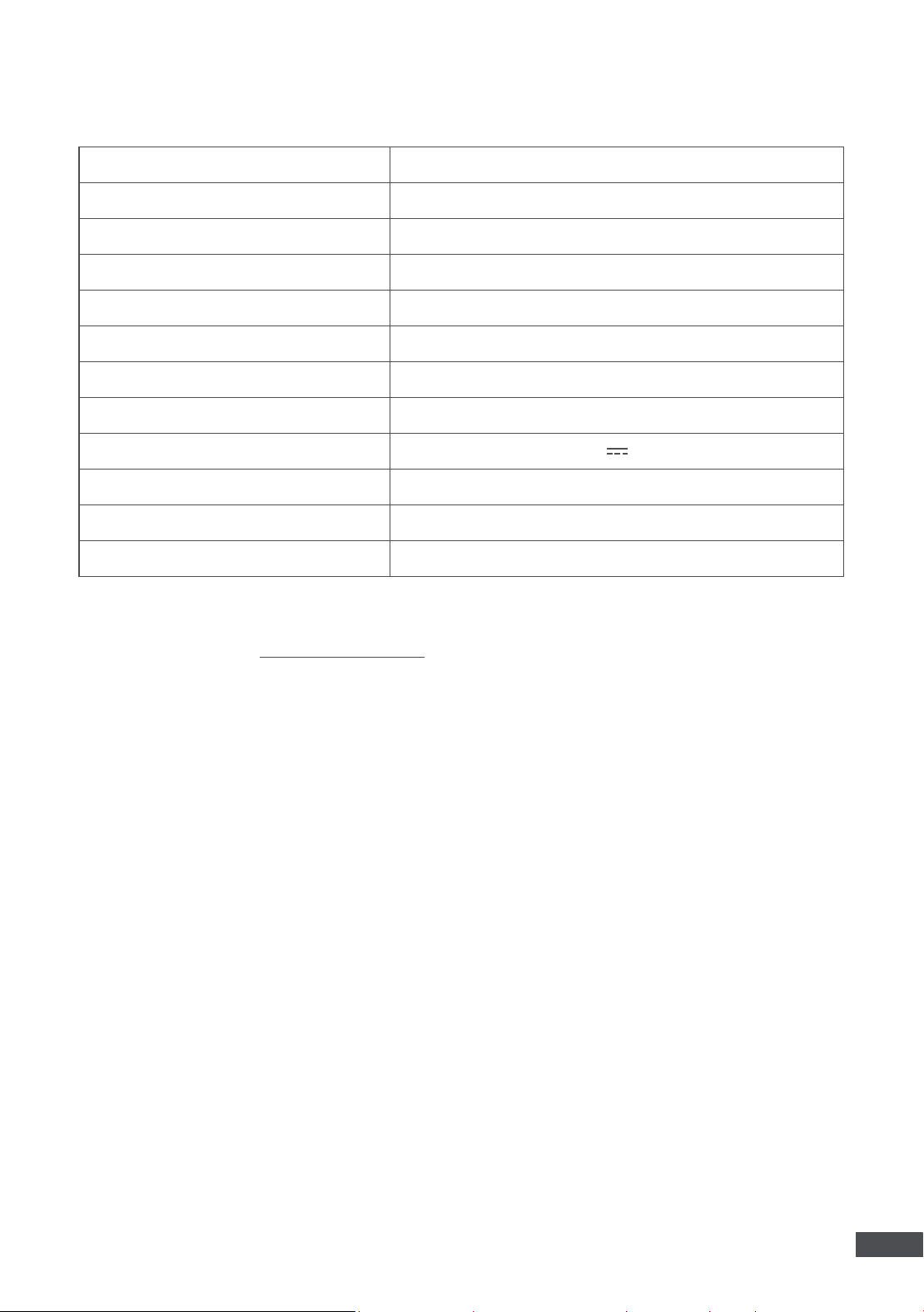
6. Specifications
Name
MOVA Diver R10
Model
PIX8111
Waterproof Grade
IPX8
Pool Size
80 ㎡ (850 sq.ft)
Max Suction Power
5700 LPH (1500 GPH)
Max Water Depth
3 m (10 ft)
Charging Time
2.5 h
Runtime
120 Minutes
Charger Output
12.6 V
2.0 A
Working Temperature
10-40 °C (50-104 °F)
Storage Temperature
-10-60 °C (14-140 °F)
Charger Model
J301-1262000EX/J301-1262000SX/J301-1262000BX
Note:
The specifications are subject to change as we continually improve the product. For the latest information,
please visit our website at https://www.mova.tech/.

Manufactured by
Wavefuture Robotics Technology (Suzhou) Co., Ltd.
1/F, Building B, No. 7 Qian Zhu Road, Taihu Street, Wuzhong District, Suzhou,
Jiangsu Province, P.R.China
https://www.mova.tech/pages/contact-us
MADE IN CHINA