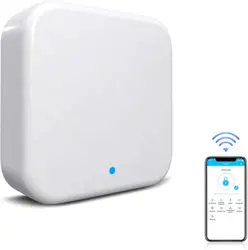
Instructions for SMART LOCK GATEWAY G4N
Parameter
Product model: G4N
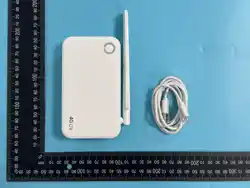
Size: 157mm*86mm*26mm
Network: 4G (LTE). Please refer to the packaging label for specific network support
CN Chinese Mainland
EU European region
LATAM Latin America
GL Global Scope
SIM card type: Nano-SIM card
Power interface: Type-C
Power input: 5V/2A
Description of light status
After the device is powered on, its working status
can be determined by the color of the status light:
The red and blue lights flash alternately: the
device is in a state ready for configuration. At this
time, you can add and bind it through the APP;
Blue: The device is in normal standby mode with
normal network connection;
Red: Network connection is abnormal. The device
cannot connect to the server. Please check the SIM
card and network signal.
Add a gateway through the APP
1. Open the app, click the "+" in the top right corner, and enter the "Add Device"
page
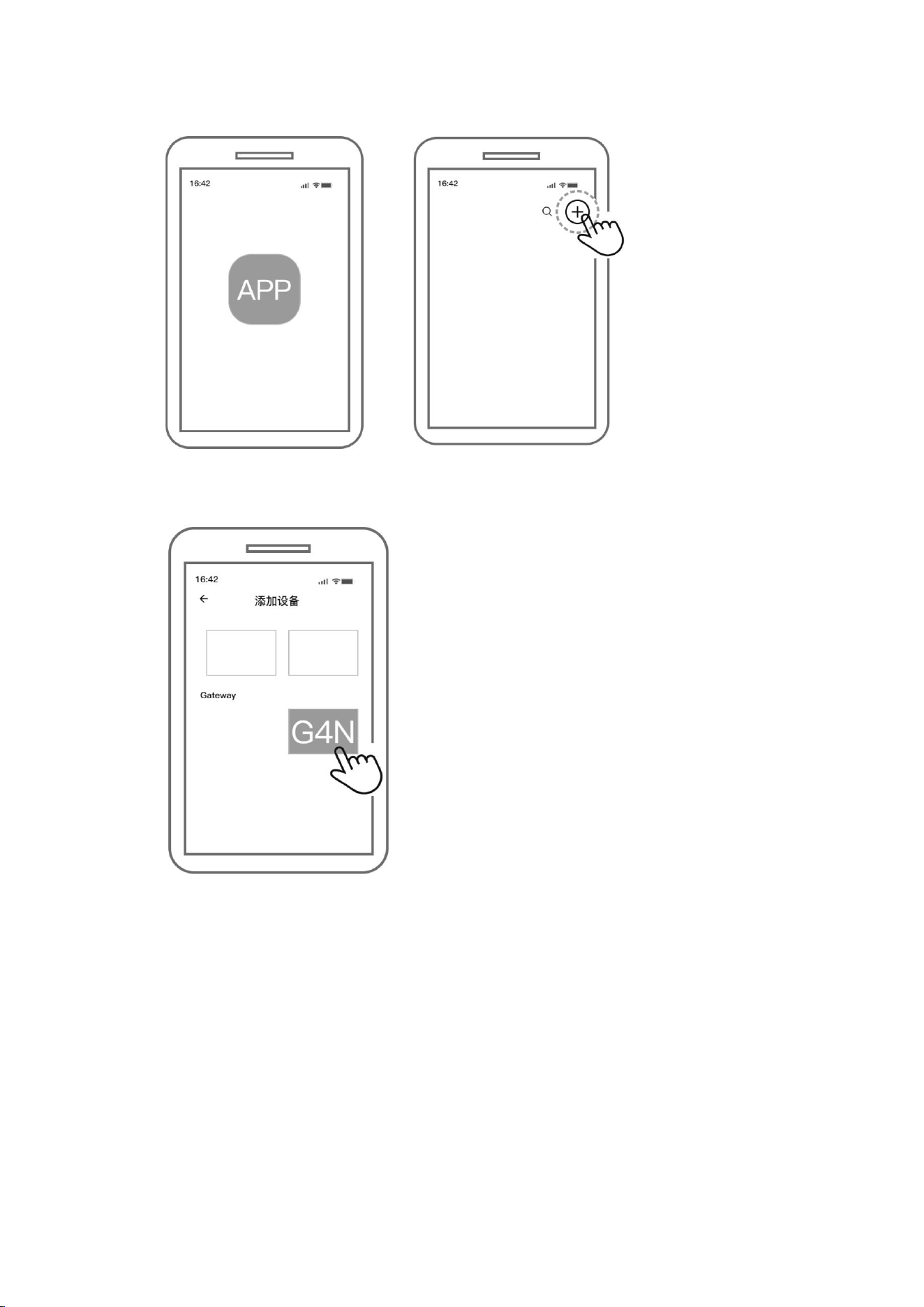
2. In the device list, under the [Gateway] category, select the [G4N] model
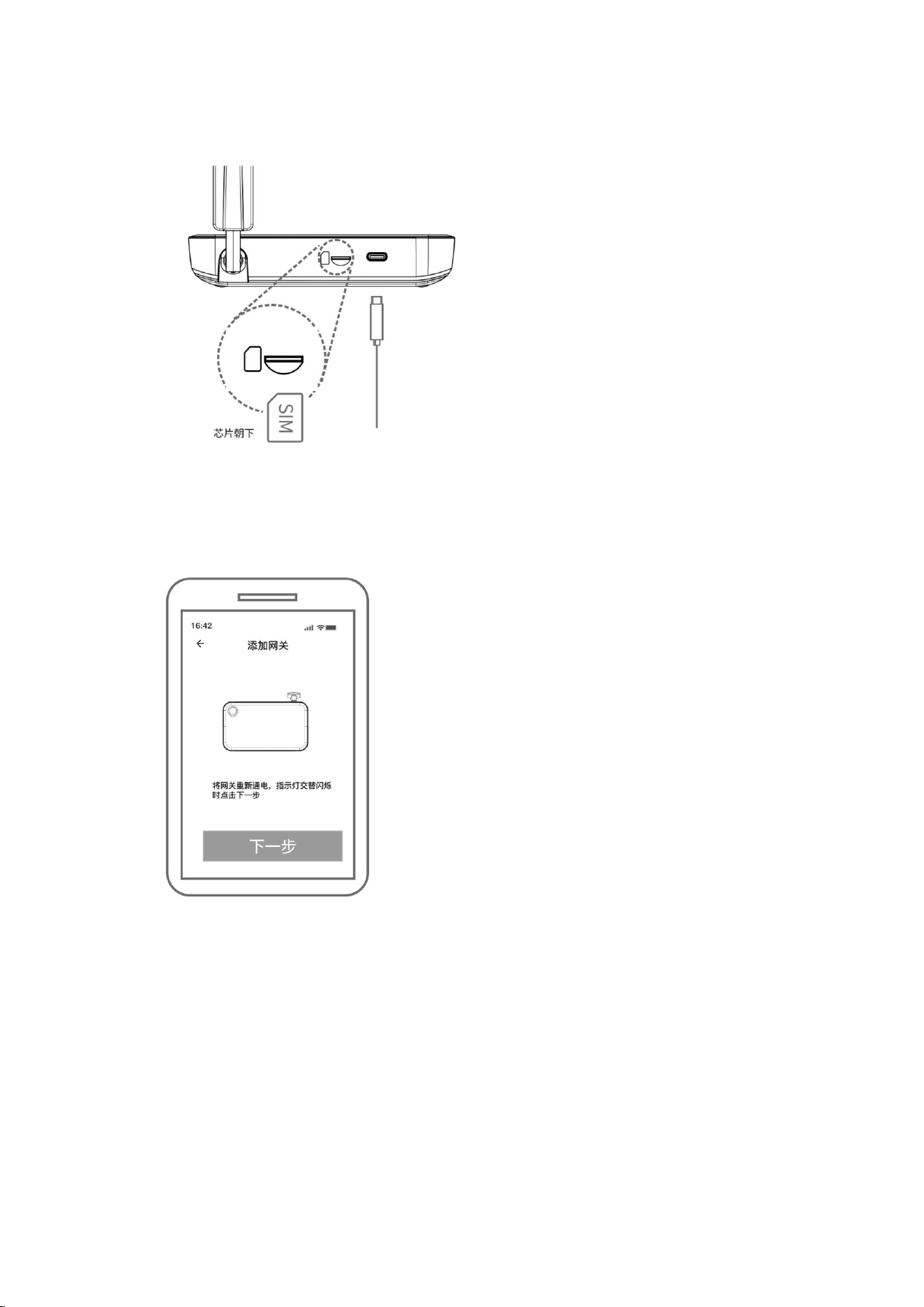
3. Prepare the gateway hardware
:
Insert the Nano-SIM card into the gateway slot (Note: The metal chip side of the
SIM card should face downwards).
Connect the gateway to power using a Type-C power cable.
Add Device
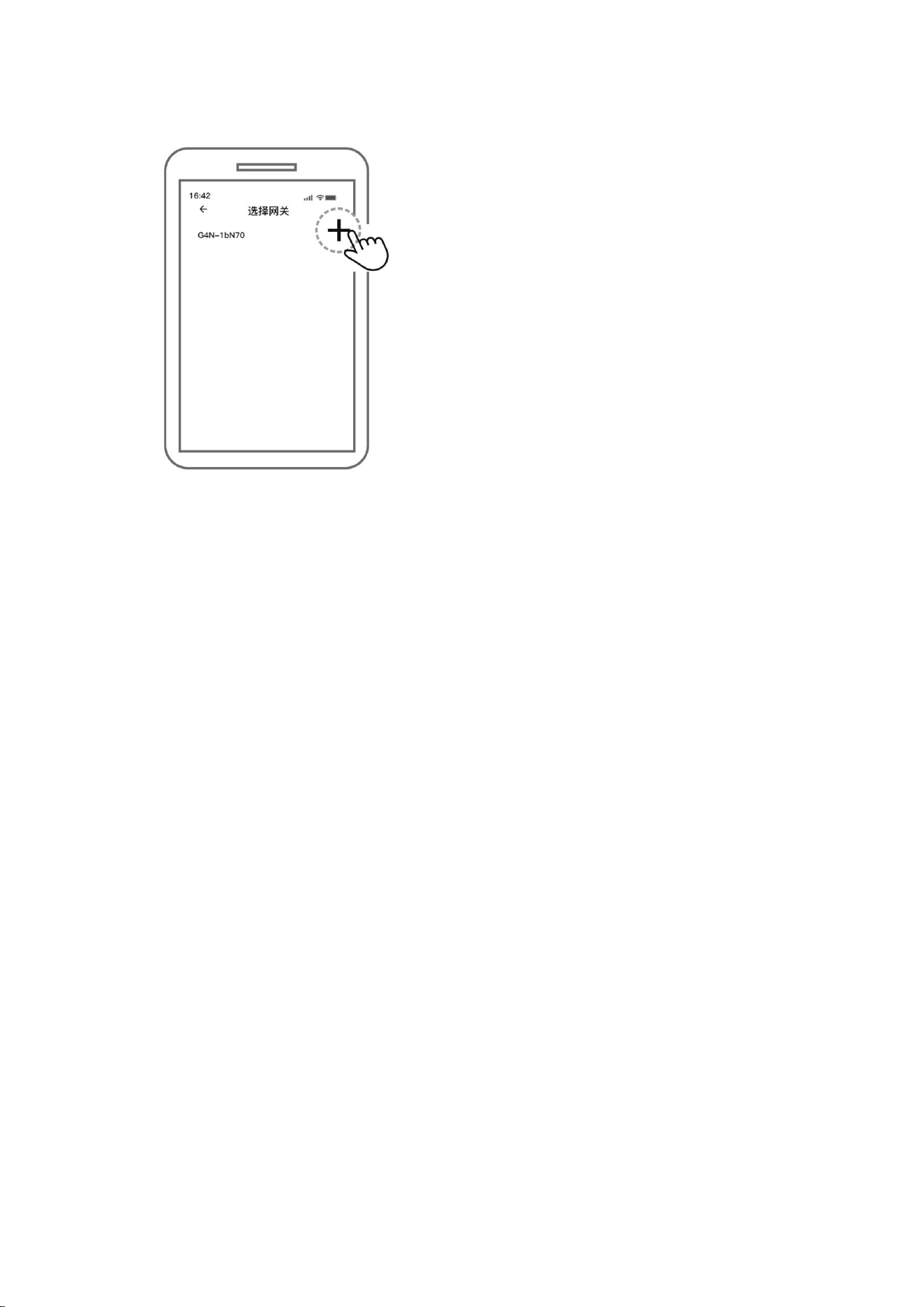
4. After connecting the power supply, observe that the gateway indicator light enters
the right side, and follow the subsequent prompts to complete the binding
operation
the "alternating red and blue flashing" state. Then, click "Next" in the APP
”
5. In the device list searched in the APP, find your gateway, click the "+" button on
.
Chip facing downwards
Add Device
When the gateway is powered on again and
the indicator light flashes alternately, click Next
Note: If the waiting time is excessively long or the binding process fails, please try
disconnecting the power supply of the gateway, reconnecting it later, and repeating
steps 3 to 5.
Product warranty instructions
1. Within 7 days from the date of purchase, if the product exhibits a quality issue
due to non-human factors, you may choose to return it for a refund or exchange it
for a product of the same model at the purchase price;;
2. From the date of purchase to the 15th day, if the product exhibits a quality issue
due to non-human factors, you may opt for a free replacement of the same model;
3. Within 12 months from the date of purchase, if the product experiences a
performance failure due to non-human factors, free repair services will be
provided
Disclaimers
Our company reserves the right to change the design due to product improvement
without further notice. All information has been carefully checked for accuracy, but
errors may still occur. Our company will not be responsible for any consequences
arising from this.
Select Gateway

FCC Statement
This device complies with part 15 of the FCC Rules.Operation is subject to the
following two conditions:(1)This device may not cause harmful interference,and
(2)this device must accept any interference received,including interference that may
cause undesired operation.
Note:This equipment has been tested and found to comply with the limits for a Class
B digital device,pursuant to part 15 of the FCC Rules.These limits are designed to
provide reasonable protection against harmful interference in a residential
installation.This equipment generates, uses and can radiate radio frequency energy
and,if not installed and used in accordance with the instructions, may cause harmful
interference to radio communications. However, there is no guarantee that
interference will not occur in a particular installation. If this equipment does cause
harmful interference to radio or television reception,which can be determined by
turning the equipment off and on,the user is encouraged to try to correct the
interference by one or more of the following measures:
—Reorient or relocate the receiving antenna.
—Increase the separation between the equipment and receiver.
—Connect the equipment into an outlet on a circuit different from that to which the
receiver is connected.
—Consult the dealer or an experienced radio/TV technician for help.
Note:The Grantee is not responsible for any changes or modifications not expressly
approved by the party responsible for compliance. such modifications could void the
user's authority to operate the equipment.
The device has been evaluated to meet general RF exposure requirement.
To maintain compliance with FCC's RF exposure guidelines,the distance must be at
least 20 cm between the radiator and your body, and fully supported by the operating
and installation configurations of the transmitter and its antenna(s).