User Manual
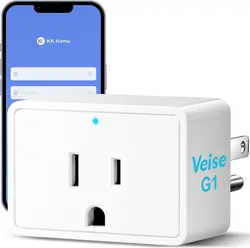
GATEWAY AND SMART PLUG G1
Plug in the power
The indicator turns on.
The device functions as a
gateway and can also supply
power to other devices.
Press the power
button
The indicator turns off.
The device now operates
in gateway-only mode.
Press and hold
the power button
for 5 seconds
The indicator flashes.
The device enters
pairing mode.
1. LED Indicator Status
Operation Status
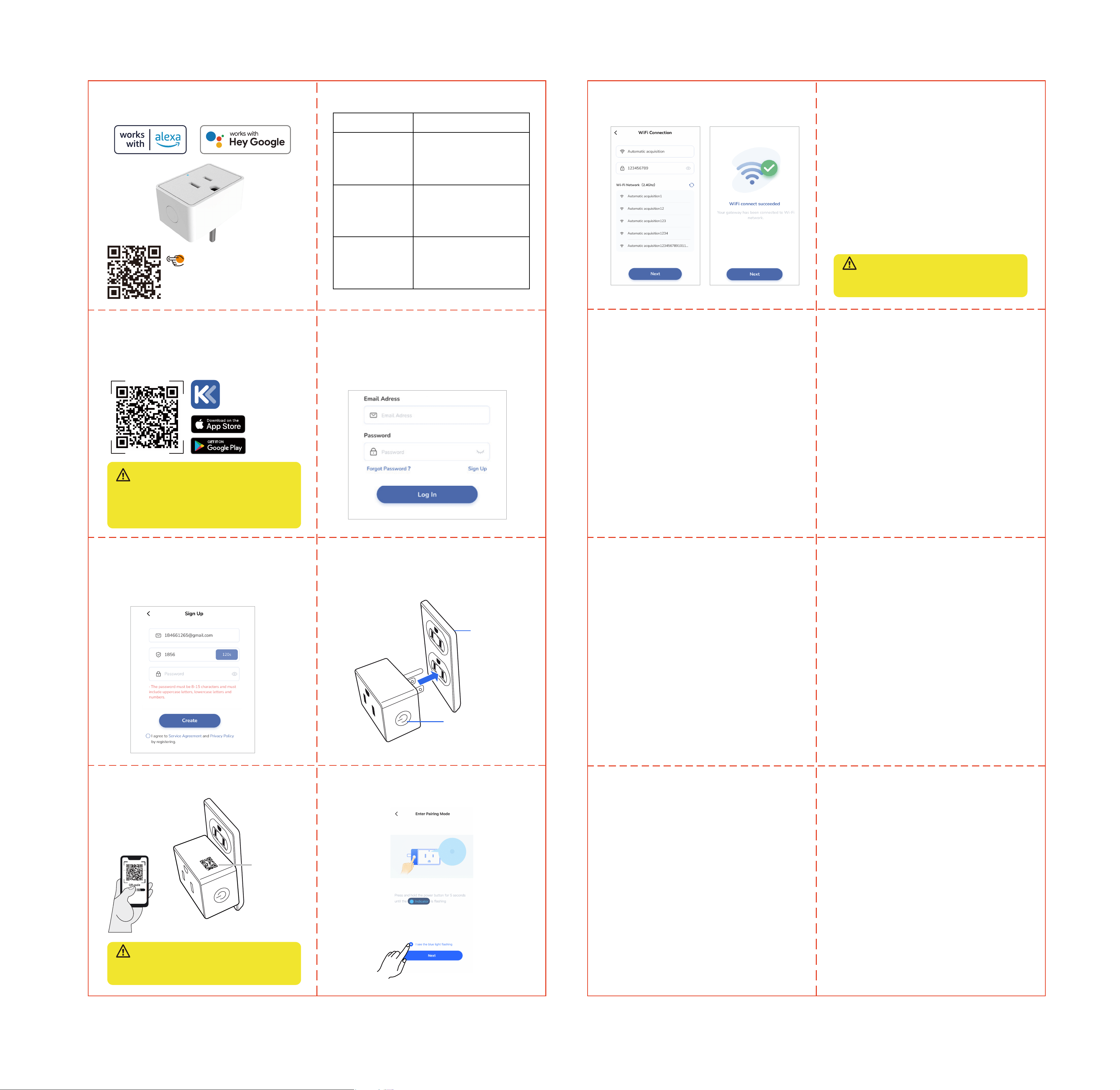
Step1: Download KK Home App
Scan the QR code to download the KK Home
App from the App Store or Google Play.
Step2: Create an account for the App.
If you are an existing user: You can integrate this
device into your KK Home App for easy control.
If you are a new user: Please click the “Sign Up”
button to create your account.
What should I do if the gateway fails to pair?
1. Make sure your router is working properly, con-
nected to the internet, and has a strong signal. You
can try testing with a different Wi-Fi network.
2. Ensure that the 2.4GHz Wi-Fi band on your router
is enabled. The gateway only supports 2.4GHz
networks. Enabling this band will not affect the
operation of your other connected devices.
3. Press and hold the power button for 5 seconds
until the indicator starts flashing. The device will
enter pairing mode. Then try reconnecting.
If you need further assistance, feel free to contact
our customer support team at +1 (855) 400-3853.
The gateway has been added successfully, but it
can’t be controlled remotely. What should I do?
1. Please review if you have added the G1 gateway
before adding the smart lock.
2. Please make sure the distance between the gateway
and the smart lock is within 32 feet (10 meters).
How many smart locks can one gateway support?
One gateway can support up to 3 smart locks.
2. How to connect to G1 Gateway
IMPORTANT:
2.Please add the G1 gateway in the KK Home App,
and then add the smart lock.
1.Only compatible with KK Home App.
IMPORTANT:
Keep the G1 gateway within 49ft (15 meters) of
your home router
IMPORTANT:
Keep the G1 gateway within 32ft (10 meters) of
the door lock
Step3:Add the G1
1. Plug the G1 gateway into the socket.
2. Open the App and scan the QR code on the device.
3. Press and hold the power button for 5 seconds
until the indicator is flashing.
V2.0
● Fill in your email ID
● Enter the verification code received in your email
inbox
● Set up an account password
● Create an account successfully
socket
power button
QR code
Troubleshooting
Technical parameters
Maximum current: 10A
Rated voltage: 100-240V
Rated power: 2200W
Input voltage: 100-240V
Step4: Add the smart lock in the App.
Please refer to the App guide for the smart lock.
Note: Before adding a smart lock in the App, please
make sure the G1 gateway has been added
successfully.
4. Set up Wi-Fi connection, it only works with
2.4GHz Wi-Fi network.
FCC Statement
This equipment has been tested and found to
comply with the limits for a Class B digital device,
pursuant to part 15 of the FCC Rules. These limits
are designed to provide reasonable protection
against harmful interference in a residential
installation. This equipment generates, uses and can
radiate radio frequency energy and, if not installed
and used in accordance with the instructions, may
cause harmful interference to radio communications.
However, there is no guarantee that interference will
not occur in a particular installation. If this
equipment does cause harmful interference to radio
or television reception, which can be determined by
turning the equipment off and on, the user is
encouraged to try to correct the interference by one
or more of the following measures:
● Reorient or relocate the receiving antenna.
● Increase the separation between the equipment
and receiver.
● Connect the equipment into an outlet on a circuit
different from that to which the receiver is
connected.
● Consult the dealer or an experienced radio/TV
technician for help.
Caution: Any changes or modifications to this device
not explicitly approved by manufacturer could void
your authority to operate this equipment.
This device complies with part 15 of the FCC Rules.
Operation is subject to the following two conditions:
(1) This device may not cause harmful interference,
and (2) this device must accept any interference
received, including interference that may cause
undesired operation.
RF Exposure Information
This equipment complies with FCC radiation
exposure limits set forth for an uncontrolled
environment. This equipment should be installed and
operated with minimum distance 20cm between the
radiator and your body.
ISED Statement
English:This device contains licence-exempt
transmitter(s)/receiver(s) that comply with Innovation,
Science and Economic Development Canada’s
licence-exempt RSS(s). Operation is subject to the
following two conditions:
(1) This device may not cause interference.
(2) This device must accept any interference,
including interference that may cause undesired
operation of the device.
The digital apparatus complies with Canadian CAN
ICES-3 (B)/NMB-3(B).
French: Cet appareil contient des
émetteurs/récepteurs exempts de licence qui sont
conformes aux RSS exemptés de licence d'Innovation,
Sciences et Développement économique Canada.
L'exploitation est soumise aux deux conditions
suivantes :
(1) Cet appareil ne doit pas provoquer d'interférences.
(2) Cet appareil doit accepter toute interférence, y
compris les interférences susceptibles de provoquer
un fonctionnement indésirable de l'appareil.
l'appareil numérique du ciem conforme canadien peut
- 3 (b) / nmb - 3 (b).
This device meets the exemption from the routine
evaluation limits in section 2.5 of RSS 102 and
compliance with RSS 102 RF exposure, users can
obtain Canadian information on RF exposure and
compliance.
cet appareil est conforme à l'exemption des limites
d'évaluation courante dans la section 2.5 du cnr - 102
et conformité avec rss 102 de l'exposition aux rf, les
utilisateurs peuvent obtenir des données canadiennes
sur l'exposition aux champs rf et la conformité.
This equipment complies with Canada radiation exposure
limits set forth for an uncontrolled environment.
Cet équipement est conforme aux limites
d'exposition aux rayonnements du Canada établies
pour un environnement non contrôlé.
This equipment should be installed and operated with
minimum distance 20cm between the radiator & your body.
Cet équipement doit être installé et utilisé à une
distance minimale de 20 cm entre le radiateur et
votre corps.
Scan the QR code and search G1
to get the video.
Tutorial Video