How to pair the gateway with your TTLock App
Step1. Please make sure your phone is connected with your Wi-Fi (work with 2.4G,
NOT is 5G), and make sure your smart lock have paired with your TTLock account.
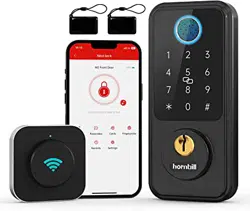
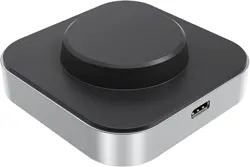
Step2. Please plug in your gateway, it will red and blue blinking. (The gateway needs
to near by your locks within 26 ft.)
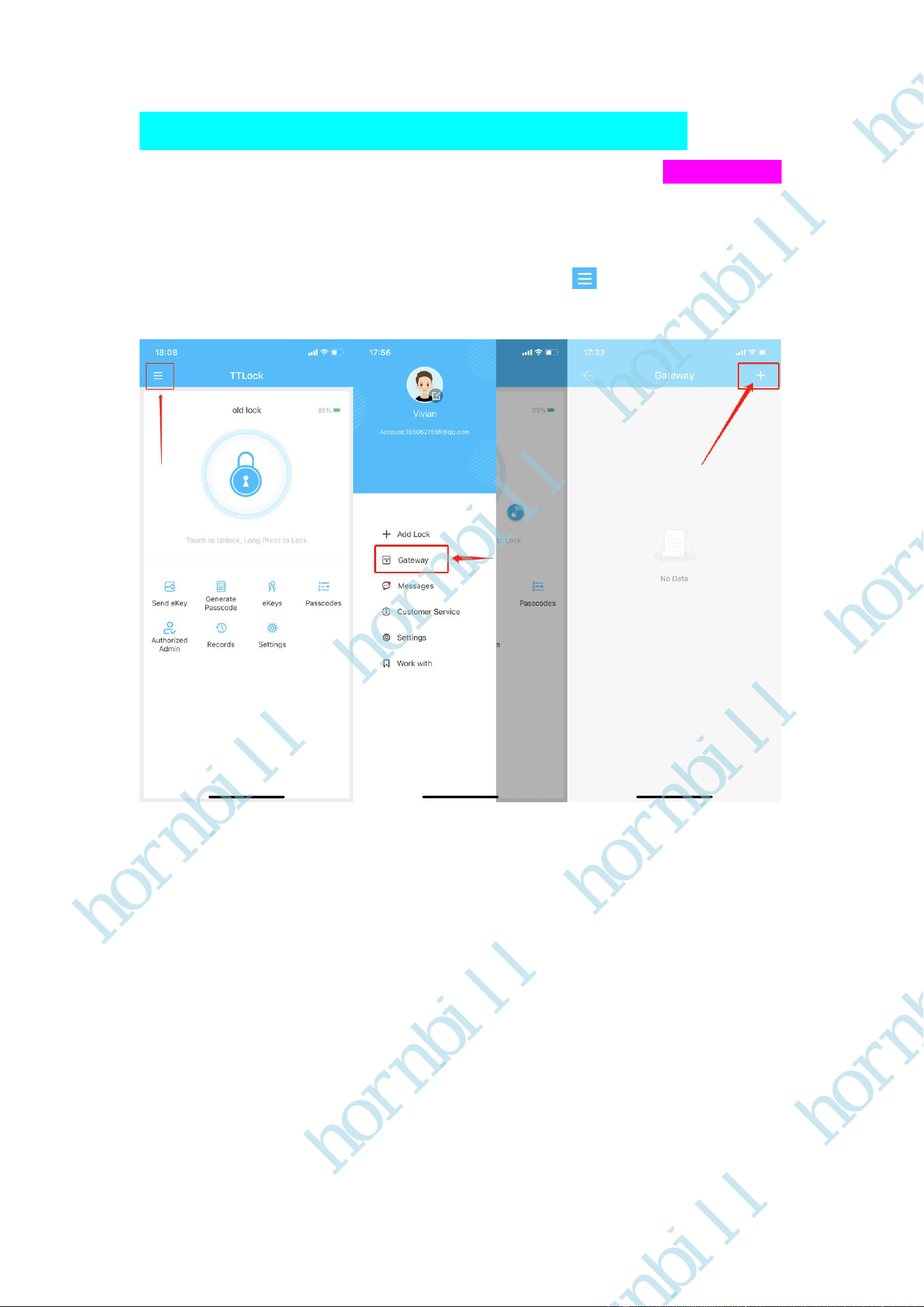
Step3. Open your TTLock App, Click the upper left button , and click Gateway, Click
+
Step4. Select G2( now your gateway is blue blinking ), and Click +, you will find your gateway,
click +, you need to select the Wi-Fi( Please select the same Wi-Fi as your phone is already
connected to, enter the Wi-Fi password and name the gateway) Click OK.
hornbill
hornbill
hornbill
hornbill
hornbill
hornbill
hornbill
hornbill
hornbill
hornbill
hornbill
hornbill
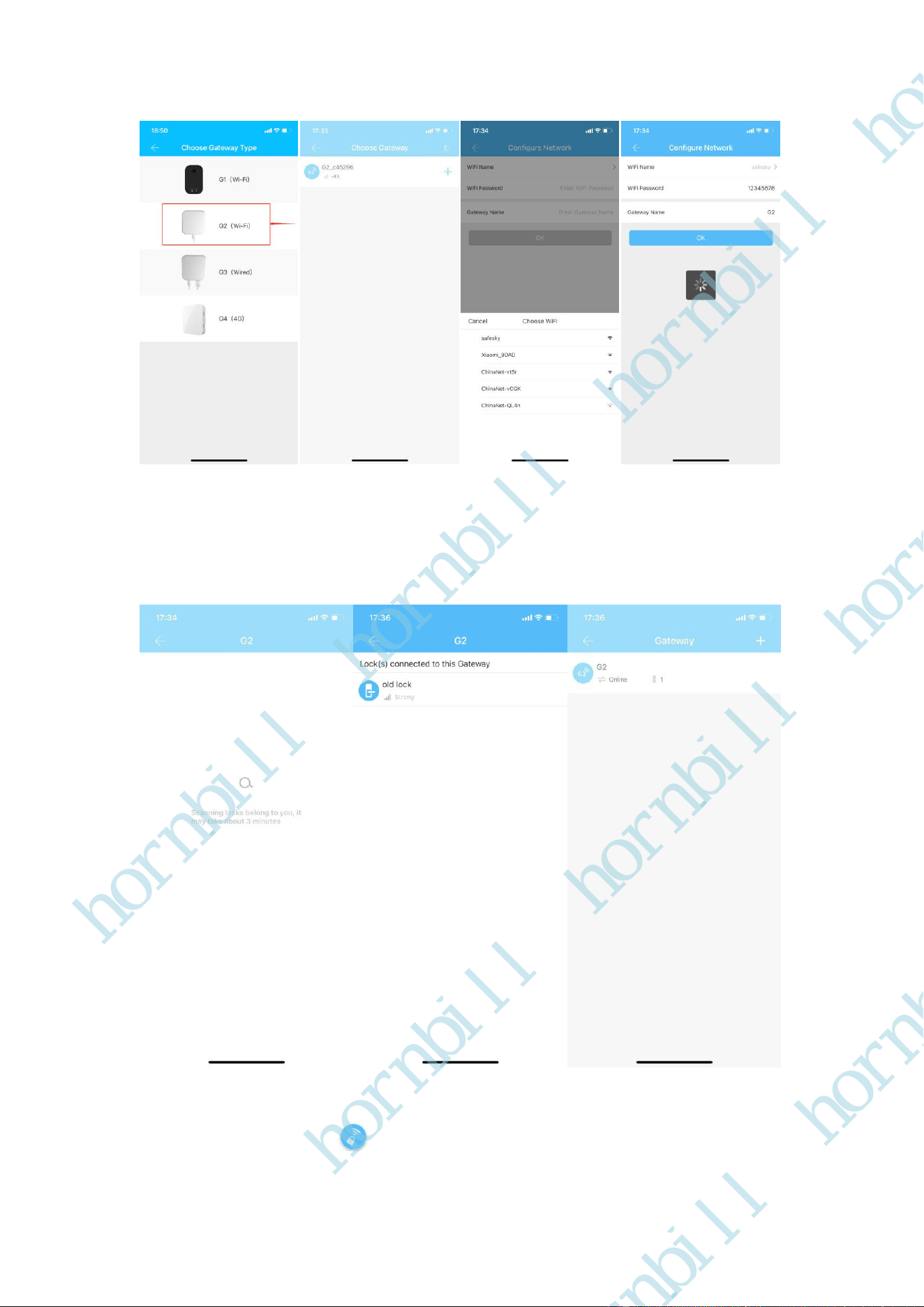
Step5. When you successfully add the gateway on your App, the gateway will find your locks, it
may take about 3 minutes. Lastly, your locks connected to your gateway, go back you will find the
gateway is online status, and if you have two locks, please it, click Nearby locks, then your locks
will connected to your gateway.
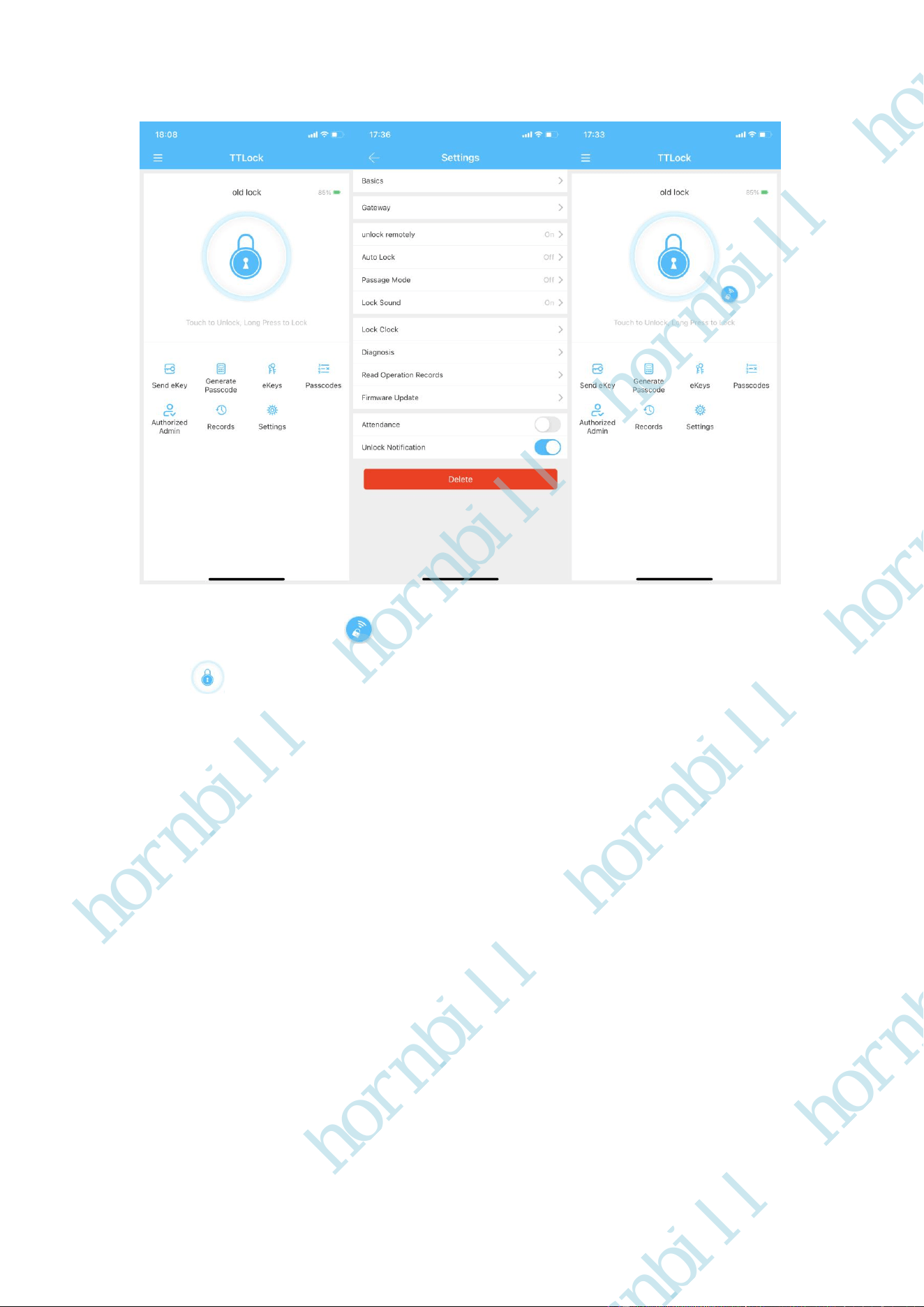
Step6. Go back the App, click Settings-Turn on unlock remotely button, you will find a little
button nearby the main lock.
hornbill
hornbill
hornbill
hornbill
hornbill
hornbill
hornbill
hornbill
hornbill
hornbill
hornbill
hornbill
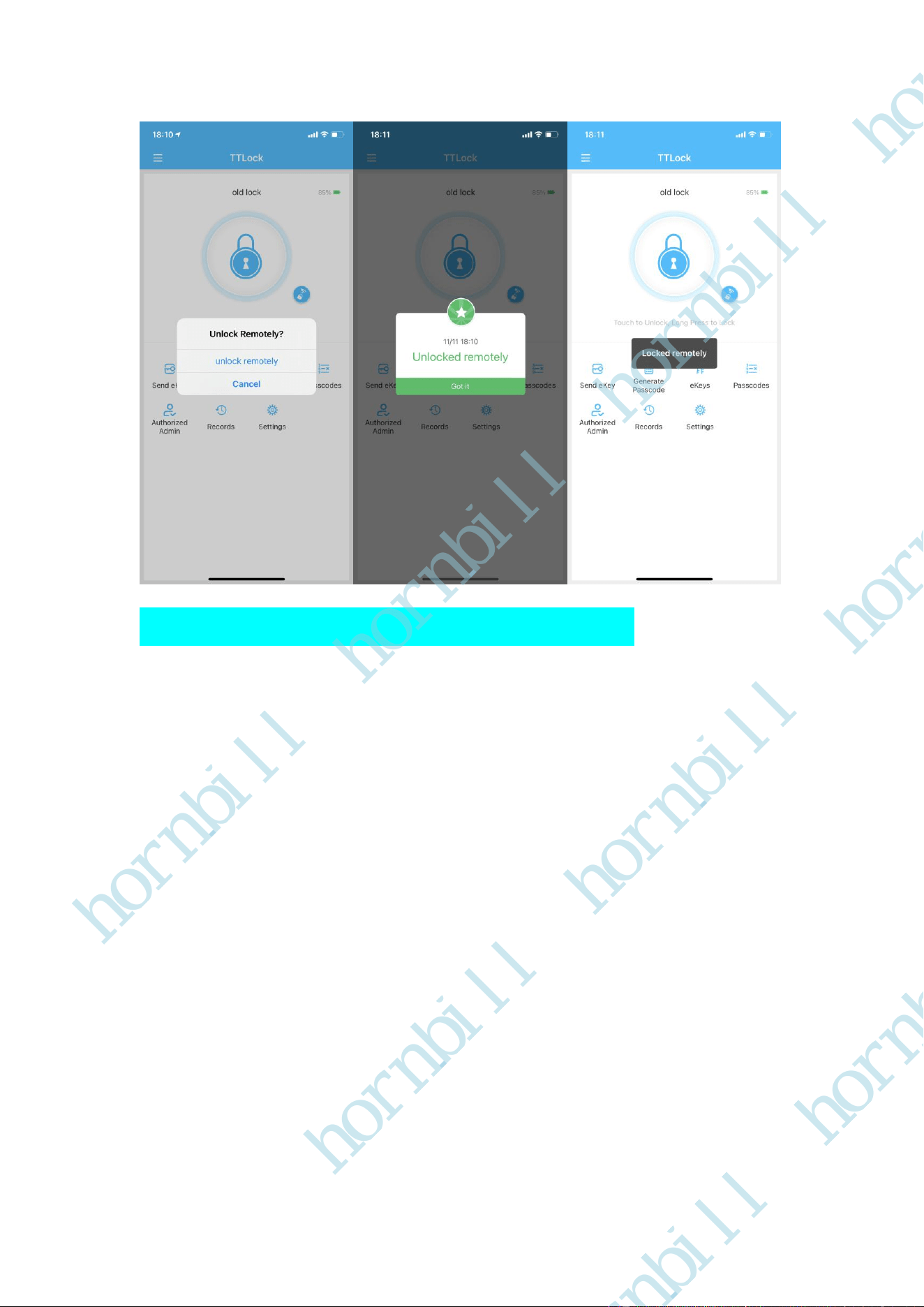
Step7. Press the little button , you can remotely unlock your door, and long press the big
button, you can remotely lock your door, turn off Bluetooth, you can remotely unlock or
lock your door lock anywhere anytime.
hornbill
hornbill
hornbill
hornbill
hornbill
hornbill
hornbill
hornbill
hornbill
hornbill
hornbill
hornbill
How to pair with the Google Assistant App
Step1. Please download Google Assistant App on your phone, and login your account (Google
account).
hornbill
hornbill
hornbill
hornbill
hornbill
hornbill
hornbill
hornbill
hornbill
hornbill
hornbill
hornbill
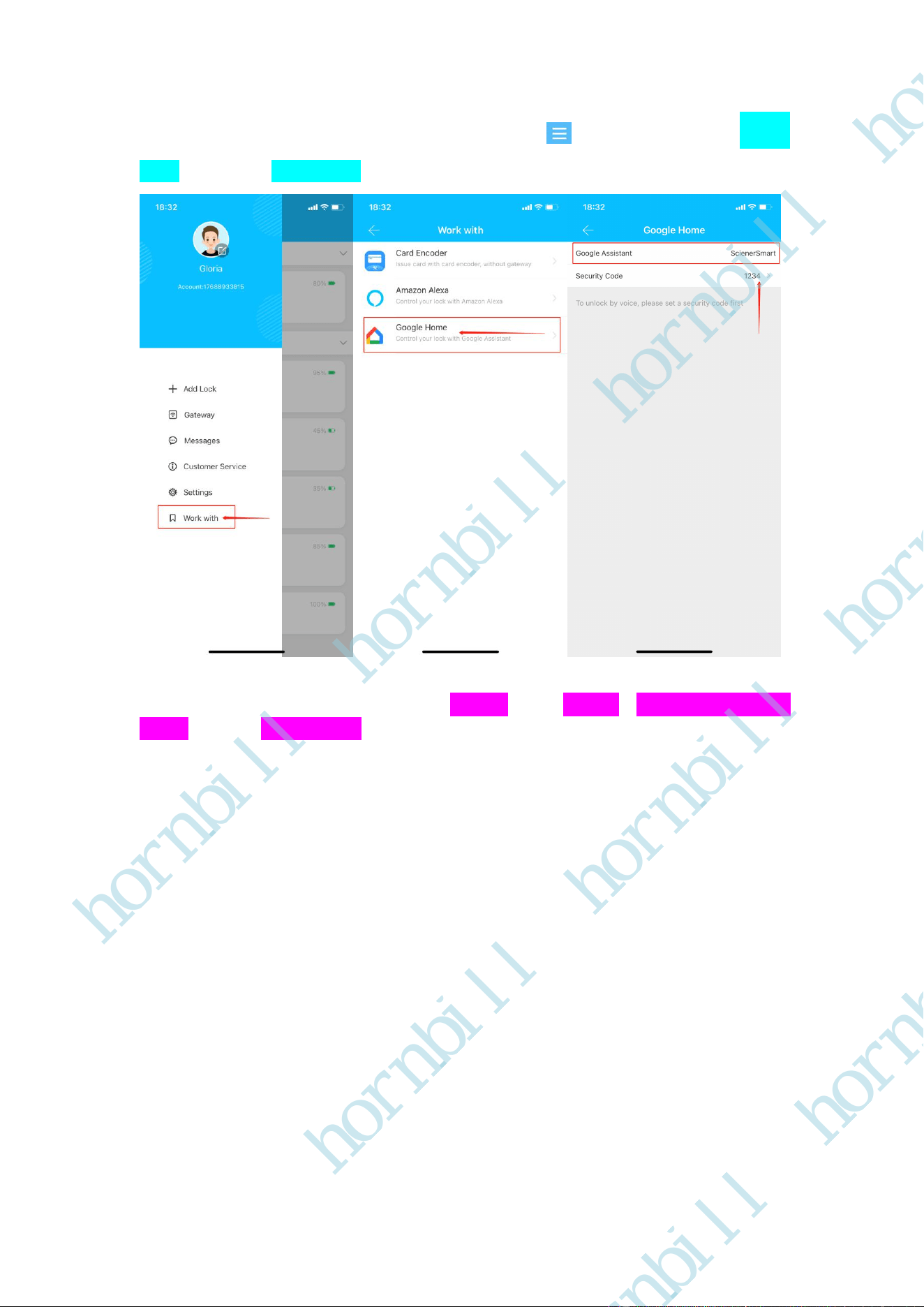
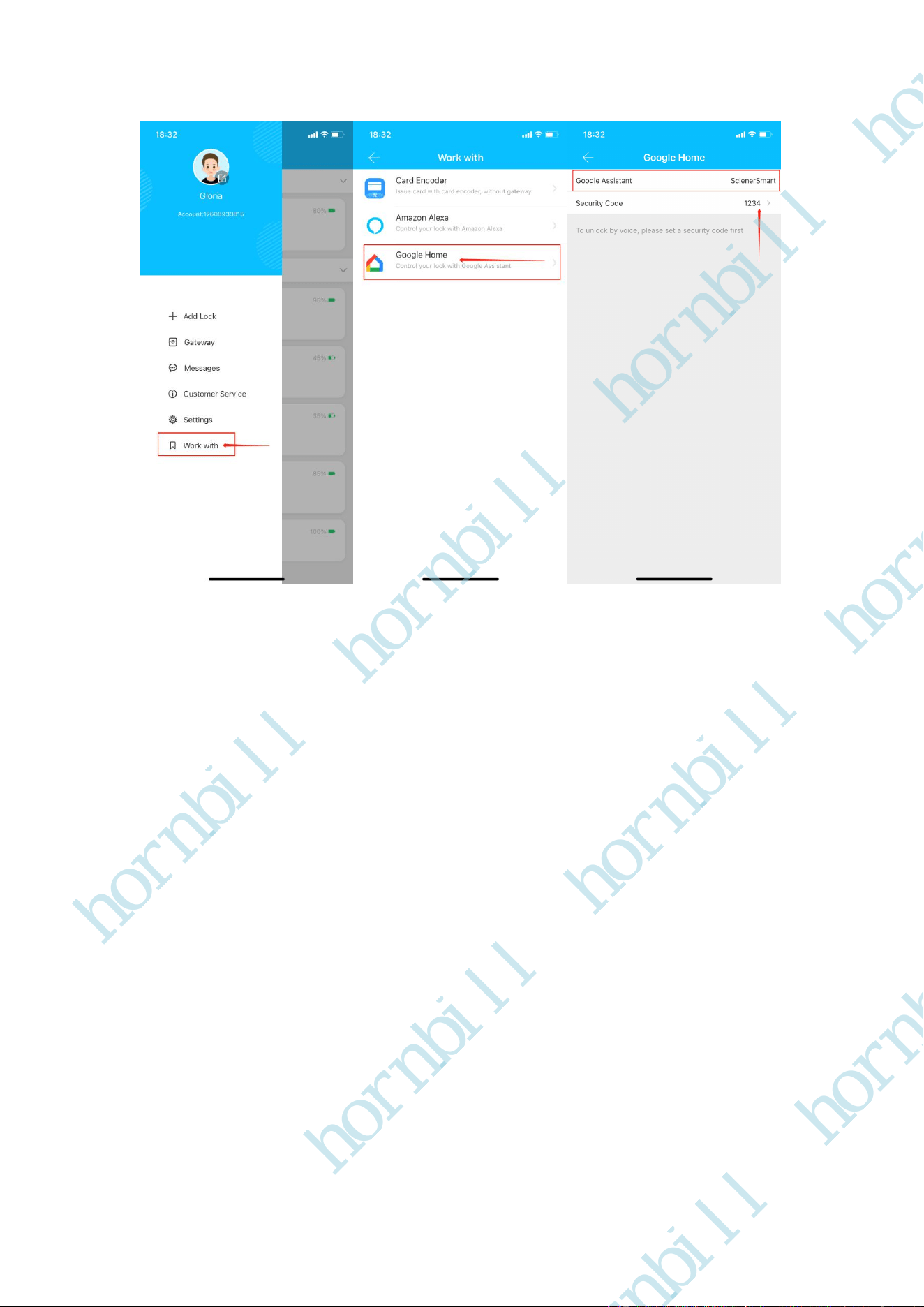
Step2. Open your TTLock App, Click the upper left button , Click Work with, Click Google
Home, you will find ScienerSmart, and set the security Code(Please remember this code)
Step3.
Open Your Google Assistant APP--Click Devices---Add devices---Link a smart home
device---Search ScienerSmart. Now you need to Login your TTLock Account and Password
( NOTE: If your TTLock account is your phone number, please enter “+1” on front of your phone
number. e.g: +18669856607 )
hornbill
hornbill
hornbill
hornbill
hornbill
hornbill
hornbill
hornbill
hornbill
hornbill
hornbill
hornbill
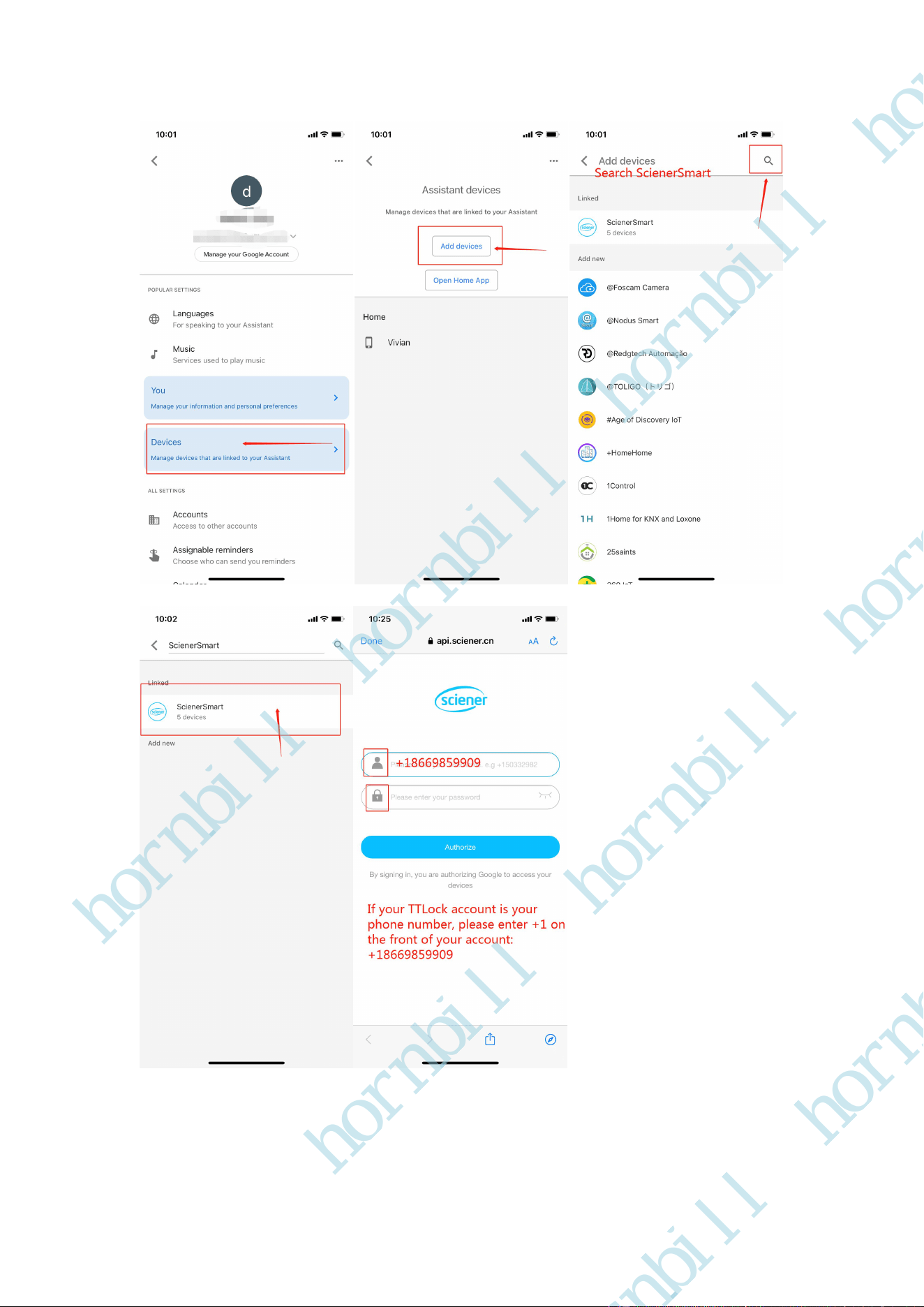
Step4. When you successfully add the your locks on Google Assistant, click Devices, you will find
your locks, Click your locks, just need to name your lock in your Google Assistant, and then you
can say: Unlock my front door or Bedroom, Assistant will ask for the Code, you need to tell her
your Code. This code in your TTLock APP.
hornbill
hornbill
hornbill
hornbill
hornbill
hornbill
hornbill
hornbill
hornbill
hornbill
hornbill
hornbill
hornbill
hornbill
hornbill
hornbill
hornbill
hornbill
hornbill
hornbill
hornbill
hornbill
hornbill
hornbill