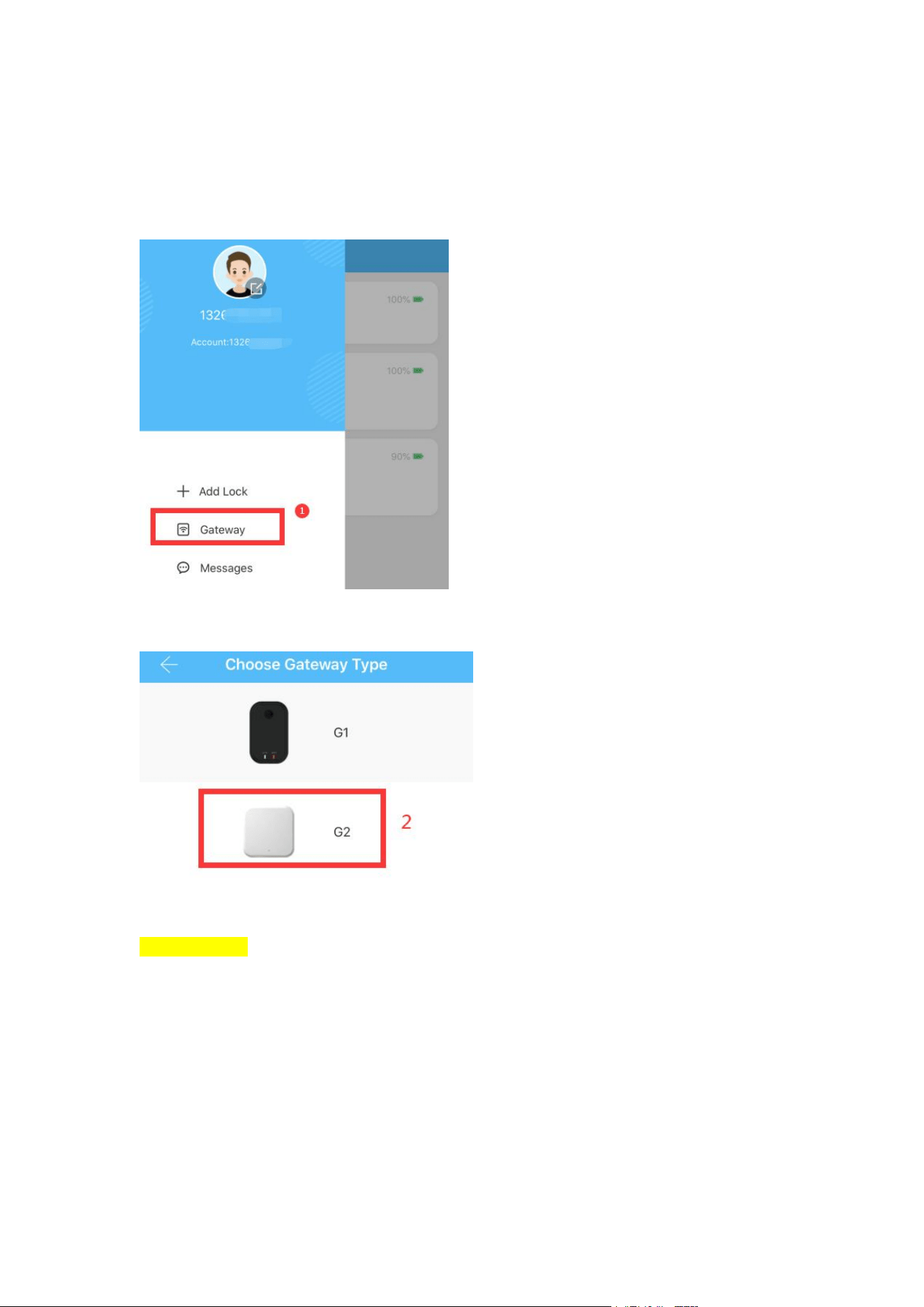
Gateway paring step
1. Find main menu at upper left corner
2. Select G2
Please Note: Connect to power before entering step 3(After selecting step 2). Switching
on the power too early will result in Search failed.
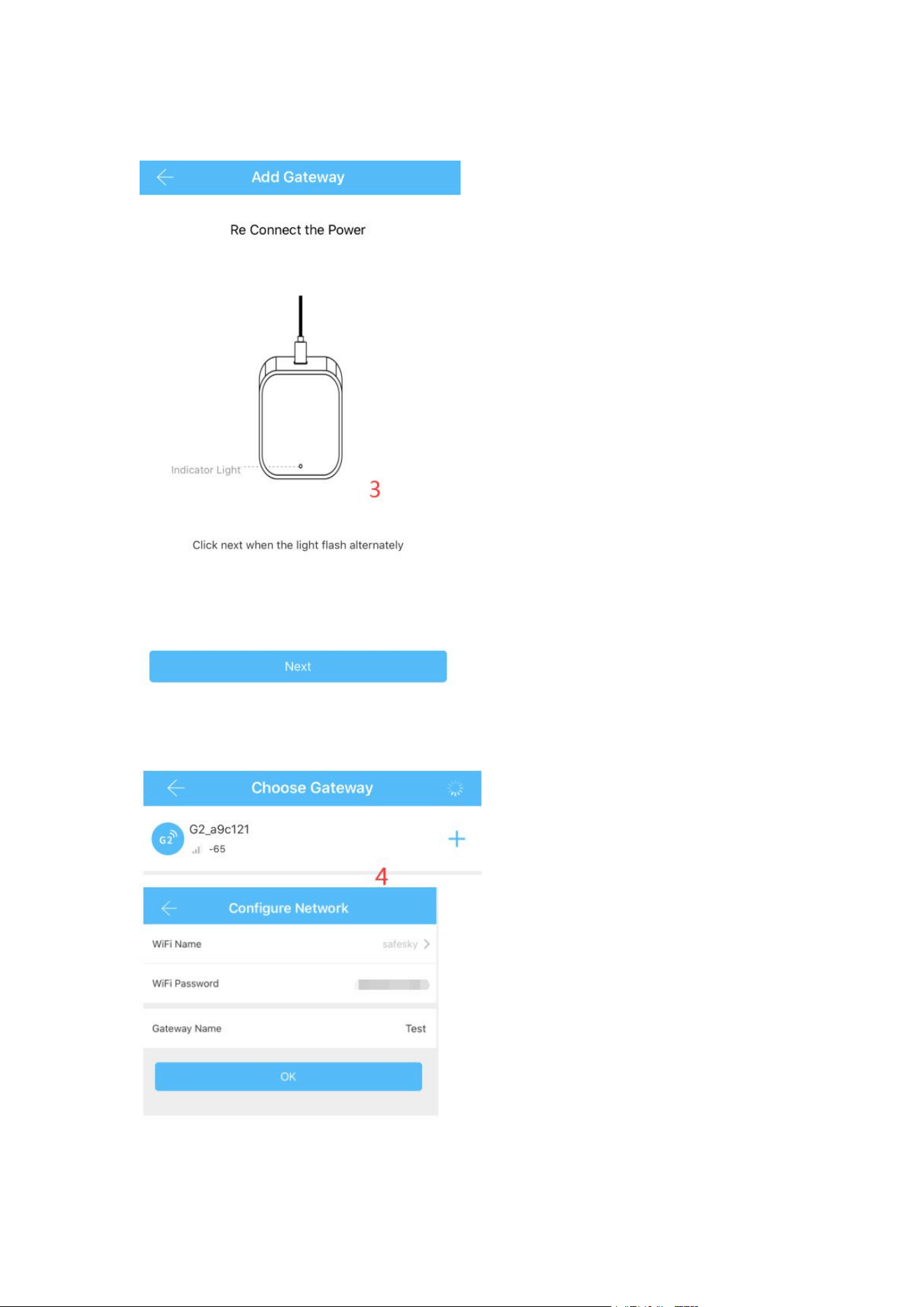
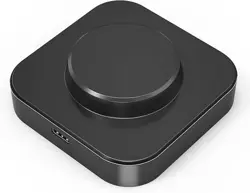
3. Find the gateway and click Next
4. After identifying the gateway, click Add to enter the wifi configuration
interface
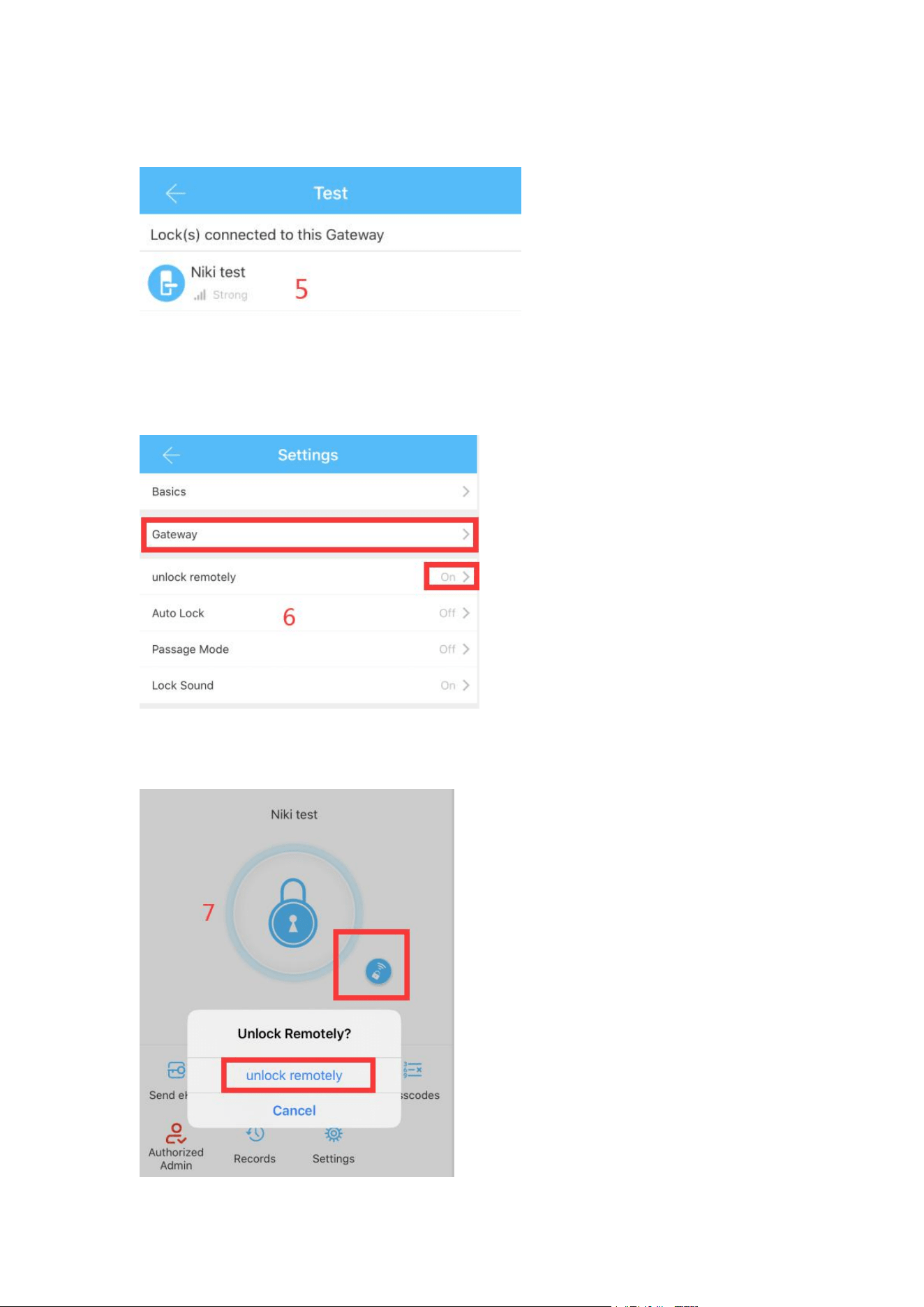
5. Enter the wifi password, when the gateway name and signal appear, it
means the matching successfully
6. After the match is successful, there will be a "Gateway" column in the APP
settings, at the same time, you need to open "unlock remotely"
7. After opening the remote unlocking, there will be an additional lock button
on the main interface, click to unlock remotely