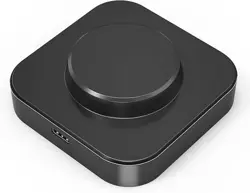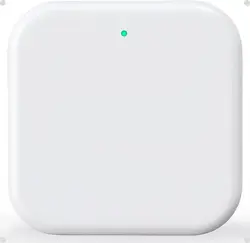

GATEWAY G2
Pair the Gateway with
TTlock
APP
Q
Select
[ G2 l
GEW
G
2
、、
User Manual
Model:
Dimensions
Network:
IEEE standard:
Power interface .
Power input:
Light Status
G2
70mm x 70mm x 26mm
WiFi 2.4G
802.11
b
/g/
n
T
ype
-
C USB
DCSSOOmA
---
--
-
--
-
}
6
-
u
---
--
-
-
b
--
-
--
--
-d
--
-
}n
g
}
-a
n
---
-
i
--
-
-dr-
--
i
--
-
--
--
:
}
a-
--
n
-
P}
r-
-
e
-
n
.
0
.
--
b}e
a
r
}
y;3i
e
d
.
0'
po
}
-t
'-n-
_
-
s
-
l
e-
i;
3
d-
y-
S
0•
0
e
庙mw
:
-
t
••
h
-s
y}
t
-
a
b
-
h
e
t
a;-
-g
-g
gid---
--
-h
n
-
e
-
d
-
e
e
u
-
B
-R
h了
}
l
t
-L
S}
n}
-
-
e-
---
h}
f
}
.
.
W}
·
}
g
Q Activate the
TTlock
APP
Q
Press"
三
'
�
。► Select [Gateway]
O> Press"十"sign
Q Plug in the gateway and
power it on, while the light
flashes alternately in red
and blue
□
~
量
—
B
Q Add Gateway
Q Select the network and fill
in the password
Limited Warranty
I.For any defect in material and workmanship, the original
purchaser of the product
l)Can return or ask for a replacement within 7 invoice days.
2)Can ask for a replacement within 15 invoice days.
3)Can ask for free repair in 365 invoice days
2.This warranty does not cover defects caused by modifica
tion, alteration, misuse or physical abuse of the product.
, Add complete
& Notice: If times out, please power o and try it again.