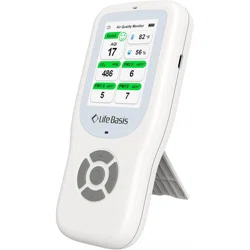
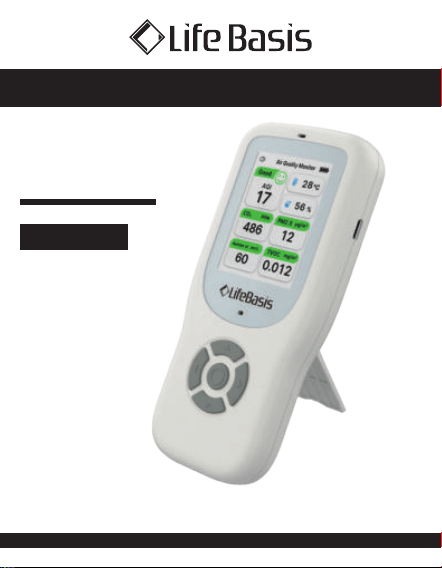
PORTABLE AIR QUALITY MONITOR
OPERATING
INSTRUCTIONS
If you have any questions about the product,
please do not hesitate to contact us at:
English
contact@lifebasis.com

When you open the package, please make sure the air
quality monitor is intact and the accessories are complete.
This product has a built-in battery; please charge it for 5
minutes before using it for the first time. Then, press and
hold the multifunction button to turn it on. This avoids
battery depletion due to long transportation times and other
reasons that might prevent it from turning on. Please
calibrate the product before using it.
Portable Air Quality Monitor
Operating Instructions
Product description
Box Including
1 x Air Quality Monitor
1 x Instruction Manual
1 x Type-C Cable
01
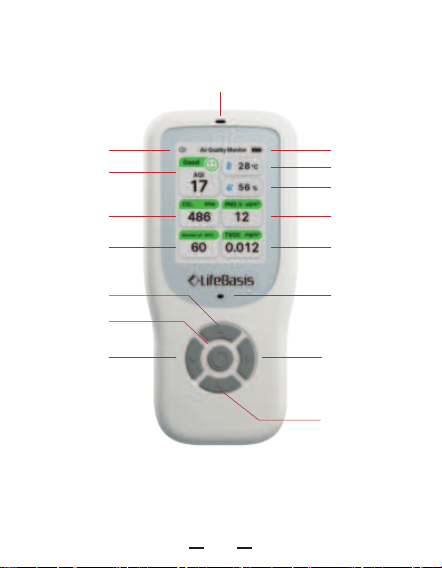
Battery
Indicator
Sound On Icon
Alarm indicator
(blinks when
charging)
Temperature and Humidity Sensor
AQI
CO2
Temperature
Humidity
Particles TVOC
Right Button
Down Button
Left Button
Multifunction
button
Up Button
PM2.5
02
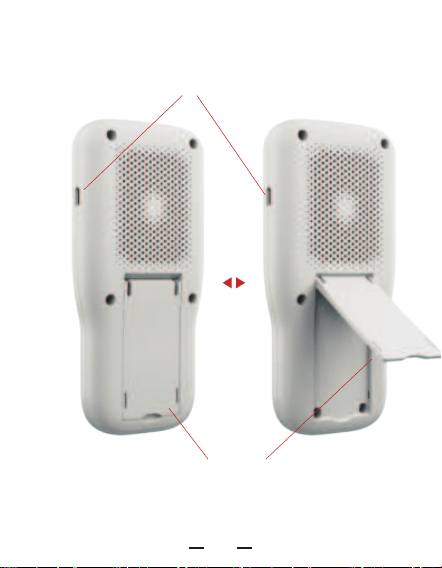
Stand
Type-C Charging Port
03
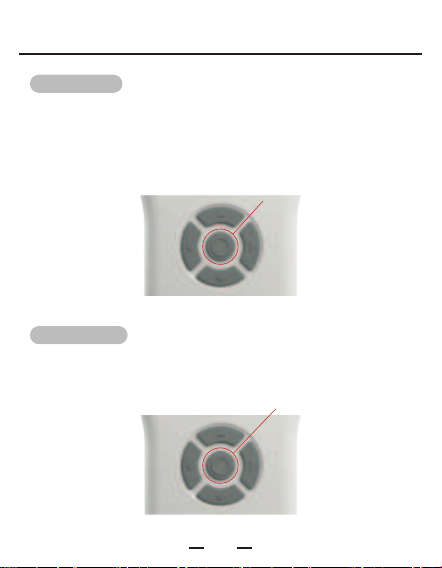
01. Turn ON:
In the power-off state, press and hold the multifunction
Button for 2 seconds. The buzzer will beep, and then the
current parameters will display on the screen.
In the power-on state, press and hold the multi-function
button to turn off.
02. Turn OFF:
Press and hold
Press and hold
Operating instructions
04
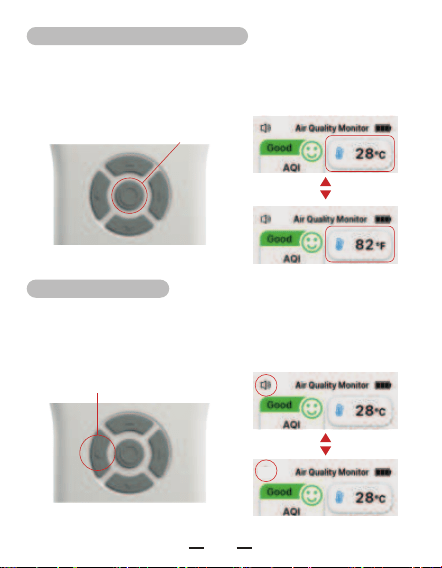
03. Temperature unit switching:
04. Sound ON/OFF:
In the power-on state, press the multi-function button once
to switch the temperature unit (°C and °F).
In the power-on state, press and hold the left button to turn
the sound ON/OFF.
Press
Press and hold
05
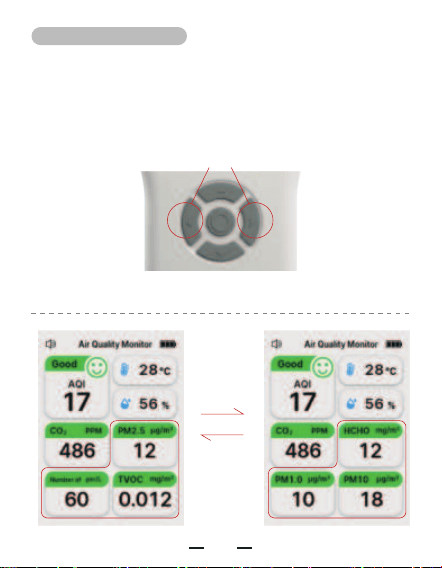
05. Switching display:
Press the left or right button to switch the display. (PM2.5,
Particles, and TVOC switch to HCHO, PM1.0, and PM10).
Press either the left or right button
Switch
06
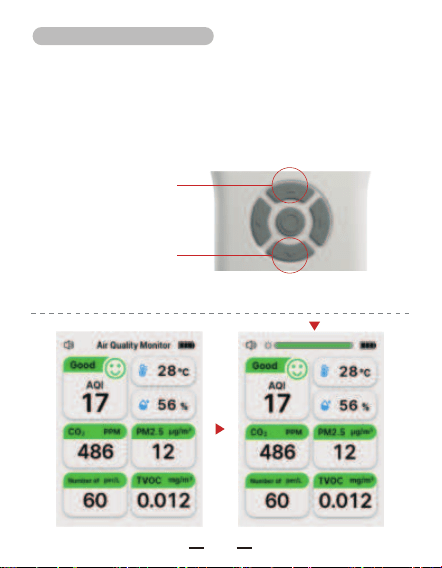
06.Brightness adjustment:
Increase brightness
Decrease brightness
In the main interface, press the up button to increase the
brightness and the down button to decrease it.
07
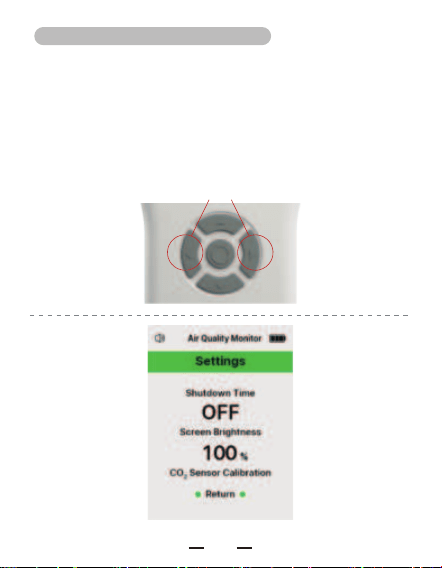
07. Entering the Settings Interface:
Press and hold the left and right buttons simultaneously to
enter the settings interface. Use the up or down button to
select an option, and press the multifunction button to
confirm.
Press and hold simultaneously
08
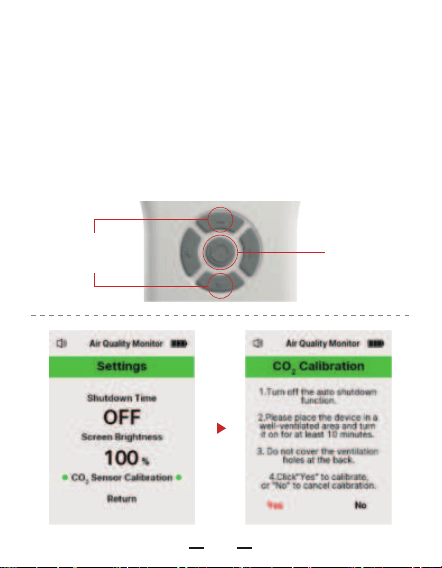
Select “CO2 Sensor Calibration” and press the multifunction
button to enter the calibration interface.
Selection or
Adjustment
OK
Carbon dioxide calibration settings:
09
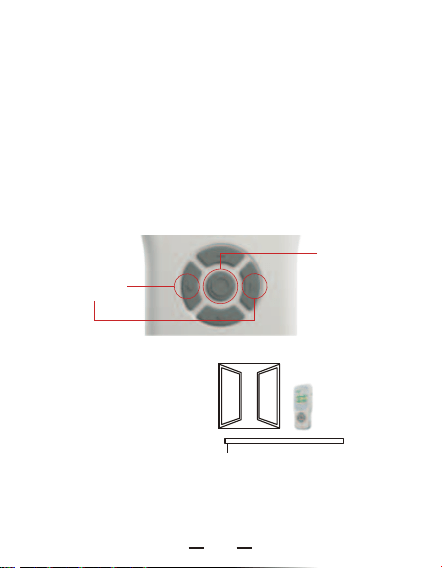
When the device is turned on, place it in an environment
with a CO2 concentration of 400 PPM (outdoors or near a
window with good air circulation) and leave it there for at
least 10 minutes. Then, press the left button on the
calibration interface to select “Yes.” Press the multifunction
button to confirm the selection, and the calibration will
complete with a long beep from the buzzer.
More than 10 minutes in
a ventilated position
with the power on
Select "Yes" in the calibration interface for calibration.
STEP 1:
STEP 2:
Near the window
Selection
OK
10
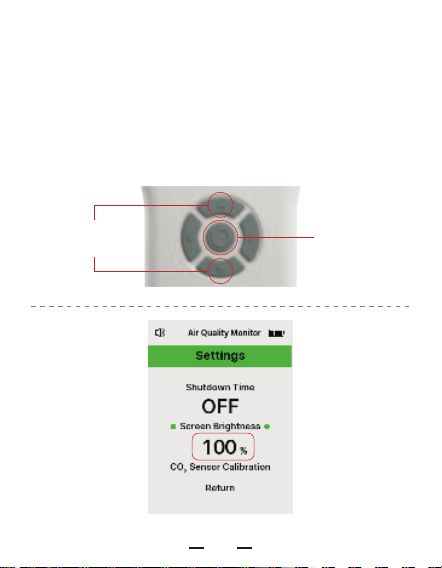
Select “Screen Brightness,” the number underneath will blink.
Press the up/down button to select the percentage of screen
brightness, and finally press the multifunction button to
confirm the selection.
Selection or
Adjustment
OK
Screen brightness settings:
11
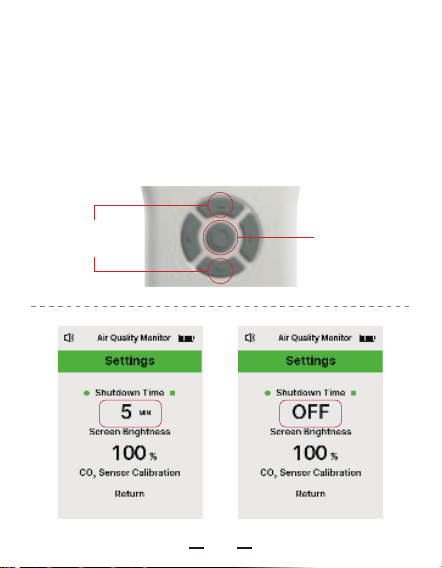
Select “Shutdown Time.” The number will blink (or show
OFF). Press the up/down button to select the time. When OFF
is selected, the automatic shutdown function is disabled.
Finally, press the multifunction button to confirm the
selection.
Selection or
Adjustment
OK
Auto shutdown time setting:
12
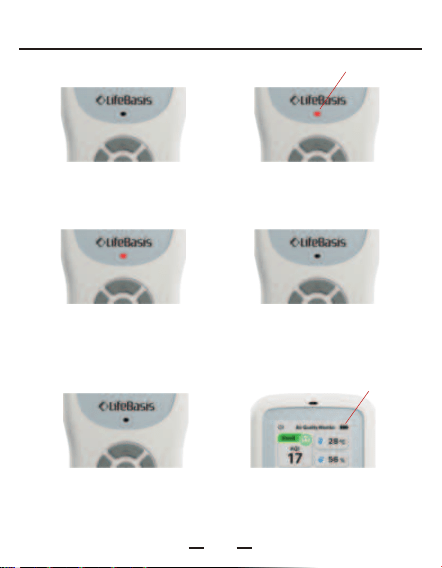
Alarm Indicator State
Normal state
No light
Alarm status
Always blinking light
Blinking
Blinking
Power off charge status
Charging - long light Fully charged - no light
Power on charge status
No light, screen battery indicator blinking
13

Description of each gas concentration level
The gas concentration is classified into 4 levels and
displayed numerically (the specific numerical classification is
shown in the table below), and the color of the icon
corresponding to a single gas changes according to the gas
concentration. When any one of the following alarm values
is reached, the device will emit a ticking alarm sound and
the indicator light will flash continuously.
Default value for AQI alarm:100;
Default value for CO2 alarm::1500 PPM;
Default value for PM1.0 alarm:75 μg/m³ ;
Default value for PM2.5 alarm:75 μg/m³ ;
Default value for PM10 alarm:150 μg/m³ ;
Default value for HCHO alarm:: 0.1 mg/m³;
Default value for TVOC alarm::0.5 mg/m³
14
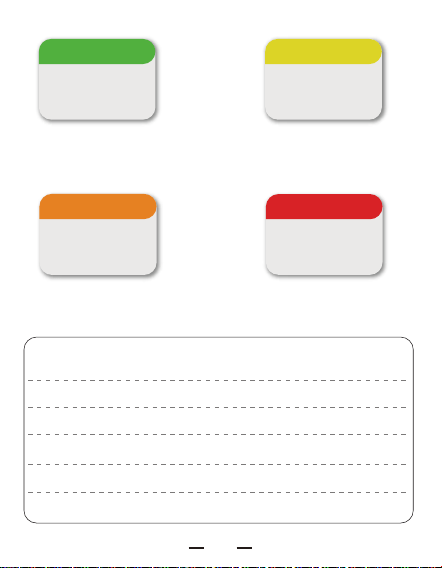
Green : Good Yellow : Moderate
CO₂ PPM
486
CO₂ PPM
968
Orange : Poor Red : Unhealthy
CO₂ PPM
1398
CO₂ PPM
2236
PM1.0AQI
0 ~ 49Good
Moderate
Poor
Unhealthy
50 ~ 99
100 ~ 149
Above 150
0 ~ 34
35 ~ 74
75 ~ 149
Above 150
μg/m³
Unit
GAS
15
PM2.5
0 ~ 34
35 ~ 74
75 ~ 149
Above 150
μg/m³
PM10
0 ~ 49
50 ~ 149
150 ~ 249
Above 250
μg/m³
Good
Moderate
Poor
Unhealthy
Unit
GAS
Good
Moderate
Poor
Unhealthy
Unit
GAS
CO2 HCHO
400 ~ 799
800 ~ 1199
1200 ~ 1599
Above 1600
0 ~ 0.049
0.050 ~ 0.099
0.1 ~ 0.149
Above 0.15
mg/m³
PPM
16

Good
Moderate
Poor
Unhealthy
Unit
GAS
TVOC
0 ~ 0.299
0.3 ~ 0.499
0.5 ~ 0.999
Above 1
mg/m³
17
400~5000 PPM
±(50 PPM + 5%*reading value)
0 ~ 1000 μg/m³
±10 μg/m³(0~100 μg/m³)
±10%(100~500 μg/m³)
0 ~ 1.999 mg/m³
0 ~ 9.999 mg/m³
0~50 ℃
±1 ℃
0~99 %RH
±5 %RH
74.2 x 160 x 24 mm
Type-C 5V 2A / 2500 mAh
CO2 Detection Range
CO2 Detection Accuracy
PM1.0/ 2.5/ 10
Detection Range
PM1.0/ 2.5/ 10
Detection Accuracy
HCHO Detection Range
TVOC Detection Range
Temp Detection Range
Temp Detection Accuracy
Humidity Detection Range
Humidity Detection Accuracy
Product Size
Power Supply
Product parameters
18

Cautions
1. Since the product uses high-precision sensors and
components, keep the product in a dry environment
without direct sunlight.
2. When using the product for the first time, place it in a
well-ventilated environment for manual calibration.
3. Do not block the air inlet when in use.
4. This product is not waterproof; do not soak or splash
water or other liquids on the product.
5. Do not insert sharp, flammable, or metal objects into the
monitor or air inlet to avoid short-circuiting, which may
result in electric shock or burns.
6. When using the product for a long period, please use the
power adapter for power supply. Batteries are only
suitable for short-term use.
Please read the following instructions carefully before
using the product for the first time.
19

7. Avoid dropping the product or subjecting it to severe
impacts, as this may result in malfunction.
8. The detection by this product is qualitative rather than
quantitative. The measurement values may have some
deviation; please refer to the accuracy range for details.
9. Common volatile substances can interfere with the
Do not hold the product close to your face,
as your breath will affect the monitor's
CO2 concentration readings.
Note:
20

Disclaimer
1. This manual describes the usage and technical parameters
of the product as fully as possible. However, the company
reserves the right to modify this manual without further
notice.
2. The appearance of the product in the manual may differ
slightly from the actual product due to printing and other
reasons. Please refer to the actual product.
3. This information is for reference only and does not
constitute any form of commitment.
21