
Company Name:M5Stack Technology Co.,Ltd
Address: Block A10, Expo Bay South Coast, Fuhai Street, Bao'an District, Shenzhen,Guangdong,China
CardputerZero
Company Name:M5Stack Technology Co.,Ltd
Address: Block A10, Expo Bay South Coast, Fuhai Street, Bao'an District, Shenzhen,Guangdong,China
1. Description
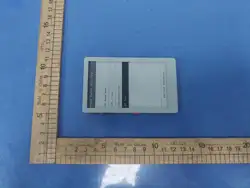
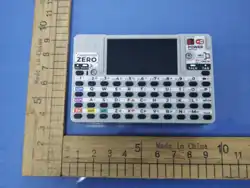
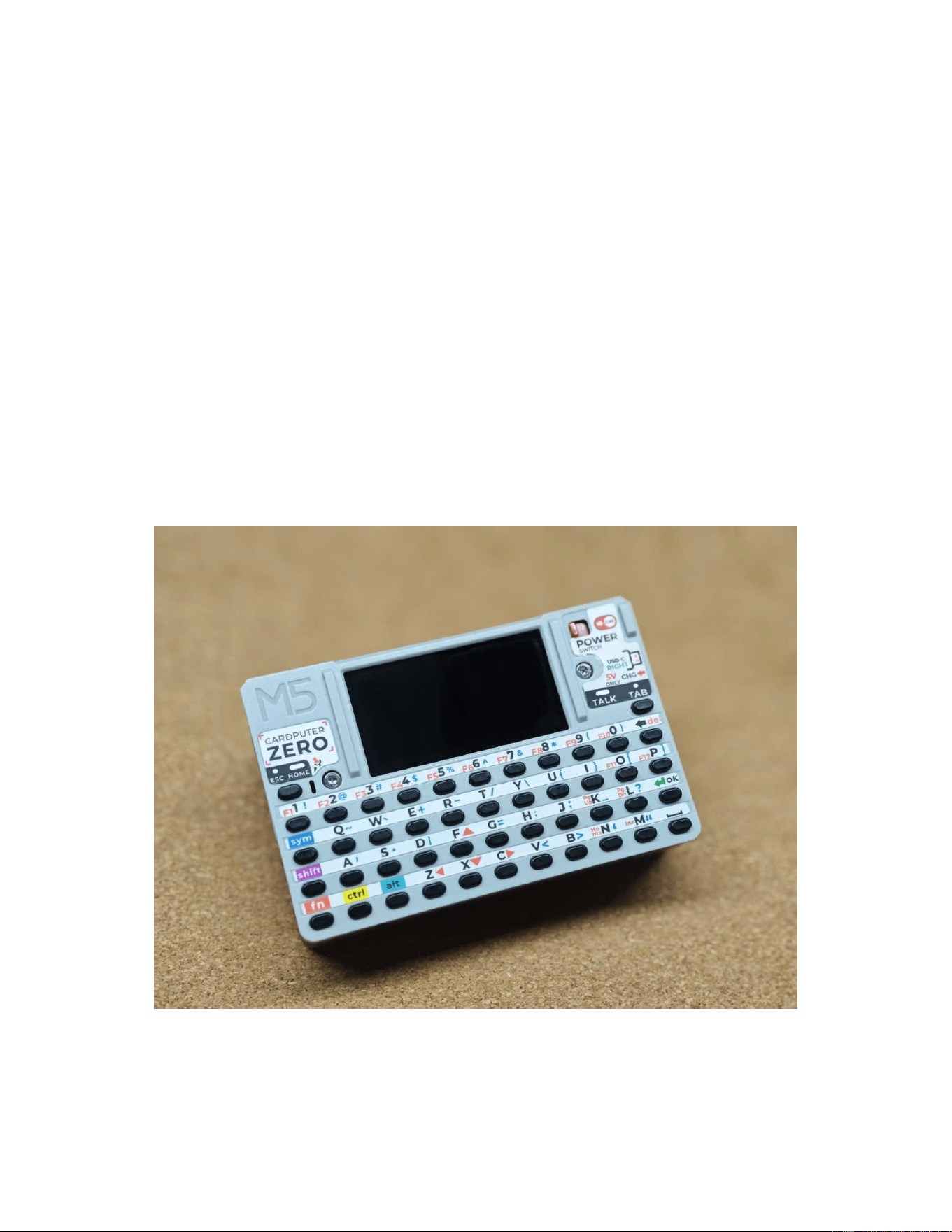
CardputerZero is a pocket-sized Linux personal computer designed for makers and
developers, built on the Raspberry Pi CM0 platform. It integrates a quad-core Cortex-A53
processor, a 1.9-inch display, a 46-key matrix keyboard, an 8MP camera, an IMU, and an
RTC, delivering a near-complete development terminal experience in a handheld form factor.
It also features Wi-Fi, Bluetooth, Ethernet, microSD, a switchable Host/Slave USB
architecture, and modular expansion capabilities via I2C/UART/SPI/GPIO. Combined with
audio/video codec support and a battery-powered design, it enables an all-in-one solution for
on-the- go development, edge data collection, and multimedia interaction. Typical use cases
include: mobile penetration testing and operations terminals, IoT device debugging and field
deployment, portable AI/vision prototyping, maker project development, and outdoor data
collection with rapid human-machine interaction. The board also uses a 25 MHz crystal X1
(XL7EL89CKI-111YLC-25M) as the reference clock for the SR9900A USB-to-Ethernet
controller and a 12 MHz crystal X2 (X252012MMB4SI-24) as the reference clock for the
GL852G USB 2.0 hub.
Company Name:M5Stack Technology Co.,Ltd
Address: Block A10, Expo Bay South Coast, Fuhai Street, Bao'an District, Shenzhen,Guangdong,China
2. Specifications
Specification
Parameters
Core
Raspberry Pi Compute Module 0 (CM0)
CPU
RP3A0 (BCM2837), Quad-Core Cortex-A53
@ 1 GHz, ARMv8-A (aarch64)
RAM
512 MB LPDDR2
Wireless
2.4 GHz Wi-Fi 802.11 b/g/n; Bluetooth
4.2 (BR/EDR + BLE)
Ethernet
10/100M Ethernet, SR9900A USB 2.0 to
Ethernet chip
Display
1.9" LCD @ ST7789v3, resolution 170x320
Camera
IMX219 CSI 4-Lane 8MP (3280 x 2464)
Keyboard
46-key matrix keyboard46-key matrix
keyboard
Expansion Interface
EXT 2.54-14P expansion bus, 1x HY2.0-4P
port
USB Hub Chip
GL852G-OHY60 USB 2.0 Hub
Idle Power Consumption
2.5W
Built-in Battery
DC 3.7V @ 1750mAh with integrated NTC
Power Supply
Recommended 5V @ 2A for
power/charging
Product Size
84.0 x 54.0 x 23.1mm

Company Name:M5Stack Technology Co.,Ltd
Address: Block A10, Expo Bay South Coast, Fuhai Street, Bao'an District, Shenzhen,Guangdong,China
3. Quick Start
3.1 Preparation Reference the CardputerZero Image Flashing Tutorial to complete the image
flashing process. After startup, follow the on-screen prompts to configure the Wi-Fi
connection. https://docs.m5stack.com/en/guide/linux/cardputerzero/image
3.2 Bluetooth (BLE) Configuration The CardputerZero supports Bluetooth 4.2 (BLE).
Bluetooth can be configured through the standard Linux command-line tool bluetoothctl:
1. Open a terminal and run sudo bluetoothctl to enter the Bluetooth console.
2. Initialize Bluetooth and scan for nearby BLE devices: power on, agent on, default-agent,
scan on
3. Find the target device in the scan results and pair with it: pair <MAC address>
4. After pairing, run trust <MAC address> and connect <MAC address> to establish the
connection.
5. Enter quit to exit the Bluetooth console.

Company Name:M5Stack Technology Co.,Ltd
Address: Block A10, Expo Bay South Coast, Fuhai Street, Bao'an District, Shenzhen,Guangdong,China
4. FCC Warning
FCC Caution: Any Changes or modifications not expressly approved by the party responsible
for compliance could void the user's authority to operate the equipment. This device complies
with part 15 of the FCC Rules.
Operation is subject to the following two conditions: (1) This device may not cause harmful
interference, and (2) this device must accept any interference received, including interference
that may cause undesired operation.
IMPORTANT NOTE:
Note: This equipment has been tested and found to comply with the limits for a Class B
digital device, pursuant to part 15 of the FCC Rules. These limits are designed to provide
reasonable protection against harmful interference in a residential installation. This
equipment generates, uses and can radiate radio frequency energy and, if not installed and
used in accordance with the instructions, may cause harmful interference to radio
communications. However, there is no guarantee that interference will not occur in a
particular installation. If this equipment does cause harmful interference to radio or television
reception, which can be determined by turning the equipment off and on, the user is
encouraged to try to correct the interference by one or more of the following measures:
— Reorient or relocate the receiving antenna.
— Increase the separation between the equipment and receiver.
— Connect the equipment into an outlet on a circuit different from that to which the receiver
is connected.
— Consult the dealer or an experienced radio/TV technician for help.
FCC Radiation Exposure Statement: This equipment complies with FCC radiation exposure
limits set forth for an uncontrolled environment. The device has been tested and comply with
FCC SAR limits.