
Company Name:M5Stack Technology Co.,Ltd
Address: Block A10, Expo Bay South Coast, Fuhai Street, Bao'an District, Shenzhen,Guangdong,China
CoreMatrix
User Manual - FCC
Company Name:M5Stack Technology Co.,Ltd
Address: Block A10, Expo Bay South Coast, Fuhai Street, Bao'an District, Shenzhen,Guangdong,China
1. Description
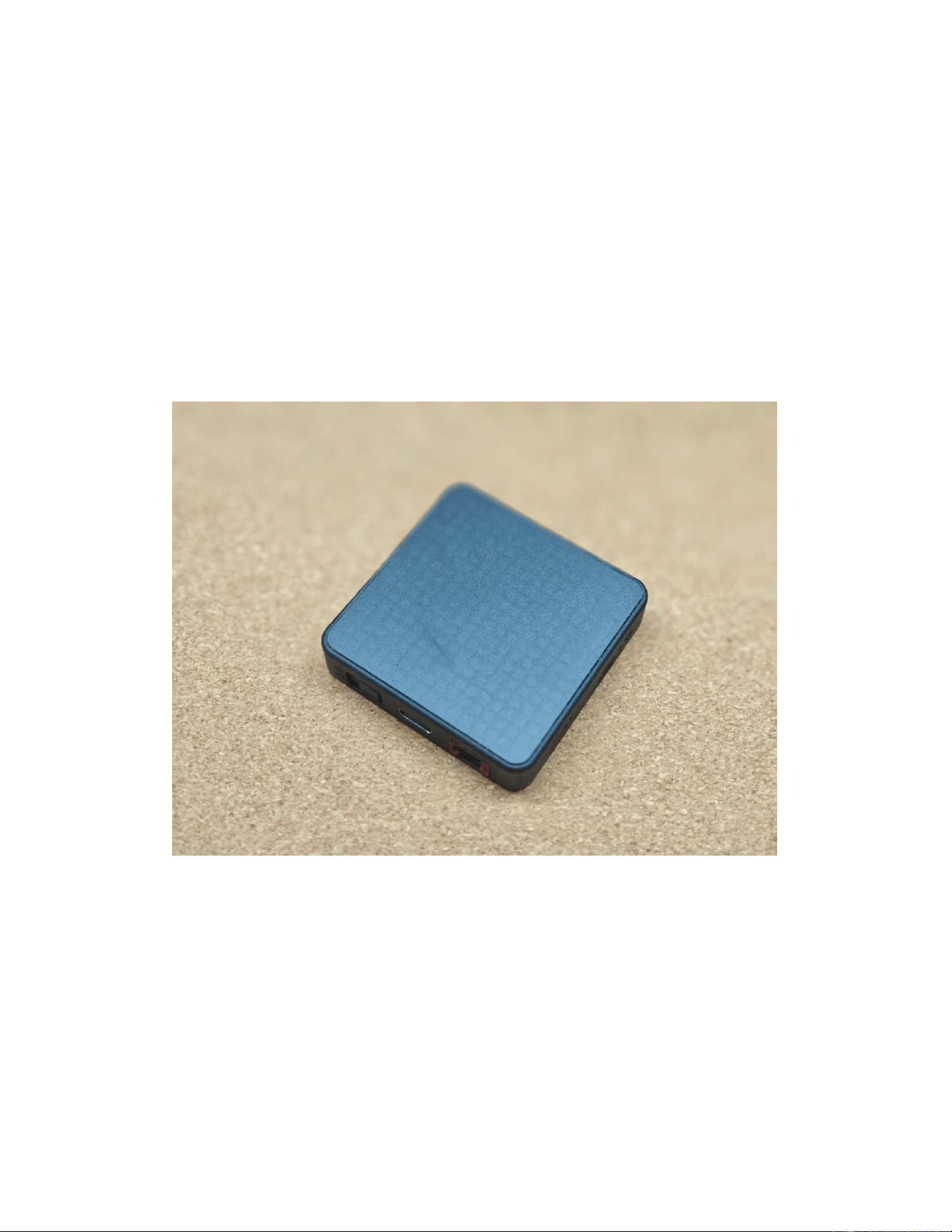
CoreMatrix is a highly integrated main control module designed for embedded development
and intelligent interaction scenarios. It is powered by the ESP32-C61HR8 chip with a 32-bit
RISC-V single-core processor running up to 160 MHz, and supports 2.4 GHz Wi-Fi and BLE
wireless communication. With 16MB Flash and 8MB PSRAM on board, it can handle
complex dot-matrix graphics display, data buffering, and multitasking control. For interaction,
it integrates a 16x16 monochrome LED matrix, a buzzer, and a BMI270 IMU sensor,
providing visual feedback, audio prompts, and motion sensing capabilities. It also offers
microSD storage expansion and M5PM1/M5IOE1 interfaces for connecting additional
peripherals and functional modules. In terms of power supply, it supports a USB interface,
making it suitable for IoT nodes and rapid prototyping projects.

Company Name:M5Stack Technology Co.,Ltd
Address: Block A10, Expo Bay South Coast, Fuhai Street, Bao'an District, Shenzhen,Guangdong,China
2. Specifications
Specification
Parameters
SoC
ESP32-C61HR8 @ single-core 32-bit RISC-V processor, up to 160MHz
PSRAM
8 MB
Flash
16 MB
Wireless
2.4 GHz Wi-Fi+ BLE
Display
16x16 monochrome LED matrix
Storage Expansion
microSD
Sensor
BMI270 IMU
Buzzer
MLT-8530
PMU / IO Extension
M5PM1, M5IOE1
Power Input
USB interface
Hardware version NO.
V1.0
Software version NO.
V1.0
Frequency Range
BLE 1M/2M: 2402-2480 MHz
2.4 GHz Wi-Fi: 2412-2462 MHz (channels 1-11)
Company Name:M5Stack Technology Co.,Ltd
Address: Block A10, Expo Bay South Coast, Fuhai Street, Bao'an District, Shenzhen,Guangdong,China
3. Quick Start
3.1 Preparation
1. Install the ESP-IDF development environment by following the official tutorial:
- ESP-IDF Version: `release/v5.5`
https://docs.espressif.com/projects/arduino-esp32/en/latest/esp-idf_component.html
2. Compile the Wi-Fi scan example and flash it to the device:
https://github.com/espressif/esp-idf/tree/master/examples/wifi/scan
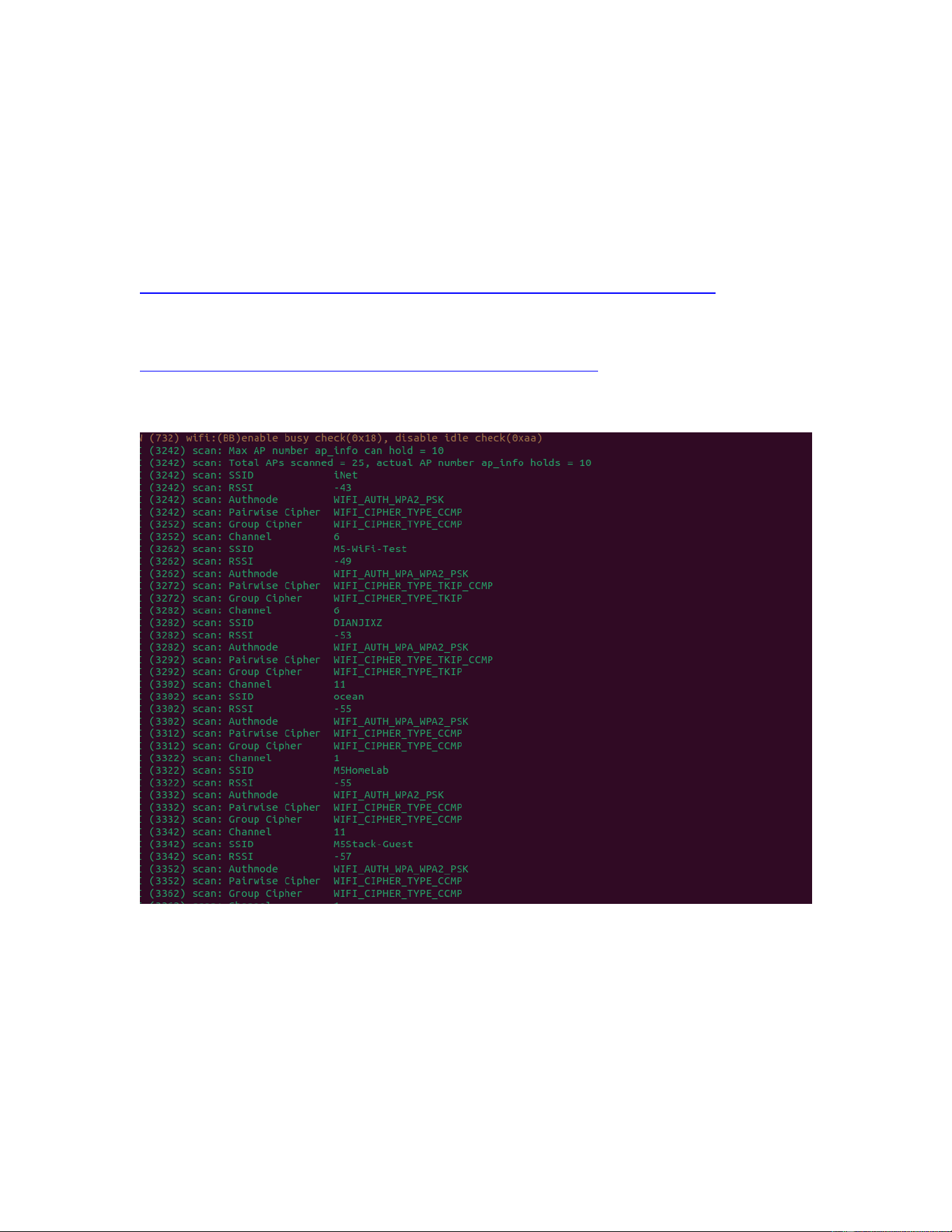
3. View the Wi-Fi scan results via the serial port.

Company Name:M5Stack Technology Co.,Ltd
Address: Block A10, Expo Bay South Coast, Fuhai Street, Bao'an District, Shenzhen,Guangdong,China
3.2 How to Use the BLE Function
The CoreMatrix supports BLE and can work as a BLE peripheral device. The following steps
show how to test the BLE function with the official NimBLE peripheral example:
1. Open the NimBLE BLE peripheral example in the ESP-IDF:
https://github.com/espressif/esp-idf/tree/master/examples/bluetooth/nimble/bleprph
2. Compile the example and flash it to the device in the same way as the Wi-Fi scan example
in Section 3.1.
3. Install the nRF Connect for Mobile App on a smartphone (or use any BLE debugging tool
on a PC).
4. Open the App and tap SCAN. The device will appear in the scan list with its BLE name
(e.g., NimBLE-PRPH).
5. Tap CONNECT to establish the BLE connection. The GATT services and characteristics
provided by the device will be displayed, and you can read and write the characteristics to
communicate with the device.
3.3 Installation and Usage Instructions
Installation:
1. Power on: connect the device to a computer or a standard USB power adapter with a USB
data cable. The device is powered through the USB interface and does not contain a built-in
battery.
2. Serial connection: the device integrates a USB serial port. After it is connected to the
computer, the serial port will be recognized automatically (on some systems, install the
corresponding USB-to-serial driver as prompted).
3. Firmware flashing: open the development environment, select the corresponding serial
port, compile your project and flash the firmware to the device (refer to Section 3.1).
Usage:
4. After power-on, the device runs the application firmware. The 16x16 LED matrix is used
for dot-matrix graphics display, the buzzer provides audio prompts, and the BMI270 IMU
provides motion sensing.
5. A microSD card can be inserted for storage expansion, and the M5PM1 / M5IOE1
interfaces can be used to connect additional peripherals and functional modules.
6. Wireless communication: both 2.4 GHz Wi-Fi and BLE are available. Refer to Section 3.1
for the Wi-Fi scan test and Section 3.2 for the BLE test. Note: the device should be installed
and operated with a minimum distance of 20 cm between the radiator and your body.
3.4 Interface Description

Company Name:M5Stack Technology Co.,Ltd
Address: Block A10, Expo Bay South Coast, Fuhai Street, Bao'an District, Shenzhen,Guangdong,China
The CoreMatrix provides the following external interfaces:
1. USB Type-C port (J3): 5 V power input and USB serial port for firmware flashing and serial
communication.
2. Grove-compatible 4-pin port (JP4): I2C expansion port (5 V, GND, SDA, SCL) for
connecting Grove peripherals.
3. microSD card slot (J1): for storage expansion.
4. 2-pin connector (JP1): for connecting an optional external battery pack (the device does
not contain a built-in battery).
5. Others: programmable user keys, the 16x16 monochrome LED matrix, and the built-in
buzzer.
3.5 Usage Scenarios
The CoreMatrix is a main control module for on-site data acquisition and wireless data
upload. Its usage scenarios are described as follows:
1. Smart Industry - data acquisition node: the device is deployed at the production site as a
fixed node, and sensors monitor process data such as the air pressure of gas valves and the
number of machining operations of machine tools. The data is collected on site and uploaded
to the cloud, replacing manual meter reading point by point.
2. Smart Agriculture - breeding and farm monitoring node: the device is used as a fixed node
of a smart farm, for example in a weighing area, a feeding area or a breeding pen, to collect
the weight and growth data of livestock and the environmental data, and to upload them
wirelessly.
3. Smart Retail - shelf management node: the device is used together with a low power
consumption camera as a fixed shelf management node. The shelf images and the inventory
data are uploaded to the cloud for analysis, and the staff is notified of the exact out-of-stock
item and shelf position so that replenishment can be arranged in time.
4. Smart Weather Station - field data monitoring node: the device is used as a fixed node of
a weather station in remote or sparsely populated areas to collect local temperature, relative
humidity, rainfall, wind speed, wind direction, air pressure and light intensity, and to transmit
the data in real time.
5. Cloud data aggregation and visualization: in all of the above scenarios the data of every
node is aggregated in the cloud into data trend curves and a visualized background
dashboard. The working status of the equipment, the number of operations and the data
change curve can be checked from a computer or a mobile phone without on-site inspection.
6. Remote monitoring, alarm and local interaction: the equipment is monitored by optical,
pressure and electrical means and warning messages are pushed remotely, so that the
faulty equipment and the fault type can be located quickly. The 16x16 monochrome LED
matrix provides the local status display, the buzzer provides audible alarm and prompt tones,
and the BMI270 IMU provides posture and vibration monitoring.
7. Rapid node deployment and function iteration: with the standardized hardware and the
graphical programming platform, the on-site node can be deployed quickly and new functions
can be developed and deployed in a short time. The microSD card can cache the data locally
when the network is temporarily unavailable.

Company Name:M5Stack Technology Co.,Ltd
Address: Block A10, Expo Bay South Coast, Fuhai Street, Bao'an District, Shenzhen,Guangdong,China
Note: in all of the above scenarios the device is used as a fixed, permanently installed node,
for example mounted on a rack, placed on a workbench or installed inside an equipment
cabinet. It is not a body-worn product and is not operated in contact with the human body. A
minimum distance of 20 cm should be maintained between the antenna of the device and
any person during operation.
4. FCC Warning
FCC Caution:
Any changes or modifications not expressly approved by the party responsible for
compliance could void the user's authority to operate the equipment.
This device complies with part 15 of the FCC Rules. Operation is subject to the following two
conditions: (1) This device may not cause harmful interference, and (2) this device must
accept any interference received, including interference that may cause undesired operation.
IMPORTANT NOTE:
This equipment has been tested and found to comply with the limits for a Class B digital
device, pursuant to part 15 of the FCC Rules.
These limits are designed to provide reasonable protection against harmful interference in a
residential installation.
This equipment generates, uses and can radiate radio frequency energy.
If it is not installed and used according to the instructions, it may cause harmful interference
to radio communications.
However, there is no guarantee that interference will not occur in a particular installation. If
this equipment causes harmful interference to radio or television reception, try one or more
of the following measures:
Reorient or relocate the receiving antenna.
Increase the separation between the equipment and receiver.
Connect the equipment into an outlet on a circuit different from that to which the receiver is
connected.
Consult the dealer or an experienced radio/TV technician for help.
FCC Radiation Exposure Statement:
This equipment complies with FCC radiation exposure limits set forth for an uncontrolled
environment. This equipment should be installed and operated with minimum distance 20cm
between the radiator& your body.