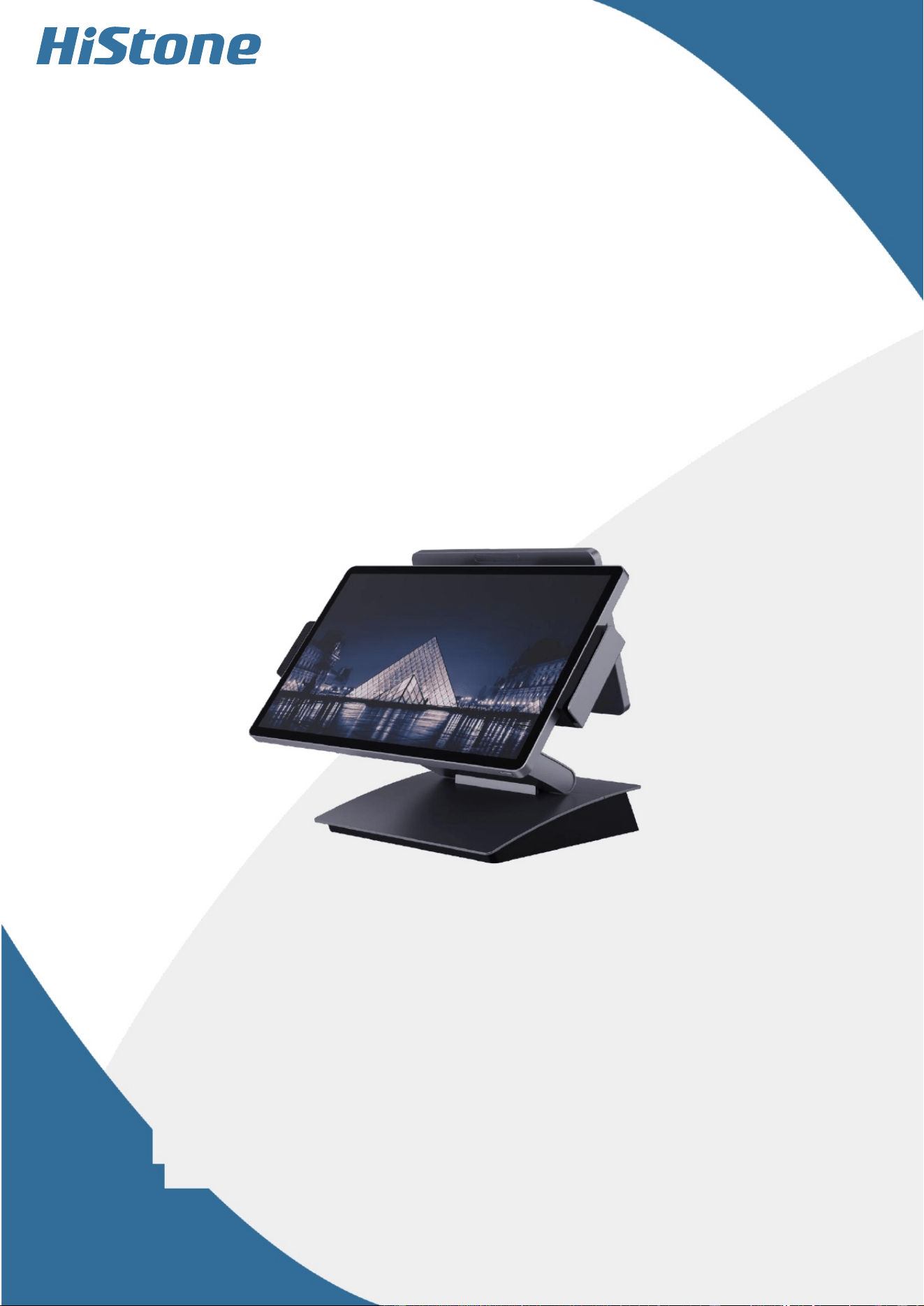
User
Manual
for
HK968A
Qingdao
Histone
Intelligent
Commercial
System
Co.
,Ltd.

User Notice
Thank you very much for choosing our company's cash register. Before installing and using this product,
please read this manual carefully to gain a thorough understanding of its performance. Please keep this manual
well for future reference in case you encounter any usage problems.
To improve our products, our company will adopt new technologies, new components and new software
as much as possible. Therefore, our company reserves the right to make changes without prior notice. The
features, functions and operations described in this manual may not be exactly the same as the performance of
the machines sold by our company in various regions. In some cases, the pictures are only prototypes of the
equipment. Before using this manual, you should consult our company or the dealer for the current applicable
information.
This equipment must be installed by after-sales service personnel or dealers. Our company shall not be
held responsible for any consequences resulting from unauthorized alterations to this equipment or the
replacement of connected devices and cables in violation of regulations.
Warning:
Static electricity may damage the integrated circuits of the mainframe.
If the battery is replaced improperly, it may cause an explosion or serious damage. Only the same type
or a similar type recommended by the manufacturer should be used for replacement.
The manufacturer reserves the right to modify the contents of this manual without prior notice!
Product standard number: Q/0202 RSR527
Product standard name: Commercial Cash Register

Contents
User Notice 1
01/ Product Specifications ........................................................................................................................ 3
I. Scope of Application 3
II. Main Configuration 3
III. Interface 4
IV. Description of Usage Environment 5
V. Dimensions and Appearance .......................................................................................................... 5
02/ Unpacking and Inspection ................................................................................................................. 5
03/ Instructions for Use ............................................................................................................................ 6
I. Connection Adapter 6
II. Startup and Shutdown Operations 6
III. Touchscreen Settings 6
IV. Instructions for MSR Magnetic Card Reading .............................................................................. 6
V. Operating Instructions for RFID Contactless Cards ...................................................................... 7
05/Notes and Precautions ........................................................................................................................ 7
07/ Product Component Labeling Instructions ....................................................................................... 8
08/Attachment Details ........................................................................................................................... 11
09/ Others ............................................................................................................................................... 11
01/ Product Specifications
I. Scope of Application
Our company's cash register adopts an open system, flexible component structure and standard peripheral interfaces. The product is suitable
for networked or stand-alone use in commercial enterprises such as supermarkets, department stores, convenience stores, hotels and guesthouses.
All major components are standard products, ensuring reliable product quality, easy system upgrades, and simple and convenient component
maintenance. The reasonable cost-performance ratio makes it more competitive compared with similar products.
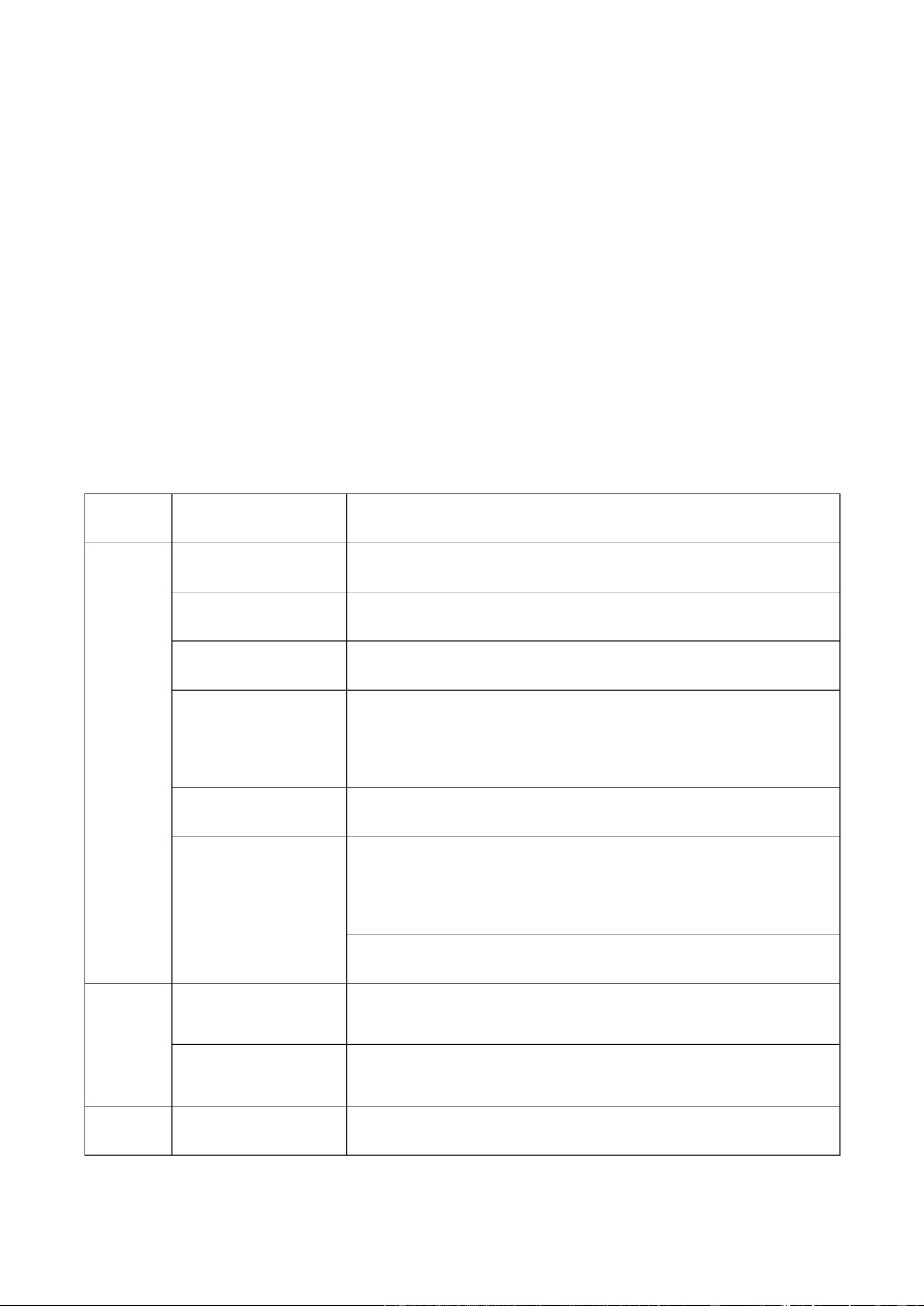
II. Main Configuration
(Table 1-2-1 Product Configuration Table)
Memory
Storage
System
system
Peripheral
device
Ethernet
Processor
component
Category
HK968A
operating system
Fingerprint reader
Fingerprint reader
1000M Ethernet
Operator display
DDR5 8G up
to
16G
128G SSD
up
to
512G
N/A
10.
1"
FHD
LCD
with
a
resolution
of 1280*800
Customer
SSS
display and capacitive touch
screen
(optional)
VFD
(optional)
Magnetic
card
reader
Magnetic
stripe
card
reader
/
RFID
reader
15.
6"
FHD
LCD
with
a
resolution
of
1920*1080
and
capacitive
touch
Windows 11 LTSC/ Windows 10 LTSC/Linux
III. Interfaces
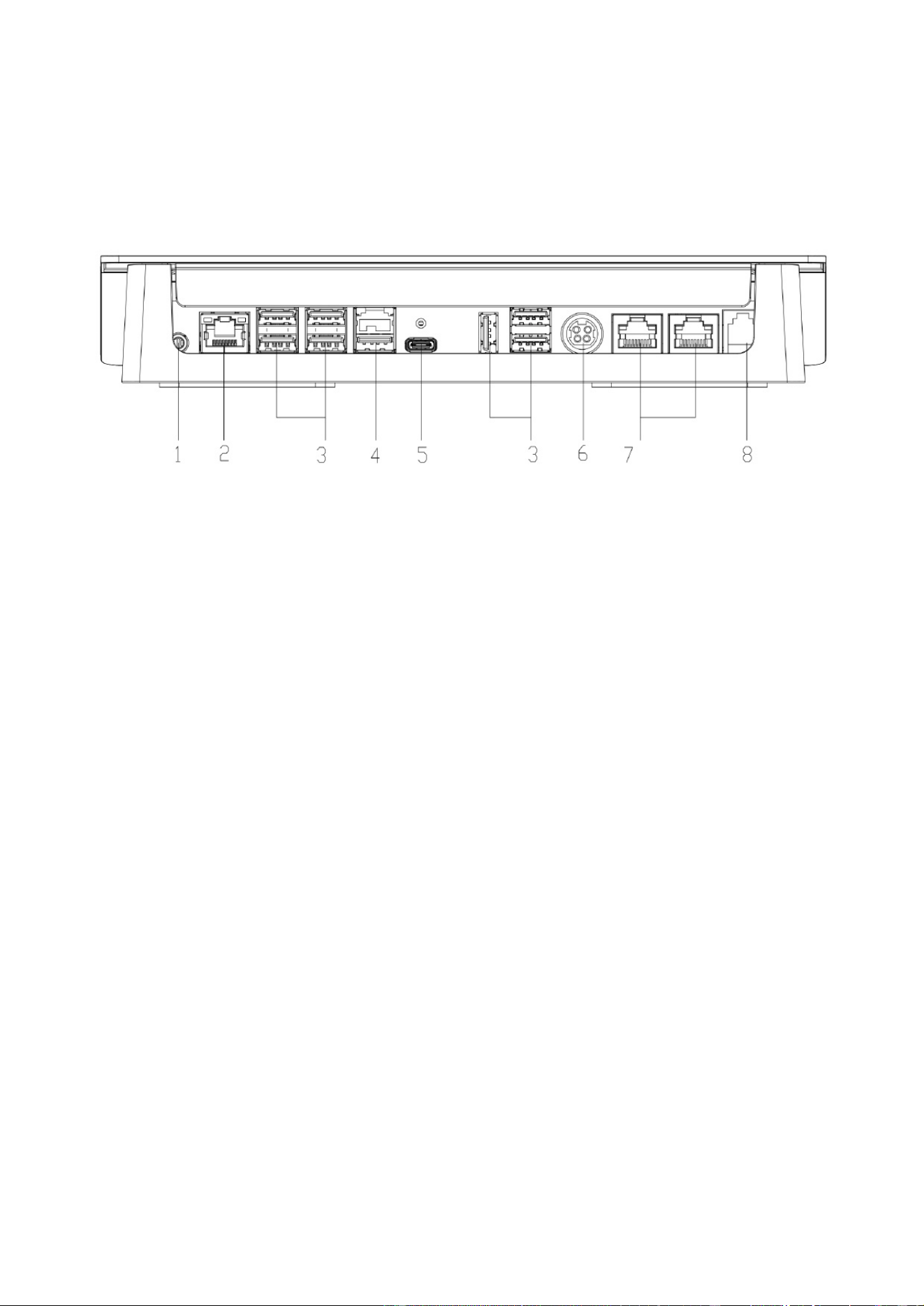
1) HK968A Motherboard Interfaces
1.Audio
interface
3. USB
5. Type-C
7. COM
(Fig. 1-3-1, Interface Diagram of HK968A Model)
2. LAN
4. Power
USB
6. 24V
IN
8. CASH_DRAWER
IV. Environmental Conditions for Use
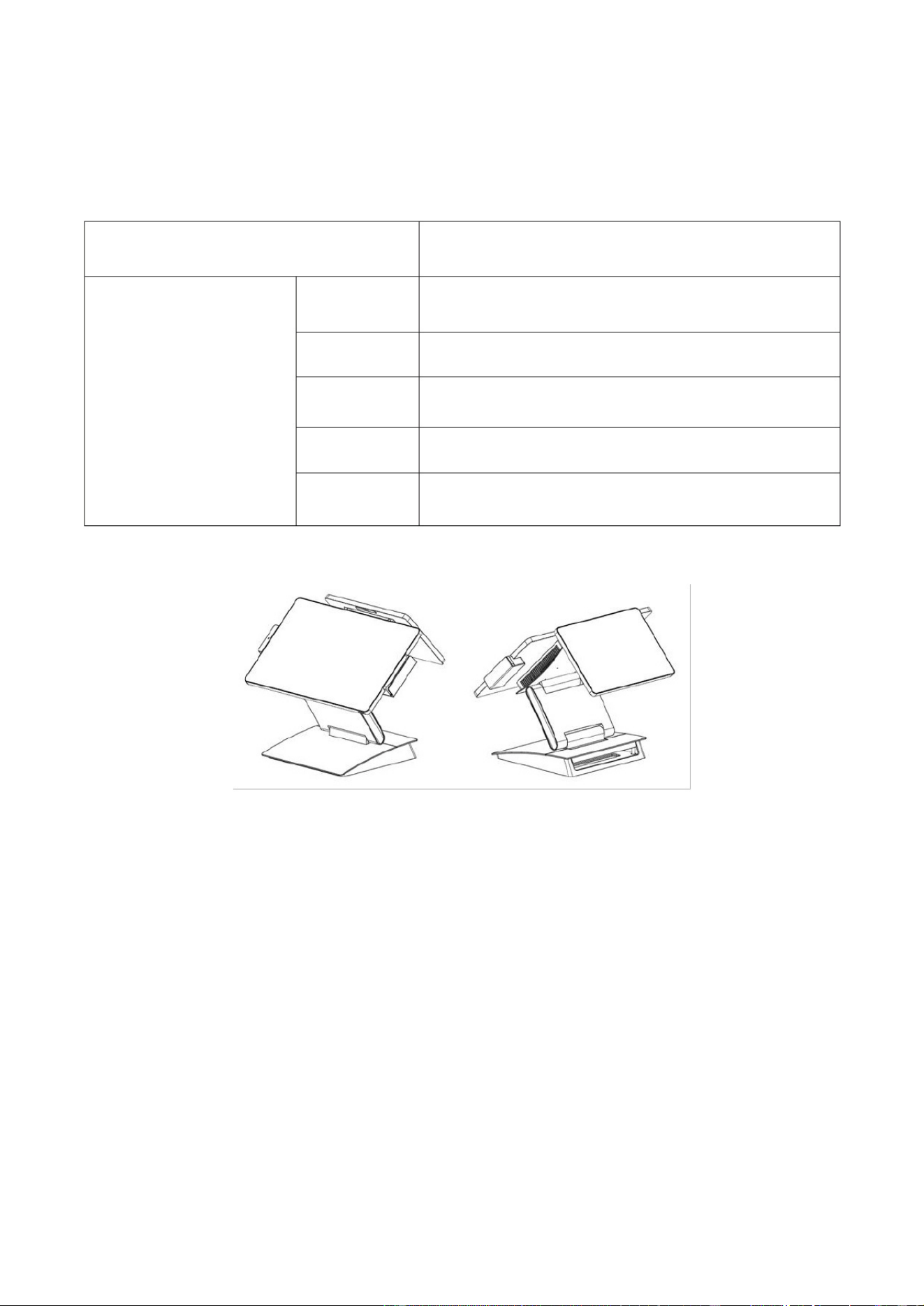
(Table 1-4-1 Description of Usage Environment)
Voltage
Category Explanation
0 to 40
Storage humidity
Working
temperature
Working
humidity
Storage
temperature
Environment
20% to 93%
35% to 80%
-20 to 55
AC 100 - 240V 50 - 60Hz, two-pole with ground
V. Dimensions
(Fig. 1-5-1, Dual screens, maximum size: length width height: 398 312 323)
02/Unpacking and Inspection
Before opening the box, first check if the outer packaging box is intact and undamaged. If there is any
obvious damage, please contact the dealer in time to solve the problem.
B. Take the machine out of the carton carefully, making sure it does not get knocked or bumped.
C. Check the random accessories, which should include: power adapter, power cord, etc.
D. Check whether the product has obvious defects such as scratches and dents on its appearance.
E. This equipment must be installed by technical service personnel or dealers.
03/Instructions for Use
I. Connection Adapter
A. Open the wire compartment cover or pass the power cord through the machine's wire passage hole (depending on the model).
B. Connect the power output port of the adapter to the 24V IN port of the host.
II. Startup and Shutdown Operations
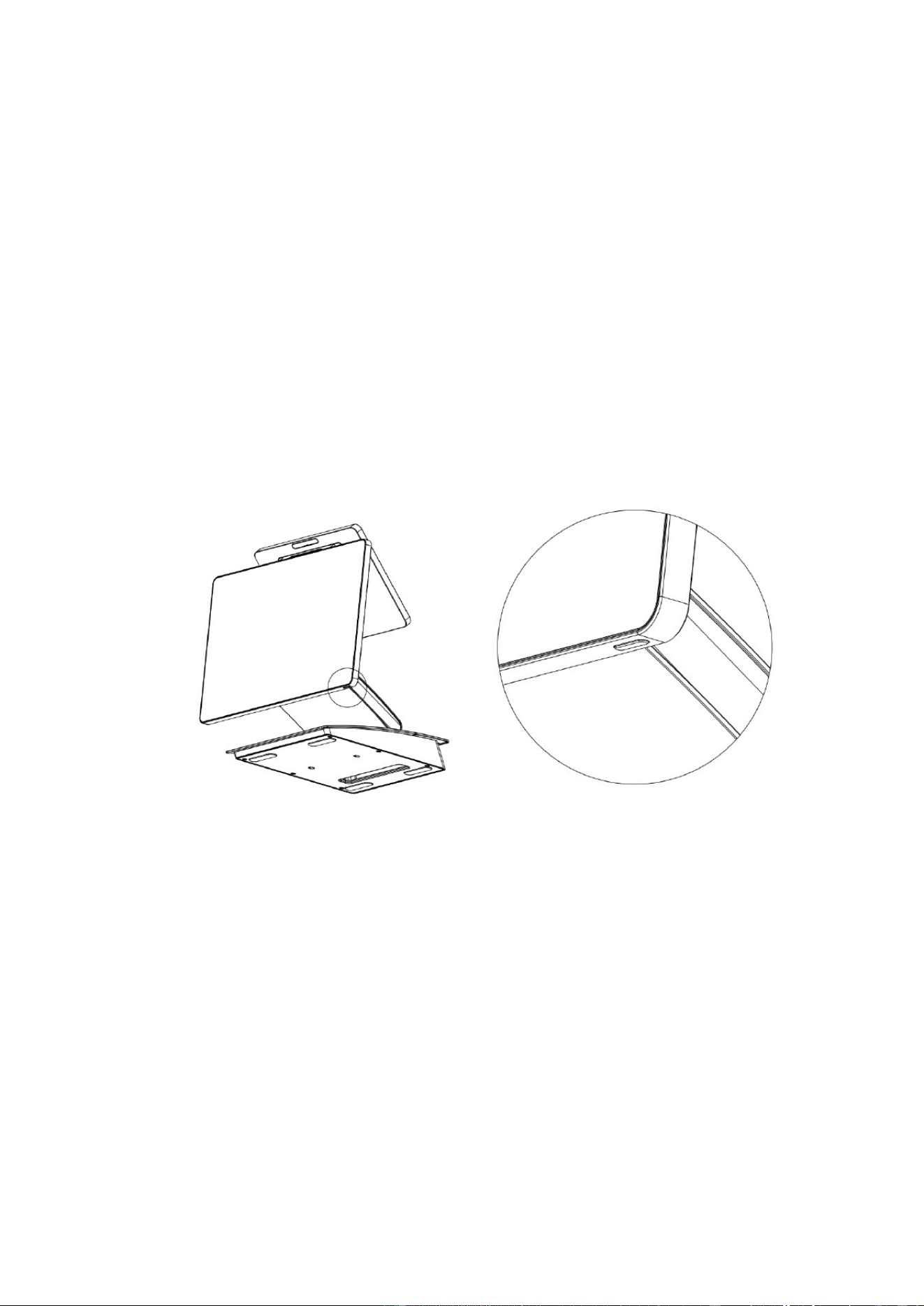
With the adapter properly connected, press the power button located at the bottom right rear of the main screen (as marked in the following picture).
When the screen lights up and the indicator light of the button turns on, the device is successfully powered on.
(Figure 3-2-1, Illustration of Power On/Off Button)
III. Touchscreen Settings
The parameters of the touch screen have been automatically set at the factory by default. Users do not need to set them manually.
IV. MSR Magnetic Card Reading Instructions
When swiping the card, the machine should be placed on a hard and level surface.
B. Please swipe the magnetic stripe card with the magnetic stripe facing inward through the card slot.
C. The card swiping process should be smooth and at a constant speed.

(Figure 3-4-1, Illustration of Card Swiping Operation)
V. Operating Instructions for RFID Contactless Cards
The contactless card sensing area is located at the back of the right side of the main unit (marked with a
contactless symbol). When sensing a contactless card, please place the card above the sensing area.
05/Notes
The cash register requires that the external power supply be well grounded with a grounding resistance of
less than 0.1. The device must be connected to a three-pronged national standard socket with
grounding. If the power supply is not grounded or has poor grounding, it may cause the casing to
become electrified, posing a safety hazard to the operator and affecting the stable operation of the cash
register.
B. During use, a three-hole power socket and UPS power supply that comply with national standards and
have CCC certification must be used. It is required that the ground wire be properly grounded and the
power supply voltage be stable. Ensure that the voltage provided by the socket matches the voltage
indicated on the nameplate of this machine.
C. The machine should be used in a dry, well-ventilated, clean environment free from direct sunlight. Do not
block or cover the ventilation ports of the main unit. Ensure there is an open air outlet for the exhaust.
D. This product is a Class A device. In a domestic environment, it may cause radio interference. In such
cases, the user may be required to take effective measures to address the interference.
E. Do not extend the cable or replace any components at will. If necessary, please contact our company or the agent.

F. Do not plug or unplug any powered components or peripherals of the cash register while it is powered on. Ensure that all connection
cables between the components of the cash register are securely plugged in. If the plugs have screws, they must be tightened.
The RJ11 interface at the rear of the main unit is connected to the cash box and is not a communication port. Users cannot
use this port for dial-up Internet access.
When an external USB flash drive is inserted, it should be scanned for viruses first to prevent the host from being infected.
Additionally, the Android system does not support external hard drives.
I. Do not frequently turn the main power on and off. Frequent switching can cause shock to the machine.
J. Do not spill any liquid or drop any object into it.
K. Do not subject the cash register to heavy pressure, vigorous movement, shaking or hard knocking.
L. If liquid is accidentally spilled or foreign objects fall inside, please immediately turn off the device and cut off the power supply,
remove the battery, dry the liquid or remove the foreign objects. If the battery is removed, the CMOS settings need to be reset.
In case of safety faults such as strange odors, abnormal noises, or leakage of electricity, the power supply should be cut off
immediately and contact our after-sales service or agent for handling. When the cash register is not in use, it should be shut down
and the power supply disconnected. When shutting down, do not directly cut off the main power supply. First, exit the application,
then turn off the main unit and finally disconnect the main power supply, and cover it with a dust cover.
07/ Product Component Labeling Instructions
This product complies with the environmental protection requirements stipulated in the
"Administrative Measures for the Restriction of the Use of Hazardous Substances in Electrical and
Electronic Products".
B. Within the environmentally friendly usage period, there will be no leakage or release of harmful substances during the consumer's
use that could affect their health, so it can be used with confidence.
C. Waste Recycling Tips:

When you no longer need this product or its service life has ended, please comply with the relevant
national laws and regulations on the recycling and disposal of waste electrical and electronic products
and hand it over to a local recycling and disposal company with national recognition for proper
handling. The recycling company must properly dispose of components containing harmful substances
and must not handle them at will.
D. Environmental protection usage period:
The environmental-friendly service life of this product is 10 years.
FCC Statement:
This device complies with part 15 of the FCC Rules. Operation is subject to the following two
conditions: (1) This device may not cause harmful interference, and (2) this device must accept any
interference received, including interference that may cause undesired operation.
This equipment has been tested and found to comply with the limits for a Class B digital device,
pursuant to part 15 of the FCC Rules. These limits are designed to provide reasonable protection
against harmful interference in a residential installation. This
Equipment generates,uses and can radiate radio frequency energy and,if not installed and used in
accordance with the instructions,may cause harmful interference to radio
communications.However,there is no guarantee that interference will not occur in a Particular
installation.If thise quipment does cause harmful interference to radio or television reception, which
can be determined by turning the equipment off and on, the user is encouraged to try to correct the
interference by one or more of the following measures:
—Reorient or relocate the receiving antenna.
—Increase the separation between the equipment and receiver.
—Connect the equipment into an outlet on a circuit different from that to which the receiver is
connected.
—Consult the dealer or an experienced radio/TV technician for help.
Caution: Any changes or modifications not expressly approved by the party responsible for
compliance could void the user's authority to operate the equipment.
This equipment complies with FCC radiation exposure limits set forth for an uncontrolled
environment. This transmitter must not be co-located or operating in conjunction with any other
antenna or transmitter.
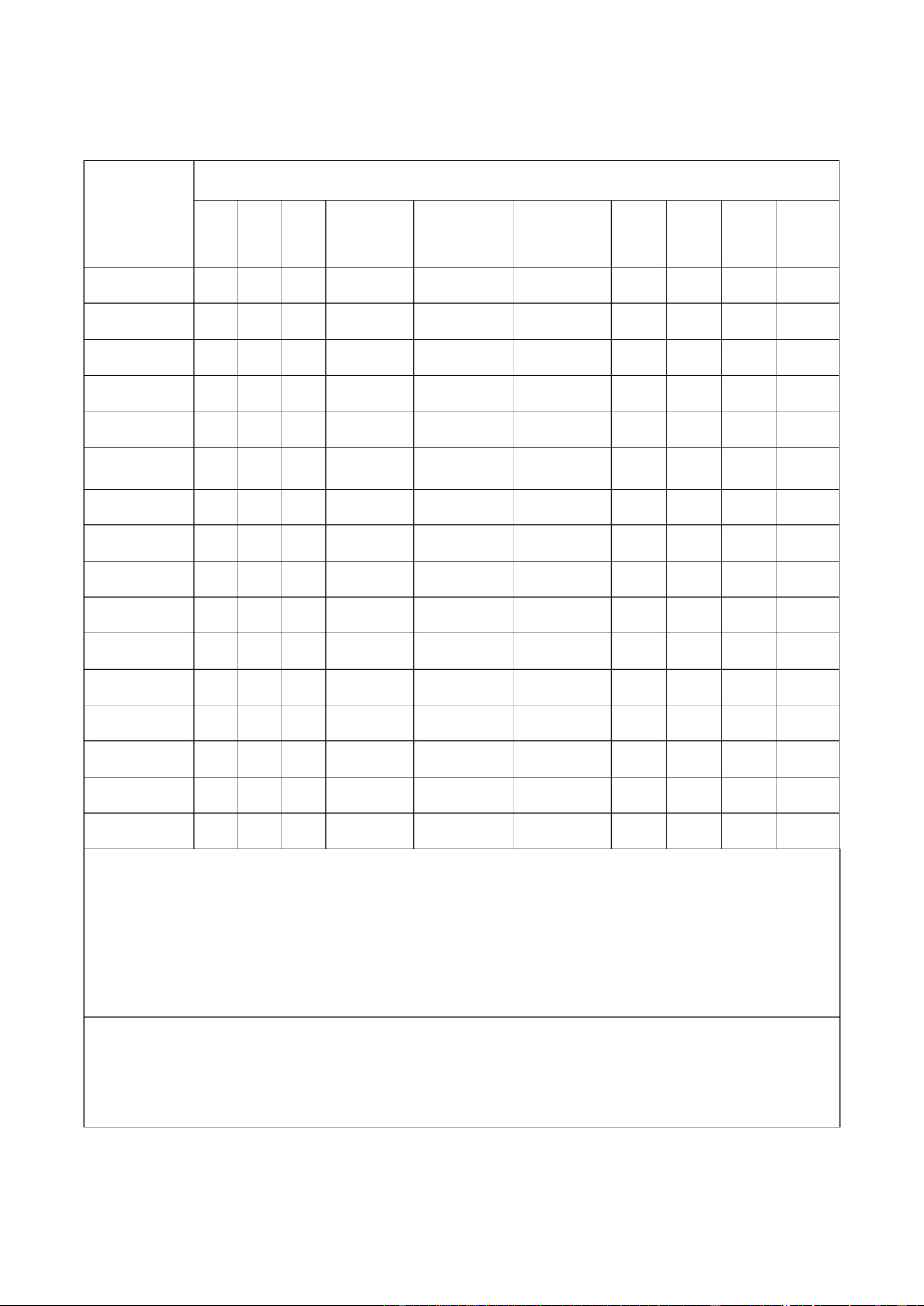
(Table 7-1-1 Toxic and Hazardous Substances or Elements)
O
O
O
O
O
O O
O
O
O
O
O
O
O
O
O
O
O
O
O
O
O
O
O
O
O O
O
O
O
O
O
O
O
O
O
OO O
O
O
O
O O O
O
O
O
O
O
O
O
O
O
O
O
O
O
O
O
O
O
O
O
O
O
O
O
O
O
O
O
O O
O
O
O
O
O
O
O
O
O
O
O O
O
O
O
O
O
O
O
O
O
O
O
O
O
O
O
O O
O
O
O
O
O
O
O
O
O
O O
O
O
O
O
O
O
O
O
O
O
O
O
O
O O
O
O
O
O
O
O
O
O
O
O
O
O
O O
O O O O
O
O
O
O O O
O
BBP DBP
DIBP DEHP
Computer
case
Customer
Display
Fan
keyboard
Speaker
power
supply
Memory
Hard disk
Motherboard
Cash
box
Monitor
Packing
box
Printer
O
Scanner
PCB
Unit
Cr 6+
PBB
PBDE
Toxic and harmful substances or elements
Pb
Hg Cd
This standard format is compiled in accordance with the provisions of SJ/T11364.
"O" indicates that the content of the toxic and harmful substance in all homogeneous
materials of this component is below the limit requirements stipulated in GB/T 26572.
"X" indicates that the content of the toxic or hazardous substance in at least
one homogeneous material of the component exceeds
The limit requirements stipulated in GB/T 26572.
Note:
DIBP - Diisobutyl phthalate
DBP - Dibutyl phthalateBBP
- Butyl benzyl phthalateDEHP - Di(2-
ethylhexyl) phthalate
O
O
O
O
Cables
o
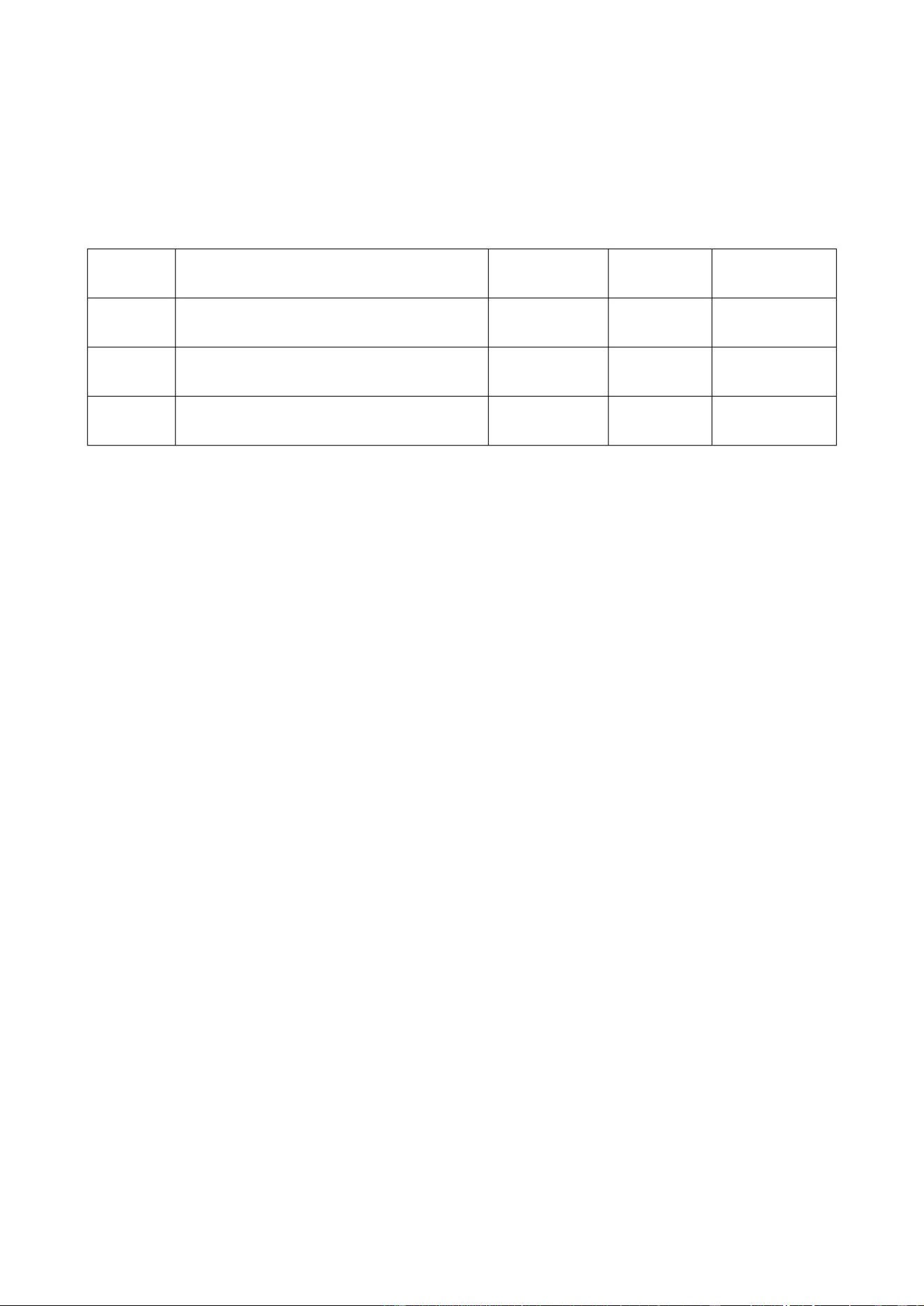
08/AccessoriesAnnexes
1
1 1
3
2
No.
unit QtyItem Note
Power
cord
Power adapter
Commercial cash register
1
09/Other
For the drivers of other peripheral devices, please refer to the random CD included with this batch of
products. You can also visit the Haishi Commercial website or call the national unified hotline of Haishi
Commercial.
Histonetec Commercial Website: www.histonetec.com
24-hour customer service hotline: 4006-585-11

FCC Statement:
This device complies with part 15 of the FCC Rules. Operation is subject to the following two conditions: (1)
This device may not cause harmful interference, and (2) this device must accept any interference received,
including interference that may cause undesired operation.
This equipment has been tested and found to comply with the limits for a Class B digital device, pursuant to
part 15 of the FCC Rules. These limits are designed to provide reasonable protection against harmful
interference in a residential installation. This
Equipment generates,uses and can radiate radio frequency energy and,if not installed and used in accordance
with the instructions,may cause harmful interference to radio
communications.However,there is no guarantee that interference will not occur in a Particular installation.If
thise quipment does cause harmful interference to radio or television reception, which can be determined by
turning the equipment off and on, the user is encouraged to try to correct the interference by one or more of
the following measures:
—Reorient or relocate the receiving antenna.
—Increase the separation between the equipment and receiver.
—Connect the equipment into an outlet on a circuit different from that to which the receiver is connected.
—Consult the dealer or an experienced radio/TV technician for help.
Caution: Any changes or modifications not expressly approved by the party responsible for compliance could
void the user's authority to operate the equipment.
This equipment complies with FCC radiation exposure limits set forth for an uncontrolled environment. This
transmitter must not be co-located or operating in conjunction with any other antenna or transmitter.
24-hour user service hotline
4006-585-111
Qingdao Histone Intelligent Commercial System Co. ,Ltd.
Headquarters
Address:
Qingdao,
China
Website:
www.histonetec.com