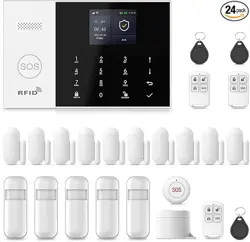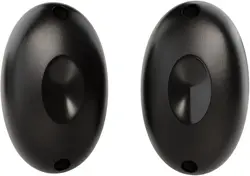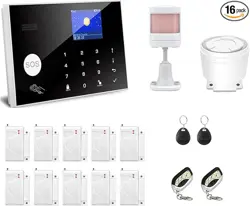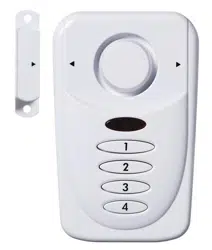
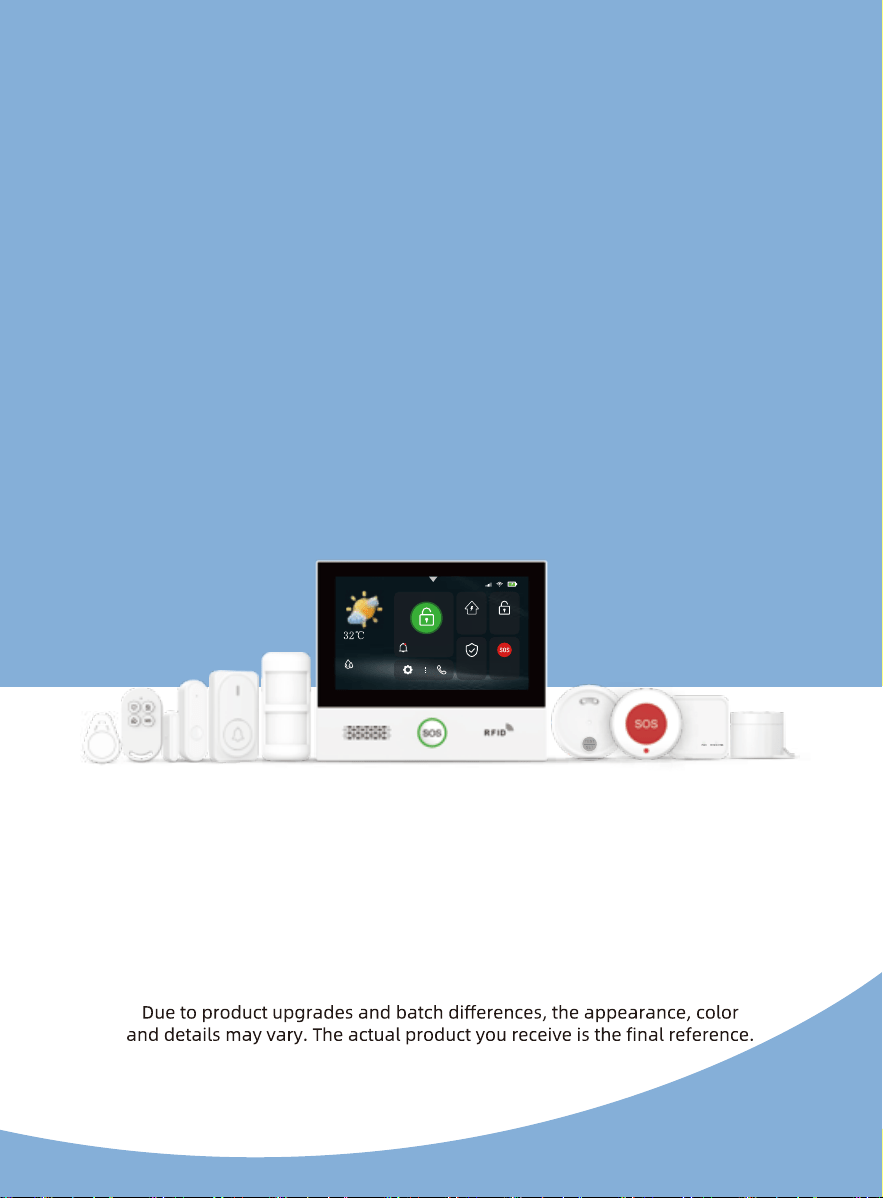
All images and illustrations in this manual are for reference only.
Smart Security Alarm System
User Manual
10:45:20
4G
75%
Disarm 10:45:20
2026-05-28·Thursday
Sunny
Away
Disarm
SOS
Home
25
25
35
24

25
English Manual French Manual German Manual Italian Manual Spanish Manual
About This Manual
This user manual applies to multiple product bundles. All bundles feature
Our company reserves the right to update the content of online
documentation; version updates will be made without prior notice.
Thank you for your purchase!
This printed manual is available only in English; to access manuals in
1/1
CONTENTS
I. Product Overview ………………………………………………………… 01-02
1.1
System Introduction
1.2 System Components
II. Setup Wizard and Quick Start Guide …………………………… 03-06
IV. Dialing and SMS Push Features …………………………………… 14-16
4.1 Manual Dialing Feature
4.4 System Mode Switching
III. System Features ………………………………………………………… 06-13
3.1 Main Screen
3.2 Drop-down Menu
3.3 Accessory Management
3.5 Wi-Fi Settings
3.7 Auxiliary Settings
3.8 Sound Settings
3.10 Help
2.3 Language Setting
2.4
2.6 App Download and Wi-Fi Setup
2.7 Theme Settings
2.8 User Manual
Safety and Compliance ………………………………………………………… 27
V. Product Installation, Operation, and Maintenance ……………… 17-24
5.2 Door Magnetic Sensor
5.3 Infrared Detector
5.6 Wired Alarm
VI. Troubleshooting …………………………………………………………… 25
………………………………………………… 26
01
01
01
01
01
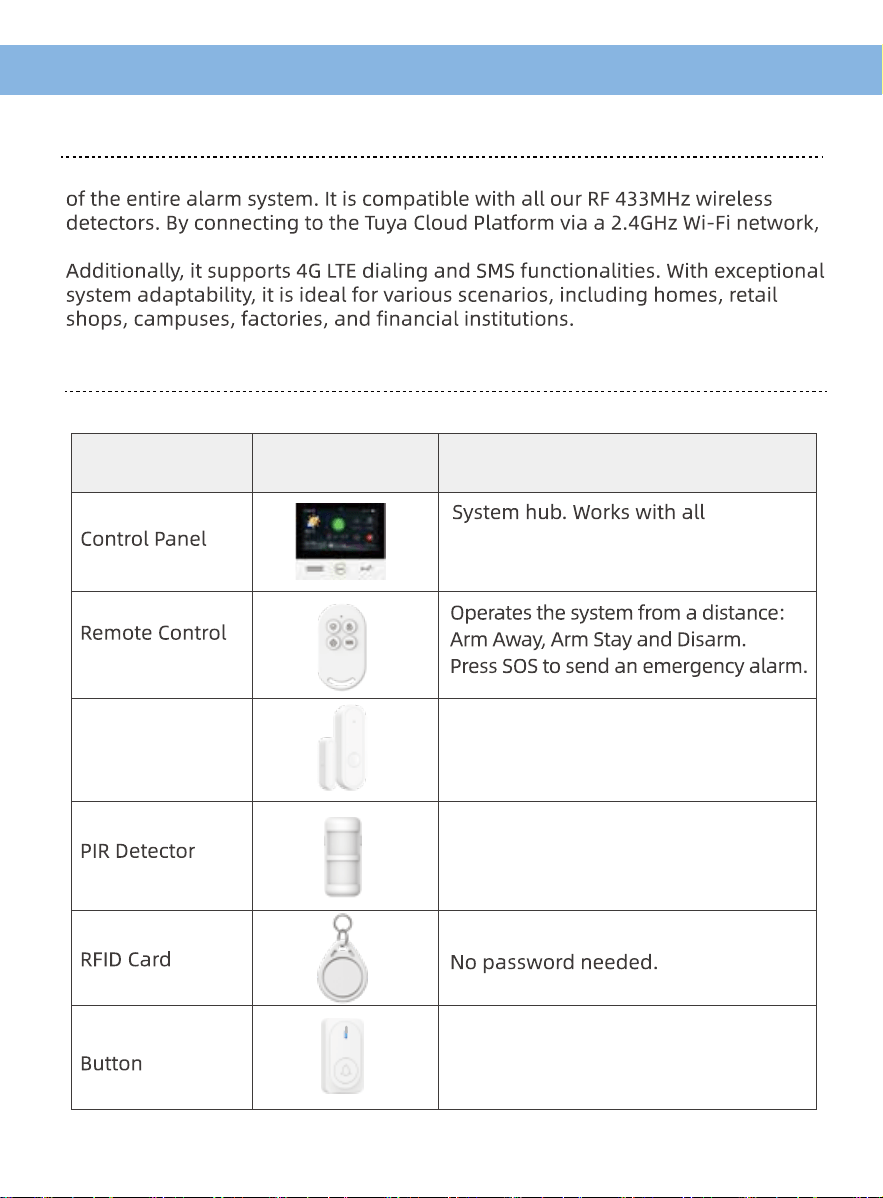
I. Product Overview
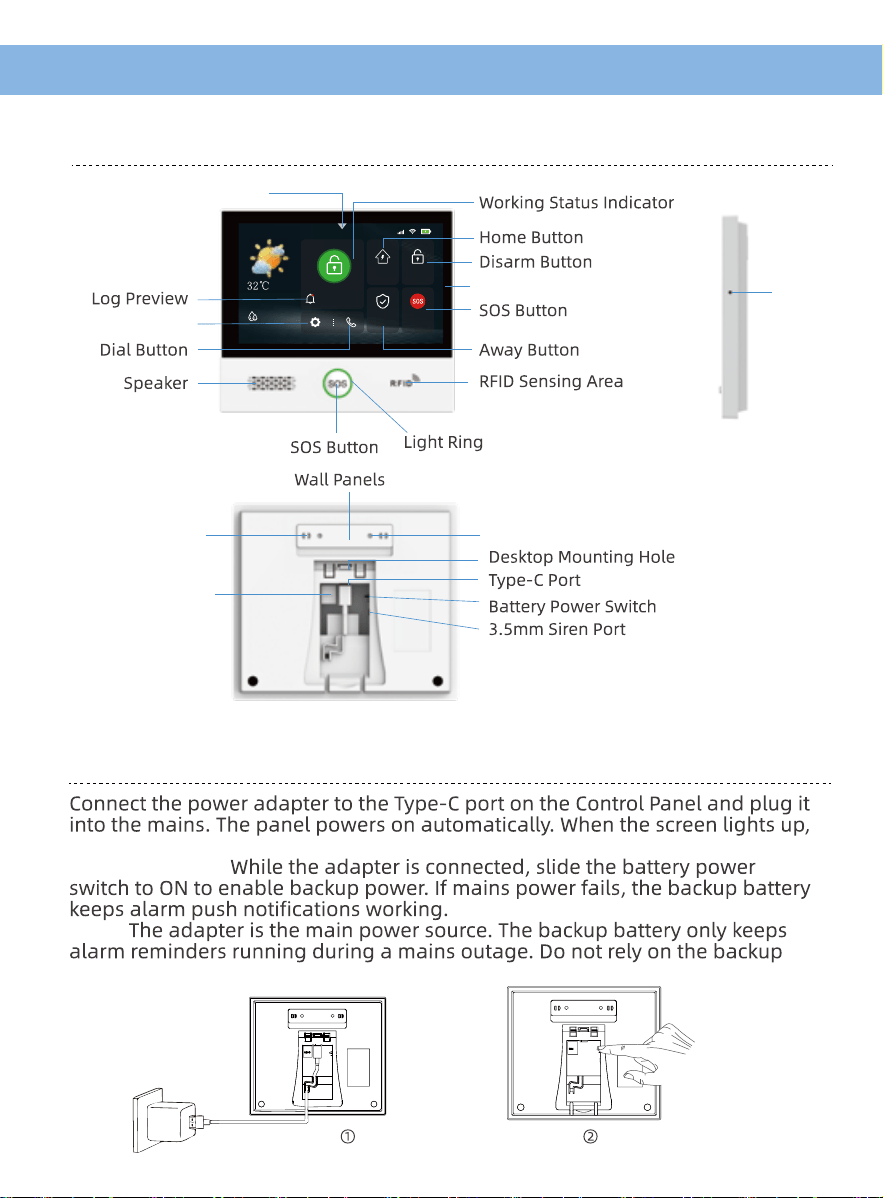
1.2 System Components
1.1 System Introduction
This device is an intelligent security alarm control panel that serves as the core
it enables remote alarm monitoring and control through a mobile app.
accessories and sends you alarm
alerts remotely.
Appearance
Diagram
Core Function
Device Name
Monitors doors and windows. It
triggers an alarm if one is opened
unexpectedly.
Door Contact
Sensor
Senses movement indoors and
triggers an alarm on unauthorised
entry.
Arm or disarm by tapping the card.
A visitor presses it and the panel
plays a door chime.
Wireless Doorbell
01
01
01
01
01
02
02
02
02
02
02
02
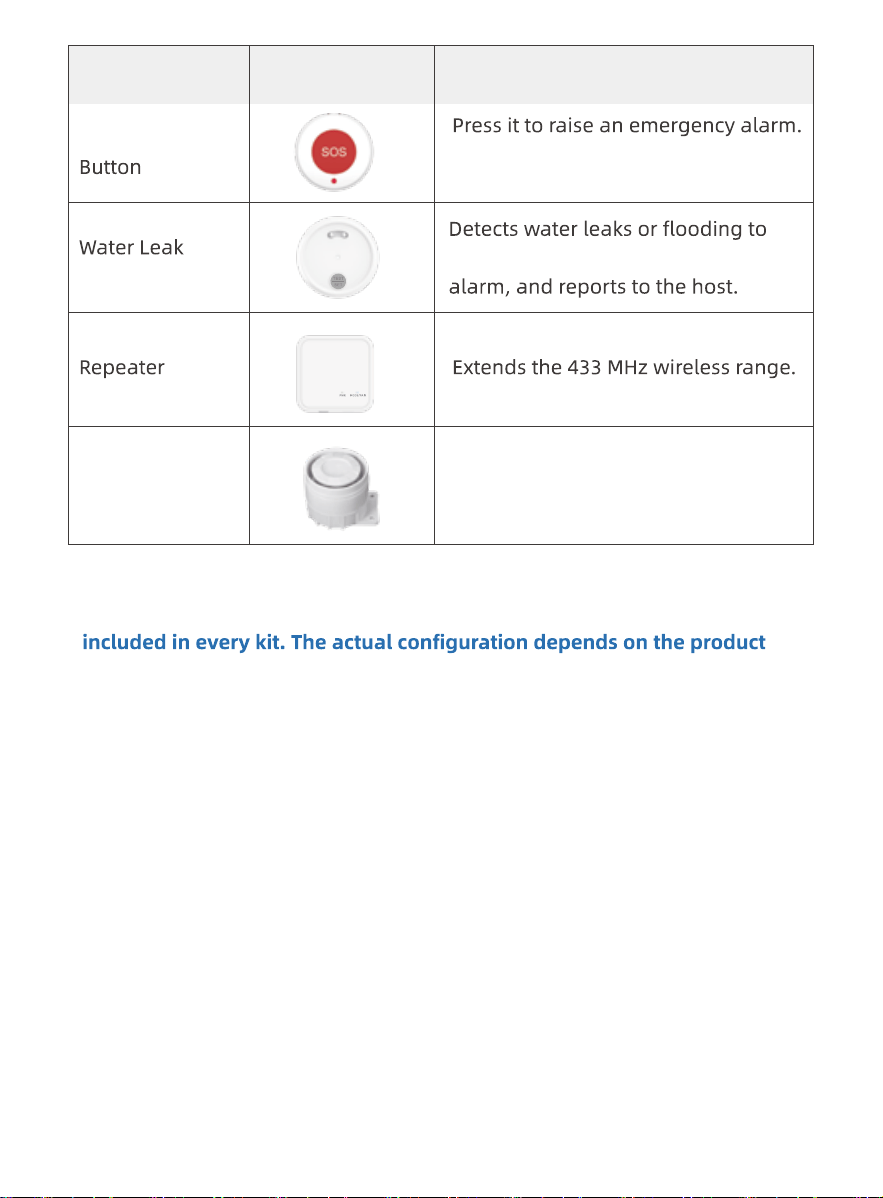
Emergency
trigger a visual and audible
Sensor
It gives a local sound and light alert
and reports to the control panel.
Appearance
Diagram
Core FunctionDevice Name
Wired Siren Connects to the panel by cable and
gives a loud external warning sound.
Note: The accessories shown in this manual are optional and are not
you received; extra accessories must be purchased separately. In a kit,
the control panel and its paired accessories are already paired at the
factory and are ready to use out of the box.
02
02
02
03
03
03
03
03
03
03
II. Setup Wizard and Quick Start Guide
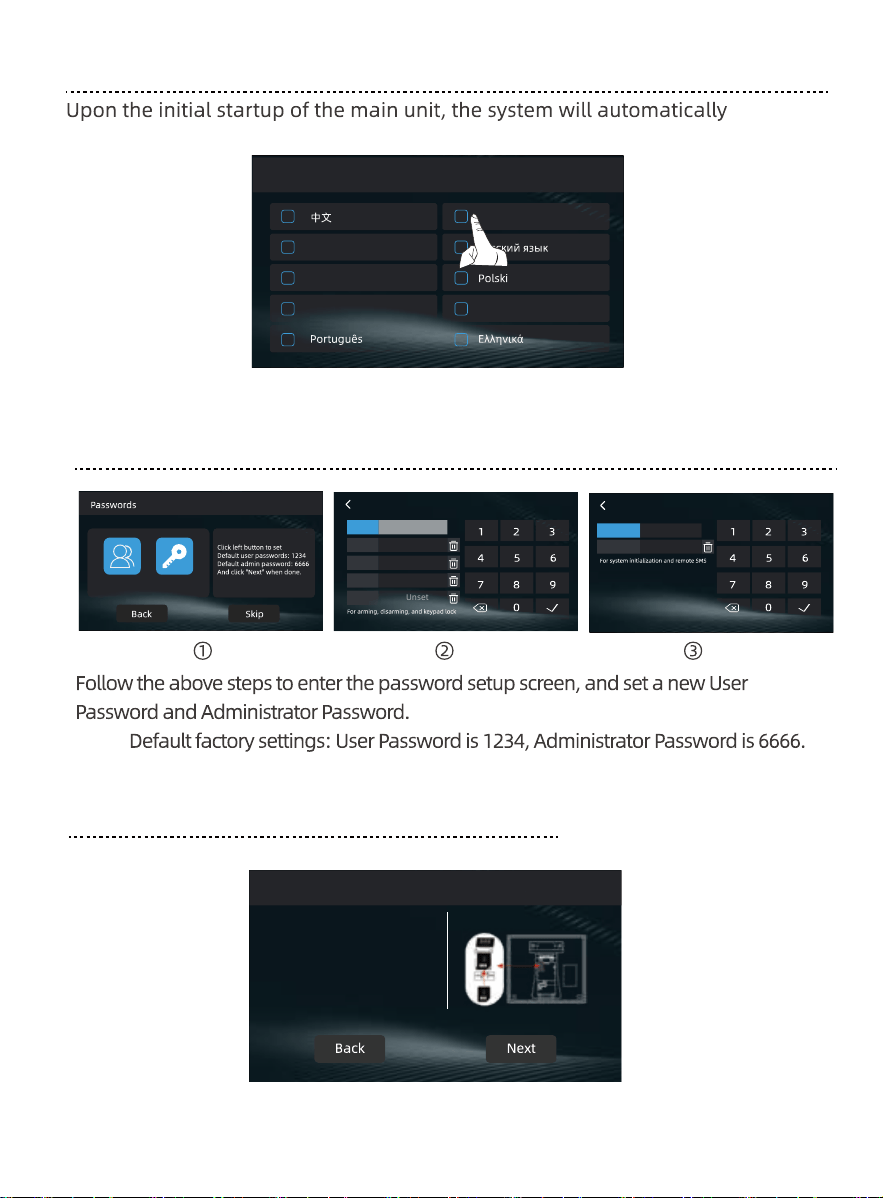
2.2 Power on the alarm host
2.1 Alarm Control Panel: Basic Functions Overview
10:45:20
4G
75%
Disarm 10:45:20
10:45:20
Home
4G
Away
Disarm
SOS
2026-05-27·
Thursday
Sunny
75%
Drop-down menu
Settings
Display
Mic
Screw HoleTamper switch
SIM Card Slot
power is ready.
Backup battery:
Note:
battery alone to run the system.
03
03
03
04
04
04
04
04
04
04
04
2.5 SIM Card Installation Preview
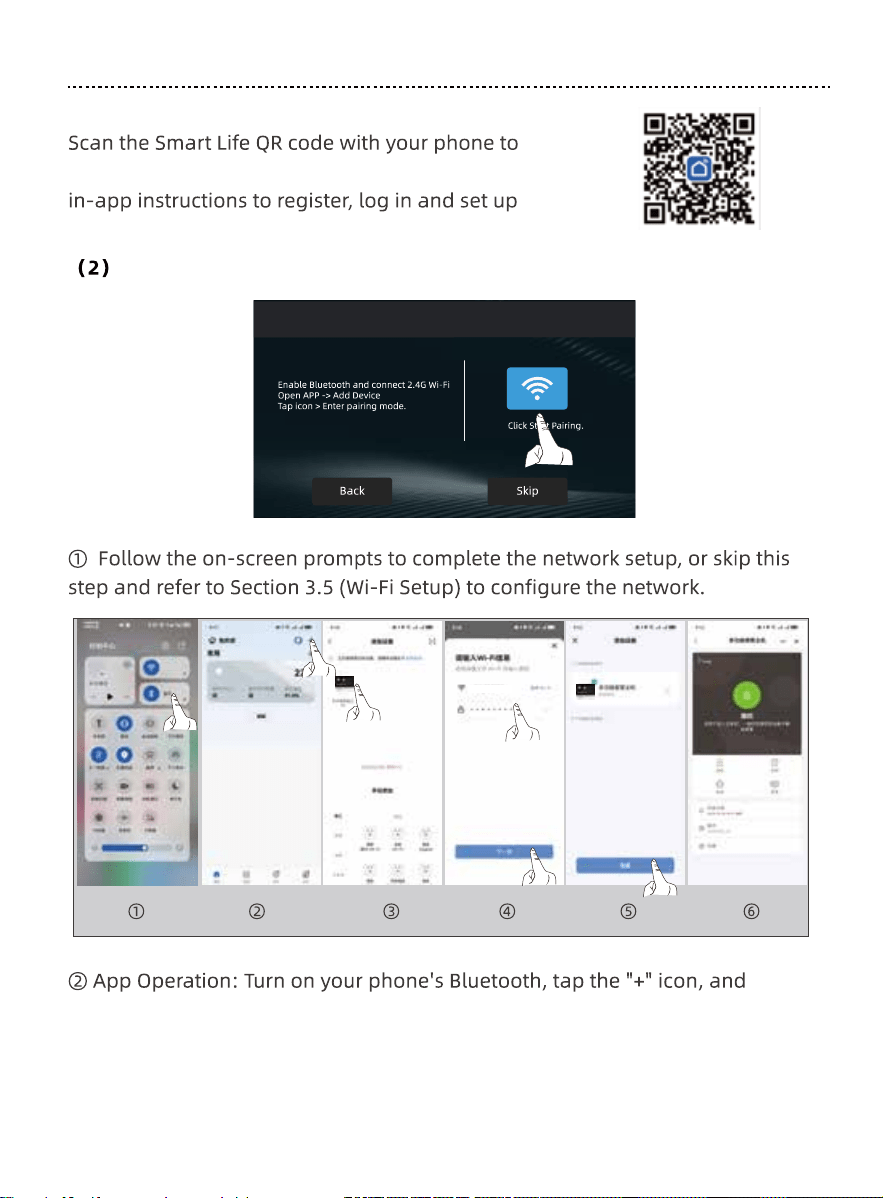
2.3 Language Setting
2.4 Password Setting
Language
English
Deutsch
Español
Italiano
Français
SIM card
enter the language setup screen. Tap to select your language.
Note:
Use a 4G SIM card as shown for normal
4G functions.
User
Administrator
User
User 1
User 2
Unset
User 3
Unset
Admin 1
****
Admin 2
Unset
User 4
Unset
User 5
Unset
Administrator
Exit
Exit
Exit Exit
Exit
operations.
setup operations.
****
04
04
05
05
05
05
05
05
05
05
05
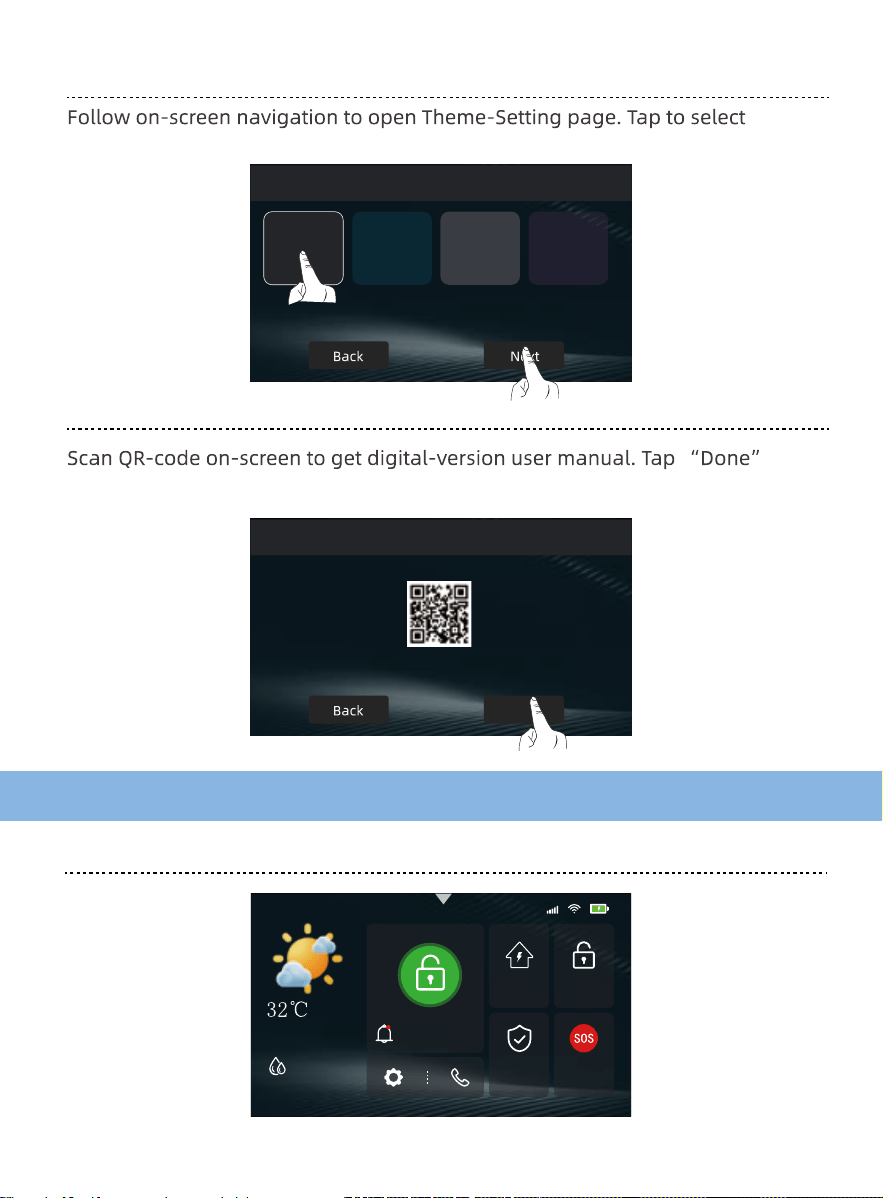
2.6 App Download and Wi-Fi Setup
Smart Life
H3C-2.4GHz
Wi-Fi
Exit
Wi-Fi Setup
(1) App Download and Account Registration
download and install the app. Then follow the
your account.
Step 1
05
follow the on-screen prompts to enter the Wi-Fi name (SSID) and password
to complete the setup.
2.7 Theme Settings
2.8 User Manual
III. System Features
3.1 Main Screen
Themes Exit
Manual
Exit
Done
Scan the code to obtain the user manual
06
10:45:20
4G
75%
Disarm 10:45:20
2026-05-28·Thursday
Sunny
Away
Disarm
SOS
Home
preferred UI theme.
to enter system main interface.
06
06
06
06
06
06
06
06
06
07
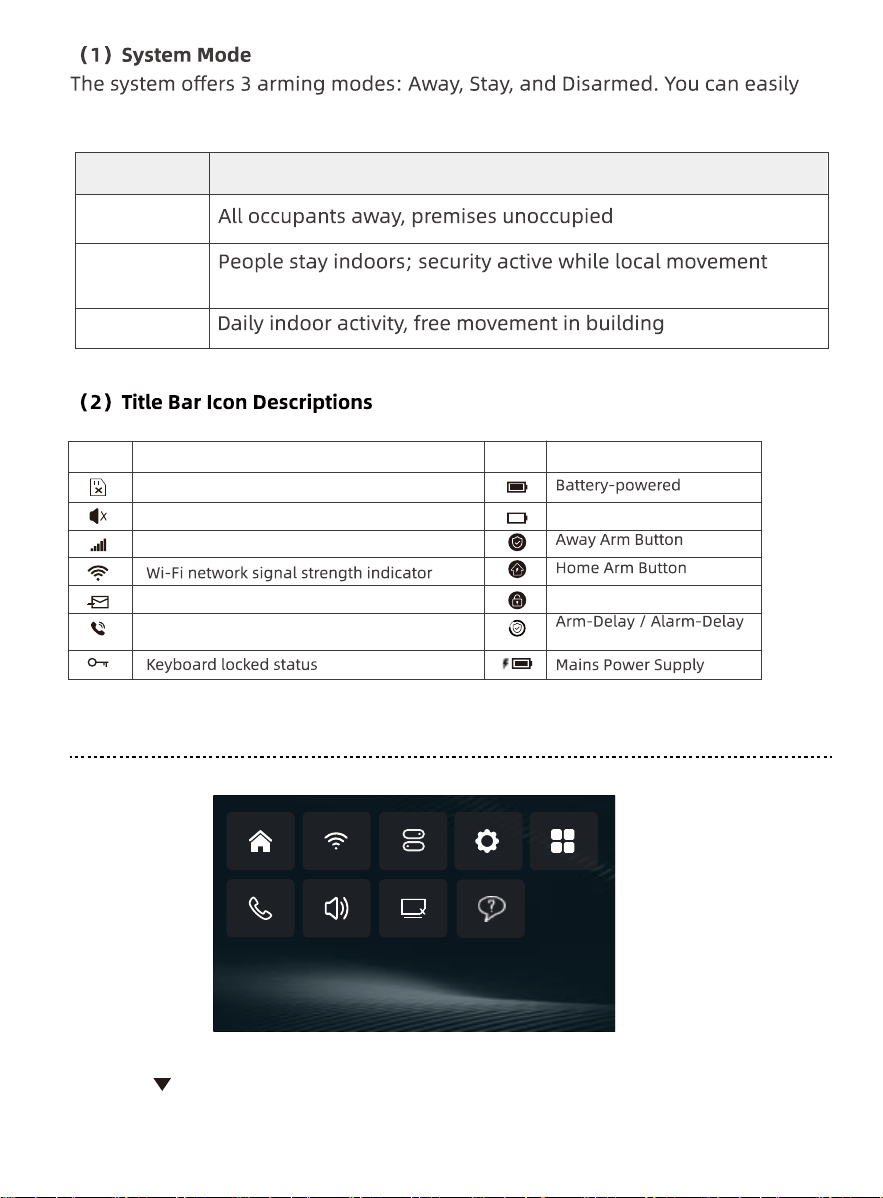
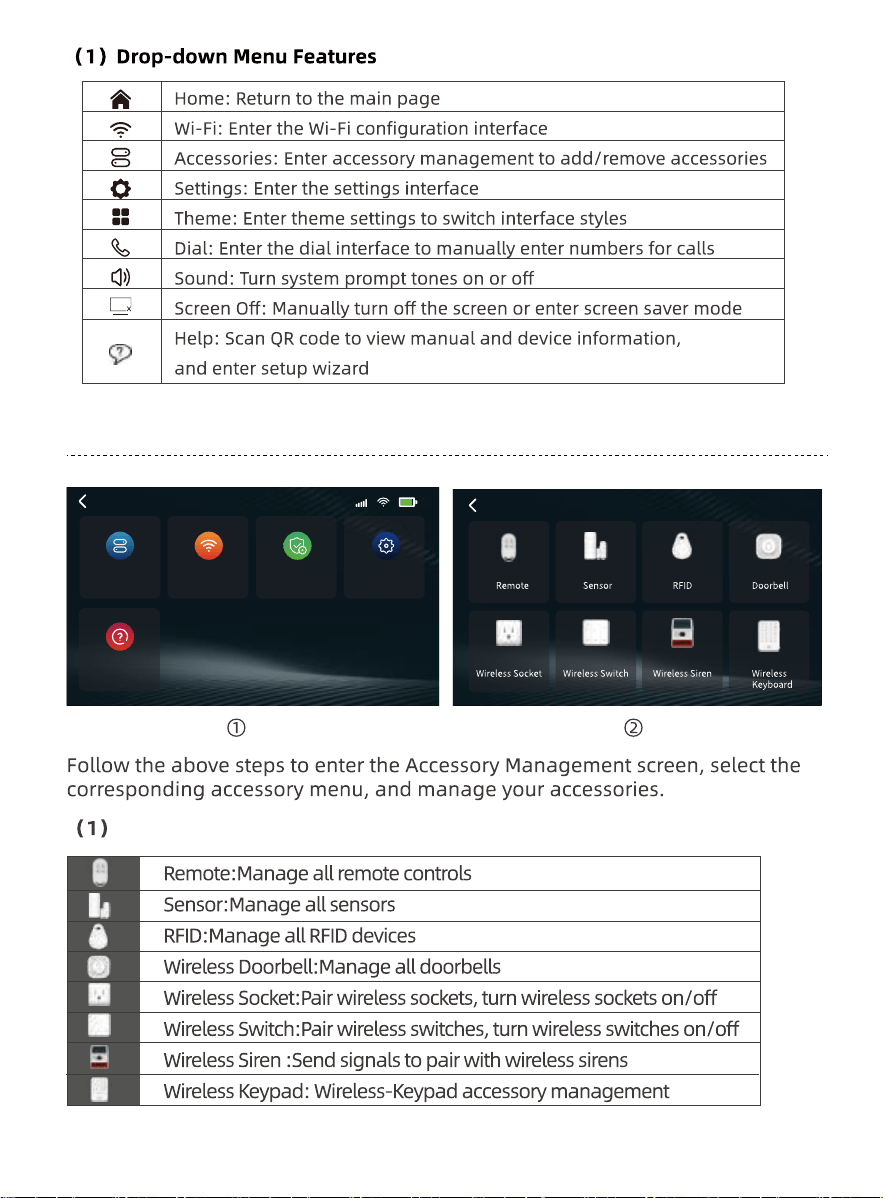
3.2 Drop-down Menu
4G
Icon Status
Muted
Icon Status
Low battery
Disarmed status
SIM card not inserted or inserted incorrectly
4G Signal Strength Indicator
Sending SMS
Calling...
countdown running
Tap the [ ] icon or swipe down on the screen to open the drop-down menu.
07
switch between them depending on your needs.
Mode Name Usage Scenario
Away Arm
Home Arm
permitted
Disarm
07
07
07
07
07
07
07
07
08
08
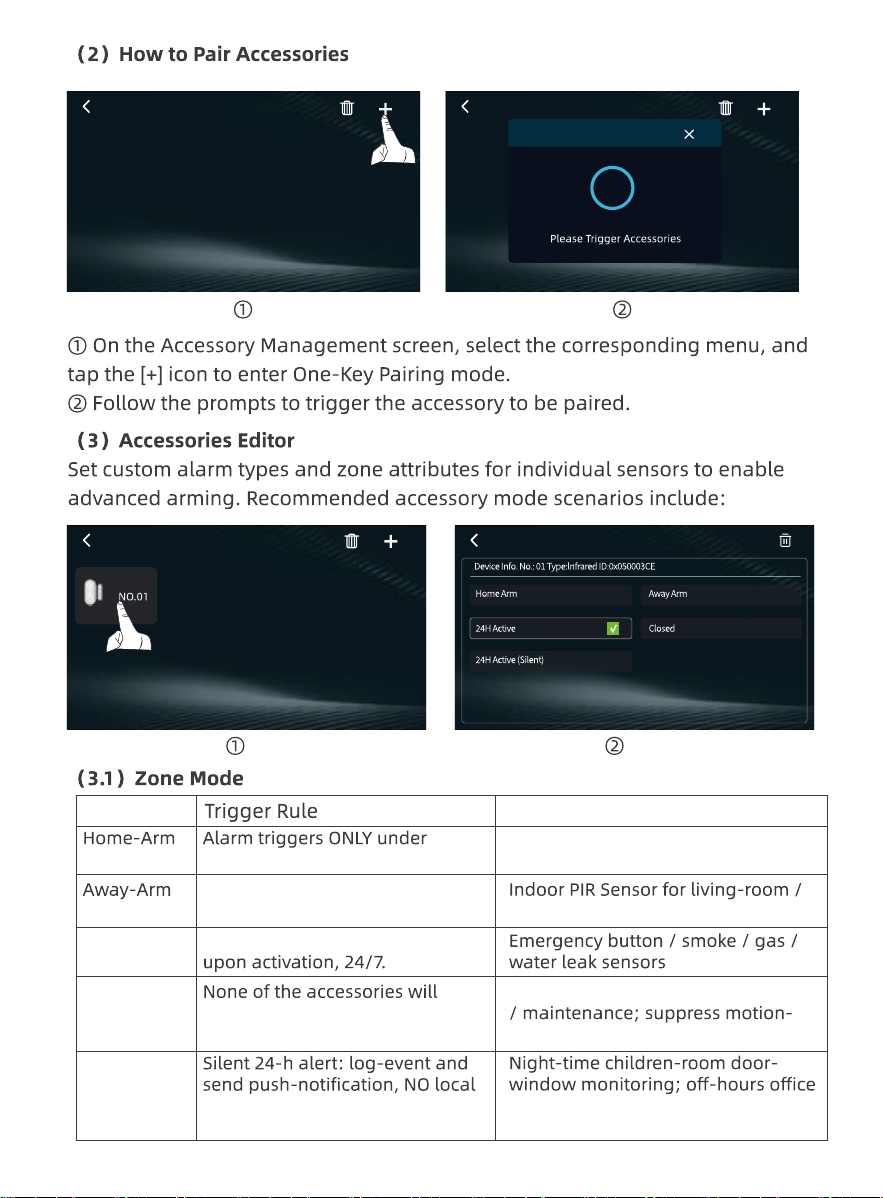
3.3 Accessory Management
4G
Help
Accessories
Wi-Fi SettingsAlarm Set
Home
Accessories
Interface Function Description
08
08
08
08
08
08
08
08
09
09
09
1/1
1/1
Sensor
1/1
Sensor
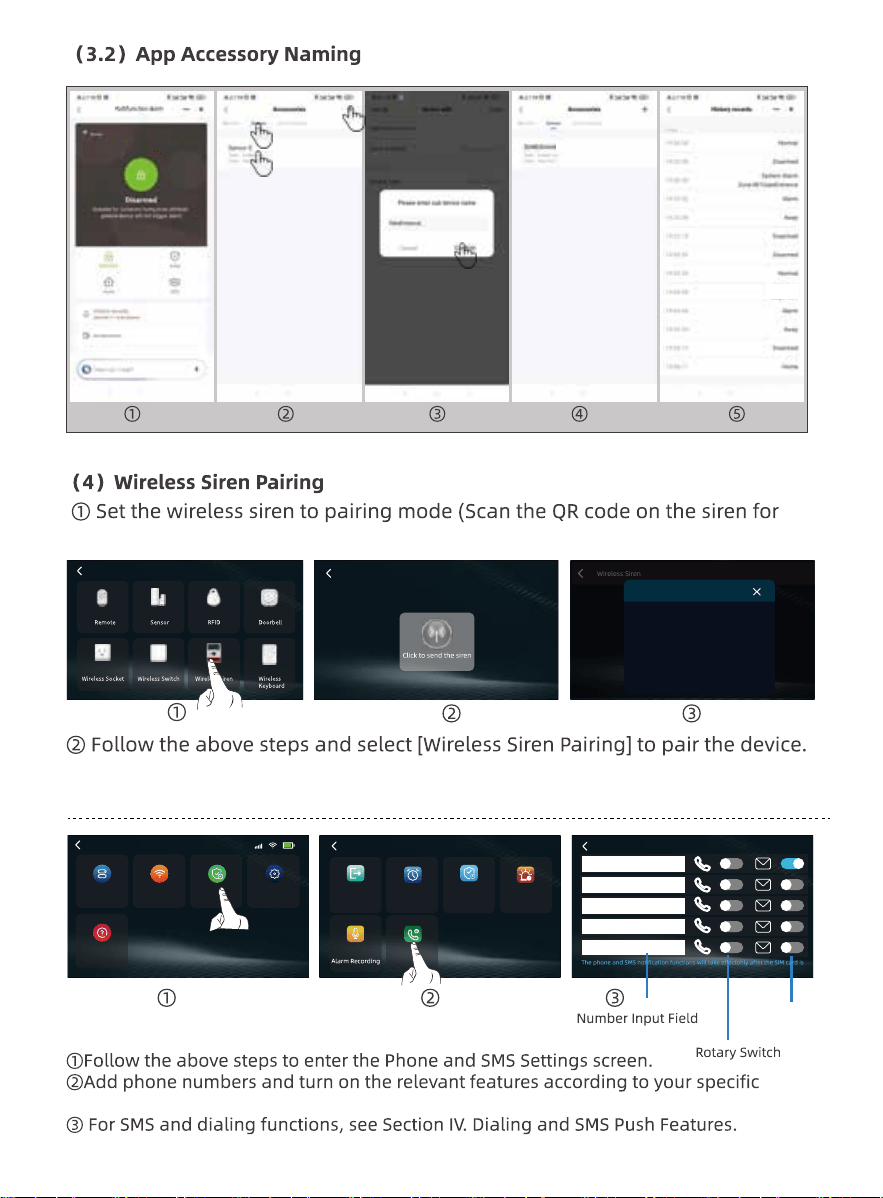
Accessories pairing
19
Zone Mode
Suitable Devices & Scenarios
Active Home Arm mode
Door / window / balcony
perimeter Door Contact
bedroom intrusion detection
Temporary disable during renovation
trigger while pets stay home alone
surveillance; scenarios requiring
covert alerting
Alarms are active in both Stay
and Away modes.
Triggers an alarm immediately
trigger an alarm.
siren sound
Active
24H Active
(Silent)
24H Active
Close
1/1
Sensor
Door
Sensor
09
09
09
09
09
09
09
10
10
10
10
Wireless Siren Wireless Siren
code
Learn Signal Sent
3.4 Phone and SMS Settings
4G
Help
Accessories
Wi-Fi SettingsAlarm Set
Home
Accessories
Follow the steps above to set the accessory name.
detailed instructions).
Arming Delay
Call/SMS
Alarm DurationAlarm Delay Defense timer
Alarm Set
Call/SMS
SMS Toggle Switch
needs.
installed correctly.
10
10
10
10
10
10
11
11
11
11
11
3.5 Wi-Fi Settings
4G
Help
Accessories
Wi-Fi SettingsAlarm Set
Home
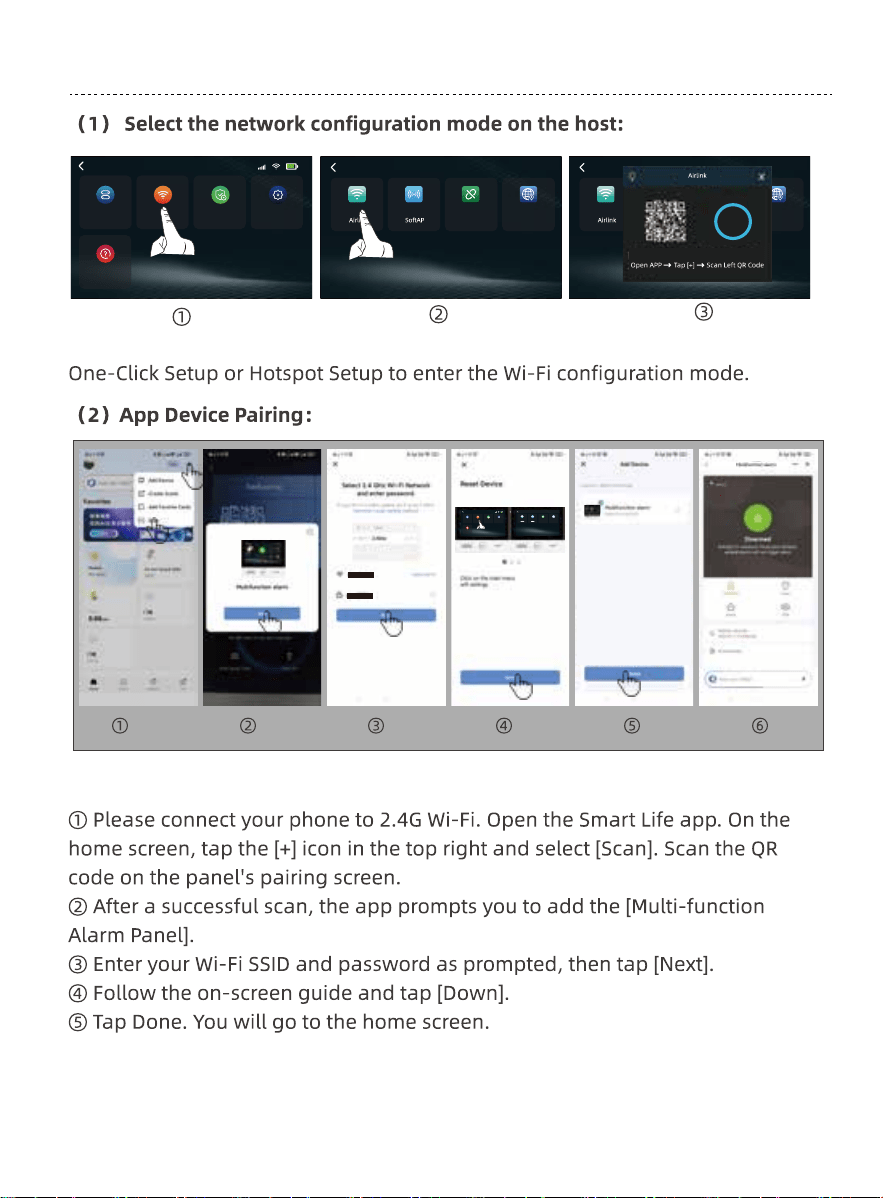
Follow the steps above to access the Wi-Fi Settings screen. Choose either
4G
Help
Accessories
Wi-Fi SettingsSecurity
Home
MAC
Wi-Fi
Unbind
MAC
Wi-Fi
Unbind MAC
Wi-Fi
Unbind
120
11
Steps:
11
11
11
11
12
12
12
12
12
12
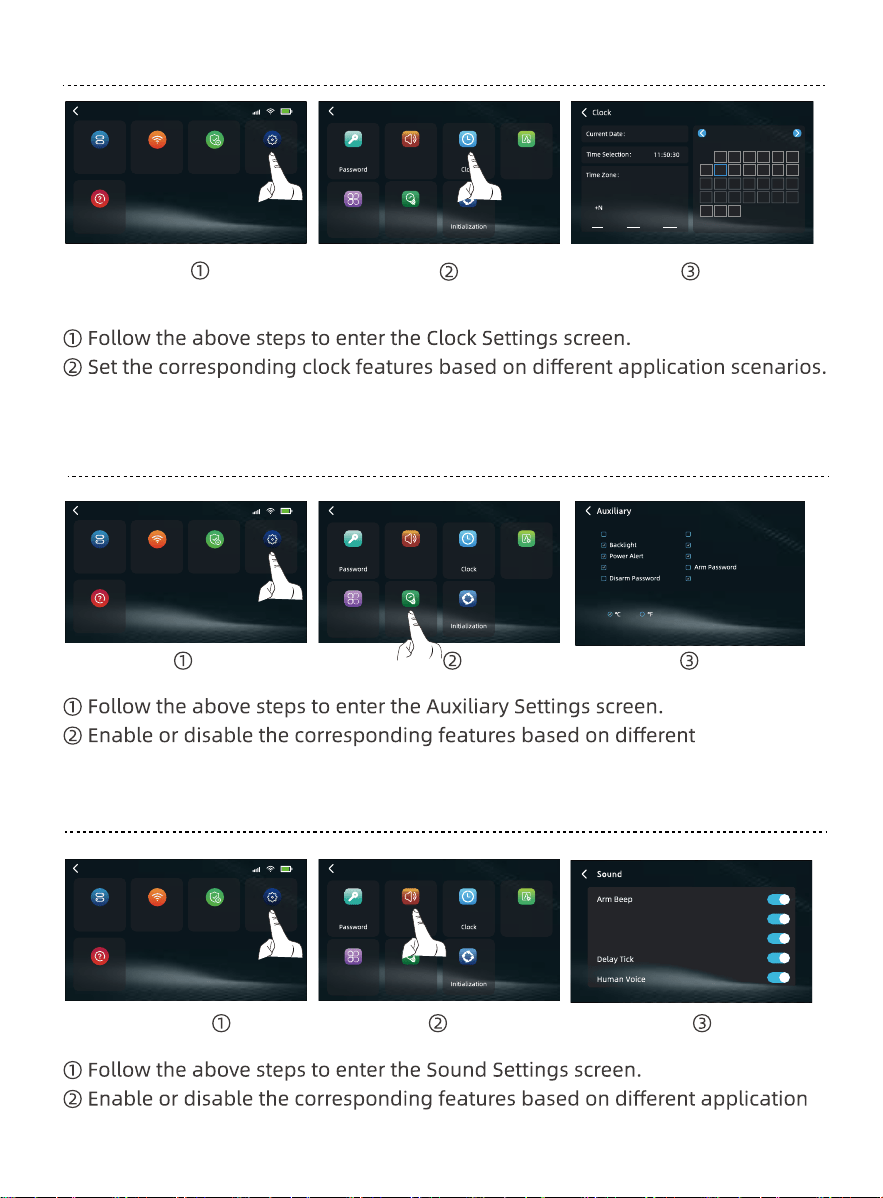
3.6 Clock Settings
3.7 Auxiliary Settings
3.8 Sound Settings
Siren
Keypad Tone
2026-06-08
2026 June
Su Mo Tu We Th Fr Sa
E/W Lon Hour Minute
02
03
-W
00
04 30
31 1 2 3 4 5 6
7 8 9 10 11 12 13
14 15 16 17 18 19 20
21 22 23 24 25 26 27
28 29 30 1 2 3 4
5 6 7 8 9 10 11
4G
Help
Accessories
Wi-Fi SettingsAlarm Set
Home
4G
Help
Accessories
Wi-Fi SettingsAlarm Set
Home
4G
Help
Accessories
Wi-Fi SettingsAlarm Set
Home
Settings
Auxiliary
Language
Theme
Sound
Settings
Auxiliary
Language
Theme
Sound
Settings
Auxiliary
Language
Theme
Sound
application scenarios.
scenarios.
SMS Arm/Disarm
Accessories low voltage
Keypad LOCK
Door/Window Open Warning
SOS Alarm
Status indicator lamp
Tem.Unit
12
12
12
12