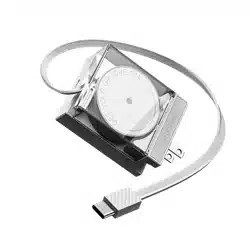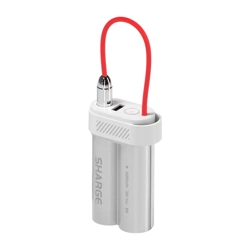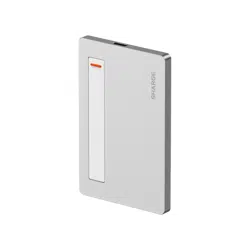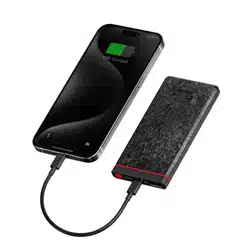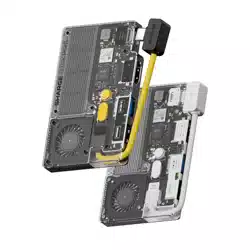
Disk Pro
USER MANUAL
产品名称:闪盘 Pro
产品型号:SD003
产品尺寸:90*61*11mm
接口类型:USB-C/HDMI/USB 3.0/USB 2.0/USB-C线
USB-C : 10Gbps 20V⎓5A 100W Max (Input)
HDMI : 4K@120Hz/8K@30Hz
USB 3.0 : 10Gbps 5V⎓1.5A Max
USB 2.0 : 480Mbps 5V⎓1.5A Max
USB-C线 : 10Gbps 20V⎓4A 80W Max (Output)
容量:1TB/2TB/4TB
支持操作系统:Windows 7/8/10/11、MacOS、 Android、
Linux、iOS
产品参数
注意事项
操作指南
01.请将本产品存放在阴凉干燥处,勿将本产品存放在高温或
潮湿的环境中。
02.工作温度应介于 32-104°F(0-40°C)之间,使用环境温度
为-10°C-35°C,存储环境温度为-20°C-40°C。
03.传输速度可能因您的设备而异。
04.请勿跌落、挤压、撞击、投掷本产品,以避免损坏。
05.当需要退出移动设备时,请先停止移动设备的数据读写,
否则将无法正常退出移动设备,强行退出有可能会导致您
的数据异常或丢失。
包装清单
闪盘 Pro × 1 引磁片 × 2保护皮套 × 1 说明书 × 1
拨动开关
散热风扇蓝灯
白灯
按键开关
USB 2.0
USB 3.0
USB-C Cable
电子信息产品有毒有害物质申明
本表格依据 SJ/T 11364 的规定编制。
O: 表示该有毒有害物质在该部件所有均质材料中的含量均在
GB/T 26572 标准规定的限量要求以下。
X: 表示该有毒有害物质至少在该部件某一均质材料中的含量超出
GB/T 26572标准规定的限量要求。
本表格信息是基于供应商提供的数据及符合 RoHS 环保要求的检
测结果。
电子信息产品有毒有害物质申明
有毒有害物质或元素
部件名称
PCB
X O O O O O
O O O O O O
X O O O O O
O O O O O O
塑胶
金属
附件
铅
(Pb)
汞
(Hg)
镉
(Cd)
六价铬
(Cr VI)
多溴联苯
(PBB)
多溴二苯醚
(PBDE)
产品安全信息
在使用本产品前请阅读所有的指示和警告,不规范使用将会给产品或人身
安全带来损害
01. 不要将本产品存储在高温,强光及强磁场环境下,不要放置在火源等
其他恶劣环境中,浸水后禁止使用。
02. 传输速度可能因您的设备而异。
03. 消费者如因违反产品说明书规定,不恰当使用产品,造成人身及财产
损害,将自行承担一切后果,本公司将不承担任何法律责任。
04. 非专业人员严禁分解本产品。
05. 避免强烈的物理作用,包括敲击、透支、践踏、挤压等。
售后服务
01. 7日无理由退货,由用户承担物流费用。
02. 本产品出现「产品性能故障表」所列性能故障的情况,经检测确定后,
可免费享受如下服务。
SHARGE 售后服务严格依照《中华人民共和国消费者权益保护法》、
《中华人民共和国产品质量法》实行售后三包服务。
服务内容如下:
在三包有效期内,您可以依照本规定免费享受退货、换货、维修的服务。
维修、换货、退货应当凭发票办理。
服务类型
退货 自签收次日起7天内产品质量原因退货换货
换货 自签收次日起15天内产品质量原因换货维修
维修 自签收次日起一年内产品质量原因维修
服务政策
类别 性能故障
硬盘拓展坞二合一
01. 正常使用情况下,无法读取和写入
02. 正常使用情况下,说明书所列功能失效。
产品性能故障表
非保修条例
01. 未经授权的维修、误用、碰撞、疏忽、滥用、进液、事故、改动、不正
确地使用配件。
02. 已超过三包有效期。
03. 因不可抗力因素造成的损坏。
官方网站:www.sharge.com
联系方式:400-075-5501
制 造 商:闪极科技(深圳)有限公司
地 址:深圳市龙华区龙华街道 油松社区恒丰小区3号楼新
中泰工业园3楼305室
Made in China 中国制造
此符号表明本产品不得作为生活垃圾处理,相反,应将其交付给适用的收集
点进行电子设备回收。
X-X-XXX-SD003
XXXXXX
RoHS
3
1
概览
2
使用方法
按键使用说明
HDMI 2.1
USB-C Port
10Gbps / PD Input 100W
拨动开关:用于操作内置SSD的ON/OFF模式。
Auto模式:工作时默认状态指示灯熄灭。
当工作温度达到风扇启动条件后:
风扇进入低速运转模式时,蓝灯常亮;
风扇进入高速运转模式时,白灯常亮。
Turbo模式:风扇强制进入高速运转模式,白灯常亮。
按键开关:用于操作风扇工作模式。
ZH
Product Name: Disk Pro
Model: SD003
Dimensions: 90 × 61 × 11 mm
Interfaces: USB-C, HDMI, USB 3.0, USB 2.0, USB-C Cable
USB-C: 10Gbps, 20V⎓5A, up to 100W (Input)
HDMI: 4K at 120Hz, 8K at 30Hz
USB 3.0: 10Gbps, 5V⎓1.5A max
USB 2.0: 480Mbps, 5V⎓1.5A max
USB-C Cable: 10Gbps, 20V⎓4A, up to 80W (Output)
Capacity: 1TB/2TB/4TB
Compatible with: Windows 7/8/10/11, macOS, Android,
Linux, iOS
Specifications
Cautions
Package Contents Quick Start Guide
Disk Pro × 1
Magnetic Plates × 2
Protective Leather Case × 1 User Manual × 1
Toggle switch
Cooling fanBlue indicator
White indicator
Button switch
USB 2.0
USB 3.0
USB-C Cable
3
1
Overview
2
How to Use
Controls
HDMI 2.1
USB-C Port
10Gbps / PD Input 100W
Power Button: Turns the built-in SSD on or off.
Mode Switch: Selects the fan operating mode.
01. Store the product in a cool, dry place. Do not
expose it to high temperatures or humidity.
02. Operating temperature: 32-104°F (0-40°C).
Usage environment: -10°C to 35°C.
Storage environment: -20°C to 40°C.
03. Transfer speeds may vary depending on your device.
04. Avoid dropping, pressing, hitting, or throwing the
product to prevent damage.
05. Before disconnecting from mobile devices, stop all
data transfers. Failing to do so may cause data
corruption or loss.
Auto Mode: By default, the indicator is off.
When the device heats up and the fan starts:
Blue light = fan running at low speed
White light = fan running at high speed
Turbo Mode: The fan runs at high speed continuously
(white light on).
PCB
PLASTICS
METALST
COMPONENTS
TOXIC AND HAZARDEOUS SUBSTANCE AND ELEMENTS
PART NAME
Pb Hg Cd Cr6+ PBB PBDE
o
o
o
o
o
o
o
o
o
o
o
o
o
o
o
o
o
o
o
o
x
o
x
o
Declaration of Toxic and Hazardous
Substances in Electronic Products
o:
X:
This table is prepared in accordance with the provisions of
SJ/T 11364.
Indicates that the content of the toxic and hazardous substance
in all homogeneous materials of the component is below the limit
specified by GB/T 26572.
Indicates that the content of the toxic and hazardous substance
exceeds the limit specified by GB/T 26572 in at least one
homogeneous material of the component.
The information in this table is provided to suppliers in the form of
data and testing results that comply with RoHS environmental
requirements.
01.
Do not store this product in high-temperature
environments, direct sunlight, or strong magnetic
fields. Do not place it near fire or in other harsh
environments. Do not use it after it has been
submerged in water.
02.
Transfer speeds may vary depending on your
device.
03.
Consumers will bear all consequences for personal
or property damage resulting from improper use of
the product that violates the instructions. The
company assumes no legal responsibility.
04.
Unauthorized disassembly of this product by
non-professionals is prohibited.
04.
Avoid strong physical impacts, including hitting,
overloading, stamping, or squeezing.
Customer Service
Product Performance Failure
Exclusions from Warranty
Product Safety Information
The following services are available for you to enjoy free
of charge according to this policy: returns, exchanges,
and repairs. Repairs, exchanges, and returns must be
processed with a receipt.
Before using this product, please read all instructions
and warnings. Improper use may result in damage to
the product or personal safety.
Within 7 days of receipt, you may return the product
without reasons, but you must bear the shipping
costs.
01.
12-month warranty in the event that the product
experiences any performance failure as specified in
the "Product Performance Failure" list and is duly
confirmed upon inspection.
02.
Product Type
Performance failure
2-in-1 SSD Hub
01. Unable to read and write under normal use.
02. Listed functions in the manual fail under
normal use.
01.
Unauthorized repairs, misuse, collision, negligence,
abuse, liquid ingress, accidents, modifications, and
incorrect use of accessories.
02. The warranty period has expired.
03. Damages caused by force majeure factors.
EN
扫描二维码即可在线访问《Disk Pro 官方使用手册》,
提供多语言版本。
QR 코드를�스캔하여 Disk Pro 공식�사용자�설명서를�온라인으로�확인하세요.
다국어�버전이�제공됩니다.
QRコードをスキャンして、Disk Pro の公式ユーザーマニュ
アル(オンライン版 )をご覧ください。
多言語版をご利用いただけます。
Scan the QR code to view the official Disk Pro User Guide online,
available in multiple languages.
Scannen Sie den QR-Code, um das offizielle Benutzerhandbuch
für Disk Pro online aufzurufen.
Mehrsprachige Versionen sind verfügbar.
Scannez le code QR pour accéder en ligne au guide d’utilisation
officiel de Disk Pro.
Des versions multilingues sont disponibles.
Escanee el código QR para acceder en línea al manual oficial de
usuario de Disk Pro.
Hay versiones multilingües disponibles.
Scansiona il codice QR per accedere al manuale utente ufficiale
di Disk Pro online.
Sono disponibili versioni multilingue.
SHARGE All Rights Reserved
Produktname: Disk Pro
Modell: SD003
Maße: 90 × 61 × 11 mm
Anschlüsse: USB-C, HDMI, USB 3.0, USB 2.0, USB-C-Kabel
USB-C: 10 Gbit/s, 20V/5A, max. 100W (Eingang)
HDMI: 4K bei 120Hz, 8K bei 30Hz
USB 3.0: 10 Gbit/s, 5V/1,5A max.
USB 2.0: 480 Mbit/s, 5V/1,5A max.
USB-C-Kabel: 10 Gbit/s, 20V/4A, max. 80W (Ausgang)
Maximale unterstützte Kapazität: 4TB
Kompatible Systeme: Windows 7/8/10/11, macOS, Android,
Linux, iOS
Technische Daten
Lieferumfang Kurzanleitung
Disk Pro × 1
Magnetplatten × 2
Schutzhülle aus Leder × 1
Bedienungsanleitung × 1
Kippschalter
LüfterBlaue Anzeige
Weiße Anzeige
Druckschalter
USB 2.0
USB 3.0
USB-C Cable
3
1
Überblick
2
Verwendung
Tastenfunktion
HDMI 2.1
USB-C Port
10Gbps / PD Input 100W
Hinweis
Verwahren Sie das Produkt an einem kühlen, trockenen Ort.
Unterlassen Sie, es hohen Temperaturen oder Feuchtigkeit zu
ausgesetzt.
Betriebstemperatur: 32-104°F (0-40°C). Nutzungsumgebung:
-10°C bis 35°C. Lagerumgebung: -20°C bis 40°C.
Die Übertragungsgeschwindigkeit kann je nach Gerät
variieren.
Vermeiden Sie das Fallenlassen, Drücken, Schlägen oder
Werfen des Produkts, um Schäden zu vermeiden.
Bevor Sie von Mobilgeräten trennen, stoppen Sie alle
Datenübertragungen. Das Fehlen dieser Maßnahme kann zu
Datenbeschädigung oder -verlust führen.
01.
02.
03.
04.
05.
Kippschalter: Zum Ein- und Ausschalten der
integrierten SSD.
Druckschalter: Zur Steuerung des Lüftermodus.
Automatikmodus: Standardmäßig ist die Anzeige aus.
Wenn die Betriebstemperatur den Lüfterstart erreicht:
Bei niedriger Lüftergeschwindigkeit leuchtet das blaue
Licht, bei hoher Lüftergeschwindigkeit das weiße Licht.
Turbolüftermodus: Der Lüfter läuft dauerhaft auf hoher
Geschwindigkeit, das weiße Licht leuchtet.
DE
Nom du produit : Disk Pro
Modèle : SD003
Dimensions du produit : 90 × 61 × 11 mm
Type d’interface : USB-C / HDMI / USB 3.0 / USB 2.0 /
Câble USB-C
USB-C : 10 Gbps 20V⎓5A 100W Max (Entrée)
HDMI : 4K@120Hz / 8K@30Hz
USB 3.0 : 10 Gbps 5V⎓1.5A Max
USB 2.0 : 480 Mbps 5V⎓1.5A Max
Câble USB-C : 10 Gbps 20V⎓4A 80W Max (Sortie)
Capacité maximale prise en charge : 4 To
Systèmes d’exploitation pris en charge : Windows 7/8/10/11,
macOS, Android, Linux, iOS
Paramètres du produit
Contenu de l’emballage Guide d’utilisation
Disk Pro × 1
Plaque magnétique × 2
Étui de protection en cuir × 1
Manuel d’utilisation × 1
Interrupteur à bascule
Ventilateur Voyant bleu
Voyant blanc
Bouton-poussoir
USB 2.0
USB 3.0
USB-C Cable
3
1
Aperçu
2
Utilisation
Fonctionnement des boutons
HDMI 2.1
USB-C Port
10Gbps / PD Input 100W
Interrupteur à bascule : Permet d’activer ou de
désactiver le SSD intégré.
Bouton-poussoir : Sert à régler le mode du ventilateur.
Mode automatique : Par défaut, le témoin est éteint.
Lorsque la température atteint le seuil de déclenche-
ment du ventilateur : en mode basse vitesse, le témoin
bleu s’allume ; en mode haute vitesse, le témoin blanc
s’allume.
Mode Turbo : Le ventilateur fonctionne en permanence
à grande vitesse, le témoin blanc reste allumé.
Précautions
Conservez le produit dans un endroit frais et sec. Ne l'exposez
pas à des températures élevées ou à l'humidité.
01.
Température de fonctionnement : 32-104°F (0-40°C).
Environnement d'utilisation : -10°C à 35°C. Environnement de
stockage : -20°C à 40°C.
02.
Les vitesses de transfert peuvent varier en fonction de votre
appareil.
03.
Évitez de laisser tomber, d'appuyer, de frapper ou de jeter le
produit pour éviter tout dommage.
04.
Avant de vous déconnecter des appareils mobiles, arrêtez tous
les transferts de données. Ne pas le faire peut entraîner une
corruption ou une perte de données.
05.
FR
Nombre del producto: Disk Pro
Modelo: SD003
Tamaño del producto: 90 × 61 × 11 mm
Tipo de interfaz: USB-C / HDMI / USB 3.0 / USB 2.0 /
Cable USB-C
USB-C: 10 Gbps 20V⎓5A 100W Máx (Entrada)
HDMI: 4K@120Hz / 8K@30Hz
USB 3.0: 10 Gbps 5V⎓1.5A Máx
USB 2.0: 480 Mbps 5V⎓1.5A Máx
Cable USB-C: 10 Gbps 20V⎓4A 80W Máx (Salida)
Capacidad máxima soportada: 4 TB
Sistemas operativos compatibles: Windows 7/8/10/11,
macOS, Android, Linux, iOS
Parámetros del producto
Contenido del paquete Guía de funcionamiento
Disk Pro × 1
Placa magnética × 2
Funda protectora de cuero × 1
Manual de usuario × 1
Interruptor de palanca
VentiladorLuz azul
Luz blanca
Botón pulsador
USB 2.0
USB 3.0
USB-C Cable
3
1
Descripción general
2
Uso
Instrucciones de los botones
HDMI 2.1
USB-C Port
10Gbps / PD Input 100W
Interruptor de palanca: Permite encender o apagar el
SSD integrado.
Botón pulsador: Sirve para seleccionar el modo del
ventilador.
Modo automático: Por defecto, el indicador está
apagado. Cuando la temperatura alcanza el punto de
activación del ventilador: en baja velocidad la luz azul
se enciende; en alta velocidad la luz blanca se
enciende.
Modo Turbo: El ventilador funciona siempre en alta
velocidad y la luz blanca permanece encendida.
Precauciones
Almacenar el producto en un lugar fresco y seco. No lo
exponga a altas temperaturas o humedad.
01.
Temperatura de funcionamiento: 32-104°F (0-40°C). Entorno de
uso: -10°C a 35°C. Ambiente de almacenamiento: -20°C a 40°C.
02.
Las velocidades de transferencia pueden variar según su
dispositivo.
03.
Evite dejar caer, presionar, golpear o tirar el producto para
evitar daños.
04.
Antes de desconectarse de los dispositivos móviles, detenga
todas las transferencias de datos. No hacerlo puede provocar
daños o pérdida de datos.
05.
ES
Nome prodotto: Disk Pro
Modello: SD003
Dimensioni prodotto: 90 × 61 × 11 mm
Tipo di interfaccia: USB-C / HDMI / USB 3.0 / USB 2.0 /
Cavo USB-C
USB-C: 10 Gbps 20V⎓5A 100W Max (Ingresso)
HDMI: 4K@120Hz / 8K@30Hz
USB 3.0: 10 Gbps 5V⎓1.5A Max
USB 2.0: 480 Mbps 5V⎓1.5A Max
Cavo USB-C: 10 Gbps 20V⎓4A 80W Max (Uscita)
Capacità massima supportata: 4 TB
Sistemi operativi supportati: Windows 7/8/10/11,
macOS, Android, Linux, iOS
Parametri del prodotto
Contenuto della confezione Guida operativa
Disk Pro × 1
Piastra magnetica × 2
Custodia protettiva in pelle × 1
Manuale utente × 1
Interruttore a levetta
Ventola di raffreddamentoLuce blu
Luce bianca
Pulsante
USB 2.0
USB 3.0
USB-C Cable
3
1
Panoramica
2
Uso
Istruzioni dei pulsanti
HDMI 2.1
USB-C Port
10Gbps / PD Input 100W
Interruttore a levetta: Usato per attivare o disattivare
l’SSD integrato.
Pulsante: Usato per selezionare la modalità della
ventola.
Modalità automatica: Per impostazione predefinita,
l’indicatore è spento. Quando la temperatura
raggiunge la soglia di attivazione della ventola: a bassa
velocità la luce blu è accesa; ad alta velocità la luce
bianca è accesa.
Modalità Turbo: La ventola funziona sempre alla
massima velocità e la luce bianca resta accesa.
Avvertenze
Conservare il prodotto in un luogo fresco e asciutto. Non
esporlo a temperature elevate o umidità.
01.
Temperatura operativa: 32-104°F (0-40°C). Ambiente di utilizzo:
da -10°C a 35°C. Ambiente di conservazione: da -20°C a 40°C.
02.
Le velocità di trasferimento possono variare a seconda del
dispositivo.
03.
Evitare di far cadere, premere, colpire o lanciare il prodotto per
evitare danni.
04.
Prima di disconnettersi dai dispositivi mobili, interrompere tutti i
trasferimenti di dati. In caso contrario, si potrebbe causare il
danneggiamento o la perdita dei dati.
05.
IT
製品名:Disk Pro
型番:SD003
製品サイズ:90 × 61 × 11 mm
インターフェース:USB-C / HDMI / USB 3.0 / USB 2.0 /
USB-Cケーブル
USB-C:10Gbps 20V⎓5A 100W 最大(入力)
HDMI:4K@120Hz / 8K@30Hz
USB 3.0:10Gbps 5V⎓1.5A 最大
USB 2.0:480Mbps 5V⎓1.5A 最大
USB-Cケーブル:10Gbps 20V⎓4A 80W 最大(出力)
最大対応容量:4TB
対応OS:Windows 7/8/10/11、macOS、Android、Linux、iOS
製品仕様
操作ガイドパッケージ内容
Disk Pro × 1
マグネットプレート × 2
レザー保護ケース × 1 取扱説明書 × 1
トグルスイッチ
冷却ファン青色インジケーター
白色インジケーター
ボタンスイッチ
USB 2.0
USB 3.0
USB-C Cable
3
1
概要
2
使い方
ボタン説明
HDMI 2.1
USB-C Port
10Gbps / PD Input 100W
拨动开关:用于操作内置SSD的ON/OFF模式。
トグルスイッチ:内蔵SSDのオン/オフを切り替えます。
ボタンスイッチ:ファンモードの切り替えに使います。
オートモード:通常はインジケーターが消灯。温度が上がりフ
ァンが動作すると、低速時は青色ランプ、高速時は白色ランプ
が点灯します。
ターボモード:ファンが常に高速で動作し、白色ランプが点灯
します。
注意事項
本製品は涼しく乾燥した場所に保管してください、高温多湿の環境
では保管しないでください。
01.
動作温度は32-104°F (0-40°C)、動作温度は-10°C~35°C、保管温度は
-20°C~40°Cでご使用ください。
02.
転送速度はご使用のデバイスによって異なる場合があります。
03.
損傷を避けるために、本製品を落としたり、押しつぶしたり、叩いたり、
投げたりしないでください。
04.
デバイスを終了する必要がある場合、まずデバイスのデータの読み書き
を停止してください。
そうしないと、デバイスを正常に終了することができず、無理に終了
すると、データが異常終了したり、失われたりする可能性があります。
05.
JA
X-X-XXX-SD003
Join our Discord Follow us on Instagram
@SHARGE_OFFICIALSHARGE
This symbol indicates that this product shall not be treated as household
waste. Instead it shall be handed over to the applicable collection point for the
recycling of electrical and electronic equipment.
E-mail: [email protected]
Official Website: www.sharge.com
Manufacturer: Sharge Technology (Shenzhen) Co., Ltd.
Address:
Room 305, 3rd Floor, Xinzhongtai Industrial Park, Building
3, Hengfeng Community, Longhua Street, Longhua
District, Shenzhen, Guangdong, China
XXXXXX
RoHS