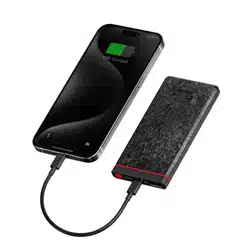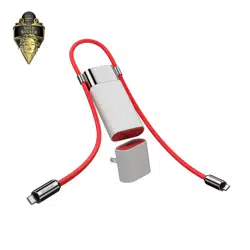
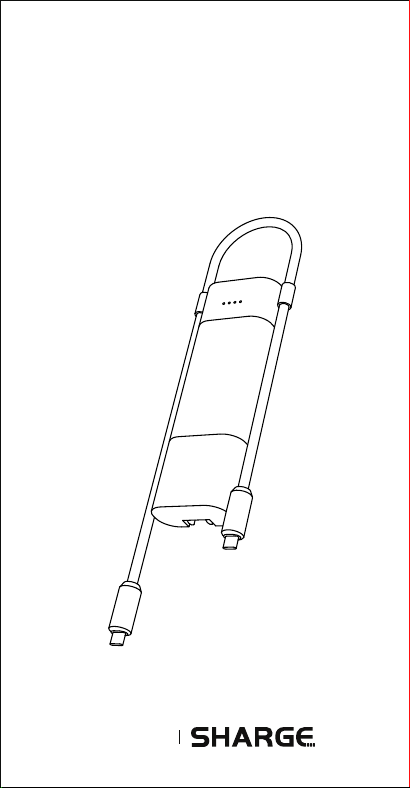
POUCH 3合1
产品使用说明书
OnePlus
Power of Community
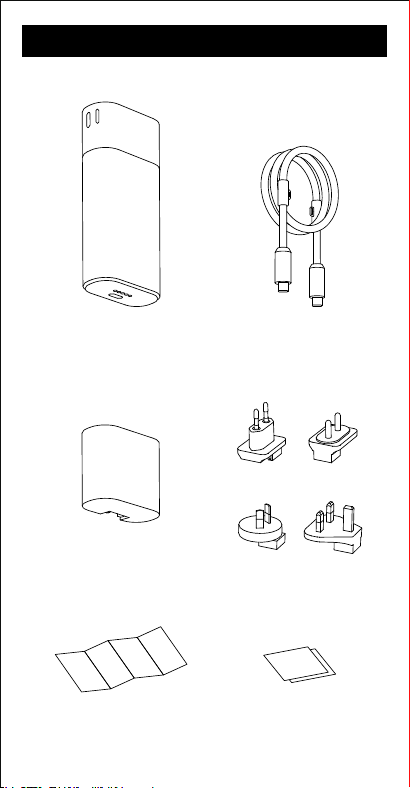
包装清单
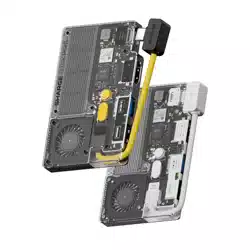
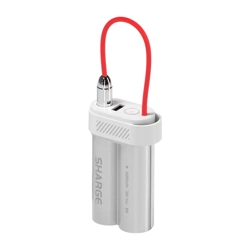
闪极 POUCH 移动电源
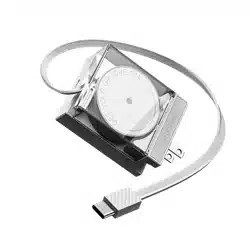
闪极 POUCH 线
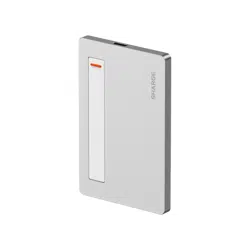
闪极 POUCH 充电器
欧规 印规
澳规 英规
产品使用说明书
充电器使用说明书
移动电源使用说明书
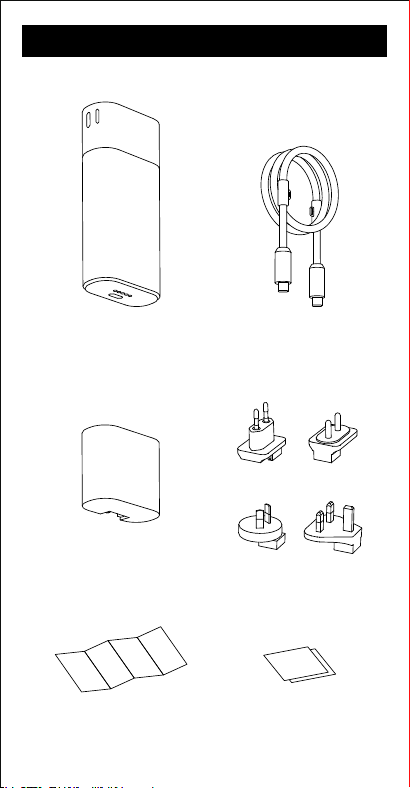
包装清单
闪极 POUCH 移动电源
闪极 POUCH 线
闪极 POUCH 充电器
欧规 印规
澳规 英规
产品使用说明书
充电器使用说明书
移动电源使用说明书

使用说明
1.开机:
●
本产品设有自动检测识别功能,当识别到设备接入时即开机工作。
2.关机:
●
开机状态下,若30秒无设备接入,则自动关机。
●
开机状态下,双击开关键,即可关机。
3.剩余电量查询:
●
轻按“开关键”,电量指示灯将显示剩余电量,显示约30秒后会自动
熄灭。
4.产品充电:
●
本产品的USB-C1接口和USB-C2接口使用充电器连接,均可实现
对本产品充电。
●
支持快充功能,可使用主流快充充电器给产品快速充电。
●
为保证本产品的正常使用,请使用符合本产品输入规格的充电器。
5.产品放电:
●
给您的设备充电:
用充电线将产品与您的设备连接,即可对设备进行充电。
●
支持设备快速充电:
本产品的USB-C1接口和USB-C2接口单独或双口使用时均支持快
充功能。
只有设备与本产品支持的快充协议相兼容时,设备才会进入快充
模式,否则仅支持普通5V充电。
●
放电显示:
放电过程中随着电量的减少,4颗指示灯将逐一熄灭。当最后一颗
指示灯开始闪烁时,代表剩余电量低于10%,请及时给产品充电。
6. 边充边放:
●
本产品USB-C1接口或USB-C2接口使用充电器连接充电时,同时另
一个接口可对设备进行充电。为确保安全,产品将关闭快充功能,
仅支持5V充电。
7.小电流模式:
●
开启后长按按键3秒后,启动小电流模式,四颗灯依次跑马,依次循
环。
●
长按按键了3秒后,退出小电流模式。
●
待机2小时后将自动退出小电流模式。
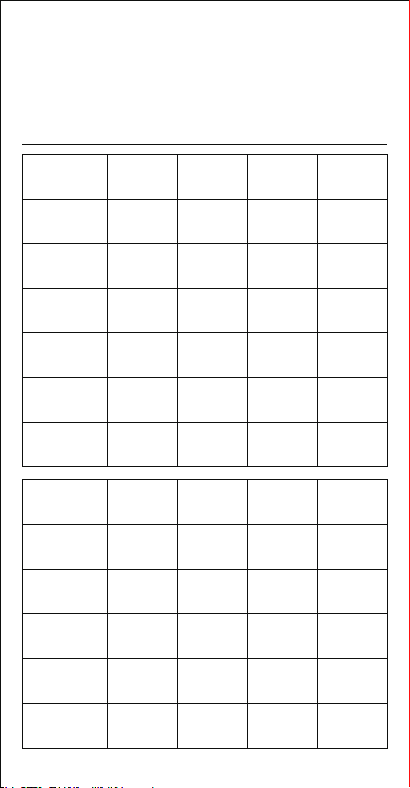
电量显示逻辑参考
充电量
0-25%
25-50%
50-75%
75-99%
充电完成
充电异常
闪烁
闪烁
闪烁
闪烁闪烁闪烁 闪烁
闪烁
亮
亮
亮
亮 亮 亮 亮
亮
亮 亮
灭 灭
灭 灭
灭
灭
LED 1 LED 2 LED 3 LED 4
放电量
0-25%
25-50%
50-75%
75-100%
欠压 灭
灭
灭
灭
亮
亮
亮
亮 亮 亮 亮
亮
亮 亮
灭 灭
灭 灭
灭
灭
LED 1 LED 2 LED 3 LED 4
※ 正常状态下,当输出电流低于60mA左右时,会关闭设备,不利于给
您的手表、耳机等小电流智能设备充电,启动小电流模式后,可以继续
给您的手表、耳机等小电流智能设备充电,长按3秒或断开负载2小时
后关闭小电流模式。
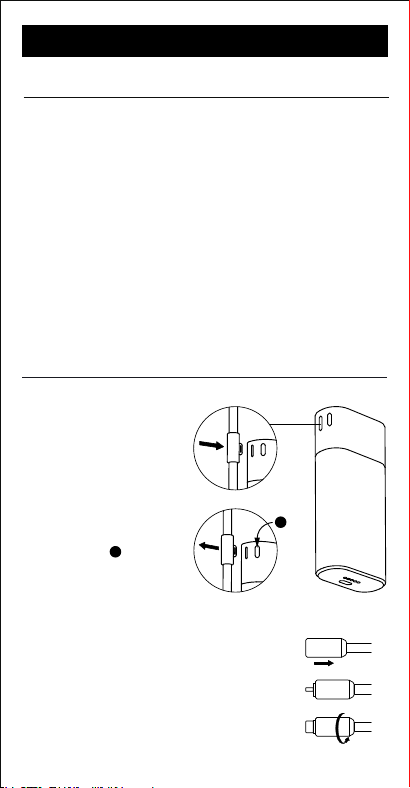
Pouch 线的使用说明
将卡扣对准孔位,轻轻按压。
2. 解锁数据线
1. 固定数据线
3. 固定数据线保护壳
a. 将充电线保护壳向后推。
b. 露出接口后。
c. 线头向下旋转90°,即可固定保护壳。
a
b
c
产品名称: 3合1快充线
产品型号: P065C
产品材质: 硅胶
产品长度: 0.7m
线材直径: 6.0mm
最大耐电流: 5A
企业执行标准: Q/SHARGE-2022
产品信息
闪极 POUCH 快充线
按压侧面按键 ,
然后轻移数据线,即可解锁。
a
a
官方微信
官方抖音
官方网站:www.sharge.com
联系方式:400-075-5501
制 造 商:闪极科技(深圳)有限公司
地 址:深圳市龙华区龙华街道 油松社区恒丰小区3号楼新中
泰工业园3楼305室
该符号表示该产品不得作为生活垃圾处理,
它应该被移交给适用的电气和电子设备回收站。
Made in China 中国制造
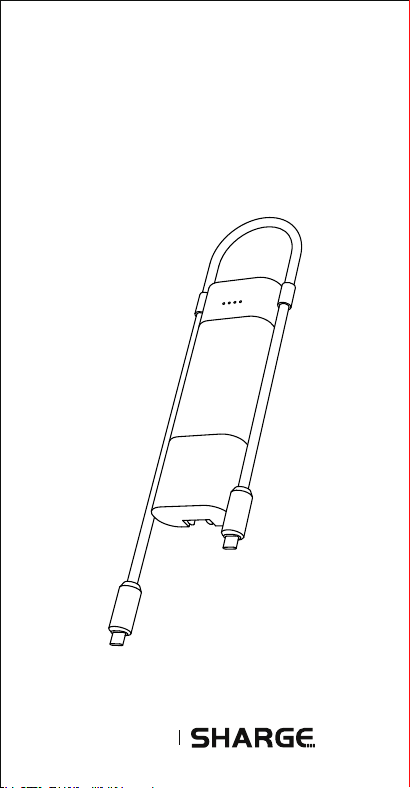
USER MANUAL
SHARGE POUCH
OnePlus
Power of Community
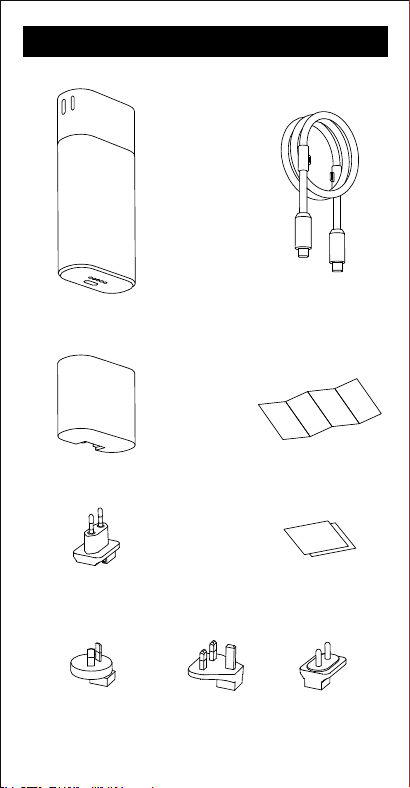
PACKAGING LIST
Charger
Power Bank
European Standard
Adapter Plug
British Standard
Adapter Plug
Indian Standard
Adapter Plug
Australian Standard
Adapter Plug
Cable
Charger User Manual
Power Bank User Manual
User Manual

Product Name: Pouch Charger
Product Model: P065B
Po Type: USB-C, Pogo pin
Input: 100 - 240V ~ 50/60Hz 2.0A Max
Output:
USB-C: 5V⎓3A, 9V⎓3A, 12V⎓3A, 15V⎓2.67A, 20V⎓2A
SuperVOOC: 11V⎓3A, 11V⎓5A
Pogo pin: 9V⎓2A
Dimensions: 47 × 26 × 51mm
Weight: ≈84g
Product Information
Product Information
Product Name: Pouch Power Bank
Product Model: P065A
Baery Capacity: 10000mAh/3.6Vdc/36Wh
Po Type: USB-C × 2, Pogo pin
Input:
USB-C1/USB-C2: 5V⎓3A, 9V⎓3A, 12V⎓3A, 15V⎓2.67A,
20V⎓2A, SuperVOOC: 11V⎓3A
Pogo pin: 9V⎓2A (18W Max)
Output:
USB-C1/USB-C2: 5V⎓3A, 9V⎓3A, 12V⎓3A, 15V⎓2.67A,
20V⎓2A, SuperVOOC: 11V⎓3A, 11V⎓5A
USB-C1+USB-C2: 20W+20W
Rated Capacity: 5800mAh(5V⎓3A)
Conversion Rate: ≥70%
Dimensions: 115 × 26 × 51mm
Weight: ≈240g
SHARGE POUCH CHARGER
SHARGE POUCH POWER BANK

Button Functionality
1. Power On:
● This product features automatic detection and recognition
capabilities. It will power on automatically upon detecting a
connected device.
2. Power O:
● If no device is connected for 30 seconds while the device is
powered on, it will automatically power o.
● To manually power o the device when it's on, simply
double-click the power buon.
3. Baery Level Check:
● Lightly press the power buon to check the remaining
baery level. The baery indicator lights will display this
information for 30 seconds before turning o automatically.
4. Recharging:
● The USB-C1 and USB-C2 pos both suppo recharging via
a charger.
● Fast charging is suppoed, allowing you to use mainstream
chargers for quick recharging.
● Ensure the charger complies with the product's input
specications for safe use.
5. Device Charging:
● Connect the product to your device using a charging cable
to initiate charging.
● Fast charging is available when using either the USB-C1
or USB-C2 pos independently or simultaneously.
● Baery Status:
During discharging, the indicator lights gradually turn o
as the baery level decreases. When the last indicator
light stas ashing, it indicates a baery level below
10%. Please recharge the product promptly.
6. Pass-through Charging:
● When charging the power bank through the USB-C1 or
USB-C2 po, the other po can simultaneously charge a
device. For safety reasons, the product will disable fast
charging and only suppo 5V charging in this scenario.
7. Low Current Mode:
● Press and hold the buon for 3 seconds to activate low
current mode. The four indicator lights will sequence
continuously.
● To exit the low current mode, press and hold the buon
for 3 seconds again.
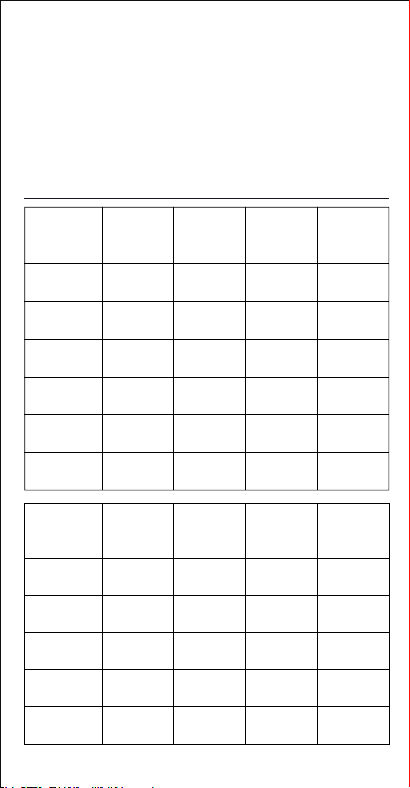
Baery Level Display for Reference
Discharging
capacity
Low voltage Light o
Light on
Light on
Light on
Light on
Light o
Light o
Light on
Light on
Light on
Light o
Light o
Light o
Light on
Light on
Light o
Light o
Light o
Light o
Light on
0-25%
25-50%
50-75%
75-100%
LED 1 LED 2 LED 3 LED 4
Charging
capacity
0-25%
Flashing
Flashing
Light on
Light on
Light on
Light on
Light o
Flashing
Flashing
Light on
Light on
Light on
Light o
Flashing
Light o
Flashing
Light on
Light on
Light o
Flashing
Light o
Light o
Flashing
Light on
25-50%
50-75%
75-99%
Charging
complete
Abnormal
charging
LED 1 LED 2 LED 3 LED 4
● Low current mode automatically deactivates aer 2 hours of
standby.
※ Under normal conditions, if the output current is around 60mA
or lower, the device will shut o. This may hinder charging small
current sma devices like watches and earbuds. Activating low
current mode allows continued charging of such devices.
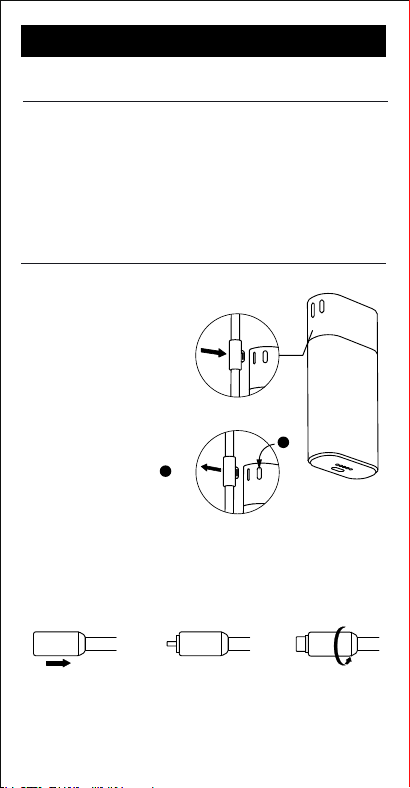
Instructions for Use
a
1. Fixing the Cable.
2. Unlocking the Cable.
Align the buckle with the
hole and gently press.
Press the side buon
,
Then gently move the
cable to unlock.
3. Fixing the Cable Protective Cap.
SHARGE POUCH CABLE
Product Information
Product Name:
Pouch Cable
Product Model: P065C
Material: Silicone
Cable Diameter: 6.0mm
Length: 0.7m
Maximum Current: 5A
a b c
a.
Push the cable protective cap backward.
b.
Aer exposing the po.
c
. Rotate the cable downward by 90° to x the cap.
a
E-mail: [email protected]
Ocial Website: www.sharge.com
Manufacturer: Sharge Technology (Shenzhen) Co., Ltd.
Address: Room 305, 3rd Floor, Xinzhongtai Industrial Park,
Building 3, Hengfeng Community, Longhua Street,
Longhua District, Shenzhen, Guangdong, China
This symbol indicates that this product shall not be treated as household waste.
Instead
it shall be handed over to the applicable collection point for the recycling of electrical and
electronic equipment.
Made in China
Join our Discord Follow us on Instagram
@SHARGE_OFFICIALSHARGE