The Adopted Trademarks HDMI,HDMI High-Definition Multimedia Interface,
and the HDMI Logo are trademarks or registered trademarks of HDMI
Licensing Administrator,Inc.in the United States and other countries.
SC-3250GTV
Connections
DCD
Initial Setup
GooglePlay
Settings
Tv Source Settings
Home
5
5
9
10
5
16
On Screen Display
1
2
AC receptacle
open
This apparatus should not be used at temperatures exceeding 113 degrees.
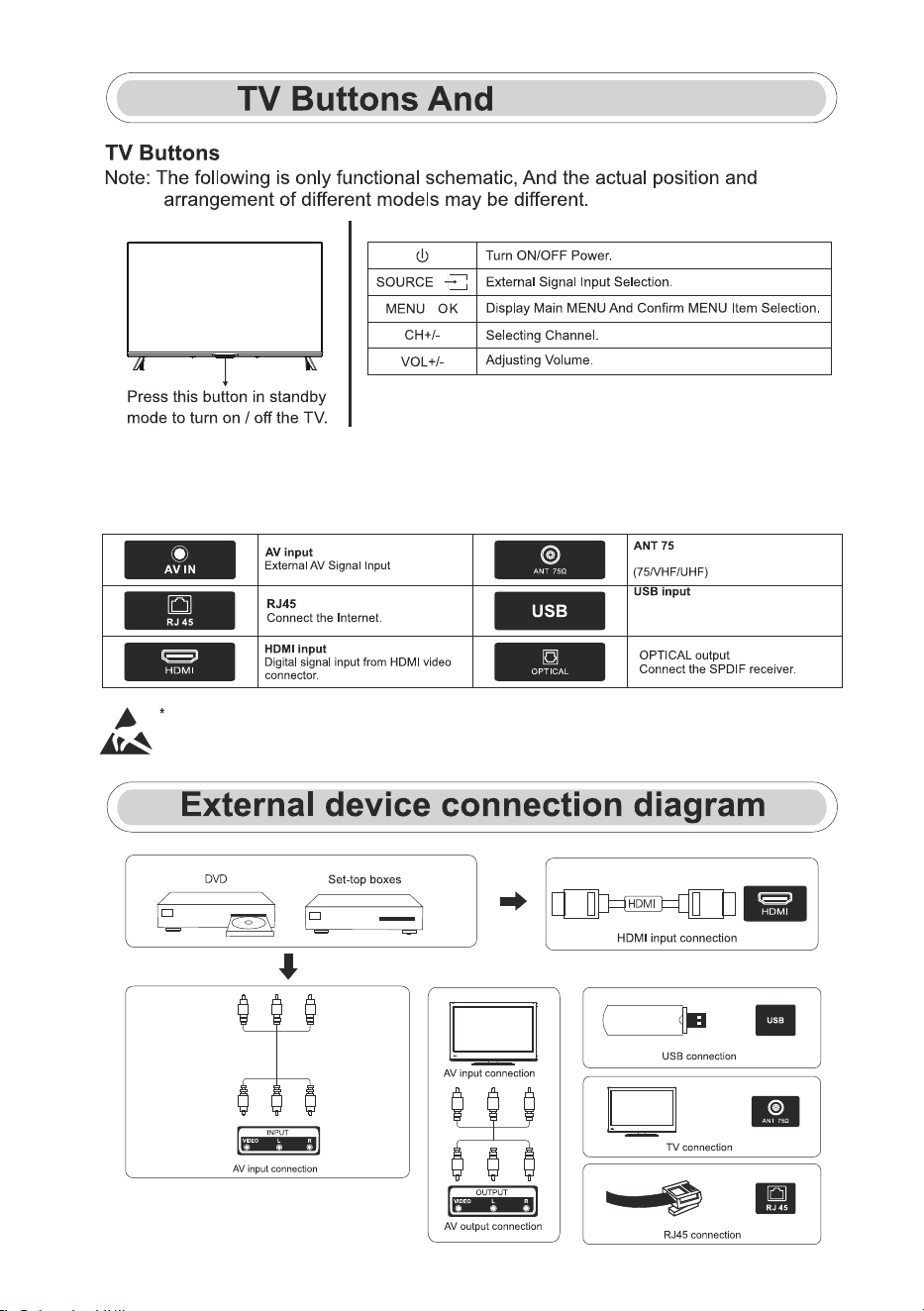
Connections
Note:The following are the various connections available.The position and
arrangement of connections differ by model.
3
Connections
Connect the antenna/cable TV input.
Connect a USB device here to play
its media files or to record programs
via the PVR function.
Please discontinue use of any device using the USB mode before connecting, disconnecting or adjusting
the HDMI or USB terminal ports.
Failure to do so can result in an electrostatic discharge that could cause damage to the TV and/or its operation.
One key: Seven keys:
/
/
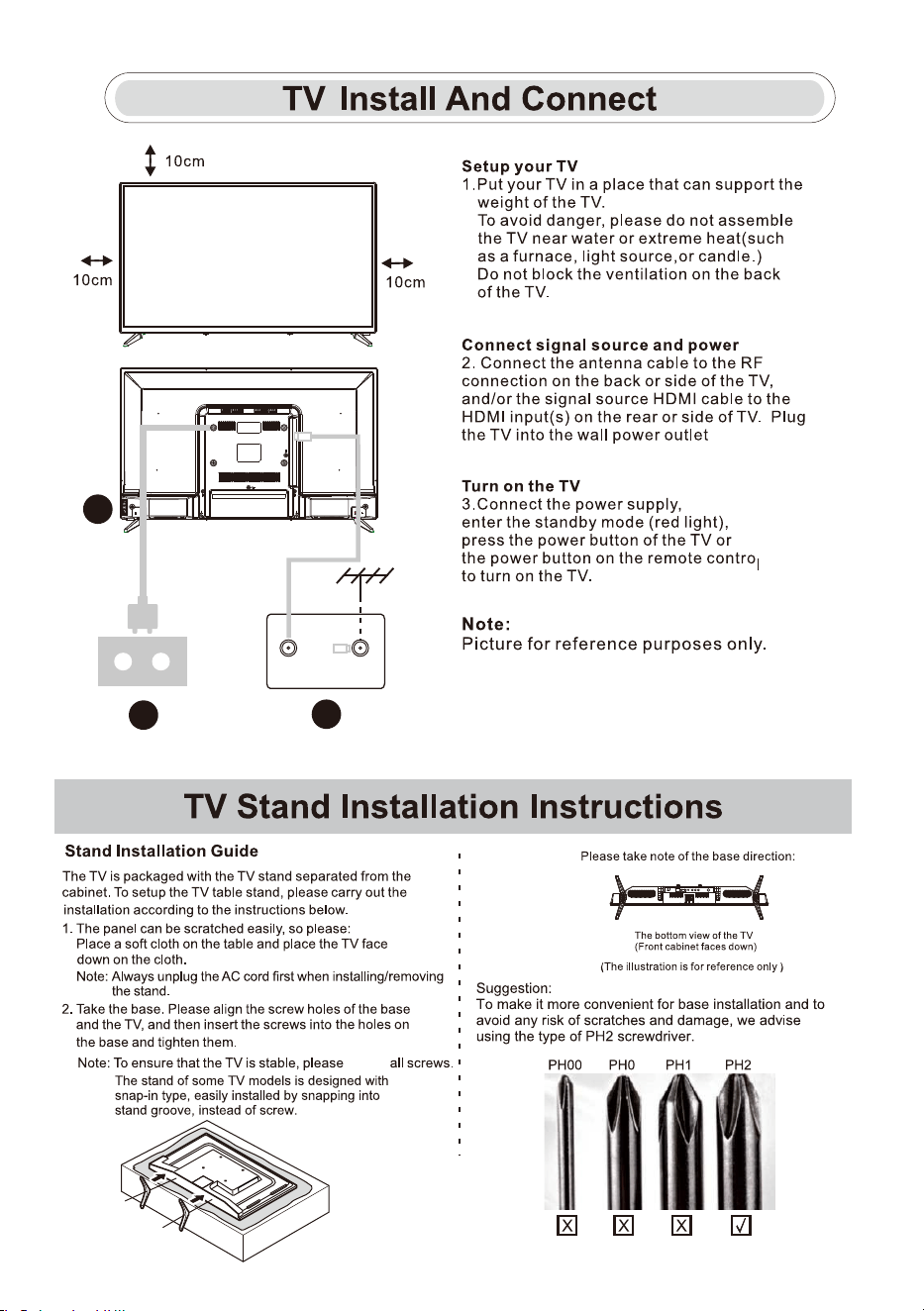
4
tighten
(AC 100-240V~ 50/60Hz).
TV ANT
FM ANT
TV signal output
1
3
2
VESA SIZE: M6*8mm 100*100mm
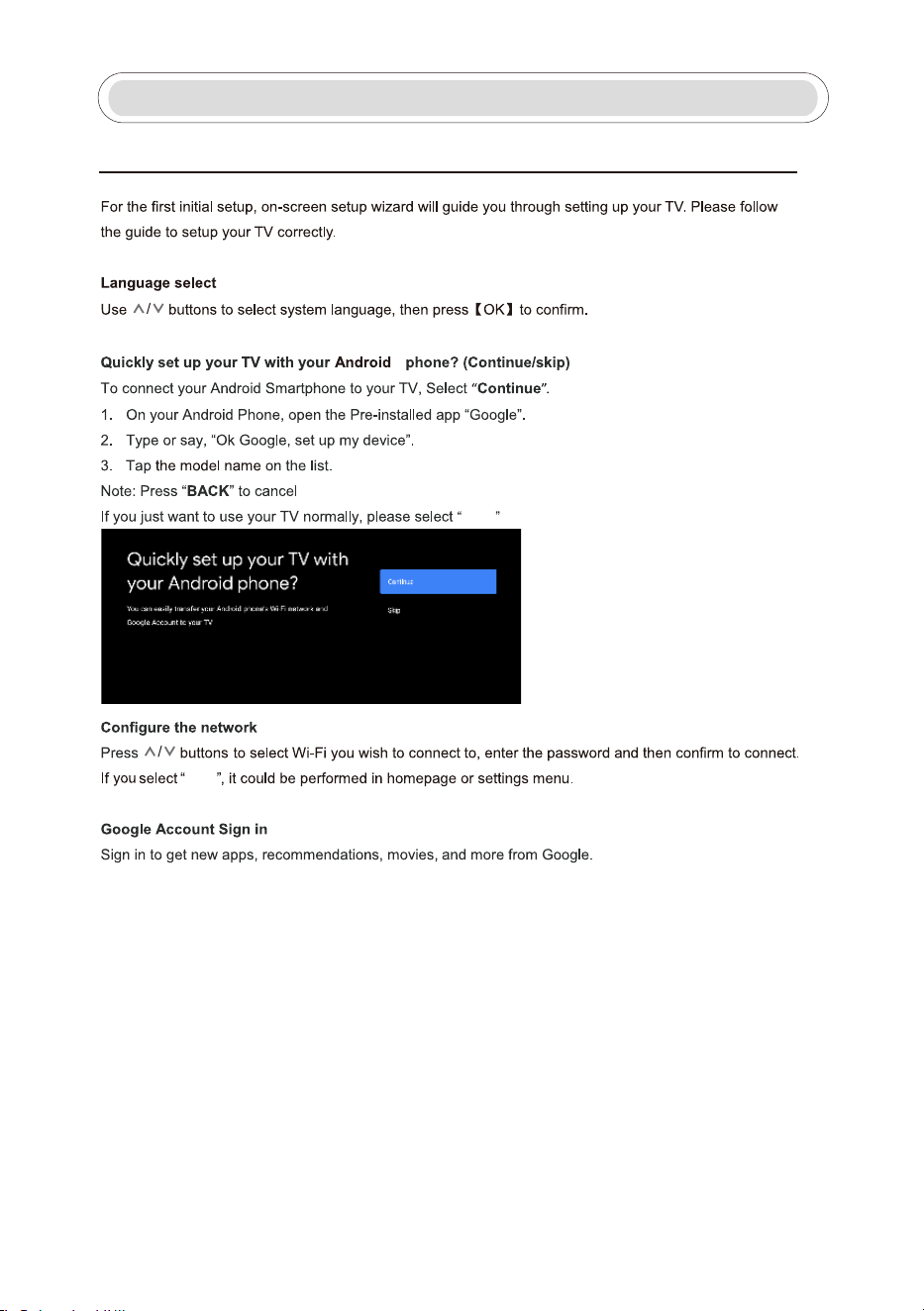
5
Skip
Skip
Initial Setup
Initial Setup
1.
TM
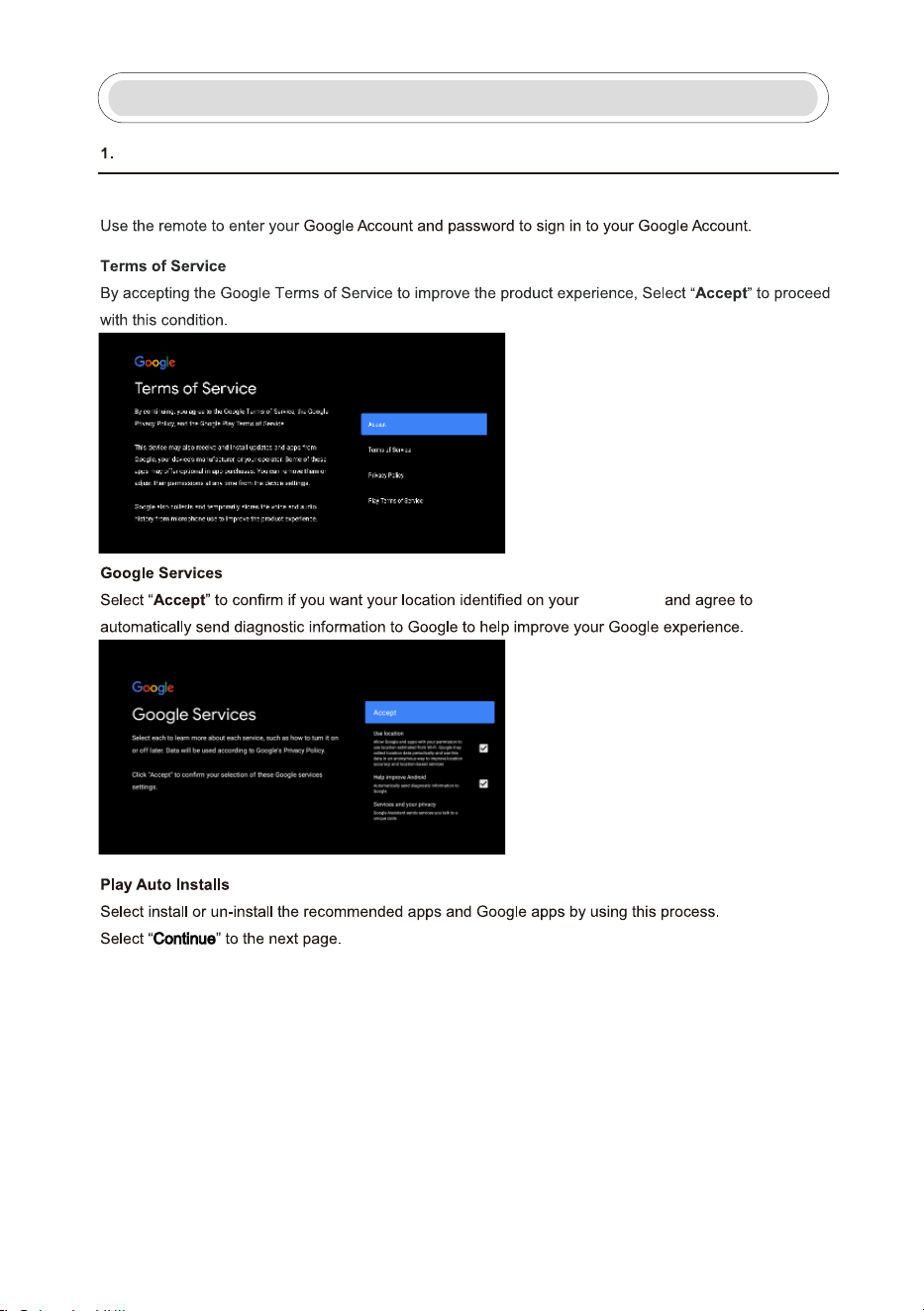
6
Initial Setup
Initial Setup(Cont.)
Use your remote:
Android TV
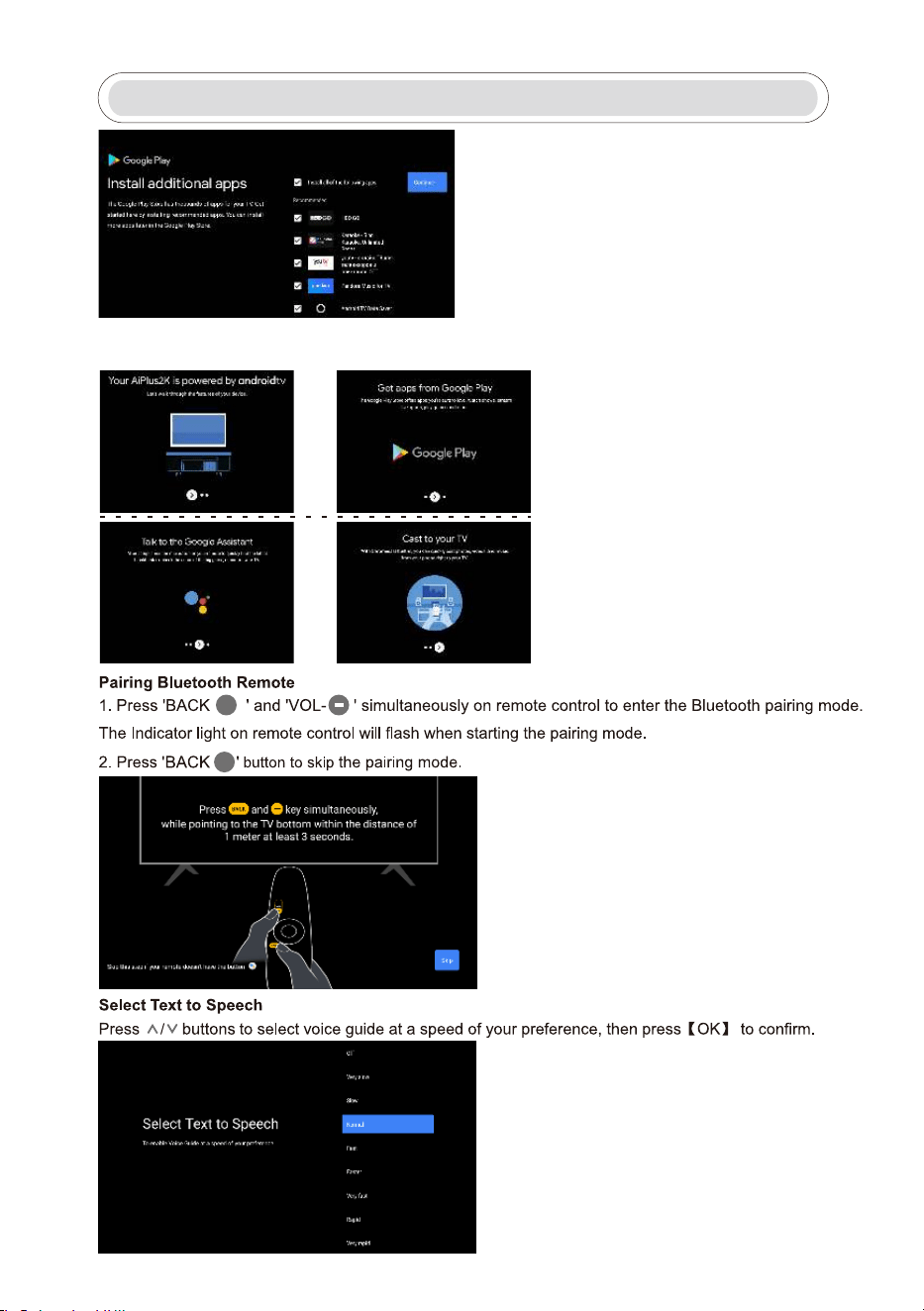
Initial Setup
7
BACK
BACK
Informational screens will not appear, you can scroll through steps by pressing the “RIGHT” navigation
button to continue.
8
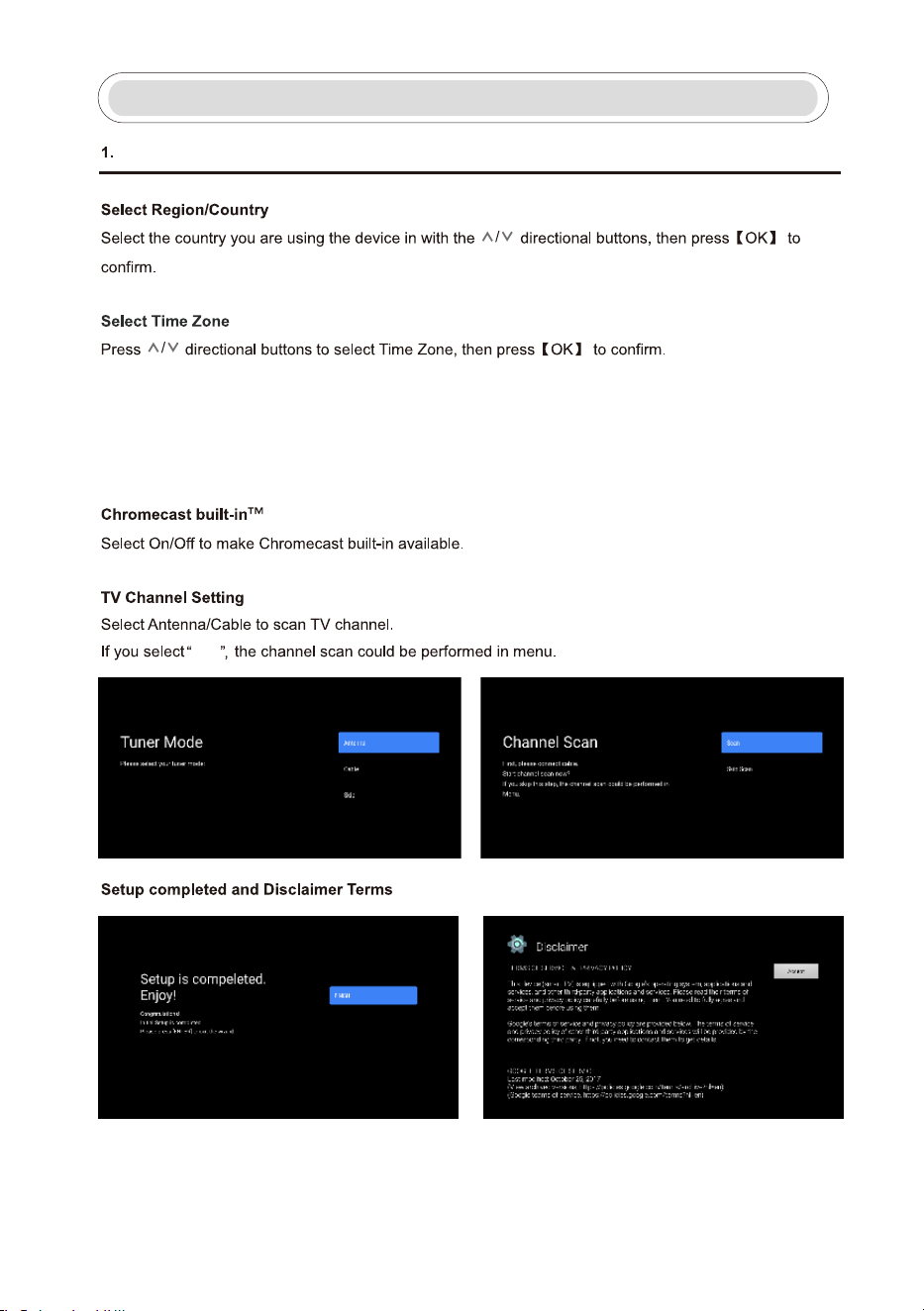
Initial Setup
Skip
Initial Setup(Cont.)
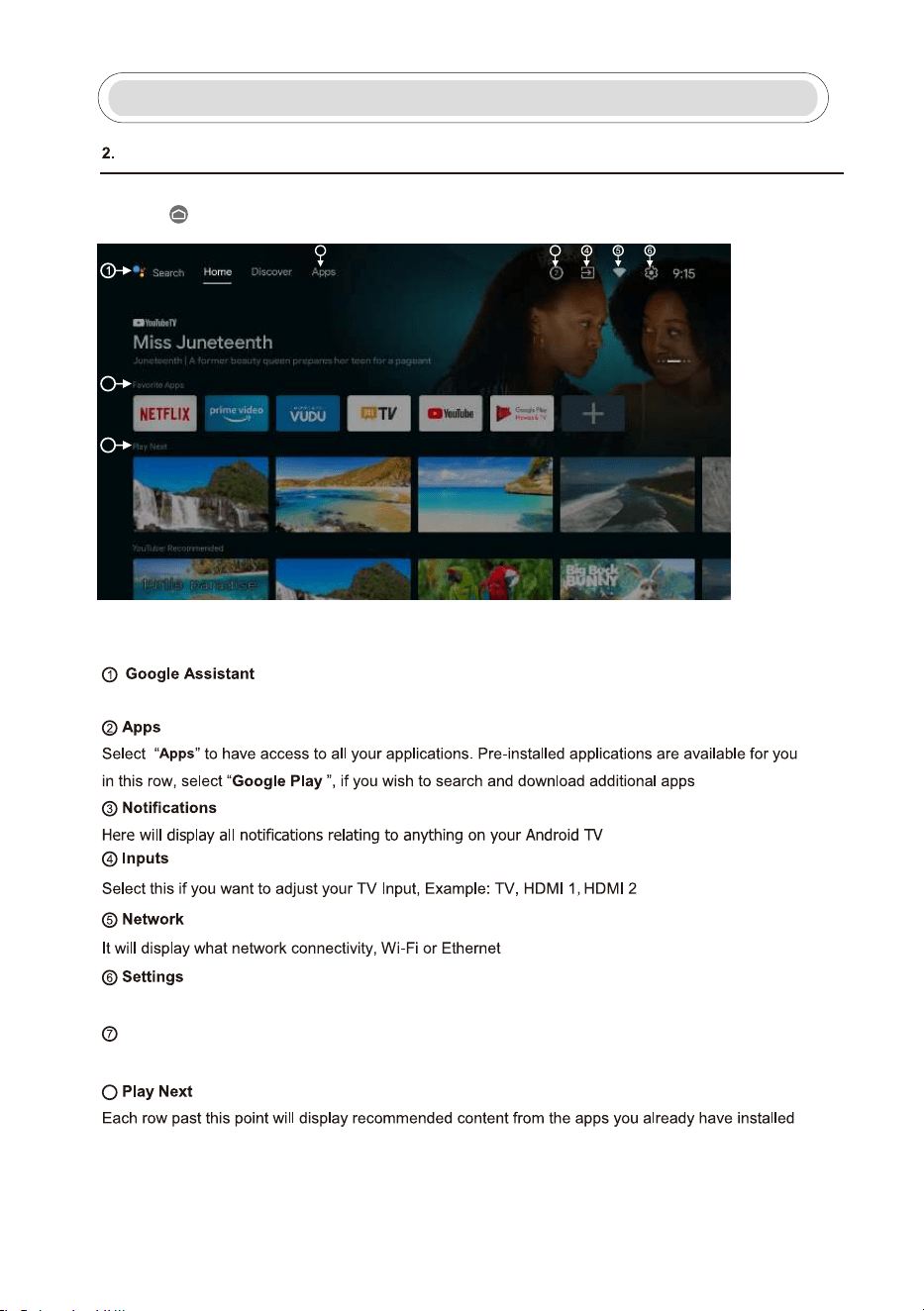
Select TV mode
This unit has been preset to “STORE” brightness, to reduce brightness and energy consumption,
change to “HOME” setting to qualify under ENERGY STAR.
9
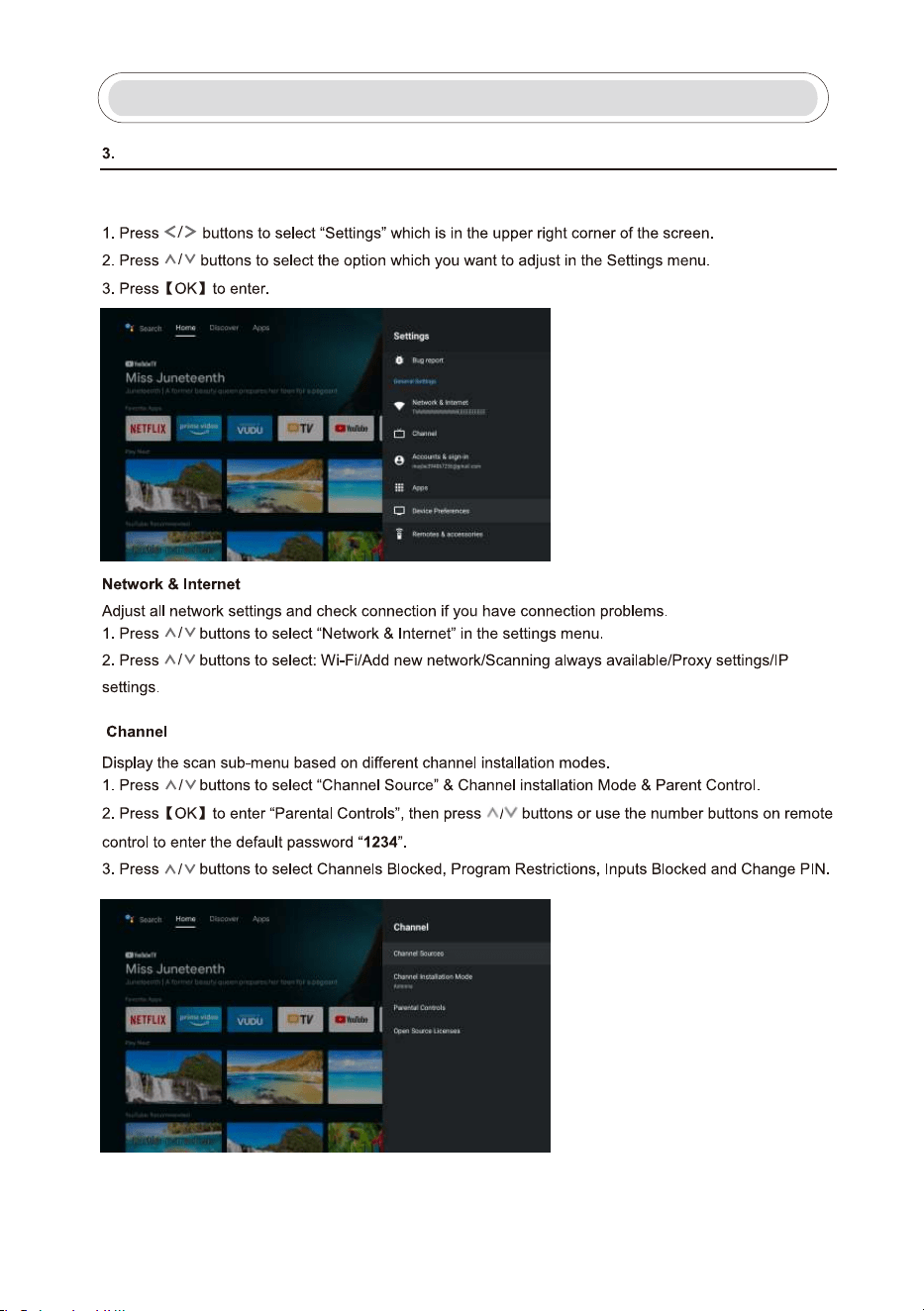
Once you have completed the initial setup, youwill now enter the home screen
or press button to display the homepage.
Home
Home
Use your voice to jump to shows,control devices, and more – just ask Google.
.
.
.
.
8
2
3
7
.
8
Quick access to frequently used apps. You can create your favorite list.
Favorite Apps
Manage apps and TV controls, change preferences, sounds, and your Google account information.
10
Settings
Settings
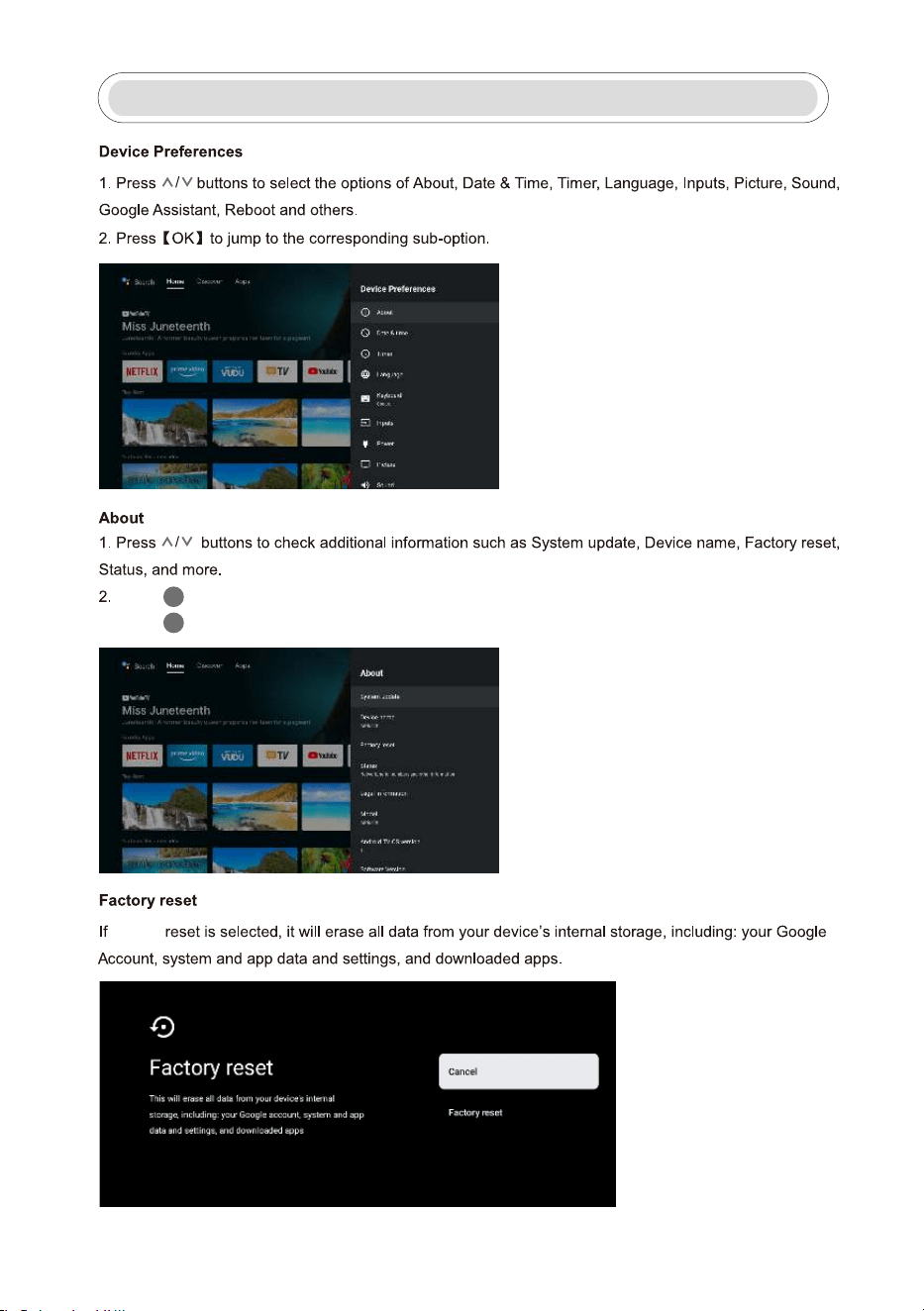
Allows you to set various preferences of your TV
11
EXIT
Pressbuttontoreturntothepreviousmenu.
Pressbutton to exit the menu.
BACK
Settings
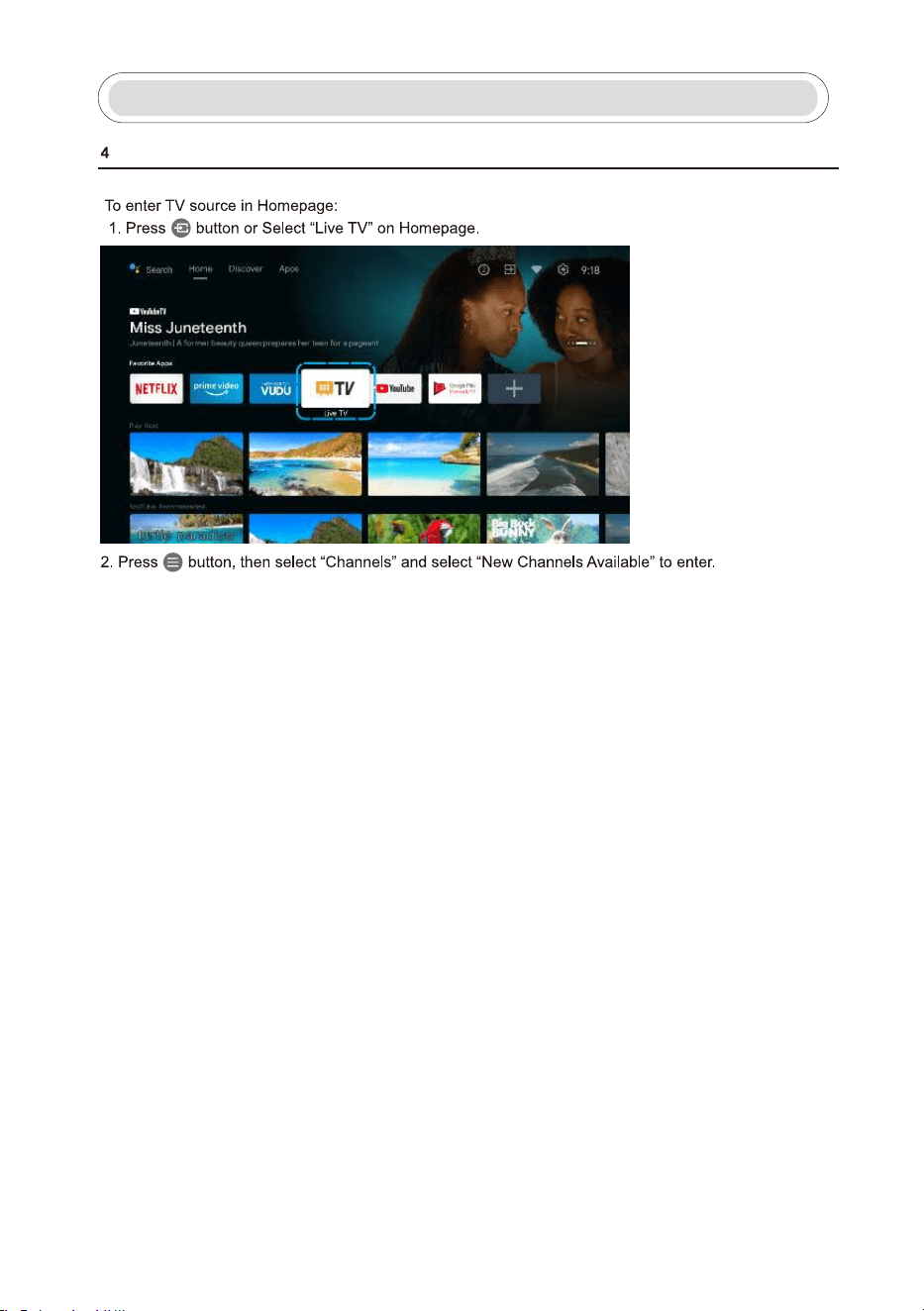
factory
12
Tv Source Settings
Tv Source Settings
GooglePlay
13
GooglePlay
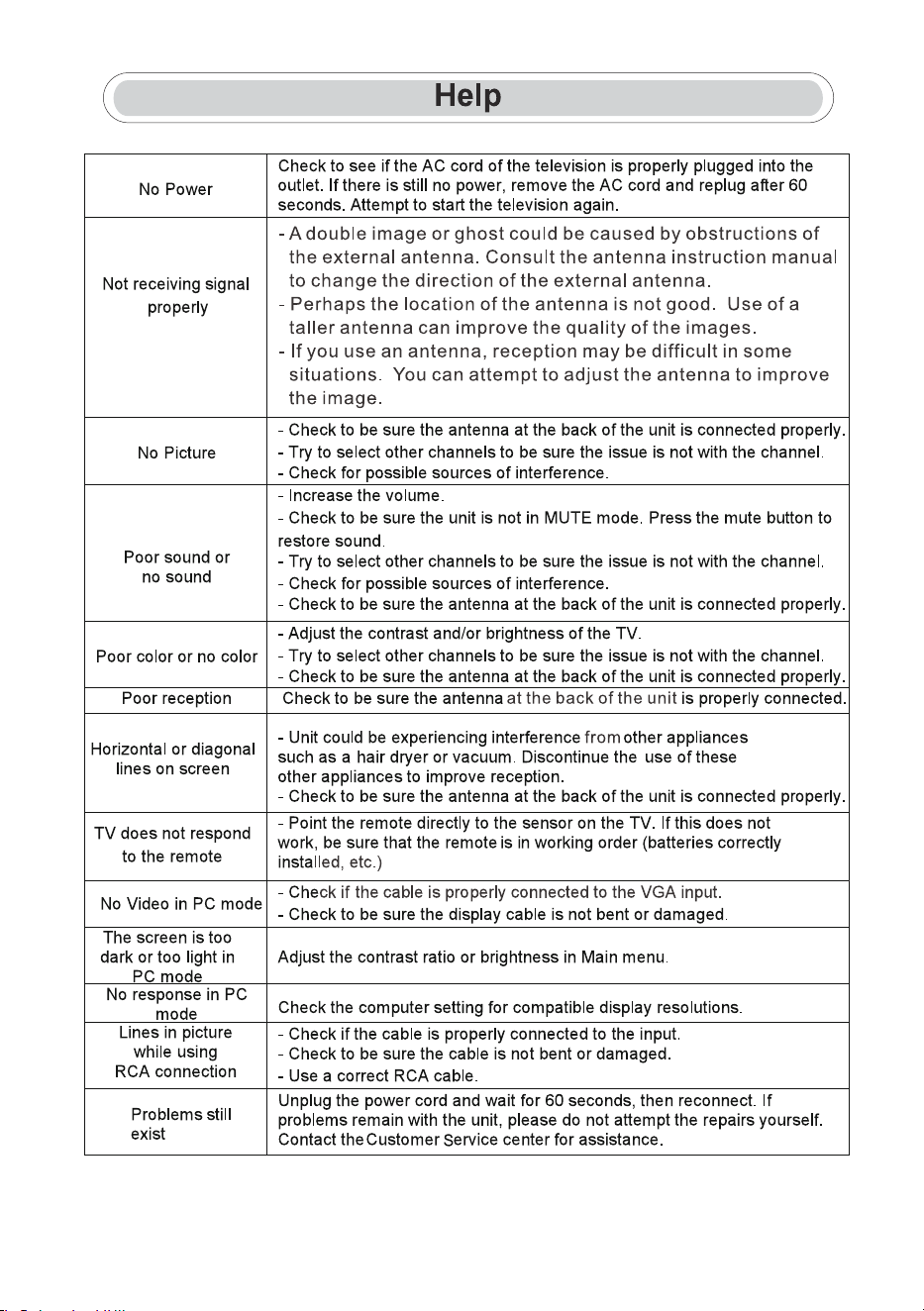
Once you have signed in, the below page will be displayed, scroll through the list
14
15
WARNING
Never place a television set in an unstable location. A television set may fall, causing serious personal injury or death.
Many injuries, particularly to children, can be avoided by taking simple precautions such as:
1.Using cabinets or stands recommended by the manufacturer of the television set.
2.Only use furniture that can safely support the television set.
3.Ensure the television set is not ove
rhanging the edge of the supporting furniture.
4.Do not place the television set on tall furniture (for example, cupboards or bookcases).without ancho
ring both the
furniture and the television set to a suitable support.
5.Do not place the television set on cloth or other materials that may be located between the television set and
supporting furniture,
6.Educate children about the dangers of climbing on furniture to reach the television set or its controls.
If your existing television set is being retained and relocated, the same considerations as above should be ap
plied.
Note:don't hang at an angle to avoid the risk of falling off.
Wall-mounted screw:22-24inch M4, 28-70inch M6, 75inch M8
Google Assistant is not available in certain languages and countries. Availability of services
varies by country and language.
Google, Google Play, YouTube,Android TV and Chromecast built-in are trademarks of Google LLC.
LIFE TIME
: 60,000 Hrs
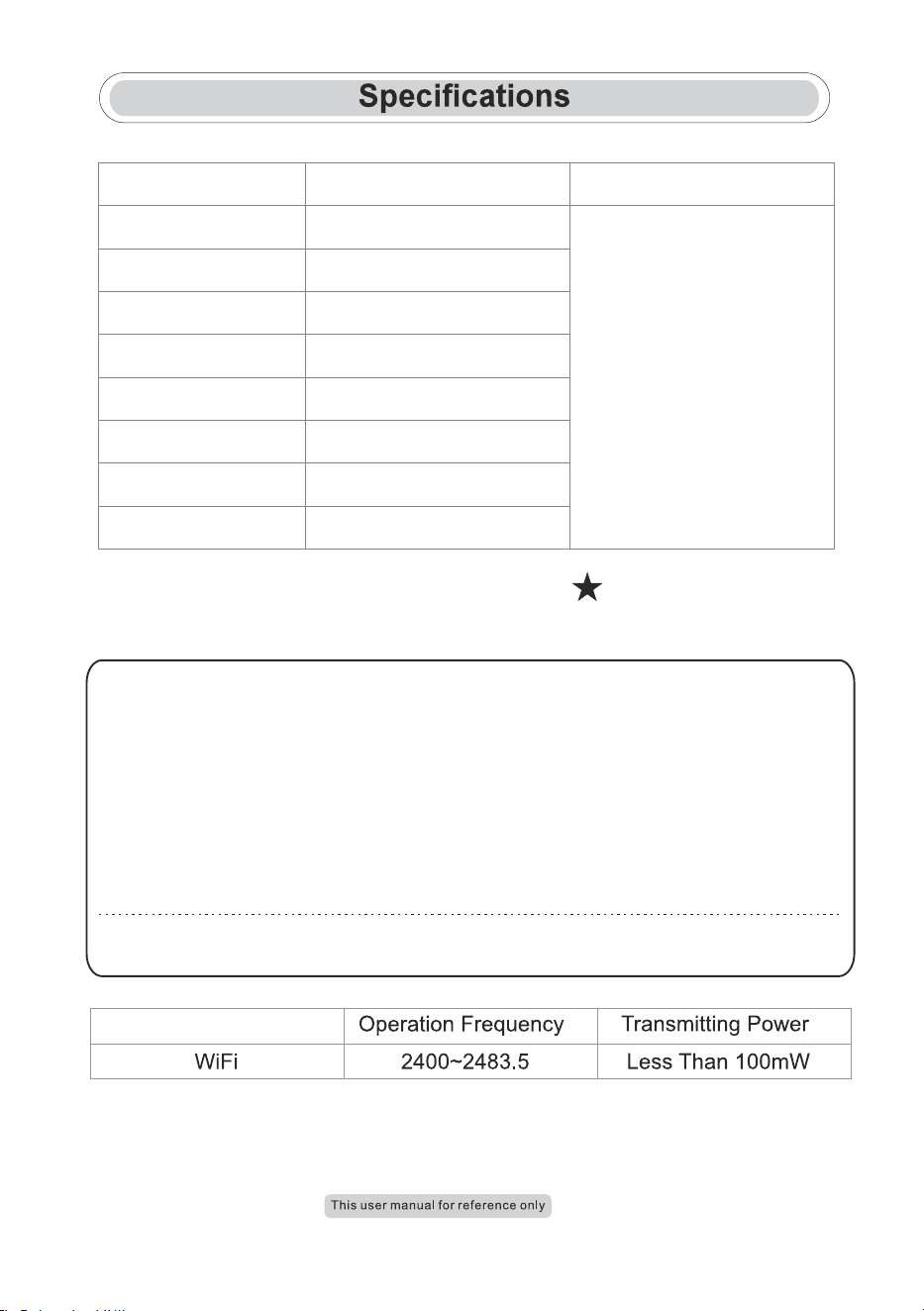
power Consumption
30W/36W
40W/56W
60W/70W/90W
Screen Size
24”
32”
39 /40””
Main accessories
User's manual x1
Remote controller x1
Power cord x1
AAA Batteries x2 (Optional)
65W/70W/90W
70W/80W/90W
100W/108W/120W
118W/135W
42”
43”
50”
55”
160W/165W/190W
65”
16
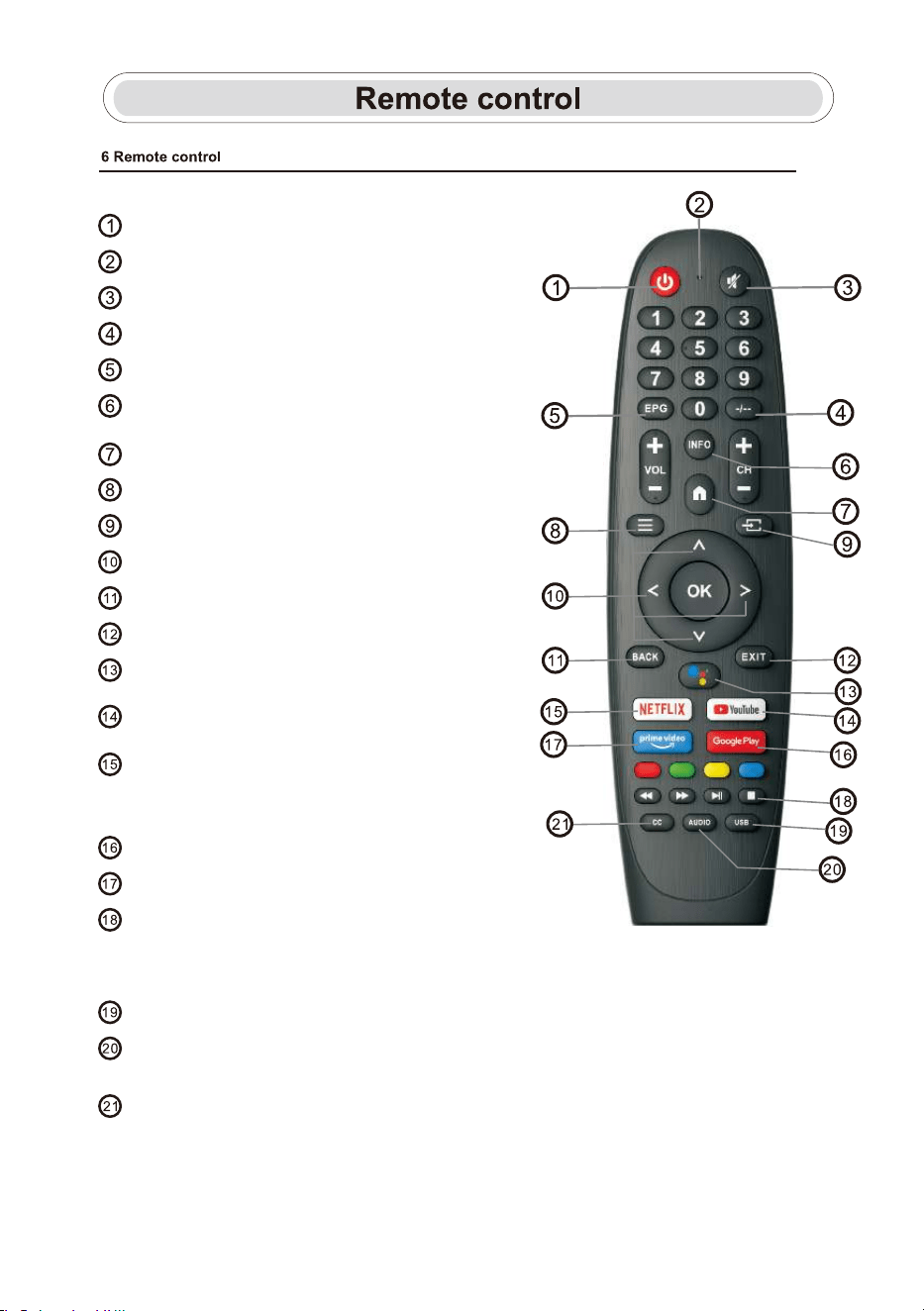
Switches the TV between on and standby mode.
Indicator light.
Mute orrestoreyourTVsound.
Enter “-”forSub-channelsymbol.(Ex:11-1)
Displays the EPG Electronic Program Guide.
INFO:Displays the present channel information
such as the current time and channel name.
Menu:Displays the OSD (On Screen Display) menu.
Inputs:Display/Select signal source options.
Navigation buttons:Cursor UP/LEFT/RIGHT/DOWN.
Back:Press tomovebackthroughmenus.
Exit:Exit the OSD menu.
YouTube:
Connects to YouTube.(internet connection required)
NETFLIX:
Connects to NETFLIX for viewing online TV shows
and films. (internet and NETFLIX account required)
Google Play:Connects to Google Play.
Prime video:Connects to Prime Video.
(internet and Prime Video account required)
Media control
Fast forward/back
Play the last/next program
Play/Pause/Stopprogram
USB:Open Multi Media Player.
Audio:DisplaystheAudioLanguagelistandselectanaudiolanguageor
audioformatifavailable.(onlyapplicablewhentheTVprogramhasthisfeature)
CC:Closed Caption.
Google Assistant:
Talk to Google to control your TV using your voice.
HOME:Displaysthehomescreen.
