
User Guide
OPENSWIM
S700
Contents
HOW IT WORKS
03
04
05
07
08
09
10
How to Wear
Volume
Music Function
Check Battery Status
Headphone Controls
ON/OFF
Transferring Content
01
Changing Languages
EQ Modes
Changing Folder
EXTRA FEATURES
12
13
14
15
Switching EQ modes
CONTENTS
Warranty
REGULATORY AND LEGAL INFORMATION
23
CARE AND MAINTENANCE
Charging Tips
Troubleshooting
17
18
20
21
Storage and Maintenance
22
What’s in the Box

02
How It Works
03
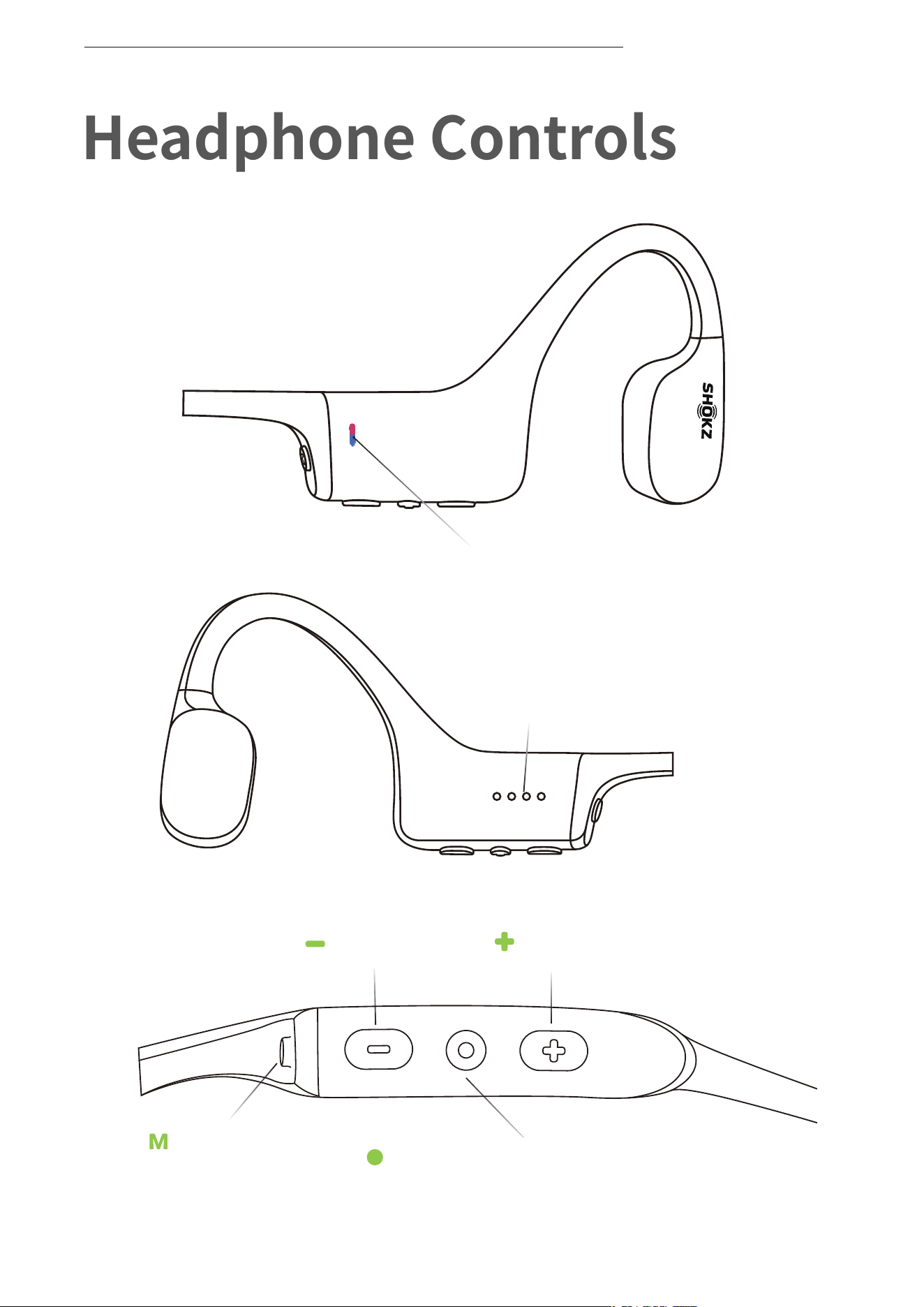
Headphone Controls
HEADPHONE CONTROLS
Volume -
Mode Button
Volume+
Multifunction/Power Button
Terminals
LED Indicator
04
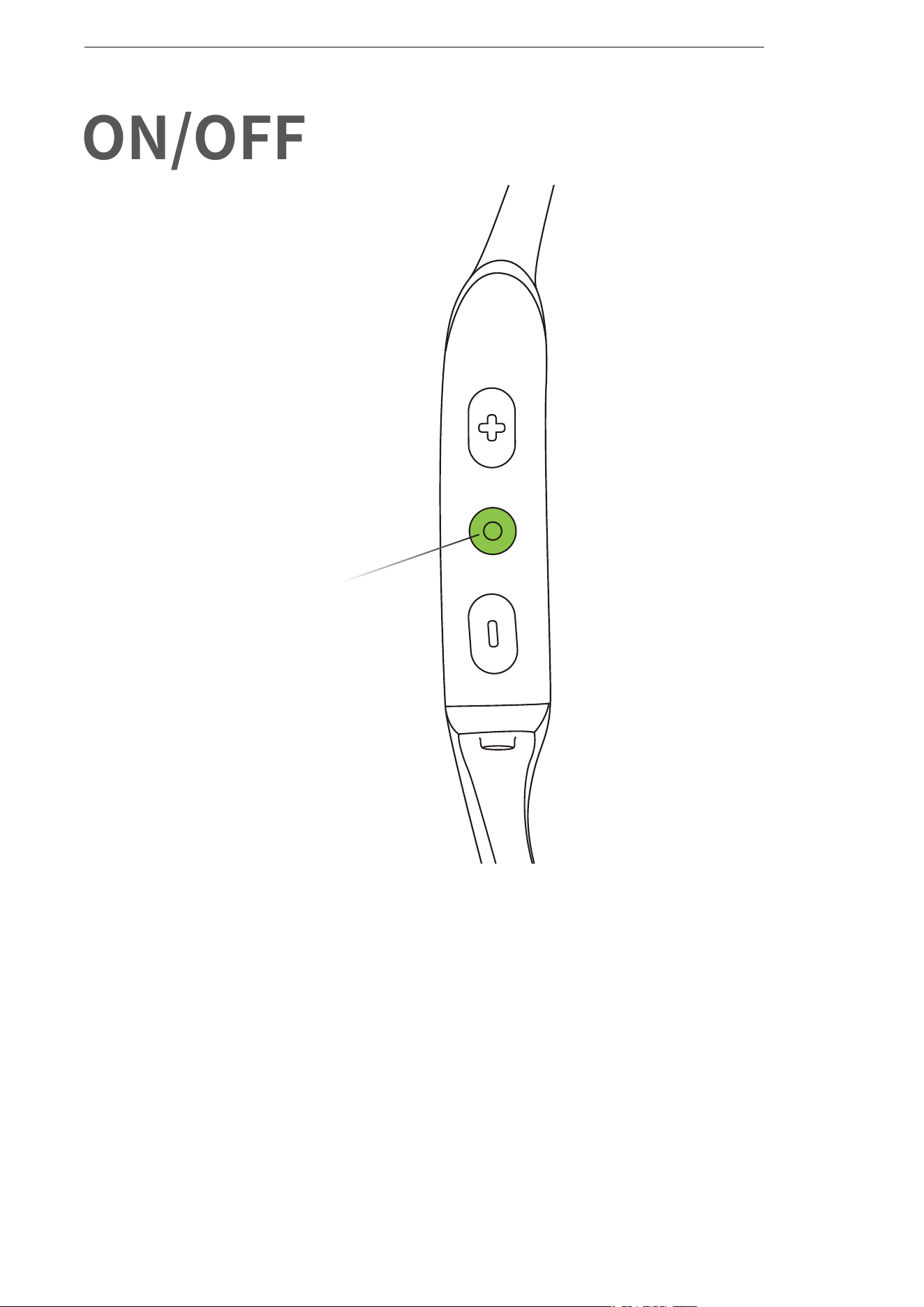
ON/OFF
Turn on the headphones:
Press and hold the Multifunction/Power Button until the LED
Indicator flashes blue.
*Audrey will say:“Welcome to Shokz”
Turn off the headphones:
Press and hold the Multifunction/Power Button until the LED
Indicator flashes red.
*Audrey will say:“Power off”
ON/OFF
Multifunction/Power Button
05
Transferring Content
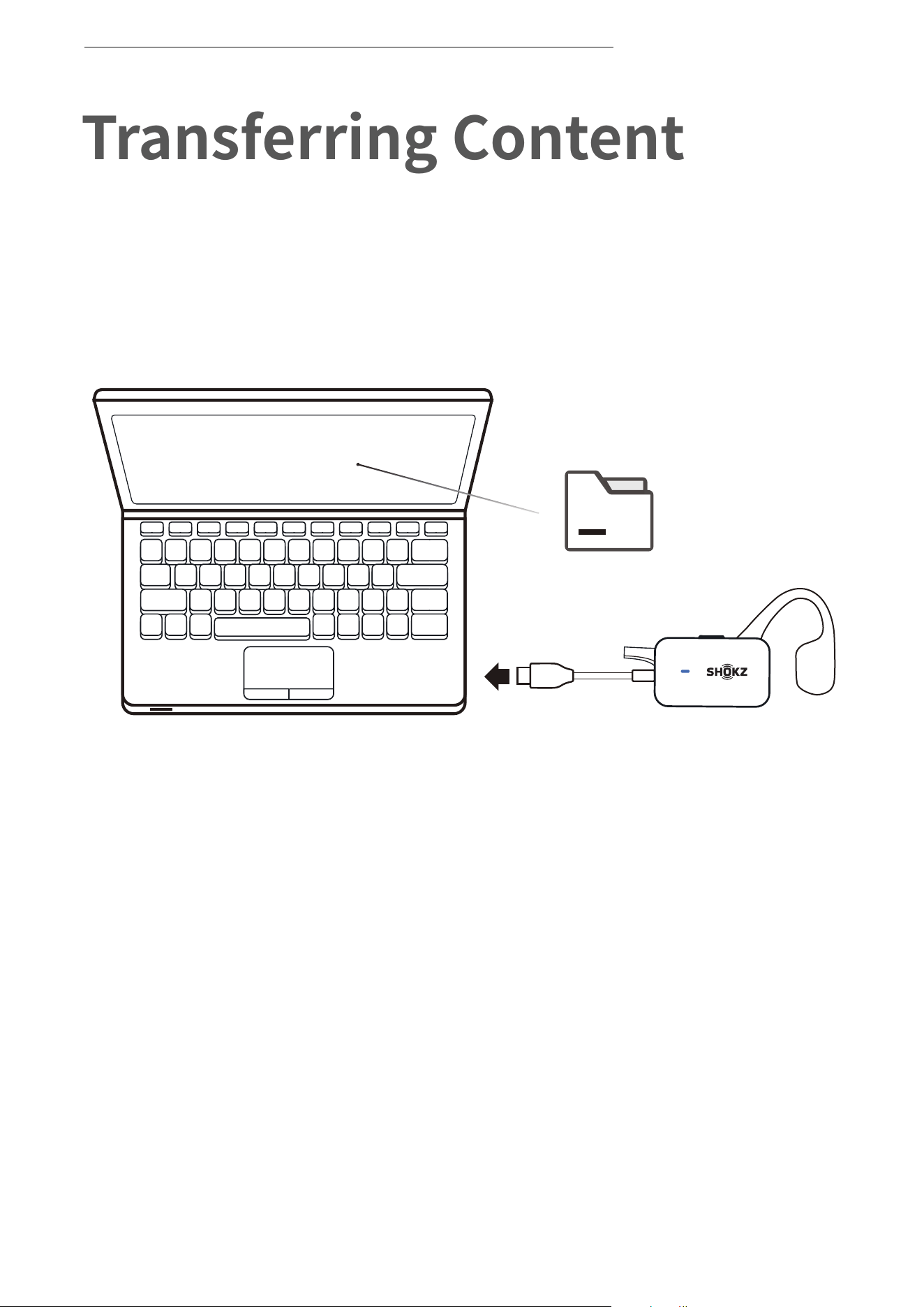
TRANSFERRING CONTENT
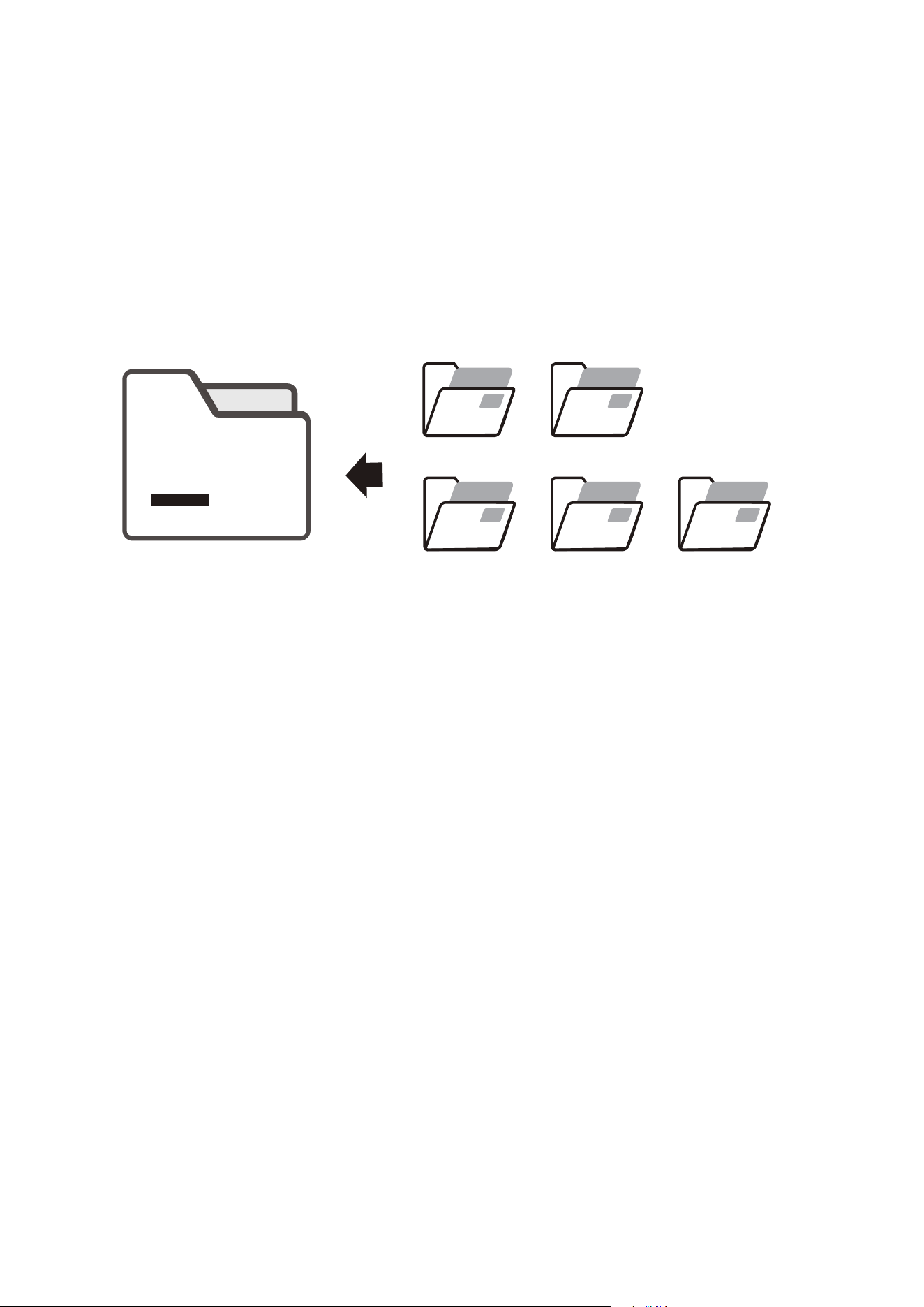
1. Connect OpenSwim to your computer.
2. OpenSwim will become a hard drive named “OpenSwim”.
Open “OpenSwim” on your computer.
OpenSwim
File
06
OpenSwim
File
WMA
FLAC AAC
MP3
WAV
3.Drag-and-drop audio files or folders into the “OpenSwim”
hard drive.
4.You may disconnect the USB Charging Cradle once file transfer
is complete. The LED indicator will flash red and blue while
OpenSwim organizes the files. The OpenSwim buttons are not
functional temporally.
* OpenSwim supports MP3, WAV, WMA, FLAC, AAC formats.
(OpenSwim only supports WAV file in Linear PCM format.)
TRANSFERRING CONTENT
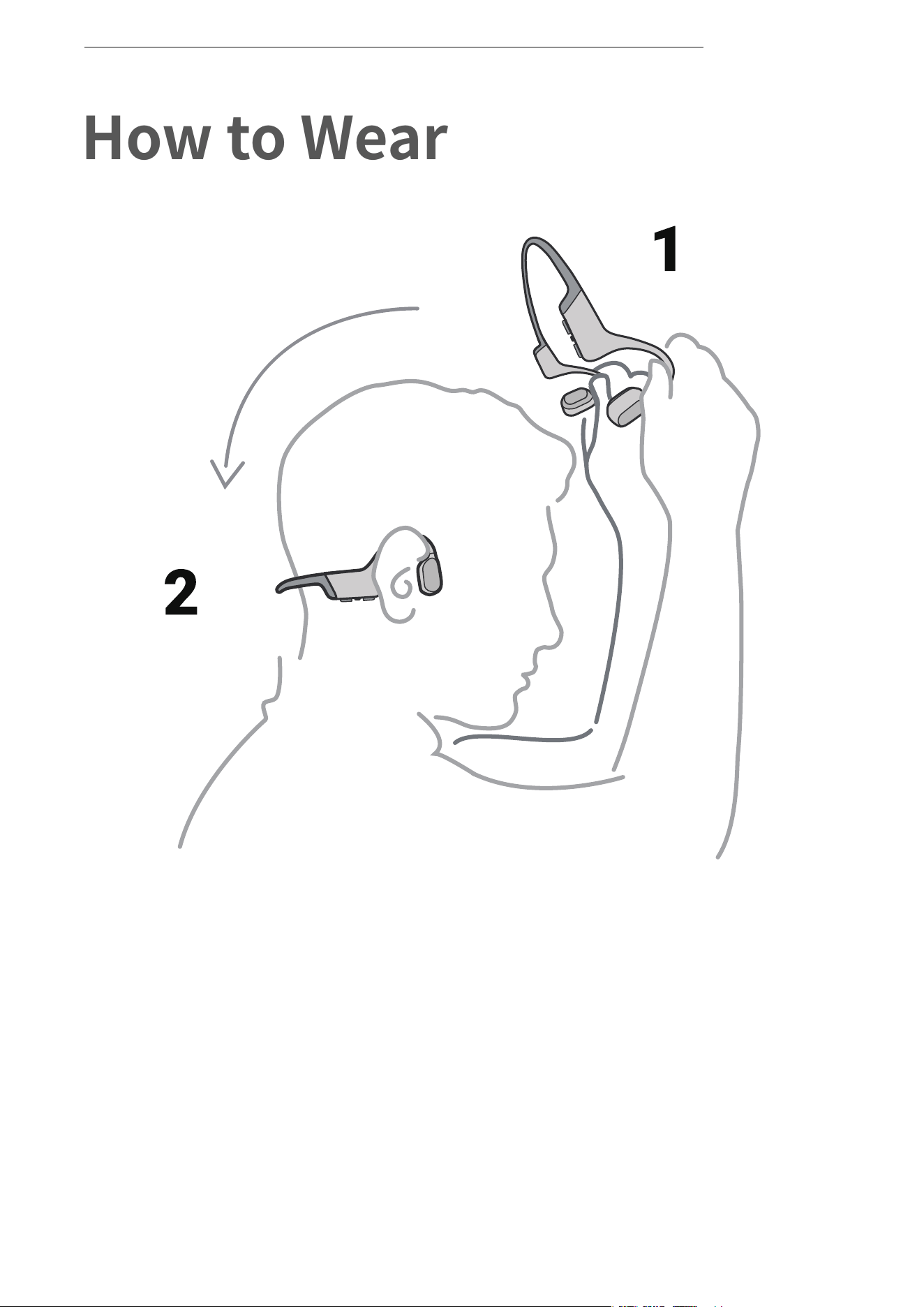
*Wearing your headphones the wrong way could cause
discomfort. The transducers should rest in front of your ears.
Pick up the headphones, bring them
behind the back of the base of your neck,
position the earhooks on your ears, then
enjoy your music!
How to Wear
07
HOW TO WEAR
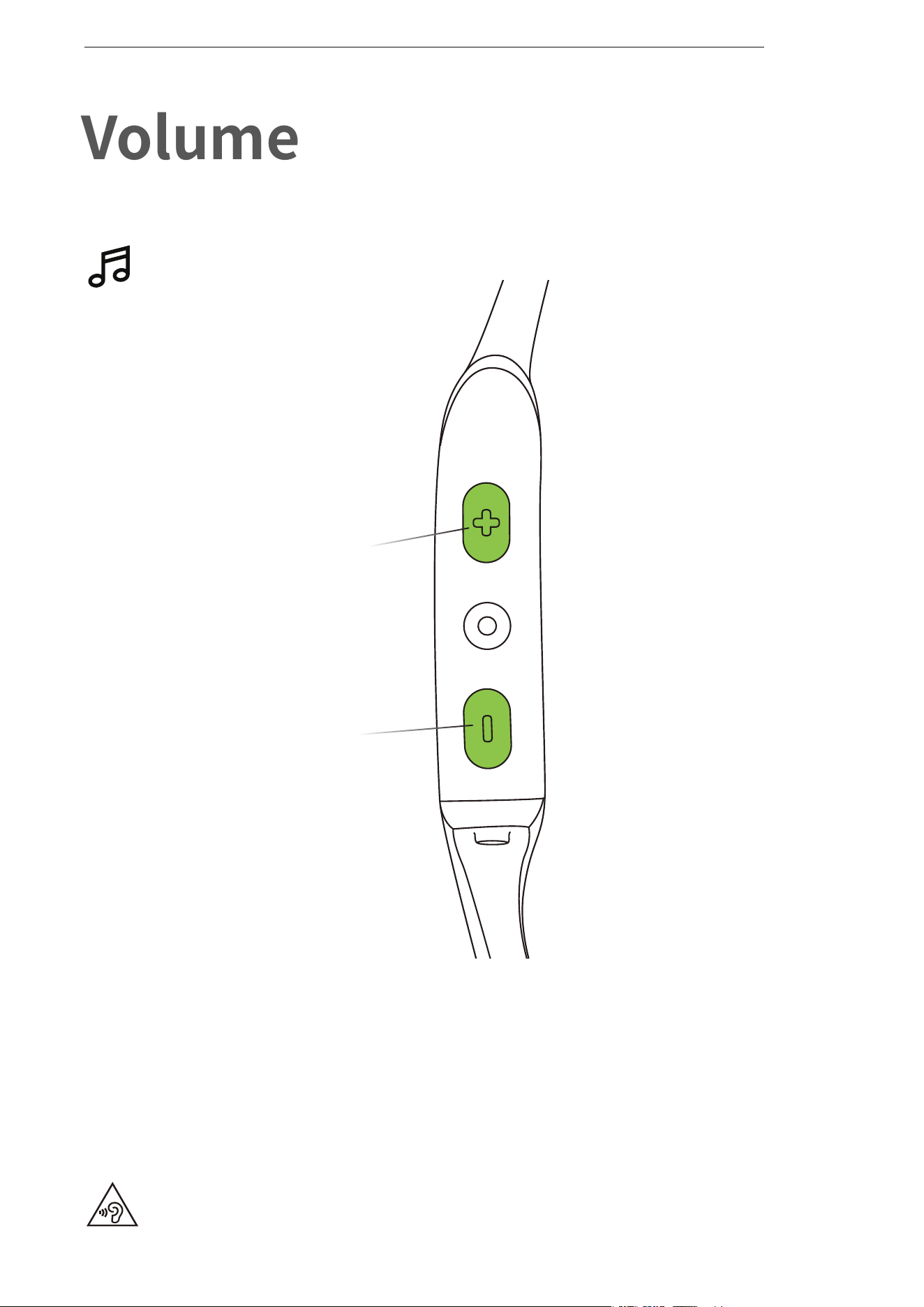
How to change volume:
While your audio is playing, adjust headphone volume by
pressing either the volume + or volume ‒ buttons.
Operate volume controls
while audio is playing.
Volume
*Listening with headphones at high volume may affect your hearing
and the audio will be distorted.
*A “beep” will sound when the volume is at its max.
08
VOLUME
Volume + Button
Volume - Button
Music Function
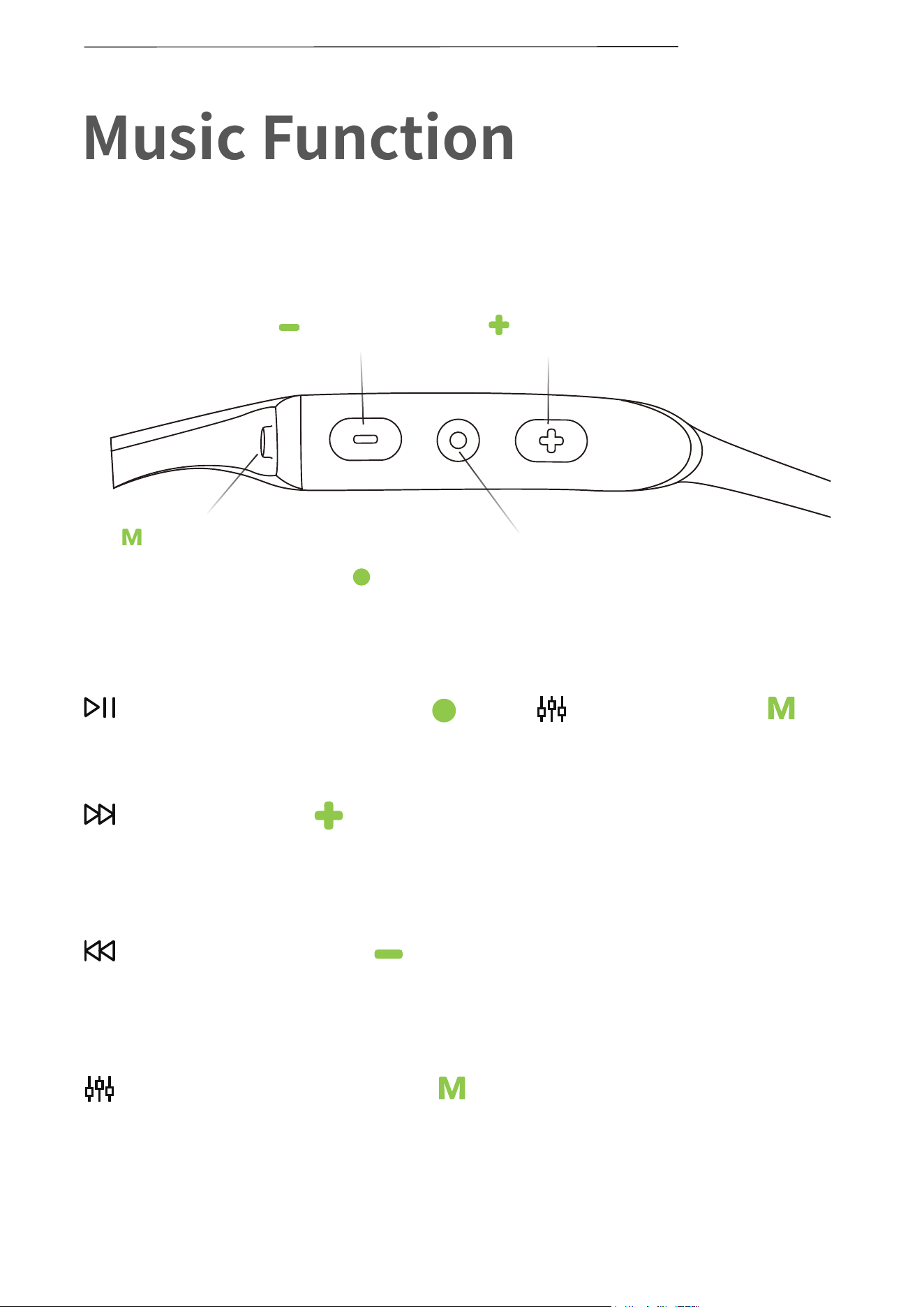
Change EQ Setting
Press and hold Mode Button
for 2 seconds
Play mode
Click Mode Button once
“Normal/Repeat/Shuffle”
Click Multifunction Button once
Play/pause music
Press and hold Volume+ for 2
seconds while music is playing
Next song
Press and hold Volume— for 2
seconds while music is playing
Previous song
09
MUSIC FUNCTION
Volume -
Mode Button
Volume+
Multifunction/Power Button
10
Operate controls while
audio is not playing
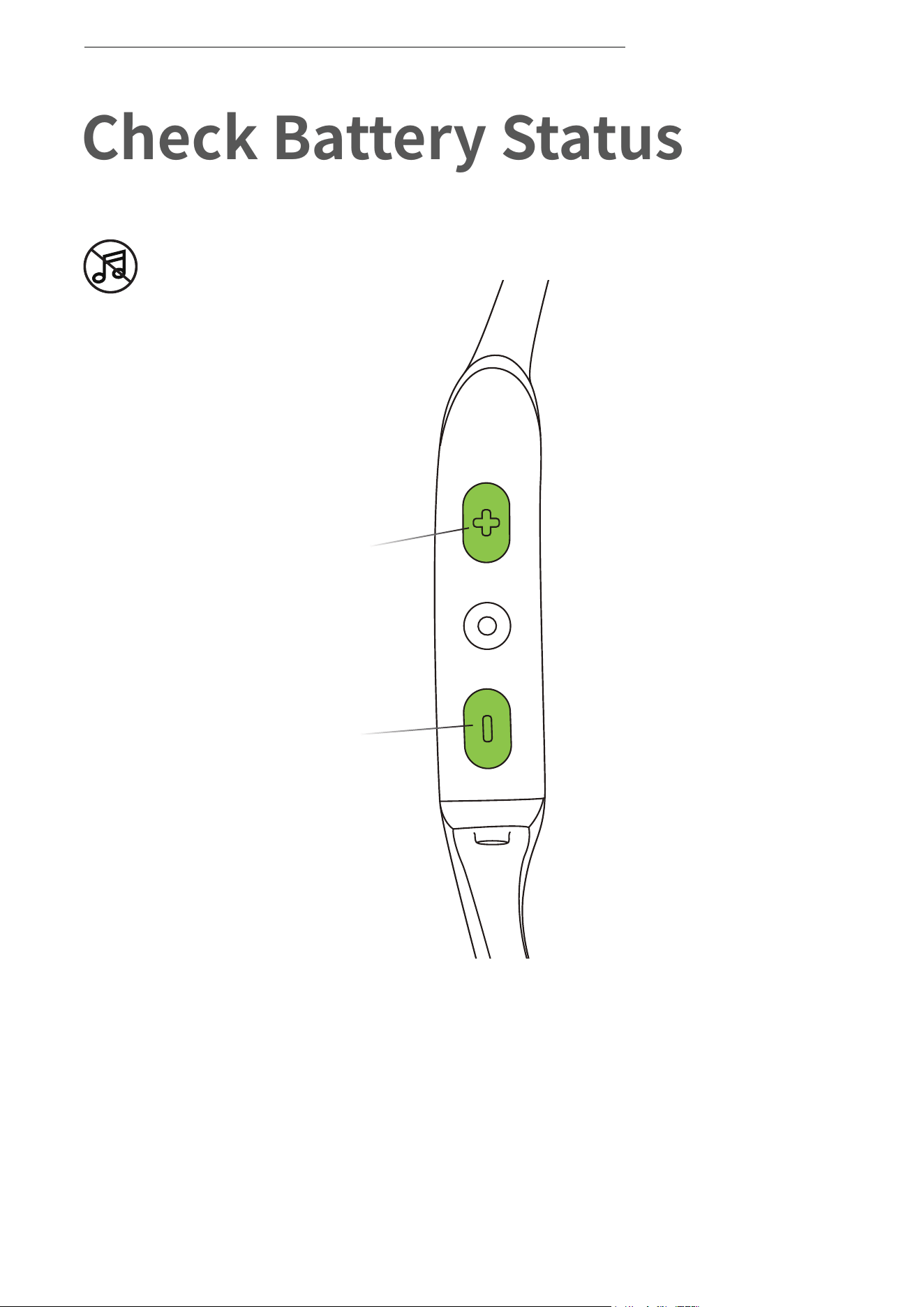
Check Battery Status
How to check battery status:
Click the volume + or volume - button while music is paused,
Audrey will tell you the battery status:
* "Battery high/Battery medium/Battery low/Charge me"
CHECK BATTERY STATUS
Volume + Button
Volume - Button

11
Extra Features
12
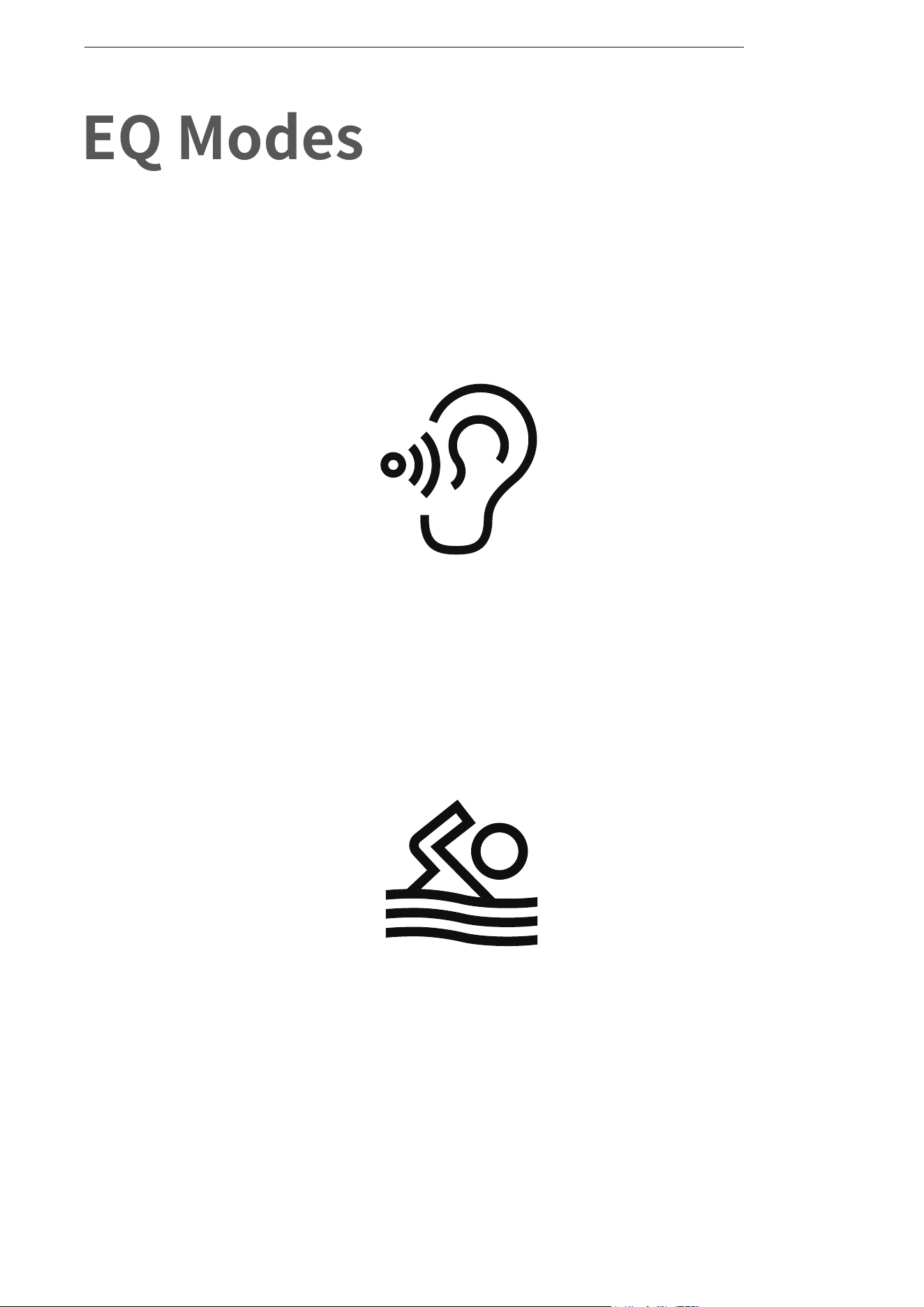
EQ Modes
EQ MODES
Swimming Mode:
For use while swimming
General Mode:
Balanced frequency for listening to music
13
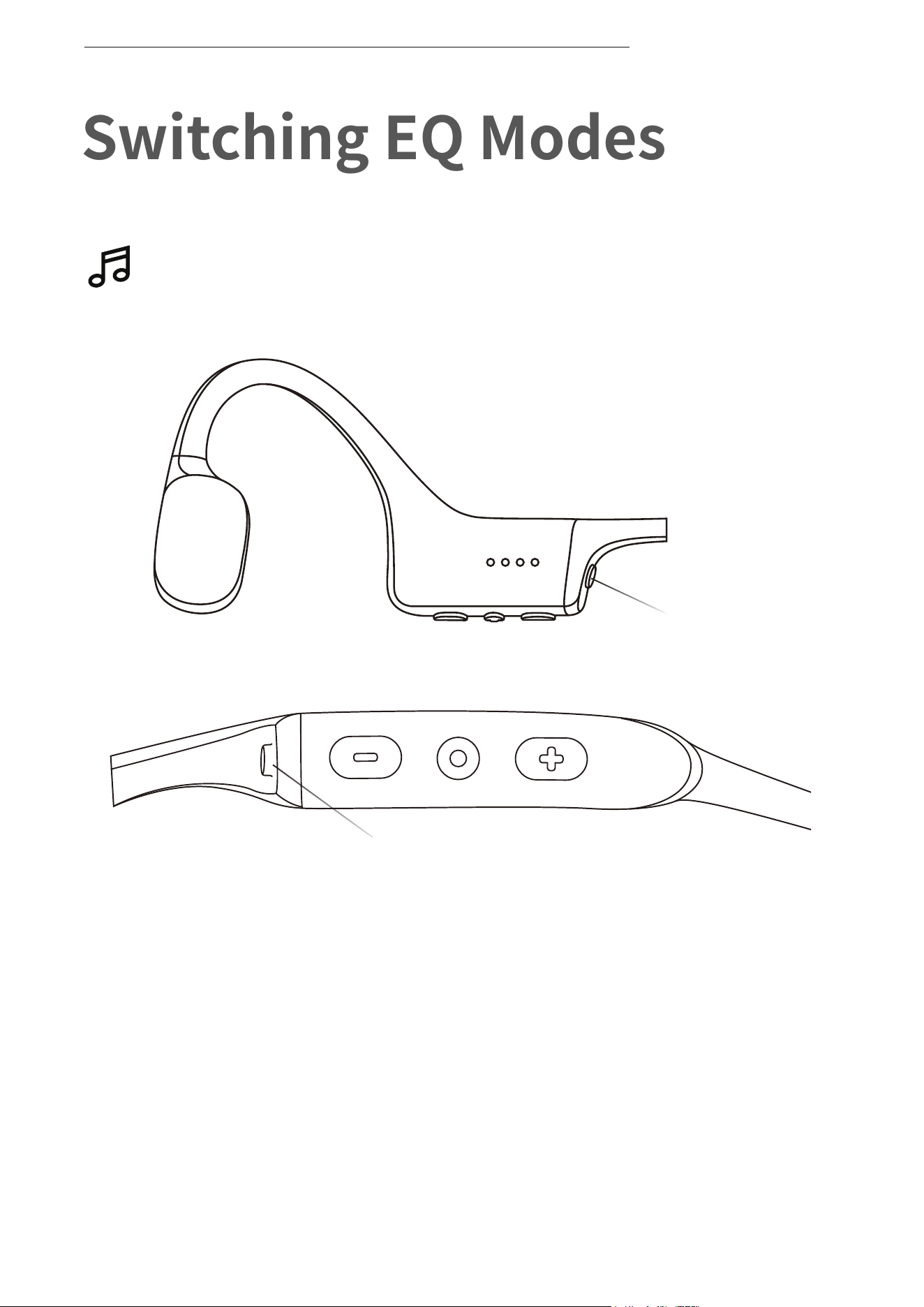
Switching EQ Modes
Operate controls while music
is playing
How to switch EQ mode:
Press and hold Mode button while music is playing
until you hear a beep.
*Audrey will say:“General mode/Swimming mode”
SWITCHING EQ MODES
Mode Button
Mode Button
14
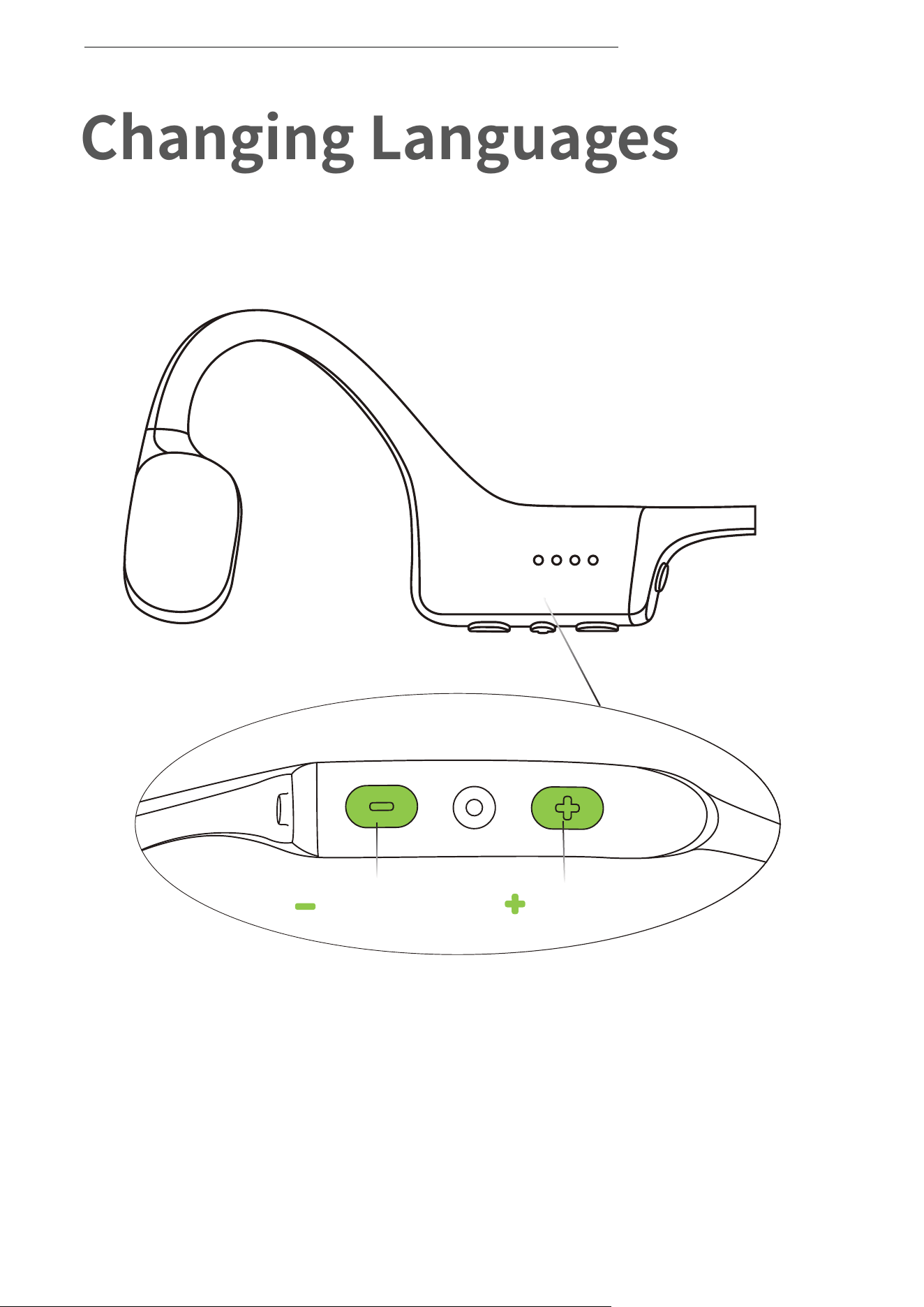
Changing Languages
Your headphones have four built-in languages:
Chinese, English, Japanese and Korean.
CHANGING LANGUAGES
How to change the language:
Press and hold both button volume + and volume - until you
hear a beep.
* Audrey will say:"中文/English/한국어/日本語"
Volume -
Volume+
15
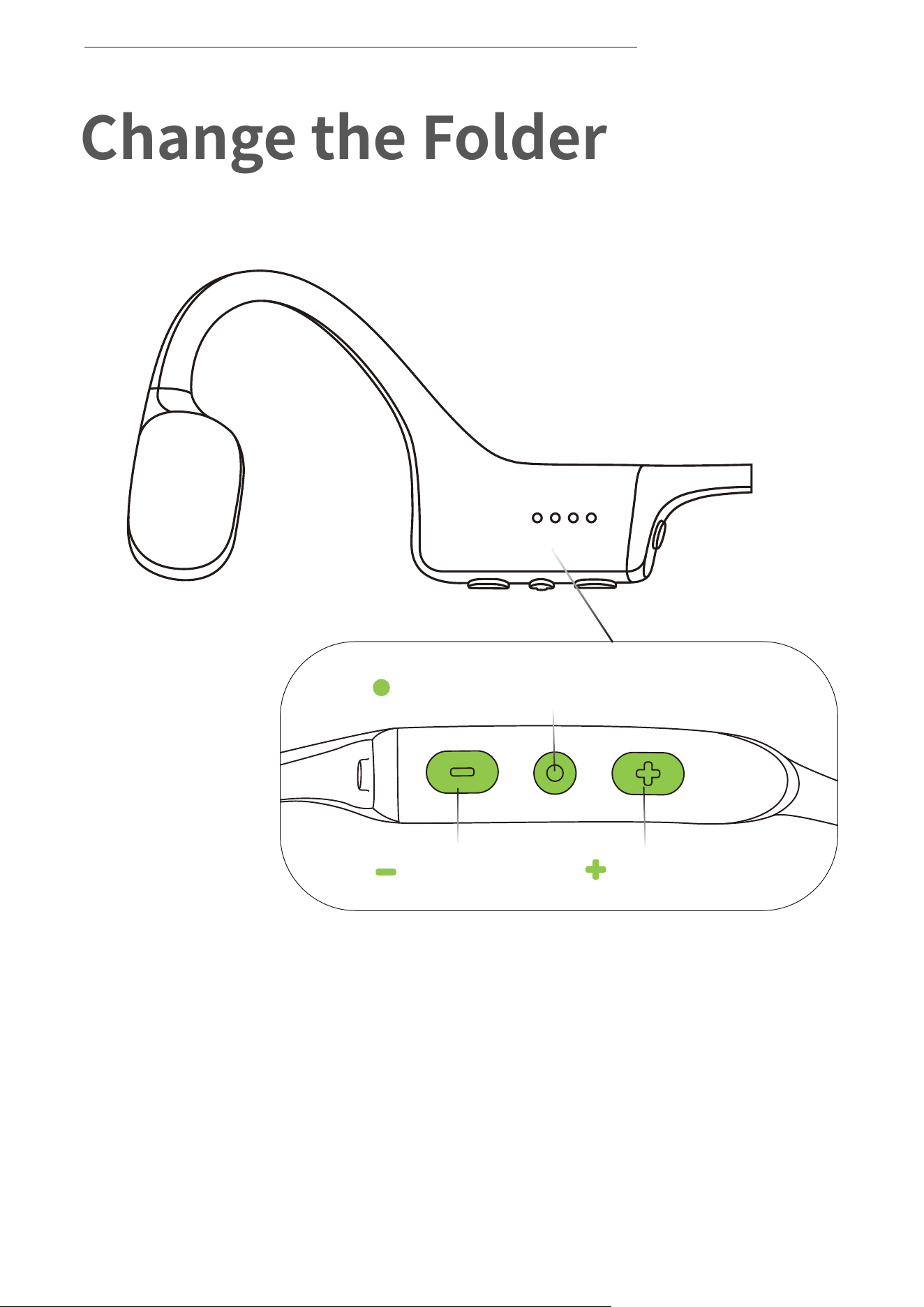
Change the Folder
*It is recommended to use different folders to categorize music.
CHANGE THE FOLDER
How to change the folder:
Press and hold both Multifunction Button and volume - until you
hear a beep.
* Audrey will say:“Play Current Folder/Play All Folders”.
*Press and hold Volume + and Multifunction Button for 2 seconds
after you hear” Play Current Folder”. You will then hear, “Next folder”.
Volume -
Volume+
Multifunction/Power Button

16
Care and Maintenance
17
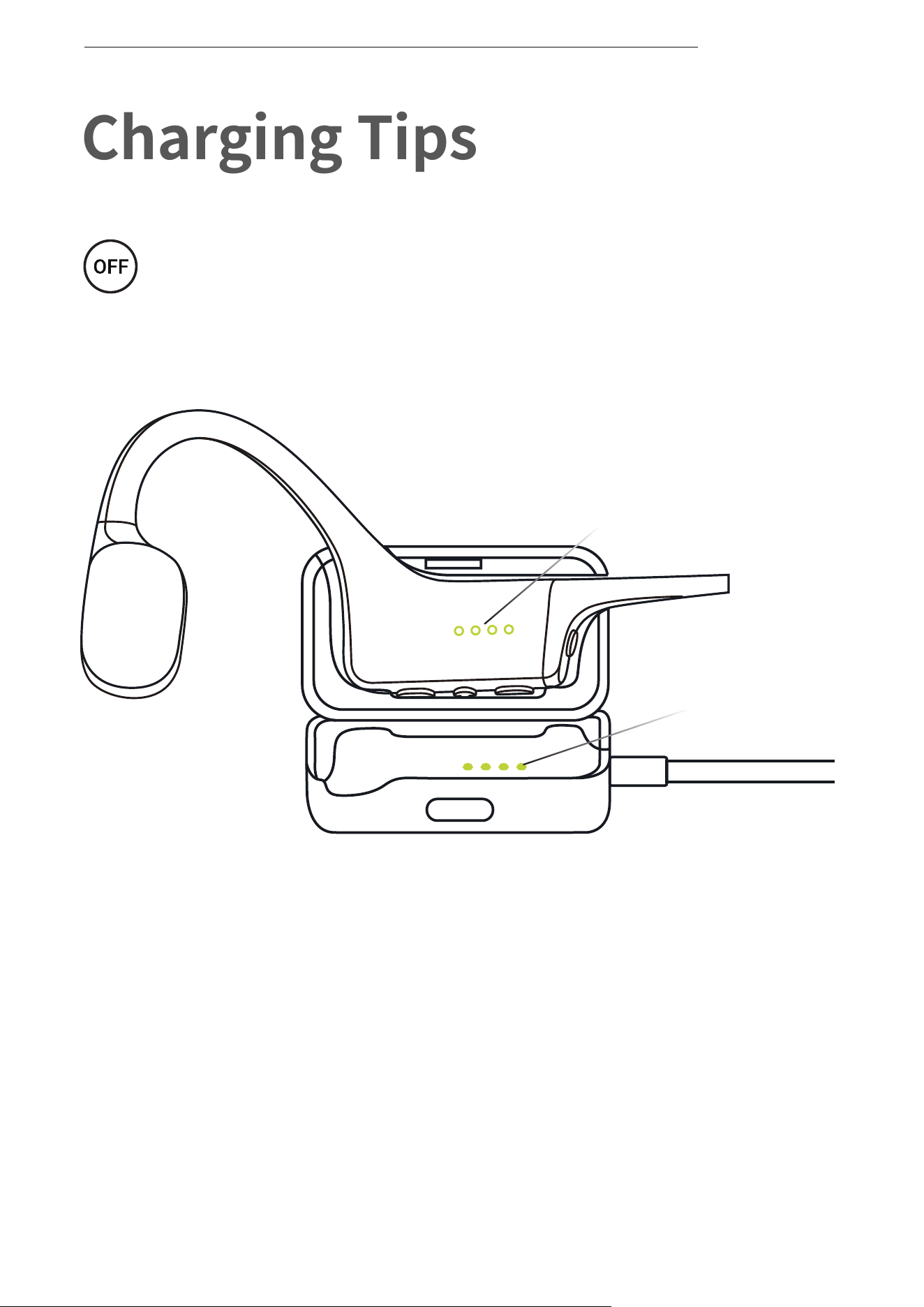
Charging Tips
The headphones will automatically
shut down when charging
CHARGING TIPS
1. Attach OpenSwim to the USB Charging Cradle. Make sure that
Pogo Pins and Terminals are in contact.
2. Connect the cradle to a computer or an adapter.
The LED indicator will turn blue when charging is complete.
Pogo Pins
Terminals

18
Storage and Maintenance
STORAGE AND MAINTENANCE
· The MP3 player should be kept in a cool, dry place with ambient
temperatures of 0-45°C. Using the headphones in extreme cold or
heat may shorten the battery life.
· If stored without use for an extended period of time, charge before use.
· Clean the MP3 player with a dry, soft towel after use.
· Dry the MP3 player before charging.
Safety Warnings
· The MP3 player might explode if the battery is improperly replaced.
It shall only be replaced with a battery of the same type or of the
equivalent performance.
· Do not expose the MP3 player to sunlight, fire or similar high
temperature.
· Do not dissemble the MP3 player or subject the MP3 player to shock,
squeeze and fire. Do not use the MP3 player if it swells up. Do not
expose the MP3 player to high temperature.
· If you use a power adapter, do purchase the supporting power
adapter that is CCC certified and meets the standards and
requirements.
· Do not use the MP3 player when you are diving deeper than 2 meters.
· The MP3 player might drop during intense exercises.
· The MP3 player can be placed in fresh water, tap water, swimming
pool, sea water, etc., but not be placed in soapy water, bath liquid,
laundry detergent, high temperature or humidity.
· The charging pole-piece in the MP3 player is with anti-corrosion
treatment. However, as seawater is highly corrosive, you are
recommended to clean the headset immediately when it is out of
seawater.
· Listening with this headset at high volume may affect your hearing
and may lead to voice distortion.

19
Note
(1) OpenSwim only supports WAV file in Linear PCM format.
(2) OpenSwim will power off after 1 hour of inactivity.
(3) “Charge me“ prompt will occur at about 20 minutes of use time
remaining.
Design and specification are subject to change without notice. For the
most up-to-date product information, please visit www.shokz.com.cn
STORAGE AND MAINTENANCE

20
Your headphones are covered by a warranty.
Visit our website at https://www.shokz.com/pages/warranty-claim
for details of the limited warranty.
*Failure to register will not affect your limited warranty rights.
Warranty
WARRANTY
21
If you have any trouble or problems,please visit
https://www.shokz.com/pages/support-new
for more support!
Troubleshooting
TROUBLESHOOTING
22
What’s in the Box
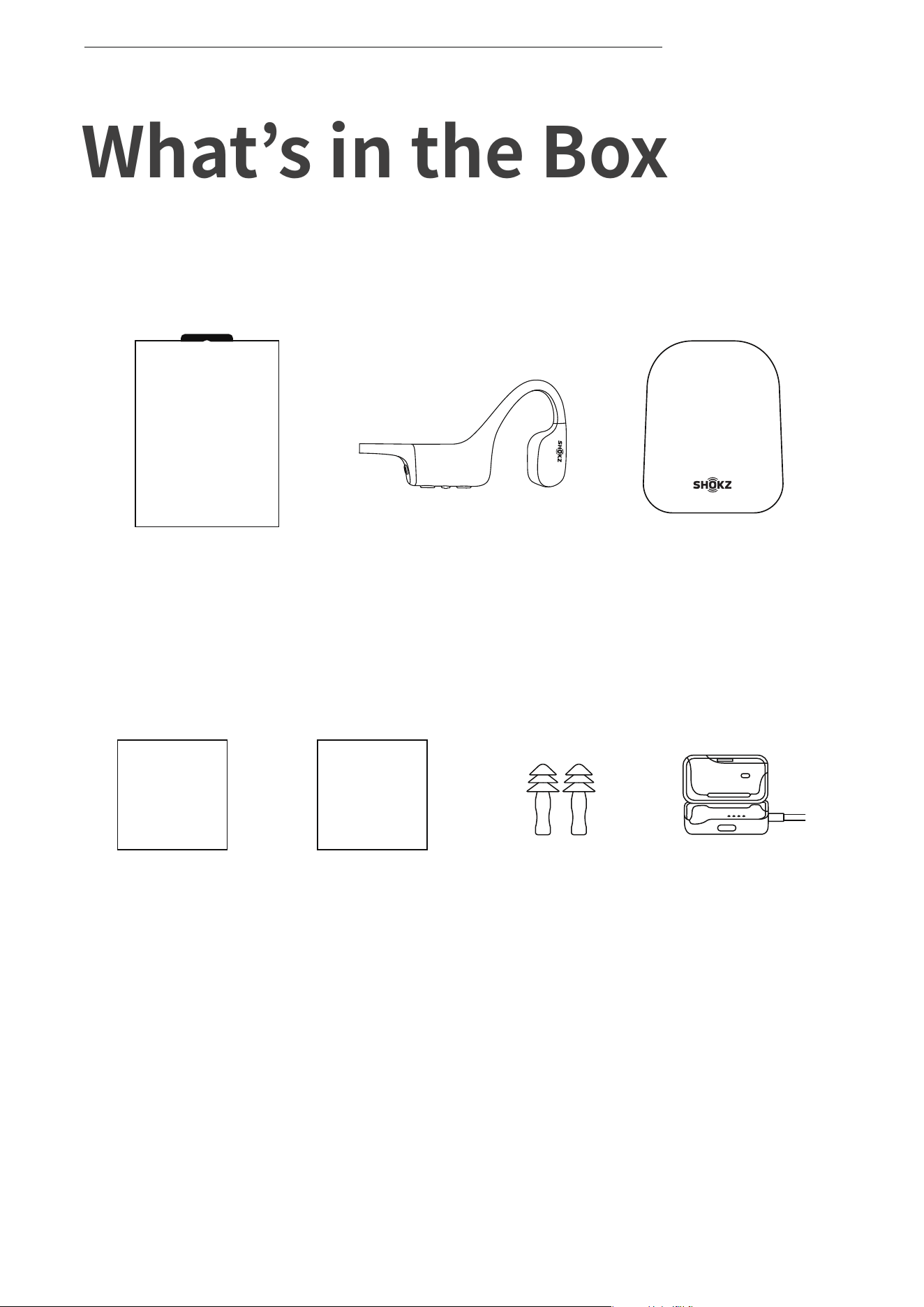
If any part of your product is damaged or missing, do not use it.
Contact authorized Shokz dealer or Shokz customer service.
*Please note that the packaging envelope may vary depending on
the sales region.
WHAT’S IN THE BOX
OPENSWIM
OpenSwim
headphones
OpenSwim
Package
OpenSwim
Box
USB Charging
Cradle
OpenSwim
Earplugs
OpenSwim
User Guide
User Guide
OpenSwim
Legal Statement
Legal

23
Manufacturer
Shenzhen Shokz Co., Ltd. Floors 1-4, Factory Building 26, Shancheng
Industrial Park, Shixin Community, Langxin Community, Shiyan Street,
Bao'an District, Shenzhen, Guangdong, China
Tel: 400-6830-858 www.shokz.com.cn
Regulatory and Legal Information
REGULATORY AND LEGAL INFORMATION